


Galerie Envira – Galerie de photos, Albums, Galerie de vidéos, Diaporamas, etc.
The fastest drag & drop photo gallery plugin. Create stunning image galleries, albums, video galleries & lightbox displays in minutes — no coding!

Choix
Yes — Envira Gallery is a safe, well-maintained plugin to use in 2026. It runs on 100K+ sites, is rated 4.7/5 and was last updated 2 days ago, and scores 95/100 on our health check.
- Prouvé à grande échelle sur plus de 100 000 sites actifs
- Loved by users — 4.7/5 from 1,600 reviews
- Développé activement — Dernière mise à jour il y a 2 jours
- Testé avec le dernier WordPress (7.1)
- Momentum — downloads up 25.7% vs the previous 30 days
Comment s'accumule-t-il ?
Côte à côte sur les installations, les mises à jour, les évaluations et le support



Téléchargements quotidiens
Les pics de téléchargement suivent généralement une nouvelle version - chaque site qui met à jour automatiquement compte comme un téléchargement.
Classements
Where Envira Gallery stands todayWordPress.org Classements de recherche
Position en direct dans la recherche de plugins, Top 100| Mot-clé | Position |
|---|---|
| albums | #4 |
| galerie | #7 |
| galerie d'images | #4 |
| lightbox | #48 |
| galerie de photos | #7 |
Adoption de version
Part de sites actifs par version.
Répartition des notes
★★★★★★★★★★ 4.7 from 1,600 reviews
About Envira Gallery
From the official readme · v1.17.0Description
The Best Photo Gallery Plugin for Beautiful Image Galleries
We believe creating a photo gallery should be simple!
Envira Gallery makes it easy to create beautiful, responsive image galleries that look great on any device. Drag, drop, publish — and your photo gallery is live in minutes with zero coding required.
More importantly, over 150,000 website owners choose Envira Gallery because it is the fastest loading gallery plugin on the market. Your image gallery will never slow down your site.
Whether you need a portfolio gallery, a client proofing gallery, or a video gallery for your brand – Envira Gallery does it all.
Envira Gallery Pro
This plugin is the lite version of Envira Gallery Pro, which comes with albums, video galleries, watermarking, WooCommerce integration, client proofing, social sharing, and tons more. Click here to purchase the best premium photo gallery plugin now!
See what WordPress developer Chris Lema has to say about Envira Gallery:
I’ve suspended flavor-of-the-week gallery plugins in favor of Envira Gallery. It’s developer-friendly — a photo gallery solution that works great and won’t slow down your site.
Chris Lema – WordPress Developer & Blogger
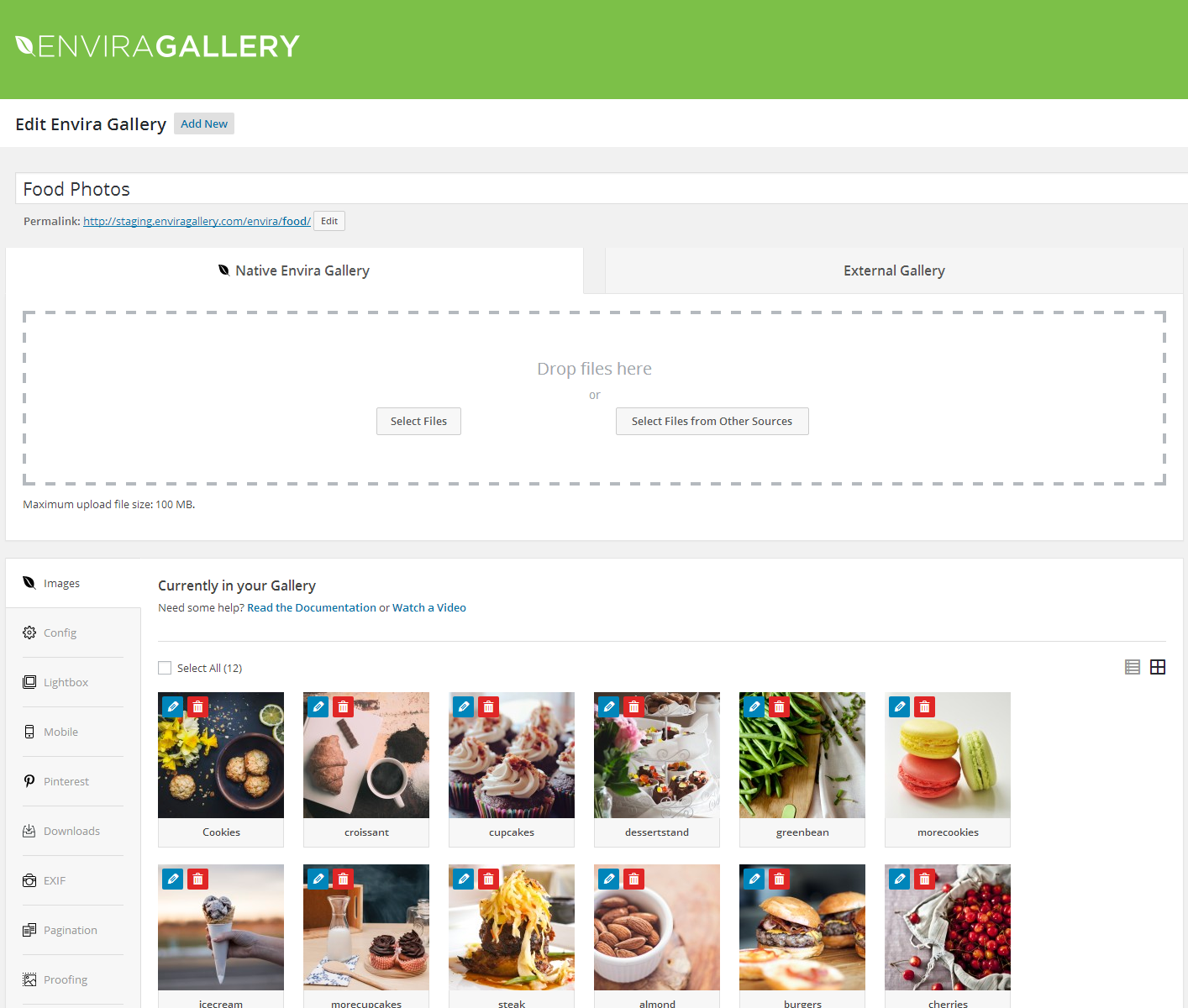
Drag & Drop Gallery Builder
Create a stunning image gallery in minutes, not hours. Our drag & drop gallery builder lets you upload photos, reorder images, and publish with just a few clicks.
No coding. No confusing settings. Just drag, drop, and your photo gallery is live.
Envira Gallery works perfectly with the Block Editor, Classic Editor, and shortcodes. Embed your image gallery on any page or post instantly.
Lightning-Fast Photo Gallery Performance
Speed matters. A slow gallery plugin will hurt your search rankings and frustrate your visitors.
That’s why Envira Gallery is built for speed from the ground up. Testing by WPBeginner confirmed Envira Gallery loads faster than any other photo gallery plugin.
Your image gallery will load fast on desktop, tablet, and mobile.
Responsive Lightbox Display
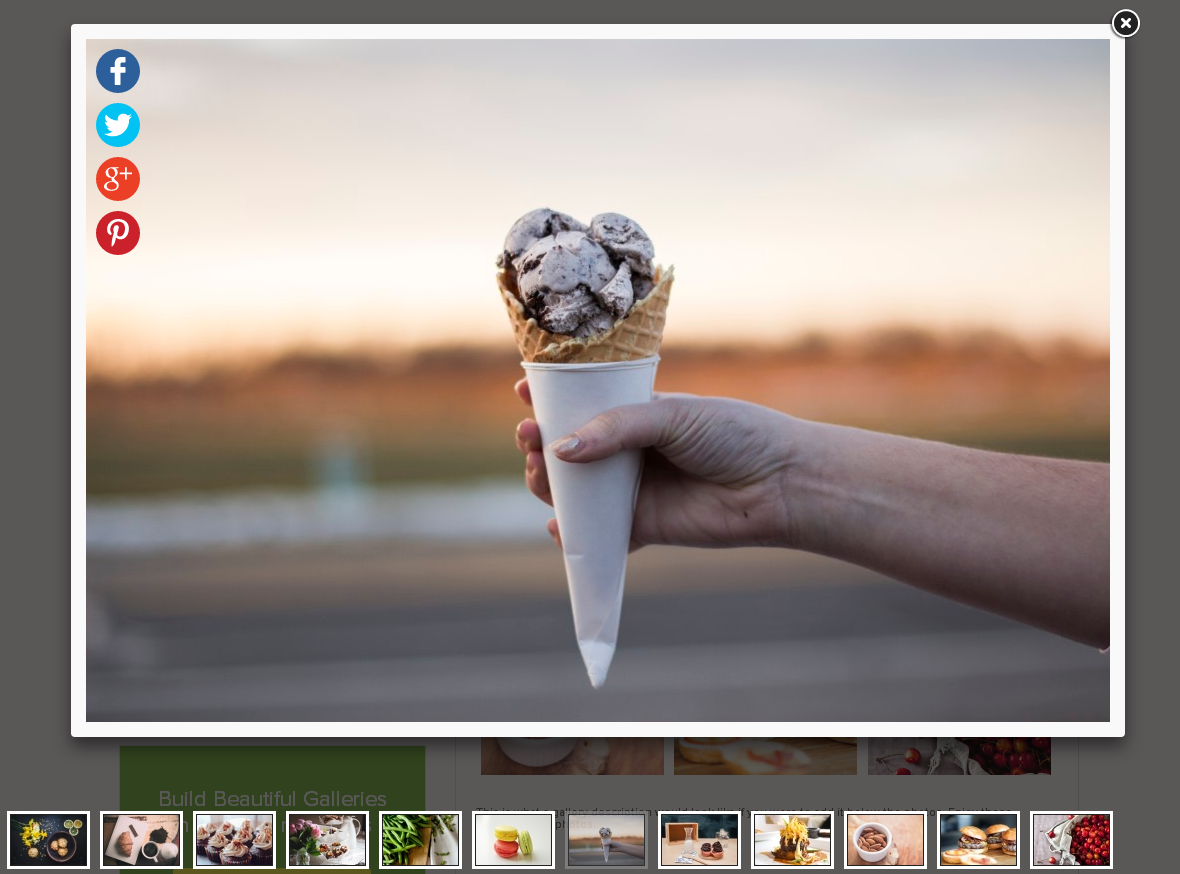
Every photo gallery includes a built-in responsive lightbox that works beautifully on all devices. Visitors browse images in a gorgeous fullscreen overlay without leaving the page.
The lightbox includes:
- Multiple lightbox themes to match your site’s design
- Touch and swipe support for mobile galleries
- Keyboard navigation for desktop browsing
- Fullscreen mode for immersive gallery viewing
- Zoom capability for full-resolution images
- Slideshow autoplay with manual controls
Photo Albums to Organize Your Galleries
Got a lot of images? Use albums to group your photo galleries into organized collections. Choose cover photos for each album and let visitors browse your galleries their way.
Albums are perfect for:
- Wedding and event photographers with multiple shoots
- Real estate agents with property photo galleries
- Travel bloggers organizing galleries by destination
- Businesses showcasing products by category
- Schools organizing event photo galleries by year
Video Gallery Support
Go beyond photos. With the Video Gallery addon, embed videos from YouTube, Vimeo, Wistia, DailyMotion, Twitch, and self-hosted video directly in your gallery.
Mix photos and videos in the same gallery, or create dedicated video galleries. Every video plays inside the same beautiful lightbox your visitors already love.
Sell Your Photos with WooCommerce
Turn your photo gallery into a revenue stream. The WooCommerce integration lets you sell prints, digital downloads, and licensed images directly from your image gallery.
Visitors browse your gallery, click a photo they love, and purchase — all without leaving your site.
Protect Your Images
Your photos deserve protection. Envira Gallery gives you the tools to keep your gallery images safe:
- [Watermarking] — Add text or image watermarks to protect gallery photos (originals are preserved)
- Right-click protection — Prevent visitors from downloading your images
- Password protection — Restrict gallery access to authorized users only
- Gallery permissions — Control who can view each photo gallery by user role
- Image licensing — Display Creative Commons and custom license info to protect your work
Client Proofing for Photographers
Running a photography business? The client proofing addon streamlines your workflow. Clients browse their photo gallery, select favorites, add feedback, and submit — all from your site.
No more emailing zip files back and forth. Your gallery becomes a professional client experience.
Beautiful Gallery Layouts
Every photo gallery deserves the right layout. Envira Gallery includes:
- Masonry — Pinterest-style image gallery layout
- Grid — Clean, uniform photo gallery grid
- Justified — Edge-to-edge image gallery rows
- Square — Uniform square thumbnails
- Mosaic — Dynamic, eye-catching gallery pattern
- Blogroll — Full-width image gallery layout for blogs
Social Sharing & Engagement
Help your gallery go viral. The social sharing addon lets visitors share photos to Facebook, Twitter/X, Pinterest, LinkedIn, WhatsApp, and email.
Add a Pinterest “Pin It” button to every image in your gallery for maximum exposure.
SEO-Friendly Photo Gallery
Envira Gallery is built to help your image gallery rank. Every gallery includes:
- Deeplinking — SEO-friendly URLs for individual gallery images
- EXIF metadata display — Camera model, aperture, shutter speed with schema markup
- Alt text and caption support — Properly structured image gallery data
- Lazy loading — Faster initial page loads for better Core Web Vitals
- Image compression — Reduce file sizes without losing quality
Adobe Lightroom Integration
Professional photographers love our Lightroom addon. Create and sync image galleries directly from your Lightroom collections. Edit in Lightroom, and your photo gallery updates automatically.
Full Envira Gallery Feature List
- Drag & drop gallery builder — Create a photo gallery in minutes without code
- 100% responsive and mobile-friendly image galleries
- Built-in responsive lightbox with fullscreen mode
- Albums — Organize galleries into collections with cover photos
- Video galleries — YouTube, Vimeo, Wistia, self-hosted video support
- Slideshow — Autoplay gallery with manual controls
- Social sharing— Share gallery images to Facebook, Twitter, Pinterest
- Watermarking — Protect photo gallery images with watermarks
- WooCommerce /eCommerce Galleries — Sell photos directly from your image gallery
- Client proofing — Photography business client workflow
- Deeplinking — SEO-friendly individual image gallery URLs
- Paginatio — Split large galleries across pages
- Image tagging — Filterable photo gallery with tag-based navigation
- Password protection — Restrict gallery access
- EXIF data display — Show camera details with schema markup
- Fullscreen mode — Immersive gallery viewing experience
- Image compression — Optimize gallery performance to load fast on every device
- Gallery animations — Beautiful transition effects
- Gallery themes — Professionally designed gallery templates
- Standalone galleries — Galleries with unique, shareable URLs
- Downloads — Allow visitors to download gallery images
- Printing — Add print buttons to gallery images
- Image / Gallery commenting — Let visitors comment on gallery photos
- Gallery Zoom — Lightbox zoom for full-resolution viewing
- Scheduled galleries — Time-based gallery visibility
- Lazy loading — Faster page loads for large image galleries
- Block Editor (Gutenberg) support
- Shortcode embed support
- Custom CSS support
Page Builder Integrations
- Elementor Gallery— Native image gallery addon for Elementor
- Beaver Builder Gallery — Native photo gallery addon for Beaver Builder
- Divi Gallery — Full gallery compatibility
- Block Editor — Dedicated and easy to use gallery block
Import & Migration
- Adobe Lightroom — Sync image galleries with Lightroom collections
- Instagram importer — Import Instagram photos into your gallery automatically
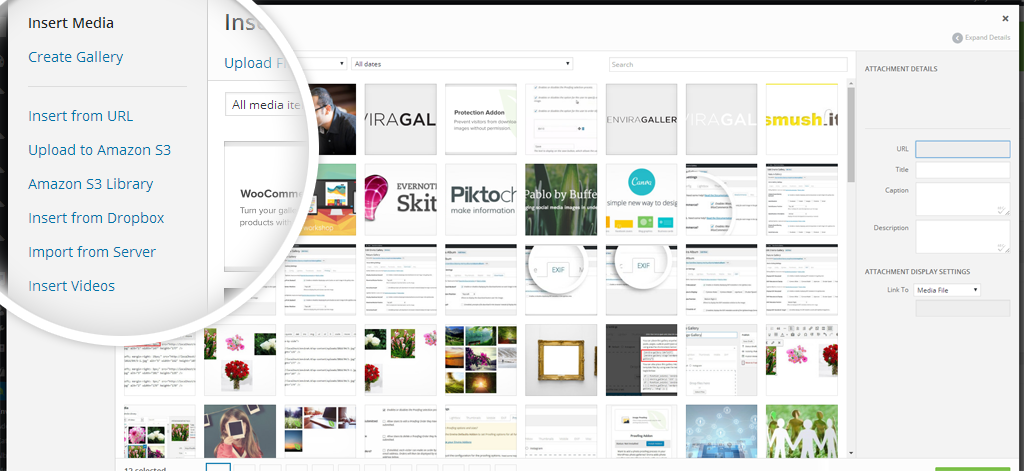
- Dropbox importer — Import photos from Dropbox
- Zip file importer — Build galleries from zip files
- NextGEN / Imagely importer — Migrate from NextGEN Gallery
After reading this feature list, you can see why over 150,000 websites trust Envira Gallery as their go-to photo gallery plugin.
Give Envira Gallery a try.
Crédits
This plugin is created by Syed Balkhi and the Envira Gallery Team.
Directives de marque
Envira Gallery® is a registered trademark of Envira Gallery LLC. When writing about the photo gallery plugin by Envira Gallery, please use the full name “Envira Gallery.”
- Envira Gallery (correct)
- Envira gallery (incorrect)
- envira gallery (incorrect)
- Envira (incorrect)
Installation
- Install Envira Gallery Lite either via the WordPress.org plugin repository or by uploading the files to your server. (See instructions on how to install a WordPress plugin)
- Activate Envira Gallery Lite.
- Navigate to the Envira Gallery tab in your admin menu and click “Add New” to create your first photo gallery.
- Want more features? Purchase Envira Gallery Pro!
Journal de modifications
1.17.0 – 11.17.2026
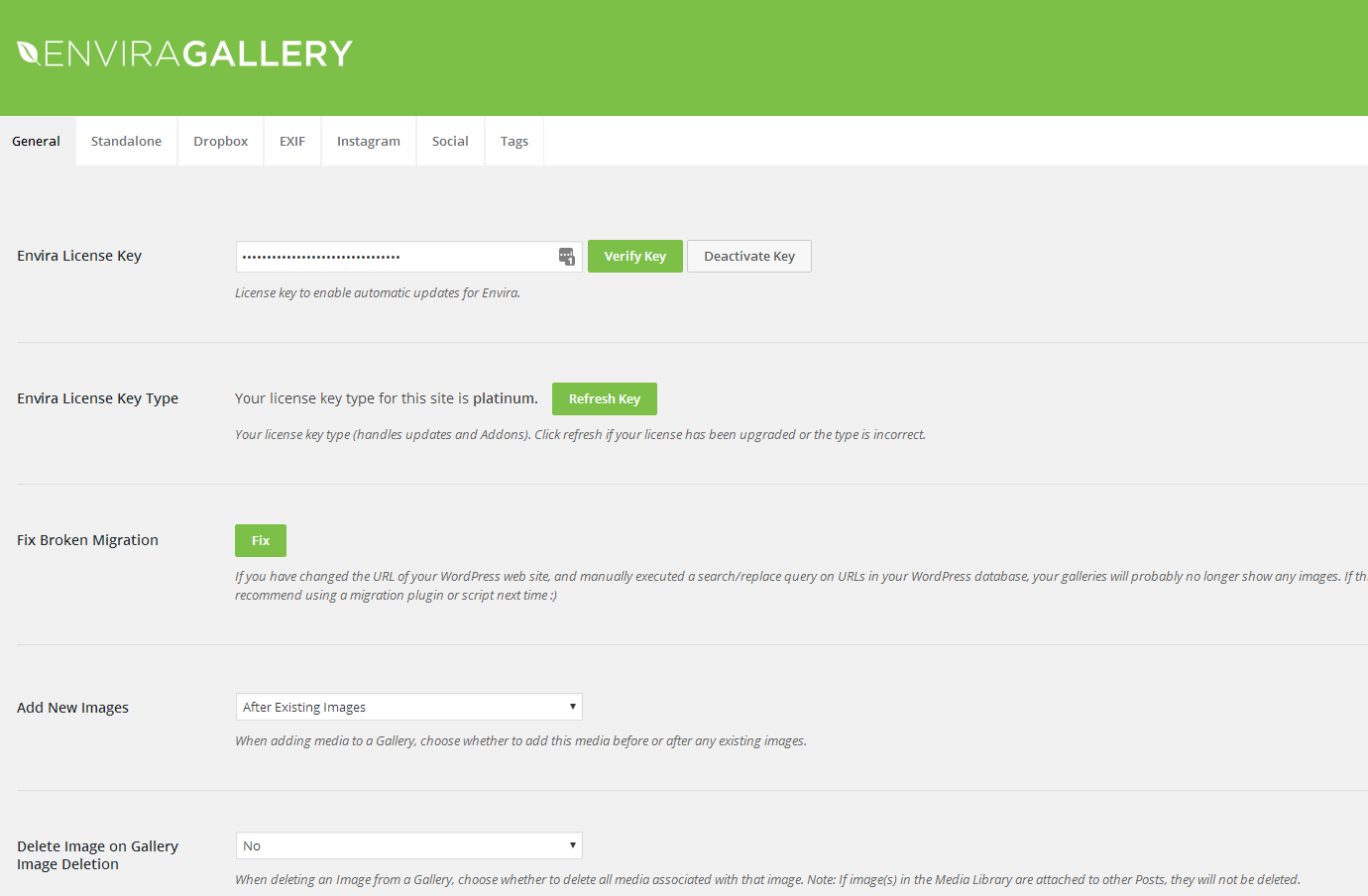
- Added: Support for the WordPress Abilities API (WordPress 6.9+), so AI assistants and other tools can find, read and manage your galleries within each user’s permissions. Changes stay off until you turn them on in Envira Gallery > Settings > AI & MCP.
- Added: A notice ahead of the PHP 8.1 requirement coming in the next release. Sites running PHP 7.0 to 8.0 see it in wp-admin and keep working; sites below PHP 7.0 see the plugin stay inactive with an explanation on the Plugins screen.
1.16.4 – 11.09.2026
- Fixed: Security hardening on gallery permissions. We recommend updating.
- Fixed: Lazy-loaded images whose srcset holds CDN URLs with commas now load correctly.
1.16.3 – 10.23.2026
- Fixed: PHP 8 compatibility, so a gallery shortcode with a limit on a deleted, empty or unknown gallery, or a non-numeric gutter or crop size, no longer causes a fatal error that takes the whole page down.
- Fixed: The Addons, About Us, Getting Started, Lite vs Pro and Support pages now show their title in the browser tab and no longer log a PHP deprecation notice.
- Fixed: When another plugin adds a taxonomy to galleries, the Envira menu no longer hides the wrong items.
- Fixed: Fix Gallery on the Support page now saves the images it repairs and removes images whose file has been deleted.
1.16.2 – 10.08.2026
- Fixed: The setup wizard’s plugin installer now requires permission to install plugins and installs only plugins from Envira’s recommended list.
- Fixed: Saving a gallery through the REST API now accepts only images the user is allowed to use, so other users’ private post titles and excerpts can no longer be read back from gallery data.
- Fixed: Converting WordPress galleries to Envira galleries now requires permission to publish galleries, and the bulk converter reports refused conversions instead of reporting success.
- Fixed: New installs now apply Envira’s default gallery permissions straight away, instead of leaving contributors with gallery access until Envira Settings is opened.
- Fixed: The gallery shortcode now renders a gallery by ID or slug only when the visitor is allowed to see it, so private, draft and pending galleries are no longer exposed to other visitors.
- Fixed: Images a user is not allowed to use are now refused everywhere a gallery is saved — the media picker, the REST API and the gallery converter — and skipped images are reported instead of silently dropped.
- Fixed: A gallery that cannot be converted no longer stops the remaining galleries in the same post from converting; it is skipped and counted instead.
- Updated: General security improvements and hardening.
1.16.1 – 10.01.2026
- Fixed: The block editor no longer stalls or times out on sites that serve media from remote storage, such as Infinite Uploads or WP Offload Media.
- Fixed: Saving a gallery no longer breaks when an image cannot be cropped, and lightbox thumbnails are kept instead of being cleared.
- Fixed: Working cropped thumbnails are no longer replaced with the full-size original each time a gallery is saved.
- Fixed: Images with non-ASCII filenames, and images served from a CDN or external host, are no longer given a duplicated site address.
- Fixed: Galleries with unusable stored crop dimensions no longer cause a fatal error on the front end, and images are no longer output at 0x0.
- Fixed: Searching for a gallery in the block editor now finds titles containing characters such as & or #.
- Improved: Gallery image dimensions now come from the data WordPress already stores, removing a filesystem check for every image and speeding up editor screens.
- Updated: General security improvements and hardening.
1.16.0 – 09.08.2026
- Added: Submissions tab in the gallery editor, showing how visitor photo submissions work with Envira Pro.
Captures d'écran


Pour les développeurs
Est-ce votre plugin ? Montrez les chiffres.
Ajoutez un badge en direct à votre site, docs ou github readme. Il se met à jour par lui-même - aucun compte n'est nécessaire.
Best Envira Gallery alternatives
All albums plugins →





FAQ
Envira Gallery: quick answers
Réponses directes, extraites des données en direct WordPress.org.
Source : WordPress.org
Is Envira Gallery free?
Yes. Envira Gallery is free to download and use from the official WordPress.org plugin directory.
Is Envira Gallery safe to use in 2026?
Yes — Envira Gallery is a safe, well-maintained plugin to use in 2026. It runs on 100K+ sites, is rated 4.7/5 and was last updated 2 days ago, and scores 95/100 on our health check.
How many websites use Envira Gallery?
Envira Gallery is active on 100K+ WordPress websites and has been downloaded 8,599,344 times since it launched in January 2014. It was downloaded 227,076 times in the last 30 days.
Does Envira Gallery work with WordPress 7.1?
Yes. The developer has tested Envira Gallery up to WordPress 7.1.5, the latest release. It requires WordPress 6.3 or newer.
What PHP version does Envira Gallery need?
Envira Gallery requires PHP 7.0 or higher. Most hosts run PHP 8.x today, so it works on any modern WordPress hosting.
When was Envira Gallery last updated?
The latest version, 1.17.0, was released on November 17, 2026 (2 days ago).
Who makes Envira Gallery?
Envira Gallery is developed and maintained by Syed Balkhi.
What are the best alternatives to Envira Gallery?
The most popular alternatives to Envira Gallery are RPS Image Gallery (800+ installs), Gallery for Immich (100+ installs) and WP-SmugMug (100+ installs).
Propulsé par PageForge
Un modèle et une feuille de calcul. Une vraie page pour chaque recherche.
PageForge transforme chaque ligne d'un CSV en une page WordPress avec son propre titre, URL, SEO et schéma, construit sur la mise en page que vous Déjà conçu. Gratuit sur WordPress.org.
- CSV et XLSX, plus Google Sheets sur les professionnels et les entreprises
- Son propre titre, URL, SEO champs et schéma pour chaque page
- Fonctionne avec l'éditeur de blocs, Elementor, Divi et Avada
- Gratuit sur WordPress.org, pas de carte de crédit