


Metadata Viewer
A plugin or theme developer can view metadata by this plugin easily.

Utiliser avec prudence
Metadata Viewer works, but test it on a staging site before relying on it in 2026. It runs on 500+ sites, is rated 5/5 and was last updated 7 months ago, and scores 49/100 on our health check.
- Petite base d'utilisateurs (plus de 500 installations actives)
- Très peu de critiques jusqu'à présent
- Uniquement testé jusqu'à WordPress 6,9 (le dernier est de 7,1)
Comment s'accumule-t-il ?
Côte à côte sur les installations, les mises à jour, les évaluations et le supportTéléchargements quotidiens
Les pics de téléchargement suivent généralement une nouvelle version - chaque site qui met à jour automatiquement compte comme un téléchargement.
Classements
Where Metadata Viewer stands todayWordPress.org Classements de recherche
Position en direct dans la recherche de plugins, Top 100| Mot-clé | Position |
|---|---|
| custom post type meta | >100 |
| meta viewer | #2 |
| metadata | #7 |
| Post méta | >100 |
| méta-utilisateur | >100 |
Adoption de version
Part de sites actifs par version.
Répartition des notes
★★★★★ ★★★★★ 5 sur 2 avis
About Metadata Viewer
From the official readme · v2.2.4Description
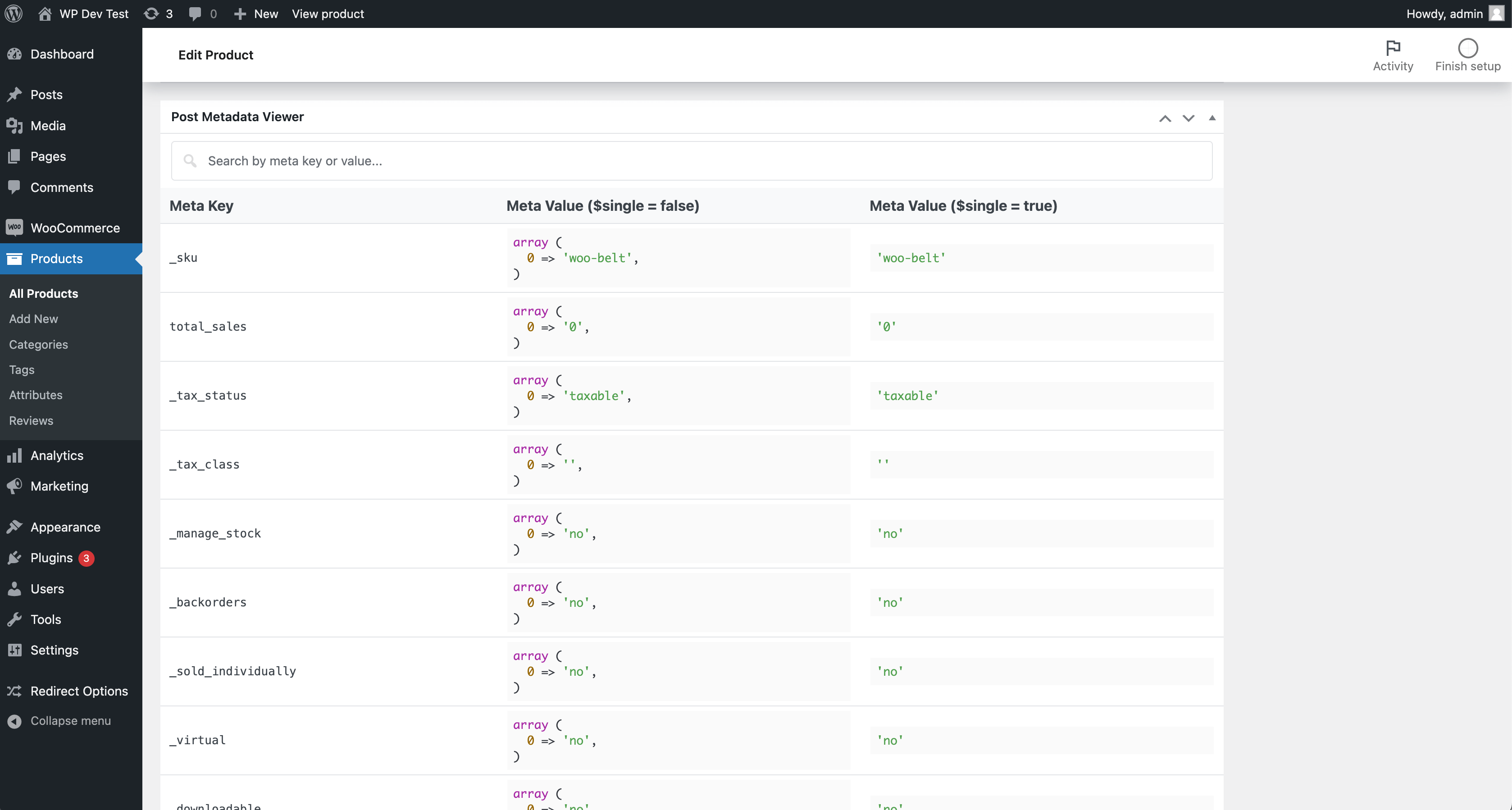
The Metadata Viewer plugin displays metadata keys and values for posts (posts, pages, custom post types), users, comments, taxonomy terms, WooCommerce products, and WooCommerce orders directly in admin edit screens — and on the Dokan vendor dashboard. It also includes an integrated realtime search feature.
Install one lightweight plugin to inspect metadata across common WordPress and WooCommerce object types from their native edit pages.
Traits
- 👉 Posts Metadata Viewer
- 👉 Custom Post Types Metadata Viewer
- 👉 Pages Metadata Viewer
- 👉 Users Metadata Viewer
- 👉 Comments Metadata Viewer
- 👉 Taxonomy Terms Metadata Viewer
- 👉 WooCommerce Products Metadata Viewer
- 👉 WooCommerce Orders Metadata Viewer
- 👉 Dokan vendor dashboard: order & product metadata viewers
- 👉 HPOS-aware WooCommerce Orders metadata handling (supports sync on/off modes)
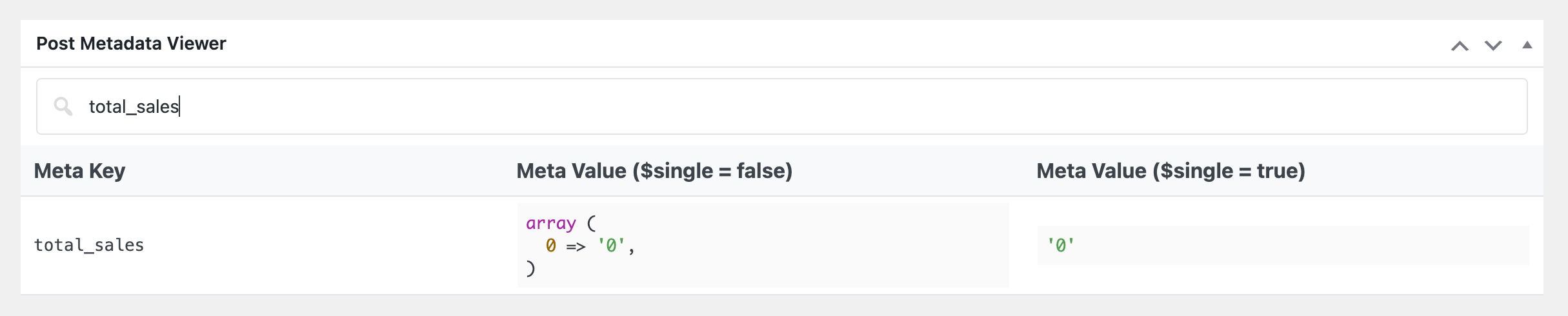
- 👉 Unified metadata table UI and realtime search across supported screens
Soutien
If you find this plugin useful, consider supporting its development through a donation.
Installation
FOR STANDARD INSTALLATION:
Installing this plugin is very easy just like any other WordPress plugin. Please follow these instructions:
1. In your WordPress admin panel, go to Plugins > New Plugin, search for “Metadata Viewer” and click on “Install Now”
2. Alternatively, download the plugin and upload the metadata-viewer.zip to your plugins directory, which usually is /wp-content/plugins/.
3. Activate the plugin from plugins page.
Journal de modifications
2.2.4
- Applied
table-layout: fixedto the metadata table via a dedicatedtbl-fixedclass to prevent column-width clashes with host themes/plugins.
2.2.3
- Refreshed the readme feature list and documentation.
2.2.2
- Added order and product metadata viewers on the Dokan vendor dashboard (“Order Details” and “Edit Product” pages).
- Introduced a template loader so viewer markup lives in
templates/and is overridable via themetadata_viewer_templatefilter. - Made the metadata table search icon filterable.
2.2.1
- Added taxonomy term metadata viewer on taxonomy edit screens.
- Added comment metadata viewer on
comment.php?action=editcomment. - Improved WooCommerce order metadata loading with HPOS-aware behavior for sync enabled/disabled modes.
- Improved UI consistency by matching taxonomy and comment metadata sections with existing metadata box/table design.
- Added shared helper methods for metadata rendering and screen detection.
- Updated plugin documentation and feature list.
Captures d'écran


Pour les développeurs
Est-ce votre plugin ? Montrez les chiffres.
Ajoutez un badge en direct à votre site, docs ou github readme. Il se met à jour par lui-même - aucun compte n'est nécessaire.
Best Metadata Viewer alternatives
All custom post type meta plugins →| Rang | Plugin | Installations actives |
|---|---|---|
| 2 |
 Ascendoor Metadata Manager
A great plugin to display all metadata related to the posts, pages, custom post types… |
20+ |
FAQ
Metadata Viewer: quick answers
Réponses directes, extraites des données en direct WordPress.org.
Source : WordPress.org
Is Metadata Viewer free?
Yes. Metadata Viewer is free to download and use from the official WordPress.org plugin directory.
Is Metadata Viewer safe to use in 2026?
Metadata Viewer works, but test it on a staging site before relying on it in 2026. It runs on 500+ sites, is rated 5/5 and was last updated 7 months ago, and scores 49/100 on our health check.
How many websites use Metadata Viewer?
Metadata Viewer is active on 500+ WordPress websites and has been downloaded 5,321 times since it launched in April 2024. It was downloaded 333 times in the last 30 days.
Does Metadata Viewer work with WordPress 7.1?
Metadata Viewer is officially tested up to WordPress 6.9.12, while the latest release is 7.1.5. It may still work, but try it on a staging site first.
What PHP version does Metadata Viewer need?
Metadata Viewer requires PHP 7.4 or higher. Most hosts run PHP 8.x today, so it works on any modern WordPress hosting.
When was Metadata Viewer last updated?
The latest version, 2.2.4, was released on May 13, 2026 (7 months ago).
Who makes Metadata Viewer?
Metadata Viewer is developed and maintained by PluginizeLab.
What are the best alternatives to Metadata Viewer?
The most popular alternatives to Metadata Viewer are Ascendoor Metadata Manager (20+ installs).
Propulsé par PageForge
Un modèle et une feuille de calcul. Une vraie page pour chaque recherche.
PageForge transforme chaque ligne d'un CSV en une page WordPress avec son propre titre, URL, SEO et schéma, construit sur la mise en page que vous Déjà conçu. Gratuit sur WordPress.org.
- CSV et XLSX, plus Google Sheets sur les professionnels et les entreprises
- Son propre titre, URL, SEO champs et schéma pour chaque page
- Fonctionne avec l'éditeur de blocs, Elementor, Divi et Avada
- Gratuit sur WordPress.org, pas de carte de crédit