


Melapress Login Security
Enforce WordPress login and password security policies to protect user accounts and prevent unauthorized logins.

Choix
Yes — Melapress Login Security is a safe, well-maintained plugin to use in 2026. It runs on 4K+ sites, is rated 4.8/5 and was last updated 2 weeks ago, and scores 92/100 on our health check.
- Loved by users — 4.8/5 from 20 reviews
- Développé activement — Dernière mise à jour il y a 2 semaines
- Testé avec le dernier WordPress (7.1)
- Momentum — downloads up 133.3% vs the previous 30 days
Comment s'accumule-t-il ?
Côte à côte sur les installations, les mises à jour, les évaluations et le support


Téléchargements quotidiens
Les pics de téléchargement suivent généralement une nouvelle version - chaque site qui met à jour automatiquement compte comme un téléchargement.
Classements
Where Melapress Login Security stands todayWordPress.org Classements de recherche
Position en direct dans la recherche de plugins, Top 100| Mot-clé | Position |
|---|---|
| Force brute | #49 |
| limit login attempts | #13 |
| limit logins | #11 |
| login | #35 |
| login security | #11 |
Adoption de version
Part de sites actifs par version.
Répartition des notes
★★★★★★★★★★ 4.8 from 20 reviews
About Melapress Login Security
À partir du Lisezmoi officiel · v2.4.3Description
COMPREHENSIVE WORDPRESS LOGIN SECURITY PLUGIN
Melapress Login Security enables you to effortlessly set login security policies that put you firmly in the driver’s seat of your WordPress sites. Policies are highly customizable and granular and can be implemented by user role or site-wide for complete control over the security of your WordPress login processes.
Use the free edition of Melapress Login Security to implement WordPress password requirements such as minimum length and complexity rules. The plugin also allows you to set password expiration policies, prevent password reuse, limit failed login attempts, and automatically disable inactive user accounts, among other things. This helps you:
- Prevent unauthorized login attempts
- Protect against brute force attacks
- Comply with GDPR with a login consent notice
🔐 Features list
A secure WordPress login starts right here. Explore all of the features included with the free edition of Melapress Login Security:
Set password policies
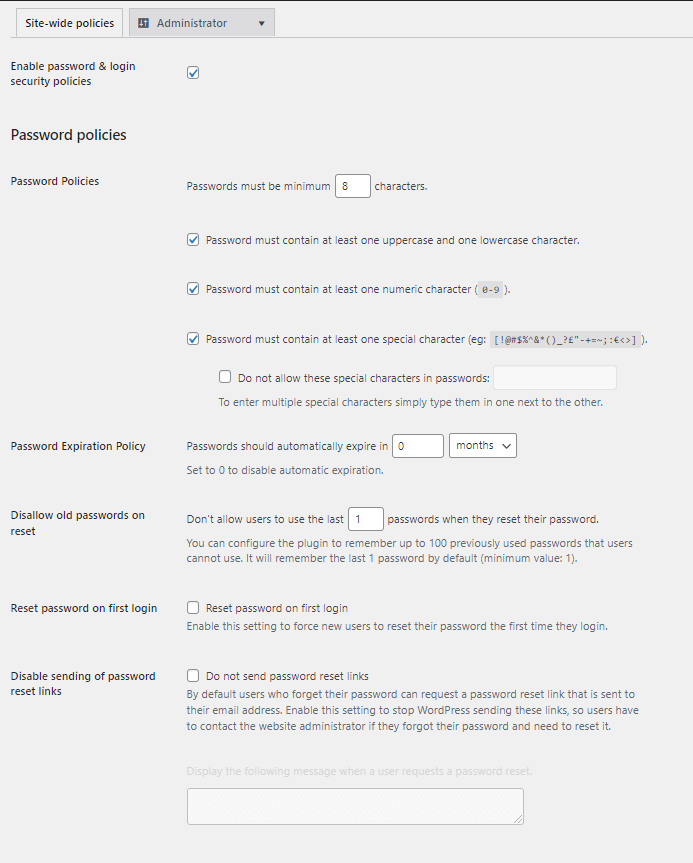
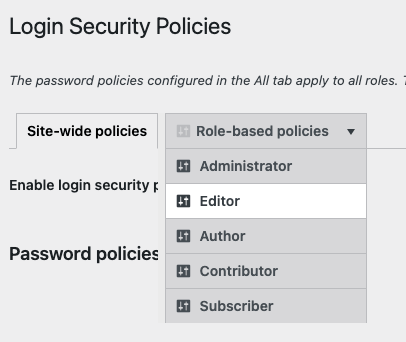
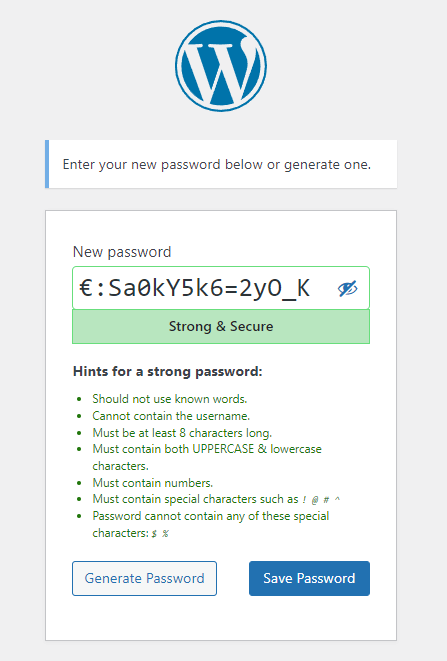
Strong passwords are your first line of defense against bad actors looking to gain access to your site. Set password requirement policies to make sure users set strong passwords. Set policies by user role or site-wide and define policy priority for users with multiple roles.
- Set minimum password length
- Require uppercase and lowercase characters, numbers, and special characters
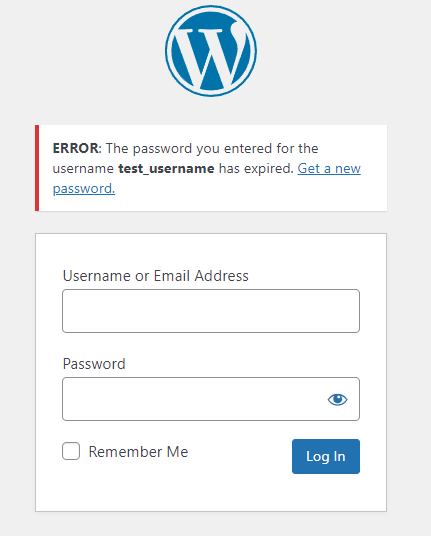
- Set an automatic password expiration policy and advise users when their password is about to expire
- Disallow users from reusing passwords
- Provide users with helpful instructions during the password configuration stage
- Disable password reset links
- Mandate WordPress password reset on the first login
Limit login attempts
Limit failed login attempts and put an end to brute force attacks. Protect your login form by automatically disabling user accounts after a number of failed login attempts. Choose between manual unlocking by an admin or automatic unlocking after a cooldown period.
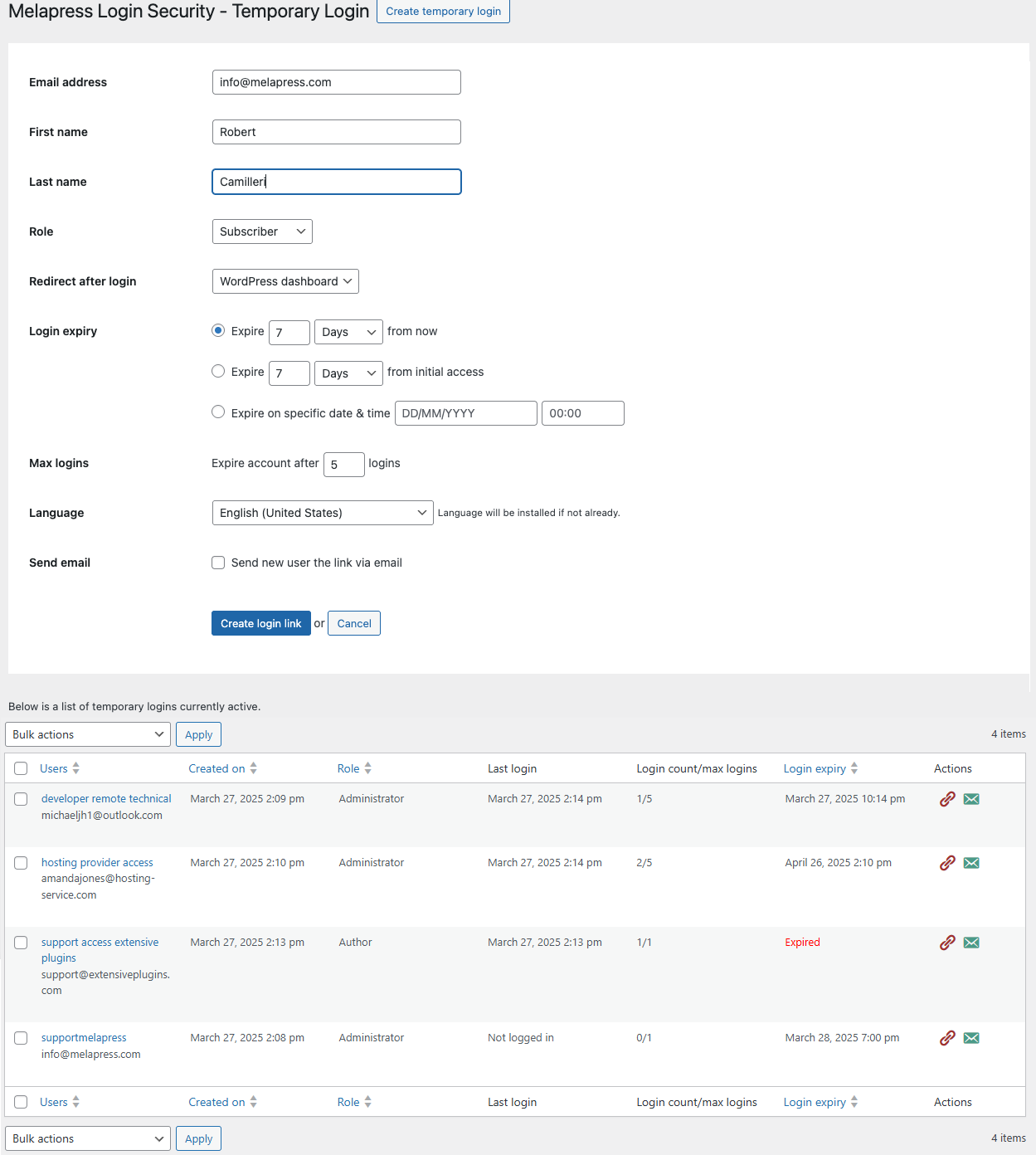
Temporary login without password
Provide temporary and secure login access to third parties, like developers, editors, employees or others, without a password. It works by providing the user with a temporary login link that expires after a certain amount of time, or after a number of uses. This prevents you from having to create new user accounts manually, while simultaneously reducing the security risks associated with old, unused user accounts.
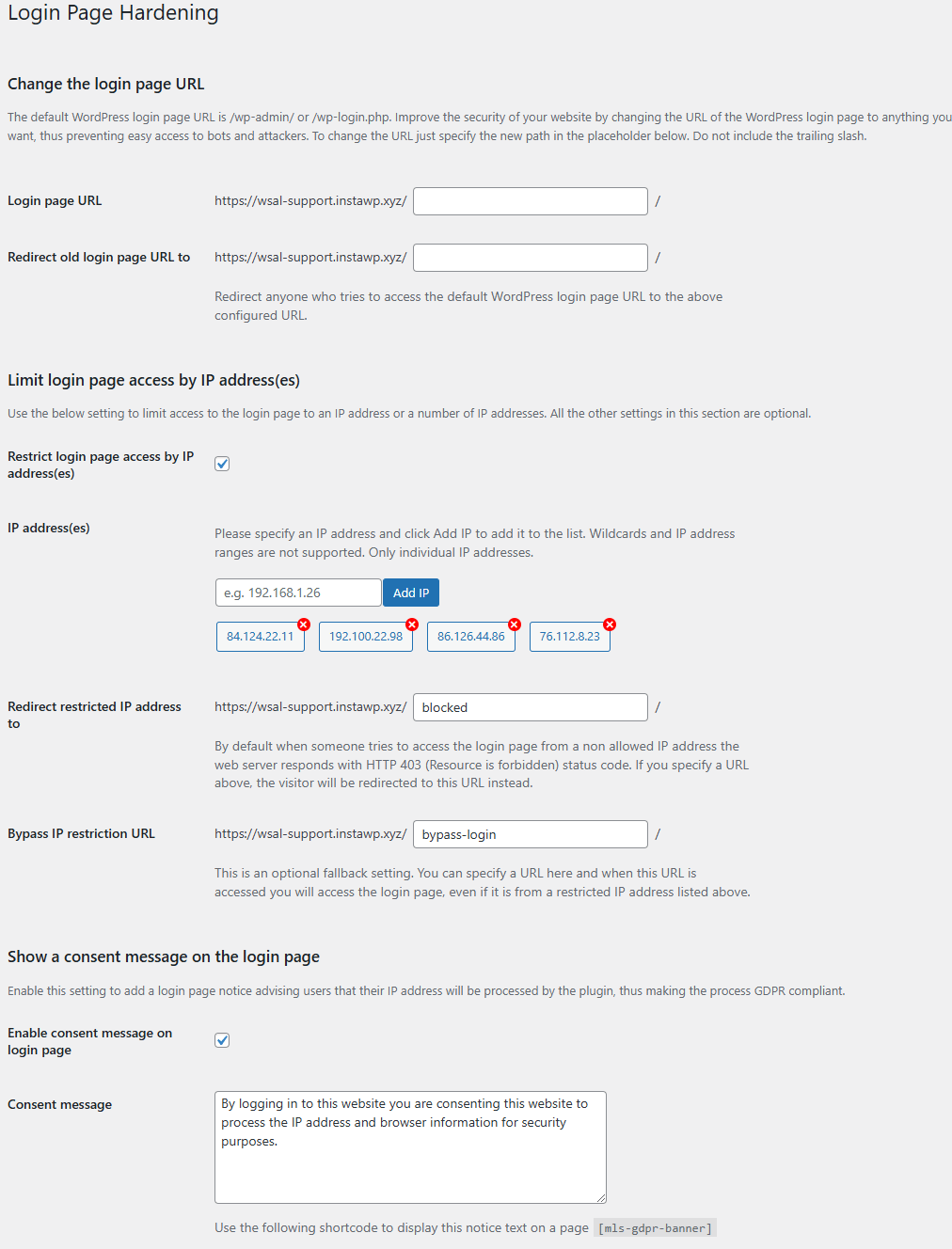
Change WordPress login URL
Easily deploy security-by-obscurity tactics and change your WordPress login page URL using a plugin! Hiding the default login page from hackers makes it more difficult to find, potentially reducing brute force attacks and other unauthorized access attempts. After you change the default wp-admin URL, you can set a 404 for the old login page or redirect it to any page of your choosing.
Limit login page access by IP address(es)
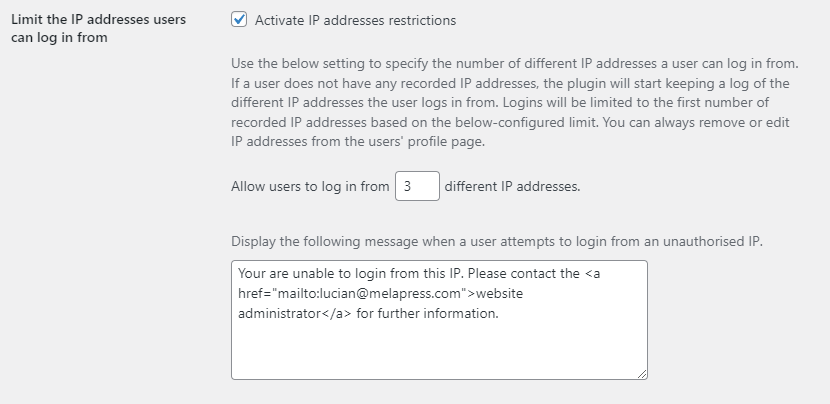
Limit access to the WordPress login page by IP address(es) for additional security.
GDPR login page consent notice
Easily meet GDPR requirements by adding a GDPR consent notice to the login page. This is required for GDPR and PCI DSS compliance, thus ensuring your WordPress site login page is in compliance.
Emergency password reset
Discovered suspicious behavior? Reset all users’ passwords with just one click and regain instant control.
Upgrade to Melapress Login Security and get even more benefits.
The premium edition of Melapress Login Security comes bundled with even more features, which enable you to take your WordPress website login security to the next level. Disable inactive WordPress user accounts and force passwords to be reset once accounts have been unlocked. Inactive accounts can be managed within a single dashboard for increased efficiency and faster response times. Moreover, you can set accounts to be locked out after a number of failed login attempts and customize the duration and method of unlocking them.
Premium features list
- Everything included in the free edition
- Manually lock user accounts to immediately prevent login access for rarely used accounts or users on extended leave
- Add an extra security layer with security questions users must answer when performing sensitive actions such as password resets and account unlocks
- Receive email alerts for unrecognized device logins, with the option to remotely terminate the session
- Control user session duration by extending or shortening session timeouts to balance security and convenience
- One-click integration with third-party plugins such as WooCommerce, LearnDash, MemberPress, and many others
- Automatically disable inactive WordPress users after a configurable period of inactivity
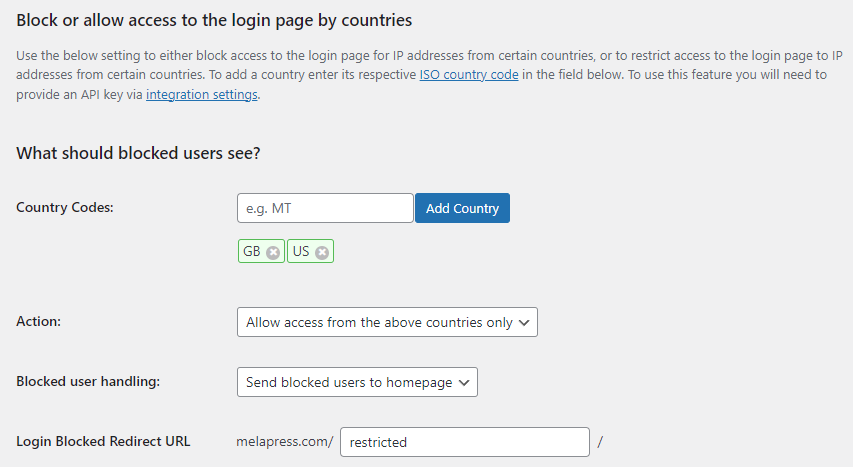
- Apply Geo-blocking rules to allow or block login access based on specific countries
- Restrict users’ login to specific IP addresses, including support for multiple allowed IPs
- Restrict WordPress user login times by day and/or hours
- Limit login credentials to email address, username, or both
- Add a GDPR consent notice to the WordPress login page
- View detailed user security reports, including last activity, password age, and expired passwords
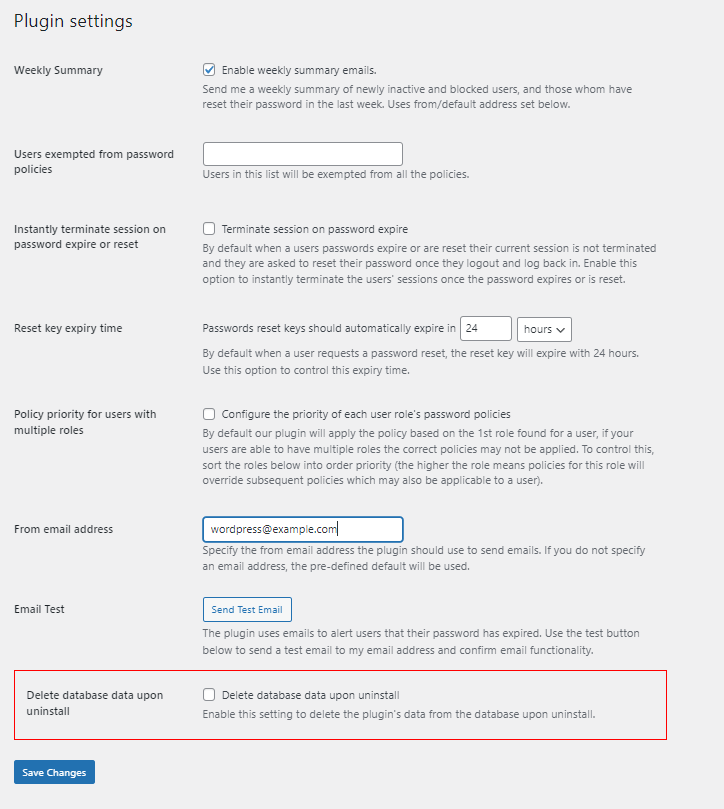
- Receive weekly email summary reports covering password resets, password changes, user account lockouts, and more
|💎 UPGRADE TO PREMIUM |
Why you should use Melapress Login Security
Melapress Login Security is a WordPress plugin built from the ground up to help you improve the security of your user accounts and secure your WordPress login. Supercharge login credentials for maximum effectiveness and put a stop to unlimited login attempts, weak passwords, and inactive users. Set up policies to reduce your attack surface area such as login times restrictions, change the WordPress login URL, and much more.
Free and premium support
Support for the free edition of Melapress Login Security is free on the WordPress support forums. Premium world-class support via one-to-one email is available to the Premium users – upgrade to premium to benefit from priority support.
For any other queries, feedback, or if you simply want to get in touch with us, please use our contact form.
MAINTAINED & SUPPORTED BY MELAPRESS
Melapress builds high-quality WordPress security & admin plugins such as WP 2FA, Melapress Role Editor,and WP Activity Log, the #1 user-rated activity log plugin for WordPress.
Visit our website to see how our plugins can help you better manage and improve the security and administration of your WordPress websites and users.
Install the plugin from within WordPress
Keeping a secure WordPress login page is easy with Melapress Login Security. Simply:
- From your WordPress dashboard, navigate to Plugins > Add New
- Search for “Melapress Login Security”
- Install & activate Melapress Login Security from your Plugins page
Install the plugin manually (via file upload)
- Download the plugin from the WordPress plugins repository
- Unzip the zip file and upload the folder to the
/wp-content/plugins/directory - Activate the Melapress Login Security plugin through the Plugins page in WordPress
Journal de modifications
2.4.3 (2026-11-11)
-
Functionality & plugin improvements
- Added a dismissible Black Friday banner, scheduled to appear from November 17th through December 1st.
- Updated the 2FA installation check in security policies to detect both Free and Premium editions of WP 2FA, preventing the Free version from being installed alongside an existing Premium installation.
-
Correction de bugs
- Corrected the security question prompt shown when changing an email address, which incorrectly included mls_email_change_security_answer.
- Fixed a fatal error in the inactive users background process that could occur when a queued user had been deleted.
2.4.2.1 (2026-10-08)
-
New features & functionality
- Added a new Simultaneous login sessions alert policy, allowing administrators to enable email notifications to users when their account is logged in from multiple devices.
-
Functionality & plugin improvements
- Updated the Freemius SDK to version 2.13.5.
-
Correction de bugs
- Fixed an issue where disconnecting a Freemius license and switching to an EDD license could leave premium features available without a valid license.
- Fixed the “subsite could not be activated” notice missing the link to contact support.
- Fixed the multiple sessions email being sent to all users without a way to turn it off. It is now only sent when the new Simultaneous login sessions alert policy is enabled.
- Fixed saving the settings resetting email template options that were not shown on the page.
2.4.2 (2026-09-17)
-
Functionality & plugin improvements
- Improved Premium policy enforcement so users with expired passwords or users required to reset their password on first login cannot continue with an active session before completing the required password action.
- Admin notices from other Melapress plugins are now shown on Melapress Login Security pages.
- The Locked Users table is now always displayed. When no users are locked, it shows a clear empty-state message.
- Updated the Policies page labels and organization. Security questions are now listed under User account and session policies.
- Updated the Free edition Locked Users help text
- Updated the Locked Users search help text to clarify that searches include usernames, email addresses, display names, and user IDs.
-
Correction de bugs
- Fixed memory exhaustion during REST API requests authenticated with Application Passwords
- Fixed an issue in Premium where a
user_idvalue of-1, meaning no selected user, was incorrectly converted to user ID1and could apply the wrong role policy. - Fixed a rendering issue that hid third-party form checkboxes on the Forms & Placements page.
- Fixed Premium Locked Users searches so numeric terms also match usernames, email addresses, and display names, in addition to exact user IDs.
- Fixed manual locks not being enforced for users or roles excluded from other policies.
- Fixed a fatal error caused by an undefined
wp_salt()function during temporary login token migration after an upgrade. - Fixed an issue where the first manually locked user could not be unlocked until another locked user was unlocked.
Refer to the complete plugin changelog for more detailed information about what was new, improved and fixed in previous version updates of Melapress Login Security.
Captures d'écran
Pour les développeurs
Est-ce votre plugin ? Montrez les chiffres.
Ajoutez un badge en direct à votre site, docs ou github readme. Il se met à jour par lui-même - aucun compte n'est nécessaire.
Best Melapress Login Security alternatives
Tous les plugins de force brute →





FAQ
Melapress Login Security: quick answers
Réponses directes, extraites des données en direct WordPress.org.
Source : WordPress.org
Is Melapress Login Security free?
Yes. Melapress Login Security is free to download and use from the official WordPress.org plugin directory. The developer also sells premium add-ons or a Pro version with extra features.
Is Melapress Login Security safe to use in 2026?
Yes — Melapress Login Security is a safe, well-maintained plugin to use in 2026. It runs on 4K+ sites, is rated 4.8/5 and was last updated 2 weeks ago, and scores 92/100 on our health check.
How many websites use Melapress Login Security?
Melapress Login Security is active on 4K+ WordPress websites and has been downloaded 41,049 times since it launched in February 2023. It was downloaded 5,749 times in the last 30 days.
Does Melapress Login Security work with WordPress 7.1?
Yes. The developer has tested Melapress Login Security up to WordPress 7.1.5, the latest release. It requires WordPress 5.5 or newer.
What PHP version does Melapress Login Security need?
Melapress Login Security requires PHP 8.0 or higher. Most hosts run PHP 8.x today, so it works on any modern WordPress hosting.
When was Melapress Login Security last updated?
The latest version, 2.4.3, was released on November 11, 2026 (2 weeks ago).
Who makes Melapress Login Security?
Melapress Login Security is developed and maintained by Melapress.
What are the best alternatives to Melapress Login Security?
The most popular alternatives to Melapress Login Security are Limit Login Attempts Securi… (1M+ installs), CloudSecure WP Security (200K+ installs) and Anti-Malware Security and B… (100K+ installs).
Propulsé par PageForge
Un modèle et une feuille de calcul. Une vraie page pour chaque recherche.
PageForge transforme chaque ligne d'un CSV en une page WordPress avec son propre titre, URL, SEO et schéma, construit sur la mise en page que vous Déjà conçu. Gratuit sur WordPress.org.
- CSV et XLSX, plus Google Sheets sur les professionnels et les entreprises
- Son propre titre, URL, SEO champs et schéma pour chaque page
- Fonctionne avec l'éditeur de blocs, Elementor, Divi et Avada
- Gratuit sur WordPress.org, pas de carte de crédit