


MarkBlocks – Markdown for Elementor
Write Markdown in Elementor and convert it into editable widgets with syntax-highlighted code blocks.

Utiliser avec prudence
MarkBlocks works, but test it on a staging site before relying on it in 2026. It runs on 20+ sites and was last updated 4 months ago, and scores 52/100 on our health check.
- Petite base d'utilisateurs (20+ installations actives)
- Très peu de critiques jusqu'à présent
Comment s'accumule-t-il ?
Côte à côte sur les installations, les mises à jour, les évaluations et le support



Téléchargements quotidiens
Les pics de téléchargement suivent généralement une nouvelle version - chaque site qui met à jour automatiquement compte comme un téléchargement.
Classements
Where MarkBlocks stands todayWordPress.org Classements de recherche
Position en direct dans la recherche de plugins, Top 100| Mot-clé | Position |
|---|---|
| Code Blocks | >100 |
| élémentorateur | >100 |
| réduction | #67 |
| Générateur de pages | >100 |
| syntax highlighting | #83 |
Adoption de version
Part de sites actifs par version.
About MarkBlocks – Markdown for Elementor
À partir du Lisez-moi officiel · v1.0.2Description
MarkBlocks lets you write and maintain technical articles in Markdown directly inside Elementor.
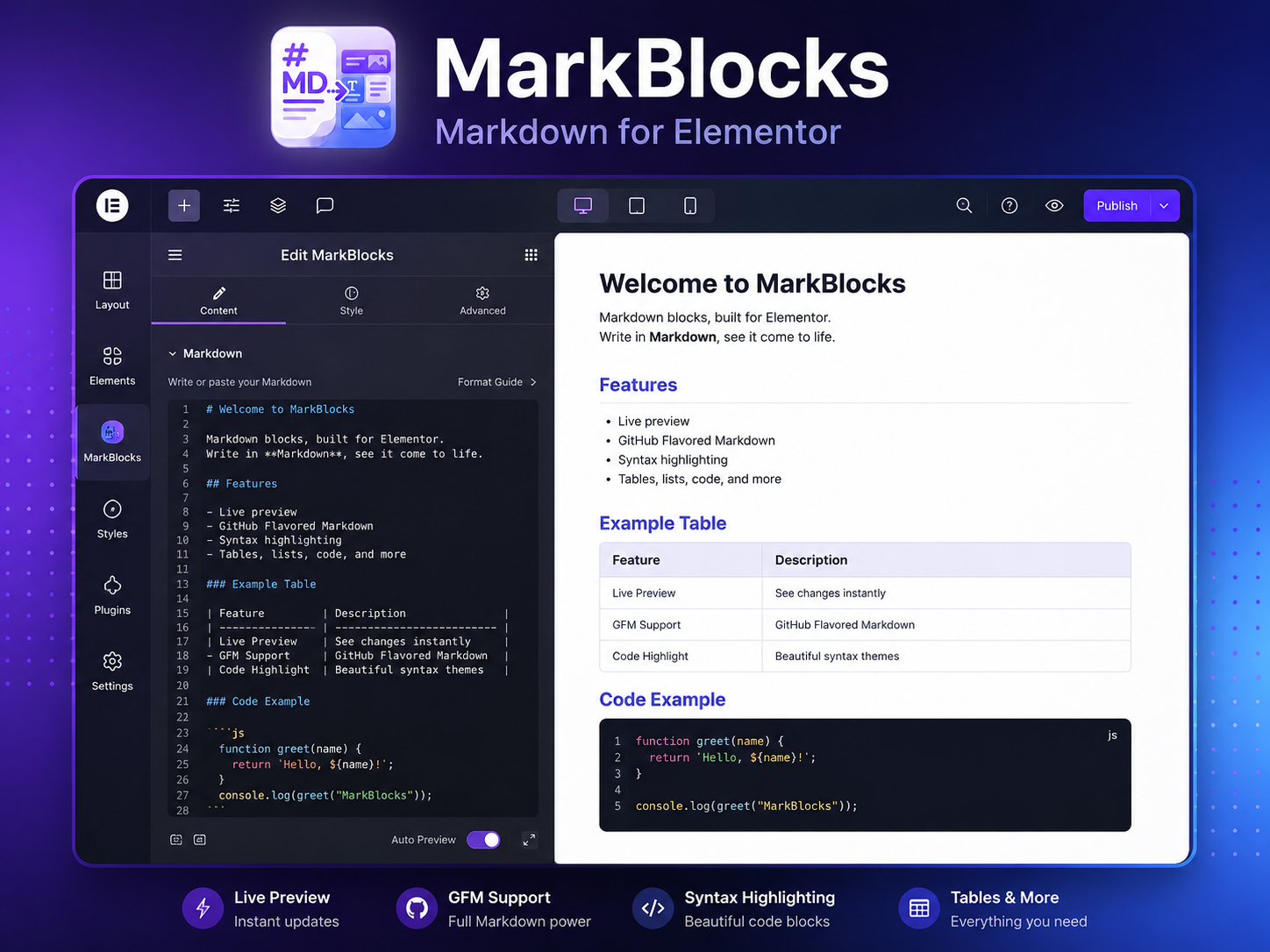
The plugin provides two Elementor widgets:
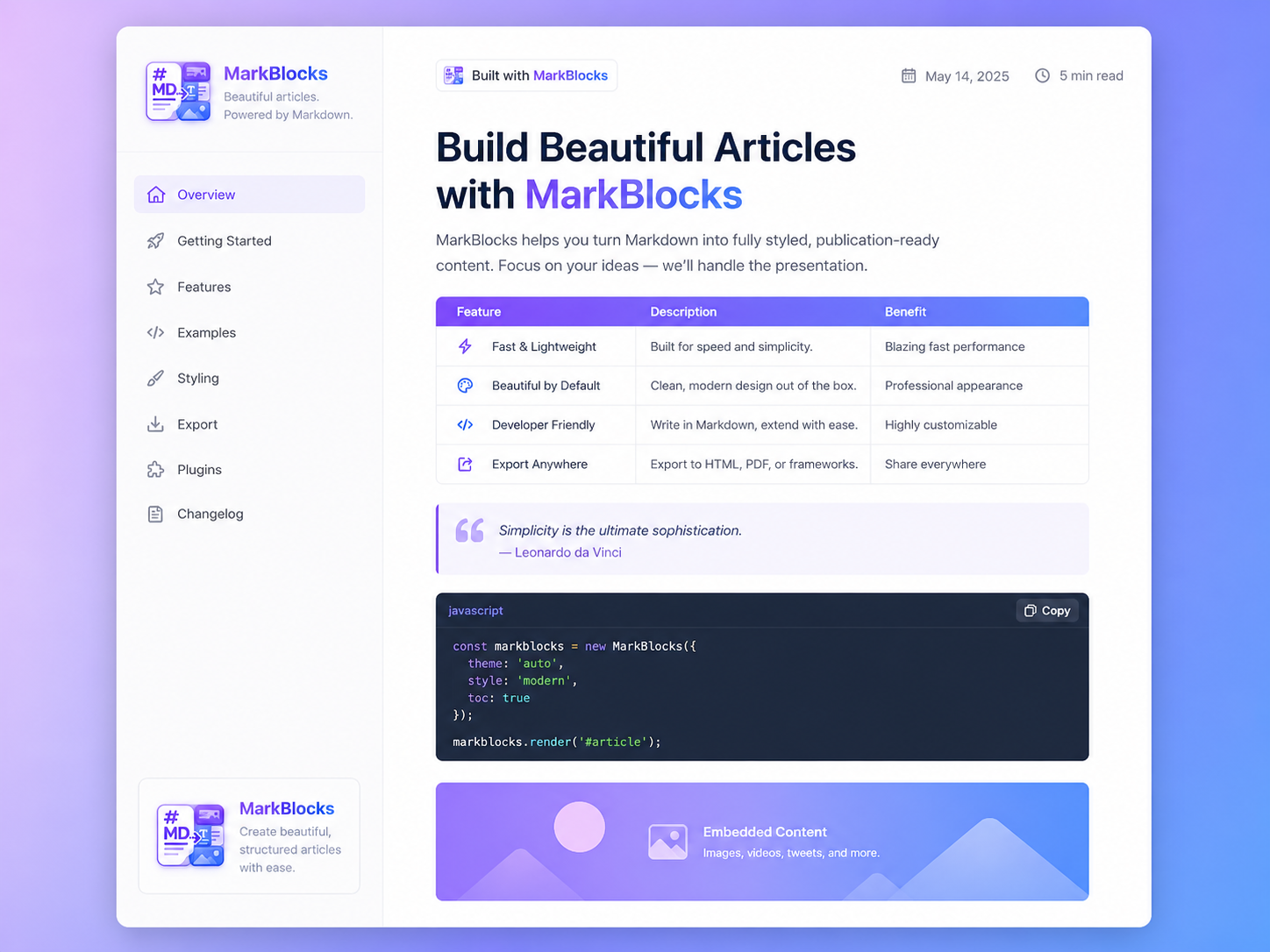
- Markdown Article renders headings, paragraphs, lists, task lists, links, images, tables, blockquotes, dividers, inline code, and fenced code blocks while preserving the original Markdown source.
- Markdown Code Block displays standalone code snippets with language-aware highlighting, light and dark themes, optional line wrapping, and an accessible copy button.
The Markdown Article widget can also convert Markdown into editable Elementor Heading, Text Editor, Divider, Image, and Markdown Code Block widgets.
Supported syntax
- ATX and Setext headings
- Paragraphs and inline formatting
- Ordered, unordered, and task lists
- Blockquotes
- Markdown tables with left, center, and right alignment
- Links and images
- Horizontal rules
- Inline and fenced code
Syntax highlighting
The bundled dependency-free highlighter recognizes FortiOS CLI, Bash, JSON, Python, PHP, JavaScript, TypeScript, SQL, YAML, PowerShell, HTML/XML, CSS, and INI-style configuration.
Security and privacy
- Raw HTML in Markdown is escaped.
- Rendered HTML is filtered with a strict WordPress KSES allowlist.
- Unsafe URL schemes and protocol-relative URLs are rejected.
- Converted text is protected from unintended shortcode execution.
- Input size, line count, nesting, conversion count, and highlighting limits reduce resource-exhaustion risk.
- The plugin does not add custom AJAX actions, REST routes, uploads, SQL queries, remote server requests, telemetry, or executable-code evaluation.
- If an author embeds an external image URL, a visitor’s browser requests that image from its host as part of normal page rendering.
MarkBlocks is an independent add-on and is not affiliated with or endorsed by Elementor Ltd.
Installation
- Upload the
markblocksfolder to/wp-content/plugins/, or install the release ZIP through Plugins → Add New Plugin → Upload Plugin. - Activate MarkBlocks – Markdown for Elementor. Elementor is declared as a required plugin dependency.
- Edit a page or post with Elementor.
- Add the Markdown Article widget from the MarkBlocks category.
- Paste Markdown and render it directly or use Convert / Update Elementor Blocks.
Journal de modifications
Review-readiness update with accessibility, internationalization, security, and packaging improvements.
1.0.2
- Removed global admin notices and kept dependency and compatibility checks silent.
- Aligned the package, main file, and translation domain with the requested
markblocksWordPress.org slug. - Added WordPress 7.0 and Elementor 4.2 compatibility metadata.
- Improved keyboard focus, status announcements, copy-button feedback, and right-to-left layout behavior.
- Strengthened Markdown line-limit handling for LF, CRLF, and CR line endings.
- Localized editor-converter messages and scoped conversion status to the active control.
- Tightened generated-container ownership checks while preserving existing widget identifiers.
- Cleaned the release archive of hidden operating-system and repository files.
- Confirmed compatibility testing with Elementor 4.2.1.
- Added the correctly framed MarkBlocks icon and bundled showcase images.
1.0.1
- Added WordPress.org metadata, GPL licensing files, direct-access guards, security hardening, and table-alignment corrections.
1.0.0
- Communiqué public initial.
Captures d'écran
Pour les développeurs
Est-ce votre plugin ? Montrez les chiffres.
Ajoutez un badge en direct à votre site, docs ou github readme. Il se met à jour par lui-même - aucun compte n'est nécessaire.
Best MarkBlocks alternatives
All Code Blocks plugins →FAQ
MarkBlocks – Markdown for Elementor: quick answers
Réponses directes, extraites des données en direct WordPress.org.
Source : WordPress.org
Is MarkBlocks free?
Yes. MarkBlocks is free to download and use from the official WordPress.org plugin directory.
Is MarkBlocks safe to use in 2026?
MarkBlocks works, but test it on a staging site before relying on it in 2026. It runs on 20+ sites and was last updated 4 months ago, and scores 52/100 on our health check.
How many websites use MarkBlocks?
MarkBlocks is active on 20+ WordPress websites and has been downloaded 358 times since it launched in August 2026. It was downloaded 89 times in the last 30 days.
Does MarkBlocks work with WordPress 7.1?
MarkBlocks is officially tested up to WordPress 7.0.9, while the latest release is 7.1.5. It may still work, but try it on a staging site first.
What PHP version does MarkBlocks need?
MarkBlocks requires PHP 7.4 or higher. Most hosts run PHP 8.x today, so it works on any modern WordPress hosting.
When was MarkBlocks last updated?
The latest version, 1.0.2, was released on August 1, 2026 (4 months ago).
Who makes MarkBlocks?
MarkBlocks is developed and maintained by Farhan Ahmed.
What are the best alternatives to MarkBlocks?
The most popular alternatives to MarkBlocks are Code Manager (500+ installs), Vaaky Highlighter (10+ installs) and Smart Syntax (10+ installs).
Propulsé par PageForge
Un modèle et une feuille de calcul. Une vraie page pour chaque recherche.
PageForge transforme chaque ligne d'un CSV en une page WordPress avec son propre titre, URL, SEO et schéma, construit sur la mise en page que vous Déjà conçu. Gratuit sur WordPress.org.
- CSV et XLSX, plus Google Sheets sur les professionnels et les entreprises
- Son propre titre, URL, SEO champs et schéma pour chaque page
- Fonctionne avec l'éditeur de blocs, Elementor, Divi et Avada
- Gratuit sur WordPress.org, pas de carte de crédit