


Lockee
Add Lockee locks to your WordPress site to gamify your content and engage your visitors in a completely autonomous way.

Utiliser avec prudence
Lockee works, but test it on a staging site before relying on it in 2026. It runs on 60+ sites, is rated 5/5 and was last updated 3 months ago, and scores 60/100 on our health check.
- Petite base d'utilisateurs (60+ installations actives)
- Très peu de critiques jusqu'à présent
Comment s'accumule-t-il ?
Côte à côte sur les installations, les mises à jour, les évaluations et le support



Téléchargements quotidiens
Les pics de téléchargement suivent généralement une nouvelle version - chaque site qui met à jour automatiquement compte comme un téléchargement.
Classements
Where Lockee stands todayWordPress.org Classements de recherche
Position en direct dans la recherche de plugins, Top 100| Mot-clé | Position |
|---|---|
| content | >100 |
| gamification | #19 |
| cacher | >100 |
| lock | #39 |
| des postes | >100 |
Adoption de version
Part de sites actifs par version.
Répartition des notes
★★★★★ ★★★★★ 5 sur 2 avis
About Lockee
From the official readme · v3.1.9Description
This plugin allows you to lock the content of posts using a Lockee lock (initially available at https://lockee.fr). You can choose from various lock types and set a code to unlock the content.
With this plugin, you can create gamified experiences on your WordPress site by locking content and requiring users to unlock a lock to access it.
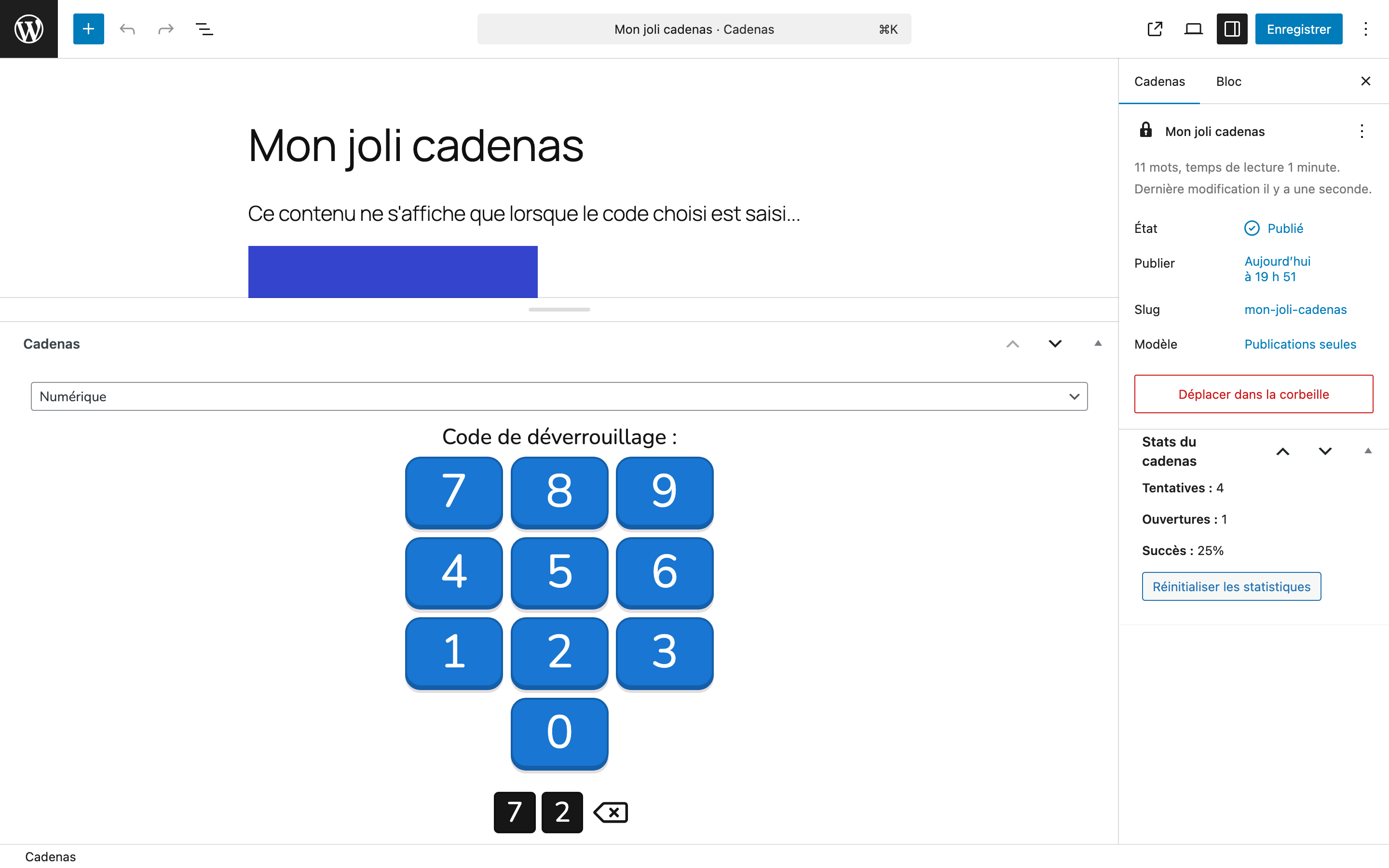
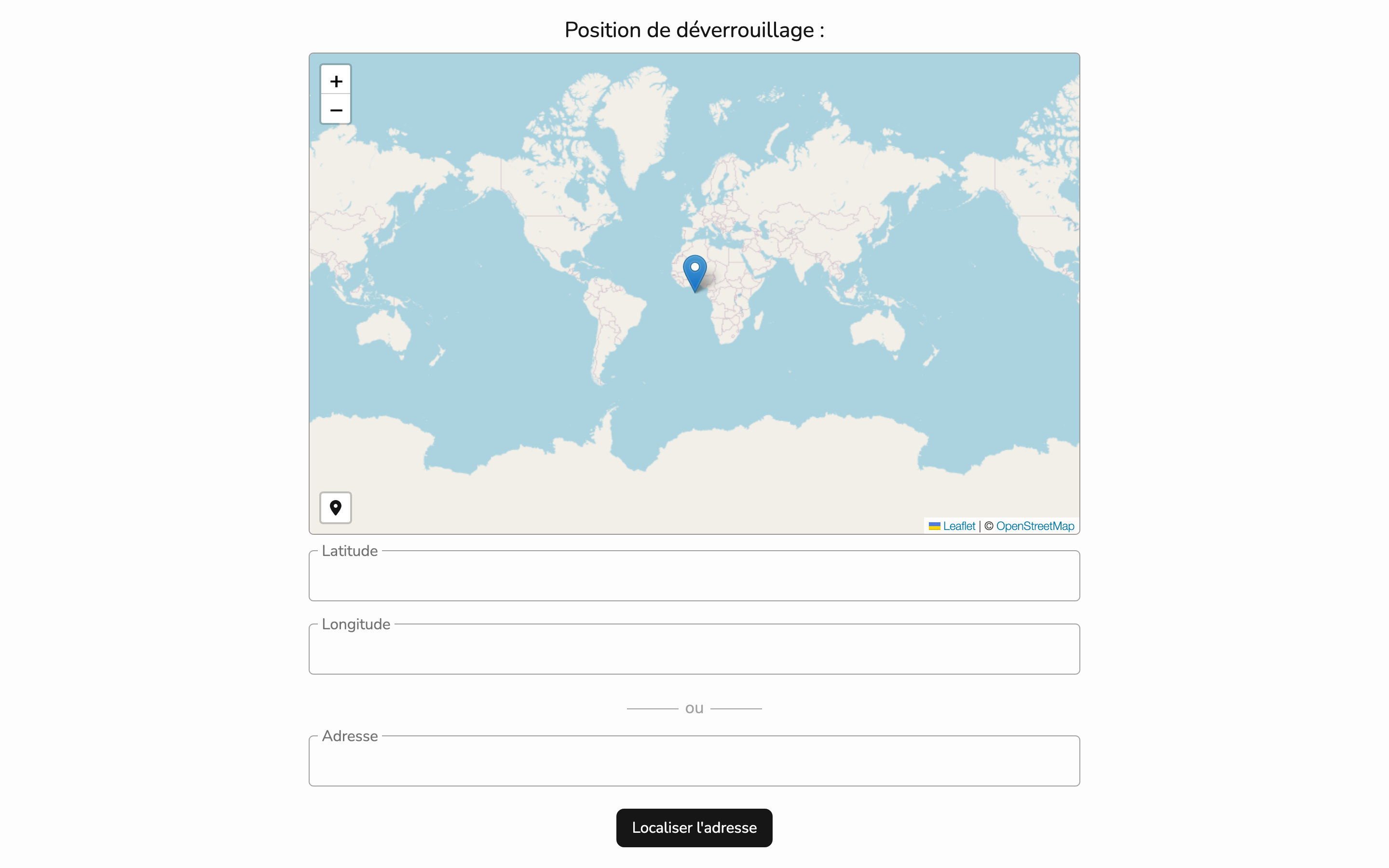
To do this, you can create a lock in the dashboard, choose the type of lock (e.g. numbers, colors, piano keys, etc.), and define the valid codes to enter to unlock the content. Once the lock is opened, the content is displayed.
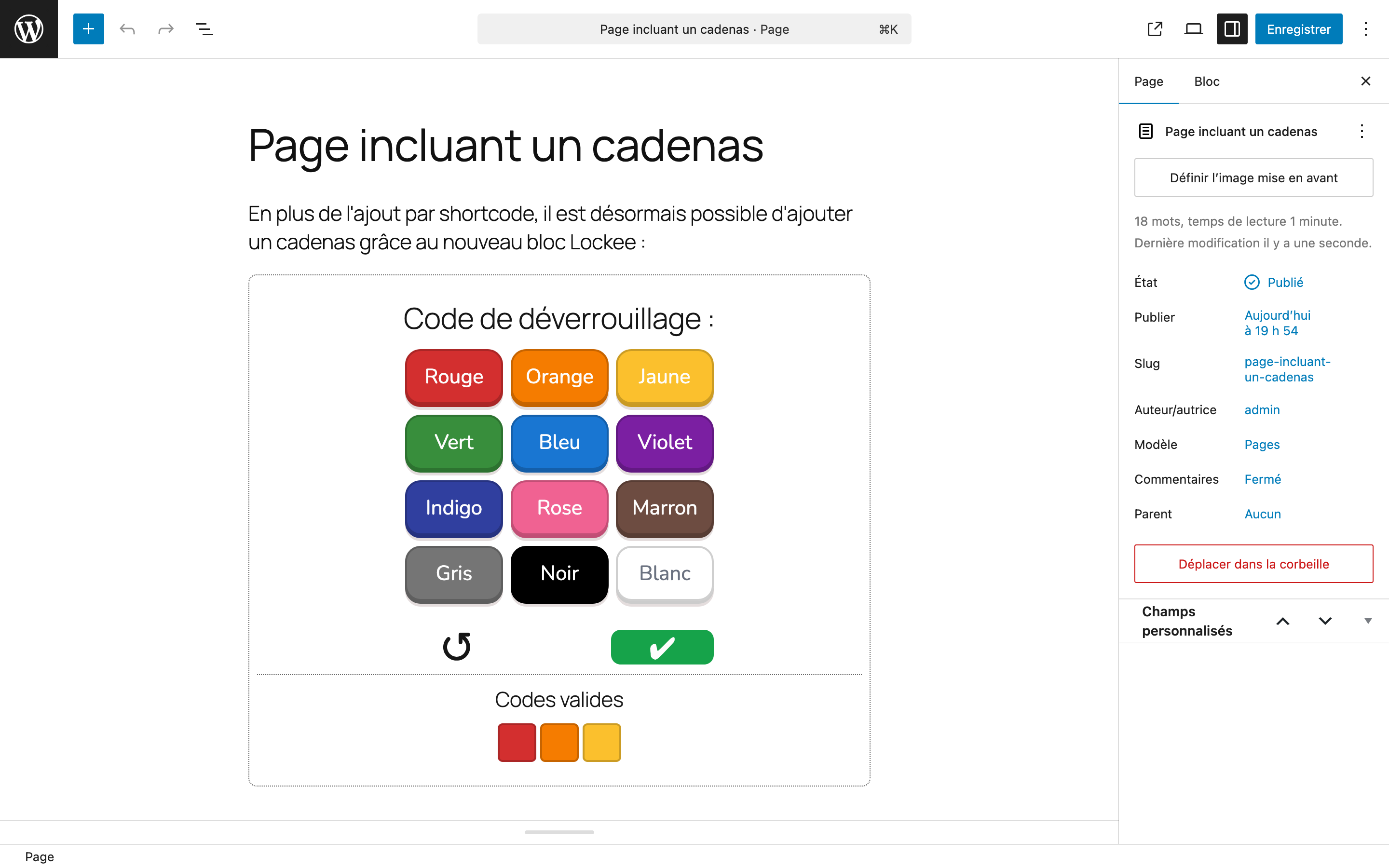
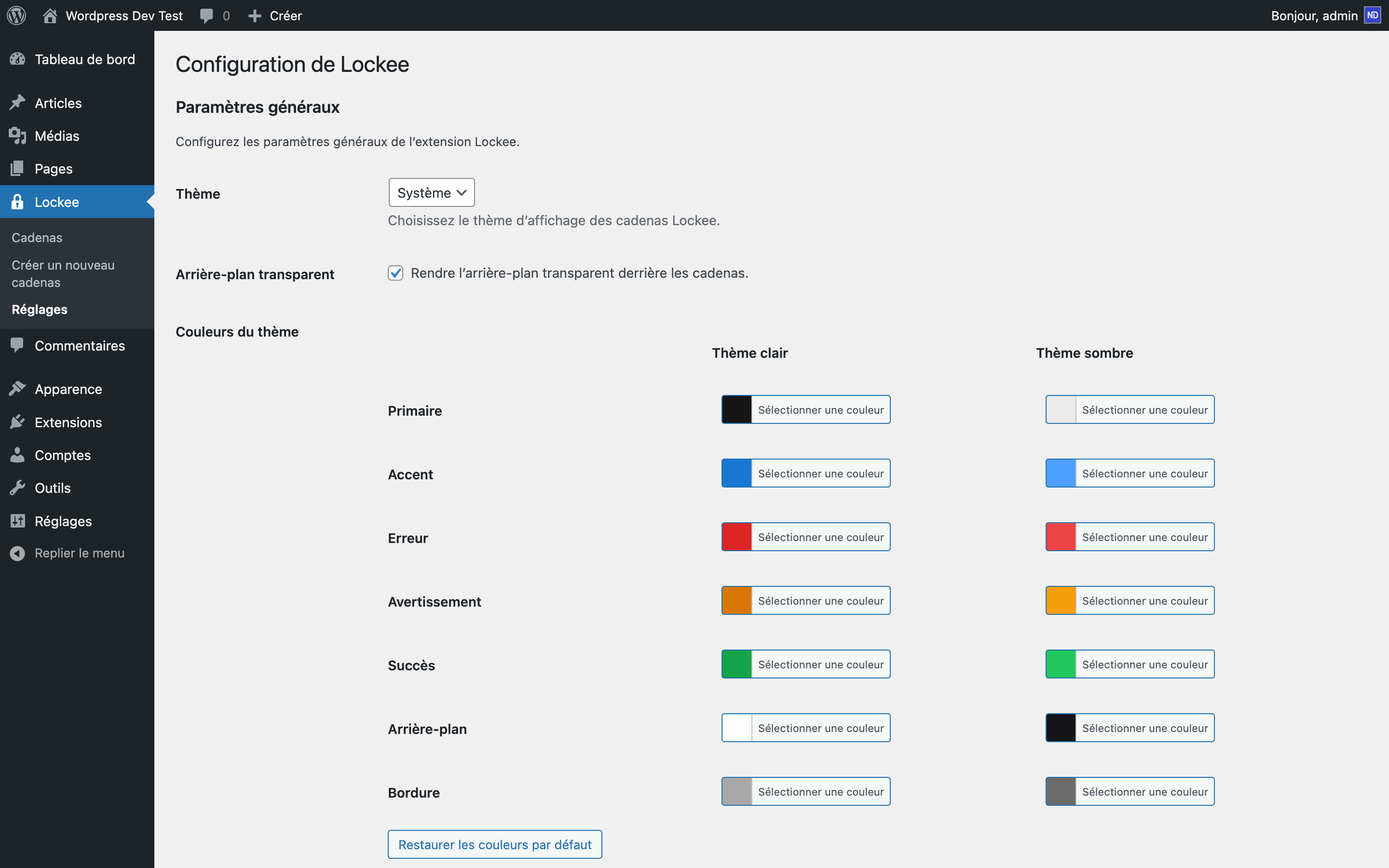
These locks can be displayed in your posts or pages using a shortcode or a block in the Gutenberg editor. You can also customize the appearance of the lock in the “Lockee settings” page, where you can choose themes and colors to match your site’s design.
You can also embed the lock on other websites using the provided iframe code, allowing you to share your locks with a wider audience.
Each lock includes a statistics feature that records the number of times it has been opened, allowing you to monitor user engagement and the effectiveness of your gamification strategies.
The plugin is self-hosted, meaning it does not rely on external services and is free to use for personal and commercial projects.
WARNING : Although this information is hidden from the public view, please note that the type of lock, the chosen code, and the hidden content are stored in plain text in the WordPress database. It is not recommended to use this plugin to store sensitive information or confidential content. Use it for gamification and content engagement purposes only.
Installation
- Download the plugin from the WordPress repository or upload it directly to your WordPress installation.
- Activez le plugin via le menu "Plugins" dans WordPress.
- A new tab “Lockee” will appear in the dashboard, adding the new post type “Lock”. Create new locks by filling in the required fields, including the lock type and code.
- You can display the lock in your posts or pages using a shortcode or a block in the Gutenberg editor.
- Customize the lock appearance in the “Lockee settings” page, where you can choose themes and colors.
- If you have used this plugin before, you can migrate your existing locks to the new post type (in the “Locks Migration” page) or choose to continue using the metabox “Lock” in posts and pages (in the “Lockee settings” page).
Journal de modifications
3.1.9
- Fixed lock permalinks disappearing when another plugin flushes rewrite rules.
3.1.8
- Updated to the last Lockee lock library.
- Add an option to choose the language of each lock.
- Add compatibility with WordPress 7.0.
3.1.7
- Removed iframe tags filtering in “lockee_content” to allow again the use of iframes in the lock content.
3.1.6
- Updated to the last Lockee lock library.
3.1.5
- Fixed some translations.
3.1.4
- Fixed bug in the “Locks Migration” page (using a non-existing function).
Captures d'écran
Pour les développeurs
Est-ce votre plugin ? Montrez les chiffres.
Ajoutez un badge en direct à votre site, docs ou github readme. Il se met à jour par lui-même - aucun compte n'est nécessaire.
Best Lockee alternatives
All content plugins →





FAQ
Lockee: quick answers
Réponses directes, extraites des données en direct WordPress.org.
Source : WordPress.org
Is Lockee free?
Yes. Lockee is free to download and use from the official WordPress.org plugin directory.
Is Lockee safe to use in 2026?
Lockee works, but test it on a staging site before relying on it in 2026. It runs on 60+ sites, is rated 5/5 and was last updated 3 months ago, and scores 60/100 on our health check.
How many websites use Lockee?
Lockee is active on 60+ WordPress websites and has been downloaded 12,072 times since it launched in February 2021. It was downloaded 311 times in the last 30 days.
Does Lockee work with WordPress 7.1?
Lockee is officially tested up to WordPress 7.0.0, while the latest release is 7.1.5. It may still work, but try it on a staging site first.
What PHP version does Lockee need?
Lockee requires PHP 7.0 or higher. Most hosts run PHP 8.x today, so it works on any modern WordPress hosting.
When was Lockee last updated?
The latest version, 3.1.9, was released on August 21, 2026 (3 months ago).
Who makes Lockee?
Lockee is developed and maintained by ndevfr.
What are the best alternatives to Lockee?
The most popular alternatives to Lockee are One Click Demo Import (1M+ installs), Advanced Excerpt (80K+ installs) and Rara One Click Demo Import (20K+ installs).
Propulsé par PageForge
Un modèle et une feuille de calcul. Une vraie page pour chaque recherche.
PageForge transforme chaque ligne d'un CSV en une page WordPress avec son propre titre, URL, SEO et schéma, construit sur la mise en page que vous Déjà conçu. Gratuit sur WordPress.org.
- CSV et XLSX, plus Google Sheets sur les professionnels et les entreprises
- Son propre titre, URL, SEO champs et schéma pour chaque page
- Fonctionne avec l'éditeur de blocs, Elementor, Divi et Avada
- Gratuit sur WordPress.org, pas de carte de crédit