


Jellyfish Counter Widget
Show eye catching totals with static or animated counter widgets and shortcodes. Classic retro odometer style or easy customise your own custom look.

Envisager une alternative
Jellyfish Counter Widget shows warning signs in 2026 — compare the alternatives below before installing. It runs on 1K+ sites, is rated 4.4/5 and was last updated 7 years ago, and scores 37/100 on our health check.
- Pas de mise à jour dans 6 ans
- Uniquement testé jusqu'à WordPress 5,4 (le dernier est de 7,1)
Comment s'accumule-t-il ?
Côte à côte sur les installations, les mises à jour, les évaluations et le support


Téléchargements quotidiens
Les pics de téléchargement suivent généralement une nouvelle version - chaque site qui met à jour automatiquement compte comme un téléchargement.
Classements
Where Jellyfish Counter Widget stands todayWordPress.org Classements de recherche
Position en direct dans la recherche de plugins, Top 100| Mot-clé | Position |
|---|---|
| animated | >100 |
| Counter | >100 |
| milometer | #1 |
| odometer | #20 |
| widget | >100 |
Adoption de version
Part de sites actifs par version.
Répartition des notes
★★★★★ ★★★★★ 4.4 sur 10 avis
About Jellyfish Counter Widget
À partir du Lisez-moi officiel · v1.4.4Description
The Jellyfish Counter plugin provides a widget and shortcode enabling you to
easily add animated counters to your WordPress site.
Counters can be used as a manually updated total, an automatic counter that
updates over time or just as an animated visual effect.
Each counter can count upwards or downwards making them suitable for both
incrementing totals or countdown situations. A great visual effect for travel
blogs or any website that wants to display a running total or countdown of anything.
Jellyfish Counters are highly configurable through the widget interface, and
being generated using CSS and JavaScript, they require no external graphics
files. You may have as many counters as you wish on a page, all can have
individual settings for totals and appearance.
Shortcode support allows you to generate a counter directly within any
post or page content making counters no longer limited to your sidebar or
other widgetable area.
Advanced users will find that Jellyfish Counter objects are fully accessible
via JavaScript and may be controlled and reconfigured as desired though your
own custom scripting.
Modèle de démonstration
Check out the plugin homepage for demos and further information:
http://strawberryjellyfish.com/wordpress-plugins/jellyfish-counter/
Usage
Widget
Simply drag a counter widget to your sidebar and adjust the settings to suit
your needs.
There are three basic modes of operation:
-
Static – If you want the counter to simply display a non animated number
just set a Start Value to the desired number for the counter and set the
Counter Type to ‘static’ -
Animated – If you supply both start value and end value in the widget, the
counter will increment upwards or downwards depending on the chosen Counter
Type until it reaches the end value. Speed of the count is controlled by the
Animation Speed option. Note, this counter has no memory, it will reset when a
page is reloaded or changed but it is great for a visual effect where start and
end values are relatively close together. -
Continuous – If you want to count over a long period of time and need your
counter to continue to count irrespective of page loads then just select the
continuous option in the widget. Then choose the interval between the counter
increments, in seconds. As soon as you save the widget the counter will “start”
and will continue to tick away even if nobody is viewing your blog. Changing the
setting on an active continuous counter will not effect the count value and it
will keep count, if you wish to reset an active continuous counter just change
the start value and save the widget and the counter will restart from the new
starting value.
Note: In continuous mode, animation speed and display tenths have no effect.
The counters are very configurable through the widget panel. You can define
the digit height, width and font as well as animation speed (animated mode only)
and “bustedness” (odometer style misalignment of the digits).
You can further customise the appearance of an individual counter via the
“Digit Style” input that will accept a valid CSS style attributes such as
font-family, colour, background etc.
Note: the size of the font here as is automatically calculated
from the height, width and padding settings.
Need a flat looking counter?
“Disable 3D effect” removes the CSS shading effect.
If you want to display a prefix on the counter or include separating
characters, use the Format input. Just enter a string here representing your
desired counter appearance, a 0 represents a counter digit, any other
character will be displayed as it is. The Format option overrides the number
of digits option, if a format string exists then the counter will use the
total number of 0 characters as the number of digits.
Example Formats:
$0.00
1,000,000
0000 km
Shortcode
You can generate a counter directly within page or post content using the
[jellyfish_counter] shortcode. The shortcode accepts a full range of
parameters to provide identical functionality to the widget version.
The following parameters may be used within a shortcode:
- digits : a number, Number of digits in the counter
- format : a string, representing any fancy display format
- tenths : true/false, display tenths digit or not
- digit_height : number, pixel height of digits
- digit_width : number, pixel width of digits
- digit_padding : number, pixel padding for digits
- digit_style : a string, custom css styles for the digits
- alignment : ‘left’, ‘center’, ‘right’, ‘inline’ overall counter alignment
- bustedness : a number, misalignment of digits
- flat : true/false, don’t show 3d effect, show 3d effect
- speed : a number, 0 – 100, animation speed
- start : a number, starting value for the counter
- end : a number, ending value for the counter
- direction : a, string ‘up’ or ‘down’
- interval : The number of seconds between updates of a continuous counter
- tick_multiplier : the number of units the counter will increment every interval (defaults to 1)
- timestamp : false or a string representing the starting time for the counter
If you don’t specify a parameter it’s default value will be used.
Exemples :
[jellyfish_counter end=100]
The above shortcode translates as:
Display a counter that animates upwards from 0 to 100
[jellyfish_counter start=999 end=0 direction=”down”
digit_style=”background: transparent; color: red;” flat=true;
timestamp=”2014-09-28 9:20:21″ interval=300 ]
The above shortcode translates as:
Display a counter that starts at 999 and ends at 0, counting downwards.
It has red digits on a transparent background with no 3D shading effect.
It is a persistent counter that started counting at 9:20:21 on 2014-09-28 and
has been decrementing by one every 300 seconds (5 minutes) since then.
Styling
You can modify the appearance of an individual counters text through the
widget control panel or through shortcode parameters. This should be
sufficient for most uses.
However, if you need to globally override the default counter style or make
other CSS changes to the counter digits or container, take a look at
jellyfish-counter.css for the appropriate class names. You should override
this in you theme rather than modifying this css file as any changes made
would be lost when the plugin upgrades..
Installation
Either install and activate the plugin via your WordPress Admin
Or
Extract the zip file and just drop the contents in the wp-content/plugins/
directory of your WordPress installation and then activate the Plugin from
Plugins page.
After activation you’ll find a new Counter widget in the widgets panel of
your WordPress admin, drag as many counter widgets as you need to your sidebar
and other widgetable areas. Each counter widget has it’s own settings.
You can also use the [jellyfish_counter] shortcode with page or post content
to display a counter within your page or post. Shortcode counters can be
configured just as much as their widget counterparts. See Usage for details.
Journal de modifications
Existing counters should not be effected by an upgrade but it is always good practice to backup your database and installation before performing an upgrade. After an upgrade visit the widget admin page to check the new options available to your counters. Note: There have been changes in class names after version 1.0, if you have added custom counter styles to your WordPress theme you may need to make minor changes to reflect the new CSS classes applied to counter elements. If you have made any changes to the plugin files they will be lost if you upgrade.
1.4.4
- Ooops: one of the obsolete things removed in previous version wasn’t as obsolete I imagined.
1.4.3
- Updated WordPress tested version to 4.2.3
- Cleanup: removed obsolete js and css files.
- Minor Bugfix: fixed initialisation of current value.
- New Feature: tick_multiplier parameter added to shortcode, see shortcode usage for details.
1.4.2
- Updated WordPress tested version to 4.1
- Minor bugfix: End value is no longer limited to an integer or required.
1.4.1
- Minor bugfix: Persistent Interval is no longer limited to an integer
- Minor bugfix: Counter added via the theme customiser now display when added without saving their settings first.
1.4
- New Counter alignment option for widgets and shortcodes, easily align a
counter to left, center or right without touching style sheets. Additionally
a shortcode counter can be rendered inline within a line of content.
1.3
- Shortcodes! You can now show counters directly in the post or page content
using the [jellyfish_counter] shortcode. - The Odometer class has been extended further and renamed JellyfishOdometer.
- General code cleanups and function / variable renaming
- Added completedFunction attribute to jellyfish-odometer.js to allow defining
a callback function that will be triggered when the counter completes - Continuous counter timestamps use your blogs local time instead of UTC
- Updated Readme
Pour les développeurs
Est-ce votre plugin ? Montrez les chiffres.
Ajoutez un badge en direct à votre site, docs ou github readme. Il se met à jour par lui-même - aucun compte n'est nécessaire.
Best Jellyfish Counter Widget alternatives
All animated plugins →



FAQ
Jellyfish Counter Widget: quick answers
Réponses directes, extraites des données en direct WordPress.org.
Source : WordPress.org
Is Jellyfish Counter Widget free?
Yes. Jellyfish Counter Widget is free to download and use from the official WordPress.org plugin directory.
Is Jellyfish Counter Widget safe to use in 2026?
Jellyfish Counter Widget shows warning signs in 2026 — compare the alternatives below before installing. It runs on 1K+ sites, is rated 4.4/5 and was last updated 7 years ago, and scores 37/100 on our health check.
How many websites use Jellyfish Counter Widget?
Jellyfish Counter Widget is active on 1K+ WordPress websites and has been downloaded 63,693 times since it launched in January 2013. It was downloaded 389 times in the last 30 days.
Does Jellyfish Counter Widget work with WordPress 7.1?
Jellyfish Counter Widget is officially tested up to WordPress 5.4.26, while the latest release is 7.1.5. It may still work, but try it on a staging site first.
When was Jellyfish Counter Widget last updated?
The latest version, 1.4.4, was released on April 2, 2020 (7 years ago).
Who makes Jellyfish Counter Widget?
Jellyfish Counter Widget is developed and maintained by Strawberry Jellyfish.
What are the best alternatives to Jellyfish Counter Widget?
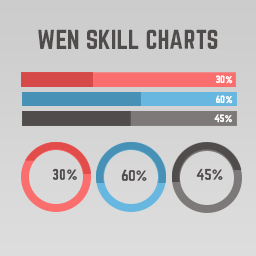
The most popular alternatives to Jellyfish Counter Widget are Timeline Express (8K+ installs), WP CountUP JS (1K+ installs) and WEN Skill Charts (600+ installs).
Propulsé par PageForge
Un modèle et une feuille de calcul. Une vraie page pour chaque recherche.
PageForge transforme chaque ligne d'un CSV en une page WordPress avec son propre titre, URL, SEO et schéma, construit sur la mise en page que vous Déjà conçu. Gratuit sur WordPress.org.
- CSV et XLSX, plus Google Sheets sur les professionnels et les entreprises
- Son propre titre, URL, SEO champs et schéma pour chaque page
- Fonctionne avec l'éditeur de blocs, Elementor, Divi et Avada
- Gratuit sur WordPress.org, pas de carte de crédit