


Issues Tracker
Issues Tracker allows you view and search WordPress logs, receive security advice, track 404 errors, and view your server settings.

Envisager une alternative
Issues Tracker shows warning signs in 2026 — compare the alternatives below before installing. It runs on 30+ sites, is rated 5/5 and was last updated 2 years ago, and scores 34/100 on our health check.
- Petite base d'utilisateurs (30+ installations actives)
- Très peu de critiques jusqu'à présent
- Pas de mise à jour depuis plus d'un an
- Uniquement testé jusqu'à WordPress 6,7 (le dernier est de 7,1)
Comment s'accumule-t-il ?
Côte à côte sur les installations, les mises à jour, les évaluations et le support


Téléchargements quotidiens
Les pics de téléchargement suivent généralement une nouvelle version - chaque site qui met à jour automatiquement compte comme un téléchargement.
Classements
Where Issues Tracker stands todayWordPress.org Classements de recherche
Position en direct dans la recherche de plugins, Top 100| Mot-clé | Position |
|---|---|
| debug | >100 |
| error tracking | >100 |
| logging | >100 |
| la sécurité | >100 |
| WP_DEBUG | #59 |
Adoption de version
Part de sites actifs par version.
Répartition des notes
★★★★★ ★★★★★ 5 sur 3 avis
About Issues Tracker
From the official readme · v1.16Description
Issues Tracker allows you view and search WordPress logs, receive security advice, track 404 errors, and view your server settings.
We’ve designed the Issues Tracker plugin with accessibility and simplicity in mind. Say goodbye to the hassle of reading and searching through the debug.log file on your server. With the Issues Tracker, you can access and search logs directly within your CMS, making them easily readable and searchable.
Additionally, our plugin provides email notifications for various error events and covers more issues than a typical WP health checker.
Enhance your website’s security and performance with these key features:
Debug Log Viewer
Effortlessly view notices, warnings, and errors from the WordPress debug.log file in a user-friendly table format. Utilize advanced search options (by error type, line, and file) and pagination for quick and convenient log management.
WordPress 404 Errors
Identify and list all 404 (page not found) errors on your website, and configure email notifications for these events. For example, receive email alerts for every 404 event.
Advisor
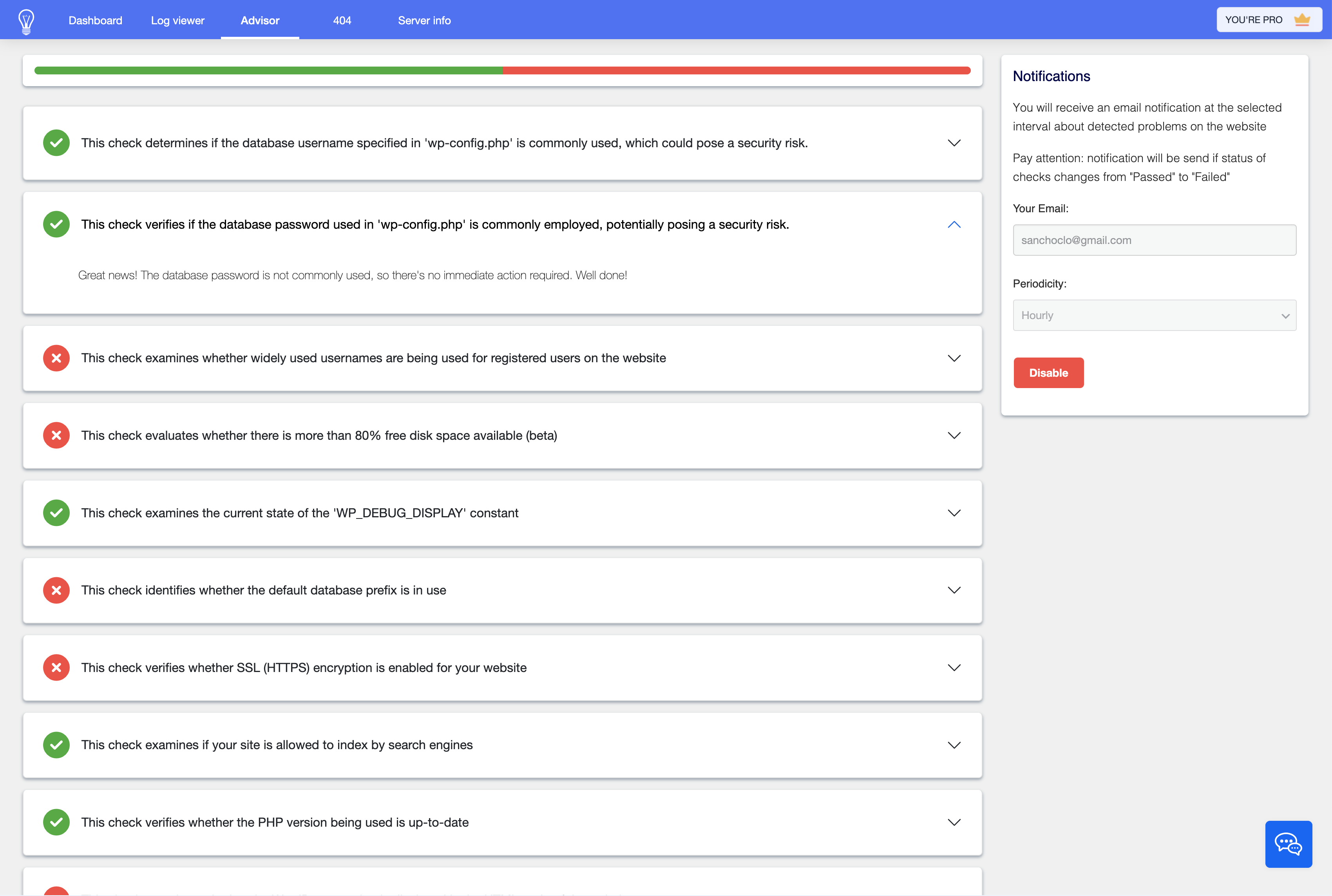
Receive expert recommendations on server and site settings to boost your website’s speed and security. Get notified via email if your server’s condition deteriorates.
Server info
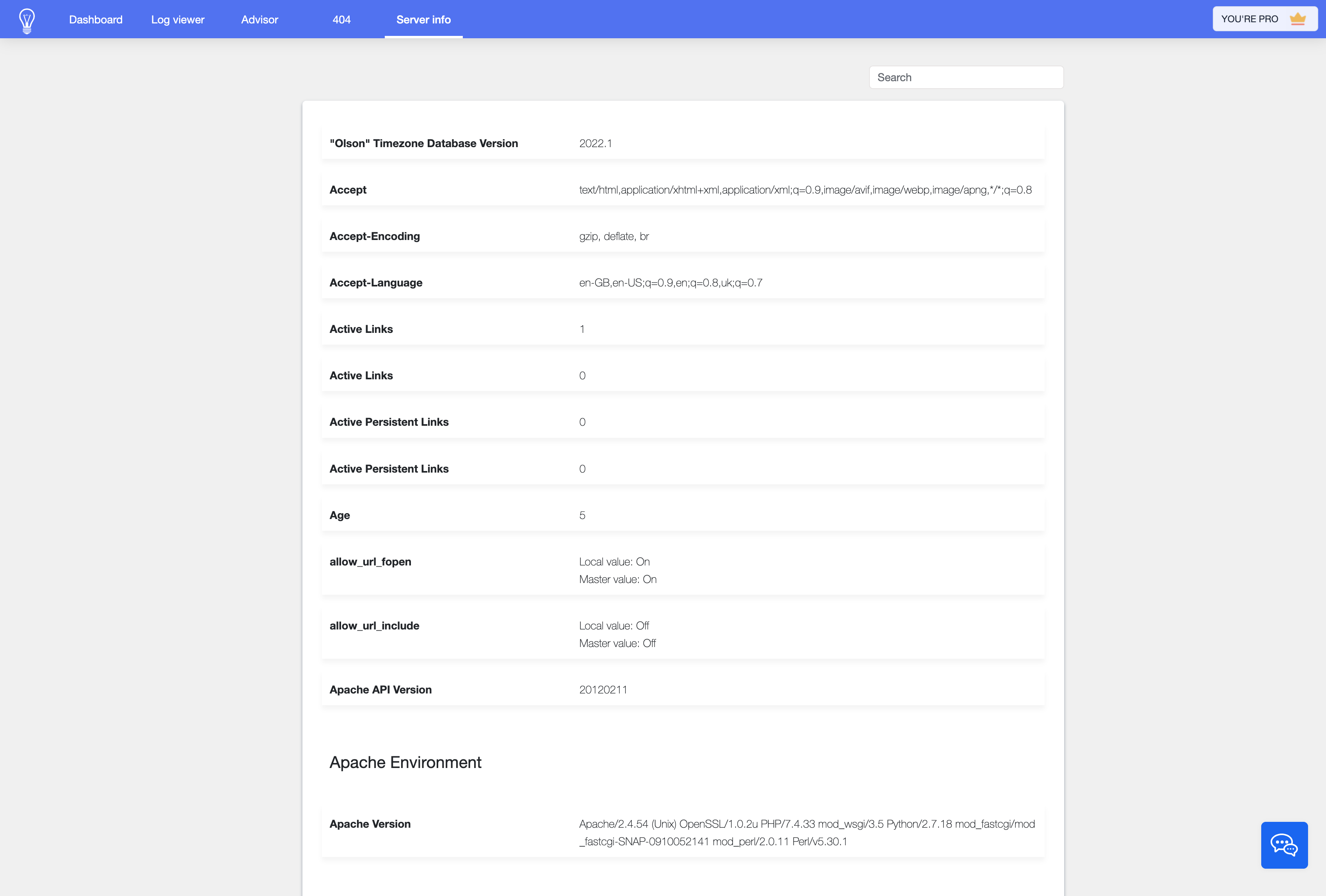
Keep track of all your server settings in one centralized location. Issues Tracker automatically parses the phpinfo() output, providing you with comprehensive server information. No need to dig into the server configuration files manually – everything is neatly displayed for you.
Website Checks
Our plugin evaluates your website based on various criteria, including:
– Checking if the database username used in wp-config.php is widely used.
– Verifying the security of the database password in wp-config.php.
– Examining the state of the WP_DEBUG_DISPLAY constant.
– Ensuring you are not using the default database prefix.
– Verifying SSL (https) encryption status.
– Checking the PHP version for updates.
– Confirming that the WordPress version matches the HTML code.
– Checking if search engines allowed to index a website
…and many more checks in future releases.
Dashboard
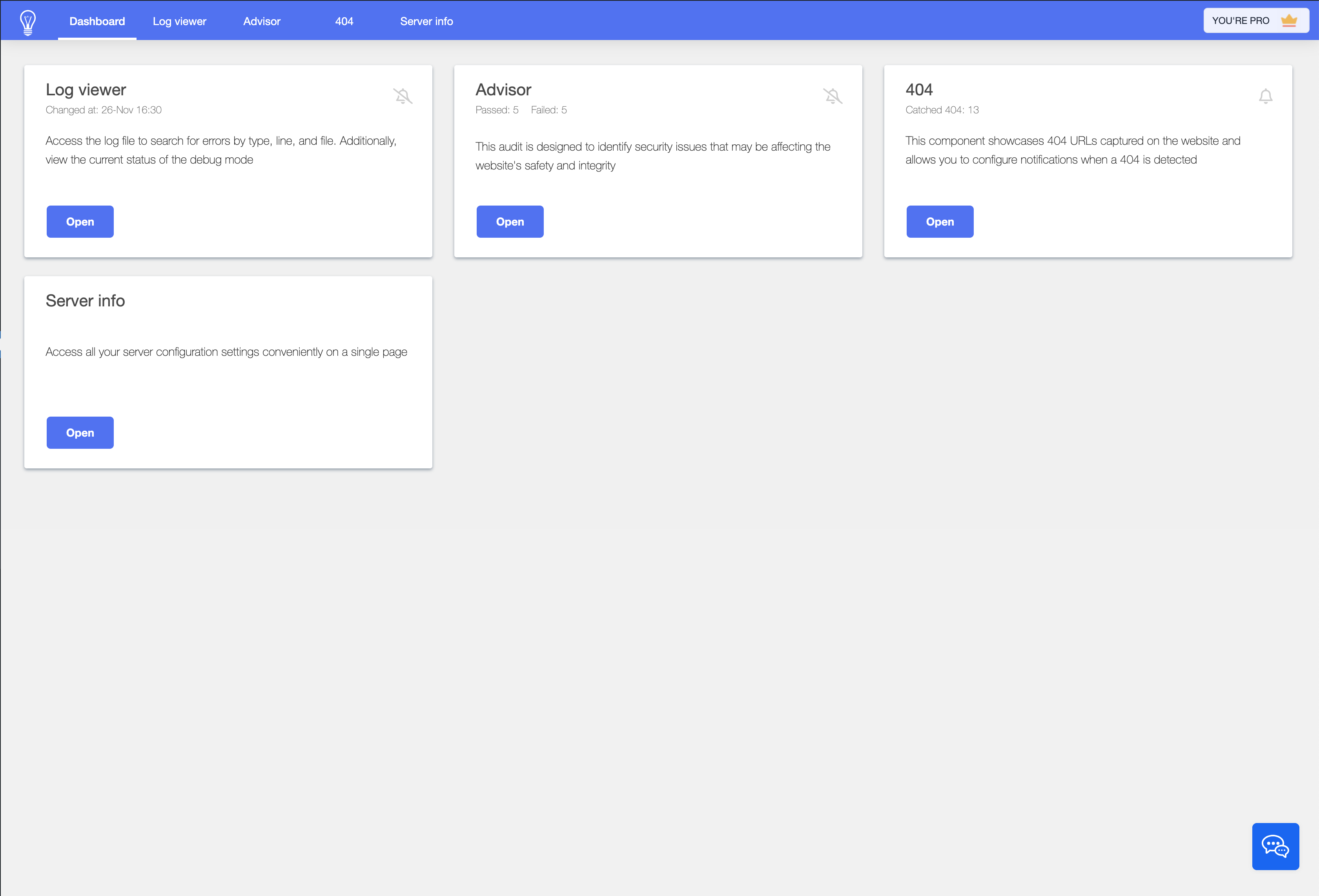
Monitor all your website’s performance and security issues conveniently from one central location. Access log file entries, server checks, and 404 error reports in a single dashboard.
Testé jusqu'à
WordPress Version: 6.7.1
PHP Version: 8.2.0
Issues Tracker helps monitor WordPress logs, track 404 errors, view server settings, and receive security advice
Notice: Transition to Debug Log Viewer
We are no longer maintaining Issues Tracker as we’ve launched a better plugin for debugging: Debug Log Viewer.
To continue receiving updates, new features, and support, please:
1. Uninstall Issues Tracker.
2. Install Debug Log Viewer
All premium features from Issues Tracker are included in Debug Log Viewer at no cost.
Thank you for your trust and support! If you have any questions or feedback, feel free to contact us via Email.
Fonctionnalités Pro
- Receive Email notifications when the Advisor module detects security issues
- Get Email notifications in case of 404 request hourly or once per day
- Get Email notifications with new entries in the debug.log to keep you inform about problems on the site
- Enjoy priority email support
Cas d'utilisation
- Debugging WordPress Sites: Developers can use the plugin to identify, track, and resolve bugs in WordPress themes or plugins. This is crucial for maintaining site performance, security, and overall functionality.
- Monitoring Website Health: Website administrators and webmasters can see advice and hints how to improve performance and stability of their website. This proactive monitoring helps in maintaining a smooth and efficient operation of the website, ensuring a better user experience.
- Real-Time 404 Error Detection: When a visitor encounters a 404 error (page not found) on your website, whether due to a broken link in a post, page, or image, the “Issues Tracker” plugin immediately captures this URL. It presents these 404 URLs in an organized table, allowing for swift review and rechecking with just one click. For Pro plan users, the plugin offers additional convenience by sending instant email notifications whenever a new 404 error is detected, ensuring you’re always up-to-date and can address these issues promptly to maintain a smooth user experience on your site.
Installation
How to activate withing WordPress
- Go to ‘Plugins > Add New’
- Search for Issues tracker
- Click install then activate
How to activate manually
- Upload the plugin files to the /wp-content/plugins/ directory, or install the plugin through the WordPress plugins screen directly.
- Activate the plugin through the “Plugins” page in Dashboard
Journal de modifications
1.16
- LATEST RELEASE. We’re moving to Debug Log Viewer
- Upgrade dependencies
1.15
- General: Updated Freemius SDK and WP-CLI
- General: Fixed a bug where the wp-config.php file could not be used if it was located outside the root directory
1.14
- General: Updated Freemius SDK
- General: Fixed jumping menu on hover
- Log view: Improved UI for the case if no debug.log file found
- Log view: Improved text for the first demo logger record
1.13
- General: Updated Freemius SDK
- 404: Implemented suspension of logging 404 errors in the event of an attack. The primary objective is to prevent mass database inserts. If more than 10 records for hour are inserted, the component suspends tracking for one hour before automatically resuming its operations.
1.12
- General: Updated Freemius SDK
- General: Checked compatibility with 6.5.2
1.11
- General: Fixed bug with review dialog
Captures d'écran


Pour les développeurs
Est-ce votre plugin ? Montrez les chiffres.
Ajoutez un badge en direct à votre site, docs ou github readme. Il se met à jour par lui-même - aucun compte n'est nécessaire.
Best Issues Tracker alternatives
All debug plugins →




FAQ
Issues Tracker: quick answers
Réponses directes, extraites des données en direct WordPress.org.
Source : WordPress.org
Is Issues Tracker free?
Yes. Issues Tracker is free to download and use from the official WordPress.org plugin directory.
Is Issues Tracker safe to use in 2026?
Issues Tracker shows warning signs in 2026 — compare the alternatives below before installing. It runs on 30+ sites, is rated 5/5 and was last updated 2 years ago, and scores 34/100 on our health check.
How many websites use Issues Tracker?
Issues Tracker is active on 30+ WordPress websites and has been downloaded 5,159 times since it launched in June 2021. It was downloaded 139 times in the last 30 days.
Does Issues Tracker work with WordPress 7.1?
Issues Tracker is officially tested up to WordPress 6.7.12, while the latest release is 7.1.5. It may still work, but try it on a staging site first.
What PHP version does Issues Tracker need?
Issues Tracker requires PHP 5.4 or higher. Most hosts run PHP 8.x today, so it works on any modern WordPress hosting.
When was Issues Tracker last updated?
The latest version, 1.16, was released on December 2, 2024 (2 years ago).
Who makes Issues Tracker?
Issues Tracker is developed and maintained by Oleksandr Lysyi.
What are the best alternatives to Issues Tracker?
The most popular alternatives to Issues Tracker are WP Crontrol (300K+ installs), Query Monitor (200K+ installs) and Debug Bar (20K+ installs).
Propulsé par PageForge
Un modèle et une feuille de calcul. Une vraie page pour chaque recherche.
PageForge transforme chaque ligne d'un CSV en une page WordPress avec son propre titre, URL, SEO et schéma, construit sur la mise en page que vous Déjà conçu. Gratuit sur WordPress.org.
- CSV et XLSX, plus Google Sheets sur les professionnels et les entreprises
- Son propre titre, URL, SEO champs et schéma pour chaque page
- Fonctionne avec l'éditeur de blocs, Elementor, Divi et Avada
- Gratuit sur WordPress.org, pas de carte de crédit