


Dashboard Widgets Suite
Adds 9 awesome widgets to your WP Dashboard. Includes User Notes, Social Buttons, System Info, Debug/Error Logs, and more!

Choix solide
Dashboard Widgets Suite is a solid plugin choice in 2026, with a few things worth checking first. It runs on 4K+ sites, is rated 4.9/5 and was last updated 3 weeks ago, and scores 78/100 on our health check.
- Aimé par les utilisateurs — 4,9/5 sur 38 avis
- Développé activement — Dernière mise à jour il y a 3 semaines
- Testé avec le dernier WordPress (7.1)
- Momentum — downloads up 384.7% vs the previous 30 days
Comment s'accumule-t-il ?
Côte à côte sur les installations, les mises à jour, les évaluations et le support



Téléchargements quotidiens
Les pics de téléchargement suivent généralement une nouvelle version - chaque site qui met à jour automatiquement compte comme un téléchargement.
Classements
Where Dashboard Widgets Suite stands todayWordPress.org Classements de recherche
Position en direct dans la recherche de plugins, Top 100| Mot-clé | Position |
|---|---|
| tableau de bord | #13 |
| debug | #38 |
| log | >100 |
| notes | #40 |
| widget | #94 |
Adoption de version
Part de sites actifs par version.
Répartition des notes
★★★★★★★★★★ 4.9 from 38 reviews
About Dashboard Widgets Suite
From the official readme · v3.6Description
1 Plugin. 9 Widgets. Awesome Dashboard.
Add new widgets to your WordPress Dashboard. Streamline your workflow and optimize productivity.
Widgets
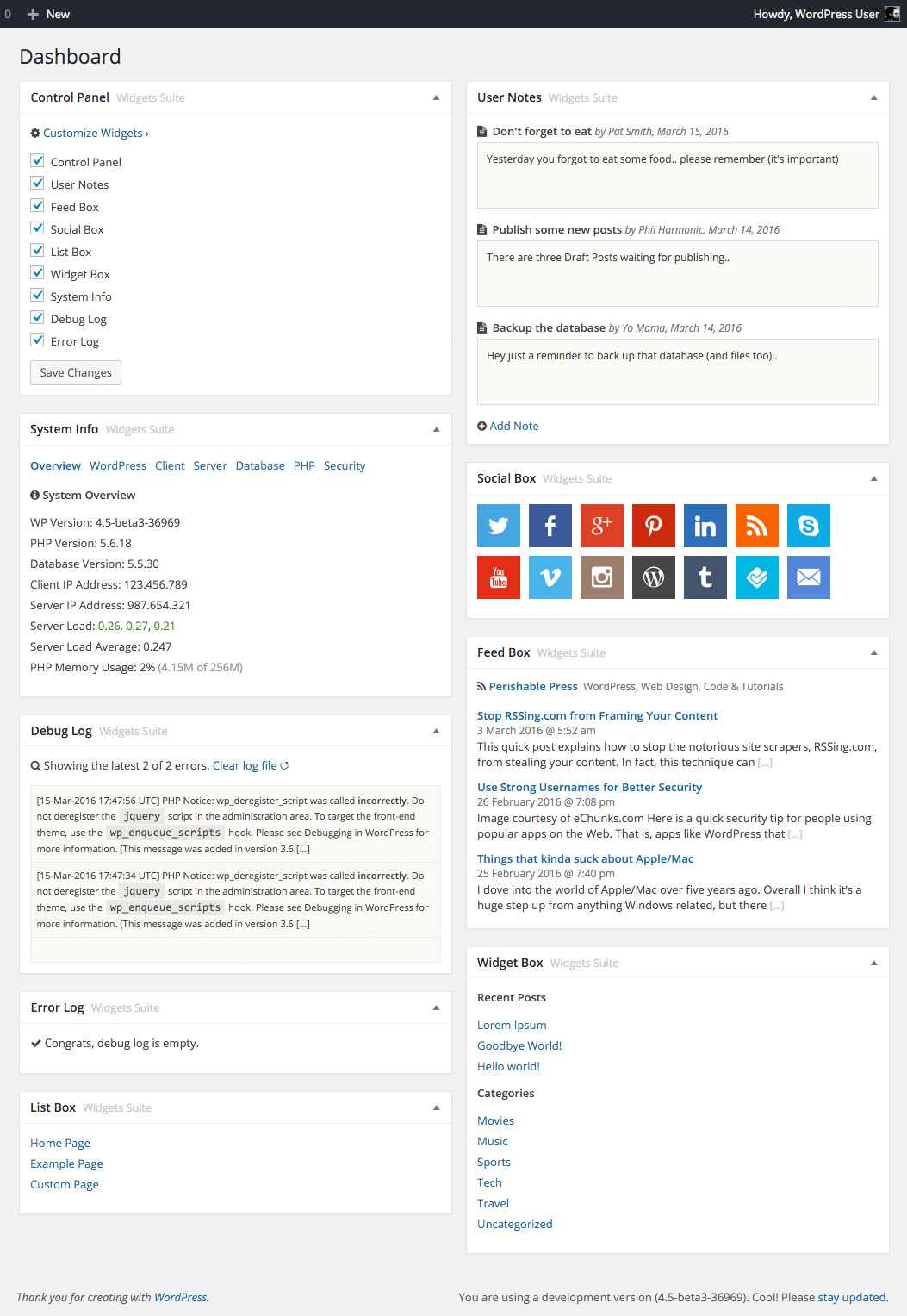
Dashboard Widgets Suite provides awesome widgets that you can add to your Dashboard with a click:
- Control Panel – Control widgets directly from the Dashboard
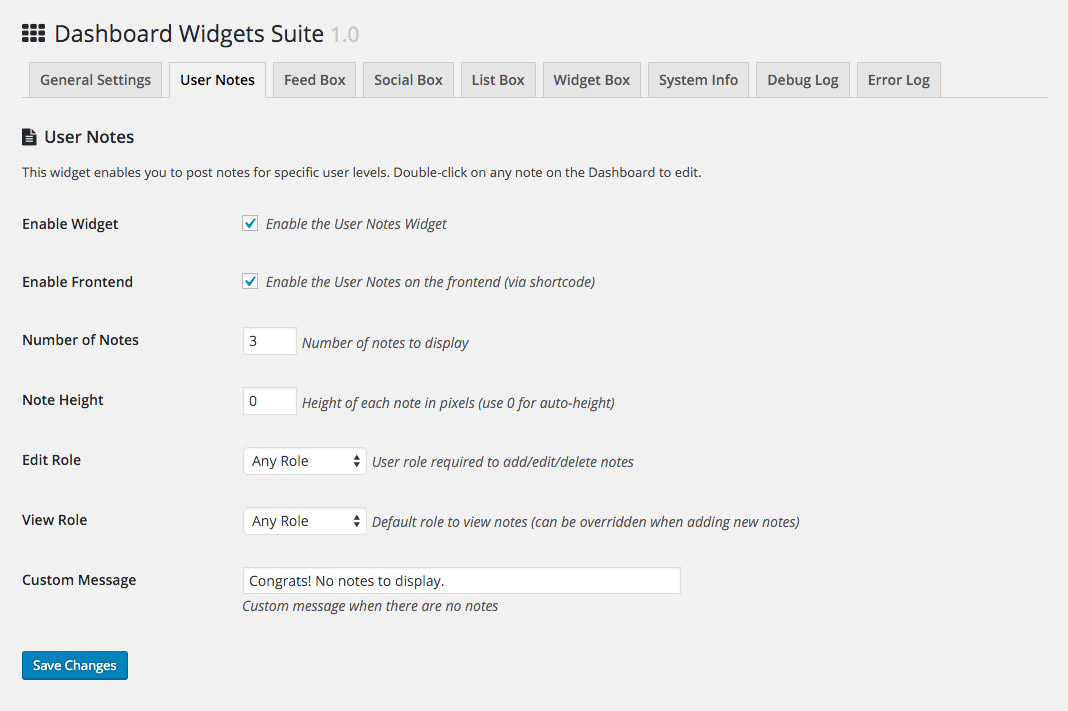
- User Notes – Add, edit, delete notes for any user role
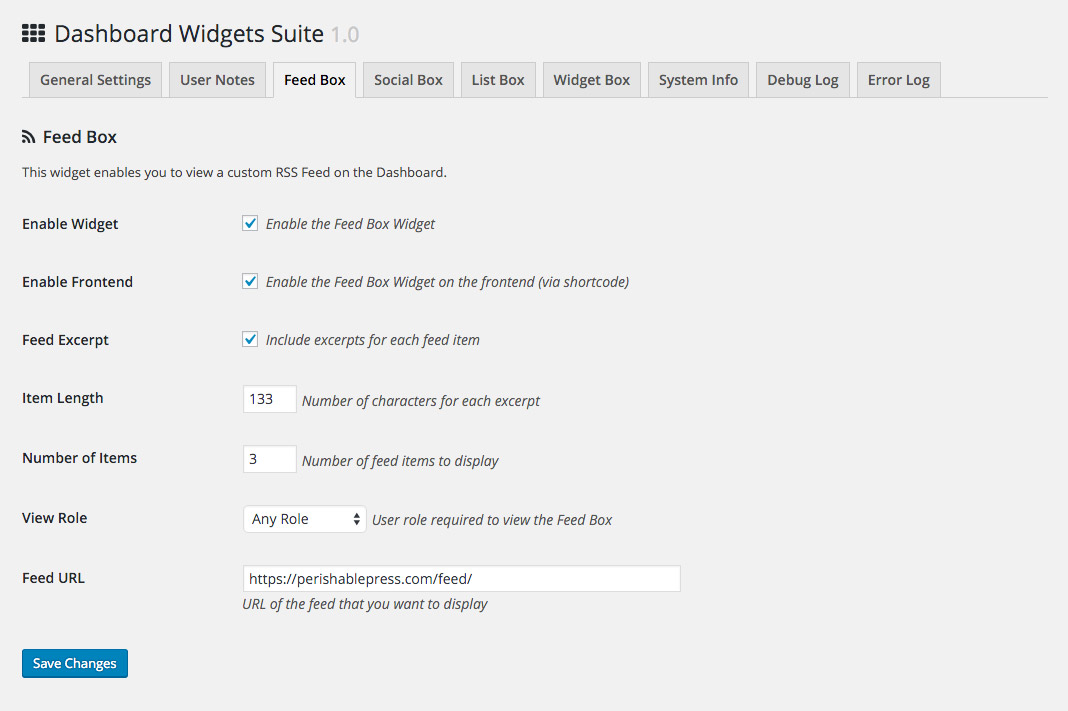
- Feed Box – Display and customize any RSS Feed
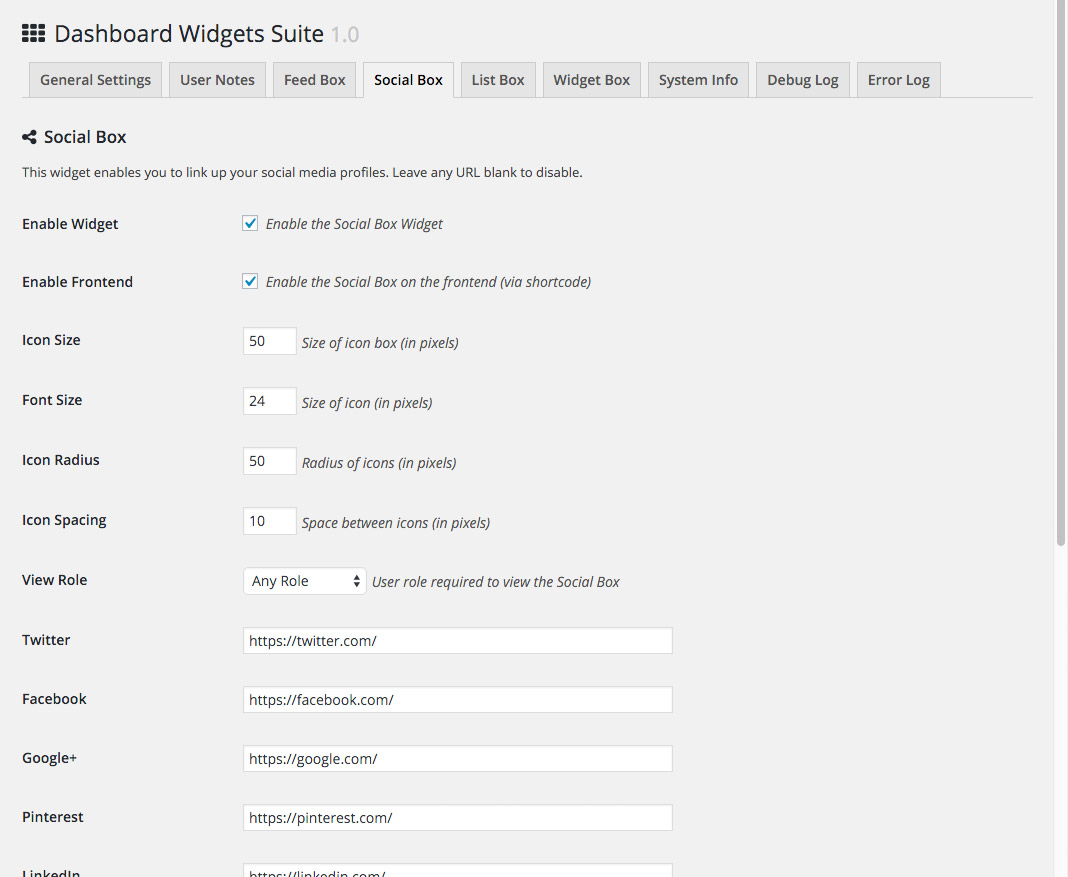
- Social Box – Display social links from Twitter, Facebook, etc.
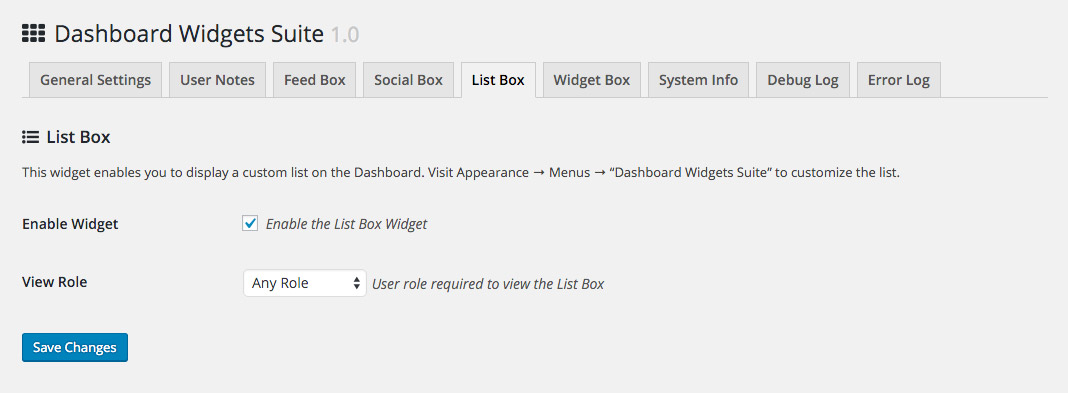
- List Box – Display custom lists created via the Menu screen
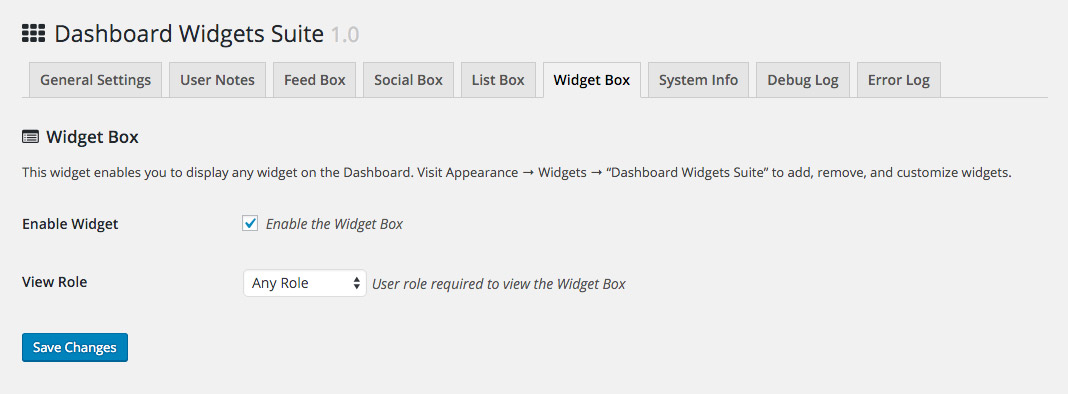
- Widget Box – Display any theme or WP widget (e.g., Search, Text)
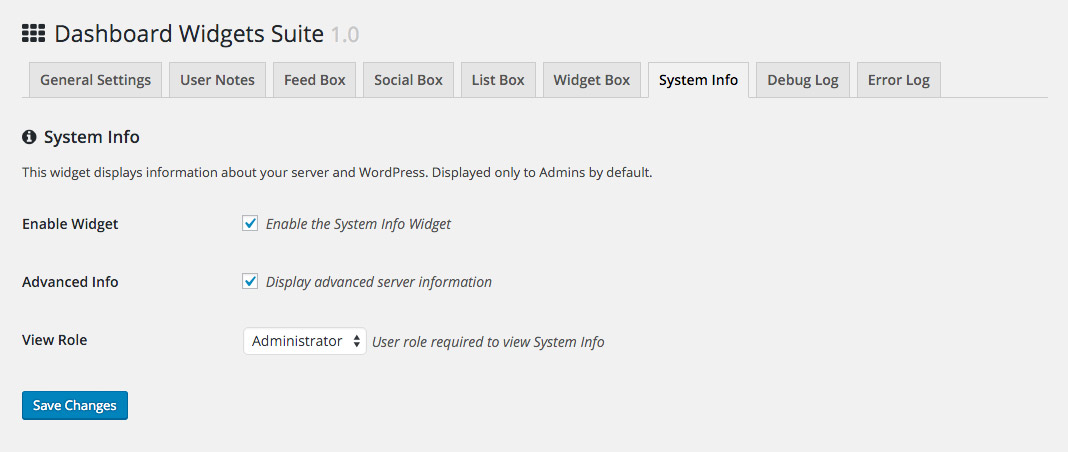
- System Info – Display basic or advanced system information
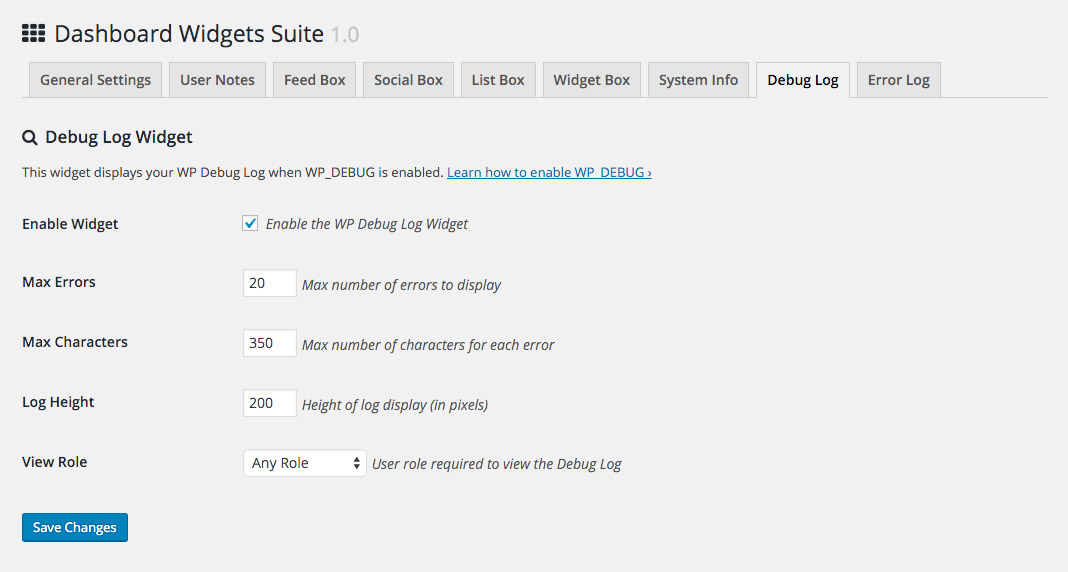
- Debug Log – Display, customize, reset your WP debug log
- PHP Error Log – Display, customize, reset your server error log
Each widget includes its own set of options for customizing display 🙂
The notes widget is super awesome, designed for serious note takers. You can choose from 3 note formats: Text, HTML, or Code. Check out Installation for more about the User Notes Widget.
Traits
Dashboard Widgets Suite provides a slick set of useful Dashboard widgets with some great features:
- Includes 9 awesome Dashboard widgets
- Easy to set up and customize options
- Mise à jour et « preuves futures » régulièrement mises à jour
- Secure, clean, error-free code
- Construit avec le WordPress API
- Léger, rapide et flexible
- Focused on performance, loads only enabled widgets
- Enable/disable widgets via Dashboard or plugin settings
- Option to restore 1-column display for the Dashboard
- Shortcodes to display widgets on the frontend
- Many options for customizing widget display
- Works perfectly with or without Gutenberg
Check out the Screenshots for more details.
Intimité
Ce plugin ne collecte ou ne stocke aucune donnée utilisateur. Il ne définit aucun cookies et ne se connecte à aucun emplacement tiers. Ainsi, ce plugin n'affecte en rien la confidentialité des utilisateurs.
Dashboard Widgets Suite is developed and maintained by Jeff Starr, 15-year WordPress developer and book author.
Soutenir le développement
Je développe et entretient ce plugin gratuit avec amour pour la communauté WordPress. Pour montrer votre soutien, vous pouvez faire un don ou acheter l'un de mes livres :
- Le Tao de WordPress
- Creuser dans WordPress
- .htaccess facile
- WordPress Thèmes en profondeur
- Recettes SQL de l'assistant pour WordPress
Et/ou acheter un de mes plugins Premium WordPress :
- BBQ Pro – Feu rapide WordPress Pare-feu
- Blackhole Pro – bloquer automatiquement les mauvais bots
- Banhammer Pro – Surveiller la circulation et interdire les méchants
- GA Google Analytics Pro – Connexion WordPress à Google Analytics
- Head Meta Pro – Tags Ultimate Meta pour WordPress
- Rest Pro Tools – Outils géniaux pour gérer le WP REST API
- Simple Ajax Chat Pro – Salles de chat illimitées
- USP Pro – Formulaires frontaux illimités
Links, tweets and likes also appreciated. Thank you! 🙂
Installation
Installing Dashboard Widgets Suite
- Téléchargez le plugin sur votre blog et activez
- Visit the settings and enable desired widgets
- Visit the WP Dashboard to use your new widgets
Tip: you can enable/disable widgets via the plugin settings or via the Control Panel widget on the Dashboard.
Plus d'informations sur l'installation des plugins WP
Like the plugin?
If you like Dashboard Widgets Suite, please take a moment to give a 5-star rating. It helps to keep development and support going strong. Thank you!
User Notes Widget
As of DWS version 1.9, you can choose a format for each user note:
- Text (default)
- Html
- Code
How to choose a note format:
- Click the “Add Note” link
- In the “Format” select menu, choose your format
- Write your note how you want, click the “Add Note” button and done!
To Edit or Delete any note, double-click on the note content (to display the “Edit” and “Delete” buttons).
Debug and Error Logs
Note that the Debug and Error Log widgets may require a bit of configuration, depending on your WP setup. Here is a quick guide:
Debug Log
To enable the WP Debug Log for the Debug Log widget, make sure that debug mode is enabled in your site’s wp-config.php file. Here is one possible way to enable, by adding the following code to your wp-config file, just before the line that says, “That’s all, stop editing!”:
define('WP_DEBUG', true);
define('WP_DEBUG_LOG', true);
define('WP_DEBUG_DISPLAY', false);
Once added, this will tell WP to log all errors, warnings, and notices to a file named debug.log, which is located in the /wp-content/ directory. Note that if the file does not exist, you can create it manually and give it suitable permissions. Ask your web host if unsure.
Error Log
To enable the Error Log for the Error Log widget, follow the same steps as for “Debug Log”, but use this code instead:
define('WP_DEBUG', true);
ini_set('display_errors', 'Off');
ini_set('error_reporting', E_ALL);
And also make sure to set the correct file path under the plugin’s “Error Log” tab, in the setting “Log Location”.
Debug Log and Error Log
To enable both Debug Log and Error Log, follow the same steps as above, but use this code instead:
define('WP_DEBUG', true);
define('WP_DEBUG_LOG', true);
define('WP_DEBUG_DISPLAY', false);
ini_set('display_errors', 'Off');
ini_set('error_reporting', E_ALL);
For more information, visit Debugging in WordPress.
Désinstallation
Ce plugin nettoie après lui-même. Tous les paramètres du plugin seront supprimés de la base de données WordPress lorsque le plugin est supprimé via l'écran des plugins WP.
Note: Any notes added via the plugin’s “User Notes” widget will NOT be removed from the database. To remove user notes, visit the plugin settings and click the link to “Delete all User Notes”. Alternately you can delete any user notes directly via the User Notes widget on the WP Dashboard.
Restore Default Options
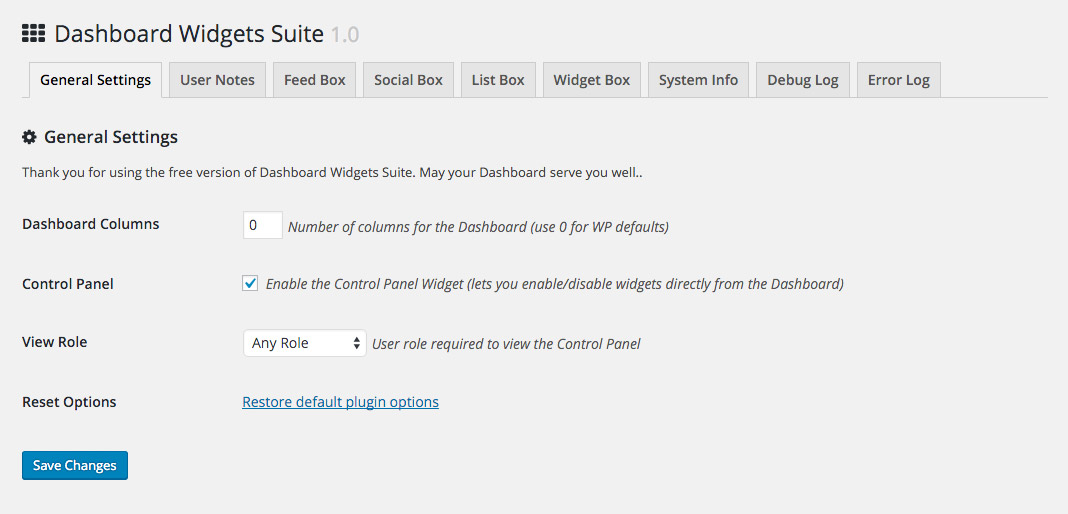
To restore default plugin options, either uninstall/reinstall the plugin or visit the General Settings > Restore default plugin options.
Shortcodes
DWS provides several shortcodes for displaying widgets on the frontend of your site. Here is a summary:
[dws_feed_box]   => Feed Box
[dws_social_box] => Social Box
[dws_user_notes] => User Notes
You can add these to any WP Post or Page to display the widget on the frontend. The same widget settings apply to both frontend and backend display.
Customizing
Dashboard Widgets Suite provides plenty of settings to customize your widgets. For advanced customization, developers can tap into the power of WordPress Action and Filter Hooks. Here is a complete list of the hooks provided by Dashboard Widgets Suite:
Action Hooks

dashboard_widgets_suite
dashboard_widgets_suite_control_panel

dashboard_widgets_suite_feed_box
dashboard_widgets_suite_feed_box_frontend

dashboard_widgets_suite_list_box

dashboard_widgets_suite_log_debug
dashboard_widgets_suite_log_error

dashboard_widgets_suite_notes_user
dashboard_widgets_suite_notes_user_submit
dashboard_widgets_suite_notes_user_frontend

dashboard_widgets_suite_social_box
dashboard_widgets_suite_social_box_frontend

dashboard_widgets_suite_system_info

dashboard_widgets_suite_widget_box


Filter Hooks

dashboard_widgets_suite_options_general
dashboard_widgets_suite_get_options_general

dashboard_widgets_suite_options_feed_box
dashboard_widgets_suite_get_options_feed_box
dashboard_widgets_suite_feed_box_data
dashboard_widgets_suite_feed_box_output
dashboard_widgets_suite_feed_box_suffix
dashboard_widgets_suite_feed_box_frontend_data

dashboard_widgets_suite_options_list_box
dashboard_widgets_suite_get_options_list_box
dashboard_widgets_suite_list_box_menu_name

dashboard_widgets_suite_options_log_debug
dashboard_widgets_suite_get_options_log_debug
dashboard_widgets_suite_log_debug_clear
dashboard_widgets_suite_log_debug_errors
dashboard_widgets_suite_log_debug_level
dashboard_widgets_suite_log_debug_path

dashboard_widgets_suite_options_log_error
dashboard_widgets_suite_get_options_log_error
dashboard_widgets_suite_log_error_clear
dashboard_widgets_suite_log_error_errors
dashboard_widgets_suite_log_error_level
dashboard_widgets_suite_log_error_path

dashboard_widgets_suite_options_notes_user
dashboard_widgets_suite_get_options_notes_user
dashboard_widgets_suite_notes_user_data_add
dashboard_widgets_suite_notes_user_data_delete
dashboard_widgets_suite_notes_user_data_edit
dashboard_widgets_suite_notes_user_data_form
dashboard_widgets_suite_notes_user_data_get
dashboard_widgets_suite_notes_user_example
dashboard_widgets_suite_notes_user_message
dashboard_widgets_suite_notes_user_style
dashboard_widgets_suite_notes_user_frontend_data
dashboard_widgets_suite_notes_user_frontend_view
dashboard_widgets_suite_notes_format
dashboard_widgets_suite_note_styles

dashboard_widgets_suite_options_social_box
dashboard_widgets_suite_get_options_social_box
dashboard_widgets_suite_social_box_output
dashboard_widgets_suite_social_box_frontend_data

dashboard_widgets_suite_options_system_info
dashboard_widgets_suite_get_options_system_info

dashboard_widgets_suite_options_widget_box
dashboard_widgets_suite_get_options_widget_box

dashboard_widgets_suite_allowed_tags
dashboard_widgets_suite_editable_roles
dashboard_widgets_suite_get_date
DWS also provides hooks for customizing widget names on the Dashboard.
Journal de modifications
Visit the WordPress Plugins screen, locate the plugin, and click "Update" :) Note: Deleting this plugin via the WordPress Plugins screen will remove all of its settings from the WordPress database. Note: any notes added via the plugin's "User Notes" widget will NOT be removed from the database. To remove user notes, visit the plugin settings and click the link to "Delete all User Notes". Alternately you can delete any user notes directly via the User Notes widget on the WP Dashboard.
Thank you for using Dashboard Widgets Suite! If you like the plugin, please show support with a 5-star rating »
3.6 (2026/11/01)
- Adds filter hook to disable
gethostbyaddr() - Improves security of plugin settings page
- Improves sanitization of WP dashboard widgets
- Améliore la désinfection de la sortie JavaScript
- Improves security of admin redirects
- Améliore la sécurité des fichiers de plug-in
- Mise à jour de la page des paramètres du plug-in
- Improves plugin documentation
- Tests sur WordPress 7.2
Full changelog @ https://plugin-planet.com/wp/changelog/dashboard-widgets-suite.txt
Captures d'écran
Pour les développeurs
Est-ce votre plugin ? Montrez les chiffres.
Ajoutez un badge en direct à votre site, docs ou github readme. Il se met à jour par lui-même - aucun compte n'est nécessaire.
Best Dashboard Widgets Suite alternatives
All dashboard plugins →




FAQ
Dashboard Widgets Suite: quick answers
Réponses directes, extraites des données en direct WordPress.org.
Source : WordPress.org
Is Dashboard Widgets Suite free?
Yes. Dashboard Widgets Suite is free to download and use from the official WordPress.org plugin directory.
Is Dashboard Widgets Suite safe to use in 2026?
Dashboard Widgets Suite is a solid plugin choice in 2026, with a few things worth checking first. It runs on 4K+ sites, is rated 4.9/5 and was last updated 3 weeks ago, and scores 78/100 on our health check.
How many websites use Dashboard Widgets Suite?
Dashboard Widgets Suite is active on 4K+ WordPress websites and has been downloaded 168,336 times since it launched in March 2016. It was downloaded 4,280 times in the last 30 days.
Does Dashboard Widgets Suite work with WordPress 7.1?
Yes. The developer has tested Dashboard Widgets Suite up to WordPress 7.2, the latest release. It requires WordPress 4.7 or newer.
What PHP version does Dashboard Widgets Suite need?
Dashboard Widgets Suite requires PHP 5.6.20 or higher. Most hosts run PHP 8.x today, so it works on any modern WordPress hosting.
When was Dashboard Widgets Suite last updated?
The latest version, 3.6, was released on November 1, 2026 (3 weeks ago).
Who makes Dashboard Widgets Suite?
Dashboard Widgets Suite is developed and maintained by Jeff Starr.
What are the best alternatives to Dashboard Widgets Suite?
The most popular alternatives to Dashboard Widgets Suite are Admin Menu Editor (300K+ installs), White Label CMS (200K+ installs) and Remove Dashboard Access (30K+ installs).
Propulsé par PageForge
Un modèle et une feuille de calcul. Une vraie page pour chaque recherche.
PageForge transforme chaque ligne d'un CSV en une page WordPress avec son propre titre, URL, SEO et schéma, construit sur la mise en page que vous Déjà conçu. Gratuit sur WordPress.org.
- CSV et XLSX, plus Google Sheets sur les professionnels et les entreprises
- Son propre titre, URL, SEO champs et schéma pour chaque page
- Fonctionne avec l'éditeur de blocs, Elementor, Divi et Avada
- Gratuit sur WordPress.org, pas de carte de crédit