


Imagisez l'optimisation de l'image : optimisez les images | Compresser et convertir en WebP/AVIF
Image optimization in 1‑click: compress, resize & convert to WebP/AVIF – free up to 20MB/month. Enjoy the easiest WordPress image optimizer to set up.

Choix
Yes — Imagify Image Optimization: Opt… is a safe, well-maintained plugin to use in 2026. It runs on 900K+ sites, is rated 4.3/5 and was last updated 3 weeks ago, and scores 95/100 on our health check.
- Prouvé à grande échelle sur plus de 900 000 000 sites actifs
- Développé activement — Dernière mise à jour il y a 3 semaines
- Testé avec le dernier WordPress (7.1)
- Momentum — downloads up 235.8% vs the previous 30 days
Comment s'accumule-t-il ?
Côte à côte sur les installations, les mises à jour, les évaluations et le support



Téléchargements quotidiens
Les pics de téléchargement suivent généralement une nouvelle version - chaque site qui met à jour automatiquement compte comme un téléchargement.
Classements
Where Imagify Image Optimization:… stands todayWordPress.org Classements de recherche
Position en direct dans la recherche de plugins, Top 100| Mot-clé | Position |
|---|---|
| compress images | #3 |
| convert AVIF | #1 |
| convert webp | #3 |
| image optimization | #3 |
| optimize images | #3 |
Adoption de version
Part de sites actifs par version.
Répartition des notes
★★★★★★★★★★ 4.3 from 1,660 reviews
About Imagify Image Optimization: Optimize Im…
From the official readme · v2.3.5Description
Image optimization in 1‑click: compress, resize & convert to WebP/AVIF – free up to 20MB/month. Enjoy the easiest WordPress image optimizer to set up.
🏆 The Easiest Image Optimization Plugin for WordPress
Imagify is the simplest image optimization plugin for WordPress to optimize images, so your website loads faster and images stay lighter. It’s designed for site owners who want quick and effective results with a very easy setup.
With Imagify, you can resize and compress images and convert them to WebP and AVIF directly from your WordPress dashboard, with up to 20MB of images optimized each month for free. Automatic image optimization takes just one click and does not require technical knowledge.
Whether you’re uploading new images, running bulk image optimization on an existing media library, or handling image optimization for WooCommerce product photos, Imagify makes the process simple, reliable, and easy to manage.
What sets Imagify apart:
-
WebP and AVIF conversion included in the free plan, so you can use next-gen image formats right away.
-
Easy to use, with no advanced configuration to learn.
-
Smart image compression and optimization that does the job for you and reduces file size while preserving image quality.
-
Bulk image optimization that runs in the background.
Watch the video and see for yourself why Imagify is the easiest image optimizer to make your images lighter and save time:
✨ Optimize Images with Imagify – Features at a Glance:
-
Smart Compression (Does the job for you) – Automatically balances image quality and performance. You don’t need to tweak settings. Imagify handles image optimization without losing quality, so you save time and get consistent results without having to choose any settings.
-
Lossless Compression (Optional) – Prefer pixel-perfect quality? Choose lossless compression. This option is ideal for photographers and quality-focused websites.
-
Next-Gen Formats: Convert WebP and Convert AVIF in One Click – Convert your images to WebP for wide compatibility or AVIF for superior compression in one click. This helps improve your Google PageSpeed performance score and Core Web Vitals grades.
-
Resize Large Images Automatically – Resize oversized images to a maximum width of up to 2560 pixels on upload or during optimization. This can reduce file size by up to 80 percent while keeping images optimized on all devices.
-
Asynchronous Bulk Image Optimization – Optimize your entire Media Library in the background without slowing down your site. Bulk optimization runs asynchronously, so you can keep working while Imagify handles the image optimization process for you – ideal for large WordPress image compression jobs.
-
On-the-Fly Image Resizing – Resize images directly from the app or within WordPress. This makes it easy to optimize images at the ideal size right away.
-
Original Image Backup – Keep your original images stored in a separate folder before the optimization process. This makes it easy to restore them at any time.
-
Flexible File and Size Optimization – Choose which WordPress image sizes you want to optimize, including thumbnail, medium, large, 1536 px, and 2048 px. This helps you optimize only what you actually use and manage your monthly quota more efficiently.
-
Auto-Optimize on Upload – New images are optimized automatically as soon as you upload them to WordPress. No manual steps and no forgotten images: you’ll get automatic image optimization from the moment you hit publish.
-
MCP: AI Access for Imagify – Connect Imagify to your AI tool of choice and get answers based on your Imagify data. Ask your AI about image optimization status, available quota, or whether your images have WebP and AVIF versions. You can also troubleshoot issues or optimize and restore a single image directly from the conversation. Imagify is the first image optimization plugin to offer this kind of AI connection.
✨ In short, you have everything you need to optimize images at scale while keeping quality high and your setup simple.
💡 Why Optimize Images with Imagify?
Imagify is an image optimizer built by the same team behind WP Rocket and focuses on delivering the best performance while saving you time, whether you are new to image optimization for WordPress or managing a large number of images across multiple websites.
Imagify helps you compress and optimize images, convert them to WebP and AVIF, and easily improve performance, including PageSpeed scores and Core Web Vitals. You’ll make your images load quicker without spending time adjusting settings.
📸 Optimize and Compress Images Easily
Imagify helps you optimize images by reducing their file size without losing image quality. Your pages load faster, without changing how your images look to your visitors.
You can compress and resize images as they are uploaded, or optimize existing images in your media library. Imagify supports common image formats, including PDFs.
If images are too large, you can set a maximum width. Oversized images are automatically resized during optimization, proportionally and without cropping.
The part you’ll love the most: Imagify uses Smart Compression to automatically choose the best balance between image quality and file size, so you get lighter images without visible quality loss or having to tweak settings yourself.
⚙️ Enjoy Image Optimization in the Background
If you have many images, image optimization in bulk lets you optimize them all at once. The process runs in the background, so you can keep working while Imagify optimizes images for you. Original images are always preserved and can be restored at any time.
🔄 Convert Images to WebP and AVIF
In addition to resizing and compressing, with Imagify you can convert images to WebP and AVIF without upgrading, as next-gen image conversion is included in all plans, including the free one.)
You can choose whether to generate WebP images, AVIF images, or both from the Imagify settings. Once enabled, Imagify creates next-gen versions of your images.
To serve these image formats on your site, you simply enable the option to display images in WebP and AVIF. Imagify then delivers the best format supported by each visitor’s browser.
Image fallback is handled automatically. If a browser does not support WebP or AVIF, the optimized JPG or PNG version is served instead, ensuring full compatibility.
Imagify supports next-gen conversion for all common image formats, including JPG, JPEG, PNG, and GIF.
For instance, you can convert GIF to WebP, JPEG and JPG to WebP, and even PNGto WebP. The same goes for AVIF: you can convert GIF to AVIF, JPEG and JPG to AVIF, PNG to AVIF.
⚡ Boost Your Pagespeed Insights Score and Optimize Core Web Vitals
Heavy images are one of the most common reasons pages load slowly. When images are too large or not served in modern formats, they drag down performance and user experience.
Imagify helps you fix this at the source by compressing images and converting them to the next-gen formats mentioned above, so pages load faster and feel smoother to visitors. Such image optimization tasks help your site meet Google’s performance recommendations, fix PageSpeed Insights audits such as “Serve images in next-gen formats”” and ““Efficiently encode images”, and improve key metrics like Core Web Vitals.
With lighter images across your site, you get faster load times and better performance where it matters most and, piece on the cake, without having to fine-tune performance settings yourself!
🔌 Connect Your AI Tool to Imagify with MCP
Running multiple websites? With MCP (Model Context Protocol), you can get answers about your websites from a single conversation with your AI tool.
Connect Imagify to an MCP-compatible AI tool such as Claude, GitHub Copilot, Codex, or ChatGPT, and it can access your actual Imagify data to answer questions, troubleshoot issues, and optimize or restore a single image when you ask. MCP needs the free MCP Adapter plugin to be installed and activated. Once it is active, there’s nothing to configure in Imagify itself: just connect from your AI tool and you’re ready to go.
Ask questions like:
* “How many images still need optimization?”
* “Do I have enough quota left to optimize everything?”
* “Why wasn’t my hero image optimized?”
Your AI tool can also optimize or restore a single image when you ask it to. Nothing happens to your images unless you ask for it.
MCP is included in all Imagify plans, free and paid, at no extra cost. It works alongside the plugin, not instead of it. Bulk optimization and settings changes still happen in the Imagify plugin itself.
Requires WordPress 6.9+, Imagify 2.3+ and the MCP Adapter plugin.
💬 What Do Our Users Think of Imagify?
Here’s what our users have to say about us after optimizing their images with Imagify:
“Images and other media are the largest parts on your web pages (most likely). Therefore don’t forget to optimise images for the web before adding to your site. For WordPress there are many optimisation plugins available. My favourite is Imagify” — Mark Wilkinson
”To give your images a slimming treatment, without altering them aesthetically, there is a great plugin on WordPress: Imagify. Simple, efficient and functional, it’s really worth a look.”— WP Marmite
“Imagify is an awesome tool that is powerful & easy to use. It’s fast, rivals and surpasses other established plugins/software. Awesome!” — Simon Harper
“If you want to “squeeze” your images as much as possible and “trim out” your website on the highest professional level… Imagify” — Ivica Delic
“Clearly Imagify is the most awesome WordPress plugin to compress images on your website! A must try” — Eric Walter
💰 Is Imagify Free?
You can optimize for free 20MB of images (that’s about 200 images) every month. You can also convert to the next-gen WebP format for free.
Need to compress more images? Have a look at our plans: https://imagify.io/pricing
💡 Want Image Optimization Tips?
If you want to optimize images and know more about using WebP images on WordPress, improving your PageSpeed score with Imagify, or compressing multiple images online, take a look at our blog: https://imagify.io/blog/
It’s packed with advice on image compression and so much more!
- How to Convert Images to WebP on WordPress with Imagify
- How to Optimize Images on WordPress for Performance and SEO
- How to Reduce Image Size Without Losing Quality (and Save Space)
- How to Resize and Compress Multiple Images Online (Easy Methods)
- How to Make Photos Load Faster on WordPress: 6 Key Tactics
- How to Optimize Images for Page Speed (and Google)
👥 Who Are We?
We are WP Media, the company behind WP Rocket, the best caching plugin for WordPress.
Our mission is to improve the web, we are making it faster with WP Rocket and lighter with Imagify.
✉️ Get in Touch!
- Website: Imagify.io
- Contact Us: https://imagify.io/contact
- Twitter: https://twitter.com/imagify
🚀 Related Plugins
- WP Rocket: Best caching plugin to speed-up your WordPress website.
- Lazy Load: Best Lazy Load script to reduce the number of HTTP requests and improve the website’s loading time.
License: GPLv2 or later
License URI: http://www.gnu.org/licenses/gpl-2.0.html
Installation
WordPress Admin Method
- Go to you administration area in WordPress
Plugins > Add - Look for
Imagify(use search form) - Click on Install and activate the plugin
- Optional: find the settings page through
Settings > Imagify
FTP Method
- Upload the complete
imagifyfolder to the/wp-content/plugins/directory - Activez le plugin via le menu « Plugins » dans WordPress
- Optional: find the settings page through
Settings > Imagify
Journal de modifications
2.3.5
- Enhancement: Imagify no longer bundles the MCP Adapter. To keep using MCP, install the standalone MCP Adapter plugin; a dismissible notice guides existing MCP users.
- Enhancement: Clearer Next-Gen display settings: rewrite rules are recommended for sites without a CDN, and the layout risks of
<picture>tags are explained with a link to the documentation. - Fix: No more “Another version of MCP Adapter is already loaded” conflict with the standalone MCP Adapter plugin.
- Fix: MCP abilities now use the same capability checks as the rest of Imagify.
- Fix: Signing up with an email address containing a “+” alias now creates the account for the right address.
2.3.4
- Fix: Optimization no longer stops when a next-gen destination path is unavailable.
- Fix: The “Settings saved” notice is back on multisite when Imagify is network-activated.
- Fix: Failing to reach the MCP OAuth discovery documents is no longer reported as a critical issue in Site Health.
- Enhancement: Updated the WP Rocket banner copy on the bulk optimization page.
2.3.3
- New feature: MCP media abilities now accept a filename or media URL, not just an attachment ID.
- Enhancement: Respect WordPress 7.1’s resize opt-out on client-side uploads to avoid double scaling.
- Fix: Thumbnails from WordPress 7.1 client-side uploads are now optimized instead of skipped.
- Fix: Companion files recorded by WordPress 7.1 are kept when regenerating or restoring a media.
- Fix: The Media Library rating banner is readable again.
2.3.2
- New feature: Add a Missing Next-Gen filter to the Media Library.
- New feature: Add a manual stop button for bulk optimization.
- Enhancement: Prioritize newly uploaded and manually optimized images in bulk jobs.
- Enhancement: Chunk large database queries to avoid timeouts on restrictive hosts.
- Fix: The Next-Gen generation progress bar is visible again.
- Fix: The Next-Gen progress bar no longer shows a negative count.
- Fix: Next-Gen files are generated when the API reports an image as already compressed.
- Fix: Scaled uploads are no longer skipped by the bulk backup check.
- Fix: Improve WP Rocket CDN detection for CDN-hosted images.
- Fix: Restore correct capability handling for the Imagify network admin menu.
- Fix: Updated WP Mixpanel library to fix some loading issues that could surfaced.
2.3.1
- New feature: Add OAuth 2.1 + PKCE authentication for MCP clients such as Claude Desktop.
- New feature: Expose three new MCP abilities for AI agents interacting with Imagify.
- Enhancement: Add a documentation link to the out-of-quota popup covering all ways to keep optimizing.
- Enhancement: Require confirmation before MCP abilities consume optimization credits.
- Enhancement: Add a filter to exclude specific media from bulk optimization.
- Enhancement: Add a filter to customize supported mime types.
- Enhancement: Add the imagify_site_root_url filter, allowing multisites with domain mapping to declare the URL used to serve each subsite.
- Bugfix: Fix indefinite spinner and stuck progress in Generate Missing Next-Gen Images.
- Bugfix: Fix valid API key flagged as invalid when validation request is interrupted.
- Bugfix: Fix wrong orientation of Next-Gen images generated from EXIF-rotated backups.
- Bugfix: Fix layout shift and scrollbar inconsistency in the upgrade modal.
- Bugfix: Fix lightbox display issue caused by passing WordPress attributes to the picture tag.
- Bugfix: Images are no longer reported as having a next-gen version when none was generated, because the WebP or AVIF file would have been heavier than the optimized image.
2.3.0
- New feature: Added support for the Model Context Protocol (MCP), enabling compatible AI assistants to optimize images and manage Imagify through natural language.
- Enhancement: Improved validation to ensure only supported image files can be optimized through MCP.
- Fix: Improved error handling when requesting the status of media that no longer exists
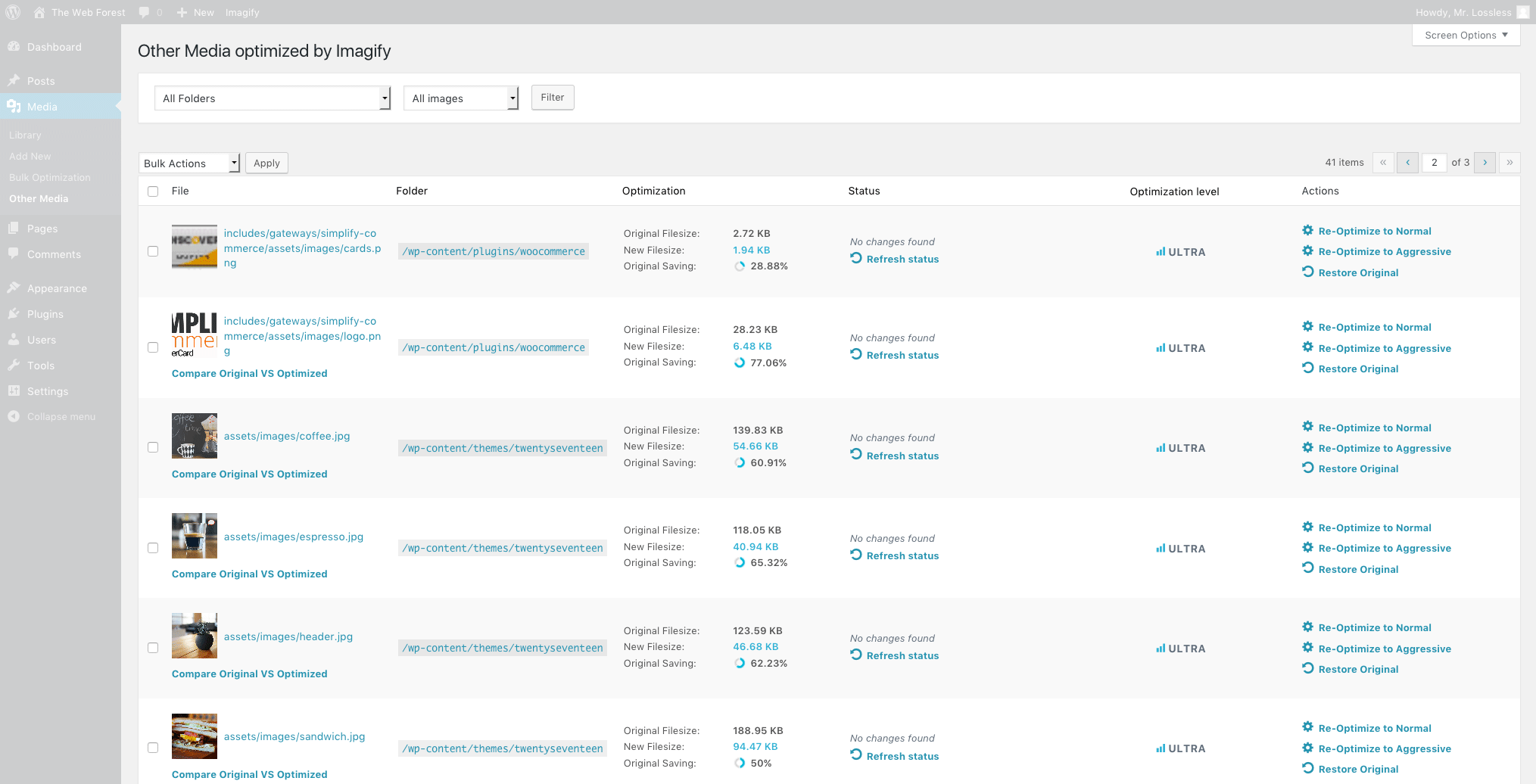
Captures d'écran


Pour les développeurs
Est-ce votre plugin ? Montrez les chiffres.
Ajoutez un badge en direct à votre site, docs ou github readme. Il se met à jour par lui-même - aucun compte n'est nécessaire.
Best Imagify Image Optimization: O… alternatives
All compress images plugins →





FAQ
Imagify Image Optimization: Optimiz…: quick answers
Réponses directes, extraites des données en direct WordPress.org.
Source : WordPress.org
Is Imagify Image Optimization: Opt… free?
Yes. Imagify Image Optimization: Opt… is free to download and use from the official WordPress.org plugin directory.
Is Imagify Image Optimization: Opt… safe to use in 2026?
Yes — Imagify Image Optimization: Opt… is a safe, well-maintained plugin to use in 2026. It runs on 900K+ sites, is rated 4.3/5 and was last updated 3 weeks ago, and scores 95/100 on our health check.
How many websites use Imagify Image Optimization: Opt…?
Imagify Image Optimization: Opt… is active on 900K+ WordPress websites and has been downloaded 22,011,148 times since it launched in January 2016. It was downloaded 636,356 times in the last 30 days.
Does Imagify Image Optimization: Opt… work with WordPress 7.1?
Yes. The developer has tested Imagify Image Optimization: Opt… up to WordPress 7.1.5, the latest release. It requires WordPress 5.3 or newer.
What PHP version does Imagify Image Optimization: Opt… need?
Imagify Image Optimization: Opt… requires PHP 7.4 or higher. Most hosts run PHP 8.x today, so it works on any modern WordPress hosting.
When was Imagify Image Optimization: Opt… last updated?
The latest version, 2.3.5, was released on November 5, 2026 (3 weeks ago).
Who makes Imagify Image Optimization: Opt…?
Imagify Image Optimization: Opt… is developed and maintained by WP Media.
What are the best alternatives to Imagify Image Optimization: Opt…?
The most popular alternatives to Imagify Image Optimization: Opt… are Smush (1M+ installs), Converter for Media (500K+ installs) and ShortPixel Image Optimizer (300K+ installs).
Propulsé par PageForge
Un modèle et une feuille de calcul. Une vraie page pour chaque recherche.
PageForge transforme chaque ligne d'un CSV en une page WordPress avec son propre titre, URL, SEO et schéma, construit sur la mise en page que vous Déjà conçu. Gratuit sur WordPress.org.
- CSV et XLSX, plus Google Sheets sur les professionnels et les entreprises
- Son propre titre, URL, SEO champs et schéma pour chaque page
- Fonctionne avec l'éditeur de blocs, Elementor, Divi et Avada
- Gratuit sur WordPress.org, pas de carte de crédit