


Git it Write – Write posts from GitHub
Publish markdown files present in a GitHub repository as posts to WordPress automatically

Choix solide
Git it Write is a solid plugin choice in 2026, with a few things worth checking first. It runs on 100+ sites, is rated 4.7/5 and was last updated 2 months ago, and scores 75/100 on our health check.
- Testé avec le dernier WordPress (7.1)
- Petite base d'utilisateurs (plus de 100 installations actives)
Comment s'accumule-t-il ?
Côte à côte sur les installations, les mises à jour, les évaluations et le support



Téléchargements quotidiens
Les pics de téléchargement suivent généralement une nouvelle version - chaque site qui met à jour automatiquement compte comme un téléchargement.
Classements
Where Git it Write stands todayWordPress.org Classements de recherche
Position en direct dans la recherche de plugins, Top 100| Mot-clé | Position |
|---|---|
| éditeur | >100 |
| Github | #21 |
| réduction | #53 |
| des postes | >100 |
| publish | >100 |
Adoption de version
Part de sites actifs par version.
Répartition des notes
★★★★★★★★★★ 4.7 from 7 reviews
About Git it Write – Write posts from GitHub
À partir du Lisez-moi officiel · v2.1Description
Git it Write allows to publish the markdown files present in a GitHub repository to your WordPress site. So with this plugin, whenever the files are added, updated in the repository the WordPress post will be added, updated accordingly.
This plugin is inspired from static site generators like Jekyll, Next.js, Gatsby.js on how content is written is markdown. This is a similar idea for WordPress where markdown files are parsed from GitHub and published as posts.
👓 Live example: Source github repository (/docs/ folder) to Posts published
⚡ Getting started: Get started with Git it write. Learn how to write .md files and publish posts on WordPress.
This allows people to collaborate with the post, share edits and suggestions in GitHub which when pulled the WordPress post will be updated automatically.
If a repository has files in the below structure,
docs/
    guide/
        introduction.md
        getting-started.md
help/
    faq.md
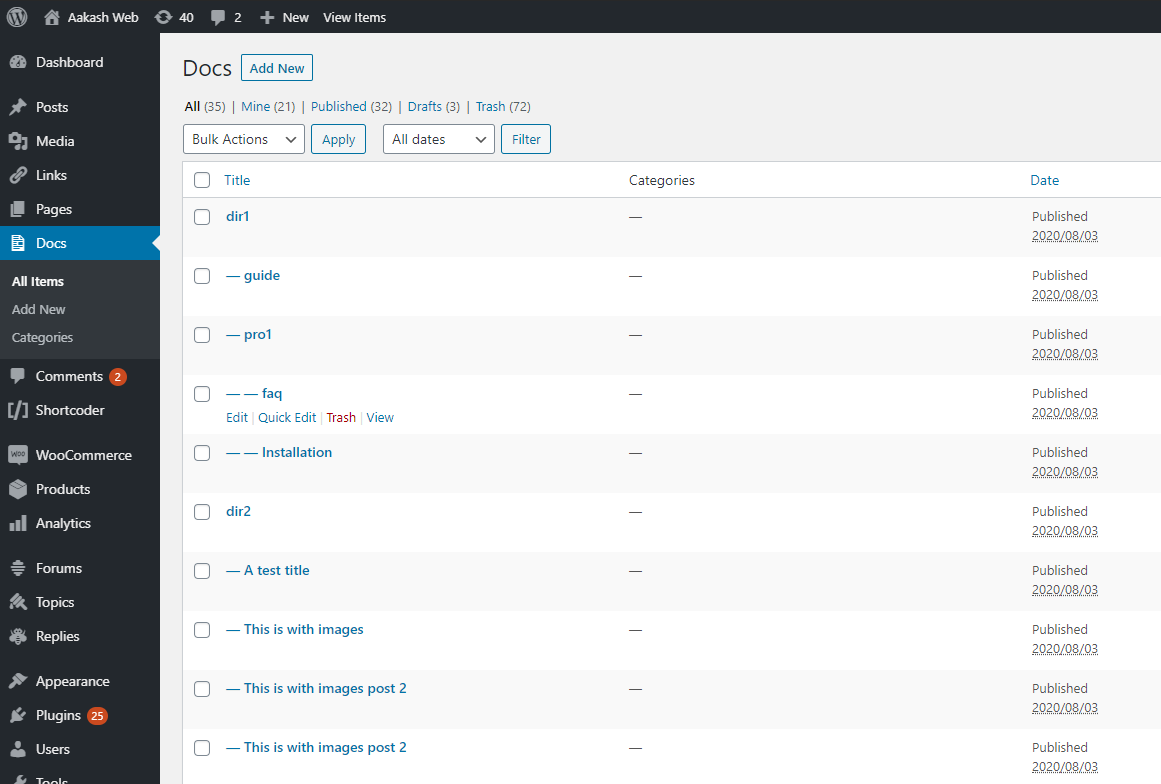
Then below posts will be created like below (if permalinks are configured and the post type supports “hierarchy” i.e creating posts level by level (example: pages))
https://example.com/docs/guide/introduction/
https://example.com/docs/guide/getting-started/
https://example.com/help/faq/
🎲 What is the use of this plugin ?
- Publish posts using the files in your GitHub repository.
- Write your posts in Markdown format.
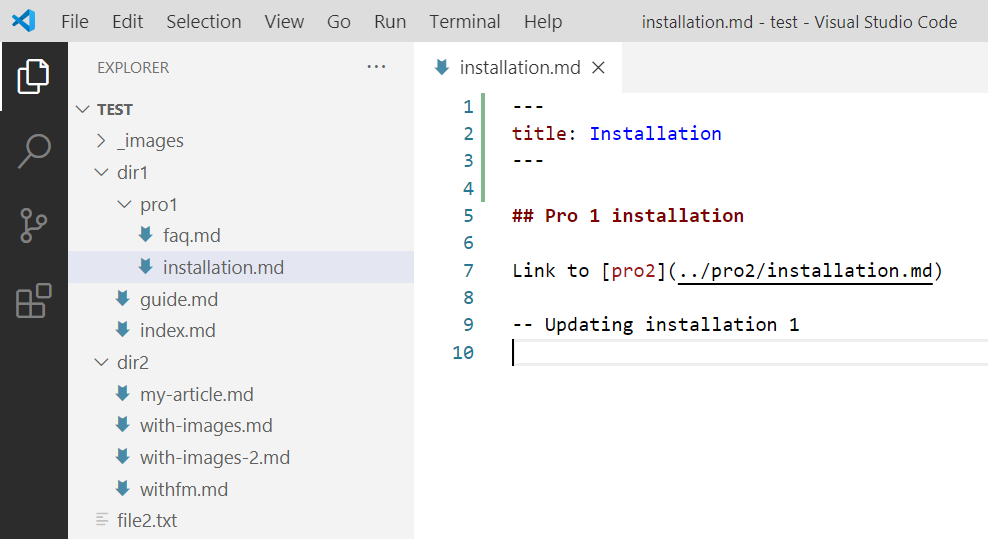
- Write your posts on your desktop application (Notepad++, Sublime Text, Visual studio code).
- Collaborate, involve communities on the files in GitHub and publish them on WordPress.
- All the advantages of Git and it’s version management system.
🚀 Some use cases
- Can be used for documentation posts, FAQs, Wikis etc.
- Write blog posts.
- Any articles which may need community involvement.
✨ Features
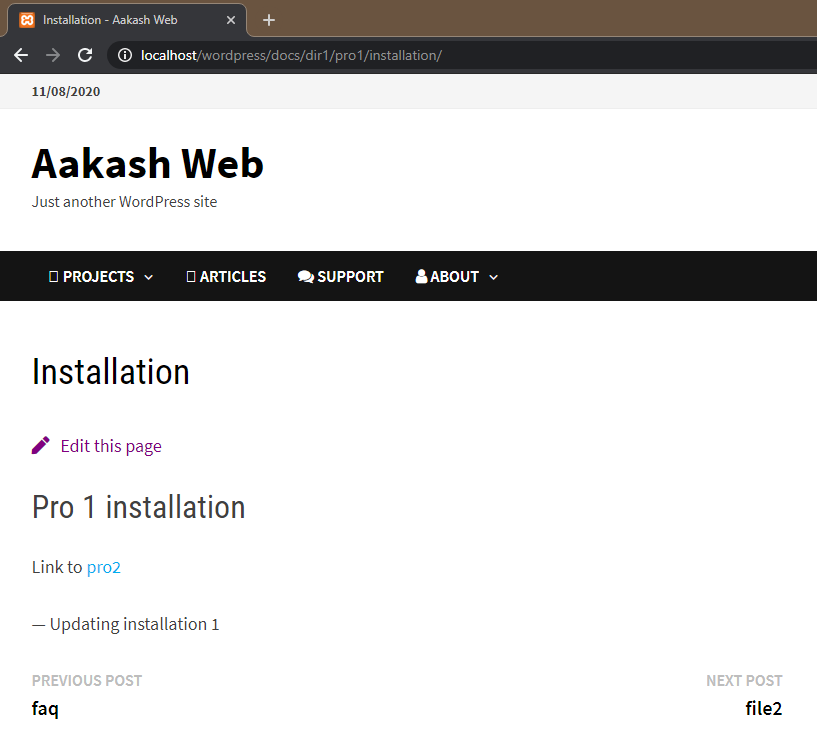
- Markdown will be processed and post will be published as HTML.
- Images used in the source file will be uploaded to WordPress.
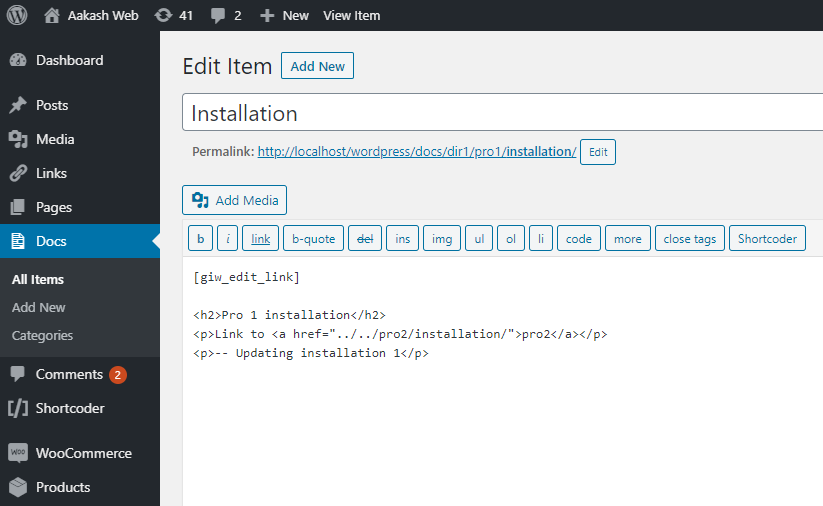
- Relative links are supported.
- Set post properties like post status, title, order, category, tags etc, in the source file itself.
- Webhook support (whenever repository is changed, it updates the plugin to pull the latest changes and publish the posts)
- Add multiple repositories.
- Publish to any post type.
- Posts are published in hierarchial manner if they are under folders. Example: a file
dir1/hello.mdwill be posted asdir1/hello/in WordPress if the post type supports hierarchy. - Support for post metadata like setting tags, categories, custom fields.
ℹ Note
- Only Markdown files will be pulled and published right now
- Posts won’t be deleted when it’s source file is deleted on GitHub.
- It is preferred to have a permalink structure.
- It is preferred to select a post type which supports hierarchy.
- Images have to present only in
_imagesfolder in the repository root. Markdown files have to relatively use them in the file.
🥗 Recommendation
It is recommended that a permalink structure is enabled in the WordPress site so that, if you have file under docs/reference/my-post.md then a post is published like https://example.com/docs/reference/my-post/. This will be the result when post type has hierarchy support. They will be posted level by level for every folder in the repository. The folder’s post will be taken from the index.md file if exists under that folder.
🏃♂️ Using the plugin
- Have a GitHub repository where all the source files (markdown files) are maintained (organized in folders if needed the exact structure)
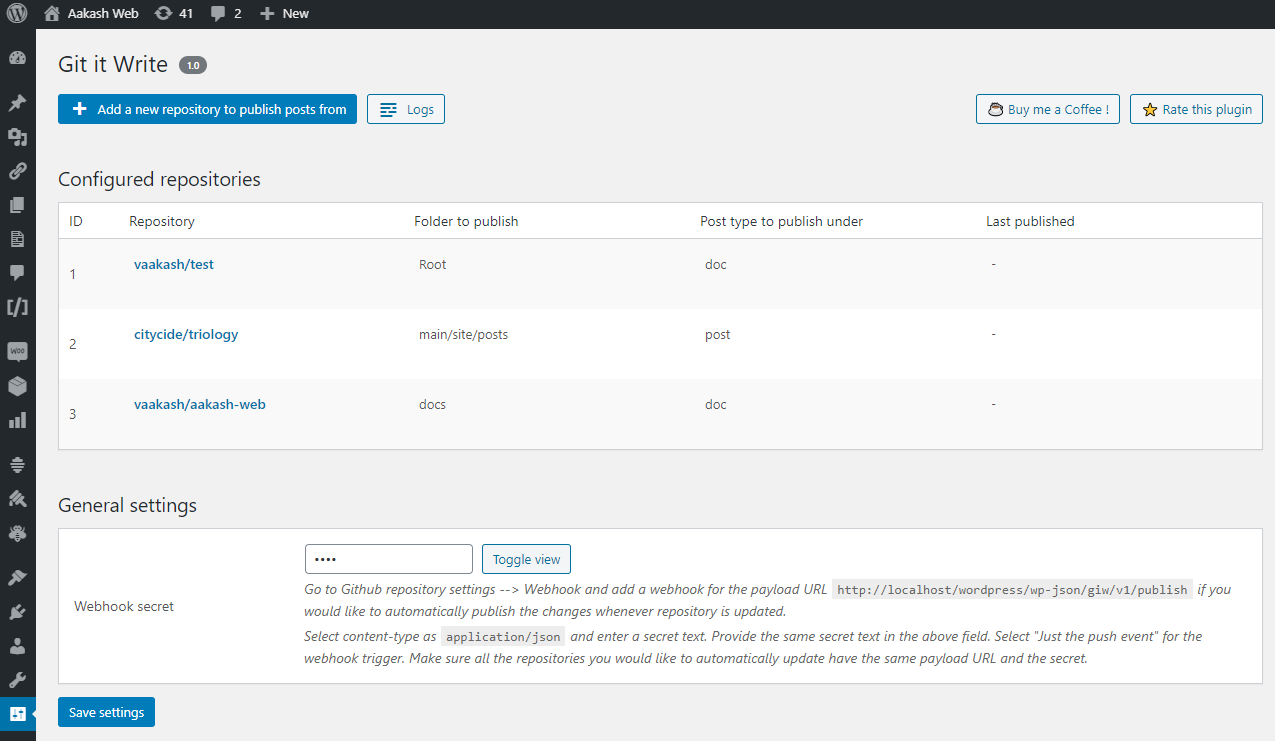
- In the plugin settings page, click add a new repository.
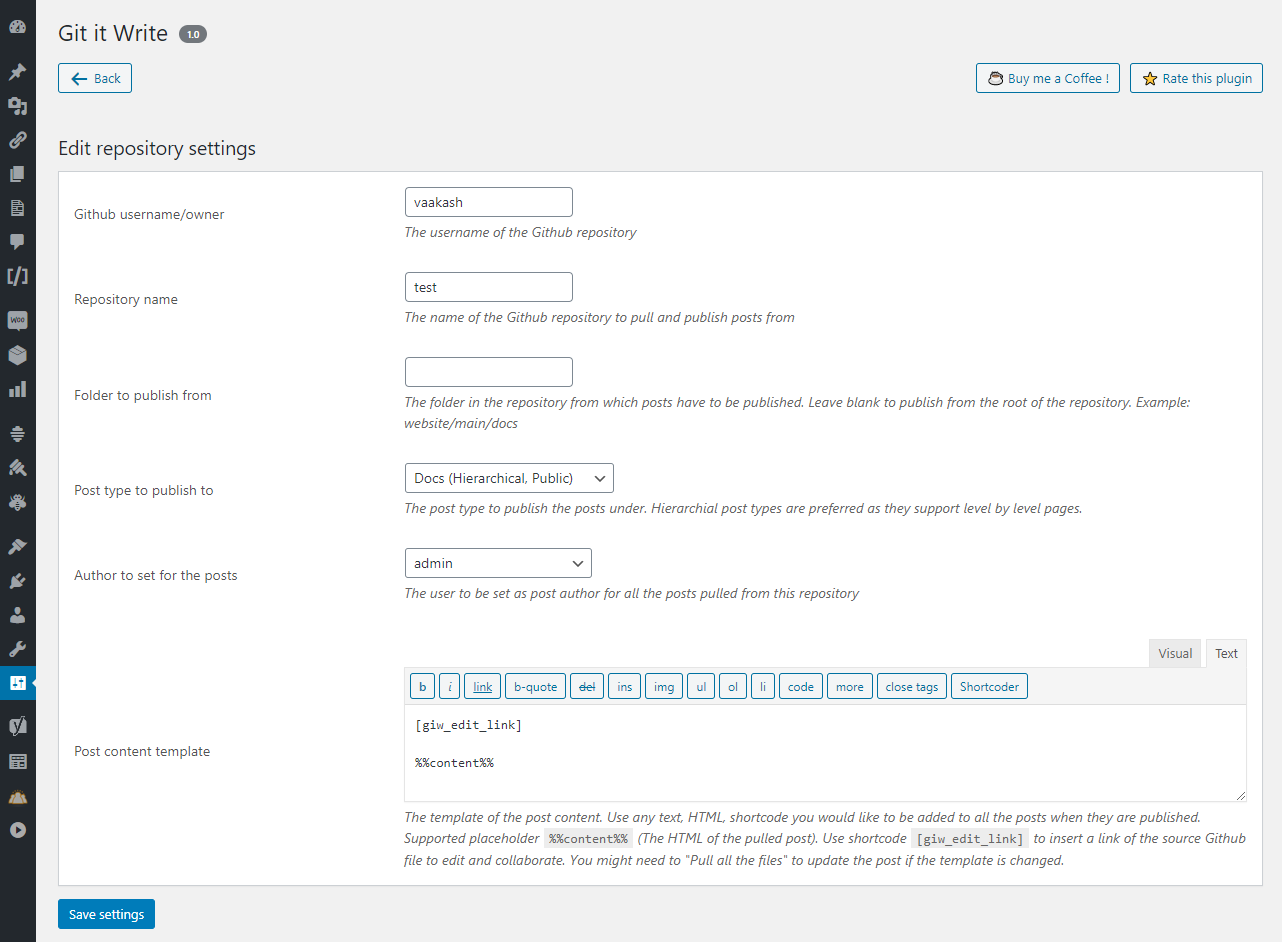
- Enter the details of the repository to pull the posts from and under what post type to publish them.
- Enregistrer les paramètres
- Click “Pull the posts” and then “Pull only” changes. This will publish posts for all the markdown files.
- To automatically update posts whenever repository is updated, configure webhook as mentioned in the settings page.
Links
Installation
- Extract the zipped file and upload the folder
git-it-writeto to/wp-content/plugins/directory. - Activez le plugin via le menu
Pluginsdans WordPress. - Open the admin page from the “Git it Write” link under the settings menu.
Journal de modifications
Version 1.0 is the first version of the plugin.
2.1
- Fix: Posts not updating and new posts not getting pulled. (Thanks to @ahmad2422 for the contribution)
- Correction : Prise en charge de WordPress 7.1
2.0
- Fix: Disable inline URLs from being converted to link tags. (Thanks to @SienciLabs for the report)
1.9
- Fix: Filename with multiple dots are ignored.
1.8
- New: Error message during HTTP get/post is now logged.
- Fix: Double quotes in WordPress shortcodes are escaped.
- Fix: GitHub access token field in admin form is converted to a password field.
- Fix: Typos in readme and admin page.
1.7
- New: Images (
_images) can be now organized in folders. - New: Featured image can now be set to posts.
- New: Markdown images are now wrapped with
figuretag and added support for image caption. - New: Image tags now have class attributes similar to WordPress editor.
- Fix: Images were not uploaded for private repositories. (Thanks to https://github.com/lukaszpiotrluczak for the contribution)
- Fix: Webhook publish request fails to upload images.
1.6
- New: Options like comment status, page template, sticky post can now be set.
- New: New option to skip file from being published.
1.5
- New: Post date can now be set.
- Fix: Enhancements to data escaping in the admin page.
1.4
- Fix: Repository not found issue by adding GitHub authentication.
- Fix: Duplicate posts when filename has special characters.
- Fix: PHP warning when directory has no index.md file.
1.3
- New: Support for git branches (Thanks to https://github.com/AppalachiaInteractive for the contribution)
- New: Logs directory has been changed to the uploads directory.
- Fix: Minor admin page enhancements.
1.2
- New: Support for custom fields
- New: New shortcode attribute in
[giw_edit_link]to automatically wrap inptag. - Fix: Added permission callback for the webhook REST API.
- Correction : améliorations mineures de l'interface utilisateur de l'administrateur.
1.1
- New: Support for Parsedown extra
1.0.1
- Fix: Webhook is changed to
POSTmethod. - Fix: Readme formatting.
1.0
- First version of the plugin.
Captures d'écran
Pour les développeurs
Est-ce votre plugin ? Montrez les chiffres.
Ajoutez un badge en direct à votre site, docs ou github readme. Il se met à jour par lui-même - aucun compte n'est nécessaire.
Best Git it Write alternatives
All editor plugins →





FAQ
Git it Write: quick answers
Réponses directes, extraites des données en direct WordPress.org.
Source : WordPress.org
Is Git it Write free?
Yes. Git it Write is free to download and use from the official WordPress.org plugin directory.
Is Git it Write safe to use in 2026?
Git it Write is a solid plugin choice in 2026, with a few things worth checking first. It runs on 100+ sites, is rated 4.7/5 and was last updated 2 months ago, and scores 75/100 on our health check.
How many websites use Git it Write?
Git it Write is active on 100+ WordPress websites and has been downloaded 8,436 times since it launched in August 2020. It was downloaded 267 times in the last 30 days.
Does Git it Write work with WordPress 7.1?
Yes. The developer has tested Git it Write up to WordPress 7.1.5, the latest release. It requires WordPress 4.4 or newer.
What PHP version does Git it Write need?
Git it Write requires PHP 5.3 or higher. Most hosts run PHP 8.x today, so it works on any modern WordPress hosting.
When was Git it Write last updated?
The latest version, 2.1, was released on October 4, 2026 (2 months ago).
Who makes Git it Write?
Git it Write is developed and maintained by vaakash.
What are the best alternatives to Git it Write?
The most popular alternatives to Git it Write are Elementor Agent Ready Websi… (10M+ installs), Classic Editor (8M+ installs) and Classic Widgets (2M+ installs).
Propulsé par PageForge
Un modèle et une feuille de calcul. Une vraie page pour chaque recherche.
PageForge transforme chaque ligne d'un CSV en une page WordPress avec son propre titre, URL, SEO et schéma, construit sur la mise en page que vous Déjà conçu. Gratuit sur WordPress.org.
- CSV et XLSX, plus Google Sheets sur les professionnels et les entreprises
- Son propre titre, URL, SEO champs et schéma pour chaque page
- Fonctionne avec l'éditeur de blocs, Elementor, Divi et Avada
- Gratuit sur WordPress.org, pas de carte de crédit