


Frontend Dashboard
Build custom frontend user dashboards with login, registration, user profiles, frontend post editing, and role-based permissions.

Choix
Yes — Frontend Dashboard is a safe, well-maintained plugin to use in 2026. It runs on 500+ sites, is rated 4.9/5 and was last updated 6 hours ago, and scores 91/100 on our health check.
- Loved by users — 4.9/5 from 137 reviews
- Développé activement — Dernière mise à jour il y a 6 heures
- Testé avec le dernier WordPress (7.1)
- Petite base d'utilisateurs (plus de 500 installations actives)
Comment s'accumule-t-il ?
Côte à côte sur les installations, les mises à jour, les évaluations et le support



Téléchargements quotidiens
Les pics de téléchargement suivent généralement une nouvelle version - chaque site qui met à jour automatiquement compte comme un téléchargement.
Classements
Where Frontend Dashboard stands todayWordPress.org Classements de recherche
Position en direct dans la recherche de plugins, Top 100| Mot-clé | Position |
|---|---|
| custom dashboard | #10 |
| custom login | >100 |
| custom register | #32 |
| tableau de bord | #10 |
| frontend-dashboard | #1 |
Adoption de version
Part de sites actifs par version.
Répartition des notes
★★★★★★★★★★ 4.9 from 137 reviews
About Frontend Dashboard
From the official readme · v3.6.0Description
Frontend Dashboard — Built for Modern WordPress Portals
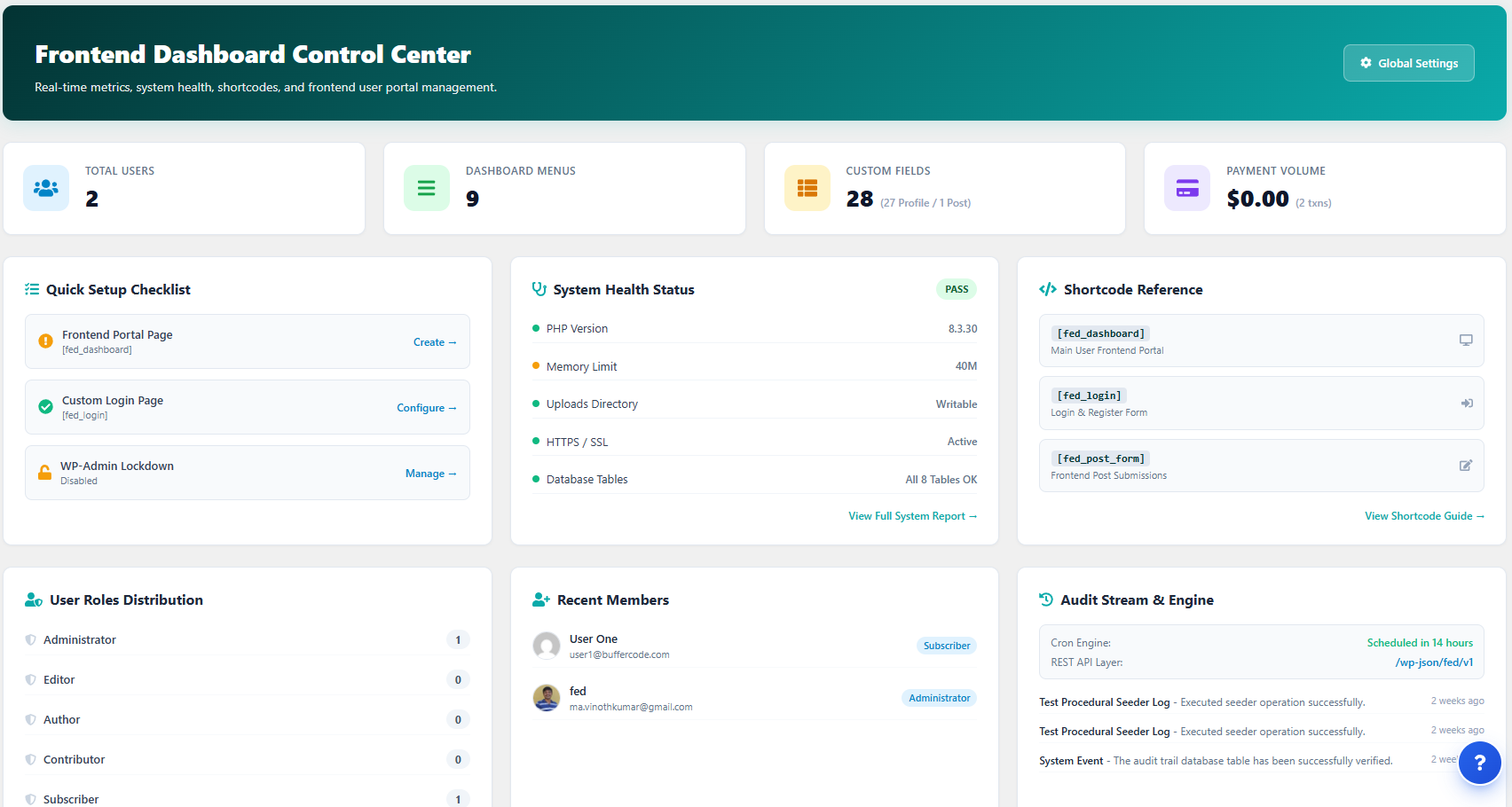
Frontend Dashboard provides a complete frontend portal for WordPress sites with modular controls for user management, post publishing, custom menus, and branding.
Take full control of the user experience by allowing members, authors, and customers to manage their profiles, submit posts, and navigate custom dashboards directly on the frontend — without ever accessing the wp-admin dashboard.
Principales caractéristiques
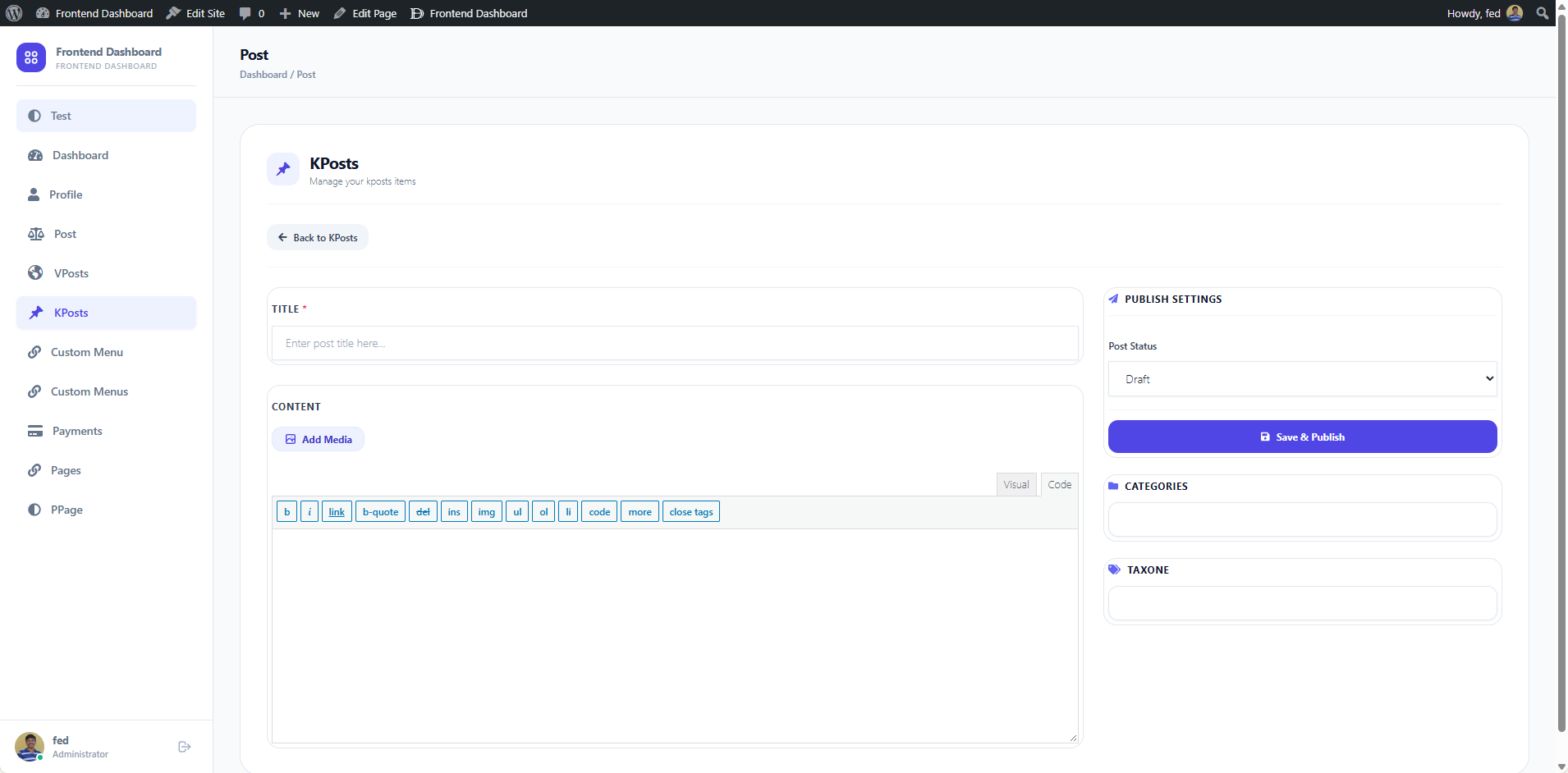
- Modern App Shell & Responsive Layout: Clean, fast frontend dashboard interface powered by Tailwind CSS with responsive slide-over navigation.
- Modern Rich Text & Block Editors: Choose between Editor.js (block editor with headers, images, quotes, lists, tables), TipTap (WYSIWYG modern editor), or the classic WordPress Editor for frontend post publishing.
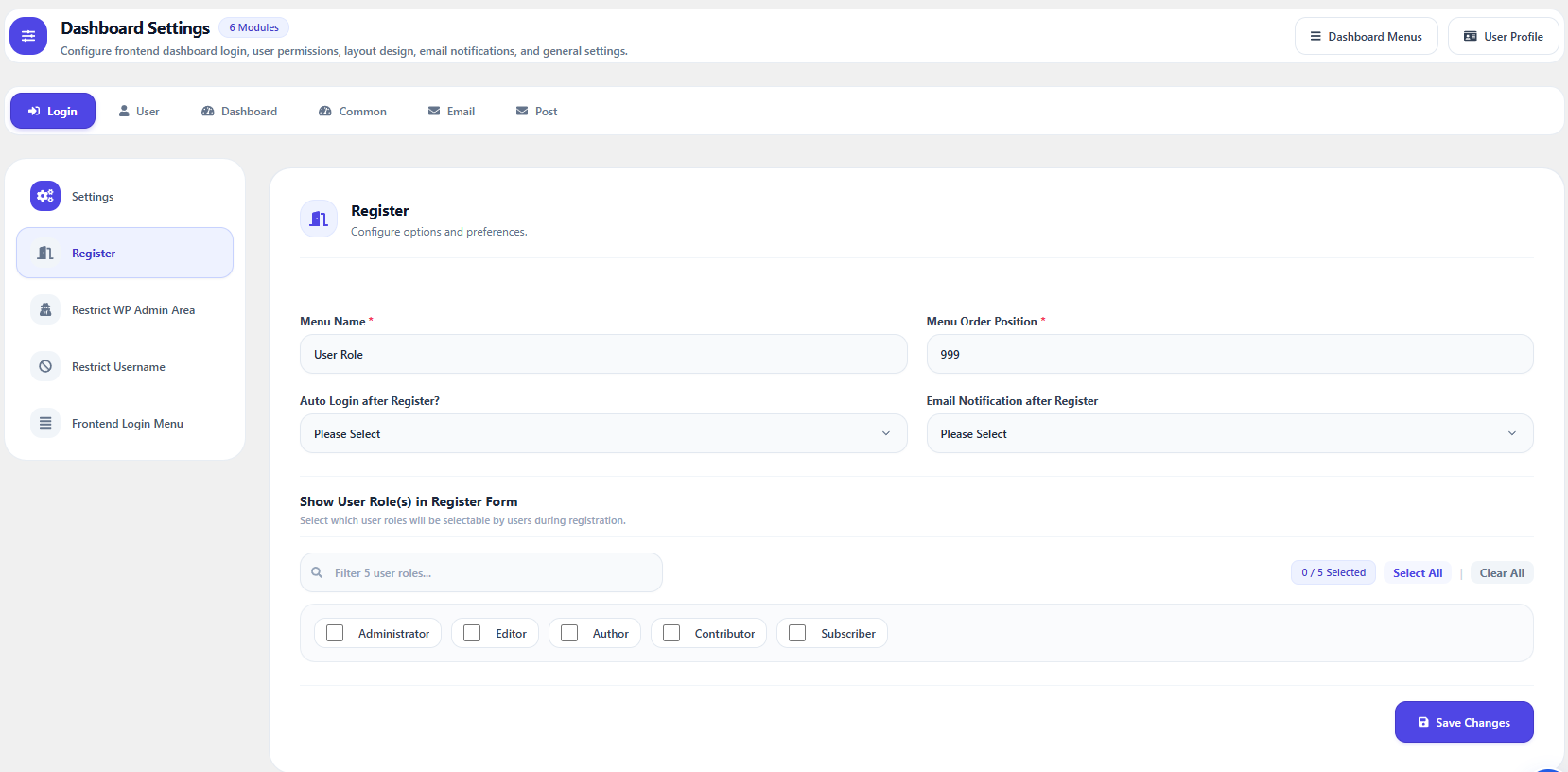
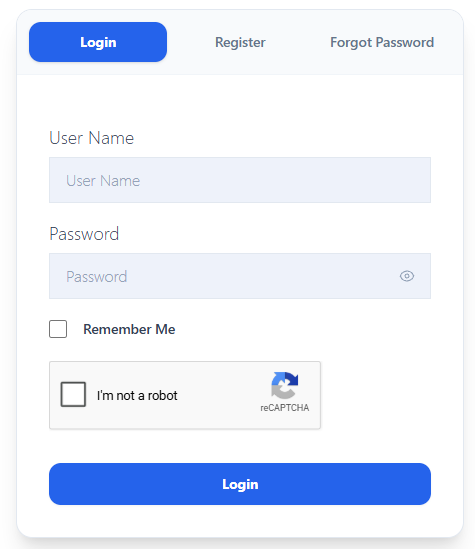
- Custom Authentication Flow: Custom Login, Registration, and Forgot Password pages with custom redirects before/after login, register, and logout.
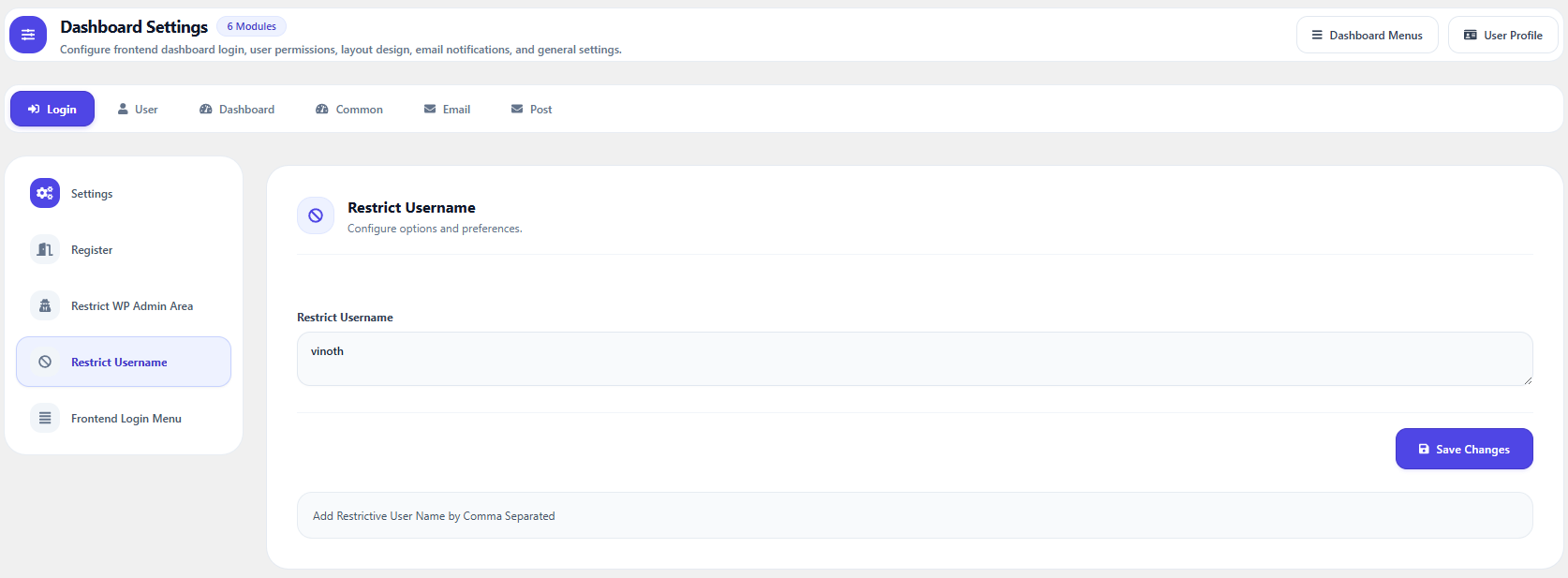
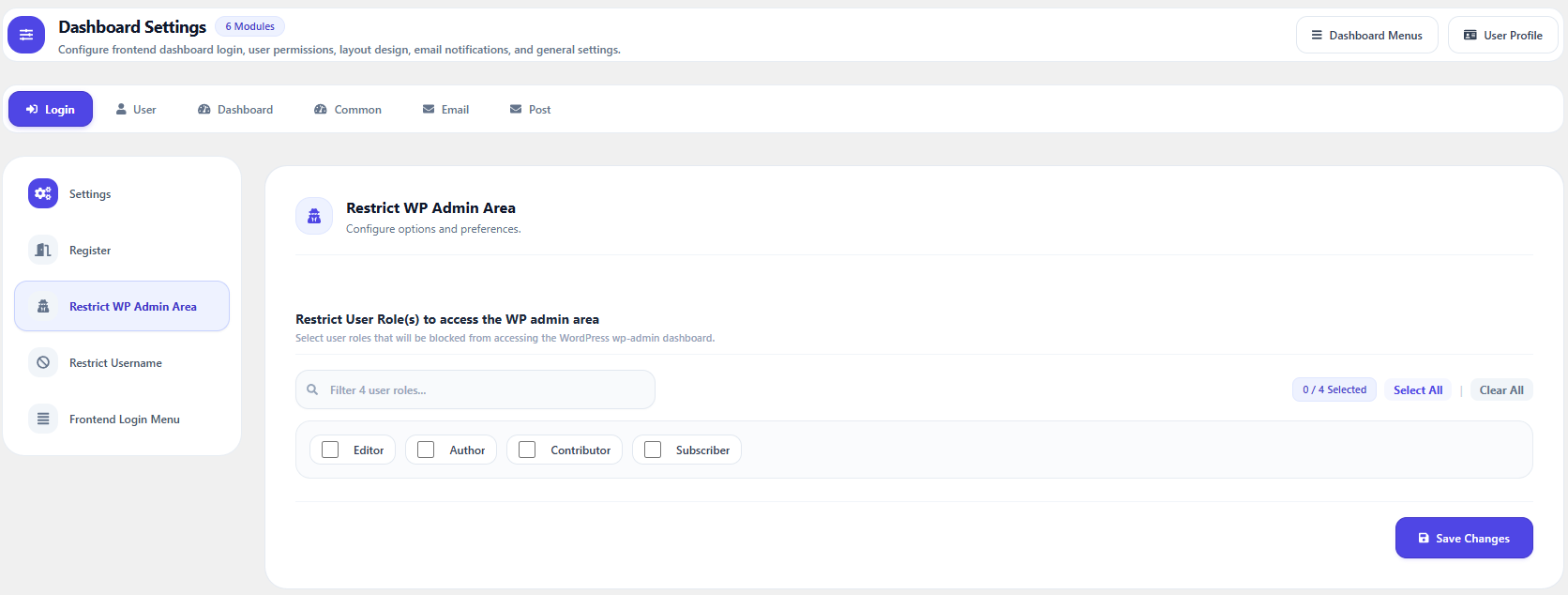
- WP Admin Restriction: Restrict access to the WordPress backend (
/wp-admin/) and admin toolbar based on user roles. - Custom User Roles: Create, manage, and assign custom user roles with specific dashboard capabilities.
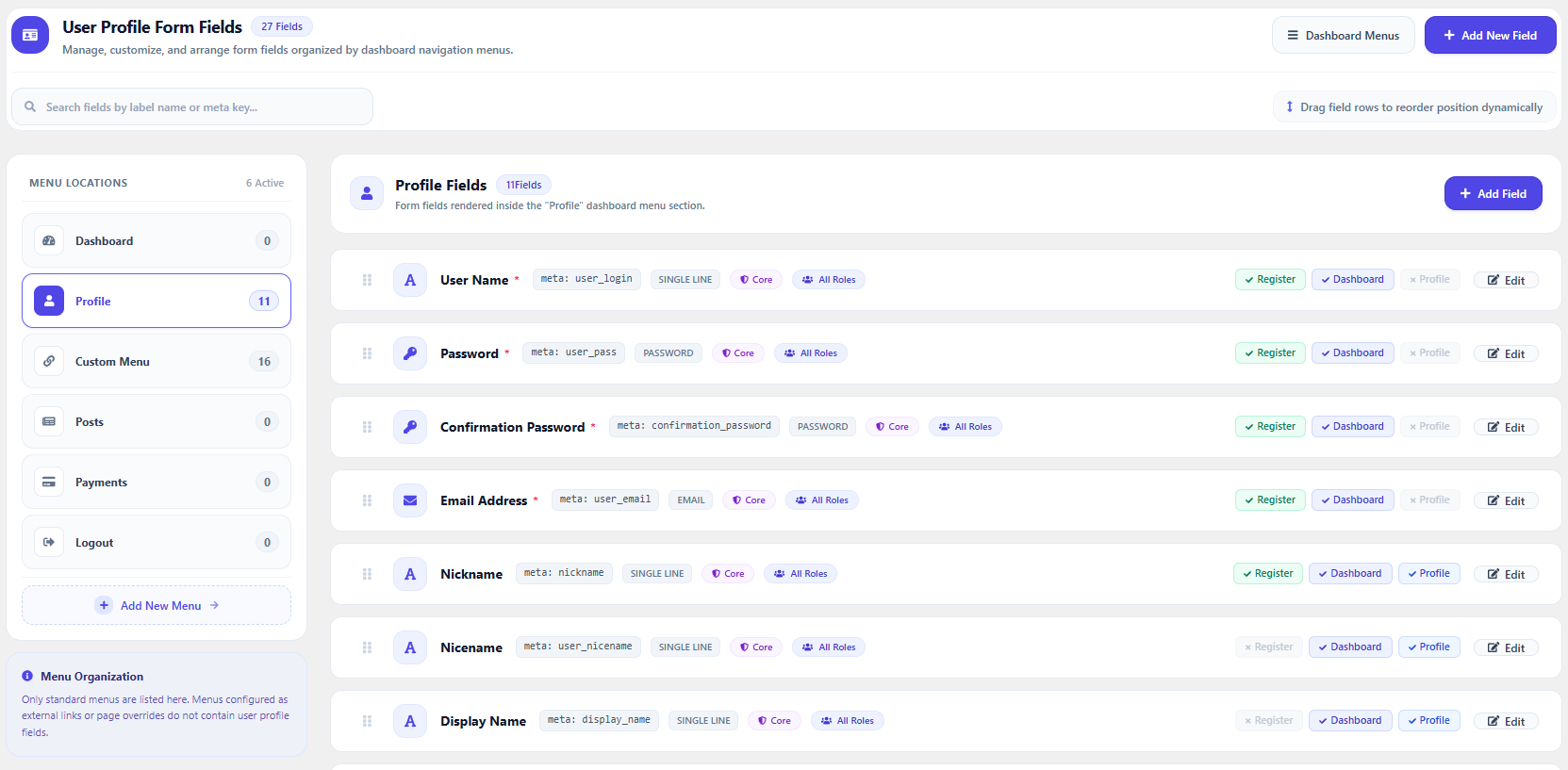
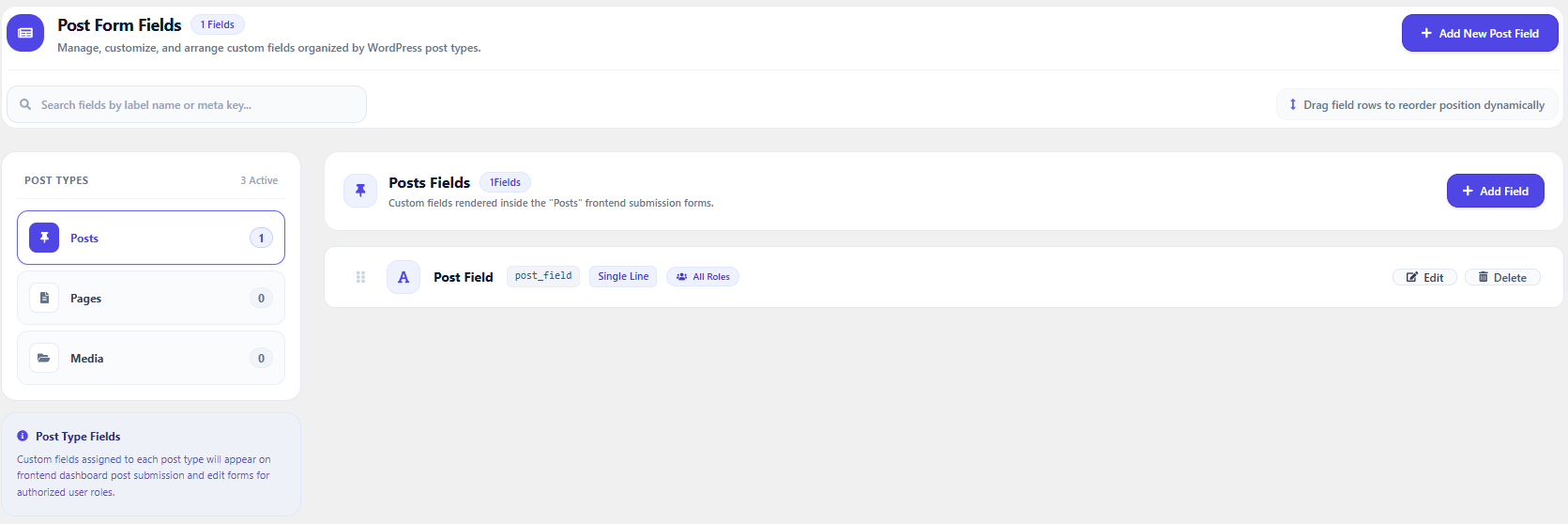
- Custom Profile & Post Fields: Create unlimited custom fields for user profiles and post types with role-based visibility and permissions.
- Built-in Templates & Page Mappings: Built-in modern dashboard templates, extra form fields, and page loaders merged directly into Core.
- File Upload Controls: Role-based permissions to allow or restrict media uploads in the frontend dashboard.
- Frontend Post & Taxonomy Management: Add, edit, and delete posts or custom post types and taxonomies with role permissions.
- Add-ons & Extensions Hub: Browse, install, and activate official Frontend Dashboard add-ons with 1-click management and real-time catalog updates.
- System Status & Diagnostics: Built-in system environment diagnostic tools, database health checks, and activity logging.
- Theme Matching & Custom Styling: Customize dashboard theme colors and UI options to seamlessly match your site design.
Official Add-ons & Extensions
- Custom Post and Taxonomies (Free)
- Notification (Free)
- Captcha (Free)
- Social Chat (Free)
- Frontend Dashboard for WooCommerce (Free)
- Membership (Pro)
- Pay Per Post (Pro)
- User Management (Pro)
- Social Connect (Pro)
Note: Frontend Dashboard Templates, Extra, and Pages have been merged directly into Core in v3.0.0.
Installation
- Upload the
frontend-dashboarddirectory to your/wp-content/plugins/directory, or uploadfrontend-dashboard.zipvia WordPress Admin → Plugins → Add New → Upload Plugin. - Activez le plugin via le menu plugins dans WordPress.
- Navigate to Frontend Dashboard → Settings to configure your login, registration, and dashboard pages.
- Save settings and assign your custom dashboard pages.
Journal de modifications
Introduces the real-time Live Interactive Form Preview (WYSIWYG) in the Form Field Builder with device viewports (Desktop, Tablet, Mobile), HTML markup inspector, interactive Select2 multi-select preview, and consolidated full-width Choices Repeater layout.
3.6.0 (2026-11-21)
- Feature: Live Interactive Form Preview (WYSIWYG): Integrated a real-time interactive preview box directly into the Form Field Builder inspector, rendering live HTML/CSS form inputs as administrators modify labels, placeholders, helper text, and choice options.
- Feature: Responsive Device Viewport Switcher: Preview and interact with form fields across Desktop (100%), Tablet (640px), and Mobile (380px) viewports with simulated 12-column grid spans.
- Feature: Interactive Select2 Multi-Select Preview: Added exact frontend visual parity with Select2 tag pills, remove buttons, search, and dynamic sync as options are added/removed.
- Enhancement: Choices Builder Consolidation & Full-Width Repeater: Removed redundant internal preview cards from Dropdown Choices and Radio Choices, expanding the choices repeater to 100% full width with integrated choice counter badges and auto-slug generation.
- Enhancement: Responsive Builder Architecture: Adaptive 2-column icon grid on compact/tablet viewports freeing up maximum workspace for live previews and field configuration, with dual-toggle controls and smooth transitions.
- Feature: HTML Markup Inspector & One-Click Copy: Real-time code generator inspecting formatted HTML output for the active field configuration with instant clipboard copy.
- Feature: Comprehensive 15-Field Type Interactive Support: Full live interactive preview support across Single Line, Multi-Line Textarea, Email, Password (with eye toggle), Number, Website URL, Dropdown Select (single & multi), Radio Buttons, Checkbox, Date Picker, File Upload dropzone, Color Picker with hex swatch, Rich Text WYSIWYG Mock, HTML Label/Notice container, and Dynamic Tables.
- Feature: Real-Time Choices Repeater Sync: Instant bi-directional live rendering as select options and radio choices are added, deleted, or reordered in the Choices Builder.
- Enhancement: Persistent Preview State & Controls: Admin preview collapse/expand state is remembered across sessions via local storage, alongside one-click test value reset.
3.5.1 (2026-11-19)
- Fix: Duplicate Dashboard Rendering on Menu Navigation & Page Seed: Resolved an issue where accessing dashboard menu items caused the complete dashboard layout to render doubled, stacked one on top of the other, when the dashboard page contained both the Gutenberg block and shortcode.
- Fix: Core Page Seeder Clean Content: Corrected the System Tools page creation routine to prevent concatenating
<!-- wp:fed/dashboard /-->and[fed_dashboard]into the same post content. - Enhancement: Runtime Dashboard Deduplication Guard: Implemented an active execution guard in the dashboard shortcode and block renderers to ensure the dashboard shell is rendered at most once per HTTP request, auto-healing legacy configurations seamlessly.
3.5.0 (2026-11-16)
- Feature: Advanced Validation & Input Constraints Engine: Added a dedicated “Input Validation & Constraints” configuration card to the Form Field Builder supporting custom regex patterns, standard pattern presets, custom error messages, min/max character lengths, and numeric boundaries.
- Feature: Validation Pattern Presets: Built-in one-click regex presets with matching user-friendly validation messages: Letters Only, Alphanumeric, Digits Only, International Phone, Hex Color Code, US ZIP Code, UK Postcode, and Slug / Lowercase with Hyphens.
- Feature: Custom Validation Error Messages: Configure custom validation feedback displayed directly to end users upon submission failure, automatically bound to browser HTML5 validation tooltips via the
titleattribute. - Feature: End-to-End Server-Side Validation Defense: Enforced tamper-proof validation checks (Rule of 5) across profile update forms, registration forms, and frontend post publishing endpoints, preventing client-side validation bypass.
- Enhancement: Multi-Type Builder Validation Memory: Switching field types dynamically synchronizes and preserves configured validation constraints and presets across palette forms.
3.4.2 (2026-11-13)
- Fix: Dashboard Menu Restrictive Slug Validation on Updates: Resolved an issue where updating default or system dashboard menus (such as “Posts” with default slug
post, orprofile,payment,logout) triggered a false-positive restrictive slug validation error (“Sorry, You cannot use the restrictive slug name ‘post'”). Menu updates now verify whether the existing menu slug is unchanged, preserving system slug protection while allowing label, icon, sort order, and role permission updates.
3.4.1 (2026-11-12)
- Fix: Dashboard Menu External URL & Role Access Persistence: Resolved an issue where serialized form bracket syntax (
%5B,%5D) in AJAX menu submissions was prematurely stripped during raw query ingestion, preventing External URLs (fed_menu_value_url) and specific Role Access permissions (user_role) from persisting upon menu creation or update. - Fix: External URL Direct Redirect & Link Attributes: Added
targetandrel="noopener noreferrer"attributes to frontend dashboard menu anchor tags and implemented automatic server-side redirection (wp_redirect()) when accessing routes assigned to an external destination. - Enhancement: Menu Configuration Validation & Visibility: Added real-time client- and server-side validation ensuring valid URLs are provided when the external URL toggle is active, and enhanced admin menu cards with inline External URL badge previews.
3.4.0 (2026-11-12)
- Feature: Default Values & Dynamic Smart Tags Engine: Added dedicated Default Value configuration across all Form Field Builder types with support for both static defaults and dynamic smart tags.
- Feature: Rich Contextual Smart Tags: Seamlessly pre-fill fields on profile, registration, and post forms using smart tags:
- User: {current_user_name}, {current_user_email}, {current_user_display_name}, {current_user_first_name}, {current_user_last_name}, {current_user_id}, {current_user_role}.
- Date & Time: {current_date}, {current_time}, {current_year}, {current_month}, {current_day}.
- Site & System: {site_title}, {site_url}, {admin_email}.
- Post Context: {post_id}, {post_title}, {post_type}, {post_author}.
- URL Parameters: {query_param:key} to pre-fill incoming marketing queries or referral codes (e.g. {query_param:ref}).
- Feature: Searchable Smart Tags Dropdown: Added searchable, categorized dropdown menu directly inside the Form Field Builder with real-time query filtering, scroll-constrained layout, keyboard navigation (Escape to close, Enter to select), and one-click tag insertion at cursor position.
- Enhancement: Multi-Type Builder Value Memory: Switching field types in the palette seamlessly preserves and synchronizes configured default values.
Captures d'écran
Pour les développeurs
Est-ce votre plugin ? Montrez les chiffres.
Ajoutez un badge en direct à votre site, docs ou github readme. Il se met à jour par lui-même - aucun compte n'est nécessaire.
Best Frontend Dashboard alternatives
All custom dashboard plugins →



FAQ
Frontend Dashboard: quick answers
Réponses directes, extraites des données en direct WordPress.org.
Source : WordPress.org
Is Frontend Dashboard free?
Yes. Frontend Dashboard is free to download and use from the official WordPress.org plugin directory.
Is Frontend Dashboard safe to use in 2026?
Yes — Frontend Dashboard is a safe, well-maintained plugin to use in 2026. It runs on 500+ sites, is rated 4.9/5 and was last updated 6 hours ago, and scores 91/100 on our health check.
How many websites use Frontend Dashboard?
Frontend Dashboard is active on 500+ WordPress websites and has been downloaded 159,967 times since it launched in August 2017. It was downloaded 5,721 times in the last 30 days.
Does Frontend Dashboard work with WordPress 7.1?
Yes. The developer has tested Frontend Dashboard up to WordPress 7.1.5, the latest release. It requires WordPress 6.1 or newer.
What PHP version does Frontend Dashboard need?
Frontend Dashboard requires PHP 8.0 or higher. Most hosts run PHP 8.x today, so it works on any modern WordPress hosting.
When was Frontend Dashboard last updated?
The latest version, 3.6.0, was released on November 21, 2026 (6 hours ago).
Who makes Frontend Dashboard?
Frontend Dashboard is developed and maintained by M A Vinoth Kumar.
What are the best alternatives to Frontend Dashboard?
The most popular alternatives to Frontend Dashboard are Ultimate Dashboard (50K+ installs), AGCA (20K+ installs) and Branda (10K+ installs).
Propulsé par PageForge
Un modèle et une feuille de calcul. Une vraie page pour chaque recherche.
PageForge transforme chaque ligne d'un CSV en une page WordPress avec son propre titre, URL, SEO et schéma, construit sur la mise en page que vous Déjà conçu. Gratuit sur WordPress.org.
- CSV et XLSX, plus Google Sheets sur les professionnels et les entreprises
- Son propre titre, URL, SEO champs et schéma pour chaque page
- Fonctionne avec l'éditeur de blocs, Elementor, Divi et Avada
- Gratuit sur WordPress.org, pas de carte de crédit