


AGCA – Custom Dashboard & Login Page
CHANGE: admin menu, login page, admin bar, dashboard widgets, custom colors, custom CSS & JS, logo & images

Utiliser avec prudence
AGCA works, but test it on a staging site before relying on it in 2026. It runs on 20K+ sites, is rated 4.5/5 and was last updated 1 year ago, and scores 54/100 on our health check.
- Prouvé à grande échelle sur plus de 20 000 sites actifs
- Loved by users — 4.5/5 from 64 reviews
- Momentum — downloads up 27% vs the previous 30 days
- Pas de mise à jour depuis plus d'un an
- Uniquement testé jusqu'à WordPress 6,8 (le dernier est de 7,1)
Comment s'accumule-t-il ?
Côte à côte sur les installations, les mises à jour, les évaluations et le support



Téléchargements quotidiens
Les pics de téléchargement suivent généralement une nouvelle version - chaque site qui met à jour automatiquement compte comme un téléchargement.
Classements
Where AGCA stands todayWordPress.org Classements de recherche
Position en direct dans la recherche de plugins, Top 100| Mot-clé | Position |
|---|---|
| custom admin | >100 |
| custom dashboard | #42 |
| custom login | >100 |
| custom menu | >100 |
| White Label | #76 |
Adoption de version
Part de sites actifs par version.
Répartition des notes
★★★★★★★★★★ 4.5 from 64 reviews
About AGCA – Custom Dashboard & Login Page
From the official readme · v7.2.6Description
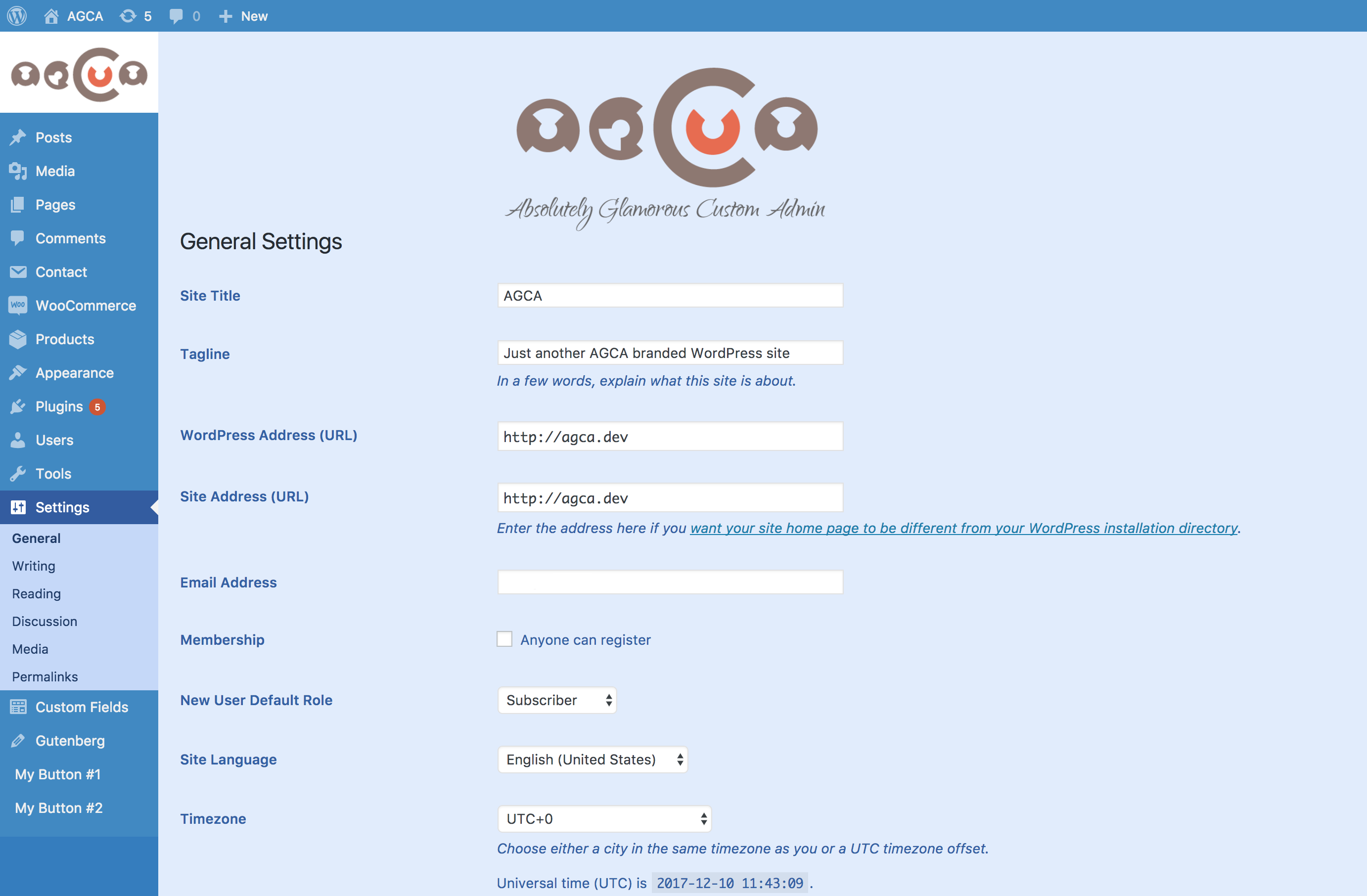
With this plugin you can easily customize WordPress admin panel, login page, admin menu, admin bar etc. in tiny details.
- ADMIN BAR: Hide or change admin bar items. Remove WordPress traces from the admin bar. Brand it with the custom colors.
- ADMIN MENU: Change and remove the existing and add custom admin menu items. Brand it with the custom colors.
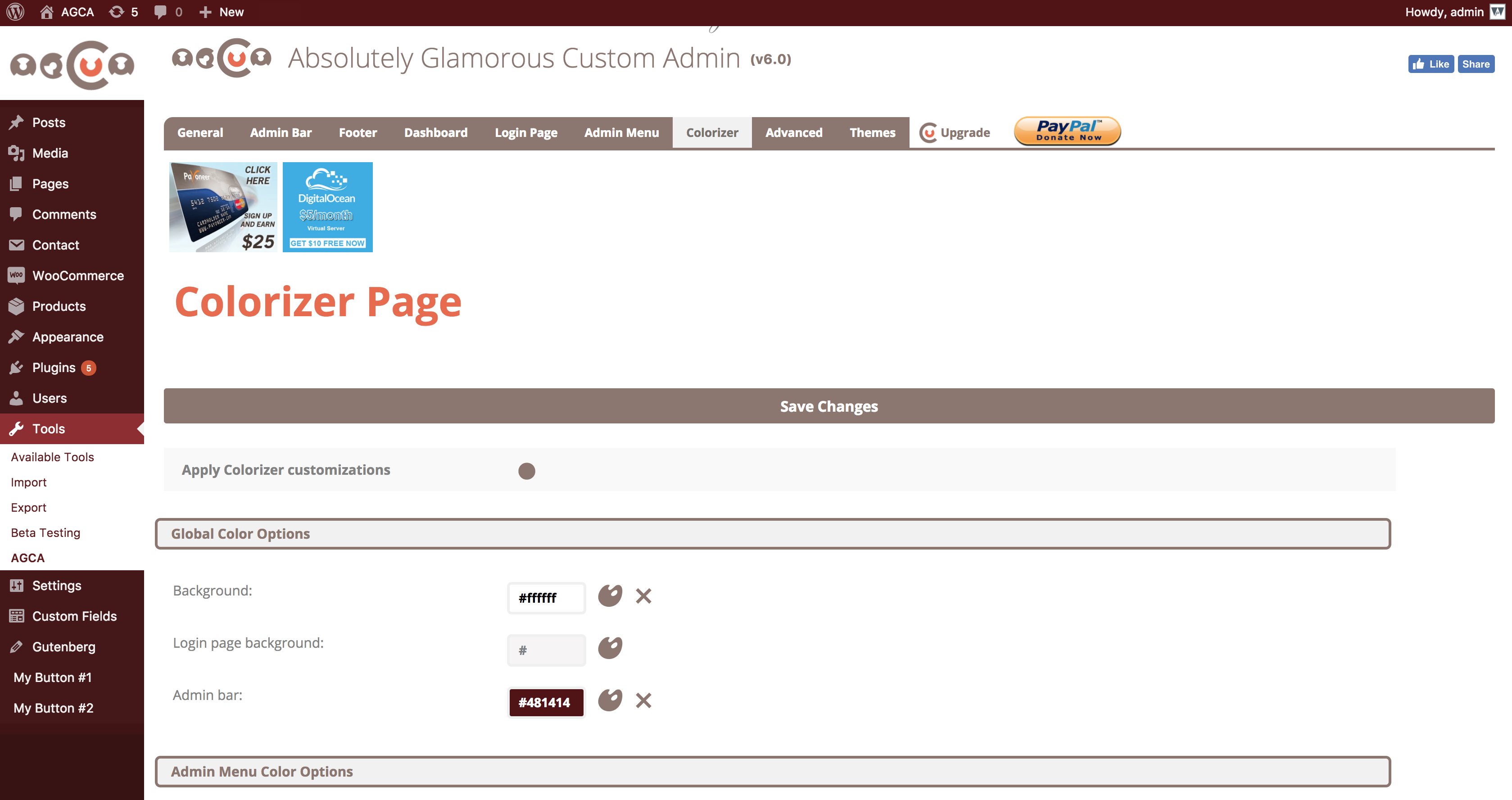
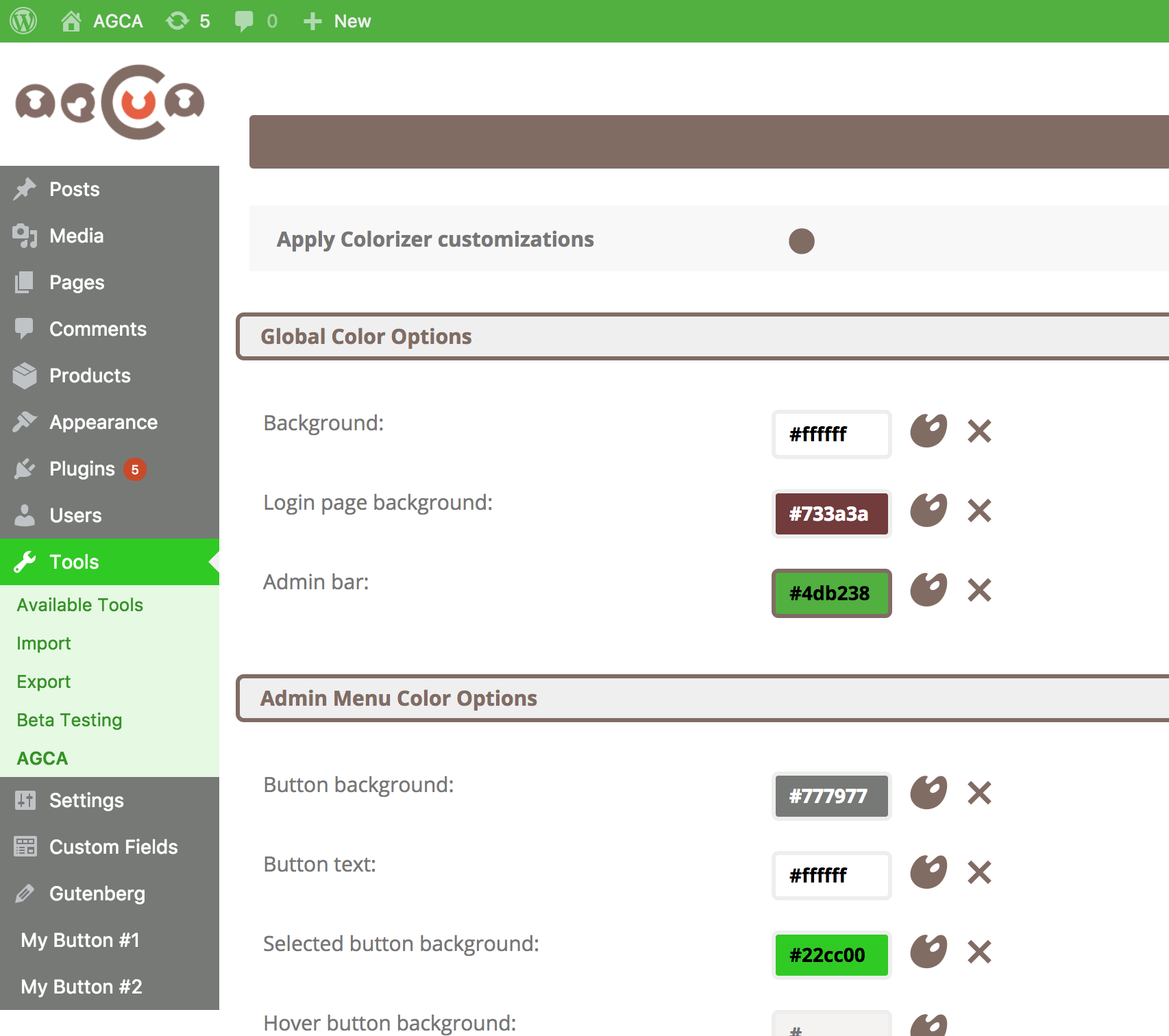
- COLORIZER: This tool is integrated with Absolutely Glamorous Custom Admin panel and can be used to change default WordPress admin panel colors, admin bar, admin menu, login page, backgrounds and text.
- BRANDING: Brand your admin panel pages with custom content, colors, images and text.
- ADMIN PANEL OPTIONS: There are dozens of other admin panel options used to improve WordPress UX on admin and login pages items like Dashboard widgets, Help and Screen options, WordPress logos, links, menus etc. See the full list down below.
Conseillé
CUSMIN
Cusmin is the premium version of the Absolutely Glamorous Custom Admin with the advanced features for customization and branding. It’s perfect for professionals, but can be also used on personal sites as well.Please check how this pro plugin can help you to completely customize your WordPress dashboard.
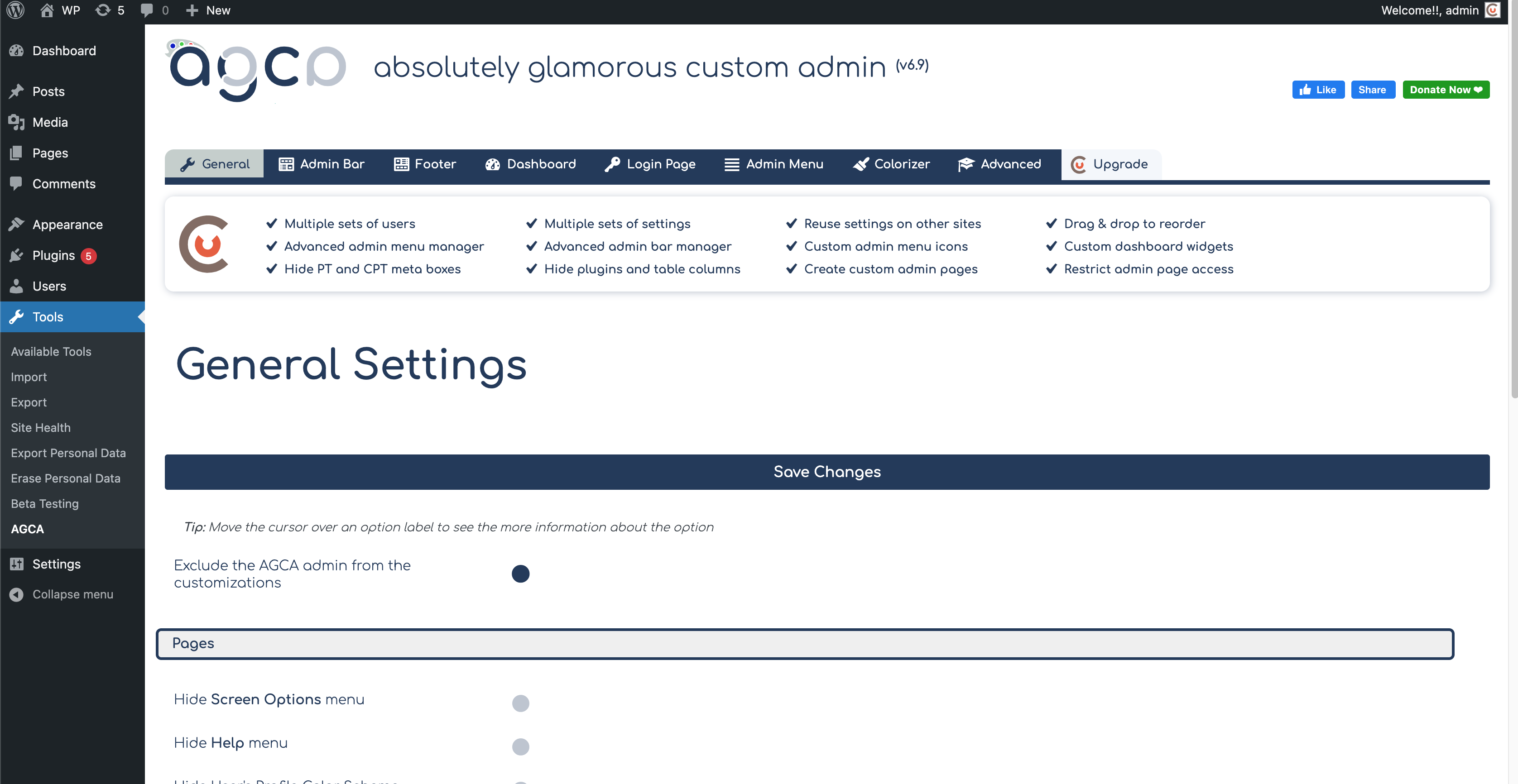
Paramètres généraux
- Hide Screen Options menu
- Hide Help menu
- Hide Color scheme on Profile page
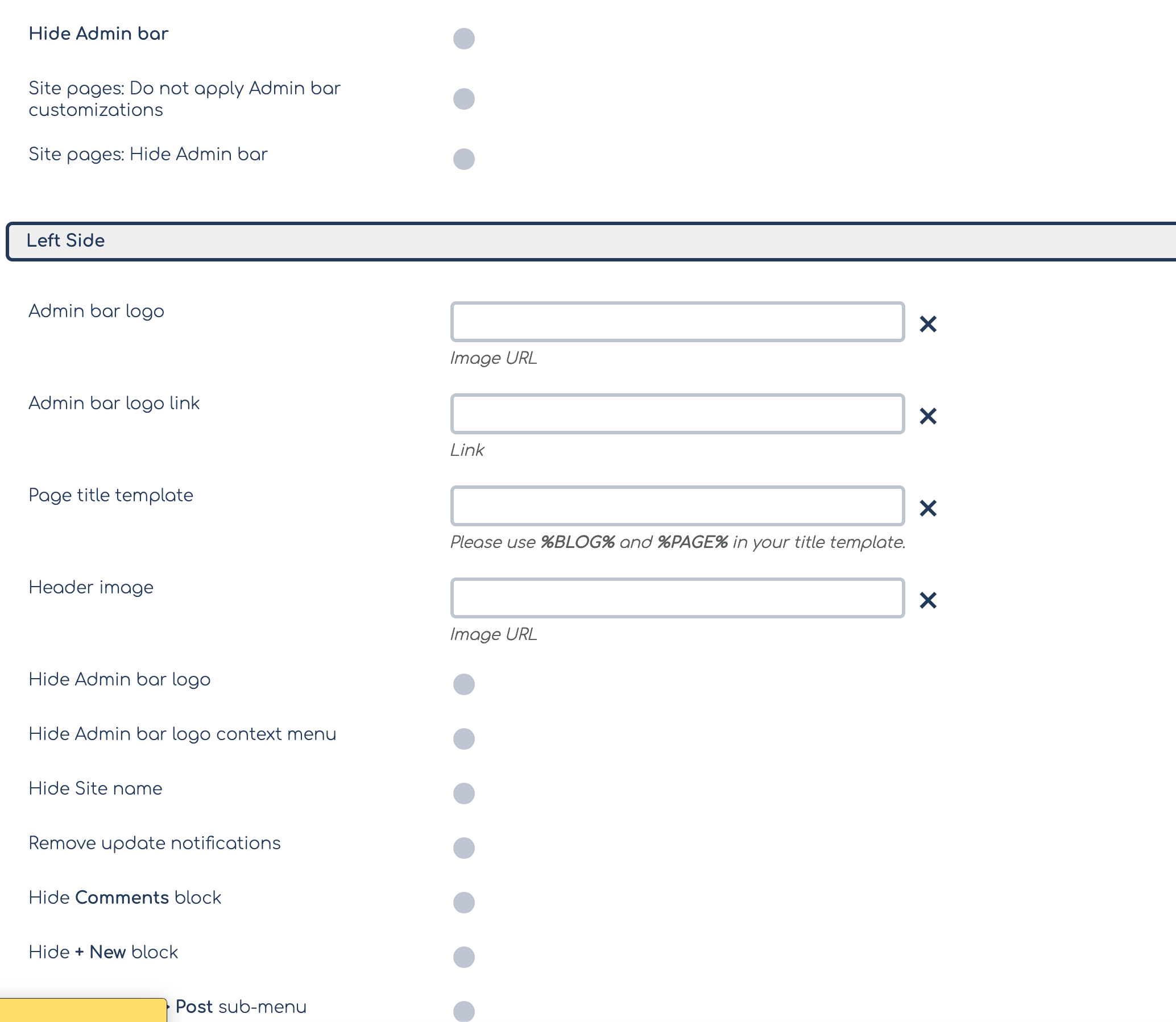
Admin Bar Settings
- Hide admin bar completely
- Show Log out button only if admin bar is completely hidden
- Hide admin bar on site pages only
- Replace WordPress logo with custom branding image
- Change link on admin bar logo
- Custom page title template on admin pages (change => tag)
- Add custom branding image above the content in admin bar
- Hide WordPress logo
- Hide site name
- Hide admin bar logo context menu
- Hide update notifications block
- Hide Comments block
- Hide New menu block
- Hide New > Post
- Hide New > Link
- Hide New > Page
- Hide New > User
- Hide New > Media
- Change site name to custom text
- Hide yellow WordPress update notification
- Change Howdy text
- Change Log Out text
- Remove Edit My Profile option from context menu
- Show Log Out button only on the right
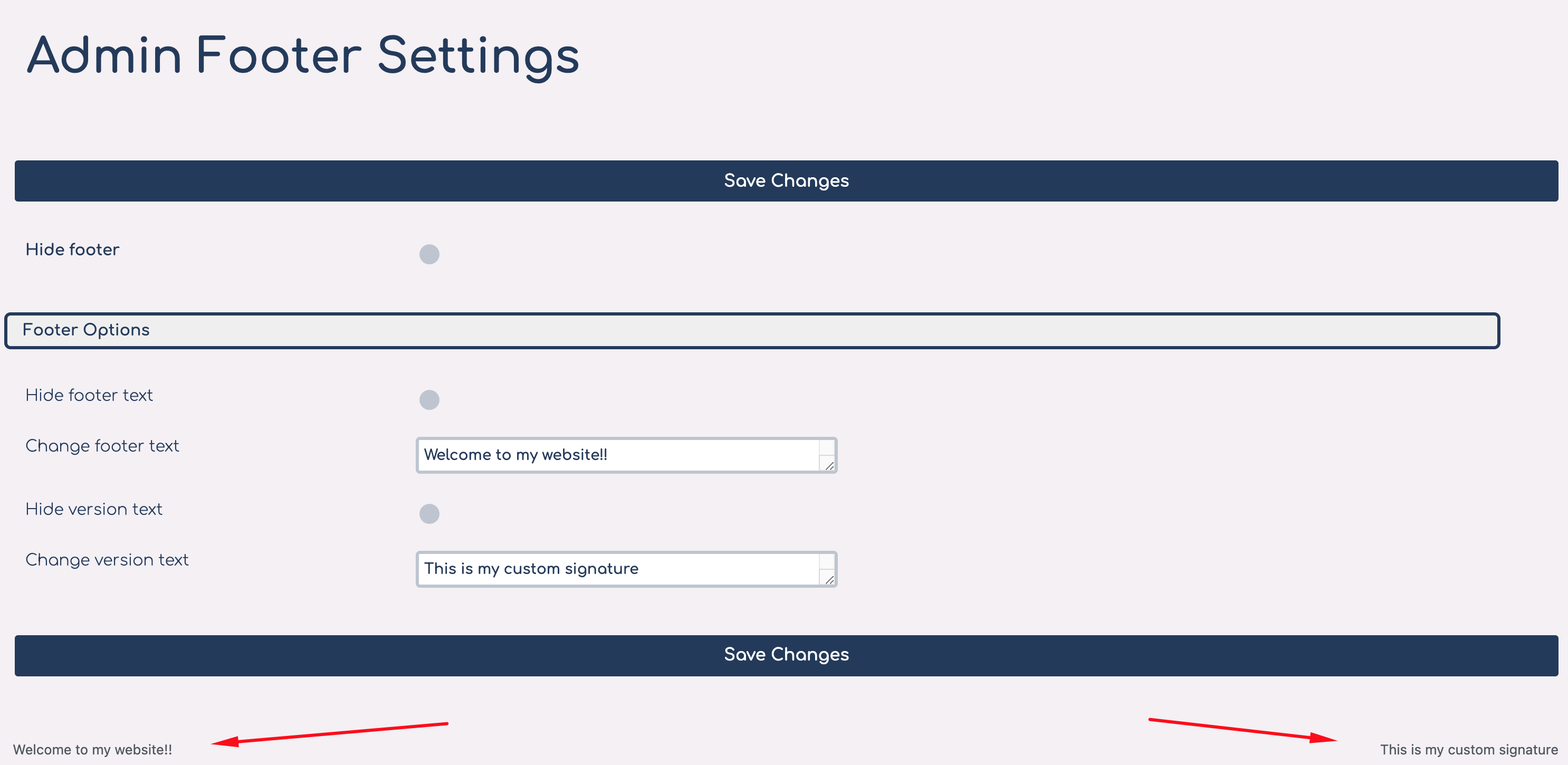
Admin Footer Options
- Hide footer completely
- Change/remove footer text
- Change/remove footer version text
Dashboard Page Options
- Change Dashboard heading text
- Add custom Dashboard HTML content
- Hide dashboard widgets
Login Page Options
- Hide back to blog text
- Change back to blog text
- Change login image
- Change hyperlink on login image
- Hide login image
- Round corners on login boxes
- Hide register and lost password links
- Change hyperlink on register button
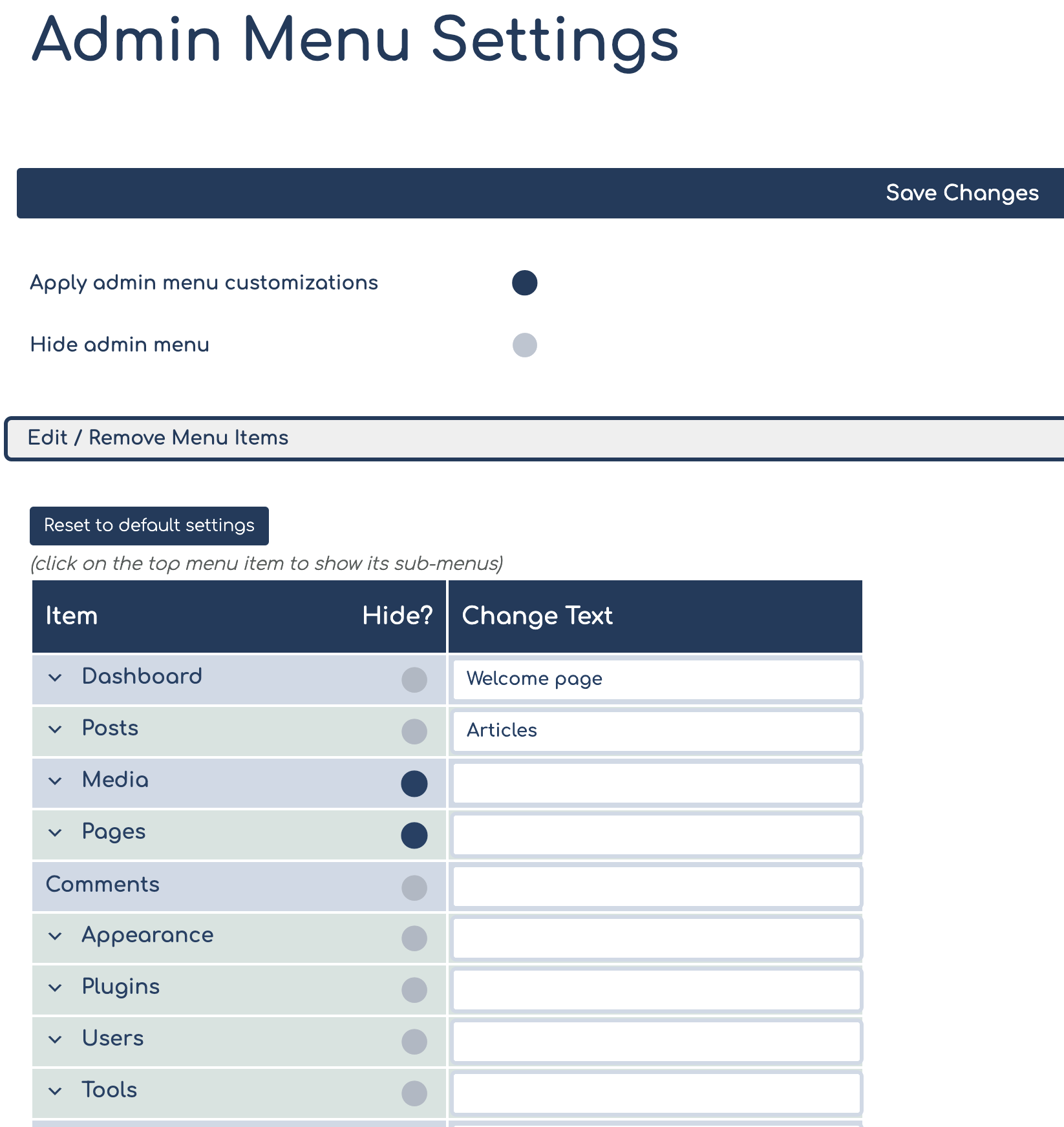
Admin Menu Options
- Rename menu and sub-menu items
- Hide menu and sub-menu items
- Add new buttons with custom links
- Remove icons from admin menu buttons
- Remove spaces between admin menu buttons
- Remove admin menu arrow on hover
- Round admin sub-menu popups
- Remove Collapse button
- Add custom branding image above the admin menu
- Add custom link to branding image
- Change admin menu auto-folding settings
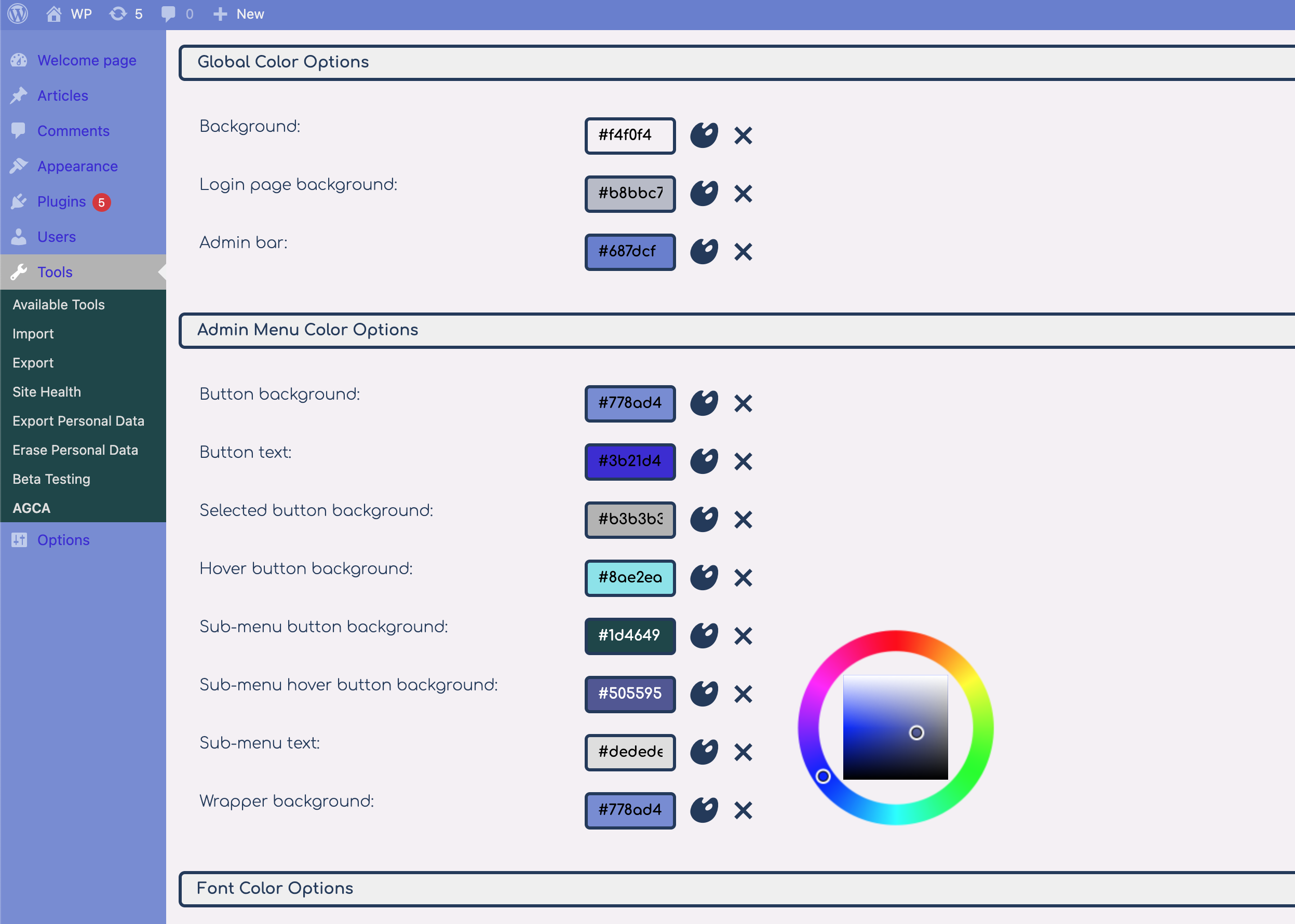
Colorizer
- Change background and text colors on admin and login page
- Change admin menu colors
- Change widget colors
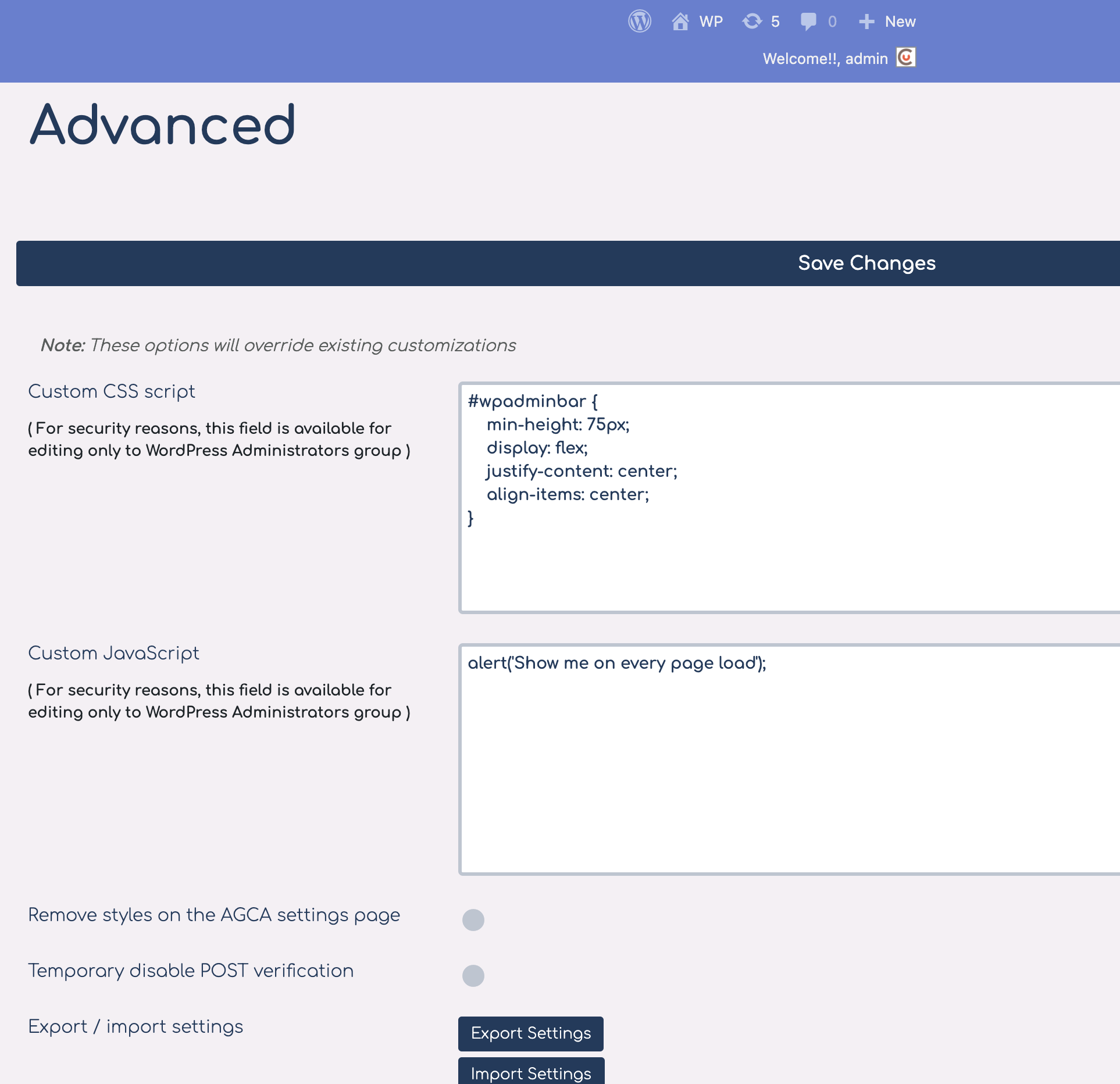
Avancée
- Add custom CSS
- Add custom JavaScript
- Export/import customizations settings
PRO FEATURES
If you need even more advanced customization options, please check our PRO WordPress customizing plugin.
Contact
For any additional help, please check our FAQ and SUPPORT page.
Installation
- Upload
ag-custom-admindirectory to the/wp-content/plugins/directory - Activez le plugin via le menu plugins dans WordPress
- Navigate to plugin’s settings page: Tools => AGCA
Journal de modifications
Communiqué de maintenance
7.2.6
- Communiqué de maintenance
7.2.5
- Removed outdated session-related code
7.2.4
- Fixed issue with wrong character in title by default
- Security improvement
7.2.3
- Fixed bug with Welcome box not dismissing
- Fixed bug with Welcome to WordPress showing on login page over logo
Captures d'écran
Pour les développeurs
Est-ce votre plugin ? Montrez les chiffres.
Ajoutez un badge en direct à votre site, docs ou github readme. Il se met à jour par lui-même - aucun compte n'est nécessaire.
Best AGCA alternatives
All custom admin plugins →





FAQ
AGCA – Custom Dashboard & Login Page: quick answers
Réponses directes, extraites des données en direct WordPress.org.
Source : WordPress.org
Is AGCA free?
Yes. AGCA is free to download and use from the official WordPress.org plugin directory.
Is AGCA safe to use in 2026?
AGCA works, but test it on a staging site before relying on it in 2026. It runs on 20K+ sites, is rated 4.5/5 and was last updated 1 year ago, and scores 54/100 on our health check.
How many websites use AGCA?
AGCA is active on 20K+ WordPress websites and has been downloaded 1,069,826 times since it launched in April 2011. It was downloaded 1,528 times in the last 30 days.
Does AGCA work with WordPress 7.1?
AGCA is officially tested up to WordPress 6.8.13, while the latest release is 7.1.5. It may still work, but try it on a staging site first.
When was AGCA last updated?
The latest version, 7.2.6, was released on May 30, 2025 (1 year ago).
Who makes AGCA?
AGCA is developed and maintained by cusmin.
What are the best alternatives to AGCA?
The most popular alternatives to AGCA are White Label (10K+ installs), WpRedesigned (3K+ installs) and Fancy Admin UI (1K+ installs).
Propulsé par PageForge
Un modèle et une feuille de calcul. Une vraie page pour chaque recherche.
PageForge transforme chaque ligne d'un CSV en une page WordPress avec son propre titre, URL, SEO et schéma, construit sur la mise en page que vous Déjà conçu. Gratuit sur WordPress.org.
- CSV et XLSX, plus Google Sheets sur les professionnels et les entreprises
- Son propre titre, URL, SEO champs et schéma pour chaque page
- Fonctionne avec l'éditeur de blocs, Elementor, Divi et Avada
- Gratuit sur WordPress.org, pas de carte de crédit