


Event Koi Lite – Events Calendar, Event Tickets, RSVP & Registration
WordPress events calendar plugin. Take RSVPs and registrations, sell event tickets with WooCommerce, run virtual events. Works with Elementor.

Choix solide
Event Koi Lite is a solid plugin choice in 2026, with a few things worth checking first. It runs on 70+ sites, is rated 5/5 and was last updated 12 hours ago, and scores 79/100 on our health check.
- Actively developed — last update 12 hours ago
- Momentum — downloads up 28.7% vs the previous 30 days
- Petite base d'utilisateurs (plus de 70 installations actives)
Comment s'accumule-t-il ?
Côte à côte sur les installations, les mises à jour, les évaluations et le support



Téléchargements quotidiens
Les pics de téléchargement suivent généralement une nouvelle version - chaque site qui met à jour automatiquement compte comme un téléchargement.
Classements
Where Event Koi Lite stands todayWordPress.org Classements de recherche
Position en direct dans la recherche de plugins, Top 100| Mot-clé | Position |
|---|---|
| Calendrier des événements | #81 |
| Gestion d'événements | #61 |
| event registration | #41 |
| Event Tickets | #30 |
| RSVP | #13 |
Adoption de version
Part de sites actifs par version.
Répartition des notes
★★★★★ ★★★★★ 5 sur 7 avis
About Event Koi Lite
From the official readme · v1.5.1.1Description
EventKoi Lite is a fast, modern events calendar plugin for WordPress. Show your events in a calendar or list, take RSVPs and event registrations, sell event tickets with WooCommerce, and manage your attendees, all from a clean admin that does not bloat your site.
Use it for workshops, classes, webinars, meetups, fundraisers, community events, club and church calendars, or any in-person or virtual event you run on your WordPress site.
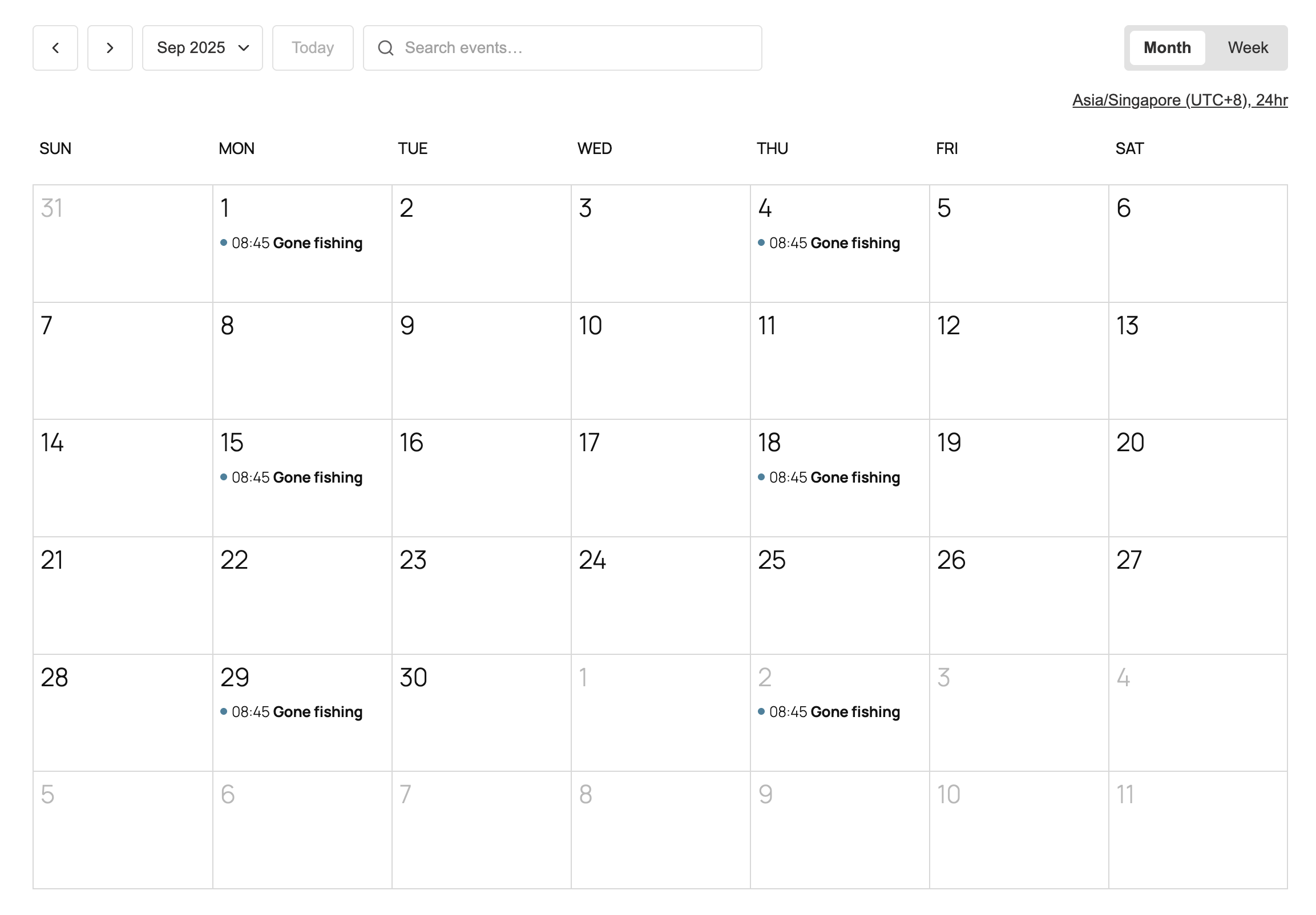
✓ Events calendar and event list – Month, week and list views, added with a block, shortcode, Elementor, Beaver Builder or Divi
✓ Event registration and RSVP – Set capacity, collect sign-ups, send confirmation emails with check-in codes and reminder emails
✓ Sell event tickets with WooCommerce – Multiple ticket types, free or paid, using any WooCommerce payment gateway including Stripe and PayPal
✓ Attendee management – Check people in, add attendees by hand and export your attendee list to CSV
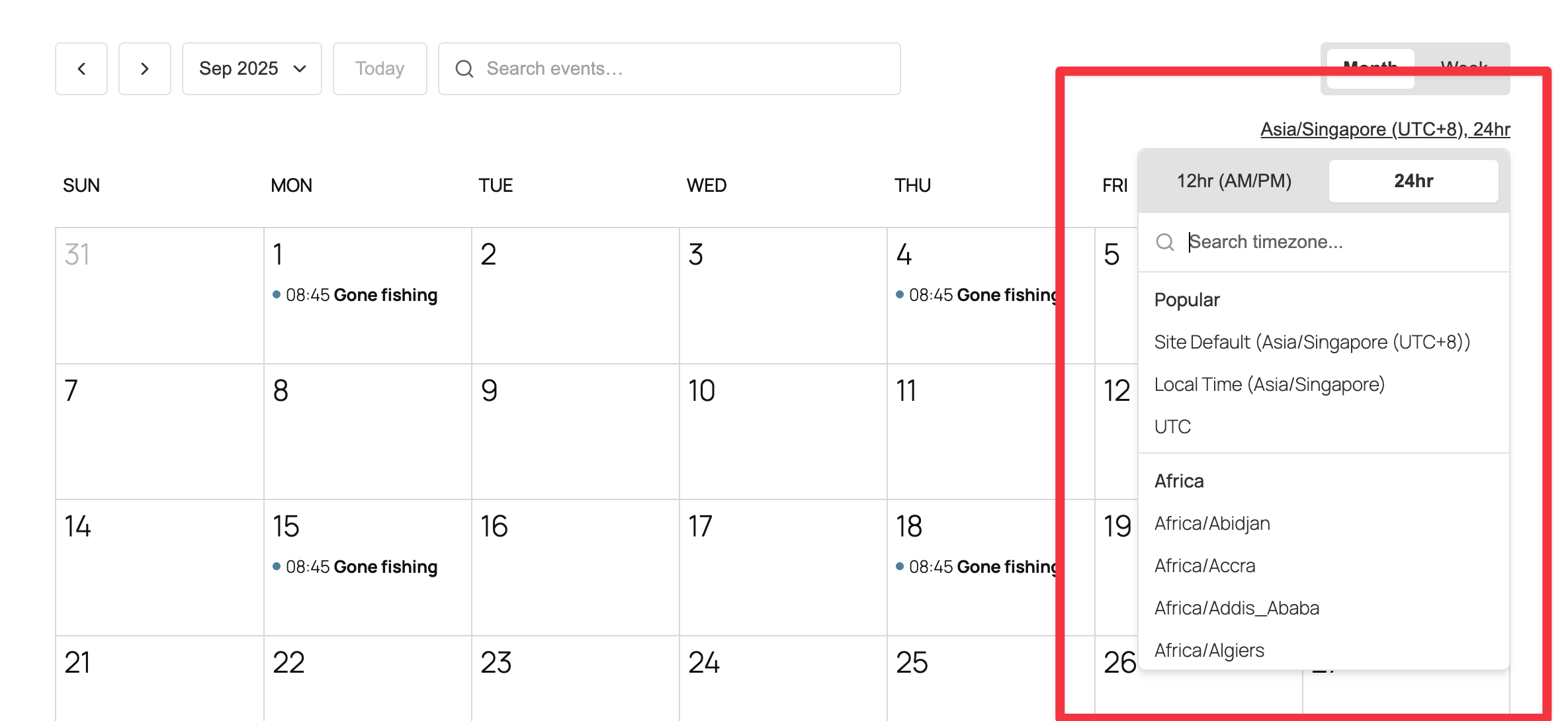
✓ In-person and virtual events – Google Maps venues, per-event timezones, and visitor timezone detection for international audiences
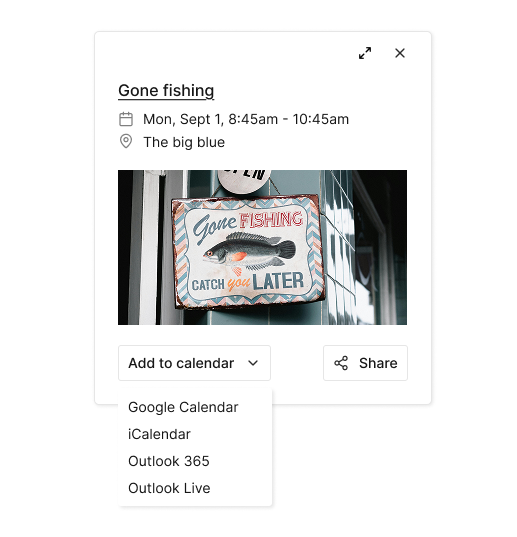
✓ Add to Google Calendar, iCal and Outlook – One click for visitors to save your event to their own calendar
✓ Event SEO – Automatic JSON-LD event structured data, plus event date variables for Rank Math and Yoast titles and descriptions
✓ Import events – Move over from The Events Calendar, or import any .ics file from Google Calendar, Apple Calendar or Outlook
✓ Accessible and responsive – Keyboard navigation, ARIA labels and a mobile-friendly events calendar
✓ Secure code that follows WordPress coding standards, with active development and responsive support
Need recurring events, unlimited calendars or custom fields? Upgrade to EventKoi Pro
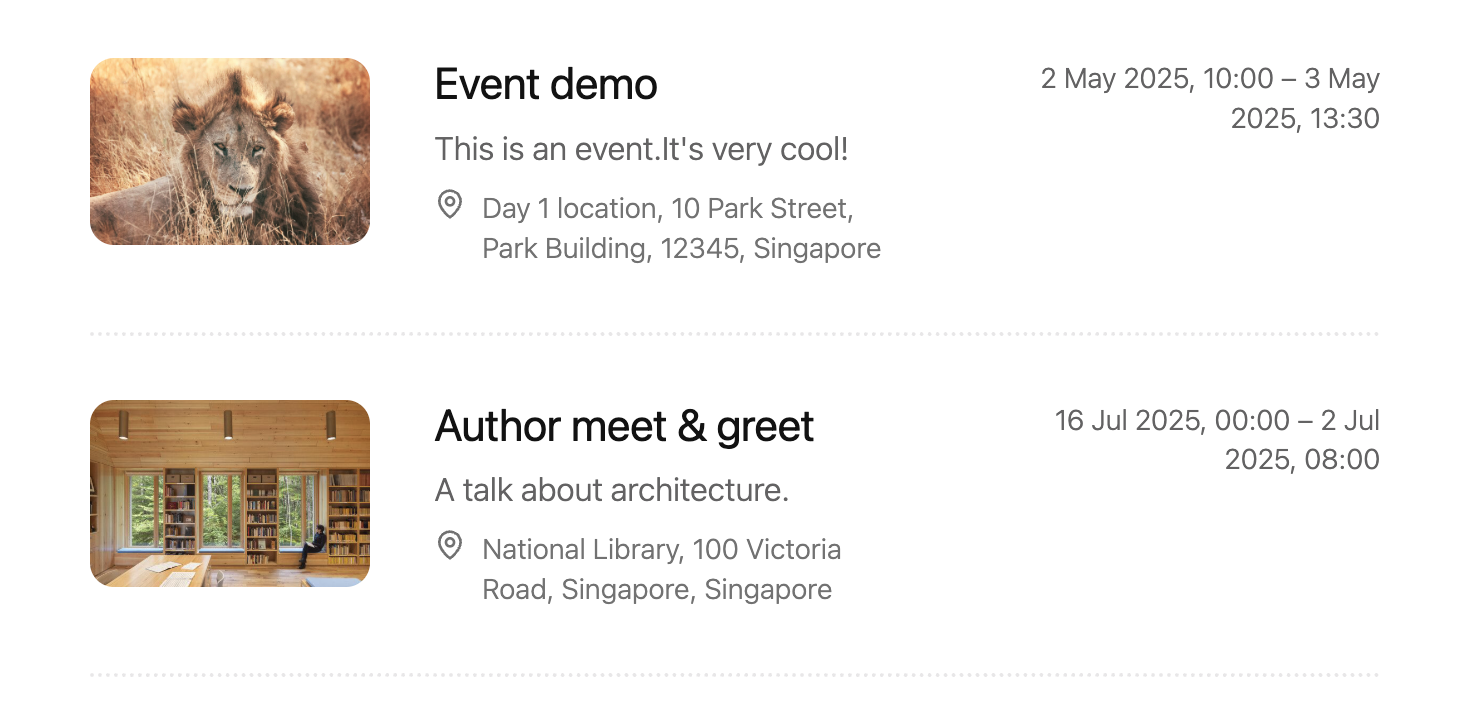
WordPress events calendar and event list
- Embed an events calendar with a block, shortcode, Elementor widget, Beaver Builder module or Divi module (Divi 4 and Divi 5)
- Show events as a month calendar, week calendar, list or grid, and choose which views visitors can switch between
- Filter and search events by date range or calendar
- Query loop block for building your own event listings, with ready-made Elementor templates for event, series and calendar pages
- Set the starting day of the week and choose 12 or 24-hour time
- Customize event page templates in the block editor
- Works with block themes and classic themes
- Upgrade to Pro for multiple calendars to segment events by category, location or type
Event registration and RSVP
- Set event capacity and show remaining spots to encourage sign-ups
- Let attendees register and update their RSVP
- Send automated confirmation emails with check-in codes
- Send attendees a reminder email the day before the event
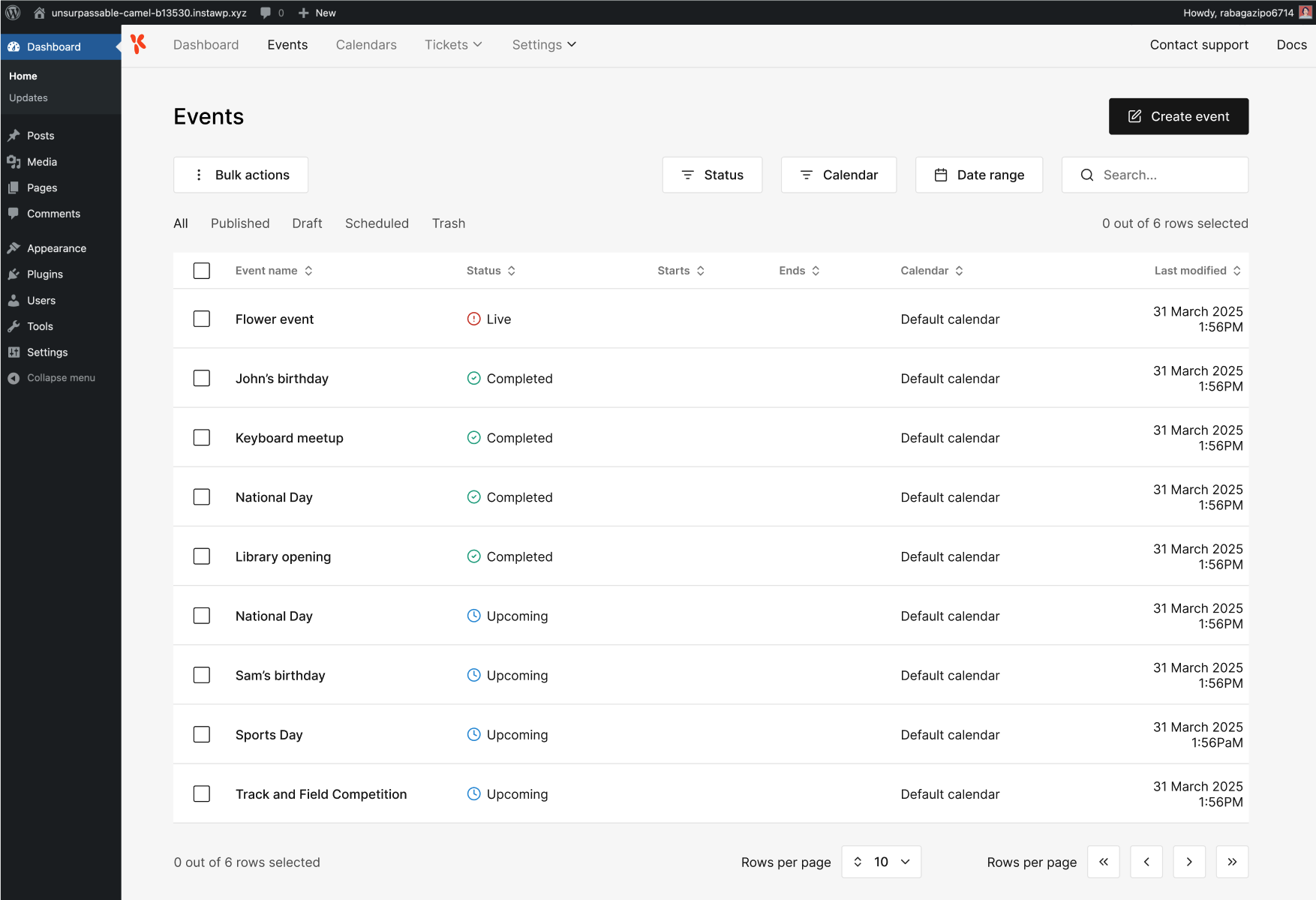
- Manage registrations and check-ins from your WordPress admin
- Export your full attendee list
Sell event tickets with WooCommerce
- Take payments with any WooCommerce gateway (Stripe, PayPal and more) directly on your own site
- Create multiple ticket types per event, such as General Admission, VIP or Early Bird
- Set price, capacity and availability for each ticket type, with free and paid tickets on the same event
- Open and close ticket sales on set dates, and cap the number of tickets per order
- Show or hide remaining ticket quantities
- Add terms and conditions per ticket type
- Require buyers to have an account, or create one automatically at checkout
- Automated ticket confirmation and refund emails
- Track tickets sold and total earnings with built-in reporting
In-person and virtual events
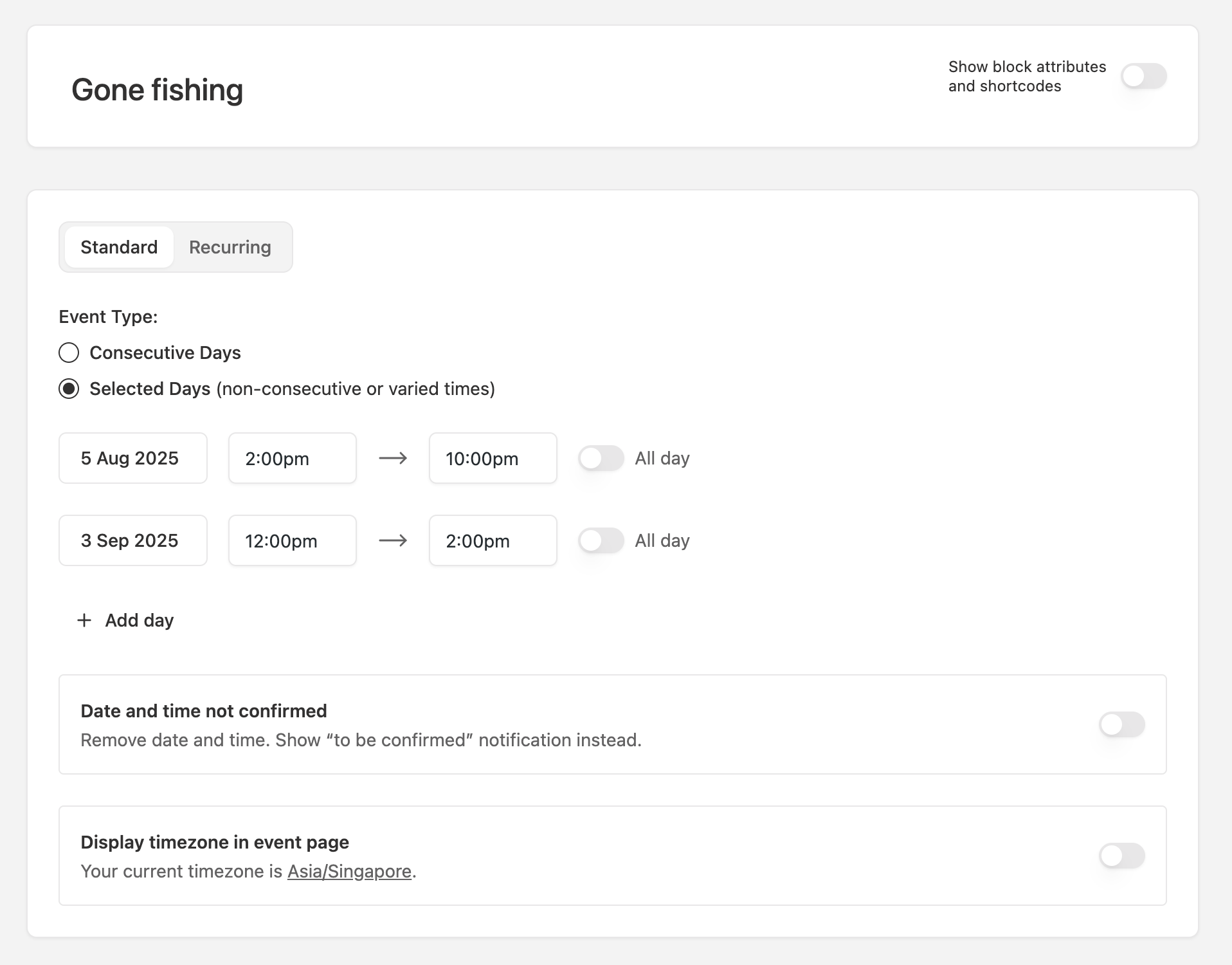
- Add multiple event days, each with its own start and end time
- Combine in-person and virtual locations in one event
- Embed a Google Maps venue map
- Show times in the visitor’s timezone, or set a fixed timezone per event
- Uses your WordPress date, time and timezone settings
- Localization-ready
Calendar sync, sharing and event SEO
- Let visitors add events to Google Calendar, iCalendar, Outlook 365 or Outlook Live
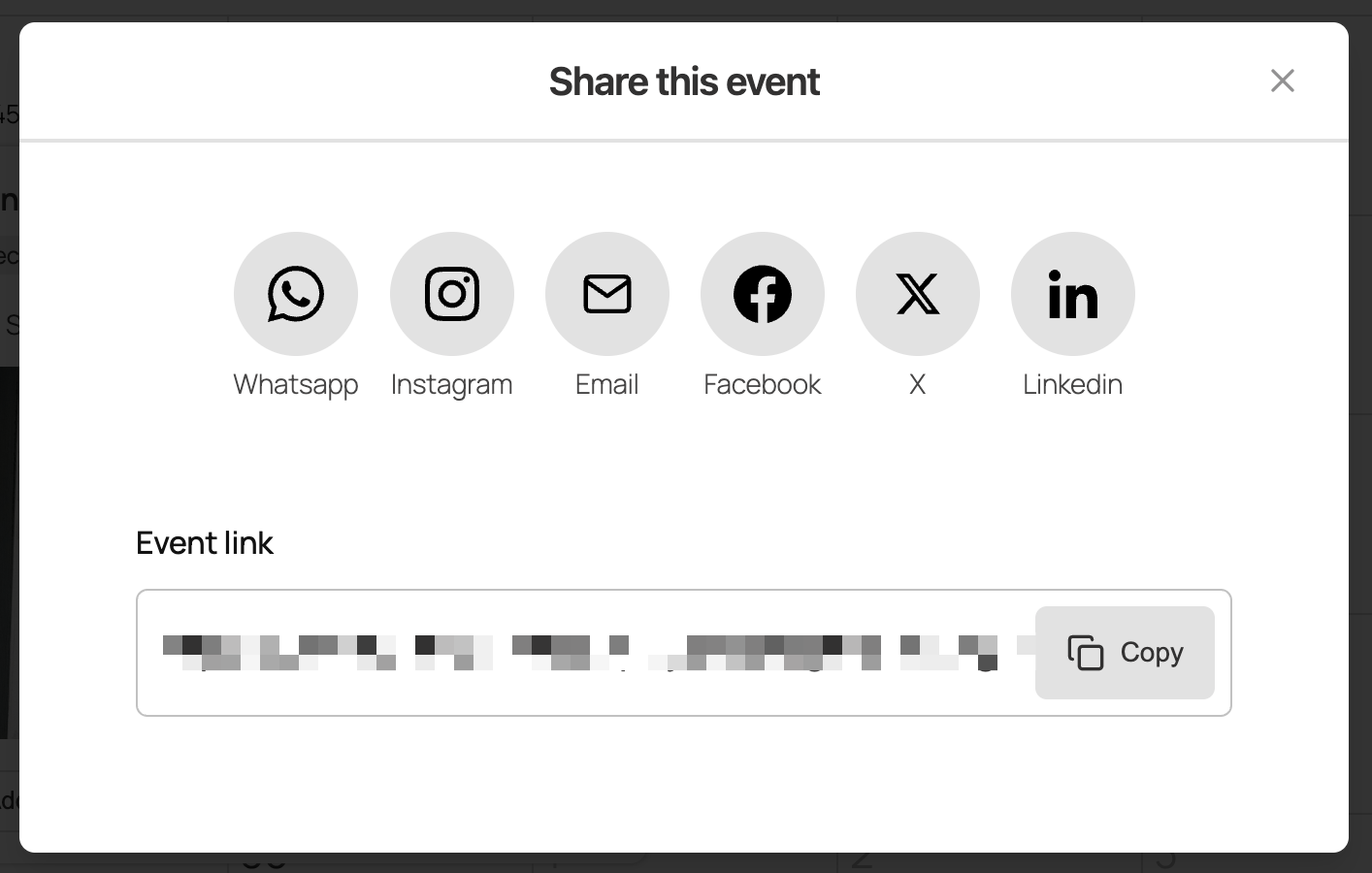
- Share events on social media and by email
- Automatic JSON-LD structured data on every event page, so your events can appear as rich results in Google Search
- Event date, time, location and timezone variables for Rank Math and Yoast SEO titles and descriptions
Page builder and block editor support
- Block editor: Calendar, event query loop and event data blocks
- Shortcodes: Build shortcodes with multiple queries to show a calendar or list of events
- Elementor: Native calendar and event widgets, plus ready-made templates
- Beaver Builder: Native calendar and event modules
- Divi: Native Divi 5 modules, with conversion of the Divi 4 modules
- Other plugins: Fields from ACF, Pods and Meta Box show up in the event editor
Switching from The Events Calendar
- Import your events in minutes with the built-in migration tool
- Titles, descriptions, dates, times and timezones
- All-day and multi-day events
- Venues, organizers, categories and featured images
- Recurrence rules, converted to EventKoi’s recurring event format
- Duplicate detection, so you can safely run the importer again
Get more with EventKoi Pro
- Recurring events: Daily, weekly, monthly and yearly rules, editable individual instances and an automatic series page
- Custom fields: Add custom fields and field groups to any event
- Multiple event calendars: Lite includes one calendar. Pro unlocks unlimited calendars for event types, departments, locations or audiences
- Advanced Elementor and Beaver Builder features: Custom templates and loop features for queryable event lists
- Priority support
- 30-day money-back guarantee
Helpful links
- EventKoi documentation
- EventKoi blog
- Support forum (please check existing threads before starting a new one)
- Contact us (for non-support questions)
Services externes
This plugin can connect to the Google Maps JavaScript API in order to display interactive maps inside event and calendar views.
It sends your configured Google Maps API key (if provided) along with requests made by the visitor’s browser when viewing a page that contains an embedded map. No personal data is sent by the plugin itself, but Google may collect usage data in accordance with their policies. This connection only happens if maps are enabled in the plugin settings and a page with an event location map is viewed.
This service is provided by Google LLC: Terms of Service, Privacy Policy.
Installation
Installing EventKoi Lite is easy.
Installation
- In your WP Admin, select Plugins, then Add plugin.
- In the Search Plugins field, type in “EventKoi Lite”
- When you find EventKoi Lite, click on Install Now.
- The installation will run, then click on Activate.
Configuring your events calendar
- Once the plugin is activated, head to Events, then Settings.
- From there you can configure when you week starts, your working days, and 12/24-hour clock.
Create your first event
- Head to Events > Events and select Add event
- Fill out the form to create your event.
Add your calendar to your site
Head to Events > Calendar and select Default calendar. Then select the Embed tab.
There, you will see 3 ways to embed the calendar into your site:
- Your calendar comes with a default link. Out of the box, the link is: https://yourwebsite.com/calendar/default-calendar/
- Using either shortcodes in any page or post: [eventkoi_calendar display=calendar] or [eventkoi_calendar display=list] depending on whether you want a calendar or list view.
- Adding a block in any page or post: Type in “/eventkoi” and then select either “EventKoi Calendar” or “EventKoi List” depending on whether you want a list or calendar view.
Journal de modifications
Adds the start and end time switch to the Date and Time field of the Event Data block and lists all dates on one line.
The latest releases are listed here. See changelog.txt in the plugin folder for older versions.
1.5.1.1 – Event Data date options on the Date and Time field – 2026-11-19
- Improvement: The Date and Time field of the Event Data block has the Show start and end time switch too, so an event on Consecutive Days shows its dates, then its start and end time.
- Improvement: Show all dates lists the dates of an event on Selected Days on one line, separated by commas.
1.5.1.0 – Event Data options for multi-day events and Beaver Themer layout fix – 2026-11-18
- New: Two Event Data block options for multi-day events. Show all dates lists every date of an event on Selected Days instead of only the next one, also in a query loop. Show start and end time lists the dates of an event on Consecutive Days, then its start and end time. Both are off until you turn them on.
- Fix: Event and calendar pages that use a Beaver Themer layout picked in the EventKoi template settings lost their columns and styling with Beaver Themer 1.6.1.1. They display correctly again.
1.5.0.0 – Attendee details, guest check-in, Beaver Builder and Divi templates and accessibility – 2026-11-13
- New: Ticket buyers can enter a name and email for each ticket at checkout. Attendees are listed one per ticket with edit, check-in and export, and appear on ticket emails, QR check-in and WooCommerce orders.
- New: RSVP guests are saved with their own names and emails. They show under their host and can be checked in, edited or removed one by one or as a party, also from the QR check-in screen.
- New: Ready-made Beaver Builder and Divi templates for event, series and calendar pages, offered in onboarding and in the template pickers like the Elementor ones. Works with Divi 4 and Divi 5.
- New: Admins can correct the customer name, email and billing address on a ticket order, and edit the custom field answers saved with it.
- New: Settings > Emails has a default sender and default recipients, with Cc and Bcc for every email.
- New: A setting turns off the See all events in calendar link on event pages.
- New: Calendar lists can show the post excerpt, and the excerpt is available in the Elementor, Beaver Builder and Divi data lists.
- New: Every calendar element has its own CSS class, and the Elementor calendar widget has a style section for each one. The widget can also open in List view.
- New: ICS imports bring in event images.
- New: Developers can filter what each event shows in the calendar grid.
- Improvement: Accessibility work towards WCAG 2.1 AA. Form errors are announced, the date picker, event popover and search work from the keyboard, focus stays inside the ticket dialog, contrast is higher, and switches, icon buttons, table columns and images have names screen readers can read.
- Improvement: Standard events with several dates are sold as one ticket, and every date is listed in date fields, at checkout and in emails.
- Improvement: Event lists, Query Loop rows, calendar popovers and search show the excerpt first, then the description when there is no excerpt.
- Improvement: Password-protected events show only the title, dates and password form until they are unlocked. The description, location, tickets and custom fields stay private everywhere, including page builders and feeds.
- Improvement: Free orders say Free, confirm the booking without payment wording, and hide the fee and payment box. Required fields are starred on the ticket and RSVP forms.
- Improvement: The Event Data max words setting also applies to the Excerpt field.
- Improvement: Choosing a month in a calendar list shows the whole month, including days that have passed.
- Improvement: The selected option in switches is black in the admin and on public calendars, so it is clear which one is on.
- Improvement: The event schema splits a one-line address into city, region, postal code and country.
- Improvement: CSV exports open in Excel with accented characters intact.
- Improvement: Upgrade banners list the current Pro features.
- Fix: Elementor opens event pages again when the site default is an Elementor template.
- Fix: Event links no longer repeat the date segment in the URL.
- Fix: Online locations show their name when no URL is set, the event popup no longer repeats the date, and emails show the correct order number.
- Fix: A Cover block inside the event query loop shows the image of the event in that row.
- Fix: Deleted recurring dates no longer count towards the events left number.
- Fix: An email is no longer lost because of one bad address, and the settings screen refuses invalid addresses.
- Fix: Check-in totals count guests, the order page and event editor no longer overflow on phones, and wide admin tables scroll inside their card.
1.4.9.1 – Event Data word limit and week view default month – 2026-10-25
- New: The Event Data block has a Max number of words setting for the Description field, like the core Excerpt block. Leave it at 0 to keep showing the summary as before.
- Fix: Calendars set to the Week view now open on the default month and year from the calendar settings instead of always on the current week.
1.4.9.0 – Ticket modal links, Event Data block styling and export fields – 2026-10-24
- New: Any button or link can open the ticket modal. Link it to #buy-tickets inside an event query loop to open that row’s event, or to #buy-tickets-123 with the event ID anywhere on the site, even on pages without a ticket box.
- New: The Event Data block has border, radius and link colour controls in the block Styles panel.
- Improvement: Event query loop rows carry the same classes as the core loop (post-ID, type, status and term classes) plus the event ID, so a single event can be styled with CSS.
- Improvement: The Ticket sales export includes custom checkout fields as extra columns, and free orders now appear in the Ticket sales list and exports.
- Fix: The date and location icons in the single event template sit centred on their first line, matching the editor, and no longer pick up duplicated attributes.
- Fix: Buying a ticket without JavaScript now shows a success, pending or error message above the checkout form, and the form keeps its styling on sites where an SEO plugin renders the content early.
1.4.8.1 – Event URL binding, editor title preview and ampersand fixes – 2026-10-21
- Fix: Event titles with ampersands or quotes show as typed in the ticket sales screens, order details, email subjects and admin notifications instead of HTML codes.
- Fix: The event URL is available as a block attribute, so a Button inside the event query loop can link to each event, and attribute bindings inside the loop read the event in each row rather than the page.
- Fix: The Event Data title block shows the same link in the editor as on the site, so colours match while you design.
Captures d'écran
Pour les développeurs
Est-ce votre plugin ? Montrez les chiffres.
Ajoutez un badge en direct à votre site, docs ou github readme. Il se met à jour par lui-même - aucun compte n'est nécessaire.
Best Event Koi Lite alternatives
Tous les plugins du calendrier des événements →




FAQ
Event Koi Lite: quick answers
Réponses directes, extraites des données en direct WordPress.org.
Source : WordPress.org
Is Event Koi Lite free?
Yes. Event Koi Lite is free to download and use from the official WordPress.org plugin directory.
Is Event Koi Lite safe to use in 2026?
Event Koi Lite is a solid plugin choice in 2026, with a few things worth checking first. It runs on 70+ sites, is rated 5/5 and was last updated 12 hours ago, and scores 79/100 on our health check.
How many websites use Event Koi Lite?
Event Koi Lite is active on 70+ WordPress websites and has been downloaded 10,737 times since it launched in October 2025. It was downloaded 1,367 times in the last 30 days.
Does Event Koi Lite work with WordPress 7.1?
Event Koi Lite is officially tested up to WordPress 7.0.9, while the latest release is 7.1.5. It may still work, but try it on a staging site first.
What PHP version does Event Koi Lite need?
Event Koi Lite requires PHP 8.0 or higher. Most hosts run PHP 8.x today, so it works on any modern WordPress hosting.
When was Event Koi Lite last updated?
The latest version, 1.5.1.1, was released on November 18, 2026 (12 hours ago).
Who makes Event Koi Lite?
Event Koi Lite is developed and maintained by EventKoi.
What are the best alternatives to Event Koi Lite?
The most popular alternatives to Event Koi Lite are My Calendar (20K+ installs), Sugar Calendar (10K+ installs) and Events Shortcodes For The E… (10K+ installs).
Propulsé par PageForge
Un modèle et une feuille de calcul. Une vraie page pour chaque recherche.
PageForge transforme chaque ligne d'un CSV en une page WordPress avec son propre titre, URL, SEO et schéma, construit sur la mise en page que vous Déjà conçu. Gratuit sur WordPress.org.
- CSV et XLSX, plus Google Sheets sur les professionnels et les entreprises
- Son propre titre, URL, SEO champs et schéma pour chaque page
- Fonctionne avec l'éditeur de blocs, Elementor, Divi et Avada
- Gratuit sur WordPress.org, pas de carte de crédit