


Cursor Image Lite
Easily replace the default mouse cursor with your own custom PNG images. A lightweight and simple custom cursor plugin for WordPress.

Utiliser avec prudence
Cursor Image Lite works, but test it on a staging site before relying on it in 2026. It runs on 200+ sites, is rated 5/5 and was last updated 12 months ago, and scores 48/100 on our health check.
- Petite base d'utilisateurs (plus de 200 installations actives)
- Très peu de critiques jusqu'à présent
- Uniquement testé jusqu'à WordPress 6,9 (le dernier est de 7,1)
Comment s'accumule-t-il ?
Côte à côte sur les installations, les mises à jour, les évaluations et le support


Téléchargements quotidiens
Les pics de téléchargement suivent généralement une nouvelle version - chaque site qui met à jour automatiquement compte comme un téléchargement.
Classements
Where Cursor Image Lite stands todayWordPress.org Classements de recherche
Position en direct dans la recherche de plugins, Top 100| Mot-clé | Position |
|---|---|
| cursor | #13 |
| custom cursor | #13 |
| customization | >100 |
| png cursor | #1 |
| pointer | #19 |
Adoption de version
Part de sites actifs par version.
Répartition des notes
★★★★★ ★★★★★ 5 sur 1 avis
About Cursor Image Lite
From the official readme · v1.0.3Description
Cursor Image Lite is a lightweight and beginner-friendly plugin that allows you to replace the default mouse cursor on your WordPress site with a custom PNG cursor image. It works with any theme and requires no coding knowledge.
This plugin is ideal for websites that want a unique visual experience, such as portfolios, creative blogs, design studios, landing pages, gaming sites, and personal projects.
You can customize:
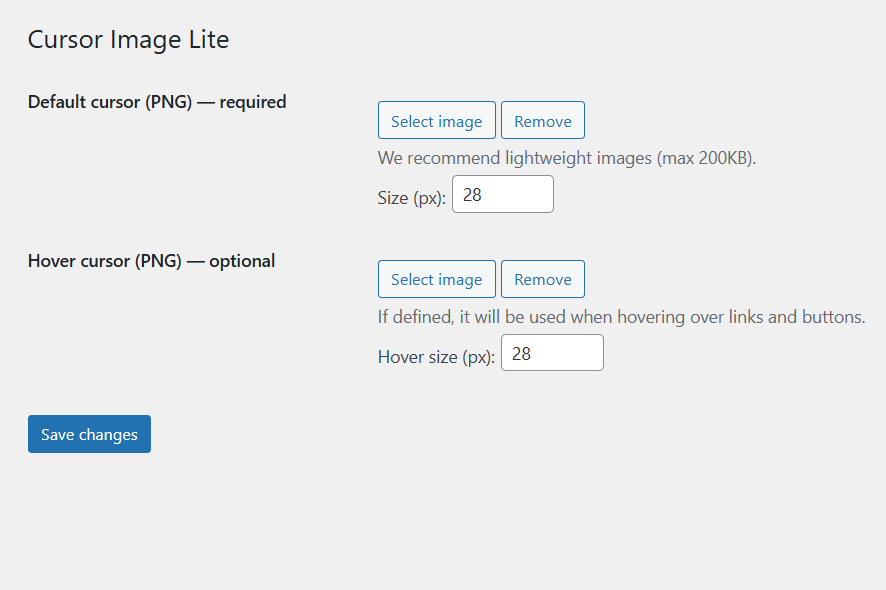
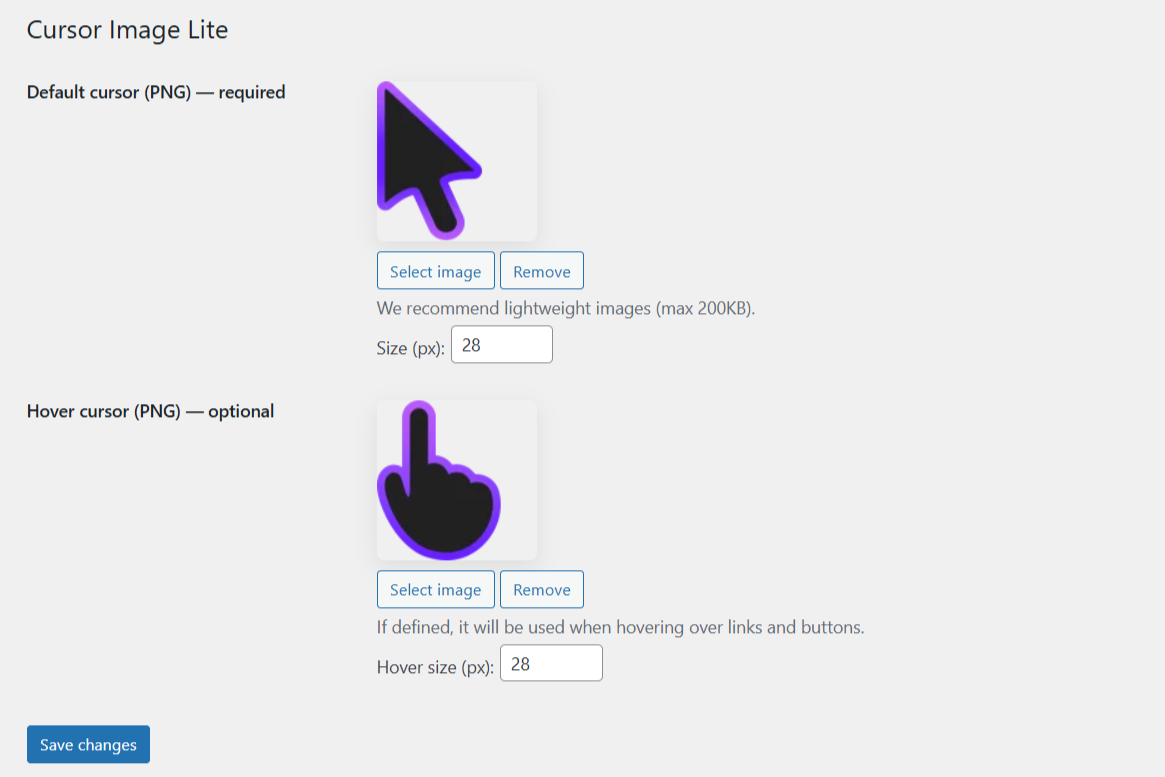
– A primary PNG cursor image
– An optional hover-state PNG image (shown on links, buttons, etc.)
– Custom cursor sizes using pixel-based controls for each image
Cursor Image Lite provides a simple way to personalize the look and feel of your website by using custom mouse pointers.
Traits
- Set a custom mouse cursor image (PNG)
- Optional hover-state cursor image
- Compatible with all major browsers
- Works with any WordPress theme
- Lightweight — minimal performance impact
- No coding required
- Automatic fallback to the native cursor
- Clean and simple settings page
Installation
- Upload the plugin files to
/wp-content/plugins/cursor-image-liteor install directly through the WordPress Plugins page. - Activate the plugin through the “Plugins” menu in WordPress.
- Go to Settings → Cursor Image Lite.
- Upload your PNG cursor image and optional hover image.
- Save your settings.
- Your custom cursor will be applied immediately.
Journal de modifications
This update fixes an issue where custom cursors were appearing on mobile devices. Update recommended for all users.
1.0.3
- Fixed: Custom cursor no longer appears on mobile and tablet devices (touch-enabled devices).
- Improved: Added notice in settings page clarifying that custom cursors are only applied to the website frontend, not the WordPress admin panel.
1.0.2
- Improved: Support notice now has two action buttons – “Never show again” (dismisses permanently) and “Remind me in 2 days” (defer reminder).
- Fixed: Support notice now respects the defer option and reappears correctly after 2 days instead of persisting indefinitely.
1.0.1
- Fixed: native cursor not appearing when no images were selected.
1.0.0
- Version initiale.
Captures d'écran

Pour les développeurs
Est-ce votre plugin ? Montrez les chiffres.
Ajoutez un badge en direct à votre site, docs ou github readme. Il se met à jour par lui-même - aucun compte n'est nécessaire.
Best Cursor Image Lite alternatives
All cursor plugins →




FAQ
Cursor Image Lite: quick answers
Réponses directes, extraites des données en direct WordPress.org.
Source : WordPress.org
Is Cursor Image Lite free?
Yes. Cursor Image Lite is free to download and use from the official WordPress.org plugin directory.
Is Cursor Image Lite safe to use in 2026?
Cursor Image Lite works, but test it on a staging site before relying on it in 2026. It runs on 200+ sites, is rated 5/5 and was last updated 12 months ago, and scores 48/100 on our health check.
How many websites use Cursor Image Lite?
Cursor Image Lite is active on 200+ WordPress websites and has been downloaded 1,352 times since it launched in December 2025. It was downloaded 171 times in the last 30 days.
Does Cursor Image Lite work with WordPress 7.1?
Cursor Image Lite is officially tested up to WordPress 6.9.12, while the latest release is 7.1.5. It may still work, but try it on a staging site first.
What PHP version does Cursor Image Lite need?
Cursor Image Lite requires PHP 7.4 or higher. Most hosts run PHP 8.x today, so it works on any modern WordPress hosting.
When was Cursor Image Lite last updated?
The latest version, 1.0.3, was released on December 7, 2025 (12 months ago).
Who makes Cursor Image Lite?
Cursor Image Lite is developed and maintained by Haruki.
What are the best alternatives to Cursor Image Lite?
The most popular alternatives to Cursor Image Lite are WP Custom Cursors (8K+ installs), Ultimate Cursor (3K+ installs) and Custom Cursor For WP (1K+ installs).
Propulsé par PageForge
Un modèle et une feuille de calcul. Une vraie page pour chaque recherche.
PageForge transforme chaque ligne d'un CSV en une page WordPress avec son propre titre, URL, SEO et schéma, construit sur la mise en page que vous Déjà conçu. Gratuit sur WordPress.org.
- CSV et XLSX, plus Google Sheets sur les professionnels et les entreprises
- Son propre titre, URL, SEO champs et schéma pour chaque page
- Fonctionne avec l'éditeur de blocs, Elementor, Divi et Avada
- Gratuit sur WordPress.org, pas de carte de crédit