


Ultimate Cursor – Interactive and Animated Custom Cursor and Background Effects Toolkit
Create custom cursors, animated cursor effects, and animated background effects in WordPress with a live preview. No coding required.

Choix solide
Ultimate Cursor is a solid plugin choice in 2026, with a few things worth checking first. It runs on 3K+ sites, is rated 4.5/5 and was last updated 16 hours ago, and scores 77/100 on our health check.
- Actively developed — last update 16 hours ago
- Testé avec le dernier WordPress (7.1)
- Momentum — downloads up 44.6% vs the previous 30 days
- Très peu de critiques jusqu'à présent
Comment s'accumule-t-il ?
Côte à côte sur les installations, les mises à jour, les évaluations et le support

Téléchargements quotidiens
Les pics de téléchargement suivent généralement une nouvelle version - chaque site qui met à jour automatiquement compte comme un téléchargement.
Classements
Where Ultimate Cursor stands todayWordPress.org Classements de recherche
Position en direct dans la recherche de plugins, Top 100| Mot-clé | Position |
|---|---|
| animated cursor | #1 |
| background effects | #3 |
| cursor | #1 |
| custom cursor | #2 |
| mouse cursor | #1 |
Adoption de version
Part de sites actifs par version.
Répartition des notes
★★★★★★★★★★ 4.5 from 4 reviews
About Ultimate Cursor
From the official readme · v2.5.3Description
Try the live demo – test every cursor type and background effect in your browser before you install.
Ultimate Cursor is a custom cursor WordPress plugin. It replaces the default mouse pointer with a custom mouse cursor – text, an image, an icon, a shape, or an animated cursor effect – and it can add an animated background effect to your site. You set everything up in a dashboard with a live preview. No coding is required.
The free plugin is complete on its own: every cursor type, every animated effect, and both background effects are included, and nothing in the dashboard is locked or disabled. Ultimate Cursor Pro is an optional add-on for sites that need interactive hover effects, several cursors, or targeting by page and element.
What you can build
- A WordPress custom cursor that matches your brand: your own text, image, icon, or shape.
- An animated cursor that reacts to mouse movement and clicks.
- An animated background effect behind your pages.
- With Pro, an interactive cursor that reacts to links, buttons, and form fields.
Principales caractéristiques
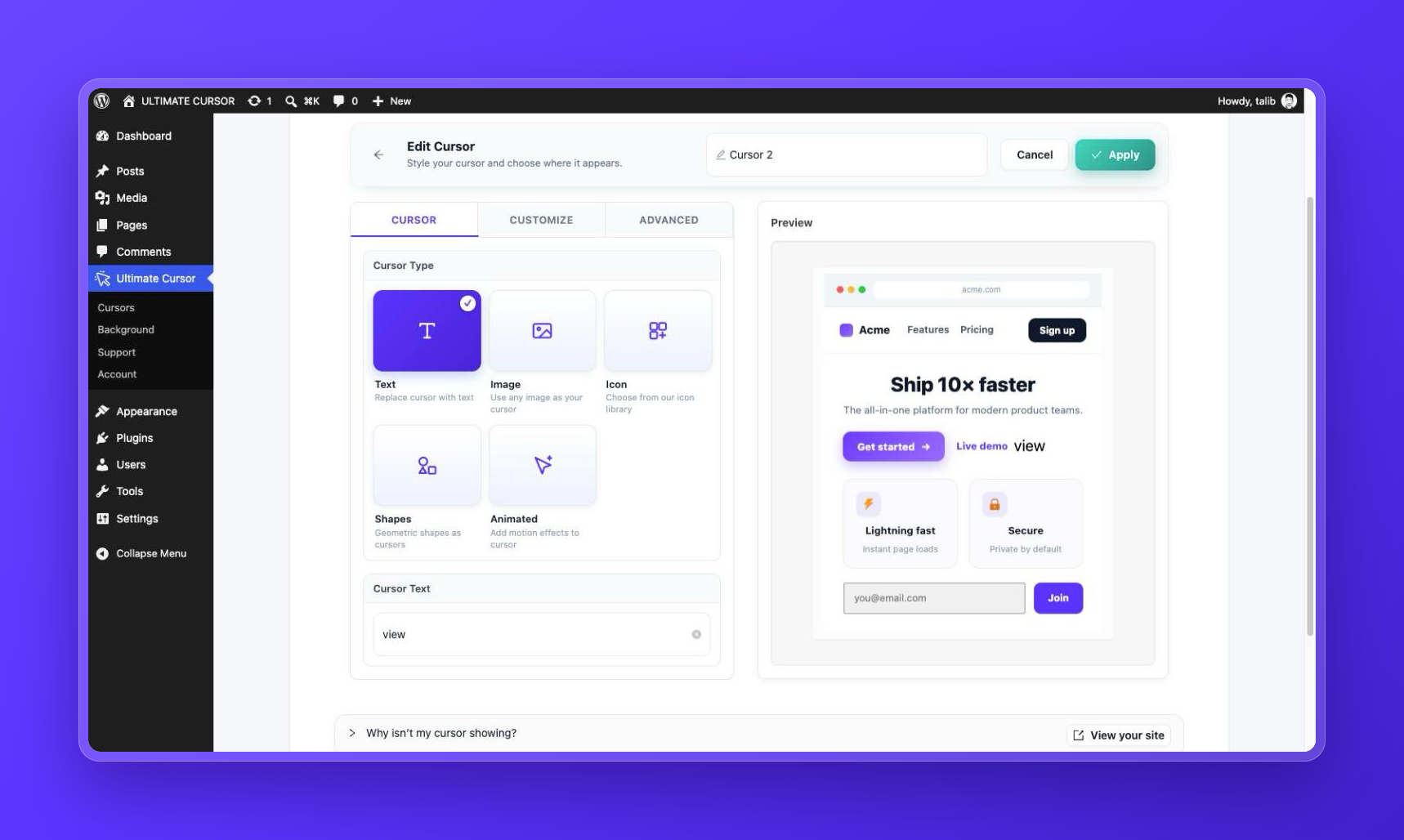
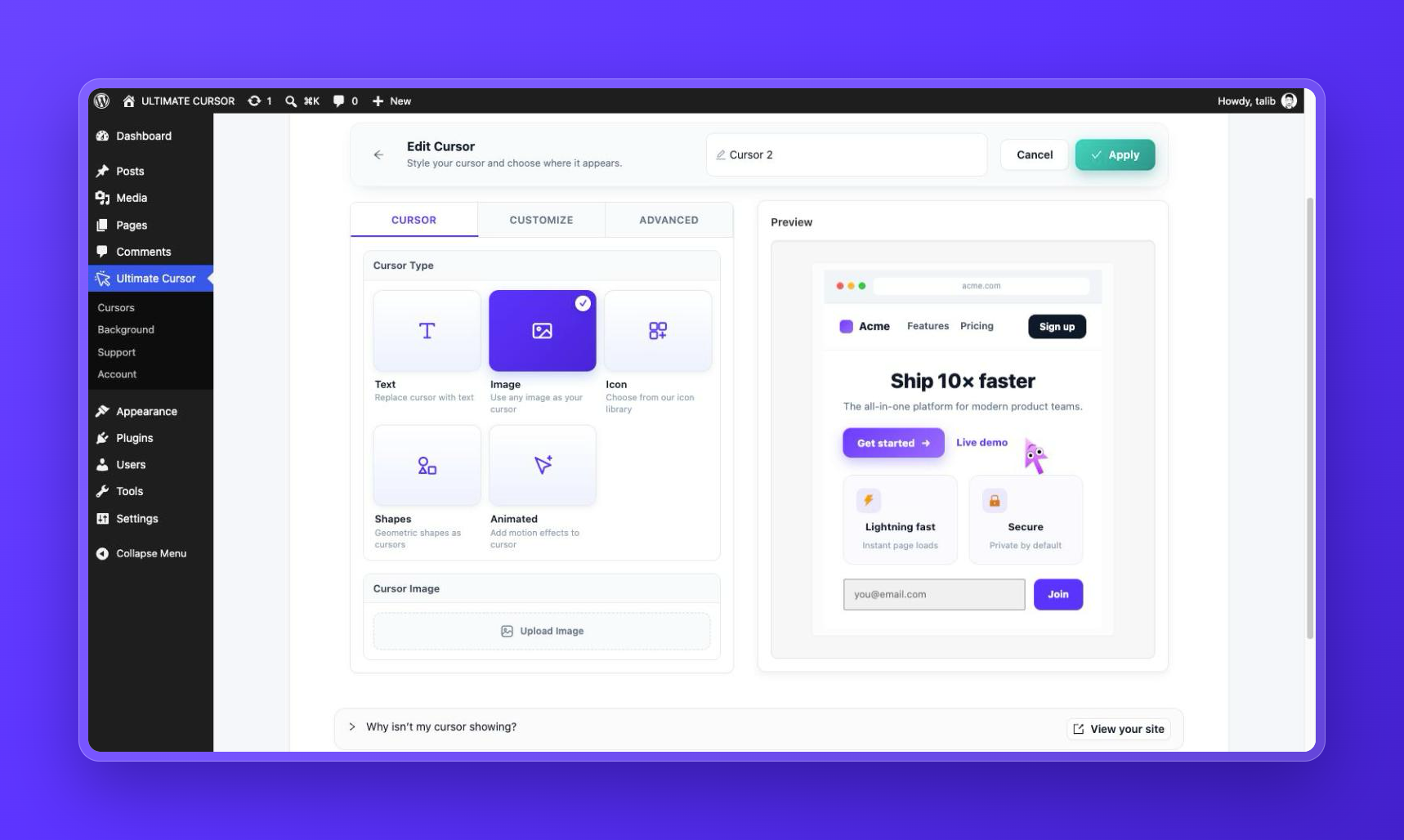
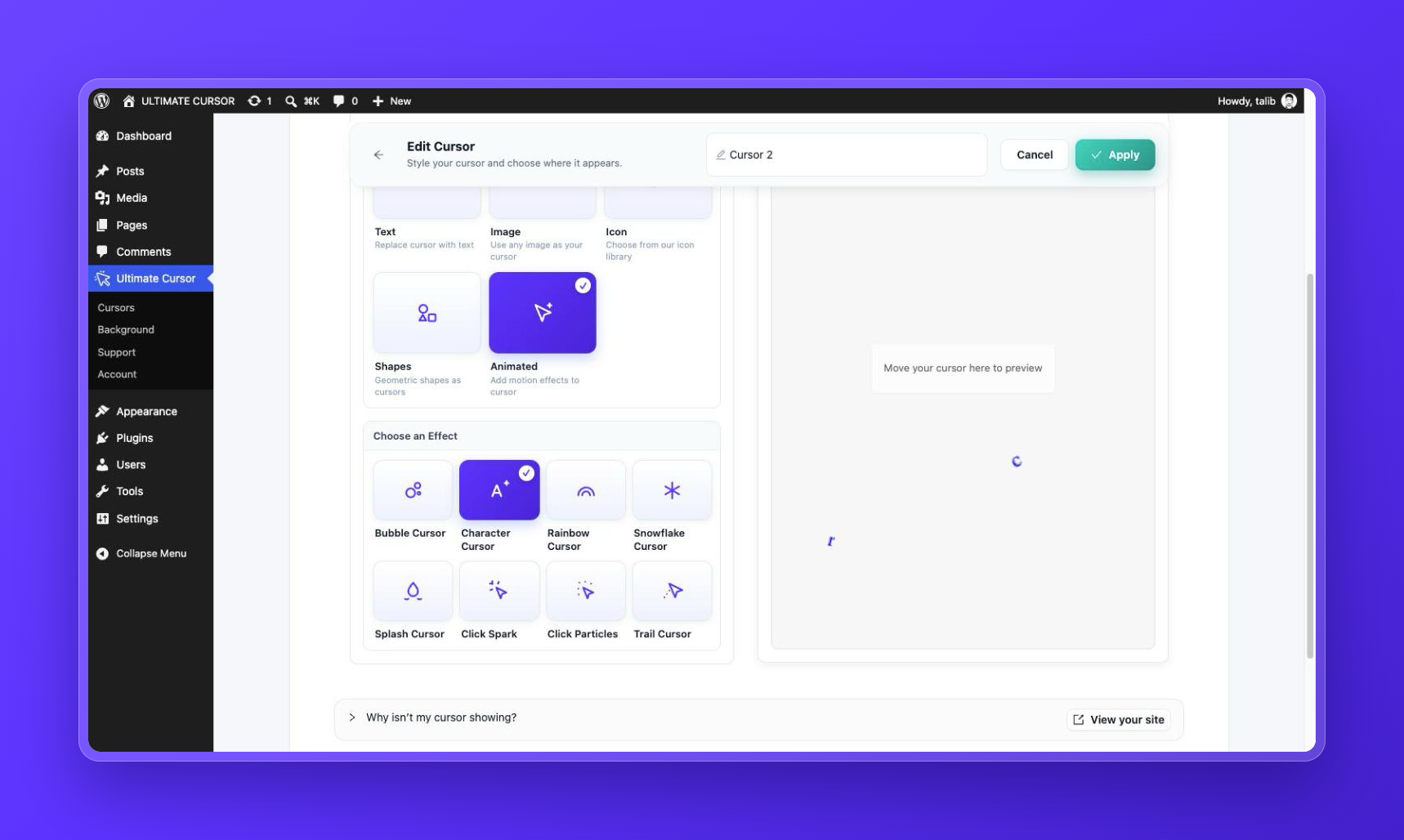
- Five cursor types – Text, Image, Icon, Shape, and Animated. Choose one and style it in the live preview.
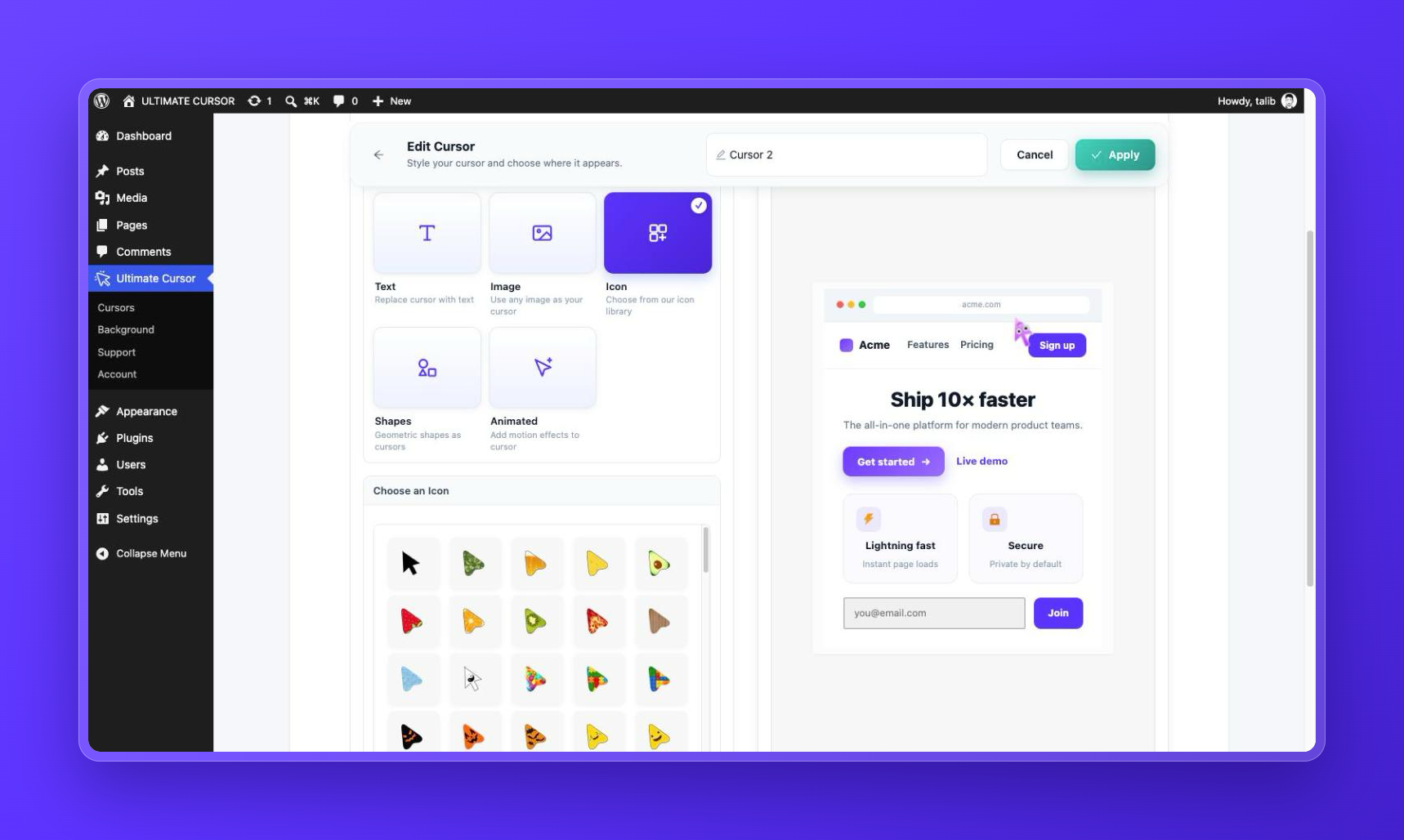
- Icon library – 113 built-in icons. The whole library is free.
- Shape cursors – 5 geometric shapes with adjustable color, size, and border.
- Eight animated cursor effects – Bubble, Splash, Snowflake, Trail, Character, Rainbow, Click Spark, and Click Particles.
- Two animated background effects – Antigravity (floating particles) and Light Pillar (a glowing vertical light).
- Live preview – see every change in the dashboard before you save.
- Loads only what you use – scripts load only when an effect is enabled, and each effect is a separate file that is downloaded only when your configuration needs it. When the cursor is hidden on a device, its scripts are not downloaded there.
- Accessibility – the custom cursor is hidden on touch devices, and animations respect the visitor’s reduced-motion preference.
- Translation ready – the dashboard and the frontend are fully translatable.
Free Features
Everything in this list is included in the free plugin.
- Text cursor
- Image cursor
- Icon cursor, with 113 built-in icons
- Shape cursor, with 5 geometric shapes
- Animated cursor, with 8 effects: Bubble, Splash, Snowflake, Trail, Character, Rainbow, Click Spark, and Click Particles. Each effect has a ready-made style. Bubble size and colors are adjustable.
- Antigravity background effect, with color, particle count, size, and shape settings
- Light Pillar background effect, with color, width, height, and rotation settings
- One cursor configuration and one background configuration, applied to the whole site
- Live preview dashboard
- Responsive behavior: the cursor is hidden on touch devices
- Reduced-motion support
- Translation-ready interface
Pro Features
Ultimate Cursor Pro is a separate add-on. It adds the following features to the free plugin.
- Interactive Hover – the cursor reacts when a visitor points at a link, a button, or a form field. It can grow, change color, glow, move toward the center of the element, and show a label such as “Open”. This helps visitors see what they can click. (See it live)
- Multiple cursor configurations – run several cursors on one site, for example one for the whole site and another for your portfolio. (See it live)
- Page targeting – show a cursor only on the pages you choose.
- CSS selector targeting – show a cursor only over elements that match a CSS selector.
- HTML element targeting – show a cursor only over the HTML tags you choose.
- 20 more shape cursors – 25 shapes in total, including heart, star, diamond, arrow, blob, squircle, sparkle, pin, and shield. (See them)
- Circular Text cursor – wrap your text around the cursor as a rotating badge. (See it live)
- Image and icon hotspot – choose which point of the image follows the mouse, such as the tip of an arrow. (See it live)
- Settings for every animated effect – emojis, sizes, counts, and speed for Trail and Snowflake; colors, radius, and force for Splash; options for Click Spark and Click Particles; colors for Rainbow; custom characters for Character.
- Background motion controls – magnet and ring radius, field strength, wave, pulse, and rotation for Antigravity; intensity, glow, noise, mouse interaction, blend mode, and quality for Light Pillar.
- Background placement – position, stacking order, and opacity. Limit a background to chosen pages or to a CSS selector.
- Multiple background configurations – run several backgrounds at the same time.
- Priority support
- 14-day money-back guarantee
Gratuit vs pro
- Text cursor – Free: yes. Pro: yes, plus Circular Text.
- Image cursor – Free: yes. Pro: yes, plus hotspot positioning.
- Icon cursor – Free: yes, 113 icons. Pro: yes, plus hotspot positioning.
- Shape cursor – Free: 5 shapes. Pro: 25 shapes.
- Animated cursor effects – Free: 8 effects with ready-made styles. Pro: 8 effects with settings for each effect.
- Interactive Hover – Free: no. Pro: yes.
- Multiple cursors – Free: one cursor. Pro: yes.
- Page, CSS selector, and HTML element targeting – Free: whole site. Pro: yes.
- Antigravity background – Free: yes, with color, count, size, and shape. Pro: adds motion controls.
- Light Pillar background – Free: yes, with color, width, height, and rotation. Pro: adds motion and rendering controls.
- Background placement and targeting – Free: whole site. Pro: yes.
- Multiple backgrounds – Free: one background. Pro: yes.
- Priority support – Free: community support forum. Pro: yes.
Usage
- Open Ultimate Cursor in your WordPress dashboard.
- Choose a cursor type: Text, Image, Icon, Shapes, or Animated.
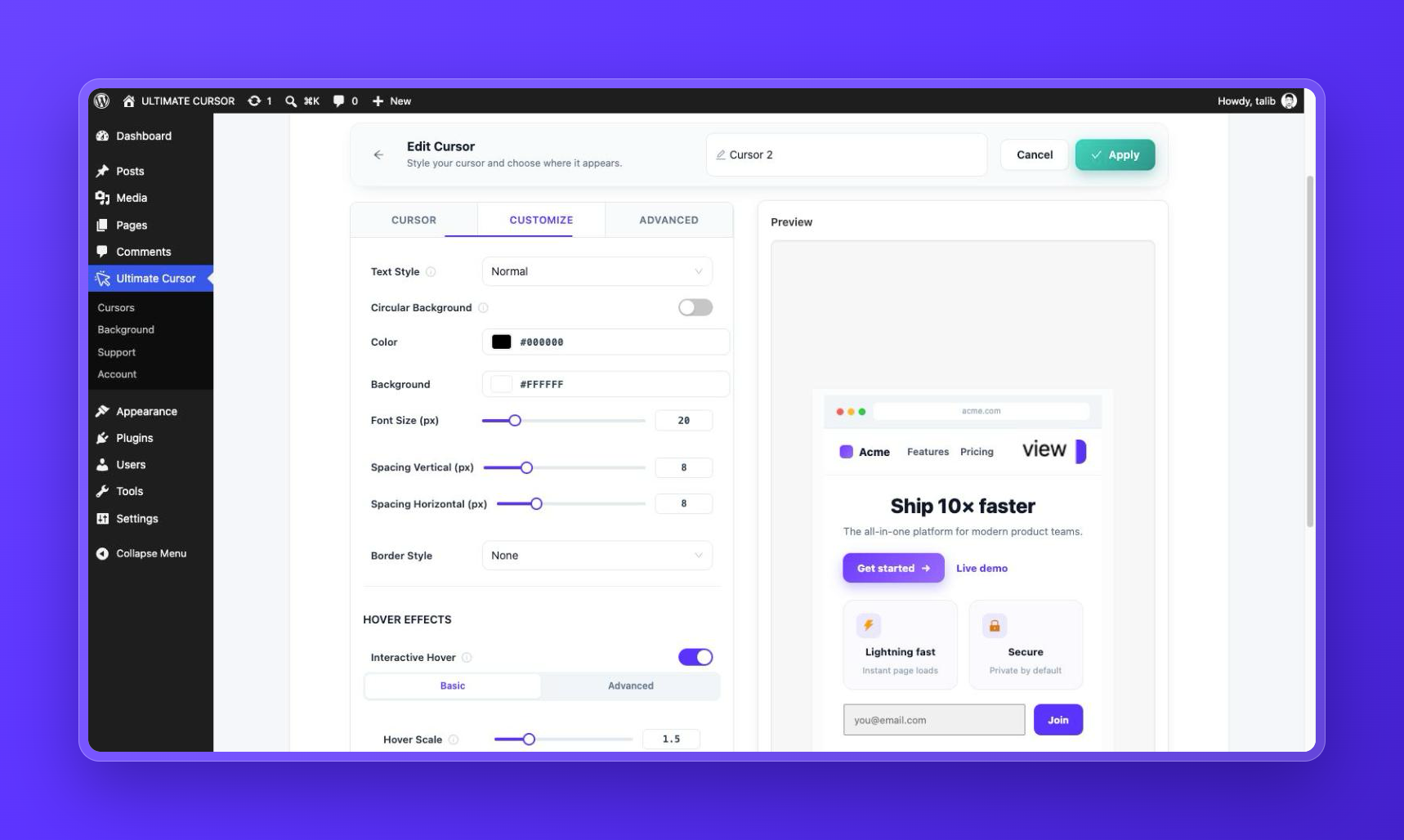
- Change the settings. The live preview shows the result.
- Click Save. The cursor is now active on your site.
- To add a background effect, open the Background tab, choose Antigravity or Light Pillar, and save.
Shortcodes
Ultimate Cursor does not provide shortcodes, and you do not need any. Cursors and backgrounds are applied from the plugin dashboard.
Widgets
Ultimate Cursor does not provide widgets or blocks, and you do not need any. Cursors and backgrounds are applied from the plugin dashboard.
Obligations
- WordPress 6.0 or newer
- PHP 7.4 or newer
- A device with a mouse or trackpad to see the custom cursor. Background effects need a browser with WebGL.
Compatibilité
Ultimate Cursor works with properly coded WordPress themes. It works on pages built with Gutenberg (the block editor), Elementor, WPBakery, Divi, and other page builders, because the cursor and background are added to the page itself and need no template changes. The cursor does not load inside page-builder editors or the Customizer preview, so it does not interfere with editing.
The plugin includes compatibility handling for common caching and optimization plugins, including WP Rocket, LiteSpeed Cache, SiteGround Optimizer, Perfmatters, WP-Optimize, and Cloudflare Rocket Loader.
Intimité
The cursor and background effects make no external requests. All scripts, icons, and shapes are bundled with the plugin. The plugin includes the Freemius SDK; see the External Services section for what it does and when.
Explore Ultimate Cursor Pro
The free plugin is yours to use for as long as you like. Consider Pro when you need:
- More control over each animated effect and each background
- Several cursor configurations on one site
- A cursor that reacts to links, buttons, and form fields
- Precise targeting by page, CSS selector, or HTML element
- Priority support
To see what Pro adds before you decide, open Ultimate Cursor → Pro Features in your dashboard. Every Pro feature is shown there with an animated preview and a link to its live demo. Pro comes with a 14-day money-back guarantee.
External Services
Ultimate Cursor includes the Freemius SDK. Freemius handles the optional usage opt-in, plugin feedback, and Pro licensing, pricing, and account pages.
- Nothing is sent to Freemius unless you choose to. The plugin does not ask you to opt in when you first use it. You can opt in at any time with the Opt In link on the Plugins screen, and after a week of use the plugin may invite you once from its own page. The plugin works the same either way.
- If you opt in, Freemius receives the items listed on the opt-in screen: your WordPress user’s first and last name and email address; your site’s homepage URL and title, WordPress and PHP versions, and site language; the plugin and SDK versions and whether the plugin is active or uninstalled; and the names, slugs, versions, and active state of your installed plugins and themes. You can opt out at any time from the plugin’s Account page or the opt-in link on the Plugins screen.
- If you submit the optional feedback form shown when deactivating the plugin, the reason you select is sent to Freemius.
- If you open the Pricing or Account page, or buy or activate Pro, your browser and site contact Freemius to load plans, process the purchase, and validate the license.
The cursor and background effects themselves make no external requests: all scripts, icons, and shapes are bundled with the plugin.
Freemius Terms of Service and Privacy Policy.
Installation
- In your WordPress dashboard, go to Plugins → Add New, search for Ultimate Cursor, then click Install Now and Activate. You can also upload the
ultimate-cursorfolder to/wp-content/plugins/and activate the plugin from the Plugins screen. - Open the new Ultimate Cursor menu in your dashboard.
- Choose a cursor type – Text, Image, Icon, Shapes, or Animated – style it with the live preview, and click Save.
- Optional: enable a background effect from the Background tab.
- Optional: preview every effect live first, then set up the same effect in your dashboard.
Journal de modifications
Fixes license activation for Ultimate Cursor Pro when WordPress installed it in a folder with a random name.
2.5.3 – November 18, 2026
- Fixed: With Ultimate Cursor Pro installed in a folder other than ultimate-cursor-pro (WordPress 7 can add a random suffix when you upload the zip), the license can now be activated — the license screen was missing and Pro stayed locked
2.5.2 – November 18, 2026
- New: One-click start — on a new setup, turn on one of three ready-made cursors with a single click and see it on your site right away
- Improved: “Hide the normal mouse pointer” (formerly “Disable Default Cursor”) moved from the Advanced tab to the Cursor tab, with clearer wording
- Improved: The “Minimal Shape” and “Rocket Pointer” presets now hide the normal mouse pointer, as their descriptions say
- Improved: The invitation to receive security and feature update emails now appears once your first cursor is live, instead of after a week
- Improved: Upgrade links carry the running sale’s discount everywhere, and the Pro Features page states the discount and the money-back guarantee
- Improved: Outside a sale, upgrade links open the Ultimate Cursor pricing page
- Improved: When Ultimate Cursor Pro is too old for this version, the notice also links to renewing an expired license
- Improved: With Ultimate Cursor Pro: the CSS selector field rejects invalid selectors and explains why
- Fixed: Turning on a background no longer paints your site near-black — new backgrounds are transparent by default, so your theme’s text stays readable. Light Pillar gets a Background Color setting, and both effects’ background color can be cleared back to transparent
- Fixed: Light Pillar now glows over your page instead of covering it in black
- Fixed: The Trail effect draws sparkles, as the “Sparkle Trail” preset says, instead of grey arrow copies
- Fixed: Click Spark and Click Particles now show on dark and light sections alike — each click picks a color that stands out (they always drew black before)
- Fixed: The cursor no longer freezes at the edge of embedded videos, maps and other iframes, or when the mouse leaves the window
- Fixed: The shape cursor’s ring now grows over links and buttons added after the page loads, such as menus, popups and AJAX content
- Fixed: The “View Badge” and “Rocket Pointer” presets now apply their font sizes
- Fixed: With Ultimate Cursor Pro: backgrounds placed inside a page section now show instead of hiding behind the section’s own background
2.5.1 – October 25, 2026
- New: Seasonal sale banner at the top of the Ultimate Cursor dashboard during the Halloween and Black Friday sales — shown only to administrators without Pro, and stays dismissed once closed
- Improved: Upgrade links now open the WPXERO deals page, with the current sale’s coupon applied automatically
- Improved: Upgrade and live-demo links no longer carry tracking parameters
2.5.0 – October 4, 2026
- New: Pro Features page — one place to see what Pro adds, each feature shown with an animated preview and a link to its live demo
- New: “Keep Text Cursor in Form Fields” option — with the default cursor disabled, inputs, text areas and drop-downs keep their normal cursor (on by default)
- Improved: Cleaner dashboard — the free plugin now shows only the controls it offers; locked and disabled Pro controls, badges and upgrade overlays are gone
- Improved: Faster on phones and tablets — when the cursor is hidden on a device, its scripts are no longer downloaded there
- Improved: Background effects no longer download their scripts for visitors who prefer reduced motion, or when the targeted element is not on the page
- Improved: Lower CPU use — cursor animation now pauses while the pointer is still
- Improved: Setup comes first — the opt-in screen no longer appears before you can use the plugin; you can opt in any time from the Plugins screen
- Improved: Upgrade notices appear only on the Plugins screen, not before a week of use, and stay dismissed
- Improved: The About page is shown when Ultimate Cursor Pro is active
- Improved: The cursor no longer loads inside page-builder editors (Elementor, Divi, Beaver Builder, Bricks, Avada, WPBakery, Oxygen) or the Customizer preview
- Improved: Better compatibility with LiteSpeed Cache, SiteGround Optimizer, Perfmatters, WP-Optimize and Cloudflare Rocket Loader
- Improved: Notes in the editor now say exactly what Pro adds at that spot and open the matching preview
- Improved: The shape picker no longer sits in a tall empty box
- Improved: Clearer plugin description of what is free and what is Pro, plus a note on the Freemius service
- Fixed: The default cursor could stay hidden when the custom cursor failed to load or was skipped for reduced motion — it now stays visible in those cases
- Fixed: Cursors saved before the “Hide Cursor on Touch Devices” option existed are now hidden on touch devices, as the setting shows
- Fixed: A stray
noneclass is no longer added to the page body - Fixed: Links to a dashboard page that end in a
#sectionnow open that page instead of the default one - Improved: Pro users: this version needs Ultimate Cursor Pro 2.1.0 or newer — update Pro first; your Pro settings are kept either way
2.4.1 – September 5, 2026
- New: Interactive live demo — try every cursor type and background effect at https://cursor.wpxero.com/ before installing, with deep links from the feature list
- Improved: Clearer plugin name — now “Ultimate Cursor – Interactive and Animated Custom Cursor and Background Effects Toolkit”
- Fixed: Icon library count in the description — all 113 built-in icons are free, not 75+
- Improved: Plugin URI now points to wpxero.com
2.4.0 – August 23, 2026
- New: Circular Text cursor style (Pro) — spin your text label around the cursor as a rotating badge, with radius, circle size, rotation, direction, and speed controls
- New: “Spinning Badge” preset in the preset gallery (Pro)
- Improved: Locked pro options in the Text Style selector now show an upgrade overlay with feature details instead of a disabled control
- Fixed: Circular text font size control had no effect — the size you set is now applied
- Fixed: Hover background color now applies to circular text cursors
Captures d'écran
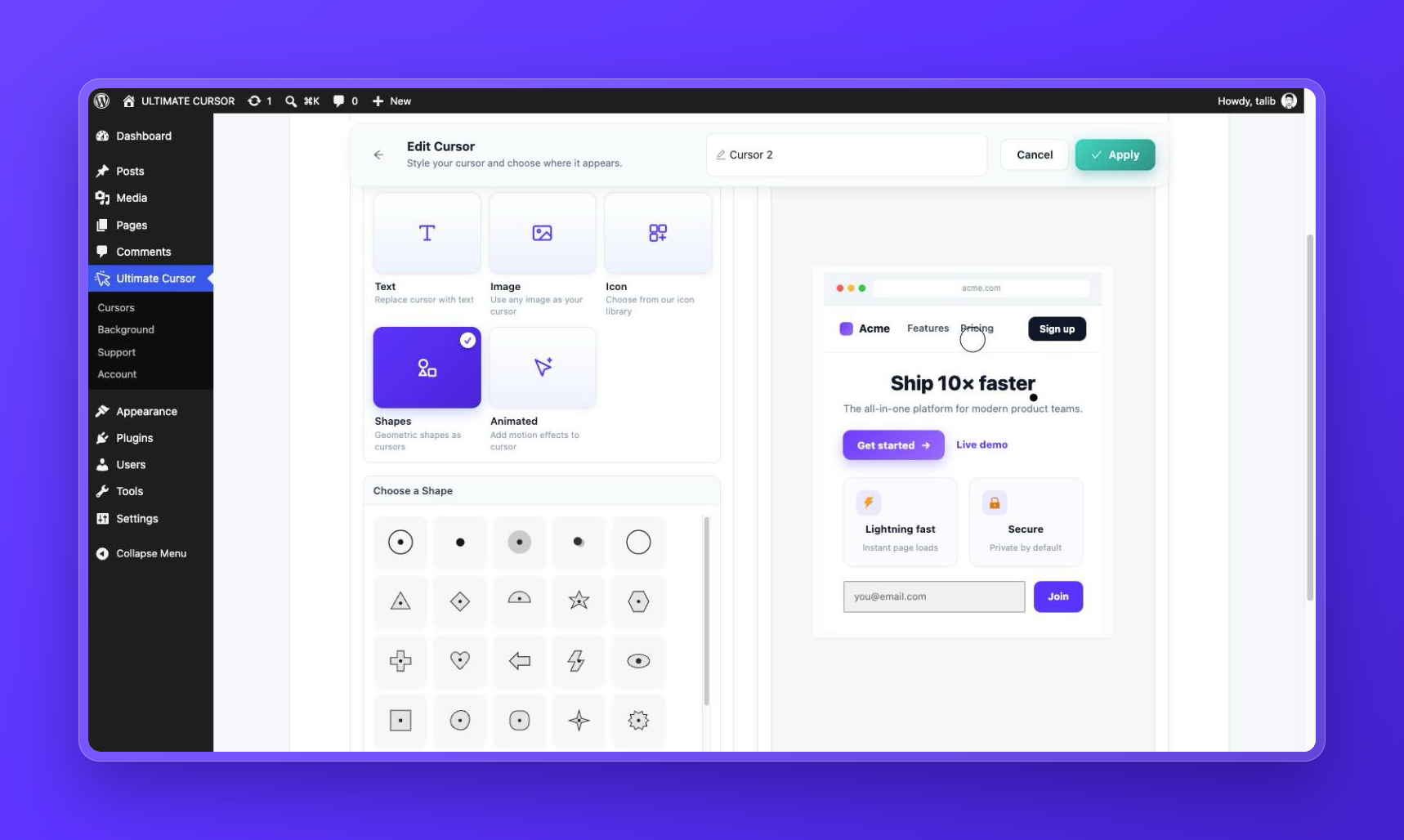
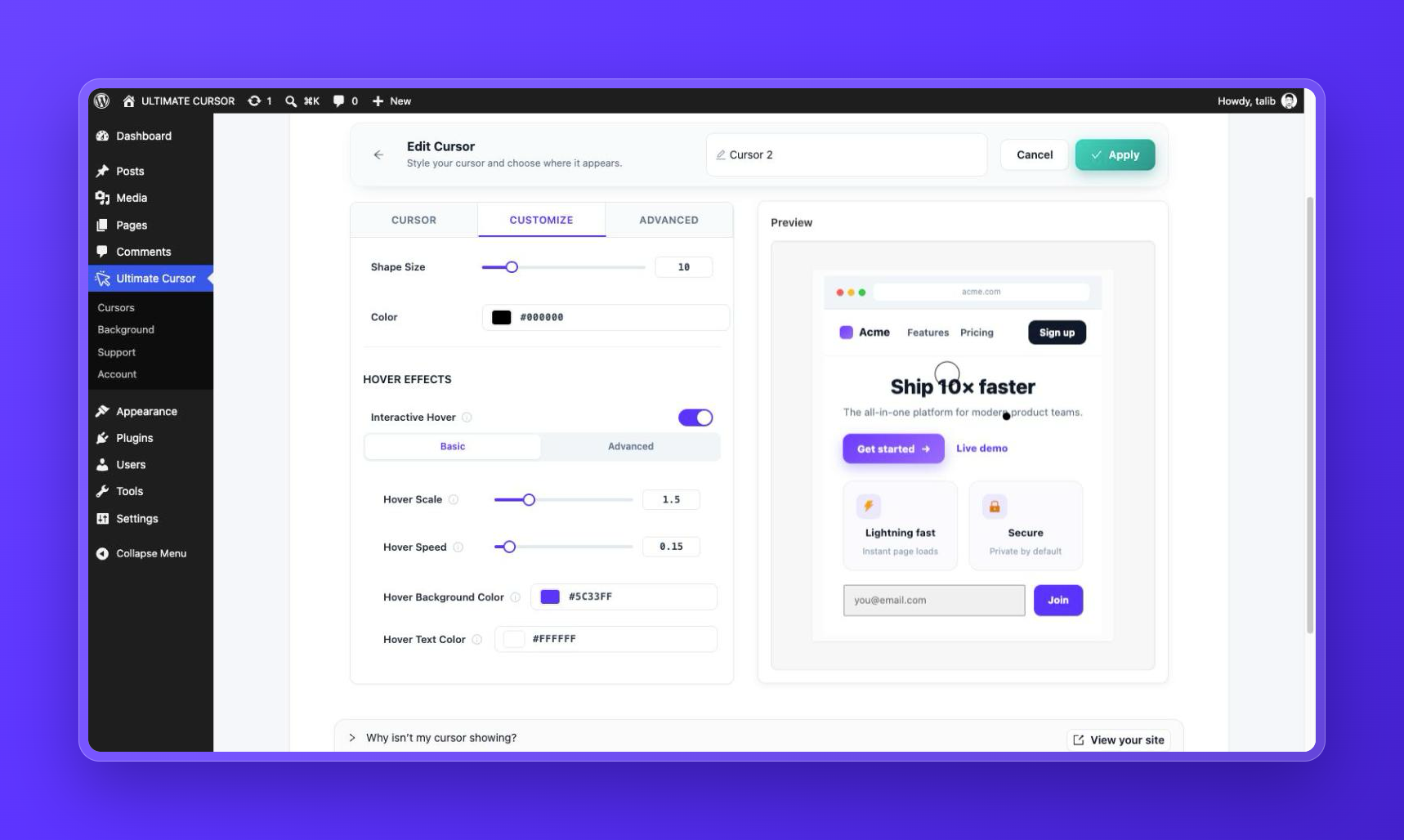
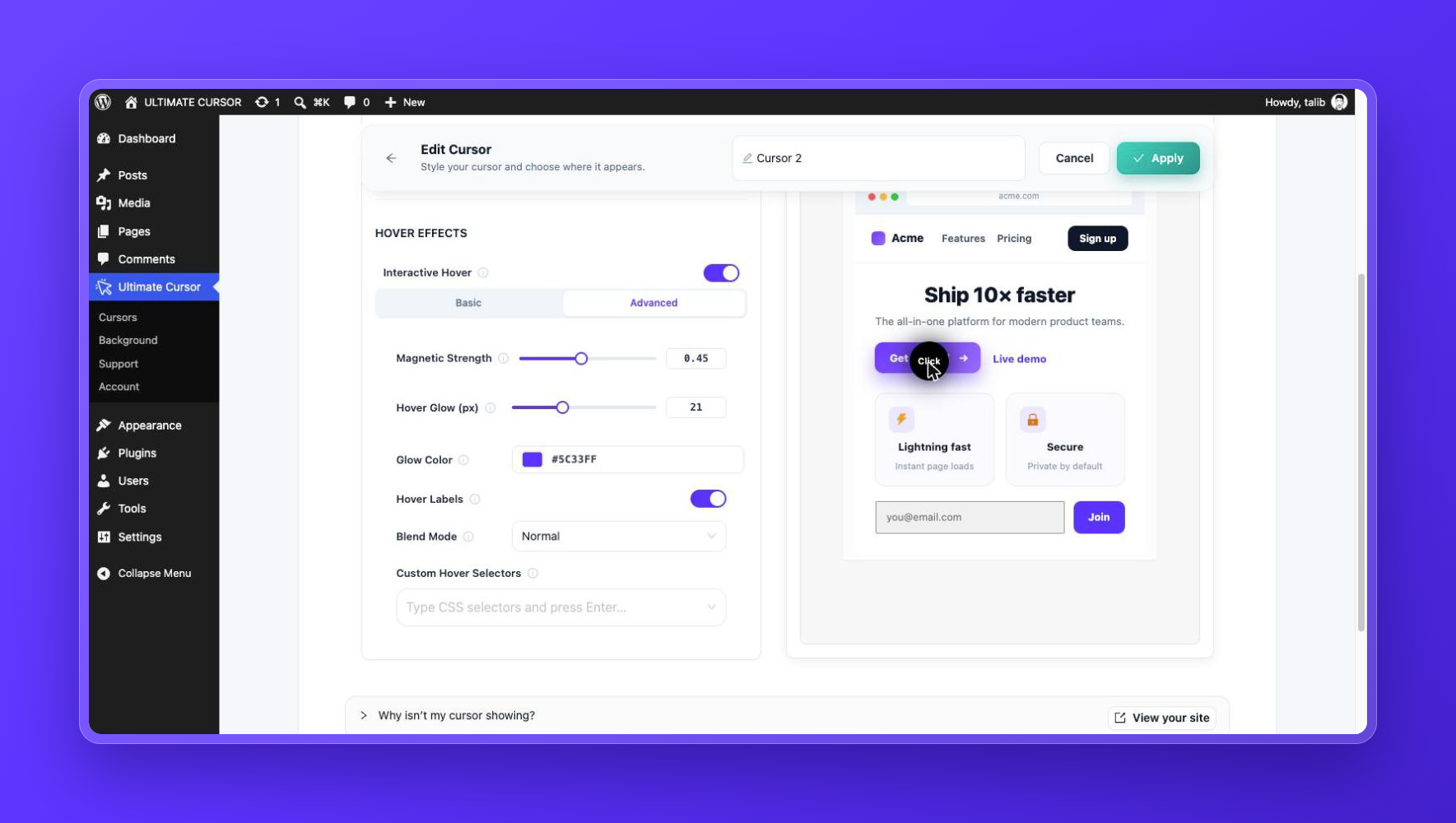
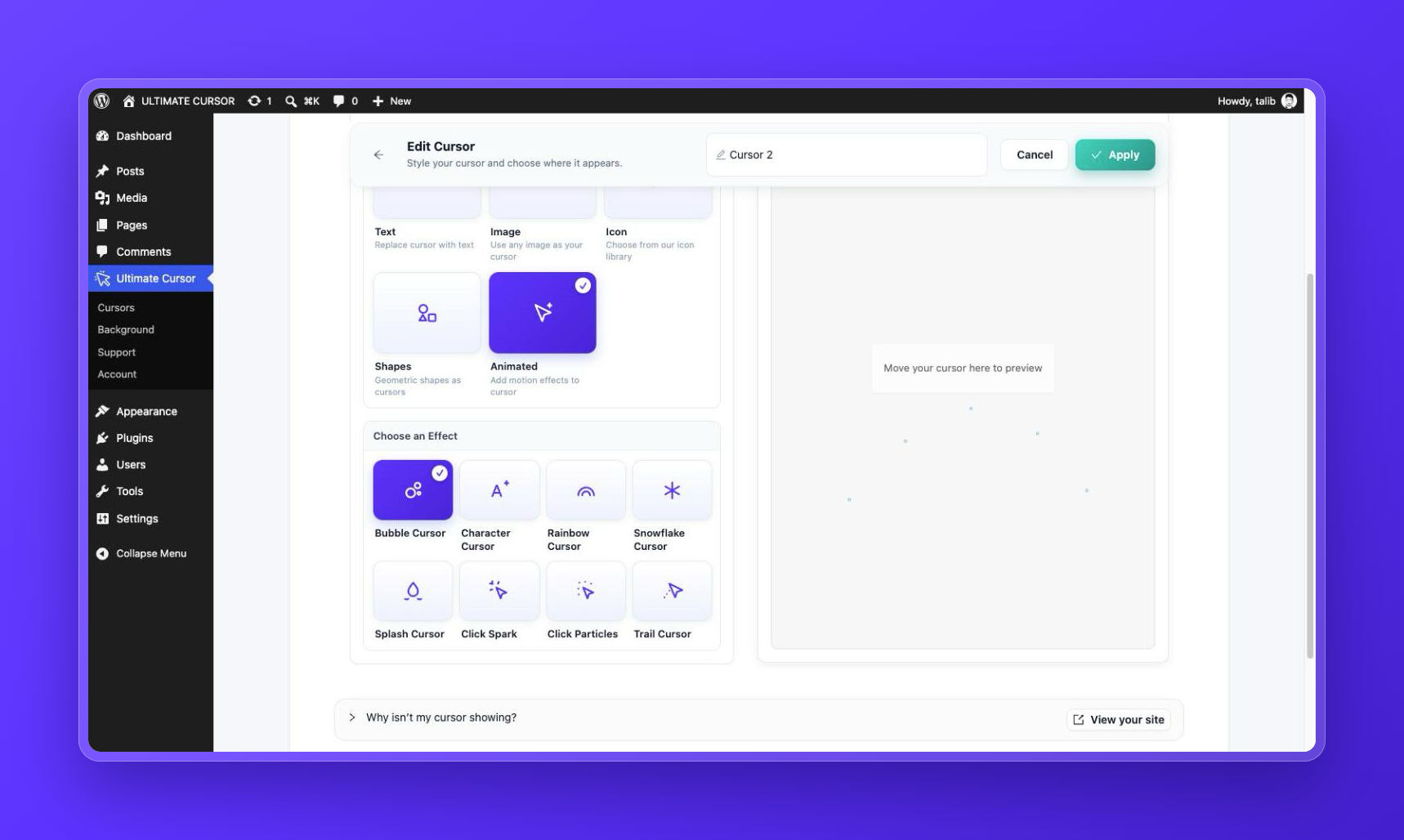
Pour les développeurs
Est-ce votre plugin ? Montrez les chiffres.
Ajoutez un badge en direct à votre site, docs ou github readme. Il se met à jour par lui-même - aucun compte n'est nécessaire.
Best Ultimate Cursor alternatives
All animated cursor plugins →FAQ
Ultimate Cursor: quick answers
Réponses directes, extraites des données en direct WordPress.org.
Source : WordPress.org
Is Ultimate Cursor free?
Yes. Ultimate Cursor is free to download and use from the official WordPress.org plugin directory.
Is Ultimate Cursor safe to use in 2026?
Ultimate Cursor is a solid plugin choice in 2026, with a few things worth checking first. It runs on 3K+ sites, is rated 4.5/5 and was last updated 16 hours ago, and scores 77/100 on our health check.
How many websites use Ultimate Cursor?
Ultimate Cursor is active on 3K+ WordPress websites and has been downloaded 72,012 times since it launched in August 2022. It was downloaded 4,042 times in the last 30 days.
Does Ultimate Cursor work with WordPress 7.1?
Yes. The developer has tested Ultimate Cursor up to WordPress 7.1.5, the latest release. It requires WordPress 6.0 or newer.
What PHP version does Ultimate Cursor need?
Ultimate Cursor requires PHP 7.4 or higher. Most hosts run PHP 8.x today, so it works on any modern WordPress hosting.
When was Ultimate Cursor last updated?
The latest version, 2.5.3, was released on November 18, 2026 (16 hours ago).
Who makes Ultimate Cursor?
Ultimate Cursor is developed and maintained by WPXERO.
What are the best alternatives to Ultimate Cursor?
The most popular alternatives to Ultimate Cursor are Custom Cursor For WP (1K+ installs) and Cursora (<10 installs).
Propulsé par PageForge
Un modèle et une feuille de calcul. Une vraie page pour chaque recherche.
PageForge transforme chaque ligne d'un CSV en une page WordPress avec son propre titre, URL, SEO et schéma, construit sur la mise en page que vous Déjà conçu. Gratuit sur WordPress.org.
- CSV et XLSX, plus Google Sheets sur les professionnels et les entreprises
- Son propre titre, URL, SEO champs et schéma pour chaque page
- Fonctionne avec l'éditeur de blocs, Elementor, Divi et Avada
- Gratuit sur WordPress.org, pas de carte de crédit