

CSS & JavaScript Toolbox
Add CSS, JavaScript, PHP and HTML code snippets to your site.

Choix solide
CSS & JavaScript Toolbox is a solid plugin choice in 2026, with a few things worth checking first. It runs on 10K+ sites, is rated 4.8/5 and was last updated 3 months ago, and scores 78/100 on our health check.
- Prouvé à grande échelle sur plus de 10 000 sites actifs
- Loved by users — 4.8/5 from 84 reviews
Comment s'accumule-t-il ?
Côte à côte sur les installations, les mises à jour, les évaluations et le support



Téléchargements quotidiens
Les pics de téléchargement suivent généralement une nouvelle version - chaque site qui met à jour automatiquement compte comme un téléchargement.
Classements
Where CSS & JavaScript Toolbox stands todayWordPress.org Classements de recherche
Position en direct dans la recherche de plugins, Top 100| Mot-clé | Position |
|---|---|
| code | >100 |
| Javascript | #1 |
| php | #36 |
| scripts | #24 |
| snippets | #32 |
Adoption de version
Part de sites actifs par version.
Répartition des notes
★★★★★★★★★★ 4.8 from 84 reviews
About CSS & JavaScript Toolbox
From the official readme · v12.0.7Description
Safely add CSS, JavaScript, PHP or HTML to unique code blocks, then choose where it goes on your site.
IDEAL FOR:
- Making CSS front-end changes – No need to modify theme files or work with tedious built-in theme options. Just create a CSS code block.
- Adding site functionality – Stop adding plugins for simple tasks as they can slow down your site. Create a JavaScript or PHP code block instead.
- Adding widgets, code snippets and third-party scripts – Code blocks are perfect for adding scripts such as Google Analytics and chat widgets to your website.
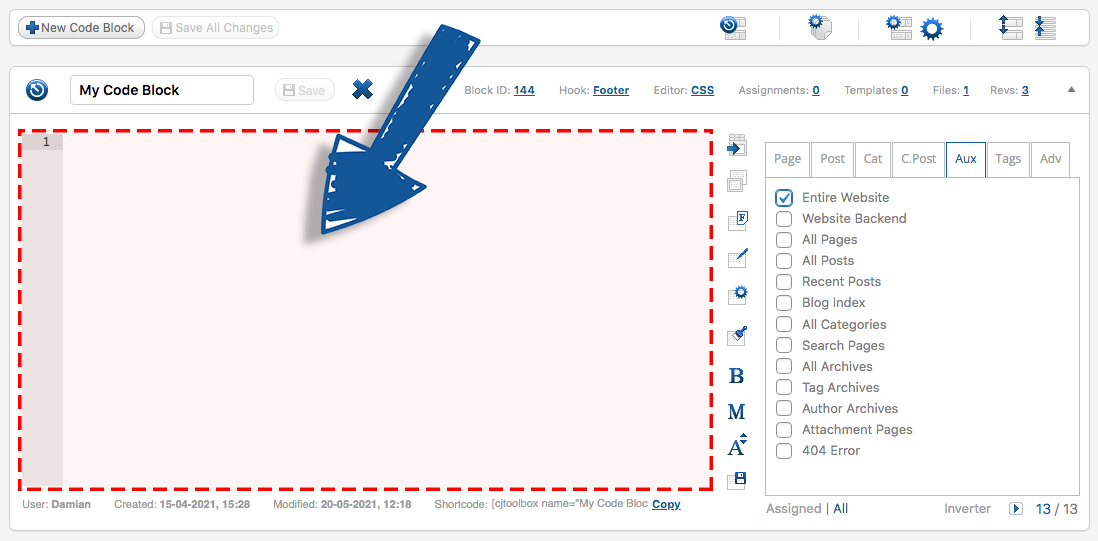
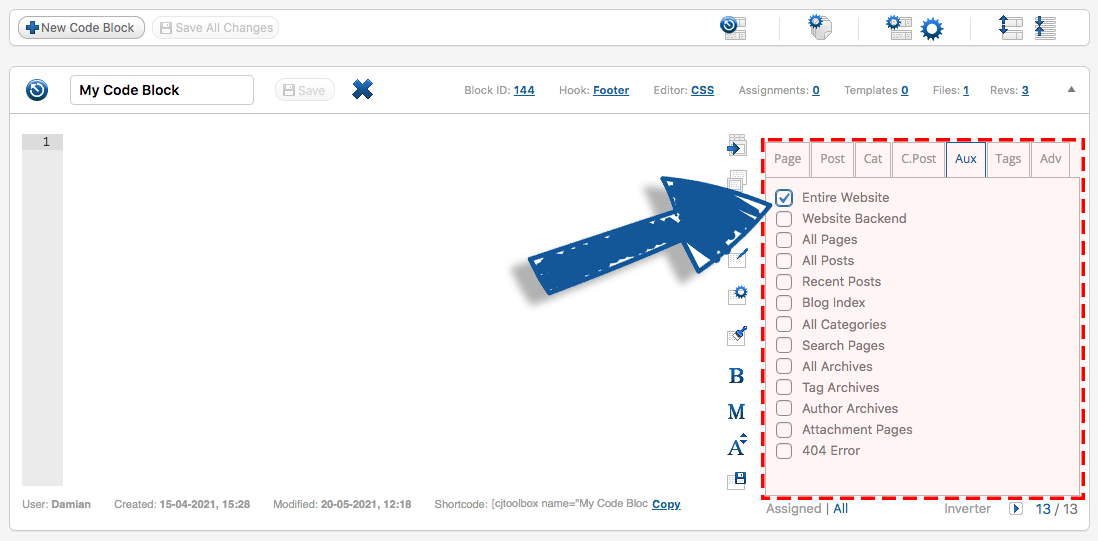
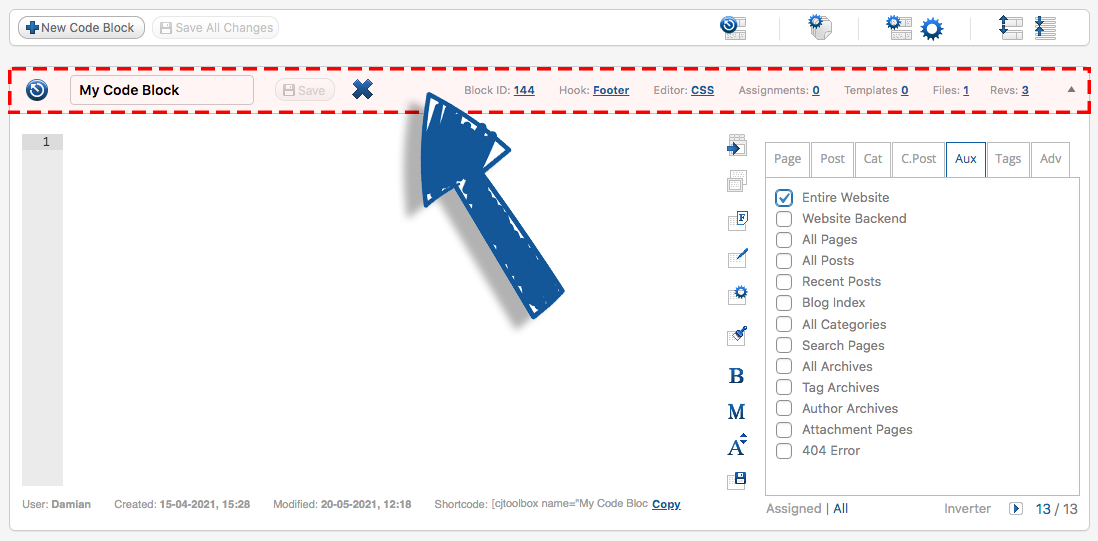
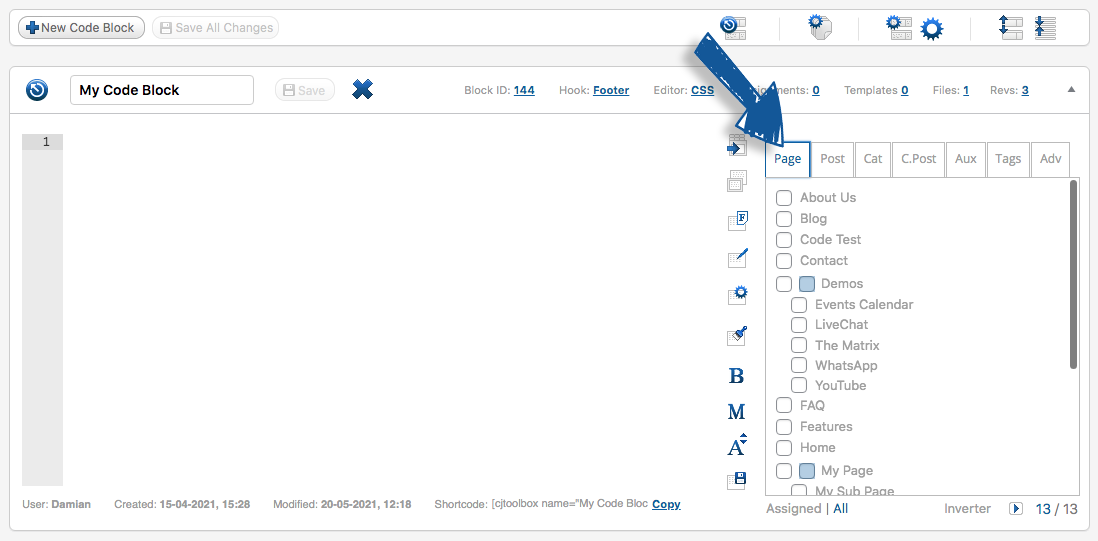
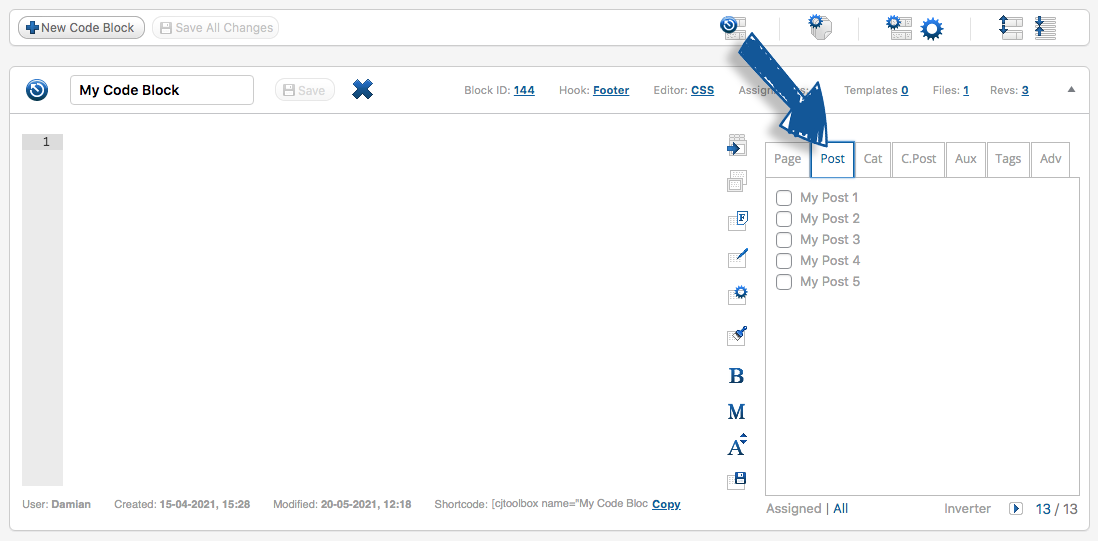
CJT is built on the concept of a code block. Each code block is more than just a code editor. It also contains a location editor so you can click the sections of your website you want your code to run.
It was designed for super-fast development without any cumbersome page refreshing. Create as many code blocks as you need and see all of your code and locations in the one dashboard. Don’t worry, CJT has been optimised to handle 100’s of code blocks and thousands of locations (i.e. Pages, Posts, Categories, Custom Posts, etc).
Click for CSS & JavaScript Toolbox PLUS
FEATURES:
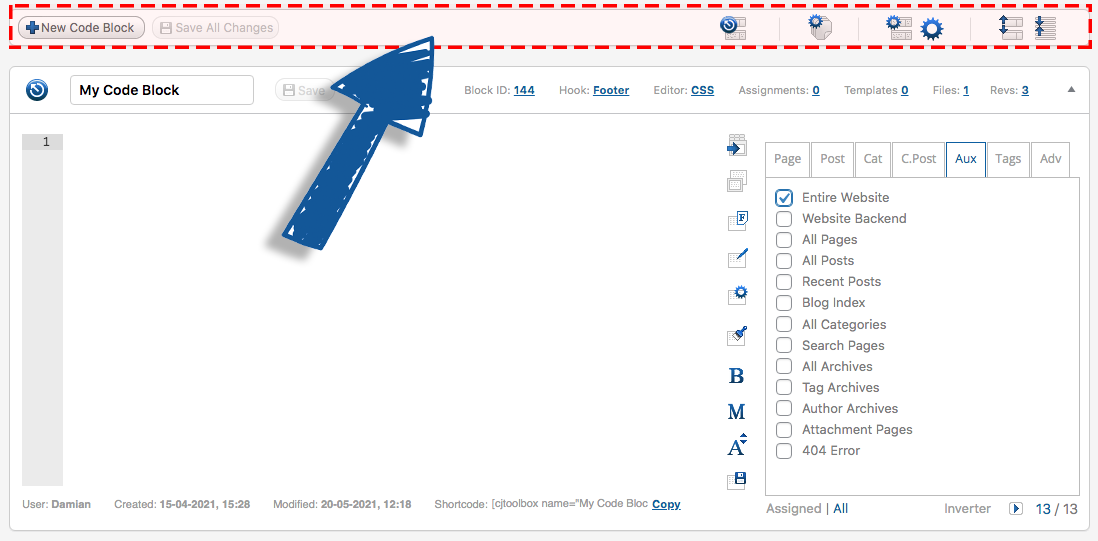
- Easy to use ‘code blocks’ interface
- Powerful code editor
- Intuitive assignment panel (click where your code goes)
- Code/script library management
- Add code to the header or footer hook
- PREMIUM Add code to entire website, all posts, etc
- PREMIUM Add code via shortcodes, widgets, Gutenburg blocks, etc
- PREMIUM Add code via tags, URLs, regular expressions
- PREMIUM 8 additional hooks for more precise assignments
- PREMIUM Invert feature (run code everywhere but …)
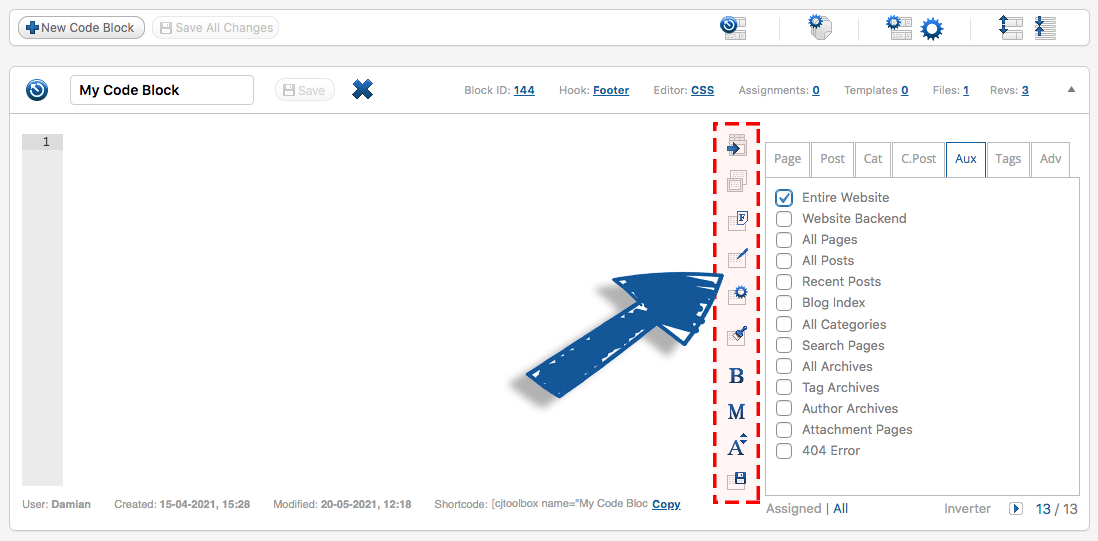
- PREMIUM Editor tools (code auto complete, beautify/minify, etc)
- PREMIUM Code revisions system
- PREMIUM Backup and export/import system
Click for CSS & JavaScript Toolbox PLUS
OVERVIEW VIDEO
Installation
- If you’re upgrading from older versions its highly recommended to backup your database before upgrading.
- Upload the ‘css-javascript-toolbox’ folder to the ‘/wp-content/plugins/’ directory
- Activez le plugin via le menu « Plugins » dans WordPress
- Click ‘CSS & JavaScript Toolbox’ link in the main navigation (left side of your Dashboard).
Journal de modifications
Security: Hardened the AJAX access point against unvalidated module and action names Security: Removed the last use of create_function(), removed in PHP 8.0 Maintenance: Dead files, unused images and a duplicate PHP version check removed from the package
12.0.7
- Security: Fixed a stored XSS in the [cjtoolbox] shortcode (CVE-2025-14814) – the user-supplied
tagattribute is now validated against a strict allow-list of inert HTML elements, so it can no longer be set toscript(or any other executable/dangerous element) to wrap shortcode content in an executable tag - Security: Fixed authenticated stored XSS in the code-block admin screens (CVE-2025-13533) – the block name, assigned URLs and assignment expressions are now HTML-escaped everywhere they are rendered in the admin (esc_attr/esc_html/esc_textarea), and the block name is additionally sanitized server-side on save/create so quotes and angle brackets can no longer be persisted by bypassing the client-side validation
- Security: Hardened the AJAX access point – the module prefix and action name from the request are now strictly validated, and an unrecognised module can no longer register a loader or redirect the controller lookup path
- Security: Removed the last use of the
create_function()API, which was removed in PHP 8.0 - Fixed: The dashboard “Latest News” headline now links to the news item itself instead of a hardcoded destination
- Fixed: The update hook no longer reads missing array keys or queries the database during unrelated plugin updates
- Fixed: The unsupported-PHP admin notice now reports the real minimum version (7.4) instead of 7.3
- Changed: The dashboard header banner now promotes CSS & JavaScript Toolbox PLUS, and is hidden for users who already have PLUS installed
- Enhancement: Removed unused images, dead stylesheet rules, stray OS metadata files and a duplicate PHP version check from the plugin package
12.0.6
- Security: Fixed sanitization vulnerability in Template Manager
- Security: Fixed sanitization vulnerability in Blocks Coupling controller
- Enhancement: Improved plugin security and stability
12.0.5
- Fixed: Improved plugin security and stability
12.0.4
- Fixed: Improved plugin security and stability
12.0.3
- Security: Fixed path traversal vulnerability in controller routing
- Security: Added input validation to prevent arbitrary file inclusion
- Enhancement: Improved plugin security and stability
12.0.2
- Fix: Text domain header issue
- Fix: Old PHP notices and warnings
- Enhancement: Improved plugin stability
Captures d'écran

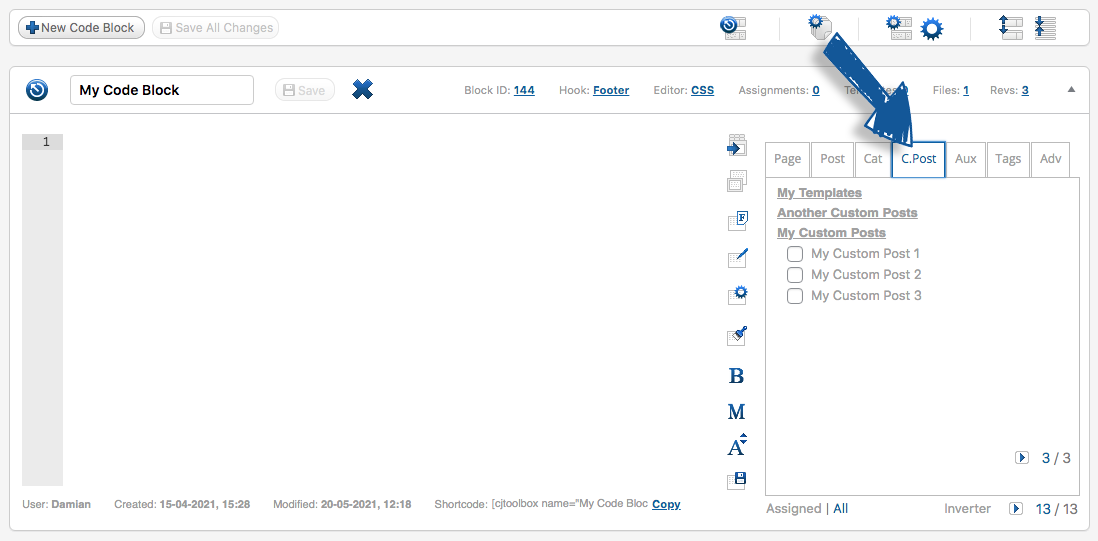
Pour les développeurs
Est-ce votre plugin ? Montrez les chiffres.
Ajoutez un badge en direct à votre site, docs ou github readme. Il se met à jour par lui-même - aucun compte n'est nécessaire.
Best CSS & JavaScript Toolbox alternatives
Tous les plugins de code →




FAQ
CSS & JavaScript Toolbox: quick answers
Réponses directes, extraites des données en direct WordPress.org.
Source : WordPress.org
Is CSS & JavaScript Toolbox free?
Yes. CSS & JavaScript Toolbox is free to download and use from the official WordPress.org plugin directory.
Is CSS & JavaScript Toolbox safe to use in 2026?
CSS & JavaScript Toolbox is a solid plugin choice in 2026, with a few things worth checking first. It runs on 10K+ sites, is rated 4.8/5 and was last updated 3 months ago, and scores 78/100 on our health check.
How many websites use CSS & JavaScript Toolbox?
CSS & JavaScript Toolbox is active on 10K+ WordPress websites and has been downloaded 552,977 times since it launched in September 2011. It was downloaded 2,074 times in the last 30 days.
Does CSS & JavaScript Toolbox work with WordPress 7.1?
CSS & JavaScript Toolbox is officially tested up to WordPress 7.0.9, while the latest release is 7.1.5. It may still work, but try it on a staging site first.
What PHP version does CSS & JavaScript Toolbox need?
CSS & JavaScript Toolbox requires PHP 7.4.0 or higher. Most hosts run PHP 8.x today, so it works on any modern WordPress hosting.
When was CSS & JavaScript Toolbox last updated?
The latest version, 12.0.7, was released on August 26, 2026 (3 months ago).
Who makes CSS & JavaScript Toolbox?
CSS & JavaScript Toolbox is developed and maintained by wipeoutmedia.
What are the best alternatives to CSS & JavaScript Toolbox?
The most popular alternatives to CSS & JavaScript Toolbox are WPCode (3M+ installs), Code Snippets (1M+ installs) and Head & Footer Code (100K+ installs).
Propulsé par PageForge
Un modèle et une feuille de calcul. Une vraie page pour chaque recherche.
PageForge transforme chaque ligne d'un CSV en une page WordPress avec son propre titre, URL, SEO et schéma, construit sur la mise en page que vous Déjà conçu. Gratuit sur WordPress.org.
- CSV et XLSX, plus Google Sheets sur les professionnels et les entreprises
- Son propre titre, URL, SEO champs et schéma pour chaque page
- Fonctionne avec l'éditeur de blocs, Elementor, Divi et Avada
- Gratuit sur WordPress.org, pas de carte de crédit