


Générateur de calculs de coûts
WP Cost Calculator is a simple and powerful tool that lets you create price estimation forms. Easily give your clients information about your services and product costs.

Choix
Yes — Cost Calculator Builder is a safe, well-maintained plugin to use in 2026. It runs on 20K+ sites, is rated 4.5/5 and was last updated 2 weeks ago, and scores 87/100 on our health check.
- Prouvé à grande échelle sur plus de 20 000 sites actifs
- Loved by users — 4.5/5 from 393 reviews
- Développé activement — Dernière mise à jour il y a 2 semaines
Comment s'accumule-t-il ?
Côte à côte sur les installations, les mises à jour, les évaluations et le support



Téléchargements quotidiens
Les pics de téléchargement suivent généralement une nouvelle version - chaque site qui met à jour automatiquement compte comme un téléchargement.
Classements
Where Cost Calculator Builder stands todayWordPress.org Classements de recherche
Position en direct dans la recherche de plugins, Top 100| Mot-clé | Position |
|---|---|
| calculator | #2 |
| calculator form builder | #5 |
| Calculateur de coûts | #1 |
| cost estimation | #1 |
| shipping calculator | #5 |
Adoption de version
Part de sites actifs par version.
Répartition des notes
★★★★★★★★★★ 4.5 from 393 reviews
About Cost Calculator Builder
From the official readme · v4.0.21Description
WP Cost Calculator is a simple and powerful tool that lets you create price estimation forms. Easily give your clients information about your services and product costs.
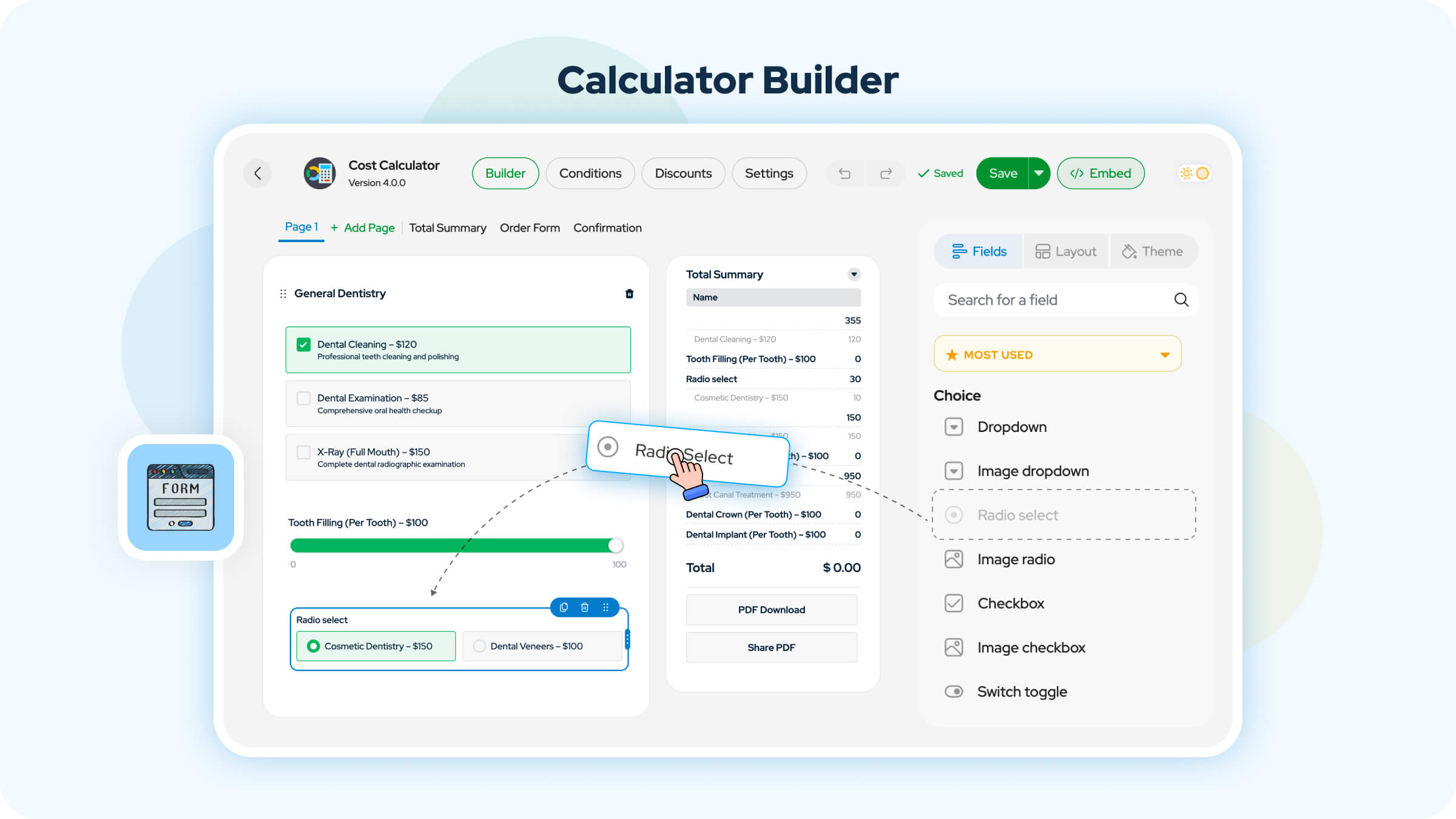
This tool helps you build any type of estimation form in minutes. The Calculator WordPress plugin has its own drag-and-drop form builder. You can create an unlimited number of calculation forms and embed them into any page or post with no coding.
⭐ Cost Calculator PRO
⭐ Live Demo
⭐ Documentation
⭐ Facebook Community
Our calculator plugin for WordPress is intuitive and beginner-friendly. Cost Calculator is especially suitable if your services or products have variable costs.
🎯 Perfect for:
Freelancers, creative agencies, local services, salons, repair shops, real estate pros, educational institutions, and more.
If you need to make a price calculator to estimate your project costs, this tool is for you. Need a loan calculator? A service quote form? An order estimator? This plugin can handle it all—fast.
Let WP Cost Calculator become your virtual assistant and boost conversions on your website.
🧩 10 Core WordPress Calculator Elements:
○ Text field
○ Formula
○ Quantity field
○ Dropdown
○ Switch toggle
○ Radio select
○ Checkbox
○ Basic slider
○ HTML
○ Divider
🚀 More advanced elements in Cost Calculator Pro:
○ Multi range
○ File upload
○ Image dropdown
○ Image checkbox
○ Image radio
○ Date picker
○ Time picker
○ Repeater
○ Group
○ Geolocation
○ Validated form
○ Page breaker
🎨 Element Style options:
Show input options in multiple formats—vertically or horizontally.
Radio select:
○ Default
○ Boxed
○ Boxed with radio
Checkboxes:
○ Default
○ Boxed
○ Boxed with checkbox
○ Boxed with description
○ Boxed with checkbox and description
Switch toggle buttons:
○ Default
○ Boxed with toggle and description
Quantity:
○ Default
○ Side buttons
Basic slider & Multi range:
○ Default
○ Small
○ Multi point
○ Flat minimal
○ Modern
○ Input
Page breaker:
○ Circle steps with line
○ Circle tabs
○ Rectangle steps with line
○ Rectangle tabs
○ Progress with circle
○ Progress with bar
○ Hidden
Image checkbox & Image radio:
○ Default
○ Box with icon
○ Vertical
○ Horizontal
🌟Cost Calculator Builder PRO Features
The Premium version includes the following features:
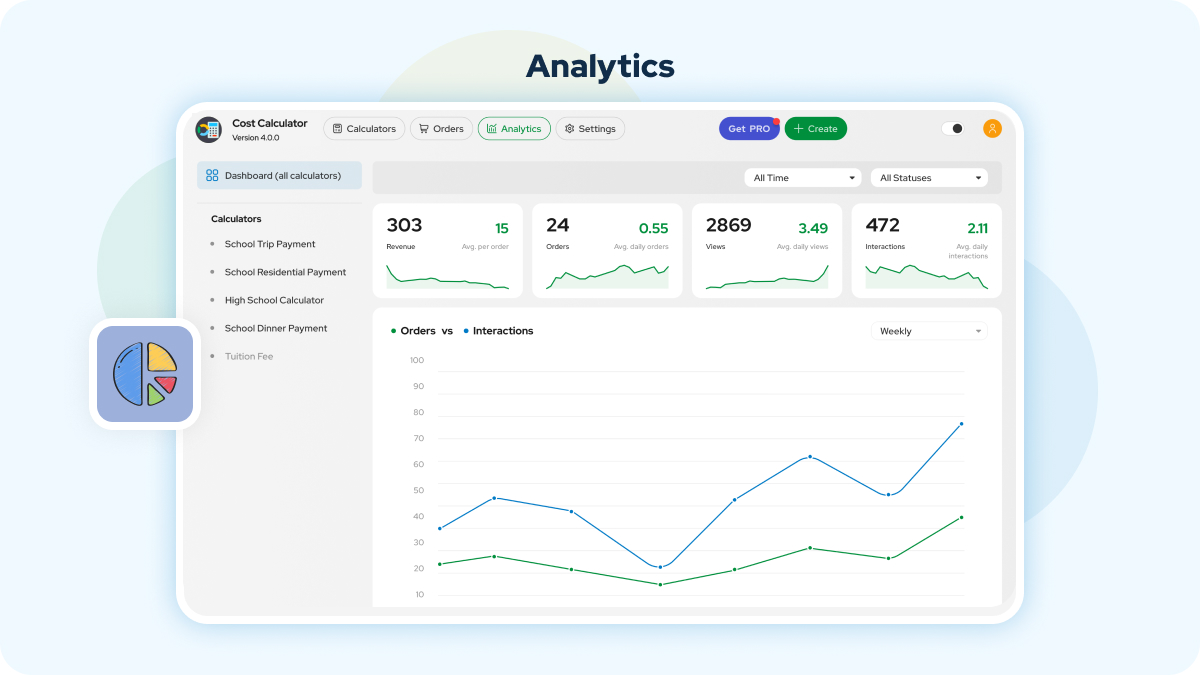
○ Analytics – See how each calculator and field performs with views, submissions, and revenue stats in one place.
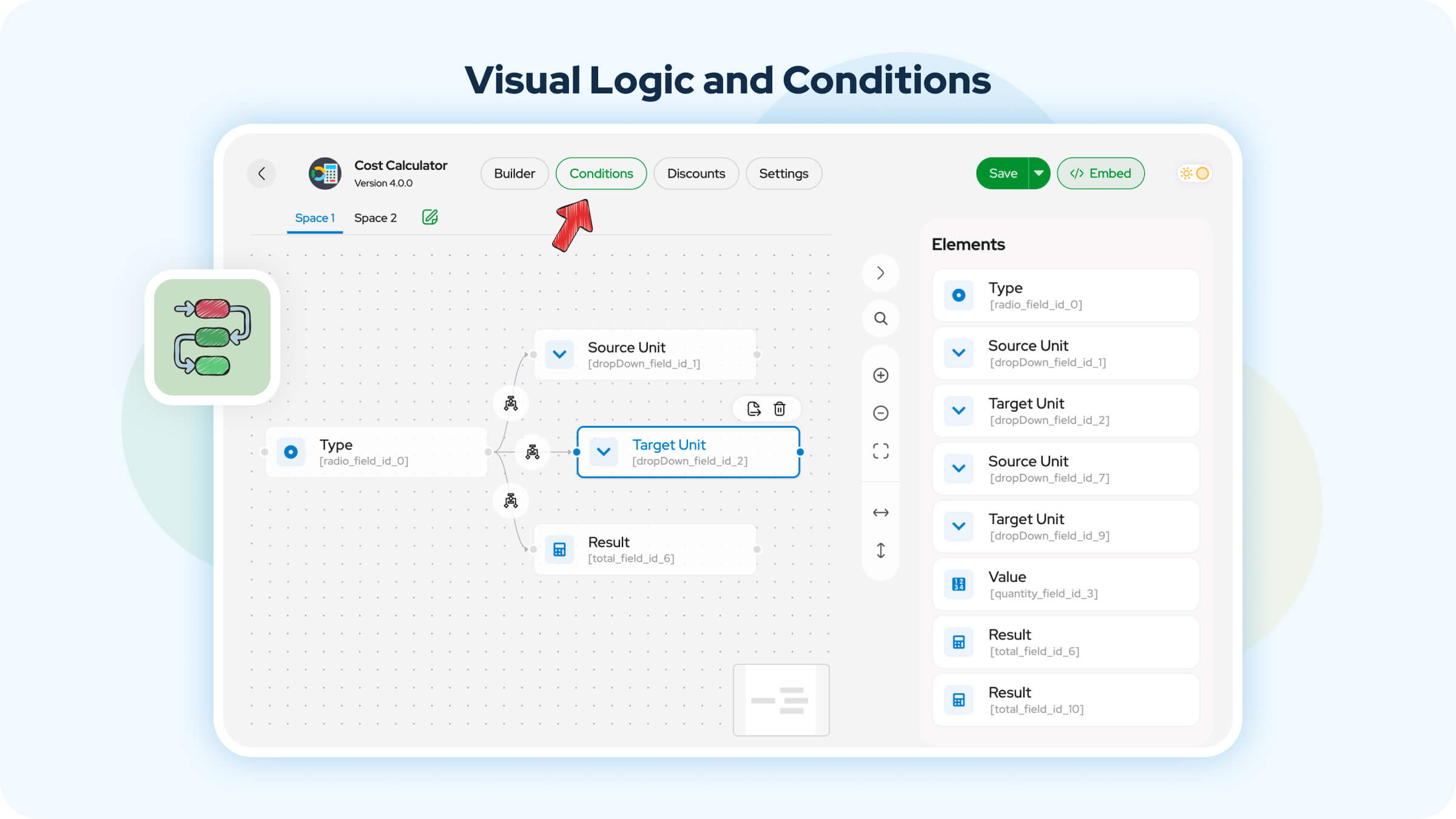
○ Conditional system – Show/hide or enable/disable fields based on user input.
○ Repeater – Let users repeat a group of fields to calculate costs for multiple items, people, or services.
○ Group Field – Group fields together and display them conditionally based on selected options.
○ Validated Form – Lets users create forms with fields for emails, numbers, and URLs.
○ Email Templates – Send personalized emails to clients after form submissions.
○ WooCommerce Integration – Let customers calculate the price of your WooCommerce products depending on cost calculator variables and custom formulas.
○ Page Breaker – Improve long forms by splitting them into multiple steps.
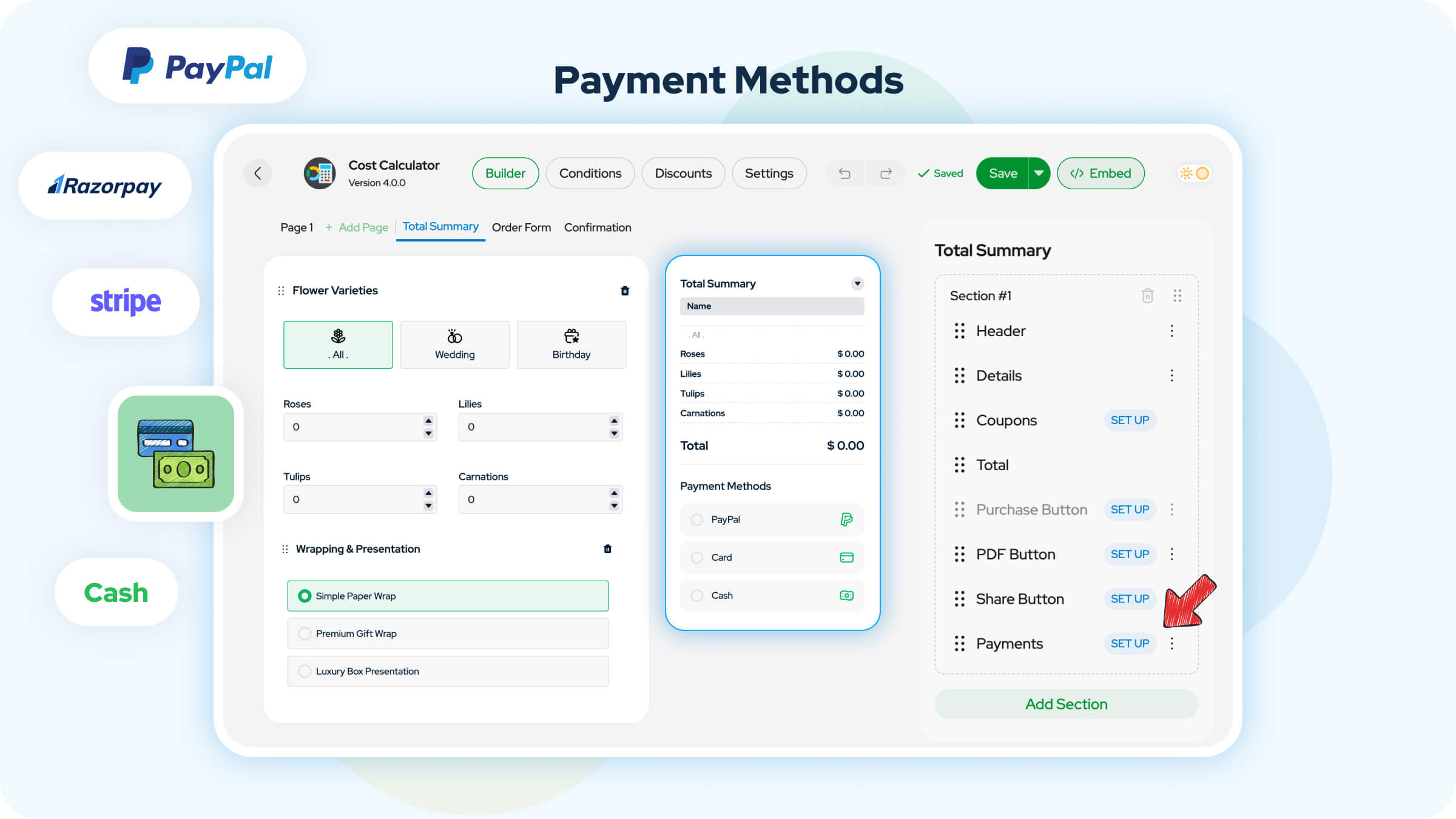
○ PayPal – Get paid online using PayPal accounts.
○ Stripe – Accepts payments with credit/debit cards and digital wallets.
○ Razorpay – Add support for various Indian payment methods.
○ Cash payments – Give flexibility to customers with cash payment options.
○ File Upload – Set a module where the users attach any type of file to the calculator.
○ Sticky Calculator – Add a floating button or sticky banner that keeps the calculator visible as users scroll.
○ Discounts – Offer discounts for a specific period or by using a promo code.
○ Geolocation – Automatically detect the user’s location or allow them to calculate cost by selecting two points on the map.
○ PDF Entries – Generate downloadable and printable PDF invoices from user submissions.
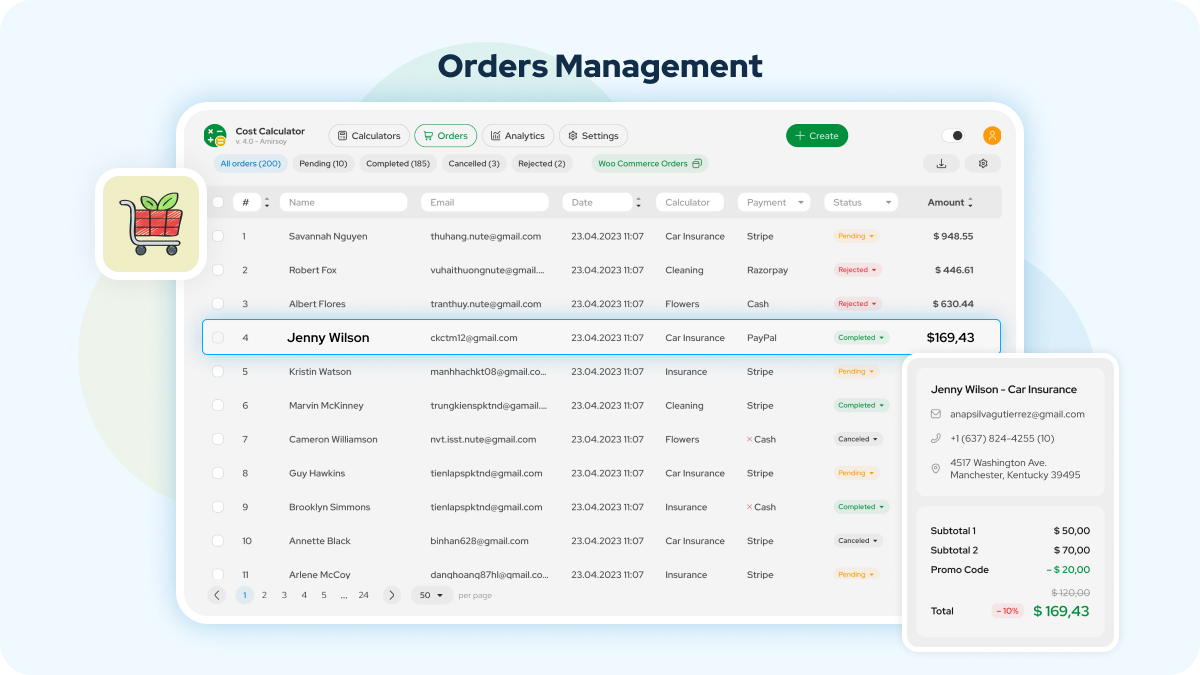
○ Orders Dashboard – Track and manage your customers’ orders in Dashboard.
○ Order Form Manager – Collect and process customer order details.
○ Contact Form 7 Integration – Seamless communication with your customers.
○ Custom Webhooks – Automate business workflows with Zapier, Make, IFTTT, and more.
○ reCAPTCHA – Protect forms from spam and bots using Google reCAPTCHA.
○ Date Picker – Add a compact calendar with a range of days to your calculator.
○ Time Picker – Allow to choose a specific time or a time range to provide a service or make an appointment.
○ Multi-Range Slider – Let users select a range of values using two adjustable handles.
○ Image Dropdown – Show dropdown options with images for more visual selections.
○ Share Quote Form – Send a generated invoice/order (after calculations) to a client’s email in one click.
○ Image Checkbox – Improve checkbox options by showing images next to each item.
○ Image Radio – Similar to image checkboxes, but only one option can be selected.
You can assign values to any form element, and WP Cost Calculator will instantly calculate the total. You also have full control to create custom formulas using addition, subtraction, multiplication, or division. Easily embed your calculators anywhere using shortcodes.
Don’t worry about customization! Adjust colors, fonts, and background freely to match your website’s style and brand without limitations.
100+ Ready-made Form Templates
Cost Calculator plugin for WordPress comes with a library of form templates. They make it easy for various businesses to create, edit, save and use contact, booking, payment order, or pricing form without designing from scratch.
There are over 100 ready-made form templates sorted by business type that you can import and use right away. Whether you’re selling custom products or services with flexible pricing, this calculator plugin helps you create forms tailored to what you offer:
– Printing Service
– Graphic & Web Designers
– Car & Vehicle Rental
– Loan Calculator
– Beauty Salon Service
– Home Remodeling & Renovation
– Car Wash Service
– Delivery Service
– Dental Services
– Medical Services
– Tuition Fees
– Venue Rentals
– Wedding Planners
– Body Mass Index (BMI)
– Funeral Home Company
– Energy Consumption
– Internet Marketing
– Tax Calculator
– Web Hosting Services
– Trucking
– Electrician Services
– And even more!
Explore the ready-to-use Templates page and try them on our live demo.
Start building quote calculators that convert visitors into paying clients faster and smarter with WP Cost Calculator.
Cost Calculator Community on Facebook
You can visit our Cost Calculator group on Facebook to get the latest updates, engage with other users, and share your thoughts.
More Awesome Free Plugins by Stylemix
⭐ MasterStudy – All-in-One WordPress LMS Plugin
⭐ Motors – Car Dealership & Classified Listings Plugin
⭐ Zoom Meetings and Webinars Plugin — eRoom
⭐ Free Classifieds and Listings Plugin – uListing
Installation
Cette section décrit comment installer le plugin et le faire fonctionner.
- Téléchargez les fichiers du plug-in dans le répertoire
/wp-content/plugins/ou installez directement le plugin via l'écran des plugins WordPress. - Activez le plugin via l'écran "Plugins" dans WordPress
- Please find more details on Plugin Installation in documentation
- Set Up Page in Menu -> Calculator Builder.
Also, you can import the demo sample using Tools -> Import -> WordPress Import.
Demo sample XML file included in plugin archive.
Journal de modifications
4.0.21
- Fix: Minor bugfixes.
4.0.20
- Fix: Minor bugfixes.
4.0.19
- Fix: Fixed an issue where the preloader loaded endlessly after Stripe 3D Secure authentication.
4.0.18
- Fix: Fixed an issue where numbers in the Summary moved to a new line when Summary After Last Page was enabled with a higher number of decimals.
- Fix: Fixed an issue where the “Choose File” and “Add to cart” strings could not be translated using Loco Translate.
- Fix: Fixed an issue where the PDF file did not download on the first click of the PDF Download button and required a second click.
4.0.17
- Fix: Fixed an issue where Contact Form 7 content was not saved and reverted to the previously saved version after clicking Save.
- Fix: Fixed an issue where WPML did not recognize calculator fields with dynamic text.
- Fix: Fixed an issue where the country code dropdown in the Validated Form Phone field did not open when the field was near the bottom of the browser window.
- Fix: Fixed an issue where orders could not be downloaded because the export button was disabled.
4.0.16
- Fix: Fixed an issue where newline characters entered in textarea fields were displayed incorrectly in the cart and emails.
Captures d'écran




Pour les développeurs
Est-ce votre plugin ? Montrez les chiffres.
Ajoutez un badge en direct à votre site, docs ou github readme. Il se met à jour par lui-même - aucun compte n'est nécessaire.
Best Cost Calculator Builder alternatives
All calculator plugins →




FAQ
Cost Calculator Builder: quick answers
Réponses directes, extraites des données en direct WordPress.org.
Source : WordPress.org
Is Cost Calculator Builder free?
Yes. Cost Calculator Builder is free to download and use from the official WordPress.org plugin directory.
Is Cost Calculator Builder safe to use in 2026?
Yes — Cost Calculator Builder is a safe, well-maintained plugin to use in 2026. It runs on 20K+ sites, is rated 4.5/5 and was last updated 2 weeks ago, and scores 87/100 on our health check.
How many websites use Cost Calculator Builder?
Cost Calculator Builder is active on 20K+ WordPress websites and has been downloaded 3,112,329 times since it launched in August 2019. It was downloaded 29,868 times in the last 30 days.
Does Cost Calculator Builder work with WordPress 7.1?
Cost Calculator Builder is officially tested up to WordPress 7.0.9, while the latest release is 7.1.5. It may still work, but try it on a staging site first.
What PHP version does Cost Calculator Builder need?
Cost Calculator Builder requires PHP 7.4 or higher. Most hosts run PHP 8.x today, so it works on any modern WordPress hosting.
When was Cost Calculator Builder last updated?
The latest version, 4.0.21, was released on November 9, 2026 (2 weeks ago).
Who makes Cost Calculator Builder?
Cost Calculator Builder is developed and maintained by Stylemix.
What are the best alternatives to Cost Calculator Builder?
The most popular alternatives to Cost Calculator Builder are Cost Calculator for Contact… (5K+ installs), Mortgage Calculator (4K+ installs) and Calculator Builder (1K+ installs).
Propulsé par PageForge
Un modèle et une feuille de calcul. Une vraie page pour chaque recherche.
PageForge transforme chaque ligne d'un CSV en une page WordPress avec son propre titre, URL, SEO et schéma, construit sur la mise en page que vous Déjà conçu. Gratuit sur WordPress.org.
- CSV et XLSX, plus Google Sheets sur les professionnels et les entreprises
- Son propre titre, URL, SEO champs et schéma pour chaque page
- Fonctionne avec l'éditeur de blocs, Elementor, Divi et Avada
- Gratuit sur WordPress.org, pas de carte de crédit