


Comment Beautifier
Transform spammy comments into friendly, engaging conversations with intelligent content replacement and URL removal.

Envisager une alternative
Comment Beautifier shows warning signs in 2026 — compare the alternatives below before installing. Was last updated 12 months ago, and scores 36/100 on our health check.
- Petite base d'utilisateurs (<10 installations actives)
- Très peu de critiques jusqu'à présent
- Uniquement testé jusqu'à WordPress 6,9 (le dernier est de 7,1)
Comment s'accumule-t-il ?
Côte à côte sur les installations, les mises à jour, les évaluations et le support



Téléchargements quotidiens
Les pics de téléchargement suivent généralement une nouvelle version - chaque site qui met à jour automatiquement compte comme un téléchargement.
Classements
Where Comment Beautifier stands todayWordPress.org Classements de recherche
Position en direct dans la recherche de plugins, Top 100| Mot-clé | Position |
|---|---|
| beautify | #31 |
| profit | >100 |
| les commentaires | >100 |
| moderation | >100 |
| Spam | >100 |
About Comment Beautifier
À partir du Lisez-moi officiel · v2.2Description
Comment Beautifier is a powerful WordPress plugin that helps website owners and moderators transform spammy, low-quality comments into genuine, engaging conversations. Instead of simply deleting suspicious comments, you can now convert them into valuable content that enhances your website’s discussion quality.
Principales caractéristiques
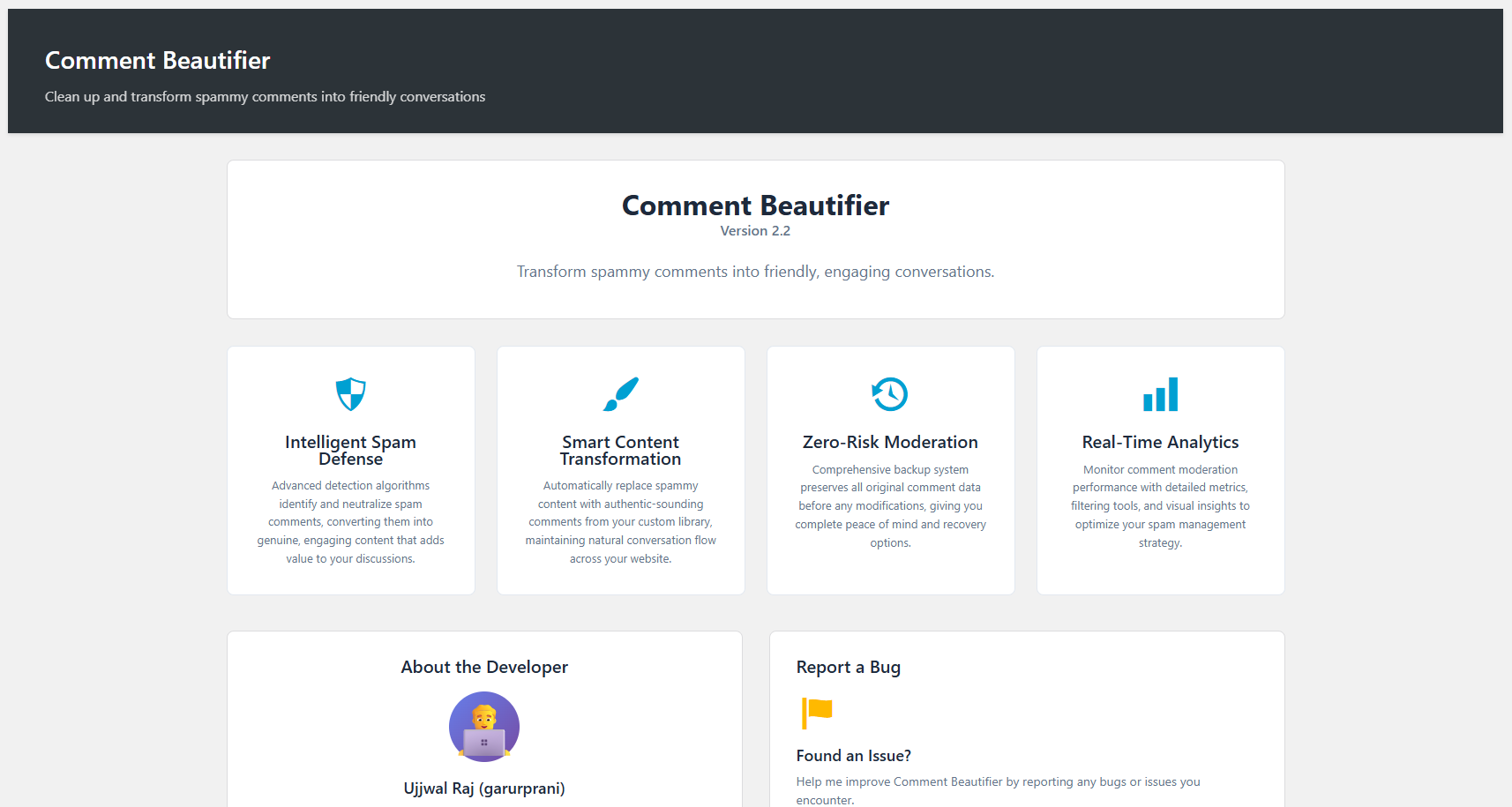
- Intelligent Spam Defense: Advanced detection algorithms identify and neutralize spam comments
- Smart Content Transformation: Automatically replace spammy content with authentic-sounding comments from your custom library
- Zero-Risk Moderation: Comprehensive backup system preserves all original comment data before any modifications
- Bulk Comment Management: Process multiple comments simultaneously with powerful bulk actions
- URL Removal Tools: Strip unwanted links and profile URLs from comments with one click
- Customizable Comment Library: Create your own library of friendly comments for automatic replacement
- Real-Time Analytics: Monitor comment moderation performance with detailed metrics and filtering tools
- Smart Filtering: Filter comments by status, links, profile URLs, or search for specific content
Comment cela fonctionne
- Detect: The plugin scans pending comments and identifies spammy patterns, URLs, and suspicious content
- Backup: Original comment content and author information are securely backed up before any changes
- Transform: Spammy content is replaced with friendly, engaging comments from your custom library
- Clean: Unwanted URLs and links are automatically removed from comment content
- Moderate: Approve cleaned comments to maintain genuine conversations on your website
Cas d'utilisation
- Blog Owners: Convert spam comments into genuine engagement
- Business Websites: Maintain professional comment sections free from spam
- Community Managers: Foster real conversations while filtering out low-quality content
- Content Creators: Save time on comment moderation while keeping discussions authentic
Soutien
For support, feature requests, or bug reports, please use the following channels:
- GitHub Issues: https://github.com/garurprani/comment-beautifier/issues
- Email: garurprani@gmail.com
- Documentation: https://github.com/garurprani/comment-beautifier
Contributing
We welcome contributions! Feel free to fork the plugin on GitHub and submit pull requests.
Traduction
The plugin is translation ready and includes .pot file for easy localization.
Crédits
Developed by Ujjwal Raj (garurprani) – Passionate about creating tools that make WordPress management easier and more efficient.
Special thanks to the WordPress community for continuous inspiration and support.
Licence
This program is free software; you can redistribute it and/or modify it under the terms of the GNU General Public License as published by the Free Software Foundation; either version 2 of the License, or (at your option) any later version.
This program is distributed in the hope that it will be useful, but WITHOUT ANY WARRANTY; without even the implied warranty of MERCHANTABILITY or FITNESS FOR A PARTICULAR PURPOSE. See the GNU General Public License for more details.
Installation
- Upload the comment-beautifier folder to the /wp-content/plugins/ directory
- Activez le plugin via le menu « Plugins » dans WordPress
- Navigate to ‘Comment Beautifier’ in your admin menu to configure settings
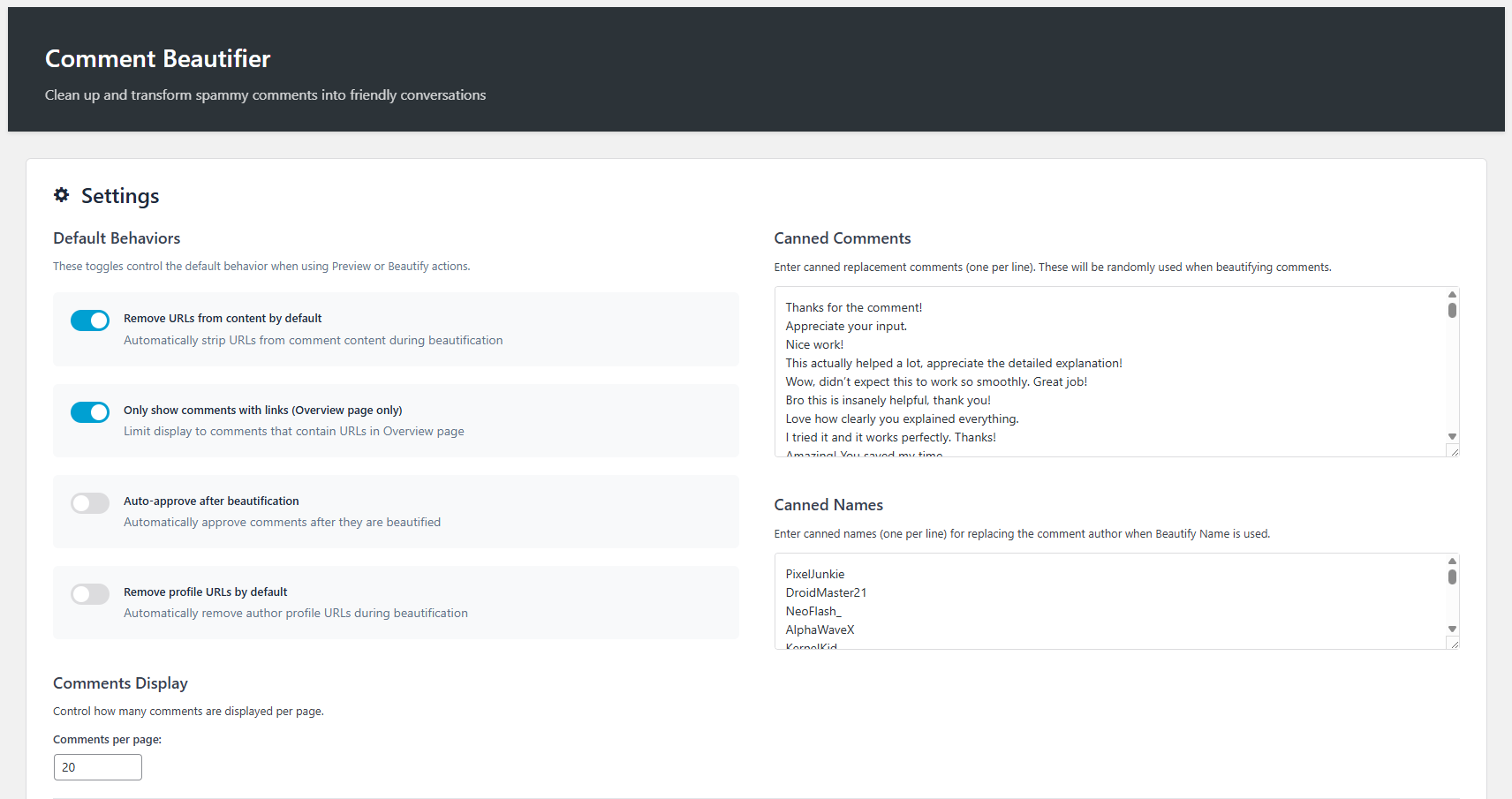
- Set up your canned comments and names in the Settings page
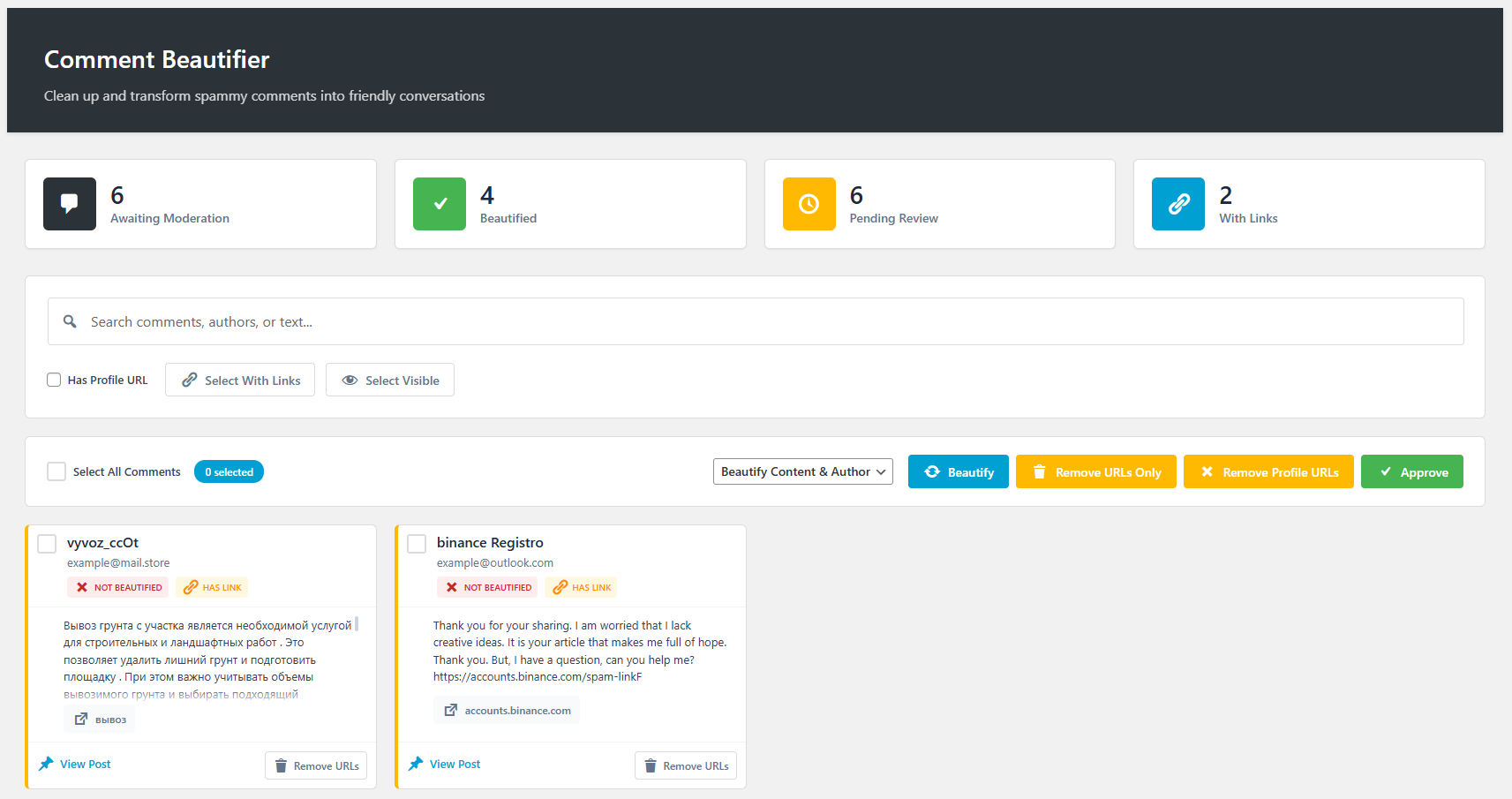
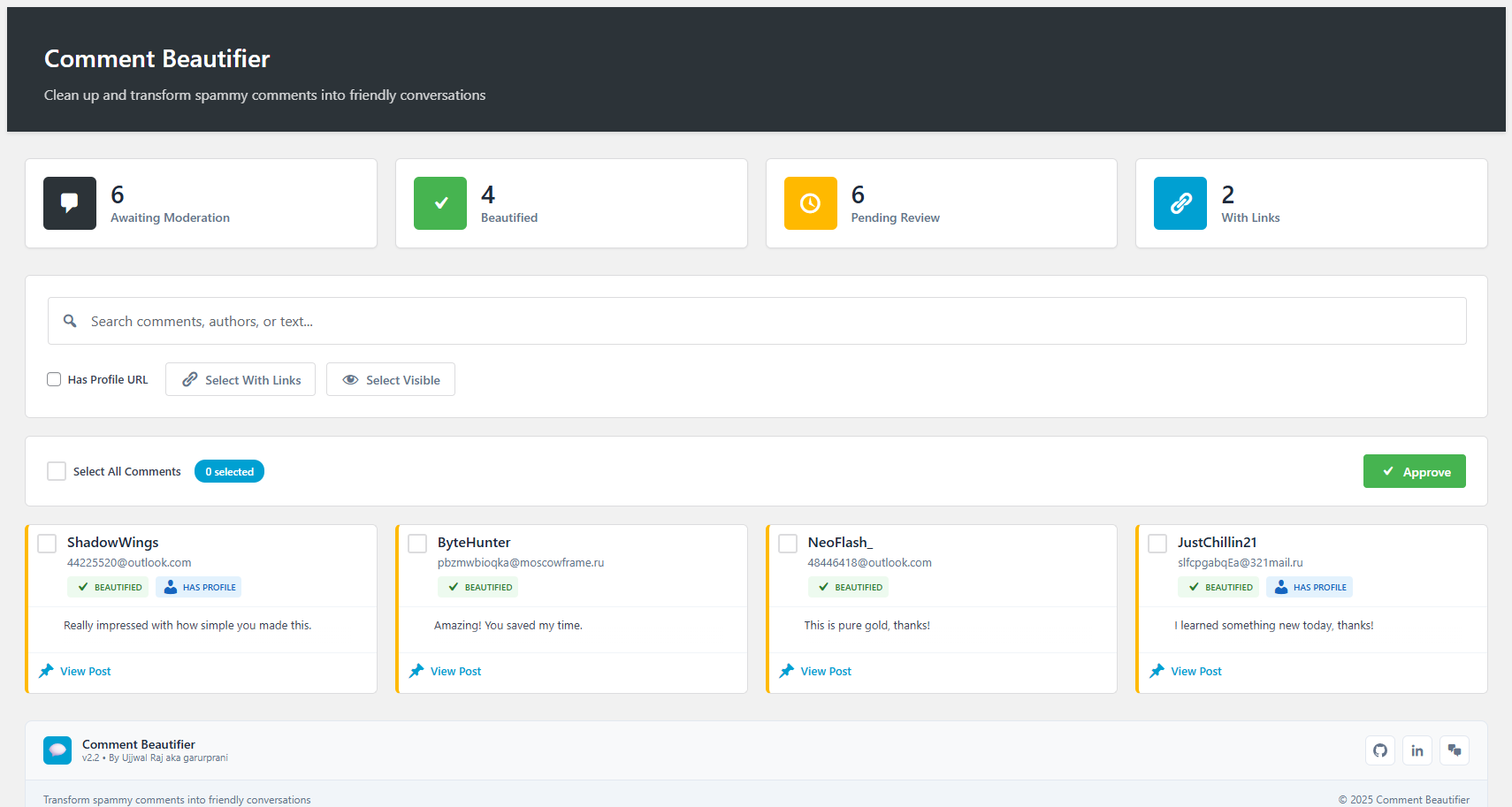
- Start beautifying comments from the Overview or Awaiting Moderation pages
Journal de modifications
This version includes significant performance improvements and is recommended for all users. The update includes better caching and optimized database queries.
2.1
- Enhanced performance with optimized database queries
- Improved caching system for faster loading
- Added better error handling and user feedback
- Fixed pagination issues with large comment sets
- Enhanced security with improved nonce verification
2.0
- Complete UI redesign with modern interface
- Added real-time comment statistics
- Enhanced bulk operations with selective filtering
- Improved comment preview system
- Added comprehensive settings panel
1.0
- Initial release with core beautification features
- Basic comment backup and restoration
- Simple canned comments system
- Fundamental URL removal tools
Captures d'écran
Pour les développeurs
Est-ce votre plugin ? Montrez les chiffres.
Ajoutez un badge en direct à votre site, docs ou github readme. Il se met à jour par lui-même - aucun compte n'est nécessaire.
Best Comment Beautifier alternatives
All beautify plugins →
FAQ
Comment Beautifier: quick answers
Réponses directes, extraites des données en direct WordPress.org.
Source : WordPress.org
Is Comment Beautifier free?
Yes. Comment Beautifier is free to download and use from the official WordPress.org plugin directory.
Is Comment Beautifier safe to use in 2026?
Comment Beautifier shows warning signs in 2026 — compare the alternatives below before installing. Was last updated 12 months ago, and scores 36/100 on our health check.
How many websites use Comment Beautifier?
Comment Beautifier is active on <10 WordPress websites and has been downloaded 410 times since it launched in December 2025. It was downloaded 43 times in the last 30 days.
Does Comment Beautifier work with WordPress 7.1?
Comment Beautifier is officially tested up to WordPress 6.9.12, while the latest release is 7.1.5. It may still work, but try it on a staging site first.
What PHP version does Comment Beautifier need?
Comment Beautifier requires PHP 7.4 or higher. Most hosts run PHP 8.x today, so it works on any modern WordPress hosting.
When was Comment Beautifier last updated?
The latest version, 2.2, was released on December 9, 2025 (12 months ago).
Who makes Comment Beautifier?
Comment Beautifier is developed and maintained by garurprani.
What are the best alternatives to Comment Beautifier?
The most popular alternatives to Comment Beautifier are Minify HTML (10K+ installs), Fast HTML Minify (20+ installs) and Code Snippet Beautifier (<10 installs).
Propulsé par PageForge
Un modèle et une feuille de calcul. Une vraie page pour chaque recherche.
PageForge transforme chaque ligne d'un CSV en une page WordPress avec son propre titre, URL, SEO et schéma, construit sur la mise en page que vous Déjà conçu. Gratuit sur WordPress.org.
- CSV et XLSX, plus Google Sheets sur les professionnels et les entreprises
- Son propre titre, URL, SEO champs et schéma pour chaque page
- Fonctionne avec l'éditeur de blocs, Elementor, Divi et Avada
- Gratuit sur WordPress.org, pas de carte de crédit