


BugPost
Simple frontend bug reporting overlay for WordPress. Visitors submit reports with auto-captured browser context and console errors.

Envisager une alternative
BugPost shows warning signs in 2026 — compare the alternatives below before installing. Was last updated 8 months ago, and scores 36/100 on our health check.
- Petite base d'utilisateurs (<10 installations actives)
- Très peu de critiques jusqu'à présent
- Uniquement testé jusqu'à WordPress 6,9 (le dernier est de 7,1)
Comment s'accumule-t-il ?
Côte à côte sur les installations, les mises à jour, les évaluations et le support



Téléchargements quotidiens
Les pics de téléchargement suivent généralement une nouvelle version - chaque site qui met à jour automatiquement compte comme un téléchargement.
Classements
Where BugPost stands todayWordPress.org Classements de recherche
Position en direct dans la recherche de plugins, Top 100| Mot-clé | Position |
|---|---|
| bug report | >100 |
| bug-tracking | >100 |
| error reporting | >100 |
| retour d'information | >100 |
| q&a | >100 |
About BugPost
À partir du Lisezmoi officiel · v1.2.3Description
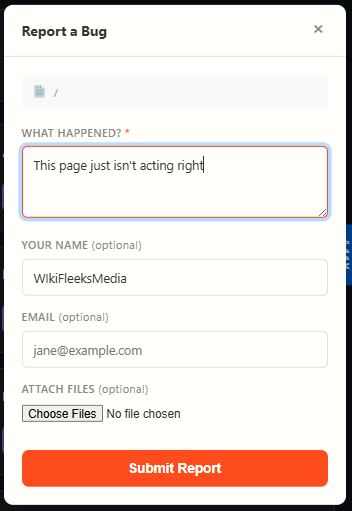
BugPost adds a lightweight bug reporting button to your site’s frontend. When clicked, it opens a clean overlay panel where visitors or team members can describe an issue. Browser details, operating system, viewport size, page URL, page load time, and JavaScript console errors are captured automatically — no extra effort needed from the reporter.
Principales caractéristiques :
- One-click reporting — A “Report” tab on the right side of every page opens a simple form.
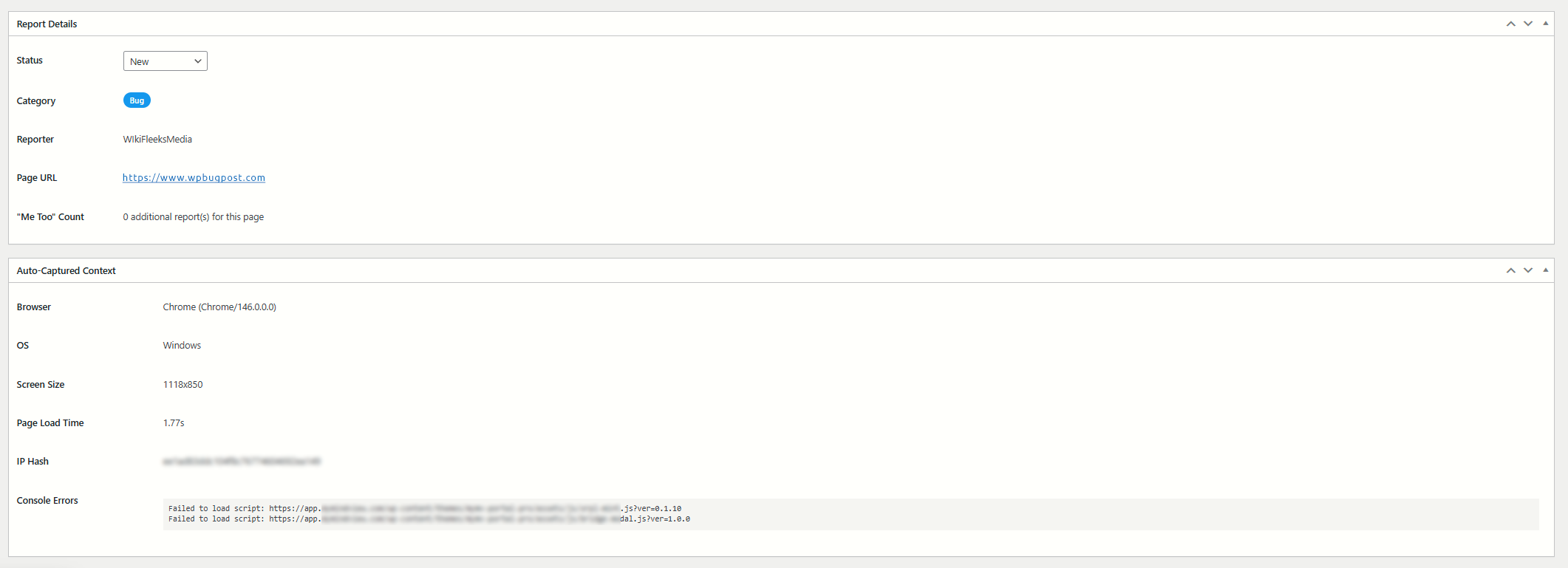
- Auto-captured context — Browser name and version, OS, viewport dimensions, page URL, page load time, and console errors are sent along with every report.
- Console error capture — JavaScript errors and unhandled promise rejections are logged automatically and attached to the report.
- Reporter fields — Optional name and email fields let reporters identify themselves.
- Honeypot spam protection — A hidden field traps bots without annoying humans with CAPTCHAs.
- Rate limiting — 3 reports per IP per hour prevents abuse.
- “Me too” duplicate grouping — When multiple reports target the same page, earlier open reports get a +1 count so you can see which issues affect the most people.
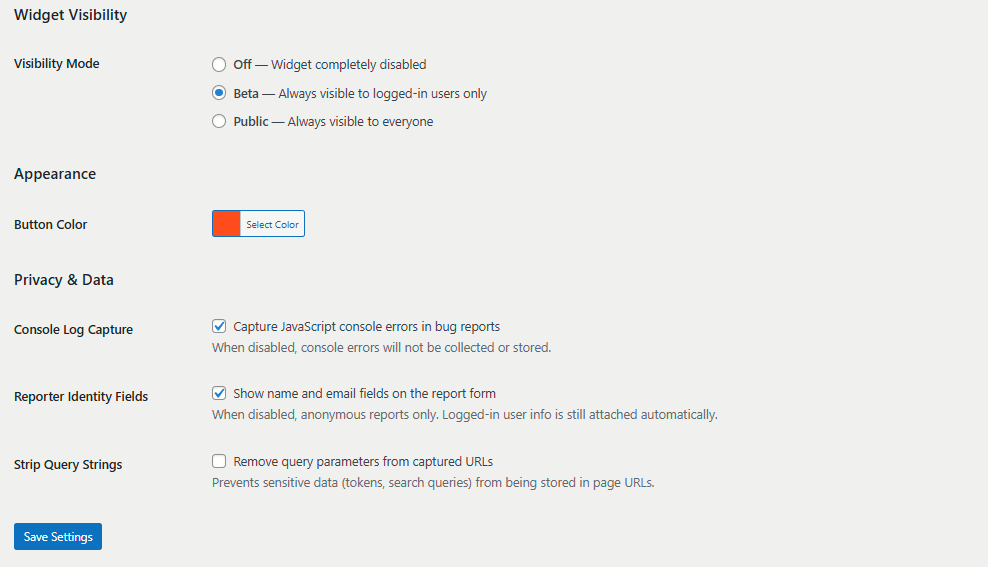
- Visibility modes — Choose Beta (logged-in users only) or Public (everyone). Turn it off entirely when not needed.
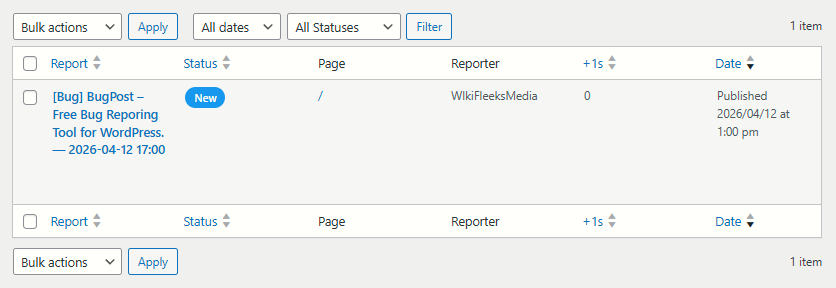
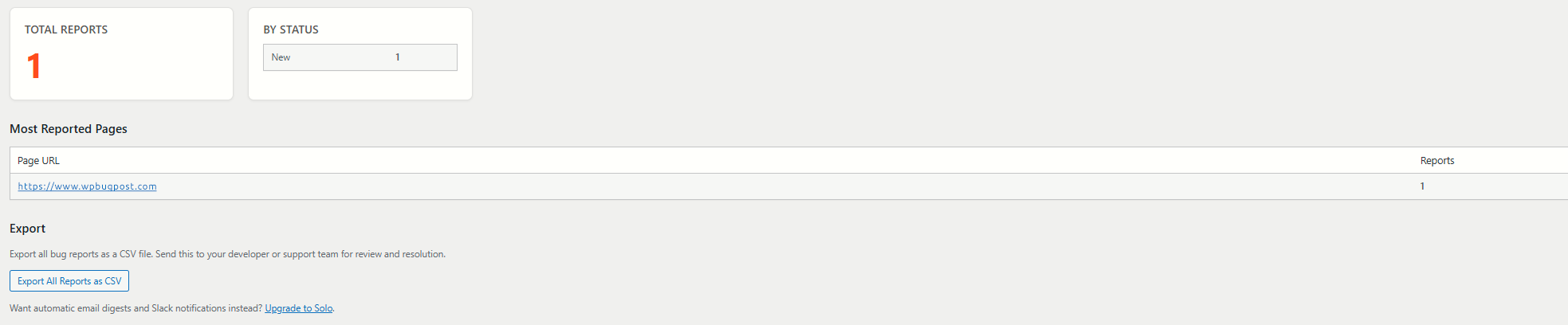
- Admin dashboard — All reports in a familiar WordPress list table with status badges, reporter info, page URL, and date columns.
- Report detail view — Each report has a full meta box showing all captured context data.
- Status workflow — Mark reports as New, Acknowledged, In Progress, Resolved, or Closed.
- CSV export — Download all reports as a CSV file for use in spreadsheets or external tools.
- Customizable button color — Match the report button to your site’s brand via a color picker.
- Fully translatable — All strings use WordPress i18n functions with the
bugposttext domain.
What this plugin does NOT do (by design):
- No external API calls, no tracking, no phoning home.
- No CDN dependencies — all assets are bundled locally.
- No account required to use the plugin.
Installation
- Upload the
bugpostfolder to the/wp-content/plugins/directory, or install directly through the WordPress plugin screen. - Activez le plugin via l'écran "Plugins" dans WordPress.
- Go to BugPost > Settings to choose your visibility mode and button color.
- Visit your site’s frontend — you should see the “Report” tab on the right side of the page.
Journal de modifications
Upgrade prompt pricing updated to match the new tier structure. No functional changes.
1.2.3
- Updated Agency upgrade prompt pricing to $199/yr.
1.2.2
- Fixed inline CSS to use wp_add_inline_style() instead of echoing style tags.
- Improved input sanitization: POST data sanitized with map_deep() at access time.
- Improved file upload sanitization: each $_FILES field sanitized individually at access.
1.2.1
- Removed deprecated load_plugin_textdomain() call.
- Resolved plugin checker warnings for file upload handling and query performance.
1.2.0
- Renamed plugin from WPBugPost to BugPost.
- Updated slug, text domain, constants, and all prefixes to
bugpost.
1.1.2
- Security: Added server-side MIME type verification for file uploads via wp_check_filetype_and_ext().
- Security: Added filename sanitization before upload processing via sanitize_file_name().
1.1.1
- Fixed: Summary page heading now renders em dash correctly instead of showing raw HTML entity.
Captures d'écran

Pour les développeurs
Est-ce votre plugin ? Montrez les chiffres.
Ajoutez un badge en direct à votre site, docs ou github readme. Il se met à jour par lui-même - aucun compte n'est nécessaire.
Best BugPost alternatives
All bug report plugins →





FAQ
BugPost: quick answers
Réponses directes, extraites des données en direct WordPress.org.
Source : WordPress.org
Is BugPost free?
Yes. BugPost is free to download and use from the official WordPress.org plugin directory.
Is BugPost safe to use in 2026?
BugPost shows warning signs in 2026 — compare the alternatives below before installing. Was last updated 8 months ago, and scores 36/100 on our health check.
How many websites use BugPost?
BugPost is active on <10 WordPress websites and has been downloaded 468 times since it launched in April 2026. It was downloaded 63 times in the last 30 days.
Does BugPost work with WordPress 7.1?
BugPost is officially tested up to WordPress 6.9.12, while the latest release is 7.1.5. It may still work, but try it on a staging site first.
What PHP version does BugPost need?
BugPost requires PHP 7.4 or higher. Most hosts run PHP 8.x today, so it works on any modern WordPress hosting.
When was BugPost last updated?
The latest version, 1.2.3, was released on April 15, 2026 (8 months ago).
Who makes BugPost?
BugPost is developed and maintained by wikifleeksmedia.
What are the best alternatives to BugPost?
The most popular alternatives to BugPost are Feedback Button – Jotform (600+ installs), PageNod (80+ installs) and Couac (10+ installs).
Propulsé par PageForge
Un modèle et une feuille de calcul. Une vraie page pour chaque recherche.
PageForge transforme chaque ligne d'un CSV en une page WordPress avec son propre titre, URL, SEO et schéma, construit sur la mise en page que vous Déjà conçu. Gratuit sur WordPress.org.
- CSV et XLSX, plus Google Sheets sur les professionnels et les entreprises
- Son propre titre, URL, SEO champs et schéma pour chaque page
- Fonctionne avec l'éditeur de blocs, Elementor, Divi et Avada
- Gratuit sur WordPress.org, pas de carte de crédit