

WPBetterCodeHighlighting
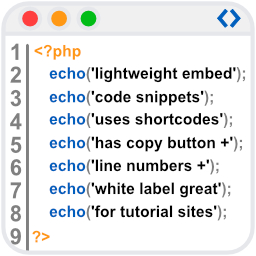
WpBetterCodeHighlighting allows you to show code snippets in over 290+ languages. Its completly free and perfect for blog/tutorial sites.

Mit Vorsicht verwenden
WPBetterCodeHighlighting works, but test it on a staging site before relying on it in 2026. Was last updated 2 months ago, and scores 60/100 on our health check.
- Getestet mit dem neuesten WordPress (7.1)
- Kleine Benutzerbasis (<10 aktive Installationen)
- Bisher sehr wenige Bewertungen
Wie stapelt es sich?
Side-by-side bei Installationen, Updates, Bewertungen und Support



Tägliche Downloads
Download-Spitzen folgen normalerweise einer neuen Version - jede Website, die automatisch aktualisiert wird, gilt als Download.
Ranglisten
Where WPBetterCodeHighlighting stands todayWordPress.org Ranglisten suchen
Live-Position in der Plugin-Suche, Top 100| Stichwort | Position |
|---|---|
| code | >100 |
| code-snippets | >100 |
| Highlight | >100 |
| syntax | >100 |
| tutorial sites | >100 |
About WPBetterCodeHighlighting
From the official readme · v1.1Beschreibung
WpBetterCodeHighlighting is built on the popular JS Library PrismJS. Unlike other code snippet plugins this one is completely free and uses a shortcode rather than a Gutenberg block this means it works with themes too. Allowing you to showcase code snippets on your wordpress tutorial site or blog site.
WpBetterCodeHighlighting Key Features
- Built on PrismJS.
- Optional copy button with custom success and error messaging.
- Lightweight.
- Whitelabel it and use it for free.
- Free.
- Embed your code.
- Works well on blogs and tutorial sites.
- Supports over 290 languages.
- Auto syntax highlighting.
- WpBetterCodeHighlighting uses a shortcode allowing greater flexibility over other plugins that use gutenberg blocks.
Example usage (shortcode):
[wpbch language='html']<p>Your code goes here.</p>
<p>This would be another line of code etc etc.</p>
[/wpbch]
Due to an update in WordPress you may need to escape your HTML characters. For this please use this free html escape tool.
Arguments for shortcode:
language – default null, will display an error if a language acronym is not provided, see supported languages section below for a list of supported languages.
line_numbers – default true provide false if you wish to disable line numbers.
copy_button – default true provide false if you wish to disable the copy button.
copy_button_text – default Copy provide a different value if you wish to change the copy button default text.
copy_button_success – default Copied! Provide a different value if you wish to change the success copy button message.
copy_button_error – default Error provide a different value if you wish to change the error copy button message.
Full Shortcode Example:
[wpbch language='html' line_numbers=true copy_button=true copy_button_text='Copy Me' copy_button_success='Yay you copied me' copy_button_error='Oops you failed to copy me']<p>Your code goes here.</p>[/wpbch]
Replace html with one of the supported languages acronyms below. For example apacheconf for Apache Config.
Full List Of Supported languages:
Language Name | Acronym to be used in language argument
- ABAP — abap
- ABNF — abnf
- ActionScript — actionscript
- Ada — ada
- Agda — agda
- AL — al
- ANTLR4 — antlr4, g4
- Apache Configuration — apacheconf
- Apex — apex
- APL — apl
- AppleScript — applescript
- AQL — aql
- Arduino — arduino, ino
- ARFF — arff
- ARM Assembly — armasm, arm-asm
- Arturo — arturo, art
- AsciiDoc — asciidoc, adoc
- ASP.NET (C#) — aspnet
- 6502 Assembly — asm6502
- Atmel AVR Assembly — asmatmel
- AutoHotkey — autohotkey
- AutoIt — autoit
- AviSynth — avisynth, avs
- Avro IDL — avro-idl, avdl
- AWK — awk, gawk
- Bash — bash, sh, shell
- BASIC — basic
- Batch — batch
- BBcode — bbcode, shortcode
- BBj — bbj
- Bicep — bicep
- Birb — birb
- Bison — bison
- BNF — bnf, rbnf
- BQN — bqn
- Brainfuck — brainfuck
- BrightScript — brightscript
- Bro — bro
- BSL (1C:Enterprise) — bsl, oscript
- C — c
- C# — csharp, cs, dotnet
- C++ — cpp
- CFScript — cfscript, cfc
- ChaiScript — chaiscript
- CIL — cil
- Cilk/C — cilkc, cilk-c
- Cilk/C++ — cilkcpp, cilk-cpp, cilk
- Clojure — clojure
- CMake — cmake
- COBOL — cobol
- CoffeeScript — coffeescript, coffee
- Concurnas — concurnas, conc
- Content-Security-Policy — csp
- Cooklang — cooklang
- Coq — coq
- Crystal — crystal
- CSS Extras — css-extras
- CSV — csv
- CUE — cue
- Cypher — cypher
- D — d
- Dart — dart
- DataWeave — dataweave
- DAX — dax
- Dhall — dhall
- Diff — diff
- Django/Jinja2 — django, jinja2
- DNS zone file — dns-zone-file, dns-zone
- Docker — docker, dockerfile
- DOT (Graphviz) — dot, gv
- EBNF — ebnf
- EditorConfig — editorconfig
- Eiffel — eiffel
- EJS — ejs, eta
- Elixir — elixir
- Elm — elm
- Embedded Lua templating — etlua
- ERB — erb
- Erlang — erlang
- Excel Formula — excel-formula, xlsx, xls
- F# — fsharp
- Factor — factor
- False — false
- Firestore security rules — firestore-security-rules
- Flow — flow
- Fortran — fortran
- FreeMarker Template Language — ftl
- GameMaker Language — gml, gamemakerlanguage
- GAP (CAS) — gap
- G-code — gcode
- GDScript — gdscript
- GEDCOM — gedcom
- gettext — gettext, po
- Gherkin — gherkin
- Git — git
- GLSL — glsl
- GN — gn, gni
- GNU Linker Script — linker-script, ld
- Go — go
- Go module — go-module, go-mod
- Gradle — gradle
- GraphQL — graphql
- Groovy — groovy
- Haml — haml
- Handlebars — handlebars, hbs, mustache
- Haskell — haskell, hs
- Haxe — haxe
- HCL — hcl
- HLSL — hlsl
- Hoon — hoon
- HTTP — http
- HTTP Public-Key-Pins — hpkp
- HTTP Strict-Transport-Security — hsts
- IchigoJam — ichigojam
- Icon — icon
- ICU Message Format — icu-message-format
- Idris — idris, idr
- .ignore — ignore, gitignore, hgignore, npmignore
- Inform 7 — inform7
- Ini — ini
- Io — io
- J — j
- Java — java
- JavaDoc — javadoc
- JavaDoc-like — javadoclike
- Java stack trace — javastacktrace
- Jexl — jexl
- Jolie — jolie
- JQ — jq
- JSDoc — jsdoc
- JS Extras — js-extras
- JSON — json, webmanifest
- JSON5 — json5
- JSONP — jsonp
- JS stack trace — jsstacktrace
- JS Templates — js-templates
- Julia — julia
- Keepalived Configure — keepalived
- Keyman — keyman
- Kotlin — kotlin, kt, kts
- KuMir (КуМир) — kumir, kum
- Kusto — kusto
- LaTeX — latex, tex, context
- Latte — latte
- Less — less
- LilyPond — lilypond, ly
- Liquid — liquid
- Lisp — lisp, emacs, elisp, emacs-lisp
- LiveScript — livescript
- LLVM IR — llvm
- Log file — log
- LOLCODE — lolcode
- Lua — lua
- Magma (CAS) — magma
- Makefile — makefile
- Markdown — markdown, md
- Markup templating — markup-templating
- Mata — mata
- MATLAB — matlab
- MAXScript — maxscript
- MEL — mel
- Mermaid — mermaid
- METAFONT — metafont
- Mizar — mizar
- MongoDB — mongodb
- Monkey — monkey
- MoonScript — moonscript, moon
- N1QL — n1ql
- N4JS — n4js, n4jsd
- Nand To Tetris HDL — nand2tetris-hdl
- Naninovel Script — naniscript, nani
- NASM — nasm
- NEON — neon
- Nevod — nevod
- nginx — nginx
- Nim — nim
- Nix — nix
- NSIS — nsis
- Objective-C — objectivec, objc
- OCaml — ocaml
- Odin — odin
- OpenCL — opencl
- OpenQasm — openqasm, qasm
- Oz — oz
- PARI/GP — parigp
- Parser — parser
- Pascal — pascal, objectpascal
- Pascaligo — pascaligo
- PATROL Scripting Language — psl
- PC-Axis — pcaxis, px
- PeopleCode — peoplecode, pcode
- Perl — perl
- PHP — php
- PHPDoc — phpdoc
- PHP Extras — php-extras
- PlantUML — plant-uml, plantuml
- PL/SQL — plsql
- PowerQuery — powerquery, pq, mscript
- PowerShell — powershell
- Processing — processing
- Prolog — prolog
- PromQL — promql
- .properties — properties
- Protocol Buffers — protobuf
- Pug — pug
- Puppet — puppet
- Pure — pure
- PureBasic — purebasic, pbfasm
- PureScript — purescript, purs
- Python — python, py
- Q# — qsharp, qs
- Q (kdb+ database) — q
- QML — qml
- Qore — qore
- R — r
- Racket — racket, rkt
- Razor C# — cshtml, razor
- React JSX — jsx
- React TSX — tsx
- Reason — reason
- Regex — regex
- Rego — rego
- Ren’py — renpy, rpy
- ReScript — rescript, res
- reST (reStructuredText) — rest
- Rip — rip
- Roboconf — roboconf
- Robot Framework — robotframework, robot
- Ruby — ruby, rb
- Rust — rust
- SAS — sas
- Sass (Sass) — sass
- Sass (SCSS) — scss
- Scala — scala
- Scheme — scheme
- Shell session — shell-session, sh-session, shellsession
- Smali — smali
- Smalltalk — smalltalk
- Smarty — smarty
- SML — sml, smlnj
- Solidity (Ethereum) — solidity, sol
- Solution file — solution-file, sln
- Soy (Closure Template) — soy
- SPARQL — sparql, rq
- Splunk SPL — splunk-spl
- SQF: Status Quo Function (Arma 3) — sqf
- SQL — sql
- Squirrel — squirrel
- Stan — stan
- Stata Ado — stata
- Structured Text (IEC 61131-3) — iecst
- Stylus — stylus
- SuperCollider — supercollider, sclang
- Swift — swift
- Systemd configuration file — systemd
- T4 templating — t4-templating
- T4 Text Templates (C#) — t4-cs, t4
- T4 Text Templates (VB) — t4-vb
- TAP — tap
- Tcl — tcl
- Template Toolkit 2 — tt2
- Textile — textile
- TOML — toml
- Tremor — tremor, trickle, troy
- Turtle — turtle, trig
- Twig — twig
- TypeScript — typescript, ts
- TypoScript — typoscript, tsconfig
- UnrealScript — unrealscript, uscript, uc
- UO Razor Script — uorazor
- URI — uri, url
- V — v
- Vala — vala
- VB.Net — vbnet
- Velocity — velocity
- Verilog — verilog
- VHDL — vhdl
- vim — vim
- Visual Basic — visual-basic, vb, vba
- WarpScript — warpscript
- WebAssembly — wasm
- Web IDL — web-idl, webidl
- WGSL — wgsl
- Wiki markup — wiki
- Wolfram language — wolfram, mathematica, nb, wl
- Wren — wren
- Xeora — xeora, xeoracube
- XML doc (.net) — xml-doc
- Xojo (REALbasic) — xojo
- XQuery — xquery
- YAML — yaml, yml
- YANG — yang
- Zig — zig
Änderungsprotokoll
1.0
- Launched version 1.0
1.1
- Tested compatibility with WordPress 7.1.1
Screenshots


Für Entwickler
Ist das dein Plugin? Zeigen Sie die Zahlen.
Fügen Sie Ihrer Website, Docs oder GitHub Readme ein Live-Badge hinzu. Es wird von selbst aktualisiert - kein Konto erforderlich.
Best WPBetterCodeHighlighting alternatives
All code plugins →




Fragen und Antworten
WPBetterCodeHighlighting: quick answers
Gerade Antworten, gezogen von Live WordPress.org Daten.
Quelle: WordPress.org
Is WPBetterCodeHighlighting free?
Yes. WPBetterCodeHighlighting is free to download and use from the official WordPress.org plugin directory.
Is WPBetterCodeHighlighting safe to use in 2026?
WPBetterCodeHighlighting works, but test it on a staging site before relying on it in 2026. Was last updated 2 months ago, and scores 60/100 on our health check.
How many websites use WPBetterCodeHighlighting?
WPBetterCodeHighlighting is active on <10 WordPress websites and has been downloaded 604 times since it launched in January 2026. It was downloaded 128 times in the last 30 days.
Does WPBetterCodeHighlighting work with WordPress 7.1?
Yes. The developer has tested WPBetterCodeHighlighting up to WordPress 7.1.5, the latest release. It requires WordPress 6.0 or newer.
When was WPBetterCodeHighlighting last updated?
The latest version, 1.1, was released on September 19, 2026 (2 months ago).
Who makes WPBetterCodeHighlighting?
WPBetterCodeHighlighting is developed and maintained by conlabltd.
What are the best alternatives to WPBetterCodeHighlighting?
The most popular alternatives to WPBetterCodeHighlighting are WPCode (3M+ installs), Code Snippets (1M+ installs) and Head & Footer Code (100K+ installs).
Angetrieben von PageForge
Eine Vorlage und eine Tabelle. Eine echte Seite für jede Suche.
PageForge Verwandelt jede Zeile eines CSV in eine WordPress-Seite mit eigenem Titel, URL, SEO Felder und Schema entworfen. Kostenlos auf WordPress.org.
- CSV und XLSX, plus Google Sheets auf Beruf und Unternehmen
- seinen eigenen Titel, URL, SEO Felder und Schema für jede Seite
- Arbeitet mit dem Blockeditor, Elementor, Divi und Avada
- Kostenlos auf WordPress.org, keine Kreditkarte