


WebinarPress – Webinar System for WordPress
Supercharge your website with our powerful webinar plugin! Host engaging live webinars and run automated evergreen webinars effortlessly.

Sichere Auswahl
Yes — WebinarPress is a safe, well-maintained plugin to use in 2026. It runs on 800+ sites, is rated 4.1/5 and was last updated 2 weeks ago, and scores 83/100 on our health check.
- Aktiv entwickelt — letztes Update vor 2 Wochen
- Getestet mit dem neuesten WordPress (7.1)
- Momentum — downloads up 27% vs the previous 30 days
- Small user base (800+ active installs)
Wie stapelt es sich?
Side-by-side bei Installationen, Updates, Bewertungen und Support



Tägliche Downloads
Download-Spitzen folgen normalerweise einer neuen Version - jede Website, die automatisch aktualisiert wird, gilt als Download.
Ranglisten
Where WebinarPress stands todayWordPress.org Ranglisten suchen
Live-Position in der Plugin-Suche, Top 100| Stichwort | Position |
|---|---|
| live | >100 |
| seminar | #5 |
| stream | #40 |
| webinar | #5 |
| zoom | #82 |
Versionsübernahme
Anteil aktiver Sites pro Release.
Bewertungsaufschlüsselung
★★★★★★★★★★ 4.1 from 40 reviews
About WebinarPress
From the official readme · v1.33.32Beschreibung
Webinarpress is the ultimate webinar solution designed exclusively for WordPress, rich with beginner-friendly features you can use to host free webinars that serve as a powerful tool for generating leads and sales.
Designed with simplicity in mind, our WordPress plugin empowers you to effortlessly host live webinars, automate pre-recorded sessions, and even offer on-demand replays, ensuring maximum reach and flexibility for your audience.
- Interact with your attendees by letting them ask questions and answer them during the webinar either in your video or with a question and answer feature.
- Fully responsive pages so visitors can attend a webinar from every mobile device or tablet.
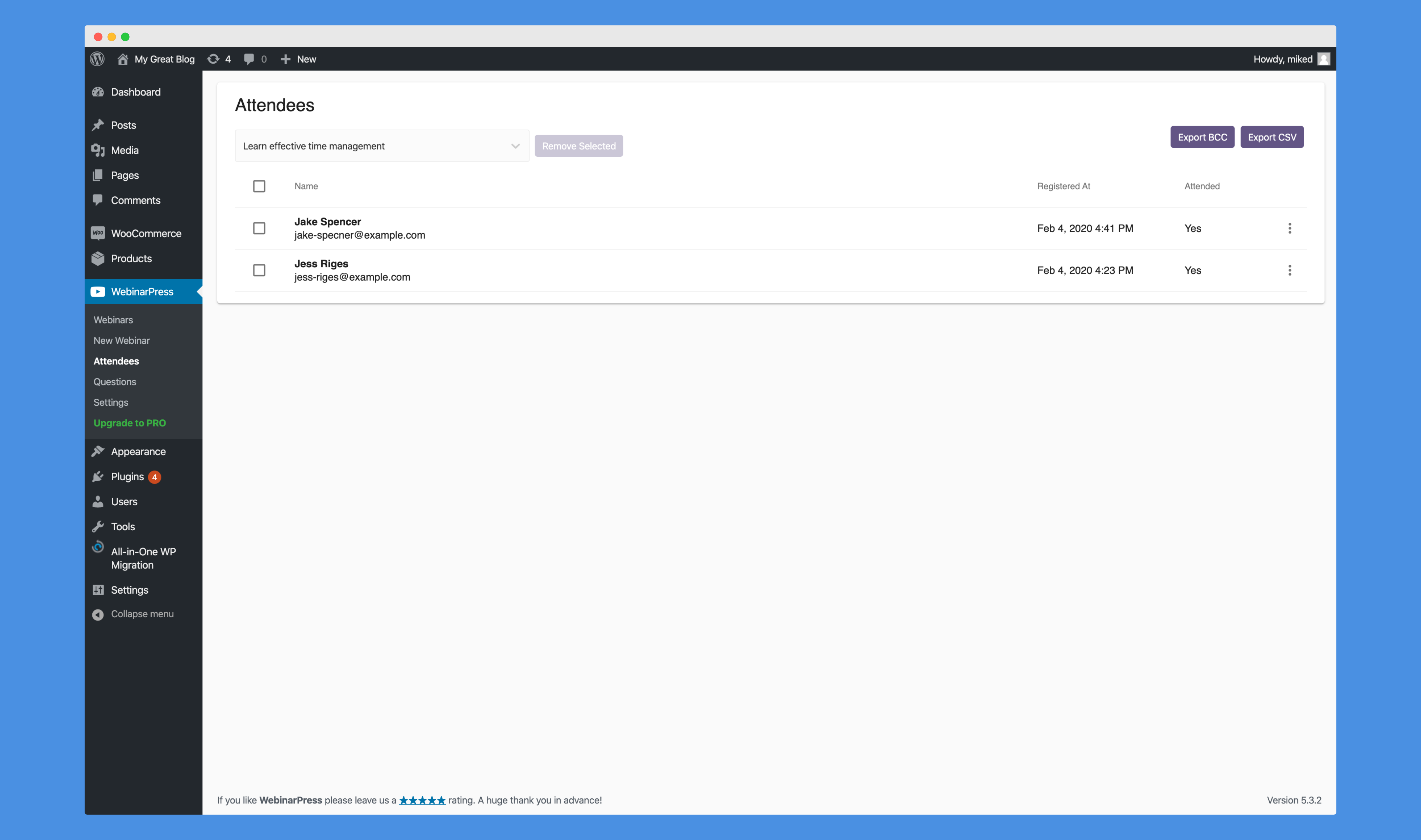
- Collect attendees’ name and email address and import them into your third party email provider.
- Fully customizable email reminders so your attendees so they don’t miss the webinar.
- Optional replays so attendees who missed the timeslot get a second chance.
Host Free Webinars on WordPress with WebinarPress
WebinarPress is available in two versions, the free WebinarPress Lite and the premium WebinarPress Pro.
Both are packed with all the essential features needed to create engaging webinars that serve as one of your most valuable marketing assets.
These features include:
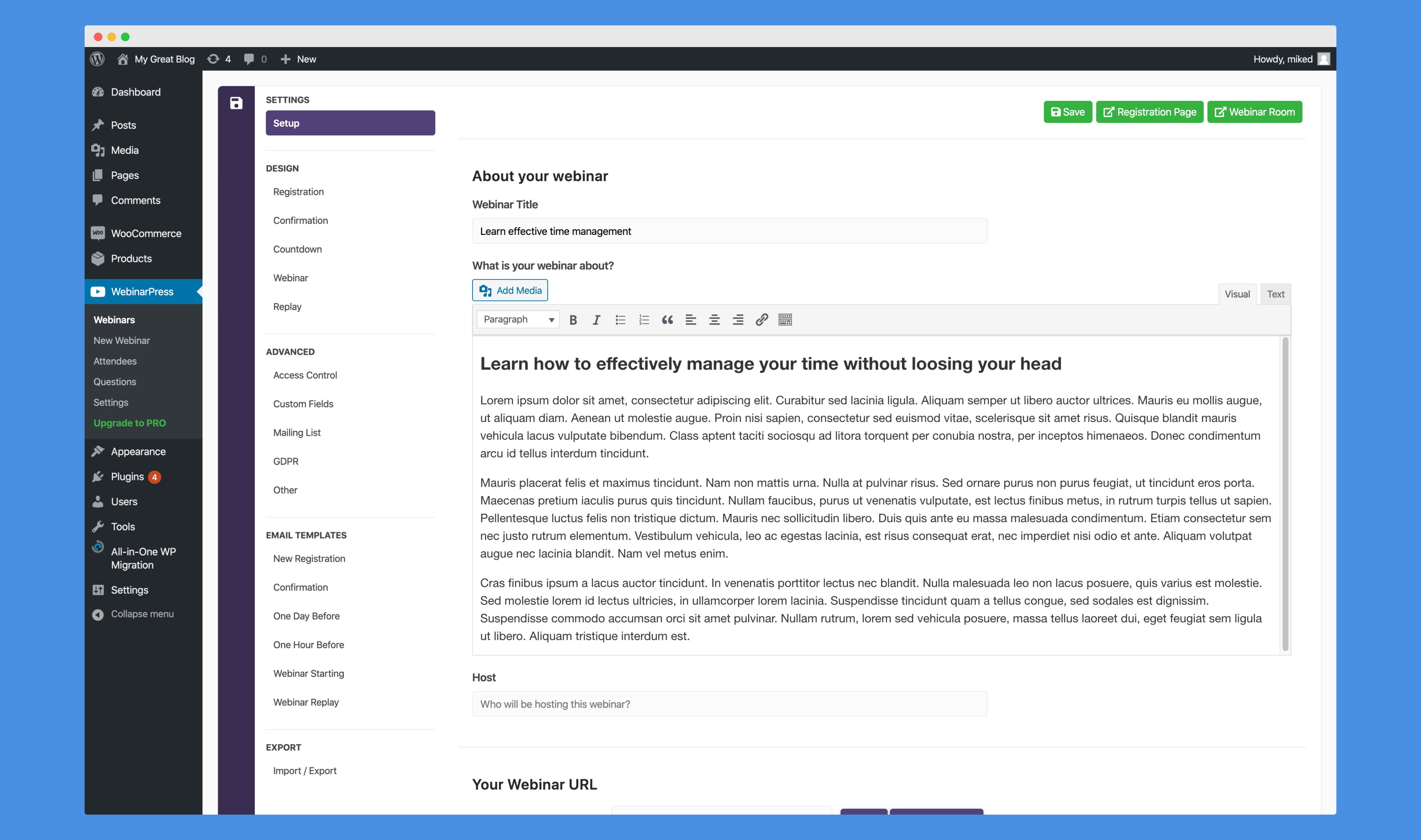
Effortless Webinar Setup
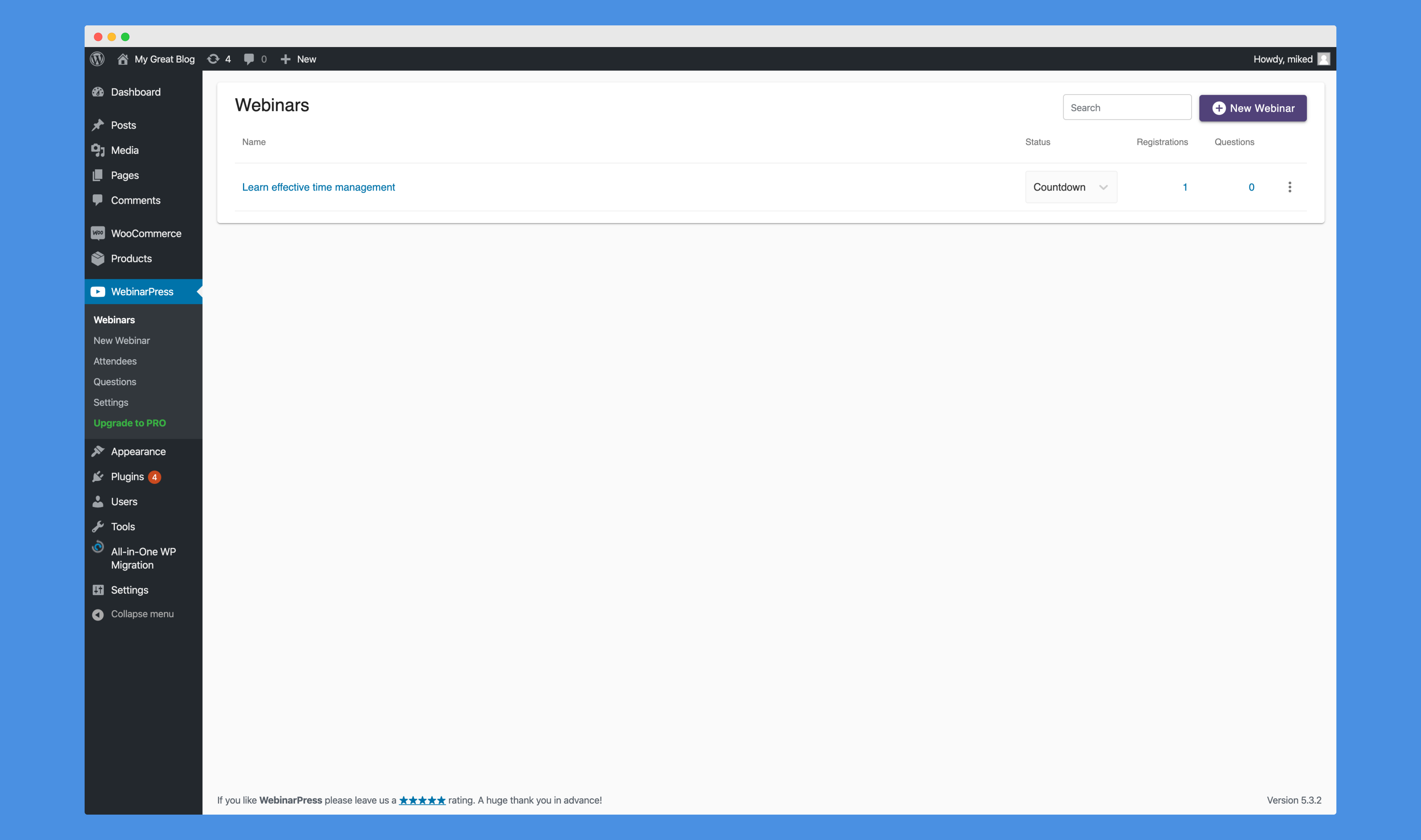
Create and launch successful webinars in just a few quick clicks without ever leaving the WordPress environment.
Add a title, select a webinar type, and you’ll be ready to launch in just a few seconds.
Automated Webinars (Available in Pro)
Pre-record your sessions and schedule automatic replays, transforming your webinar into a lead-generating machine that keeps running around the clock.
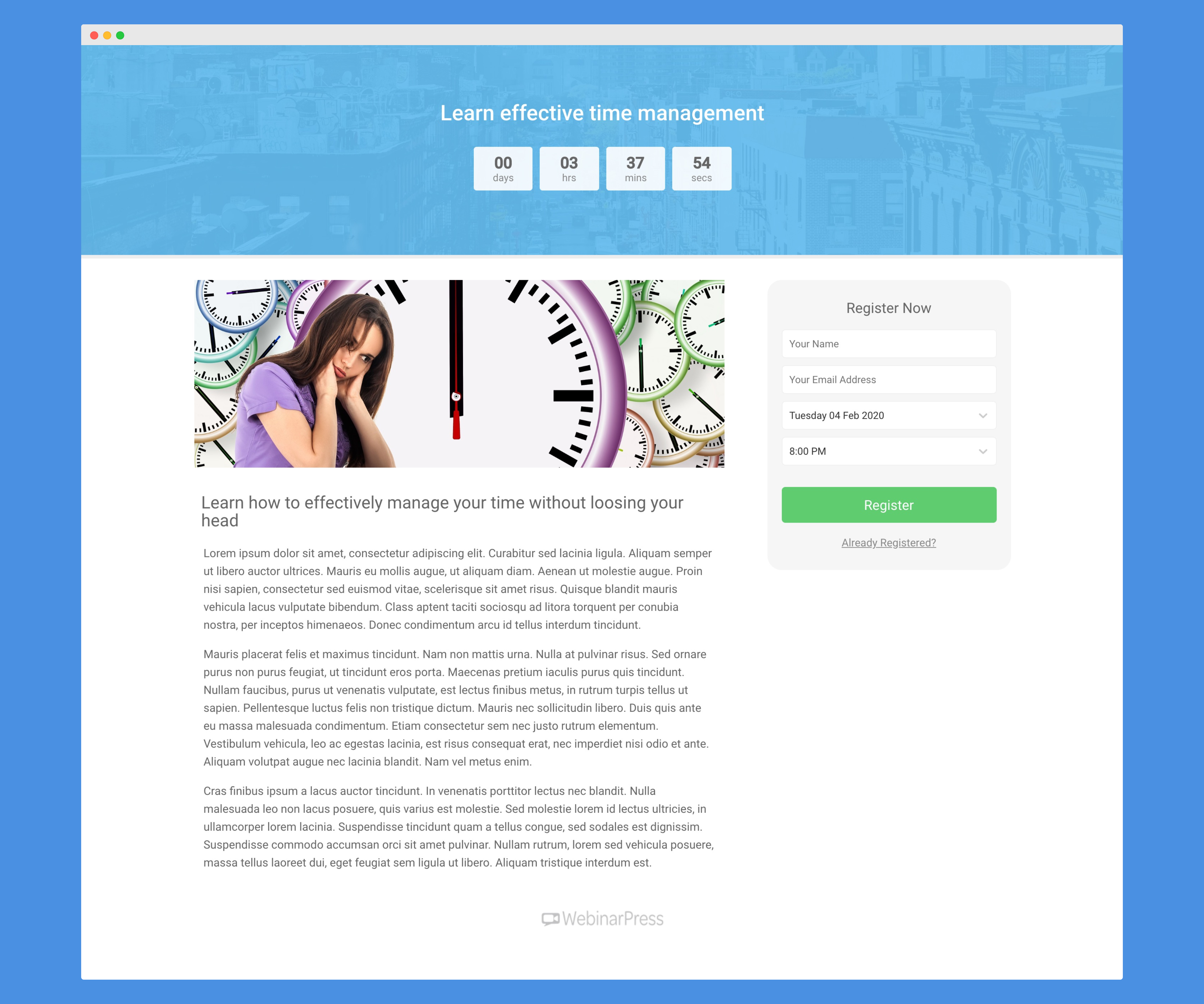
Customizable Registration Forms
As a unique brand with unique goals, boilerplate form templates don’t always allow you to capture attendee information that’s most pertinent to your strategy.
WebinarPress’s conversion-optimized attendee registration forms are fully customizable, with the ability to add custom fields to capture the data that matters most to you.
Interactive Chat Functionality (Available in Pro)
One of the biggest advantages of live webinars over other types of marketing is that it allows you to engage with your audience in real time, creating a sense of community and building personal relationships with your audience that can lead to better conversions.
WebinarPress Pro offers a seamlessly integrated live chat experience that you can use to encourage questions, address concerns, and engage your attendees just as you would if they were there with you in person.
In-Screen Calls to Action
Drive immediate action from your attendees by creating eye-catching action buttons and offers within your webinar.
Giving your audience the ability to take action without leaving the webinar interface reduces the friction points within your sales process, resulting in more qualified leads.
Limit Available Places (Available in Pro)
Limit the number of available places for your webinar, creating a sense of urgency and exclusivity to boost registrations.
Engage Your Audience with Polls(Available in Pro)
Create interactive Polls that allow you to gather different kinds of data from your webinar attendees. These Poll fields include MCQs, Open ended question, Checkbox, Date, and NPS.
Certificate of Attendence(Available in Pro)
Enhance your webinars with the Certificate of Attendance feature by WebinarPress. Recognize attendee commitment effortlessly with professionally designed certificates seamlessly integrated into your webinar process.
Tags Mapping for Integration(Available in Pro)
It allows webinar hosts to create tags in their mailing list platforms and map them to our webinar plugin. This integration enables seamless and automated tag management, ensuring that your mailing lists stay up-to-date with the latest webinar attendee data.
How Can WebinarPress Help Your Business?
Whether your goal is to generate leads for your marketing company, sell a course, or boost sign-ups to your SaaS (Software as a Service) platform, WebinarPress Lite and WebinarPress Pro offer a host of benefits for businesses of every type and every size.
Engage Your Audience
Few things are more challenging than remembering the name of all your attendees while simultaneously staying on track with your perfectly-prepared presentation.
WebinarPress Pro makes life easier by displaying the name of your attendees alongside their video feed or profile picture, meaning you can start making personal connections right from the get-go.
Combine that with the integrated live chat and the Attendee Raise Hand feature that ensures no one gets overlooked, and you’re ready to seize upon the unique audience-engagement opportunities that webinars offer.
Generate More Leads and Sales
At its core, WebinarPress is a lead-generation tool designed to get your sales appointment calendar chock-full of qualified leads.
The valuable attendee information captured via your customized registration form can be synced with a number of top email marketing and CRM (Customer Relationship Management) platforms to help you nurture leads effectively.
Meanwhile, using active offers and attractive Call to Action prompts helps generate more sales, encouraging your audience to take immediate action.
Make Webinar Management Easier
From easy webinar creation to automated scheduling, attendee management, and post-webinar analytics, our webinar WordPress plugin streamlines every aspect of your webinar workflow, saving you time and effort.
Create Paid Webinars (Available in Pro)
WebinarPress integrates with WooCommerce to help you transform your expertise into a profitable venture.
Once activated, you can set a price for your webinar and WooCommerce will automatically generate a product page where attendees can sign-up, pay the fee, and receive a welcome email with a secure link to login.
Simulated Chat(Available in Pro)
Use simulated chat messages to give your automated and on demand webinar an even more interactive feel.
A Free Webinar Service That Works With Your Favorite Marketing Tools
The plugin is designed as an all-in-one solution, meaning every stage of the process attendee signup to post-webinar follow up emails can be handled from within your WordPress.
However, that doesn’t mean that you can use your favorite marketing tools right alongside it.
WebinarPress integrates with a host of world-class platforms including:
- ActiveCampaign
- Aweber
- ConvertKit
- Drip
- EmailOctopus
- Enormail
- Fluentcrm
- GetResponse
- MailChimp
- Brevo
- MailerLite
- Postdichter
- Mailrelay
- Mautic
- Zapier
- WooCommerce.
Through these integrations, you’ll have no trouble connecting your webinar registration forms directly to your email marketing tool of choice, effortlessly building your subscriber list and automating your email campaigns for greater efficiency.
Elsewhere, the plugin works well with popular CRM solut ions for more effective lead management, as well as top analytics tools, giving you valuable insights into the vital metrics that matter most to you so that you can measure the success of your webinars.
Take Full Control With Advanced Customization Options
Webinarpress offers a plethora of customization options, allowing you to tailor your webinars in a way that aligns with your brand and delivers an unforgettable experience for your attendees.
Branding Customization
Maintain consistency with your brand identity by customizing the look and feel of your webinars. Adjust colors, fonts, and styles to match your brand guidelines, ensuring a cohesive and professional presentation.
Personalized Registration Forms
Capture essential attendee information and create personalized registration forms that reflect your branding. Customize form fields, add your logo, and tailor the form layout to gather the data you need from your attendees.
Customizable Email Templates
Craft engaging and on-brand email communications with customizable email templates. From registration confirmations to reminder emails and follow-up messages, personalize the content, design, and branding to leave a lasting impression on your attendees.
Visually Appealing Webinar Landing Pages
Create stunning webinar landing pages that captivate your audience from the moment they arrive. With Webinarpress’s intuitive drag-and-drop builder, you can easily arrange elements, add compelling visuals, incorporate multimedia, and design attention-grabbing calls-to-action to drive conversions.
Extensive Support and Documentation Available
WebinarPress is designed to be as simple as possible, but if you do run into trouble, don’t worry, you’ll have an extensive array of support options at your disposal:
Detailed, Plain-English Documentation
Our comprehensive documentation talks you through every aspect of the plugin’s features, settings, and functionality, arming you with all the knowledge you need to truly make the most of your webinars.
Video Tutorials
Prefer to be shown what to do rather than just read about it?
We’ve got you covered there too with a library of videos detailing the step-by-step process for key tasks such as setting up your webinar, customizing your pages with drag-and-drop, and integrating with third-party tools.
Checkout Our Youtube channel for Tutorial
Dedicated Customer Support
If none of the above options gave you the answers you were looking for, you can always contact us.
Open up a support ticket and a member of the team will reach out within 24 hours and stop at nothing to get you the resolution you’re looking for.
What Others Say About WebinarPress
“WebinarPress is everything I was looking for and more. I am eager to see its next features and evolution.”
User @Geotraveler
“WebinarPress… is a powerful and user-friendly plugin that allows you to create, host, and promote your own webinars efficiently.” –
WPLift
“Exactly what I needed. I’ve been using this plugin for several months now. It’s easy to use and I’ve got some great technical support”
User @Gagamboy
Ready to harness the power of webinars to grow your business?
Download our free WordPress webinar plugin today and discover how easy it is to build your audience and generate more leads and sales with one of the most effective forms of marketing there is.
Complete Feature List
- Organize live webinars with Hangouts on Air, Youtube or Vimeo (MP4 video files, iframes and RTMP streams are also available in the Pro version)
- Customize the styling of every webinar page
- Use shortcodes to place a registration or login form anywhere in your website
- Responsive / mobile friendly webinar pages
- Collect attendees name and email when they sign up
- Send automatic reminders and customize them to your needs
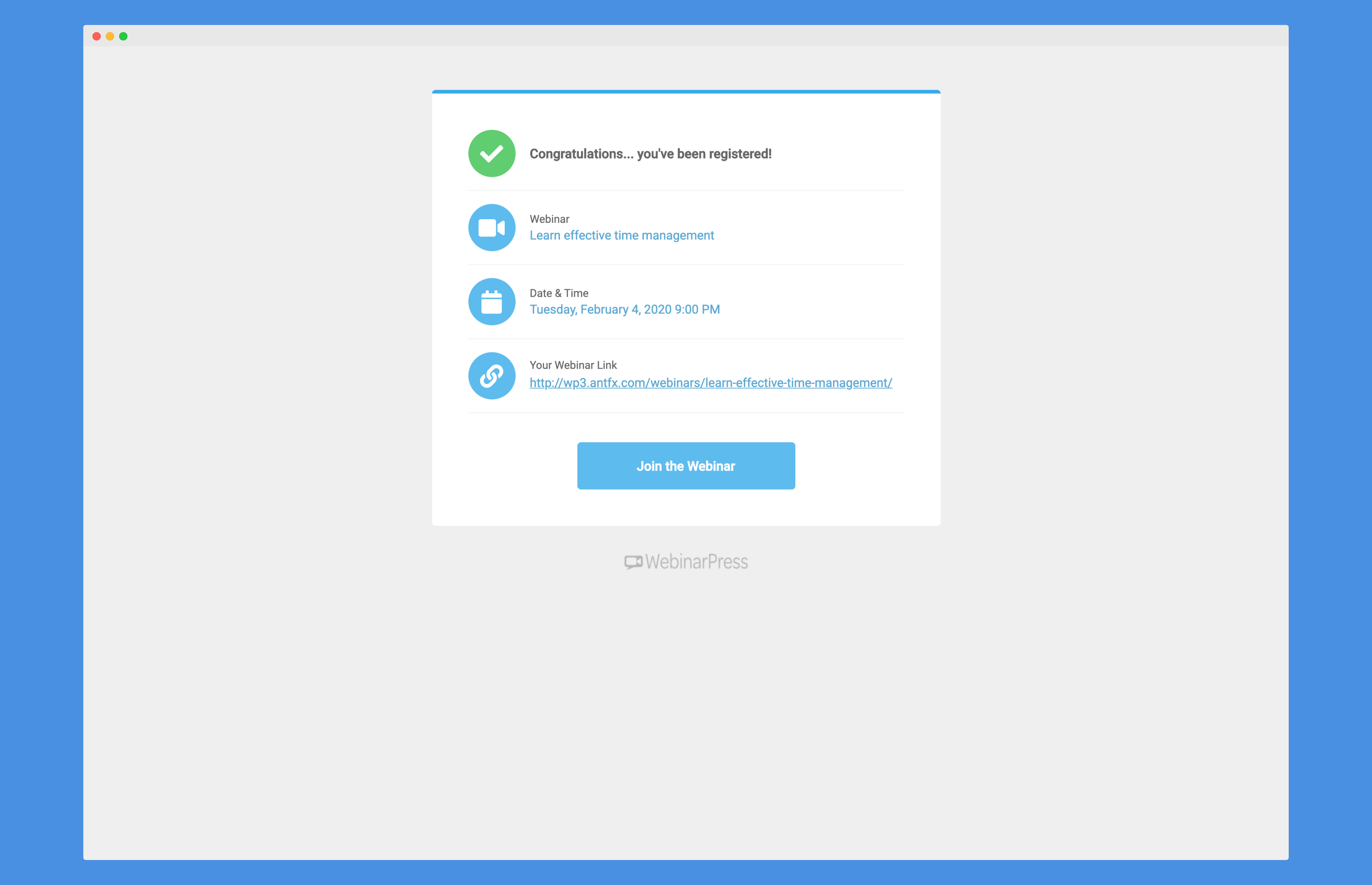
- Confirmation pages after signing up
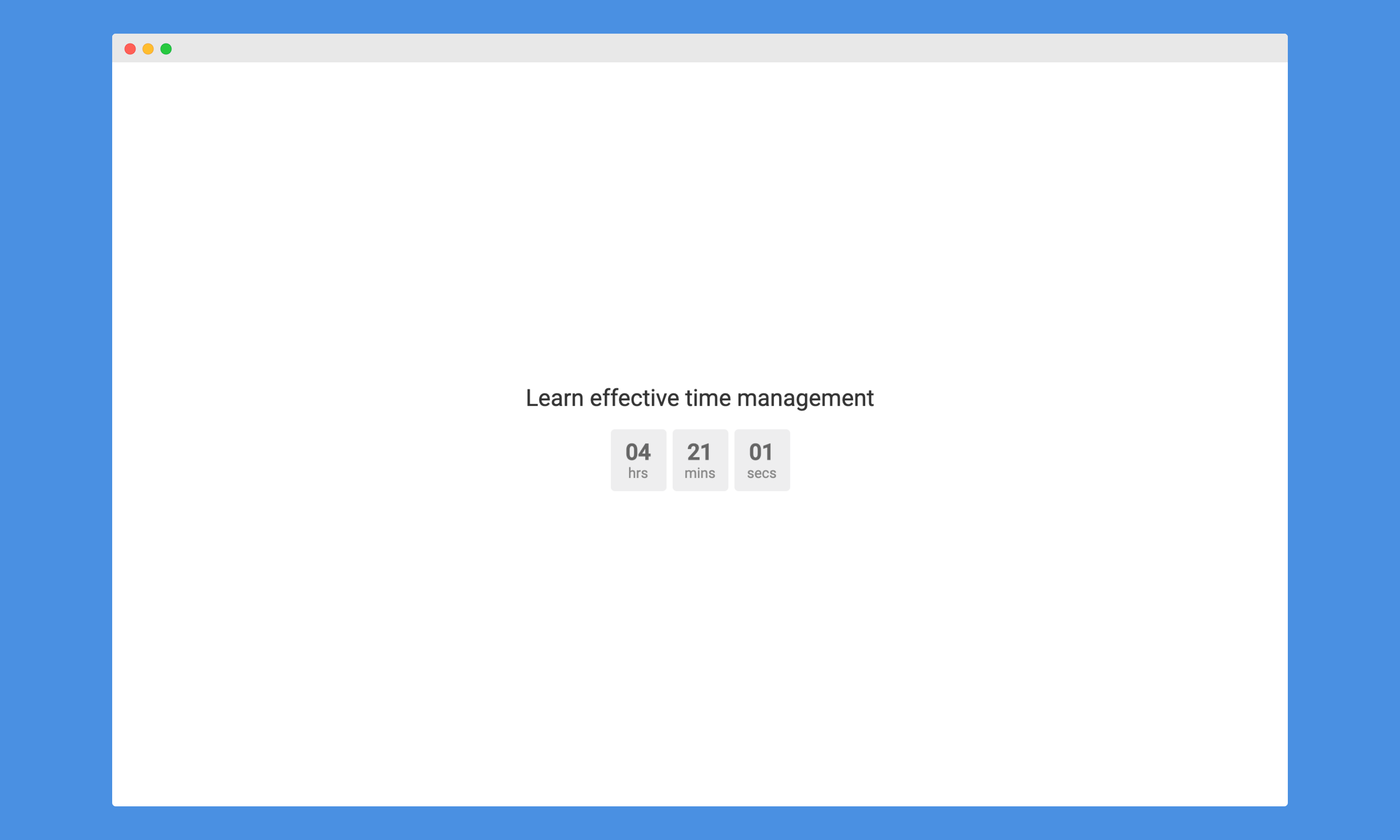
- Countdown page to show before the event starts
- See how many people are online during your webinar
- Export attendees to text or CSV file
- Let attendees ask questions during the live event and keep a log of it
- Give away an incentive during your live webinar or replay
- Have a replay available for registrants that missed out on the webinar
- Works with almost any theme
Pro-Funktionen
- Automated recorded webinars (Pro version)
- Recurring, evergreen, ‘just in time’ and ‘on demand’ webinars (Pro version)
- Custom registration fields (Pro version)
- Paid webinars (Pro version)
- Member webinars (Pro version)
- Certificate of Attendence (Pro version)
- Tags Mapping for Integration (Pro version)
- See the names of attendees during your webinar (Pro version)
- Live chat during webinars (Pro version)
- Let attendees raise their hand (Pro version)
- Show Call to Action elements during webinar (Pro version)
- Widgets with past and upcoming webinars (Pro version)
- Per webinar emails (Pro version)
- Custom registration pages (Pro version)
- Custom confirmation pages (Pro version)
- Automated replays (Pro version)
- Integration with WooCommerce (Pro version)
- Integration with WooCommerce Memberships (Pro version)
- Integration with Mailchimp (Pro version)
- Integration with Brevo (Pro version)
- Integration with Aweber (Pro version)
- Integration with ActiveCampaign (Pro version)
- Integration with Mailpoet 2 & 3(Pro version)
- Integration with Drip (Pro version)
- Integration with GetResponse (Pro version)
- Integration with Enormail (Pro version)
- Integration with Zapier (Pro version)
- Integration with FluentCRM (Pro version)
- Import & Export your webinar settings (Pro version)
-
Let attendees import the webinar to their Outlook or Google calendar (Pro version)
-
Simulated Chat (Pro version)
- Video Series Option (Pro version)
- AI Content Generator (Pro version)
& more functionalities and integrations are on its way!
You can find more information on the Pro version on our website: webinarpress.com
For more guides, information & documentation please go to our website: webinarpress.com
(Formerly WP WebinarSystem)
Installation
- Upload the entire unzipped folder to the
/wp-content/plugins/directory. - Activate the plugin through the ‘Plugins’ menu in WordPress admin panel.
You will find the ‘WebinarPress’ menu in your WordPress admin panel.
For basic usage, please have a look at the website.
For more guides, information & documentation please go to our website: webinarpress.com
Änderungsprotokoll
Bug fixes and enhancements
= 1.33.32 – 2026-11-16
– Zoom SDK update
= 1.33.31 – 2026-10-06
– Fixed security vulnerabilities and implemented various security improvements.
– Improved authorization for AJAX, administrative, webinar management, and integration-related actions.
– Improved validation and security controls for script and rich HTML settings.
– Improved protection against unauthorized changes to trusted script content.
– Improved redirect URL validation.
– Updated WordPress compatibility information in the plugin header.
– Improved WordPress.org Plugin Check compatibility.
– Fixed AWeber API compatibility with PHP 7.4 and newer PHP versions.
– Improved image import compatibility with WordPress filesystem handling.
= 1.33.30 – 2026-07-21
– Update Readme file
= 1.33.29 – 2026-05-25
– Update Readme file
= 1.33.28 – 2025-09-16
– Update Readme file
= 1.33.27 – 2025-01-09
– Zoom SDK update
= 1.33.26 – 2025-01-03
– Security vulnerabilities update
– Updated text domain to wp-webinarsystem and revised localization files
= 1.33.24 – 2024-10-01
– Update Readme file
= 1.33.23 – 2024-10-01
– Added an informational notice to remind users to update their browser to the latest version if they experience any UI issues.
= 1.33.22 – 2024-09-06
– Zoom SDK update
= 1.33.21 – 2024-08-08
– Security vulnerabilities update
– German language translations issue fixed
– Resolved an issue where webinars did not autoplay on iOS devices
– Content update for HubSpot
= 1.33.20 – 2024-06-26
– German language translations issue fixed
= 1.33.19 – 2024-05-29
– Update Readme file
= 1.33.18 – 2024-05-14
– Pro features content update
= 1.33.17 – 2024-04-17
– Jitsi Meeting JaaS service library included.
– Translations Language issue fixed
= 1.33.16 – 2024-04-15
– Pro features content update
= 1.33.15 – 2024-04-05
– Security vulnerabilities update
– Update Readme and Indexing
= 1.33.14 – 2024-03-27
– Updatation of Readme and Indexing
= 1.33.13 – 2024-03-27
– Security vulnerabilities update
= 1.33.12 – 2024-03-14
– Security vulnerabilities update
– Webinar Source mixer, Hangouts on Air and JWPlayer are Discontinued
= 1.33.11 – 2024-03-08
– Security vulnerabilities update
= 1.33.10 – 2024-03-07
– Security vulnerabilities update
= 1.33.9 – 2024-02-07
– Pro Features content changed
– Updatation of Readme and Indexing
1.33.8 – 2023-10-05
Updatation of Readme and Indexing
1.33.7 – 2023-10-05
Minor Fixes
= 1.33.6 – 2023-09-15
– Bug Fixes
= 1.33.5 – 2023-09-12
– Zoom SDK update
= 1.33.4 – 2023-07-27
– Bug Fixes
= 1.33.3 – 2023-07-21
– Vimeo Issue Fixes
= 1.33.2 – 2023-07-14
– Mailchimp Library Update
= 1.33.1 – 2023-07-21
– Vimeo Fixes
= 1.33 – 2023-07-13
– General Fixes
= 1.32.7 – 2022-11-18
– Fix padding on registration page body
– General fixes and improvements
1.32.6 – 2022-11-04
- Move DB migration function to admin_init instead of init
- WordPress 6.1 support
- Handle unicode characters in tag replacement for emails
- Support for PHP 8.x
1.32.5 – 2022-09-01
- General fixes and improvements
1.32.4 – 2022-09-01
- General fixes and improvements
1.32.3 – 2022-07-26
- Fix build issue causing errors on settings page
Screenshots

Für Entwickler
Ist das dein Plugin? Zeigen Sie die Zahlen.
Fügen Sie Ihrer Website, Docs oder GitHub Readme ein Live-Badge hinzu. Es wird von selbst aktualisiert - kein Konto erforderlich.
Best WebinarPress alternatives
All live plugins →





Fragen und Antworten
WebinarPress: quick answers
Gerade Antworten, gezogen von Live WordPress.org Daten.
Quelle: WordPress.org
Is WebinarPress free?
Yes. WebinarPress is free to download and use from the official WordPress.org plugin directory.
Is WebinarPress safe to use in 2026?
Yes — WebinarPress is a safe, well-maintained plugin to use in 2026. It runs on 800+ sites, is rated 4.1/5 and was last updated 2 weeks ago, and scores 83/100 on our health check.
How many websites use WebinarPress?
WebinarPress is active on 800+ WordPress websites and has been downloaded 167,289 times since it launched in August 2015. It was downloaded 1,780 times in the last 30 days.
Does WebinarPress work with WordPress 7.1?
Yes. The developer has tested WebinarPress up to WordPress 7.1.5, the latest release. It requires WordPress 5.3 or newer.
What PHP version does WebinarPress need?
WebinarPress requires PHP 7.4.0 or higher. Most hosts run PHP 8.x today, so it works on any modern WordPress hosting.
When was WebinarPress last updated?
The latest version, 1.33.32, was released on November 16, 2026 (2 weeks ago).
Who makes WebinarPress?
WebinarPress is developed and maintained by WPWebinarSystem.
What are the best alternatives to WebinarPress?
The most popular alternatives to WebinarPress are SearchWP Live Ajax Search (40K+ installs), Relevanssi Live Ajax Search (7K+ installs) and WP YouTube Live (1K+ installs).
Angetrieben von PageForge
Eine Vorlage und eine Tabelle. Eine echte Seite für jede Suche.
PageForge Verwandelt jede Zeile eines CSV in eine WordPress-Seite mit eigenem Titel, URL, SEO Felder und Schema entworfen. Kostenlos auf WordPress.org.
- CSV und XLSX, plus Google Sheets auf Beruf und Unternehmen
- seinen eigenen Titel, URL, SEO Felder und Schema für jede Seite
- Arbeitet mit dem Blockeditor, Elementor, Divi und Avada
- Kostenlos auf WordPress.org, keine Kreditkarte