


WP Terms Popup – Terms and Conditions and Privacy Policy WordPress Popups
Use WP Terms Popup to ask visitors to agree to your terms and conditions or privacy policy before they are allowed to view your site.

Mit Vorsicht verwenden
WP Terms Popup works, but test it on a staging site before relying on it in 2026. It runs on 3K+ sites, is rated 4.8/5 and was last updated 9 months ago, and scores 43/100 on our health check.
- Momentum — downloads up 41.6% vs the previous 30 days
- Nur getestet bis WordPress 6.9 (letzt ist 7.1)
Wie stapelt es sich?
Side-by-side bei Installationen, Updates, Bewertungen und Support



Tägliche Downloads
Download-Spitzen folgen normalerweise einer neuen Version - jede Website, die automatisch aktualisiert wird, gilt als Download.
Ranglisten
Where WP Terms Popup stands todayWordPress.org Ranglisten suchen
Live-Position in der Plugin-Suche, Top 100| Stichwort | Position |
|---|---|
| age verification | #16 |
| popup | #45 |
| Datenschutzerklärung | #17 |
| Allgemeine Geschäftsbedingungen | #6 |
| terms of service | #6 |
Versionsübernahme
Anteil aktiver Sites pro Release.
Bewertungsaufschlüsselung
★★★★★★★★★★ 4.8 from 15 reviews
About WP Terms Popup
From the official readme · v2.11.0Beschreibung
Control access to your WordPress site with a popup. WP Terms Popup gives you the ability to use a popup to restrict users from accessing your website. You can use the plugin to ask visitors to agree to your terms and conditions, terms of service, or privacy policy before they are allowed to view your site. Add an age verification check to your popups before they can be accepted.
How Does WP Terms Popup Work?
WP Terms Popup gives your users a simple three-step process for gaining access to your website. Use this as a way to make sure your visitors are presented with your terms and conditions, terms of service, or even a privacy policy before viewing your WordPress site.
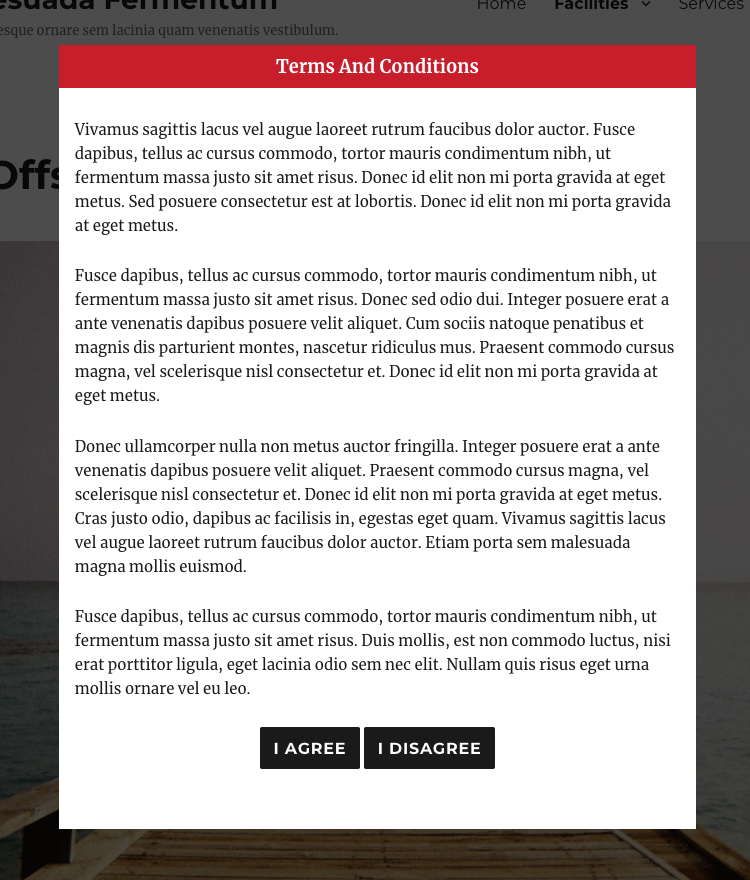
Step #1: Your user must read the popup first.
You decide what your popup shows to visitors: terms of service, a privacy policy, etc. You can include any content, such as text or images, that you would include in a typical WordPress post.
Step #2: The user agrees to your conditions.
Each popup contains two buttons: one to show acceptance and another that redirects away from your site. The popup will not go away until your user clicks the accept button to agree to the content of your popup.
You can add an optional age verification check to your popup as well that disables the accept button until a valid date of birth is entered. Age verification settings can be defined while you create your popup.
Step #3: Website access is granted to your user.
When the user accepts your popup they are immediately taken to your site without any further interaction. They will not see the popup again until your agreement expiration has expired.
Loslegen
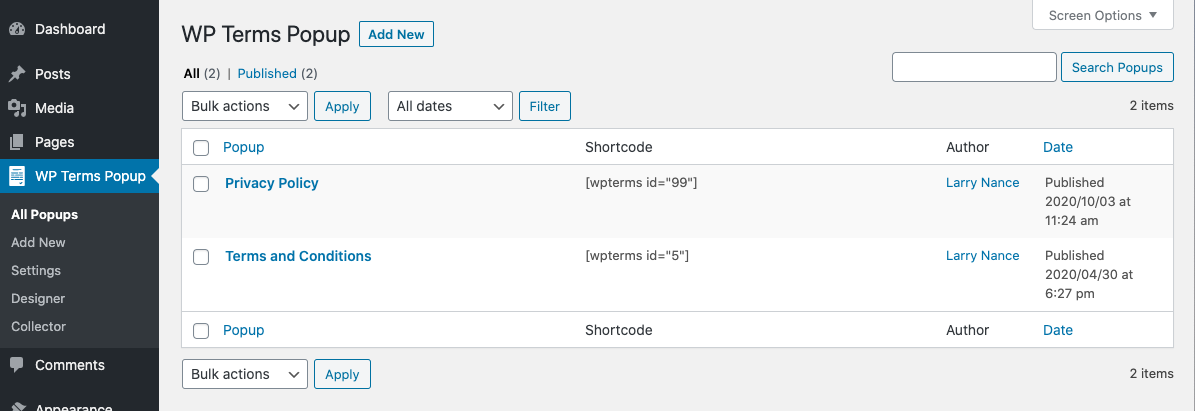
After installing and activating WP Terms Popup, go to “WP Terms Popup” in your WordPress admin menu and select “Add New” to create your first popup.
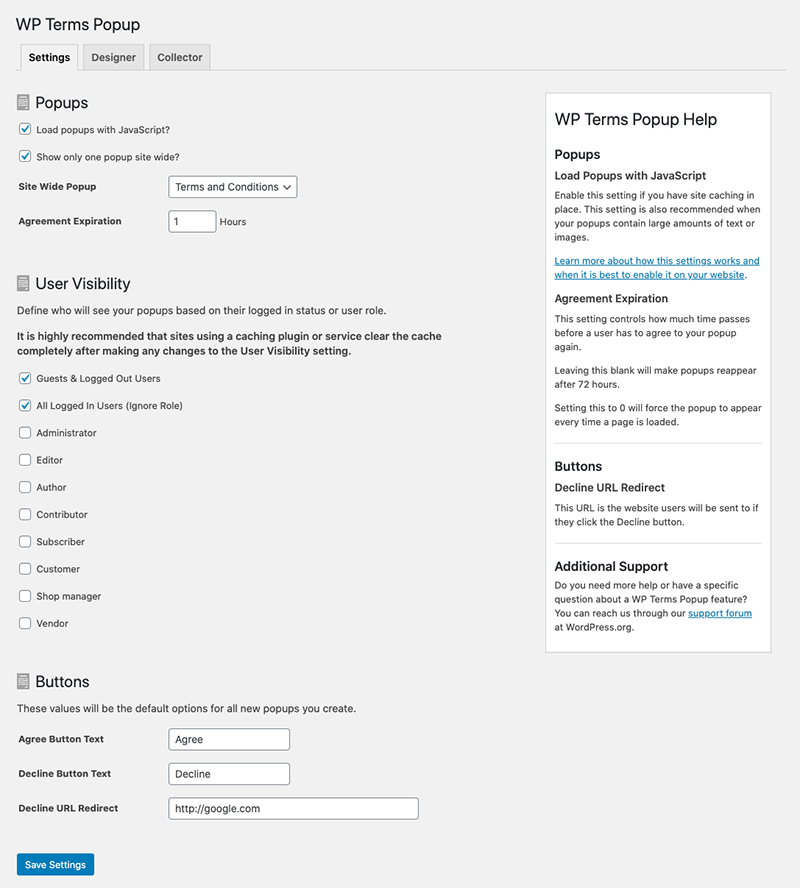
Go to “Settings” in the same “WP Terms Popup” menu to create the global settings that will apply to all popups. You can override some of these settings by editing each individual popup.
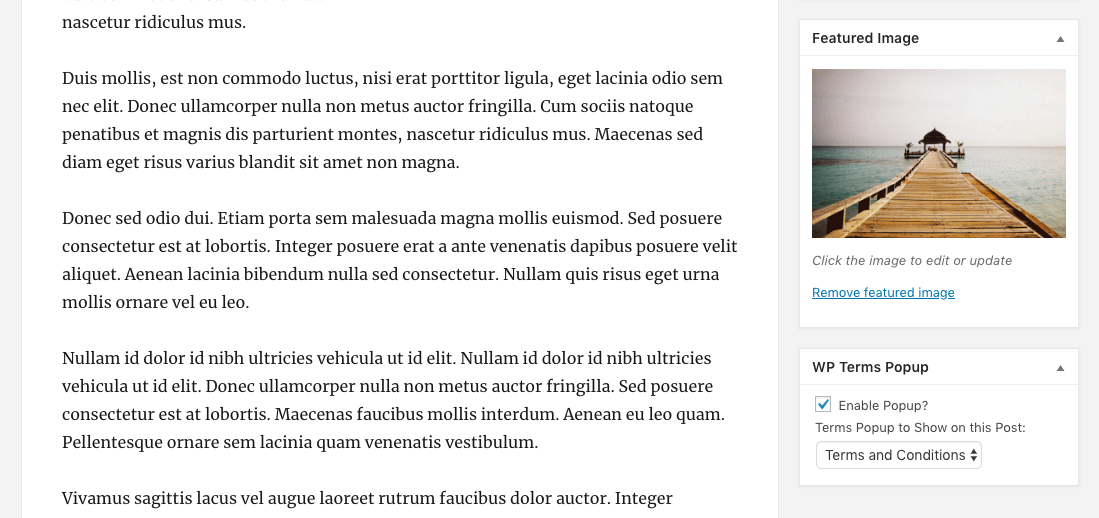
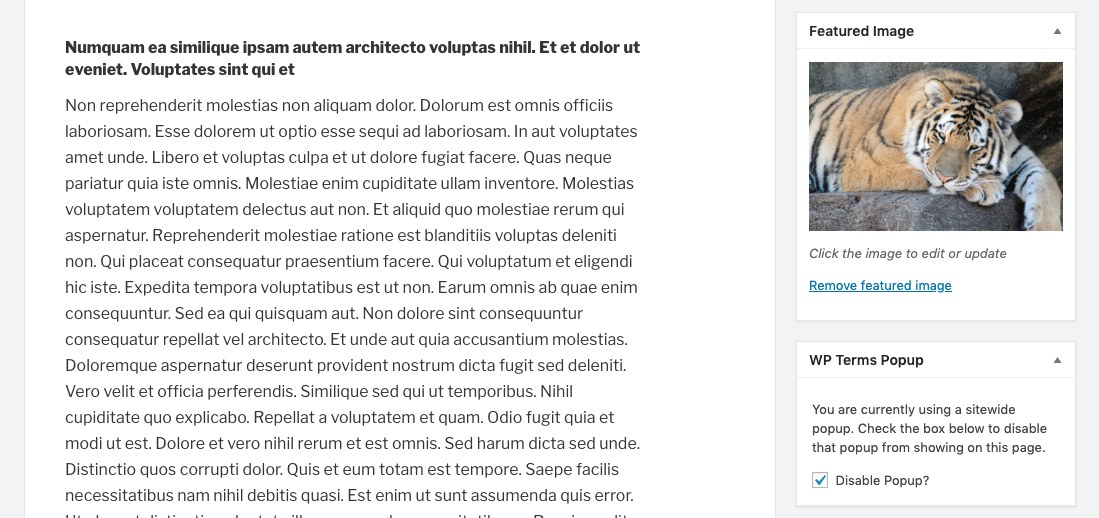
From the “Settings” screen you can assign a popup to be shown sitewide or you can assign popups to individual pieces of content using the standard post editing screen.
You can set up age verification using the WP Terms Popup Settings meta box. Define how old a visitor has to be to agree to your popup. You can also set the order of the age verification dropdowns so the date format matches your country’s format. The age verification feature is available in WP Terms Popup 2.6.0 and above.
Premium Add-Ons
You can extend the feature set of WP Terms Popup with one of our premiums add-ons:
- WP Terms Popup Designer
Adjust the appearance of your popups without writing code or modifying your WordPress theme. - WP Terms Popup Collector
Store information about your website’s visitors after they agree to your popups.
Änderungsprotokoll
WP Terms Popup 2.5.0 contains major changes to the HTML markup of the popup and how the "Load popups with JavaScript?" feature functions. Please check any custom CSS you might be using and, if your site has a caching solution, reset/flush the cache after updating.
2.11.0
- Security fixes and improvements.
2.10.0
- Changed the user capability required to access the Designer and Collector add-ons.
2.9.1
- Bug fix to prevent non-sitewide popups from displaying on search result pages.
2.9.0
- Added new “Agree URL Redirect” setting to redirect users to a URL after they agree to a popup.
- Added new “Message” setting to display above Age Verification dropdowns.
2.8.1
- Added action
wptp_popup_before_contentto allow for additional markup to be added before the popup content. - Bug fixes.
2.8.0
- New “Acknowledgement Check Box” feature to require a check box to be checked before the accept button is enabled.
- Interface changes.
Screenshots
Für Entwickler
Ist das dein Plugin? Zeigen Sie die Zahlen.
Fügen Sie Ihrer Website, Docs oder GitHub Readme ein Live-Badge hinzu. Es wird von selbst aktualisiert - kein Konto erforderlich.
Best WP Terms Popup alternatives
All age verification plugins →





Fragen und Antworten
WP Terms Popup: quick answers
Gerade Antworten, gezogen von Live WordPress.org Daten.
Quelle: WordPress.org
Is WP Terms Popup free?
Yes. WP Terms Popup is free to download and use from the official WordPress.org plugin directory.
Is WP Terms Popup safe to use in 2026?
WP Terms Popup works, but test it on a staging site before relying on it in 2026. It runs on 3K+ sites, is rated 4.8/5 and was last updated 9 months ago, and scores 43/100 on our health check.
How many websites use WP Terms Popup?
WP Terms Popup is active on 3K+ WordPress websites and has been downloaded 121,783 times since it launched in June 2016. It was downloaded 1,073 times in the last 30 days.
Does WP Terms Popup work with WordPress 7.1?
WP Terms Popup is officially tested up to WordPress 6.9.12, while the latest release is 7.1.5. It may still work, but try it on a staging site first.
What PHP version does WP Terms Popup need?
WP Terms Popup requires PHP 5.6 or higher. Most hosts run PHP 8.x today, so it works on any modern WordPress hosting.
When was WP Terms Popup last updated?
The latest version, 2.11.0, was released on March 2, 2026 (9 months ago).
Who makes WP Terms Popup?
WP Terms Popup is developed and maintained by Link Software LLC.
What are the best alternatives to WP Terms Popup?
The most popular alternatives to WP Terms Popup are Age Gate (40K+ installs), Age Gate Lite (2K+ installs) and Marijuana Age Verify (1K+ installs).
Angetrieben von PageForge
Eine Vorlage und eine Tabelle. Eine echte Seite für jede Suche.
PageForge Verwandelt jede Zeile eines CSV in eine WordPress-Seite mit eigenem Titel, URL, SEO Felder und Schema entworfen. Kostenlos auf WordPress.org.
- CSV und XLSX, plus Google Sheets auf Beruf und Unternehmen
- seinen eigenen Titel, URL, SEO Felder und Schema für jede Seite
- Arbeitet mit dem Blockeditor, Elementor, Divi und Avada
- Kostenlos auf WordPress.org, keine Kreditkarte