


WP Force SSL & HTTPS SSL Redirect
Enable SSL & HTTPS redirect with 1 click! Add SSL certificate & WP Force SSL to redirect site from HTTP to HTTPS & fix SSL errors.

Sichere Auswahl
Yes — WP Force SSL & HTTPS SSL Redire… is a safe, well-maintained plugin to use in 2026. It runs on 80K+ sites, is rated 4.7/5 and was last updated 3 months ago, and scores 85/100 on our health check.
- Bewährt im Maßstab auf 80k + aktiven Standorten
- Loved by users — 4.7/5 from 179 reviews
- Getestet mit dem neuesten WordPress (7.1)
Wie stapelt es sich?
Side-by-side bei Installationen, Updates, Bewertungen und Support


Tägliche Downloads
Download-Spitzen folgen normalerweise einer neuen Version - jede Website, die automatisch aktualisiert wird, gilt als Download.
Ranglisten
Where WP Force SSL & HTTPS SSL Re… stands todayWordPress.org Ranglisten suchen
Live-Position in der Plugin-Suche, Top 100| Stichwort | Position |
|---|---|
| force ssl | #1 |
| HTTPS | #4 |
| mixed content | #3 |
| ssl | #2 |
| ssl certificate | #4 |
Versionsübernahme
Anteil aktiver Sites pro Release.
Bewertungsaufschlüsselung
★★★★★★★★★★ 4.7 from 179 reviews
About WP Force SSL & HTTPS SSL Redirect
From the official readme · v1.70Beschreibung
WP Force SSL helps you redirect insecure HTTP traffic to secure HTTPS and fix SSL errors without touching any code. Activate Force SSL and everything will be set and SSL enabled. The entire site will move to HTTPS using your SSL certificate. It works with any SSL certificate. It can be free SSL certificate from Let’s Encrypt or a paid SSL certificate.
How to add SSL & enable SSL? Most hosting companies support the free SSL certificate from Let’s Encrypt, so login to your hosting panel and add SSL certificate. You’ll see a button labeled “Add SSL Certificate” or “Add Let’s Encrypt Certificate” and after that it’s 1 click to have the SSL enabled on your site with WP Force SSL. If that doesn’t work get WP Force SSL PRO and it’ll generate free SSL certificate for your site. And will regenerate SSL certificate every 90 days.
Access WP Force SSL settings via the main Settings menu -> WP Force SSL.
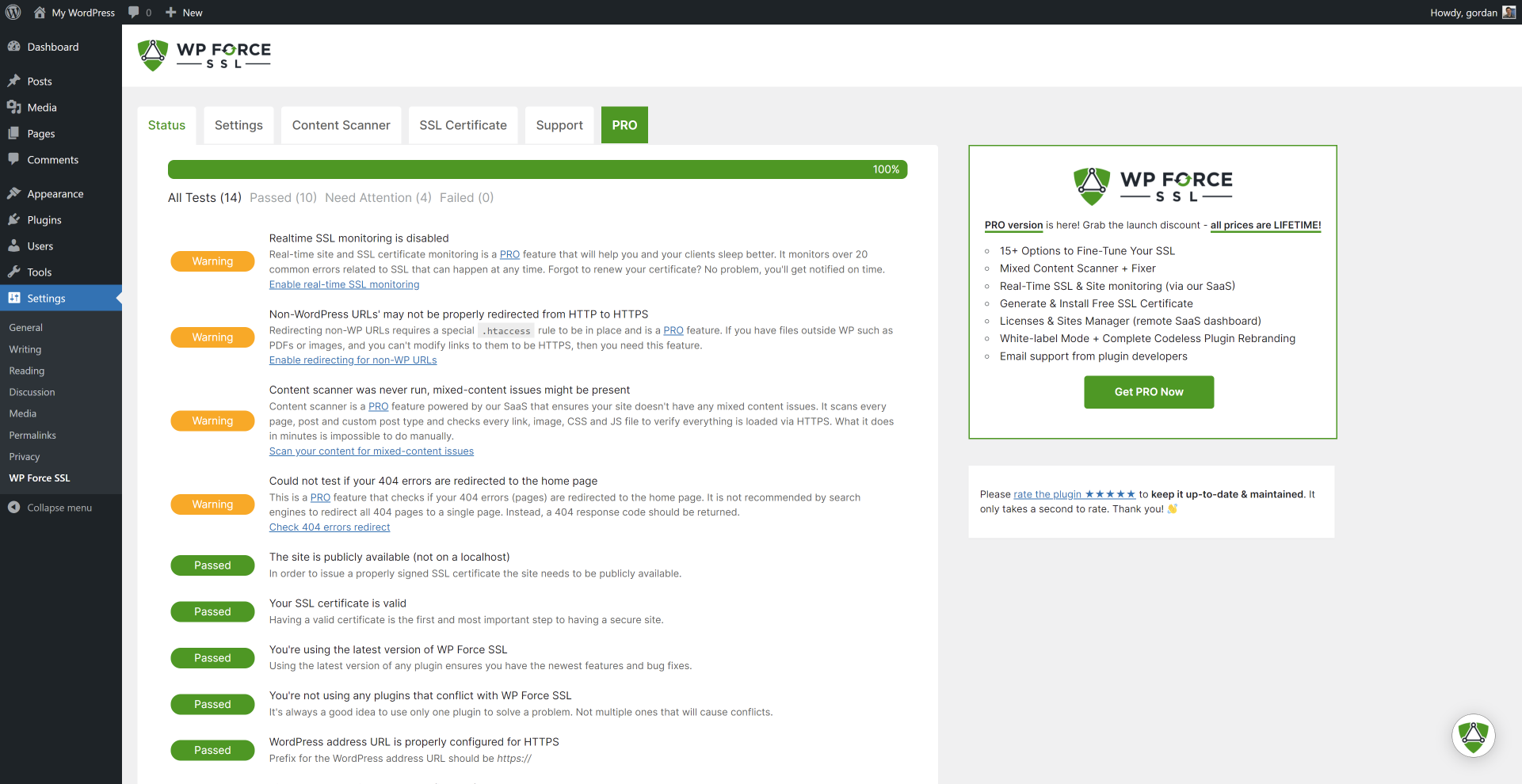
SSL Tests available in the plugin
- is site on localhost?
- check SSL certificate
- check SSL certificate expiry date
- is latest version of Force SSL used?
- are known incompatible SSL plugins active?
- is WP address URL set for SSL?
- is WP home URL set for SSL?
- is SSL monitoring enabled (pro feature)
- is HTTPS redirection working?
- is file redirection working (pro feature)
- is HSTS enabled?
- check mixed-content issue (pro feature)
- is htaccess available & writable?
- is 404 redirection enabled (pro feature)
Einstellungen
- redirect HTTP to HTTPS
- fix mixed-content (pro)
- enable HSTS
- force secure cookies (pro)
- cross-site scripting protection (pro)
- expect CT header
- X-Frame options
- show WP Force SSL menu in admin bar
- show WP Force SSL widget in admin dashboard
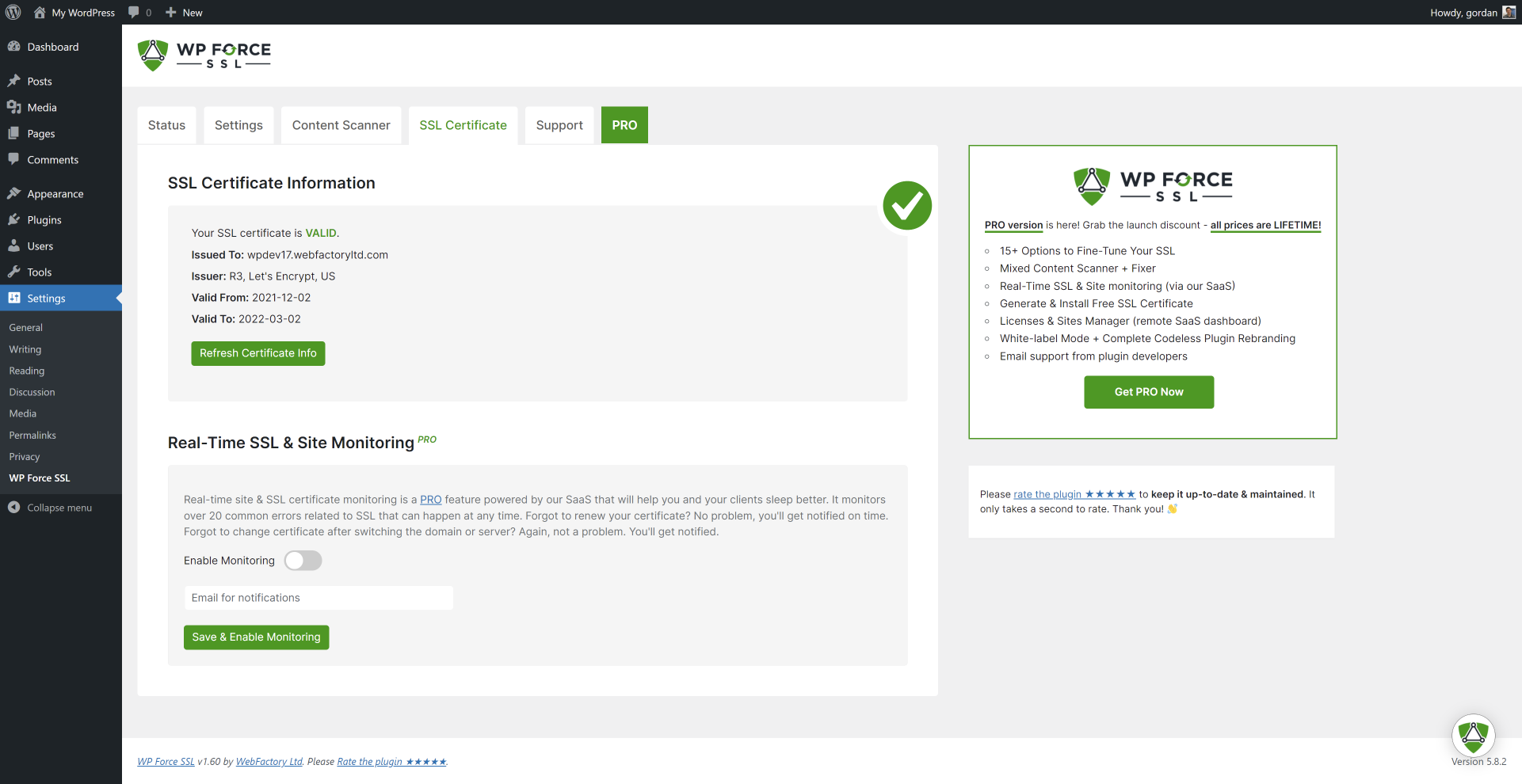
SSL certificate testing tool
WP Force SSL comes with an SSL certificate testing tool. It tests if the SSL certificate is valid, properly installed & up-to date.
Need support?
We’re here for you! Things get frustrating when they don’t work so make sure you open a support topic in the official Force SSL forum. We answer all questions within a few hours!
External Assets
A big thank you to SweetAlert2 authors which we use to make alerts nicer. And to DepositPhotos for the lovely header image.
Installation
- Open Plugins – Add New in WP admin and search for “WP Force SSL”
- Installieren und aktivieren Sie das Plugin
- Open plugin settings via Settings – WP Force SSL
- Check provided tests and settings
Änderungsprotokoll
v1.70
- 2026/07/20
- minor update
v1.69
- 2026/05/19
- minor update
v1.68
- 2025/07/31
- minor code fixes
v1.67
- 2024/06/07
- Sicherheitskorrekturen
v1.66
- 2024/03/26
- WordPress 6.5 and PHP 8.2 compatibility
v1.65
- 2022/01/12
- added admin Dashboard widget
Screenshots

Für Entwickler
Ist das dein Plugin? Zeigen Sie die Zahlen.
Fügen Sie Ihrer Website, Docs oder GitHub Readme ein Live-Badge hinzu. Es wird von selbst aktualisiert - kein Konto erforderlich.
Best WP Force SSL & HTTPS SSL Redi… alternatives
All force ssl plugins →

Fragen und Antworten
WP Force SSL & HTTPS SSL Redirect: quick answers
Gerade Antworten, gezogen von Live WordPress.org Daten.
Quelle: WordPress.org
Is WP Force SSL & HTTPS SSL Redire… free?
Yes. WP Force SSL & HTTPS SSL Redire… is free to download and use from the official WordPress.org plugin directory.
Is WP Force SSL & HTTPS SSL Redire… safe to use in 2026?
Yes — WP Force SSL & HTTPS SSL Redire… is a safe, well-maintained plugin to use in 2026. It runs on 80K+ sites, is rated 4.7/5 and was last updated 3 months ago, and scores 85/100 on our health check.
How many websites use WP Force SSL & HTTPS SSL Redire…?
WP Force SSL & HTTPS SSL Redire… is active on 80K+ WordPress websites and has been downloaded 1,880,572 times since it launched in January 2015. It was downloaded 7,886 times in the last 30 days.
Does WP Force SSL & HTTPS SSL Redire… work with WordPress 7.1?
Yes. The developer has tested WP Force SSL & HTTPS SSL Redire… up to WordPress 7.1.5, the latest release. It requires WordPress 4.6 or newer.
What PHP version does WP Force SSL & HTTPS SSL Redire… need?
WP Force SSL & HTTPS SSL Redire… requires PHP 5.2 or higher. Most hosts run PHP 8.x today, so it works on any modern WordPress hosting.
When was WP Force SSL & HTTPS SSL Redire… last updated?
The latest version, 1.70, was released on August 16, 2026 (3 months ago).
Who makes WP Force SSL & HTTPS SSL Redire…?
WP Force SSL & HTTPS SSL Redire… is developed and maintained by WebFactory.
What are the best alternatives to WP Force SSL & HTTPS SSL Redire…?
The most popular alternatives to WP Force SSL & HTTPS SSL Redire… are Easy HTTPS Redirection (SSL) (100K+ installs), SSL Zen (9K+ installs) and SSL Mixed Content Fix (7K+ installs).
Angetrieben von PageForge
Eine Vorlage und eine Tabelle. Eine echte Seite für jede Suche.
PageForge Verwandelt jede Zeile eines CSV in eine WordPress-Seite mit eigenem Titel, URL, SEO Felder und Schema entworfen. Kostenlos auf WordPress.org.
- CSV und XLSX, plus Google Sheets auf Beruf und Unternehmen
- seinen eigenen Titel, URL, SEO Felder und Schema für jede Seite
- Arbeitet mit dem Blockeditor, Elementor, Divi und Avada
- Kostenlos auf WordPress.org, keine Kreditkarte