


Winden — Tailwind CSS Compiler with Full WordPress Integration
Tailwind CSS compiler for WordPress. Use utility classes directly in your editor.

Solide Wahl
Winden is a solid plugin choice in 2026, with a few things worth checking first. It runs on 10+ sites, is rated 5/5 and was last updated 3 weeks ago, and scores 73/100 on our health check.
- Aktiv entwickelt – letztes Update vor 3 Wochen
- Getestet mit dem neuesten WordPress (7.1)
- Kleine Benutzerbasis (10+ aktive Installationen)
- Bisher sehr wenige Bewertungen
Wie stapelt es sich?
Side-by-side bei Installationen, Updates, Bewertungen und Support



Tägliche Downloads
Download-Spitzen folgen normalerweise einer neuen Version - jede Website, die automatisch aktualisiert wird, gilt als Download.
Ranglisten
Where Winden stands todayWordPress.org Ranglisten suchen
Live-Position in der Plugin-Suche, Top 100| Stichwort | Position |
|---|---|
| compiler | #5 |
| css | >100 |
| Gutenberg | >100 |
| page builder | >100 |
| Rückenwind | #3 |
Versionsübernahme
Anteil aktiver Sites pro Release.
Bewertungsaufschlüsselung
★★★★★★★★★★ 5 from 2 reviews
About Winden
From the official readme · v2.0.4Beschreibung
Winden brings the full power of Tailwind CSS v4 to WordPress. Write utility classes directly in your editor and see them compiled in real-time.
Eigenschaften:
- Full Tailwind CSS v4 support
- Fallback for Tailwind CSS v3 with Config support
- Real-time compilation in browser
- Works with any theme or page builder
- Gutenberg integration
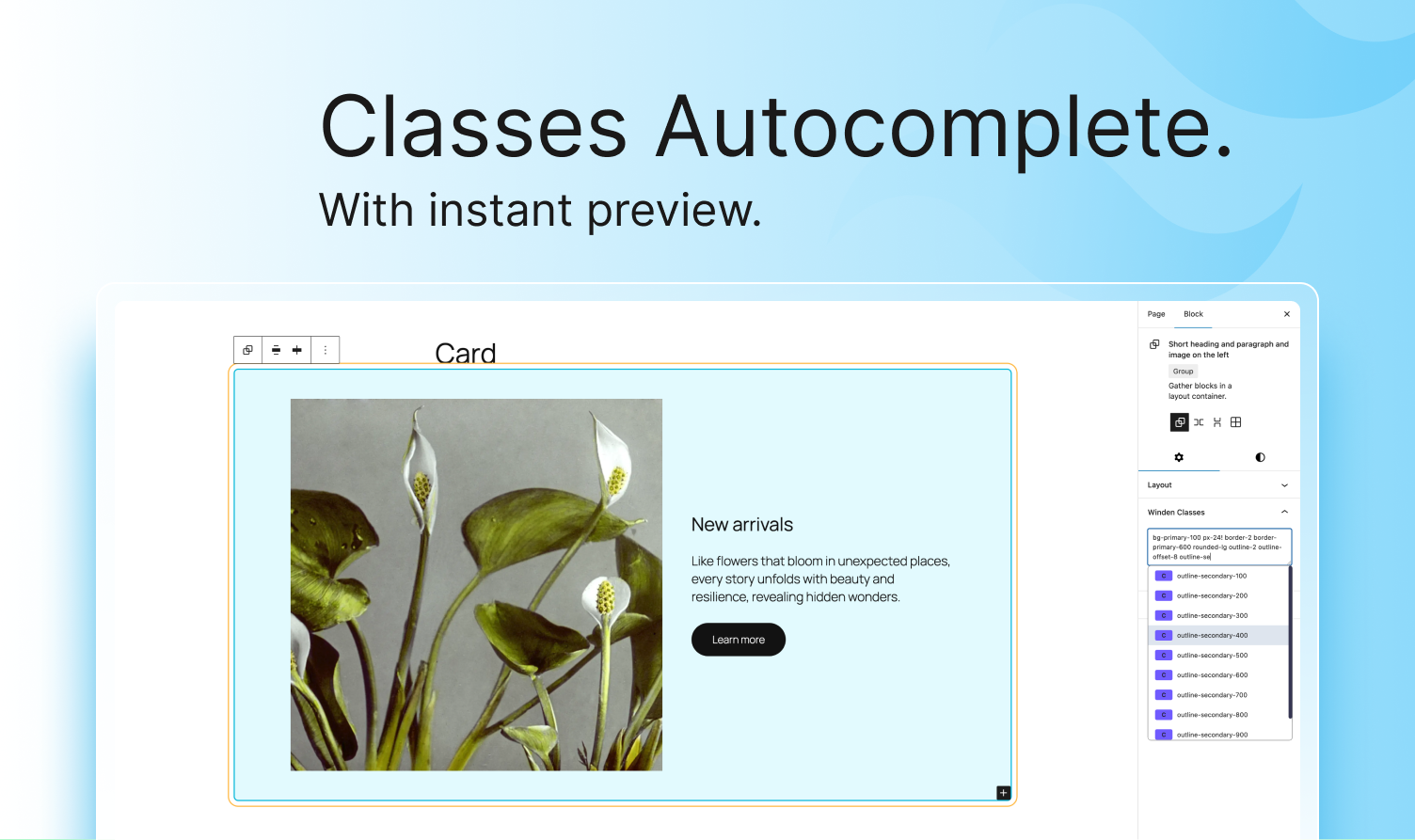
- Winden Classes panel: a visual class helper with autocomplete, colour swatches and CSS previews
- HTML editor: edit any block as HTML, or paste a Tailwind component and get blocks that keep their classes
- Winden Group, Image, Text, Icon and Shape blocks for Tailwind markup
- Developer-friendly
Integrations:
- Gutenberg (free)
- FanCoolo WP (free)
- Oxygen Builder (pro)
- Bricks Builder (pro)
- Elementor (pro)
- Builderius (pro)
Bundled Tailwind Plugins:
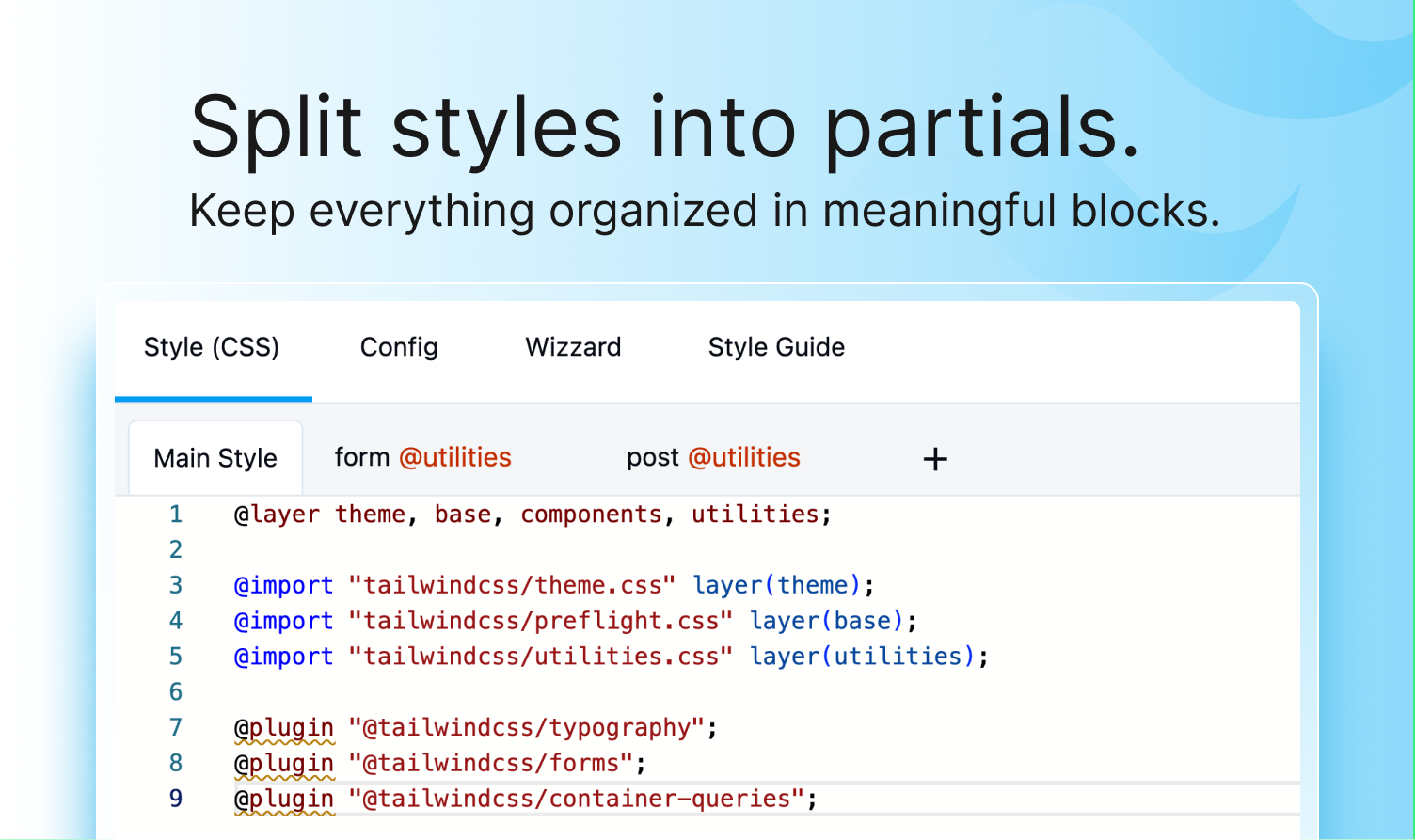
- @tailwindcss/forms
- @tailwindcss/typography
Container queries are built into Tailwind v4.
Easy migration:
* With single copy paste of style tab you can migrate form WindPress and other tailwindcss integration to Winden keeping all the classs in block attributes
Externe Dienste
Winden provides optional integration with external services for loading third-party Tailwind plugins. Core features work entirely offline.
Third-Party Tailwind Plugins:
When you use the @plugin directive with an external URL in your CSS configuration, Winden fetches the plugin module at compile time. For example: @plugin "https://esm.sh/daisyui@5";
- Only activated when user explicitly adds a
@plugindirective with a URL - Supports any ESM-compatible CDN (esm.sh, unpkg, jsdelivr, etc.)
- Plugin fetching only occurs during development mode compilation
- In production mode with dev mode disabled, no external requests are made
- No user data or site information is transmitted
npm registry (plugin search):
The Tailwind plugin picker in the Style Editor searches the public npm registry (https://registry.npmjs.org) for Tailwind plugins.
- Only activated when you type into the plugin search
- Sends only the search text you typed
- No user data or site information is transmitted
- npm terms: https://docs.npmjs.com/policies/terms, privacy: https://docs.npmjs.com/policies/privacy
Installation
- Upload the plugin folder to
/wp-content/plugins/ - Aktivieren Sie das Plugin über das „Plugins“-Menü in WordPress
- Navigate to Winden settings to configure
Änderungsprotokoll
Erste Freigabe.
2.0.2
- Tested up to WordPress 7.1.3
2.0.1
- Tested up to WordPress 7.1.2
2.0.0
- Added: Winden Classes panel, a visual class helper in Gutenberg. Autocomplete in a textarea, a colour swatch beside every colour class, hover a class to read its CSS, and classes that compile to nothing are flagged.
- Added: HTML editor. Edit any block as HTML from its toolbar; the editor docks beside the canvas and follows your selection.
- Added: Paste a Tailwind component and get real blocks that keep their classes, including images, galleries, tables, SVG and links.
- Added: Winden Image, Winden Text and Winden Icon blocks, and the Winden Group and Winden Shape variations for Tailwind markup.
- Added: HTML attributes (aria-*, data-*, style and more) on core Paragraph, Heading, List, Quote, Group, Code, Separator and Preformatted blocks.
- Added: Expand or collapse a whole branch in List View.
- Added: Alt/Option+click a block to jump straight to its Winden Classes field.
- Added: Tailwind plugin management. Search npm for a plugin, add it without writing CSS, and switch it off without removing it.
- Added: Page caches (WP Rocket, LiteSpeed, W3 Total Cache, WP Super Cache, SiteGround and more) are cleared automatically when the compiled CSS changes.
- Improved: The compiler uses native Tailwind v4 APIs, and container queries work through Tailwind v4 itself. Existing Style tabs keep compiling.
- Improved: The editor always compiles on save, even with “Disable Dev Mode” on. The setting now only affects the frontend for logged-in users.
- Improved: A pending CSS rebuild runs the next time an admin opens the editor, the Winden settings or any frontend page.
- Improved: More classes are found: shortcodes and dynamic blocks that depend on the current page, menu CSS classes and widgets.
- Improved: Arbitrary values that contain quotes, such as url() backgrounds and quoted font names, now compile correctly.
- Improved: Faster admin. Monaco loads only where there is an editor.
- Improved: File scanner tri-state checkboxes, file-count badges and a loading spinner.
- Improved: Tailwind CSS v4.3.3.
- Fixed: Undo (Ctrl/Cmd+Z) in the Style Editor could replace a tab with another tab’s content.
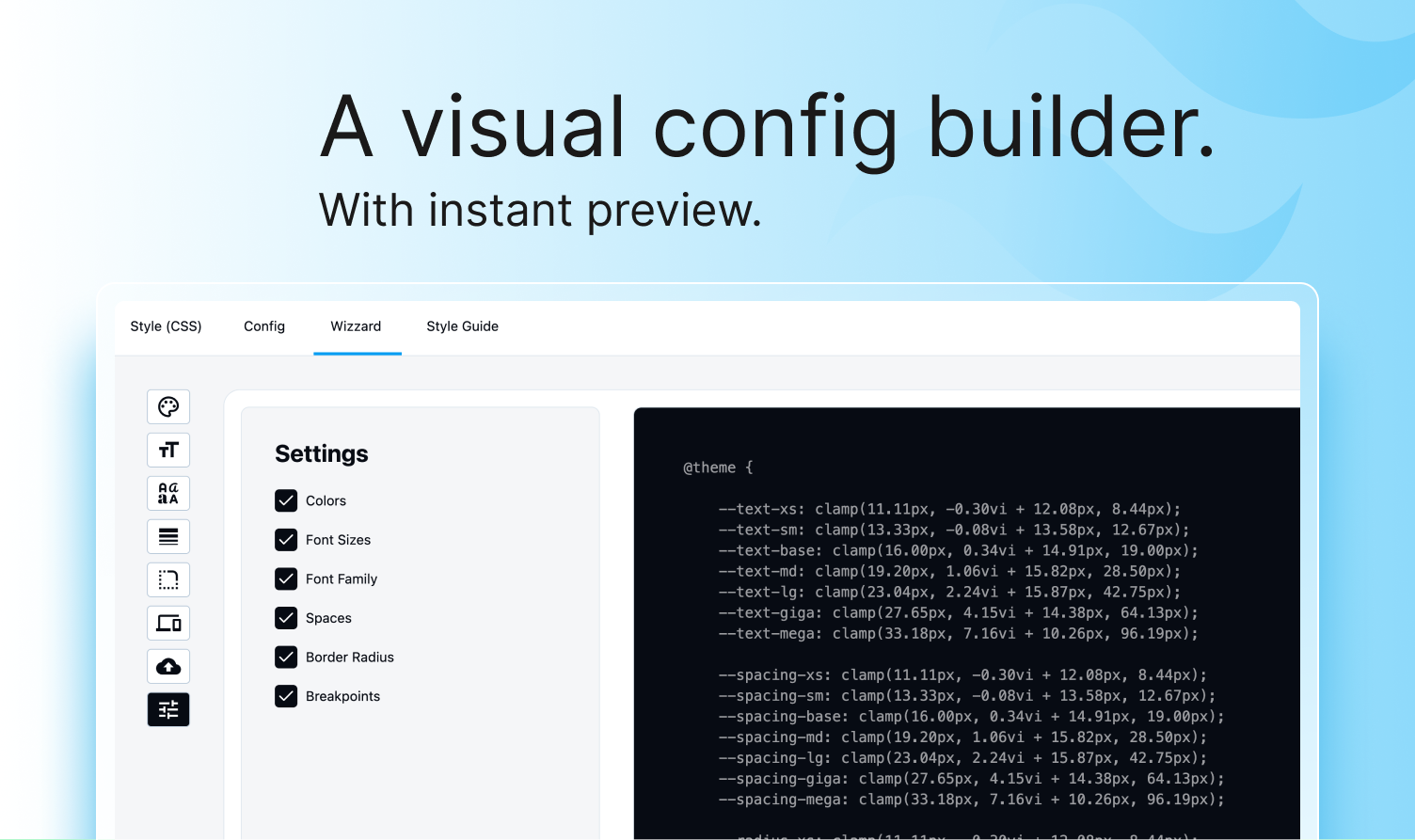
- Fixed: An empty Wizzard deleted the whole theme.
- Fixed: After switching blocks, autocomplete could show the previous block’s suggestions.
- Fixed: Autocomplete took focus away from other editor fields.
1.4.4
- Tested up to WordPress 7.1.2
1.4.3
- Tested up to WordPress 7.1.1
1.4.2
- Tested up to WordPress 7.1
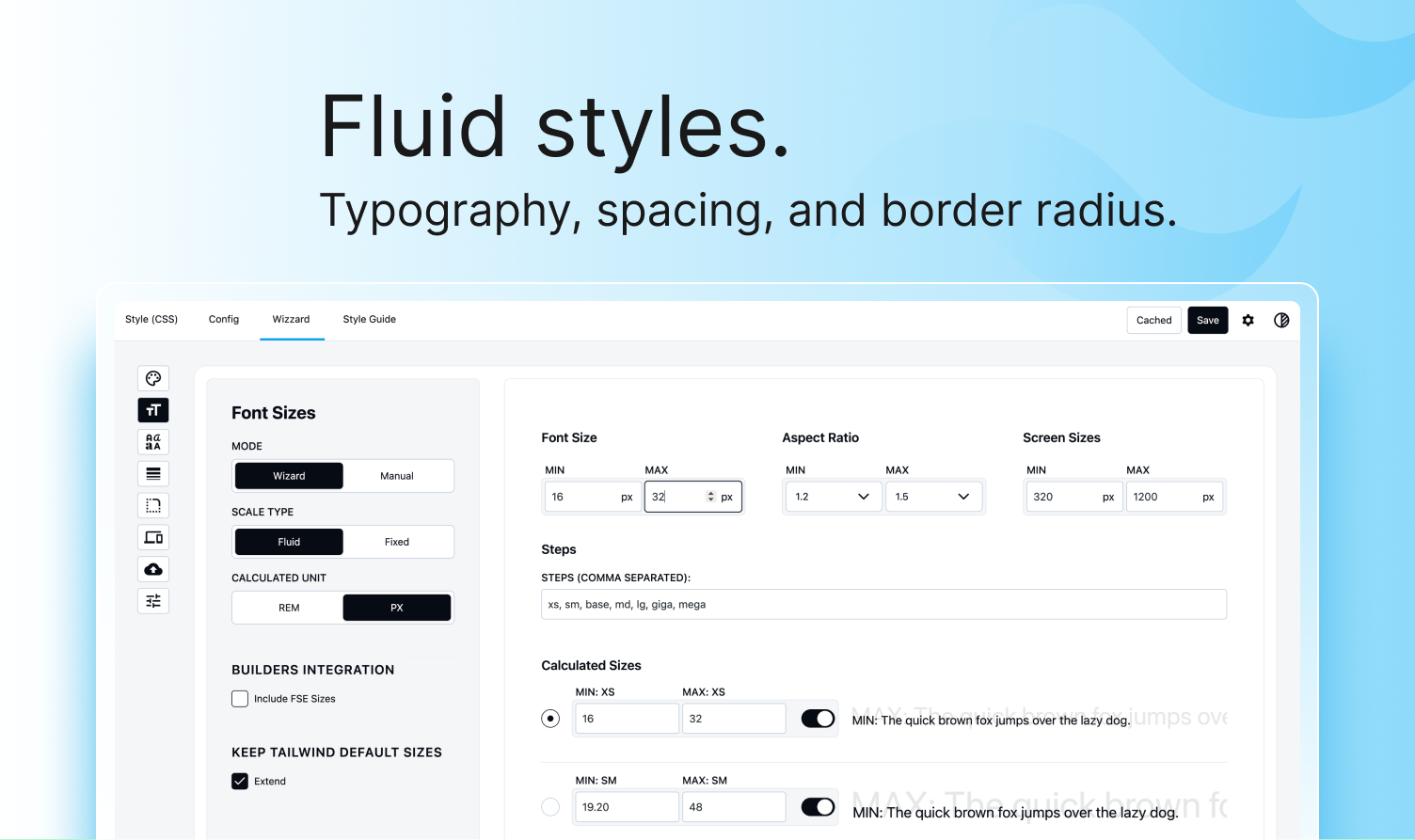
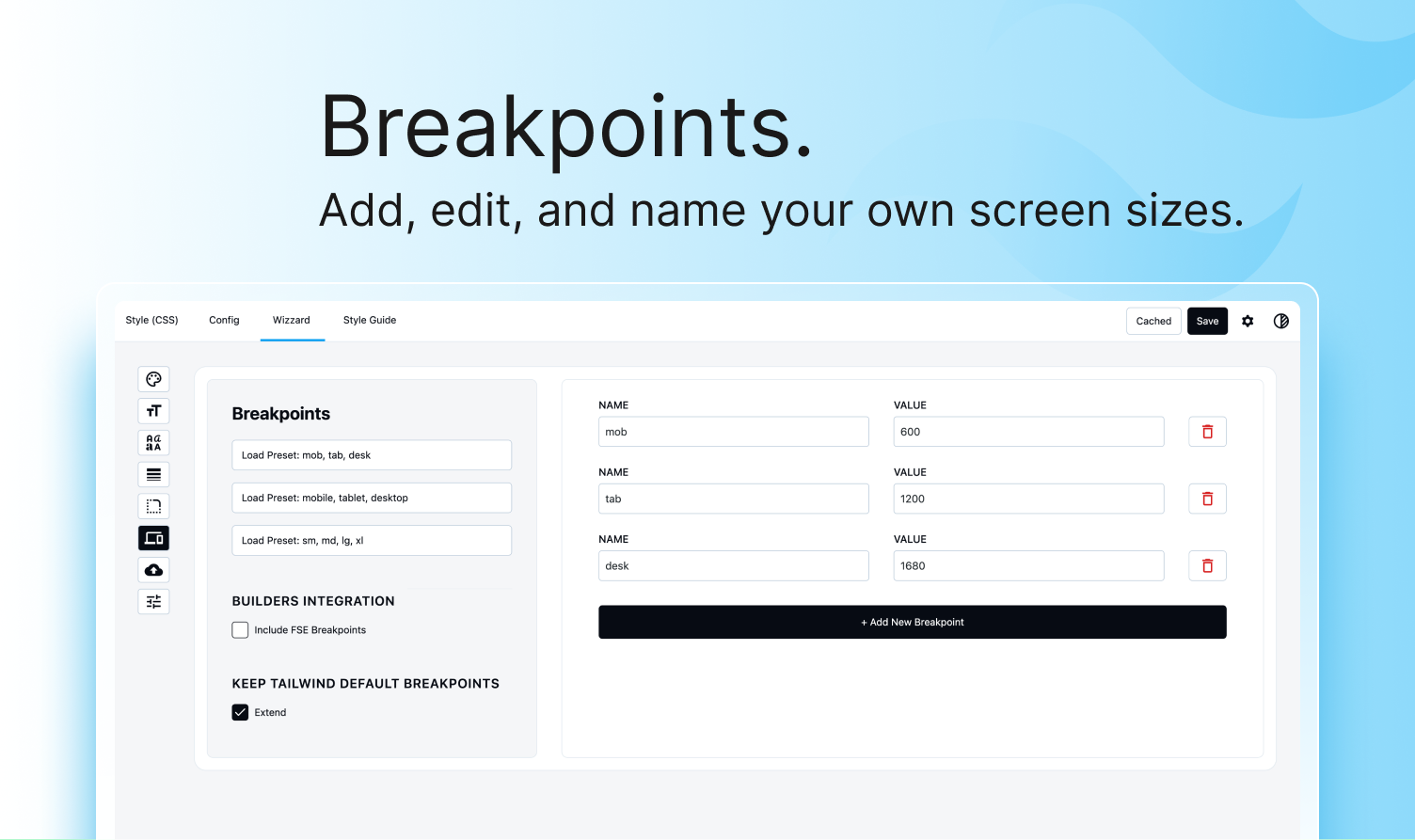
Screenshots

Für Entwickler
Ist das dein Plugin? Zeigen Sie die Zahlen.
Fügen Sie Ihrer Website, Docs oder GitHub Readme ein Live-Badge hinzu. Es wird von selbst aktualisiert - kein Konto erforderlich.
Best Winden alternatives
All compiler plugins →




Fragen und Antworten
Winden: quick answers
Gerade Antworten, gezogen von Live WordPress.org Daten.
Quelle: WordPress.org
Is Winden free?
Yes. Winden is free to download and use from the official WordPress.org plugin directory.
Is Winden safe to use in 2026?
Winden is a solid plugin choice in 2026, with a few things worth checking first. It runs on 10+ sites, is rated 5/5 and was last updated 3 weeks ago, and scores 73/100 on our health check.
How many websites use Winden?
Winden is active on 10+ WordPress websites and has been downloaded 3,064 times since it launched in January 2026. It was downloaded 410 times in the last 30 days.
Does Winden work with WordPress 7.1?
Yes. The developer has tested Winden up to WordPress 7.1.5, the latest release. It requires WordPress 6.7 or newer.
What PHP version does Winden need?
Winden requires PHP 8.0 or higher. Most hosts run PHP 8.x today, so it works on any modern WordPress hosting.
When was Winden last updated?
The latest version, 2.0.4, was released on November 6, 2026 (3 weeks ago).
Who makes Winden?
Winden is developed and maintained by DPlugins.
What are the best alternatives to Winden?
The most popular alternatives to Winden are Less PHP Compiler (2K+ installs), Lenix scss compiler (700+ installs) and Theme SCSS Compiler (100+ installs).
Angetrieben von PageForge
Eine Vorlage und eine Tabelle. Eine echte Seite für jede Suche.
PageForge Verwandelt jede Zeile eines CSV in eine WordPress-Seite mit eigenem Titel, URL, SEO Felder und Schema entworfen. Kostenlos auf WordPress.org.
- CSV und XLSX, plus Google Sheets auf Beruf und Unternehmen
- seinen eigenen Titel, URL, SEO Felder und Schema für jede Seite
- Arbeitet mit dem Blockeditor, Elementor, Divi und Avada
- Kostenlos auf WordPress.org, keine Kreditkarte