


Wikipedia Preview
Wikipedia Preview lets you show a popup card with a short summary from Wikipedia when a reader clicks or hovers over a link.

Sichere Auswahl
Yes — Wikipedia Preview is a safe, well-maintained plugin to use in 2026. It runs on 1K+ sites, is rated 4.8/5 and was last updated 1 month ago, and scores 86/100 on our health check.
- Loved by users — 4.8/5 from 37 reviews
- Getestet mit dem neuesten WordPress (7.1)
Wie stapelt es sich?
Side-by-side bei Installationen, Updates, Bewertungen und Support


Tägliche Downloads
Download-Spitzen folgen normalerweise einer neuen Version - jede Website, die automatisch aktualisiert wird, gilt als Download.
Ranglisten
Where Wikipedia Preview stands todayWordPress.org Ranglisten suchen
Live-Position in der Plugin-Suche, Top 100| Stichwort | Position |
|---|---|
| card | #98 |
| facts | #2 |
| popup | >100 |
| wiki | #6 |
| wikipedia | #1 |
Versionsübernahme
Anteil aktiver Sites pro Release.
Bewertungsaufschlüsselung
★★★★★★★★★★ 4.8 from 37 reviews
About Wikipedia Preview
From the official readme · v1.17.1Beschreibung
Enhance your website with free knowledge straight from Wikipedia!
Install Wikipedia Preview, the free add-on designed to better engage your visitors and improve the user experience on your website.
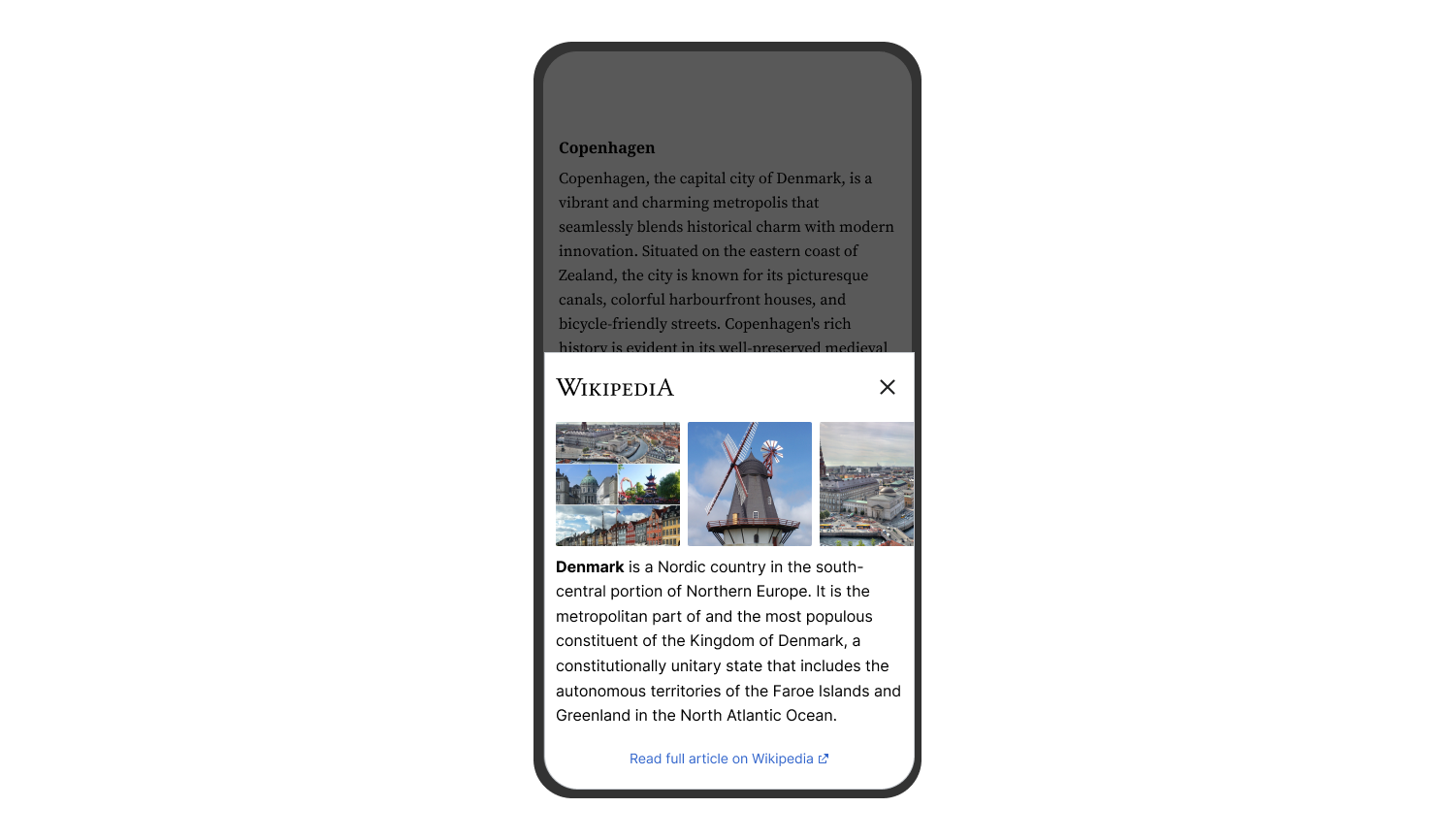
The Wikipedia Preview plugin provides context to your site’s visitors with content directly from Wikipedia. It allows you to add links to your content so that when your visitors click or hover on them, they see a pop-up box with information and images straight from Wikipedia. With Wikipedia Preview your visitors gain context on a topic, without ever leaving your website.
Wikipedia Preview is an official plug-in designed and developed by the Wikimedia Foundation, the non-profit behind Wikipedia and other free knowledge projects.
The plug-in is entirely free to download and use, in line with the Wikimedia Foundation’s mission to provide free knowledge for everyone.
Benefits
- Rich-media content straight from Wikipedia, to give your site’s visitors the context they need, without ever having to leave your website.
- Always free.
- Available in 300 languages.
- Easy to set up. Adding Wikipedia Preview links is even easier than adding other hyperlinks.
- Leveraging the content and brand name of one of the most popular websites in the world.
Merkmale
- Can be set up using the same process you use to add hyperlinks to your articles or using the Gutenberg editor custom tool.
- Handles any link to a Wikipedia article regardless of language, lead image presence or length.
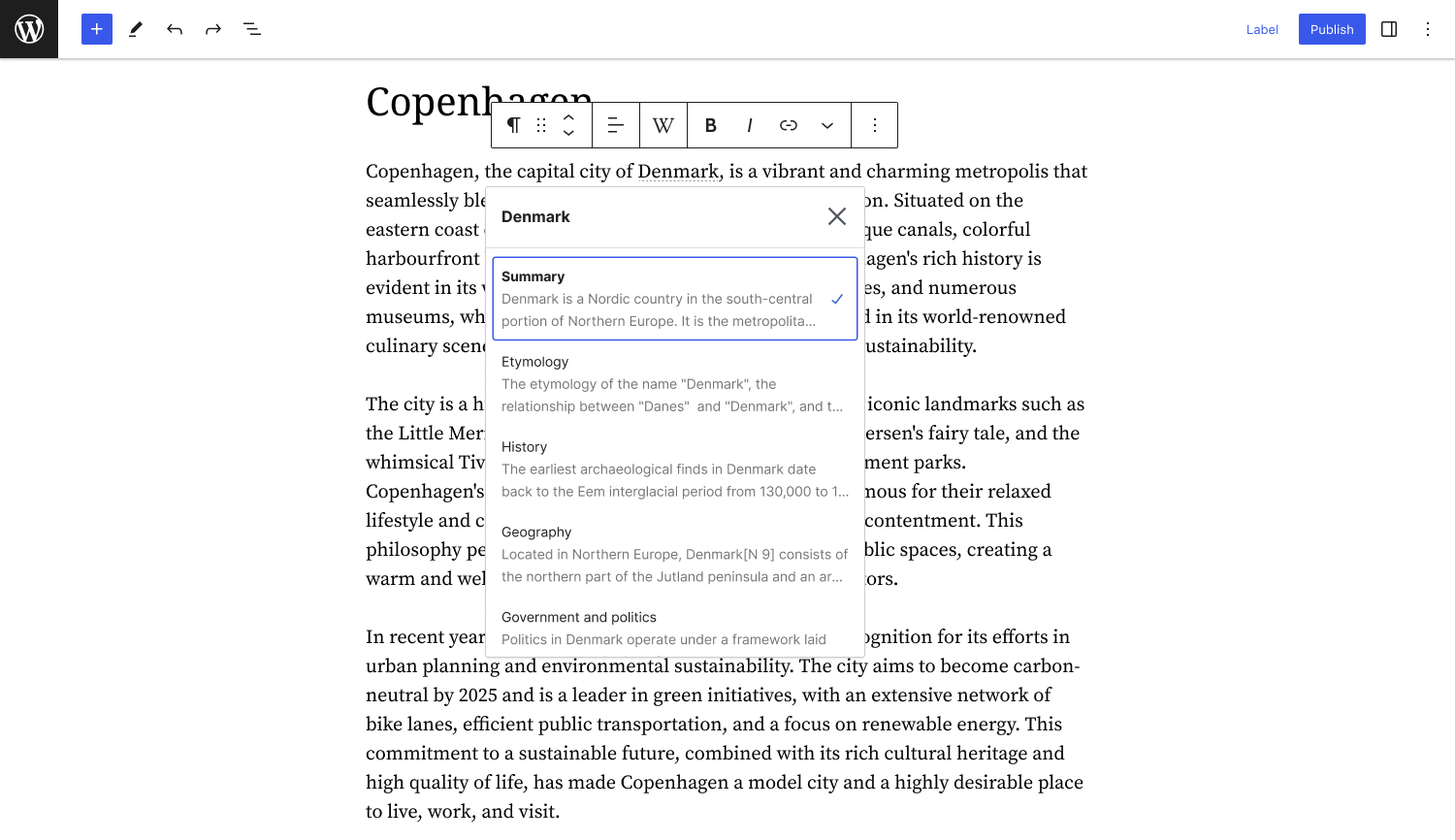
- Site owners can choose a specific section of an article as a preview, not limited to just the lead section.
- Supports dark mode option for improved readability.
- Works for Right-to-Left (RTL) and Left-To-Right (LTR) languages.
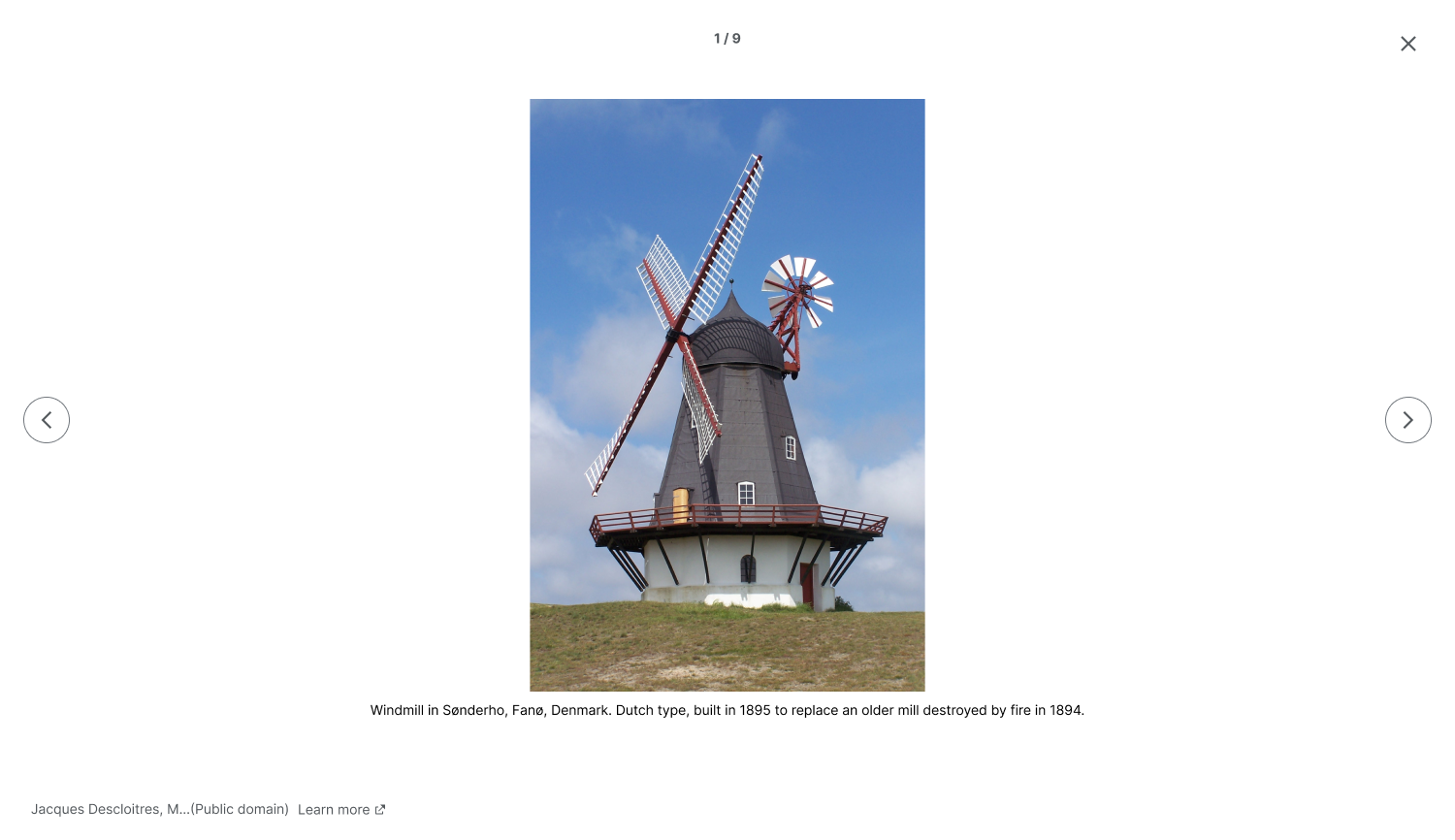
- Offers access to a built-in gallery to dive into article images.
- Can be disabled for any page using the post metadata sidebar.
- Uses Gutenberg editor custom tool to search for Wikipedia articles and visualize Wikipedia Preview for readers.
How to add preview links to your site
Option 1 – How to add Wikipedia Preview links using the Classic Editor:
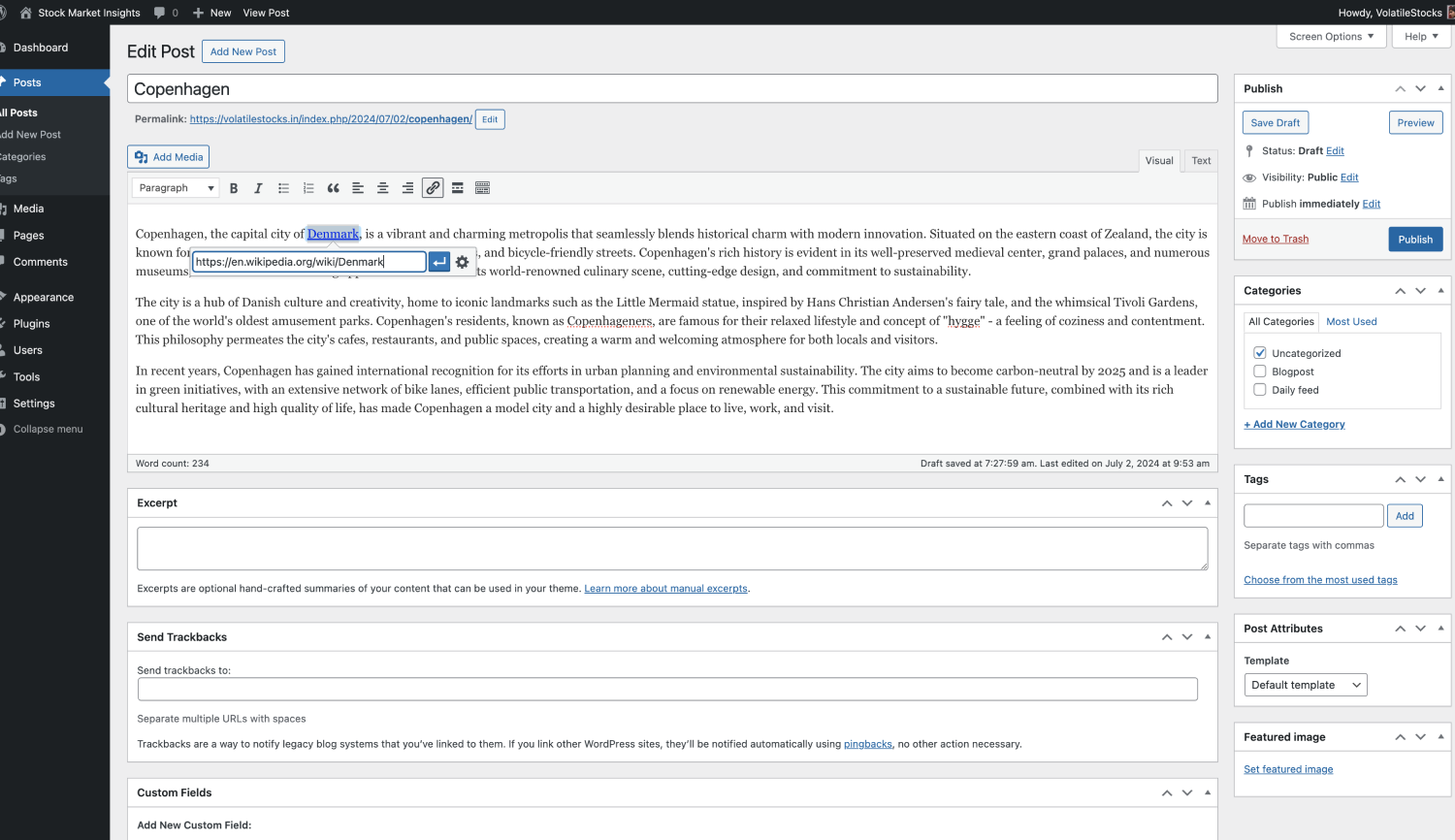
- Add a Wikipedia article link to your site’s content using the same process you use to add hyperlinks to your articles.
Option 2 – How to add Wikipedia Preview links using the Gutenberg/ Block Editor:
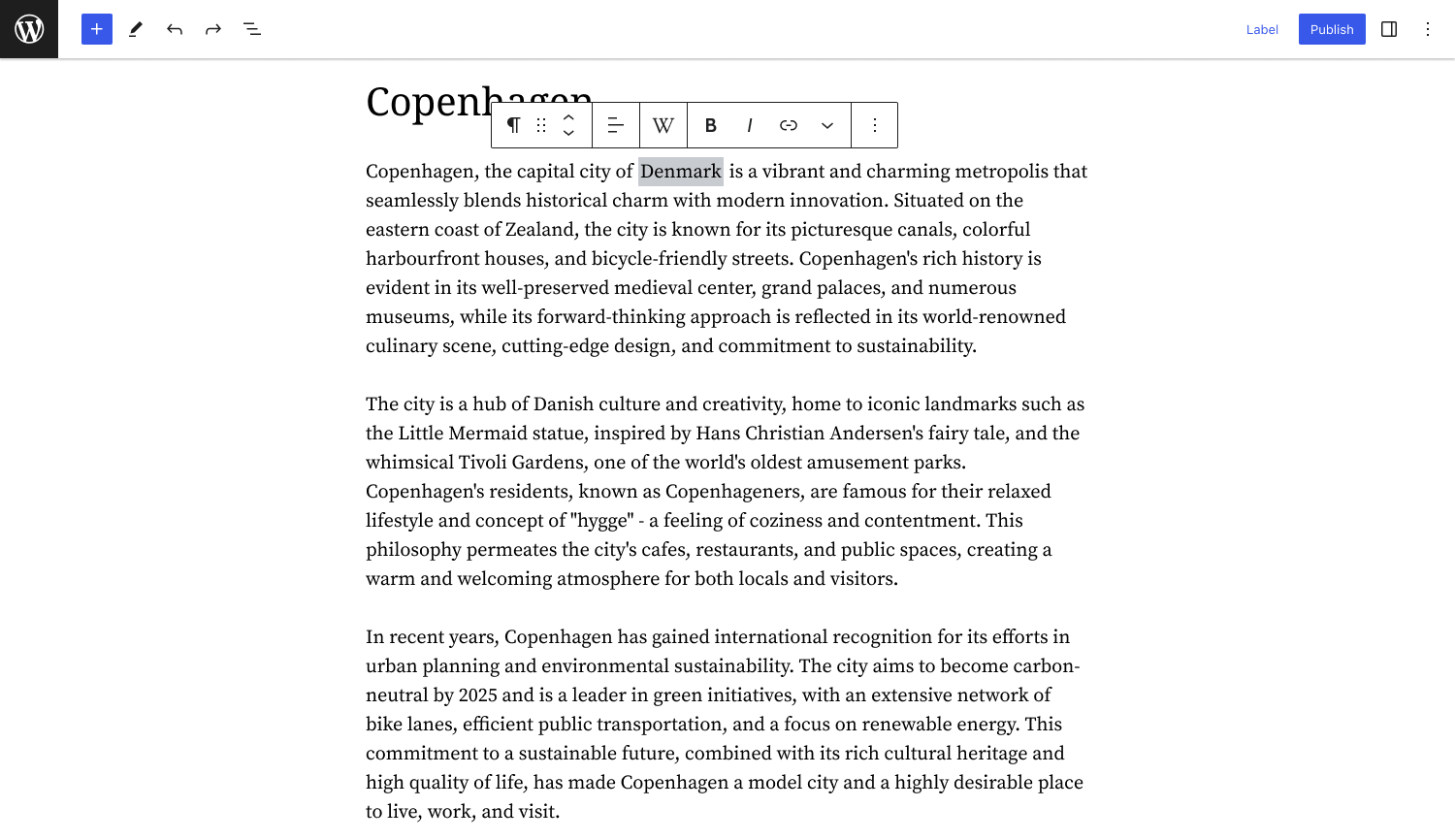
- Highlight the text you want to link to a Wikipedia article.
- Select ‘W’ – Wikipedia Preview icon from the menu.
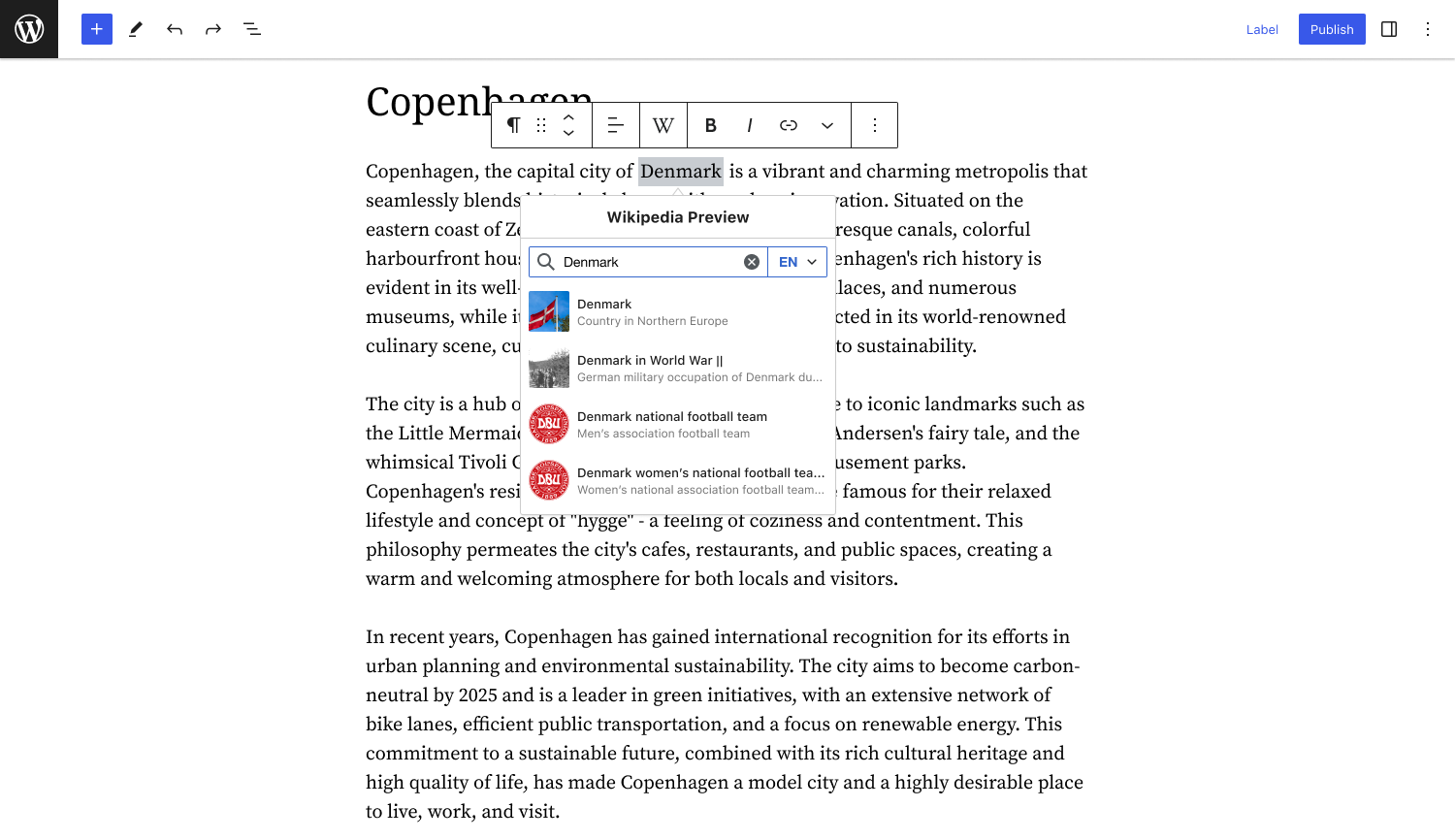
- You will see a list of suggested articles. Select the one you want to link to.
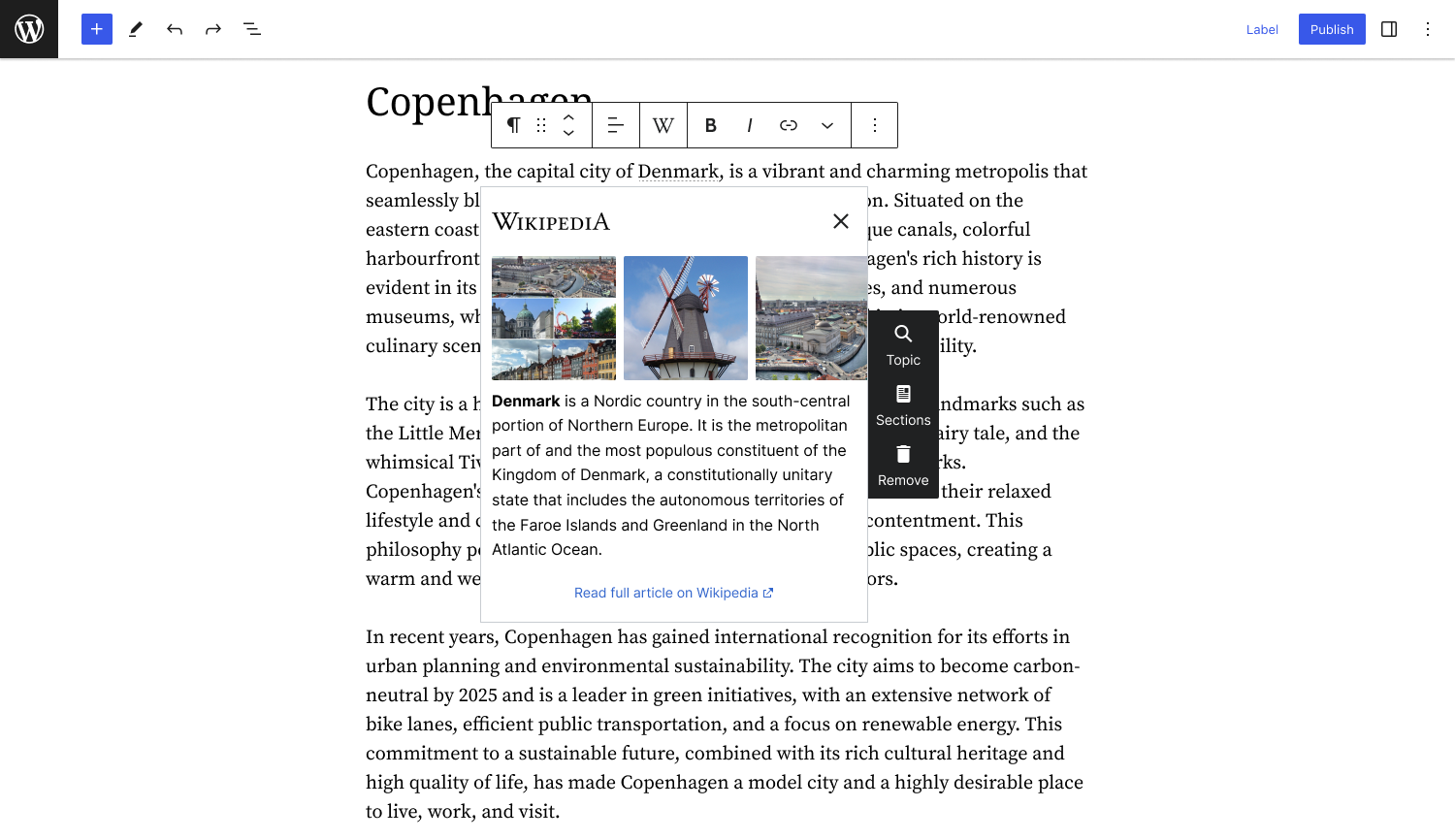
- Wikipedia Preview will automatically turn the link into a preview of the relevant Wikipedia article. You can easily customize the preview content by selecting a specific section of the article.
Installation
Setting up the Wikipedia Preview plugin requires two simple steps:
- Install and activate the plugin on your site for free.
- Add preview links to your site content to improve the experience for your site visitors.
INSTALLATION:
Option 1 – Install using the automatic plug-in installer:
- To add a plugin using the built-in plugin installer:
- Navigate to Plug-ins > select Add New.
- Use the search form in the top-right and search Wikipedia Preview.
- Click the Install Now button to install the plug-in.
- Once the plug-in installation is complete, click Activate to activate the plugin.
Option 2 – Upload via WordPress Admin:
- If you have a copy of the plug-in downloaded as a zip file, you can manually upload it and install it through the Plug-ins admin screen.
- Navigieren Sie zu Plugins > Neu hinzufügen.
- Click the Upload Plugin button at the top of the screen.
- Select the zip file from your local filesystem.
- Click the Install Now button.
- When the installation is complete, you’ll see “Plug-in installed successfully.” Click the Activate Plug-in button.
AFTER ACTIVATION:
It’s easy to add Wikipedia Preview links to your site. It takes only a few seconds to add a preview link and create a richer experience for your site visitors.
Option 1 – How to add Wikipedia Preview links using the Classic Editor:
- Add a Wikipedia article link to your site’s content using the same process you use to add hyperlinks to your articles.
Option 2 – How to add Wikipedia Preview links using the Gutenberg/ Block Editor:
- Highlight the text you want to link to a Wikipedia article.
- Select ‘W’ – Wikipedia Preview icon from the menu.
- You will see a list of suggested articles. Select the one you want to link to.
- Wikipedia Preview will automatically turn the link into a preview of the relevant Wikipedia article.
- To customize the preview content, choose “Sections” from the toolbar. Select a specific section of the article as the preview content.
GETTING STARTED:
Wikipedia Preview gives your site visitors context without leaving your site. We recommend adding links to words, pronouns, or phrases that you think your site visitors might be confused about or want more information about. Some sections of your site may be enhanced by adding a lot of links; other sections of your site might not need any.
Take a few minutes to add links retroactively to your existing content, and take just a few seconds to add links to new content as you create it in the future. Your visitors will thank you!
Let us know what you think about the product as you’re using it – we love to hear from you.
Screenshots

Für Entwickler
Ist das dein Plugin? Zeigen Sie die Zahlen.
Fügen Sie Ihrer Website, Docs oder GitHub Readme ein Live-Badge hinzu. Es wird von selbst aktualisiert - kein Konto erforderlich.
Best Wikipedia Preview alternatives
All card plugins →





Fragen und Antworten
Wikipedia Preview: quick answers
Gerade Antworten, gezogen von Live WordPress.org Daten.
Quelle: WordPress.org
Is Wikipedia Preview free?
Yes. Wikipedia Preview is free to download and use from the official WordPress.org plugin directory.
Is Wikipedia Preview safe to use in 2026?
Yes — Wikipedia Preview is a safe, well-maintained plugin to use in 2026. It runs on 1K+ sites, is rated 4.8/5 and was last updated 1 month ago, and scores 86/100 on our health check.
How many websites use Wikipedia Preview?
Wikipedia Preview is active on 1K+ WordPress websites and has been downloaded 21,549 times since it launched in May 2021. It was downloaded 706 times in the last 30 days.
Does Wikipedia Preview work with WordPress 7.1?
Yes. The developer has tested Wikipedia Preview up to WordPress 7.1.5, the latest release. It requires WordPress 6.1 or newer.
What PHP version does Wikipedia Preview need?
Wikipedia Preview requires PHP 5.6.39 or higher. Most hosts run PHP 8.x today, so it works on any modern WordPress hosting.
When was Wikipedia Preview last updated?
The latest version, 1.17.1, was released on October 13, 2026 (1 month ago).
Who makes Wikipedia Preview?
Wikipedia Preview is developed and maintained by Wikimedia Foundation.
What are the best alternatives to Wikipedia Preview?
The most popular alternatives to Wikipedia Preview are Hyperlink Group Block (7K+ installs), Event Block (1K+ installs) and Virtuaria Payments with Pag… (1K+ installs).
Angetrieben von PageForge
Eine Vorlage und eine Tabelle. Eine echte Seite für jede Suche.
PageForge Verwandelt jede Zeile eines CSV in eine WordPress-Seite mit eigenem Titel, URL, SEO Felder und Schema entworfen. Kostenlos auf WordPress.org.
- CSV und XLSX, plus Google Sheets auf Beruf und Unternehmen
- seinen eigenen Titel, URL, SEO Felder und Schema für jede Seite
- Arbeitet mit dem Blockeditor, Elementor, Divi und Avada
- Kostenlos auf WordPress.org, keine Kreditkarte