

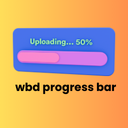
WBD Progress Bar For Gutenberg
A beautiful and lightweight progress bar block for the WordPress Gutenberg editor with smooth animations and full customization options.

Solide Wahl
WBD Progress Bar For Gutenberg is a solid plugin choice in 2026, with a few things worth checking first. It runs on 200+ sites, is rated 5/5 and was last updated 2 weeks ago, and scores 76/100 on our health check.
- Aktiv entwickelt — letztes Update vor 2 Wochen
- Getestet mit dem neuesten WordPress (7.1)
- Kleine Benutzerbasis (über 200 aktive Installationen)
- Bisher sehr wenige Bewertungen
Wie stapelt es sich?
Side-by-side bei Installationen, Updates, Bewertungen und Support



Tägliche Downloads
Download-Spitzen folgen normalerweise einer neuen Version - jede Website, die automatisch aktualisiert wird, gilt als Download.
Ranglisten
Where WBD Progress Bar For Gutenb… stands todayWordPress.org Ranglisten suchen
Live-Position in der Plugin-Suche, Top 100| Stichwort | Position |
|---|---|
| Block | >100 |
| Zähler | >100 |
| Gutenberg block | >100 |
| progress | #8 |
| progress bar | #6 |
Versionsübernahme
Anteil aktiver Sites pro Release.
Bewertungsaufschlüsselung
★★★★★★★★★★ 5 from 1 reviews
About WBD Progress Bar For Gutenberg
From the official readme · v1.1.2Beschreibung
The Progress Bar block is a simple yet powerful tool for displaying progress, statistics, skills, or any percentage-based data on your WordPress site. Built with modern web standards, this block offers smooth animations and a clean, professional appearance.
Create a responsive progress bar, animated number counter, circular progress indicator, or skills section directly in the WordPress Block Editor—without using shortcodes or a separate page builder.
Whether you need a simple skill bar, an animated number counter, a circular radial ring, or a full skills section — WBD Progress Bar has you covered.
Merkmale
Display Modes
Single Bar – Classic horizontal progress bar with full customization
Number Counter – Animated count-up effect with prefix, suffix, and optional bar below
Circular / Radial Progress Bar – Beautiful SVG ring-style progress with 10 themes, custom size, stroke width, center text, and optional label
Group / Skills Section – Display multiple progress bars together as a skills list with individual labels, colors, and percentages; flexible label & percentage positioning
10 One-Click Template Styles
Ocean Blue, Sunset Fire, Forest Green, Purple Galaxy, Golden Hour, Midnight Dark, Rose Pink, Arctic Ice, Corporate Gray, Lemon Lime
Customization
* Progress percentage control (0–100)
* Custom fill & track colors
* Gradient fill (two-color gradient)
* Bar corner radius control (square to pill)
* Bar height control (6px–40px)
* Optional percentage text display
* Percentage position — Inside bar / Outside right / Above bar
* Label position — Above / Below / Inline row
* Inline gap control (when label is inline)
* Milestone marker with custom label
* Hover tooltip on progress bar
* Animation type — Ease, Ease In, Ease Out, Ease In Out, Linear, Bounce, Elastic
* Animation duration control
* Typography control — Font family & font size for label and percentage text
* Fully responsive design
* Accessible design with semantic HTML
Perfect For:
- Skill & competency display
- Project completion indicators
- Goal tracking & fundraising
- Statistics & data visualization
- Survey results & polls
- Resume / portfolio pages
The block provides an intuitive editing experience with sidebar controls for adjusting the percentage (0–100), customizing colors, toggling percentage text visibility, and selecting from predefined style variations.
Single Bar
Create a horizontal progress bar with a customizable percentage, label, colors, and display settings.
Number Counter
Display an animated count-up number with an optional prefix, suffix, label, and progress bar.
Circular / Radial Progress Bar
Show percentage-based progress using a circular SVG ring. Customize the size, stroke width, colors, center text, and label.
Group / Skills Section
Display multiple progress bars together as a skills list. Customize individual labels, percentages, colors, and label positioning.
Why Use WBD Progress Bar?
Most progress bar plugins are either too bloated with unnecessary features or too simple to be actually useful. WBD Progress Bar is built differently:
Performance First
The block outputs pure static HTML and CSS — no jQuery, no heavy JavaScript libraries. The frontend script only loads when your block is actually on the page, keeping your site fast.
Visual Flexibility
Four display modes, five style variations, ten one-click templates, gradient fill, custom radius, custom height, and full color control — all without touching a single line of code.
Built for Gutenberg
This is a native WordPress block, not a shortcode or widget. It works seamlessly inside the block editor, Full Site Editor (FSE), reusable blocks, and block patterns.
Responsive by Default
Every mode — single bar, counter, circular, group — adapts automatically to mobile, tablet, and desktop screens without extra configuration.
Scroll Animation Without a Plugin
Built-in IntersectionObserver-based scroll trigger animates your bars when they come into view. No extra animation plugin needed.
Source Code & Build Instructions
- Source Code Repository: https://github.com/wpbranddigital/wbd-progress-bar
This plugin is built using @wordpress/scripts (webpack). The compiled/minified files in the build/ directory are generated from the human-readable source files located in the src/ directory of the plugin.
Source files included in this plugin:
src/index.js— Block registration entry pointsrc/edit.js— Editor component (block inspector controls and editor preview)src/save.js— Save component (frontend HTML output)src/view.js— Frontend JavaScript (scroll animations, counter animations)src/block.json— Block metadata and attribute definitionssrc/editor.scss— Editor-only stylessrc/style.scss— Frontend styles
To build from source:
- Make sure you have Node.js (v18+) and npm installed.
- Navigate to the plugin directory.
- Run
npm installto install dependencies. - Run
npm run buildto generate the productionbuild/directory. - Run
npm startto start the development watcher with live rebuild.
The only build dependency is @wordpress/scripts (see package.json).
How To Use
Step 1 — Add the Block
Open any post, page, or template in the WordPress editor. Click the + block inserter button, search for “Progress Bar”, and click to insert the WBD Progress Bar block.
Step 2 — Choose a Display Mode
In the right sidebar, find the Block Mode panel at the top. Select one of four modes:
- Single Bar — A classic horizontal progress bar. Best for individual skills, project completion, or goal tracking.
- Number Counter — An animated number that counts up on scroll. Great for statistics pages (“500+ clients”, “$1M+ revenue”).
- Circular / Radial — A circular SVG ring progress indicator. Perfect for dashboards or visual KPI displays.
- Group / Skills Section — Multiple bars stacked together. Ideal for resume skills sections or comparison lists.
Step 3 — Apply a Template (Optional)
Open the Template Styles panel and click any of the 10 preset templates to instantly apply a complete color scheme and style. You can fine-tune colors individually after applying a template.
Step 4 — Customize Settings
Depending on your selected mode, configure the following panels:
- Progress Settings — Set percentage, height, radius, label text, label position, and percentage position.
- Animation — Choose animation type (ease, bounce, elastic), set duration, and enable scroll-triggered animation.
- Milestone & Tooltip — Add a milestone marker at any percentage point with a custom label. Enable hover tooltip for additional info.
- Typography — Set font family and font size for the label and percentage text independently.
- Color Settings — Set fill color, track color, label color, and percentage text color. Enable gradient fill to use two colors.
Step 5 — Using the Number Counter
Switch to Number Counter mode. Set:
- Target Number — The final value to count up to (e.g. 1500).
- Prefix — Text before the number (e.g.
$). - Suffix — Text after the number (e.g.
+or%). - Label — A description shown below the number (e.g. “Happy Clients”).
- Show Progress Bar Below — Toggle to add a bar underneath the counter.
The counter animates automatically on page load, or enable Animate on Scroll so it only starts when the user scrolls to it.
Step 6 — Using Group / Skills Section
Switch to Group / Skills Section mode. In the sidebar:
- Each bar item has its own Label, Percentage, and Bar Color.
- Click + Add Bar to add more items (no limit).
- Click ✕ to remove any item.
- Set Label Position — Above bar (with optional percentage on the same line) or Inline row.
- Set Percentage Position — Inside bar / Outside right / Same line as label.
- Adjust Gap Between Bars and Inline Gap sliders to control spacing.
Step 7 — Using Circular / Radial Mode
Switch to Circular / Radial mode. In the sidebar:
- Choose one of the 10 circular themes by clicking the theme thumbnail.
- Adjust Size (80–300px) and Stroke Width (3–20px).
- Set the Progress Percentage.
- Toggle Show Label Below to display a text label under the ring.
- Fine-tune Stroke Color, Track Color, and Center Text Color individually.
Step 8 — Publish
Click Publish or Update. The block renders as clean, static HTML on the frontend with no extra requests or render-blocking scripts.
Where can I get support?
Visit our contact page for support.
Installation
- Melden Sie sich in Ihrem WordPress-Admin-Dashboard an.
- Go to Plugins → Add New.
- Search for WBD Progress Bar.
- Click Install Now.
- Click Activate.
- Edit a post, page, or template using the WordPress Block Editor.
- Click the + Block Inserter.
- Search for Progress Bar.
- Add the WBD Progress Bar block.
- Customize the display mode, percentage, colors, animation, typography, and other settings.
You can also install the plugin manually:
- Download the plugin ZIP file.
- Go to Plugins → Add New → Upload Plugin.
- Upload the plugin ZIP file.
- Click Install Now.
- Aktivieren Sie das Plugin.
Änderungsprotokoll
Initial release of the WBD Progress Bar block.
1.1.2
- All features are now fully free and unlocked.
- Circular / Radial, Group / Skills, and Hover Tooltip are now available to all users.
- Removed Freemius SDK and Pro gating.
- Added source code documentation and build instructions to readme.
1.1.0
- New: Progress Name / Label text control.
- New: Circular / Radial Progress Bar mode with 10 themes.
- New: Group / Skills Section mode — multiple bars in one block.
- New: Number Counter mode with animated count-up, prefix & suffix.
- New: Hover Tooltip on progress bar.
- New: 10 one-click Template Styles (Ocean Blue, Sunset Fire, Forest Green, etc.).
- Milestone marker and scroll animation settings.
1.0.0
- Erste Freigabe.
- Progress percentage control (0–100).
- Custom fill and track colors.
- Optional percentage text display.
- Three style variations (Thin, Medium, Thick).
- Smooth transition animations.
- Fully responsive design.
- Static block with clean HTML output.
Screenshots


Für Entwickler
Ist das dein Plugin? Zeigen Sie die Zahlen.
Fügen Sie Ihrer Website, Docs oder GitHub Readme ein Live-Badge hinzu. Es wird von selbst aktualisiert - kein Konto erforderlich.
Best WBD Progress Bar For Gutenberg alternatives
Alle Block-Plugins →




Fragen und Antworten
WBD Progress Bar For Gutenberg: quick answers
Gerade Antworten, gezogen von Live WordPress.org Daten.
Quelle: WordPress.org
Is WBD Progress Bar For Gutenberg free?
Yes. WBD Progress Bar For Gutenberg is free to download and use from the official WordPress.org plugin directory.
Is WBD Progress Bar For Gutenberg safe to use in 2026?
WBD Progress Bar For Gutenberg is a solid plugin choice in 2026, with a few things worth checking first. It runs on 200+ sites, is rated 5/5 and was last updated 2 weeks ago, and scores 76/100 on our health check.
How many websites use WBD Progress Bar For Gutenberg?
WBD Progress Bar For Gutenberg is active on 200+ WordPress websites and has been downloaded 2,390 times since it launched in December 2025. It was downloaded 341 times in the last 30 days.
Does WBD Progress Bar For Gutenberg work with WordPress 7.1?
Yes. The developer has tested WBD Progress Bar For Gutenberg up to WordPress 7.1.5, the latest release. It requires WordPress 6.5 or newer.
What PHP version does WBD Progress Bar For Gutenberg need?
WBD Progress Bar For Gutenberg requires PHP 7.4 or higher. Most hosts run PHP 8.x today, so it works on any modern WordPress hosting.
When was WBD Progress Bar For Gutenberg last updated?
The latest version, 1.1.2, was released on November 8, 2026 (2 weeks ago).
Who makes WBD Progress Bar For Gutenberg?
WBD Progress Bar For Gutenberg is developed and maintained by wpbranddigital.
What are the best alternatives to WBD Progress Bar For Gutenberg?
The most popular alternatives to WBD Progress Bar For Gutenberg are Spectra Legacy (1M+ installs), Breadcrumb NavXT (700K+ installs) and PDF Embedder (300K+ installs).
Angetrieben von PageForge
Eine Vorlage und eine Tabelle. Eine echte Seite für jede Suche.
PageForge Verwandelt jede Zeile eines CSV in eine WordPress-Seite mit eigenem Titel, URL, SEO Felder und Schema entworfen. Kostenlos auf WordPress.org.
- CSV und XLSX, plus Google Sheets auf Beruf und Unternehmen
- seinen eigenen Titel, URL, SEO Felder und Schema für jede Seite
- Arbeitet mit dem Blockeditor, Elementor, Divi und Avada
- Kostenlos auf WordPress.org, keine Kreditkarte