


Voxfor Multilanguage
Professional multilingual WordPress plugin using the DeepL API. Transform your website into a global platform.

Mit Vorsicht verwenden
Voxfor Multilanguage works, but test it on a staging site before relying on it in 2026. It runs on 10+ sites, is rated 5/5 and was last updated 6 months ago, and scores 52/100 on our health check.
- Kleine Benutzerbasis (10+ aktive Installationen)
- Bisher sehr wenige Bewertungen
- Benötigt PHP 8.1 oder neuer
Wie stapelt es sich?
Side-by-side bei Installationen, Updates, Bewertungen und Support


Tägliche Downloads
Download-Spitzen folgen normalerweise einer neuen Version - jede Website, die automatisch aktualisiert wird, gilt als Download.
Ranglisten
Where Voxfor Multilanguage stands todayWordPress.org Ranglisten suchen
Live-Position in der Plugin-Suche, Top 100| Stichwort | Position |
|---|---|
| deepl | #23 |
| multilingual | >100 |
| SEO | >100 |
| translation | >100 |
| voxfor | #1 |
Versionsübernahme
Anteil aktiver Sites pro Release.
Bewertungsaufschlüsselung
★★★★★★★★★★ 5 from 1 reviews
About Voxfor Multilanguage
From the official readme · v2.2.7Beschreibung
Voxfor Multilanguage is a powerful, free WordPress multilingual plugin that makes your website accessible to a global audience. Using the DeepL API, it provides professional-quality translations while maintaining full control over your content.
IMPORTANT: This plugin uses the DeepL API external service for translations. You need to provide your own DeepL API key (free or paid). See the “External Services” section below for complete details about data transmission and privacy.
AI-powered website translation by NetanelAI
Ressourcen
Hauptmerkmale
- AI Translation – Uses DeepL API for accurate, context-aware translations
- BYO API Key – Bring your own DeepL API key for unlimited scalability
- SEO-Optimized – Automatic hreflang tags, translated image ALT text, and language-specific canonical URLs
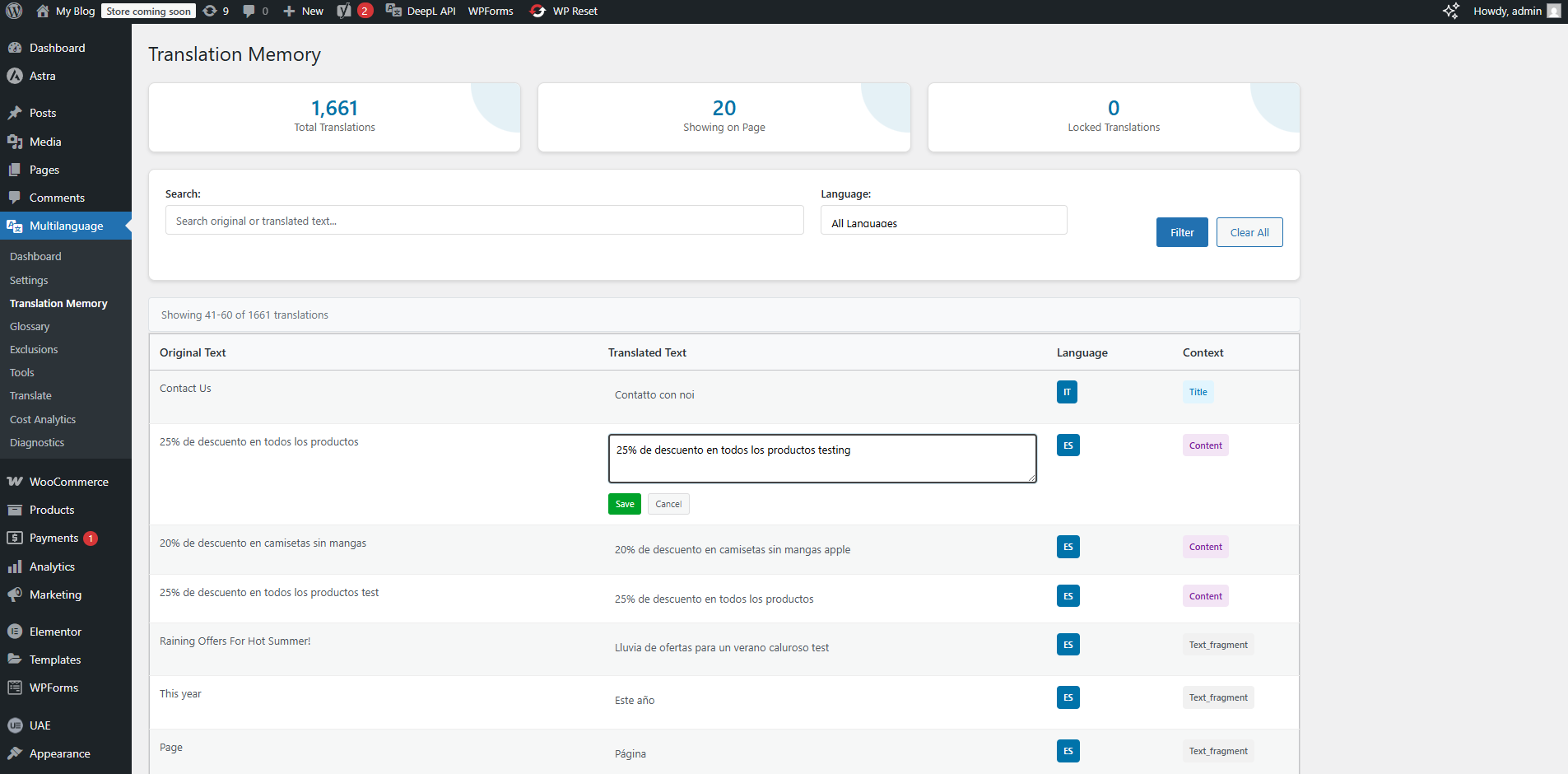
- Translation Memory – Stores all translations locally for efficiency and consistency
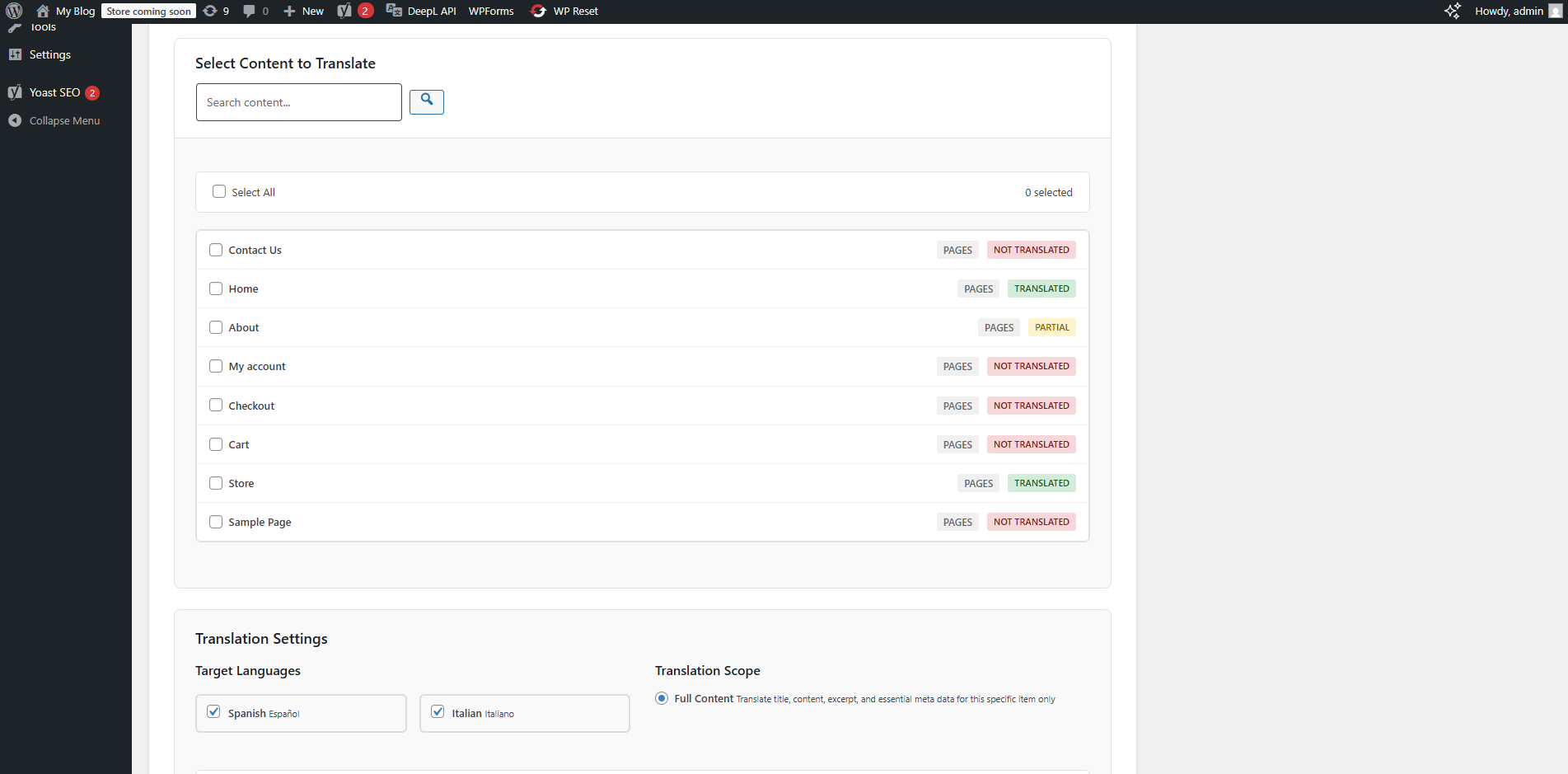
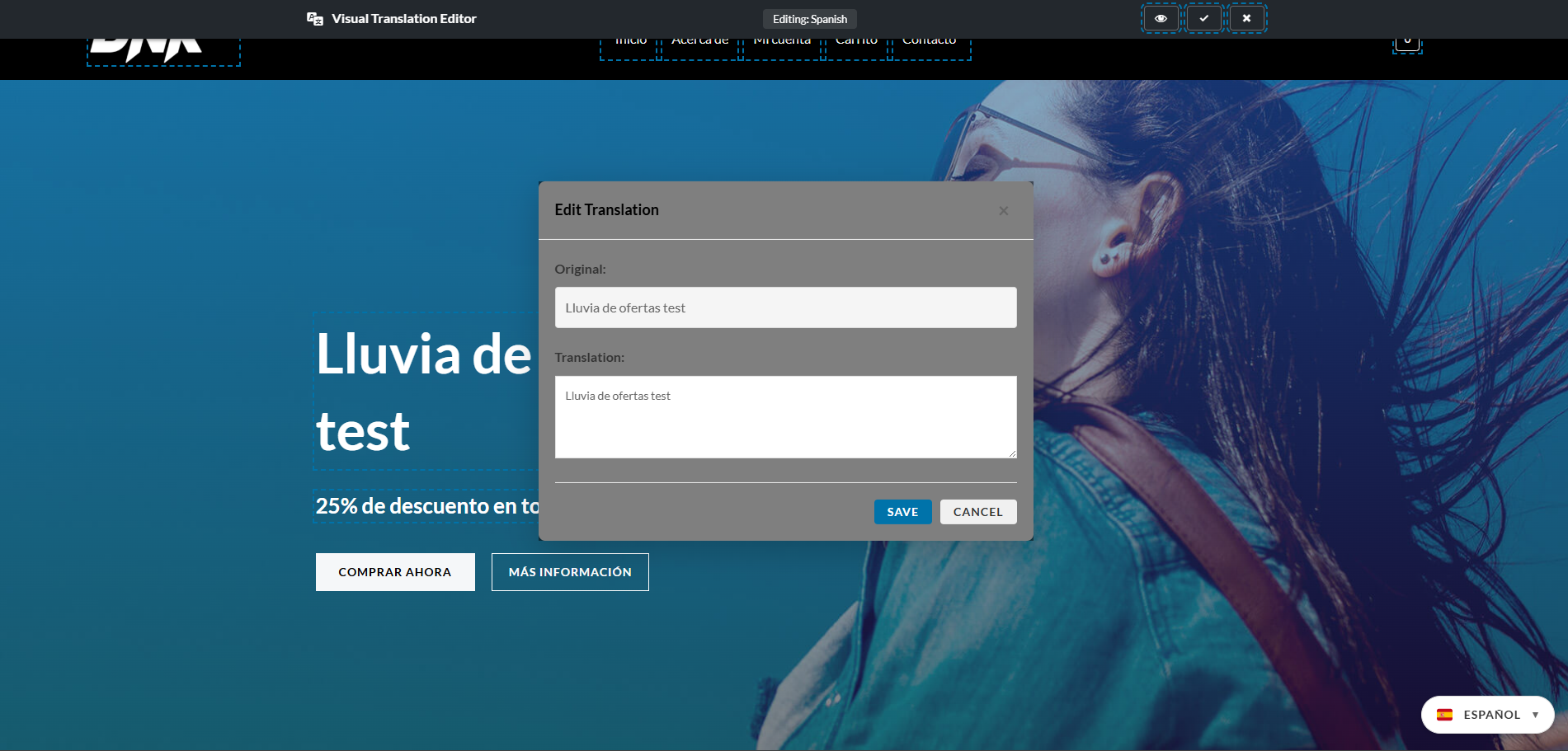
- Visual Editor – Edit translations directly on your pages with in-context editing
- Flexible Language Switcher – Multiple widget styles: dropdown, inline, flags, or compact
- Smart Routing – Clean URL structure with language prefixes (/fr/, /de/, /es/)
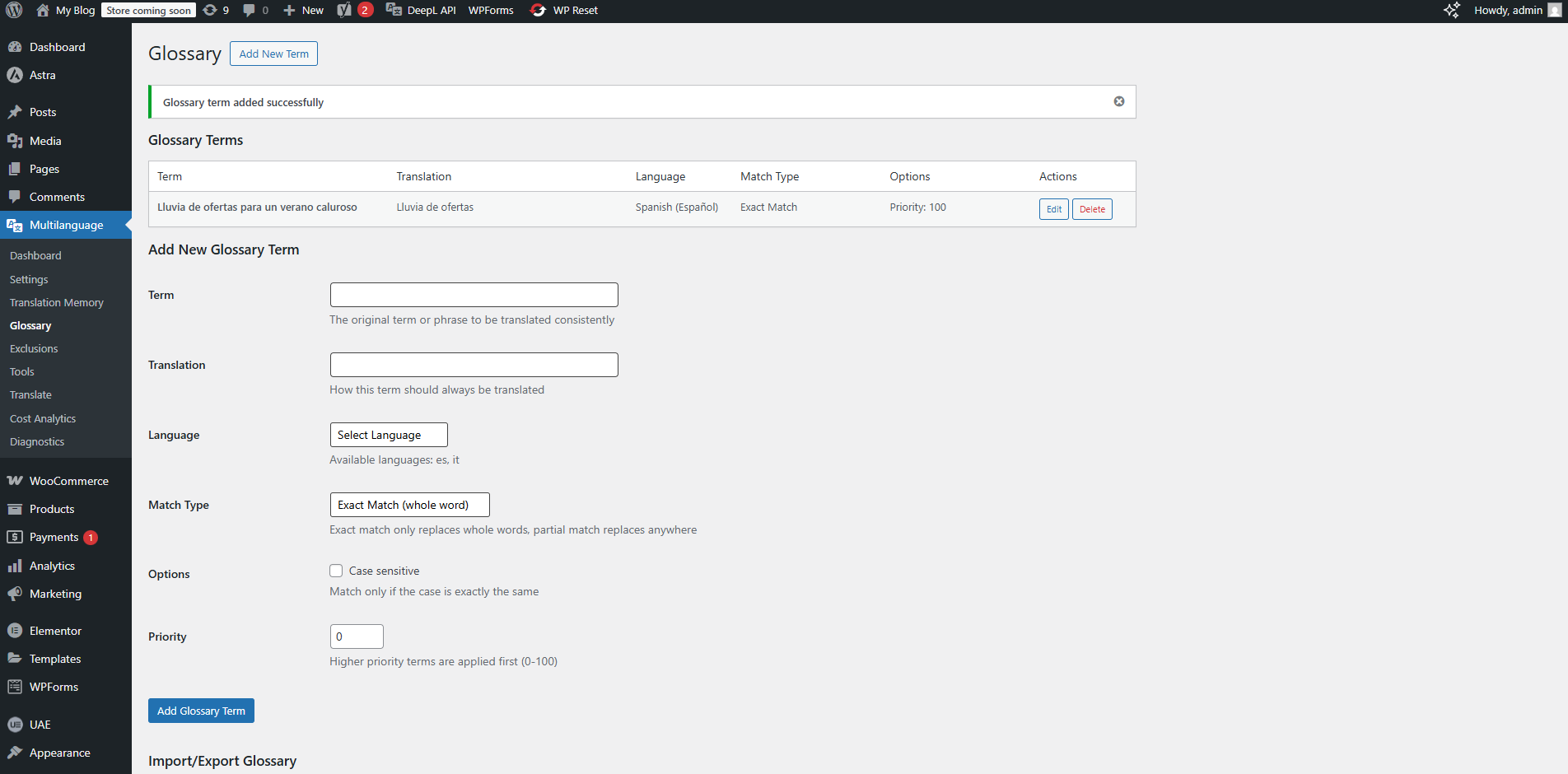
- Glossary Support – Define terms that must always be translated consistently
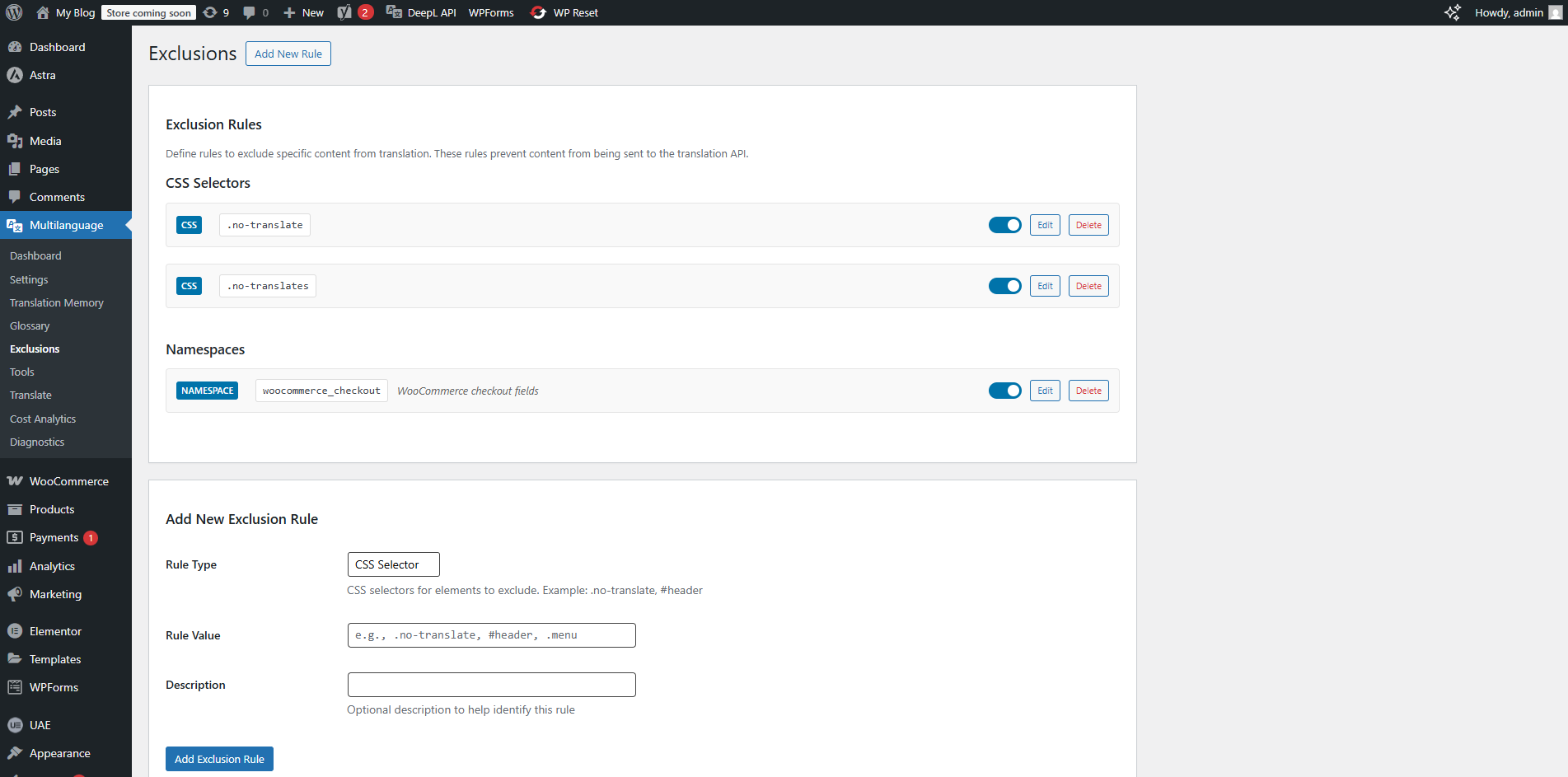
- Exclusion Rules – Skip translation for specific pages, elements, or content
- WooCommerce Compatible – Safe checkout process with smart exclusions
SEO Features
- Automatic hreflang tag generation for all language versions
- Image ALT text translation for better international SEO
- Language-specific canonical URLs to prevent duplicate content
- Structured data support for multilingual content
- Integration with popular SEO plugins (Yoast, RankMath, All in One SEO)
- Optional URL slug translation
Wie es funktioniert
- Installieren und aktivieren Sie das Plugin
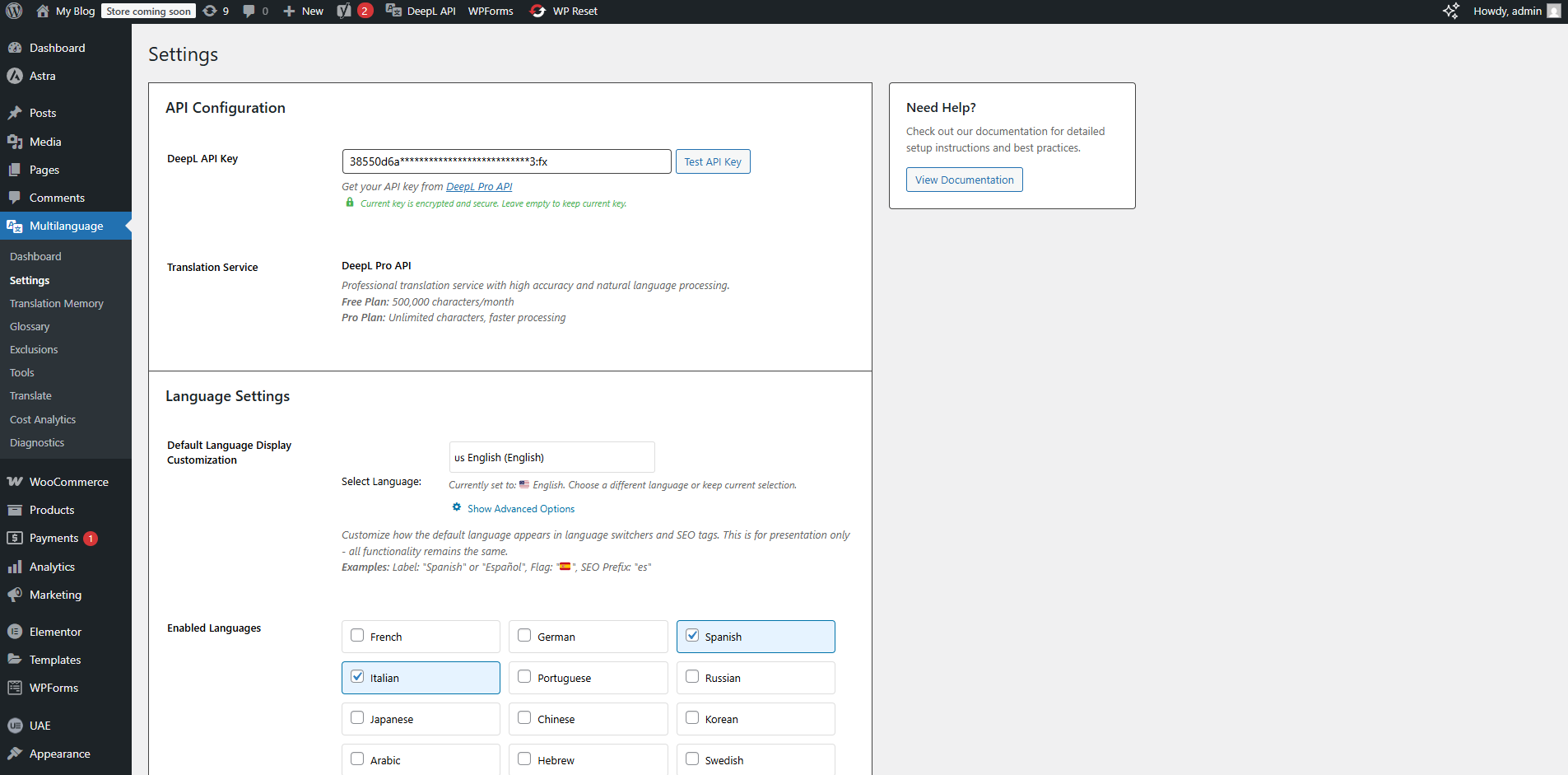
- Add your DeepL API key in settings
- Select the languages you want to support
- The plugin automatically translates your content using DeepL API
- All translations are stored in a local database for fast loading
- Visitors see content in their preferred language
Language Support
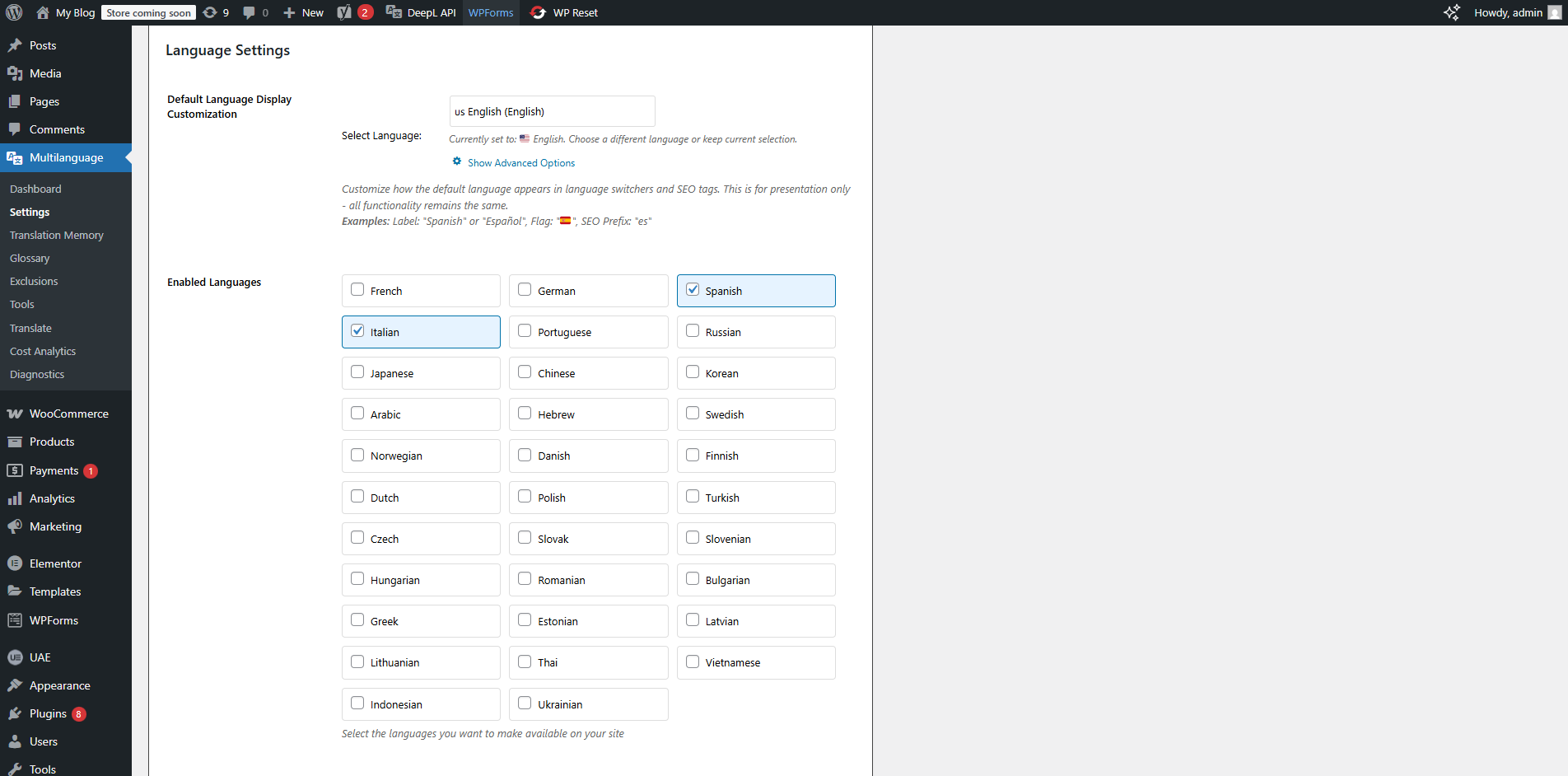
Supports 33+ languages including:
English, French, German, Spanish, Italian, Portuguese, Russian, Japanese, Chinese, Korean, Arabic, Hebrew, Swedish, Norwegian, Danish, Finnish, Dutch, Polish, Turkish, Czech, Slovak, Slovenian, Hungarian, Romanian, Bulgarian, Greek, Estonian, Latvian, Lithuanian, Thai, Vietnamese, Indonesian, Ukrainian
Entwicklerfreundlich
- Clean, well-documented code
- Extensive hooks and filters for customization
- REST API for programmatic access
- Compatible with page builders and custom themes
- Full multisite support
Externe Dienste
This plugin relies on the DeepL API, an external third-party service, to provide translation functionality. By using this plugin, you acknowledge and agree to the data transmission described below.
DeepL API Translation Service
Service Provider: DeepL SE, Maarweg 165, 50825 Cologne, Germany
What the service is:
DeepL is a professional AI translation service that provides high-quality language translation.
What it’s used for:
This plugin uses the DeepL API to translate your website content including posts, pages, menus, widgets, image alt text, custom fields, and WooCommerce products from one language to another.
What data is sent to DeepL:
When translation is requested, the following data is transmitted to DeepL servers:
– Text content to be translated (post content, titles, excerpts, menu items, widget text, image alt text, custom field values, etc.)
– Source language code (e.g., “EN” for English)
– Target language code (e.g., “FR” for French, “DE” for German, “ES” for Spanish)
– Your DeepL API authentication key
– Optional: Formality preference (formal/informal)
– Optional: Context information to improve translation accuracy
– Optional: Glossary terms for consistent translations
When data is sent:
Data is transmitted to the DeepL API only in the following scenarios:
– When you manually request translation of specific content via the admin interface
– When new content is published and automatic translation is enabled in settings
– When bulk translation operations are performed
– When translation memory cache does not contain a previously translated version
– When testing API connection in plugin settings
– When checking API usage statistics
Data NOT sent:
– No visitor/user personal information
– No browsing data or analytics
– No database credentials
– No WordPress admin credentials
– API calls only occur during translation operations, NOT on frontend page loads
Data Storage:
– All translations received from DeepL are stored locally in your WordPress database
– Once cached, no further API calls are made for that content
– Translations are served from your local database to visitors
– No ongoing data transmission to DeepL for previously translated content
Your API Key:
– You must provide your own DeepL API key (free or paid account)
– API keys are stored encrypted in your WordPress database
– This plugin does NOT collect, store, or transmit your API credentials to Voxfor or any other third party
– Your API key is only sent to DeepL servers for authentication
Legal & Privacy Links:
– DeepL Terms of Service: https://www.deepl.com/pro-license
– DeepL Privacy Policy: https://www.deepl.com/privacy
– DeepL API Documentation: https://developers.deepl.com/api-reference/translate
GDPR Compliance:
DeepL is GDPR compliant and processes data in accordance with European data protection regulations. For more information, see DeepL’s privacy policy linked above.
User Consent:
By installing and using this plugin with a DeepL API key, you acknowledge that content from your WordPress site will be sent to DeepL for translation purposes as described above.
Datenschutzerklärung
This plugin stores all translations locally in your WordPress database. No data is sent to Voxfor or any other third party except the DeepL API as described in the “External Services” section. The plugin only transmits data to DeepL when translation services are actively used by the site administrator.
Installation
Automatische Installation
- Log in to your WordPress admin dashboard
- Go to Plugins > Add New
- Search for “Voxfor Multilanguage”
- Click “Install Now” and then “Activate”
Manuelle Installation
- Download the plugin zip file
- Go to Plugins > Add New > Upload Plugin
- Choose the downloaded file and click “Install Now”
- Click “Activate Plugin”
Alternatively, you can upload the plugin files to /wp-content/plugins/voxfor-multilanguage/ via FTP and activate it through the Plugins screen in WordPress.
Configuration Steps
- After activation, go to Multilanguage > Settings in your WordPress admin menu
- Enter your DeepL API key (get a free or paid key at https://www.deepl.com/en/products/api)
- Select your default source language (usually English)
- Choose the target languages you want to translate to
- Configure translation settings (automatic translation, exclusion rules, etc.)
- Set up the language switcher widget (Appearance > Widgets or use the Customizer)
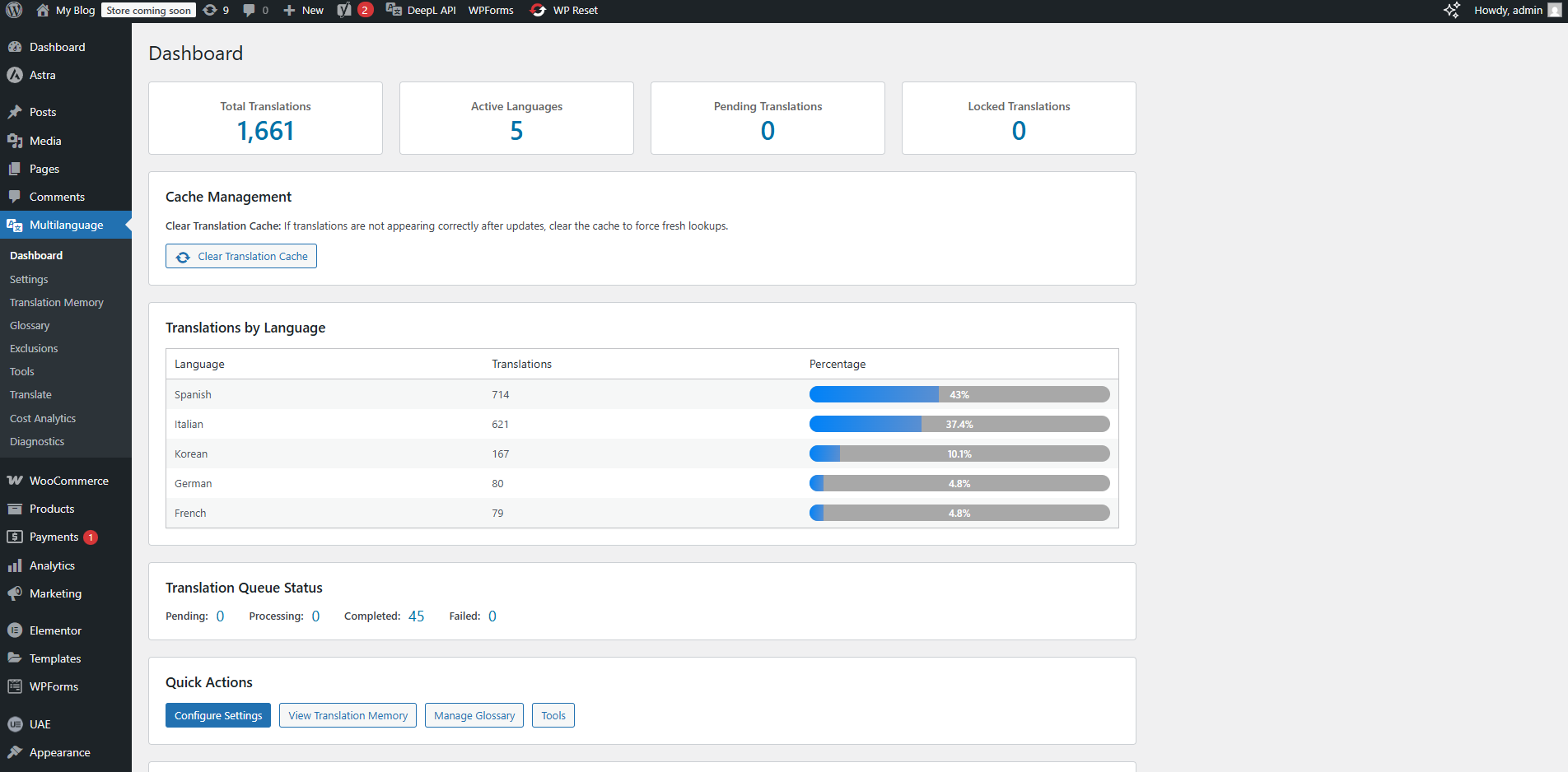
- Start translating your content from Multilanguage > Dashboard
System Requirements
- WordPress 6.5 or higher (tested through 7.0)
- PHP 8.1 or higher
- DeepL API key (free or paid account)
- MySQL 5.7+ or MariaDB 10.2+ (standard WordPress requirement)
Änderungsprotokoll
Heads up, please back up before upgrading. This update includes substantial language-routing and default source language changes. We highly recommend you back up your site before upgrading and test the update in a staging environment first.
2.2.7
- Added configurable default source language support so English can be used as a translation target when another language, such as German, is the site’s source language
- Updated language routing so translated English URLs work correctly after changing the default source language
- Improved URL generation for WordPress installs in subdirectories, preventing incorrect paths such as
/en/site-path/ - Added rewrite refresh handling when language routing settings change
- Updated DeepL source and target language handling for configurable source languages
- Improved the Settings language UI by locking and labeling the default source language separately from translation target languages
2.2.6
- Tested and confirmed compatibility with WordPress 7.0
- Gutenberg blocks updated to Block API v3 for iframe editor compatibility
- Translation status meta box scripts load correctly in the block editor iframe
2.2.5
- Tested and confirmed compatibility with WordPress 6.9
- No functional changes
2.2.4
- Enhanced translation memory system
- Improved DeepL API integration
- Advanced SEO features with hreflang tags
- Visual editor for in-context translation editing
- Multiple language switcher widget styles
- WooCommerce compatibility with smart exclusions
- Glossary management for consistent translations
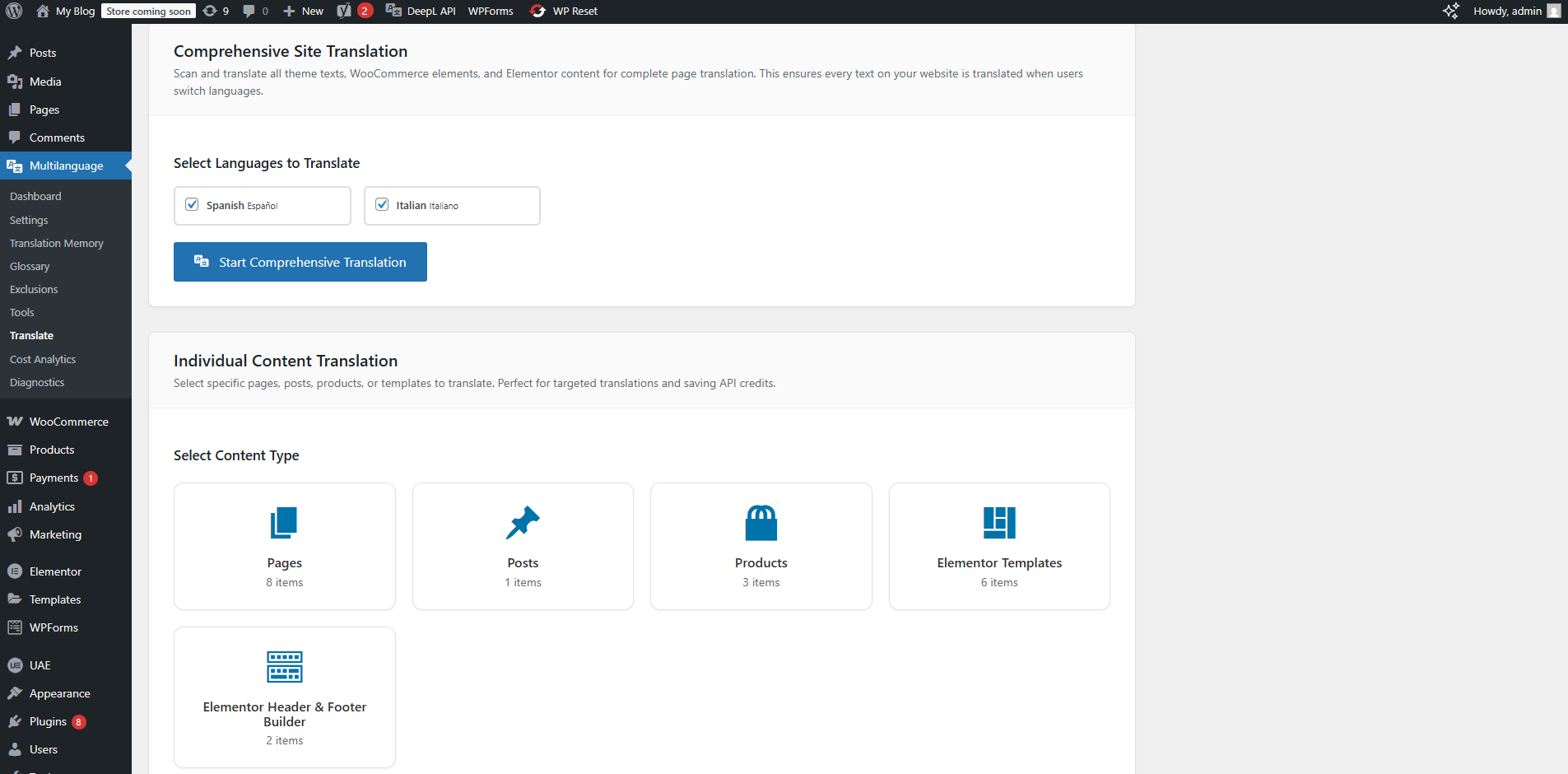
- Bulk translation capabilities
- Translation statistics and analytics
- Full page builder support (Elementor, Gutenberg, Divi)
2.2.0
- Added bulk translation manager
- Enhanced translation memory
- Improved performance optimizations
2.0.0
- Major update with enhanced features
- Added visual editor
- Improved SEO capabilities
Screenshots
Für Entwickler
Ist das dein Plugin? Zeigen Sie die Zahlen.
Fügen Sie Ihrer Website, Docs oder GitHub Readme ein Live-Badge hinzu. Es wird von selbst aktualisiert - kein Konto erforderlich.
Best Voxfor Multilanguage alternatives
All deepl plugins →




Fragen und Antworten
Voxfor Multilanguage: quick answers
Gerade Antworten, gezogen von Live WordPress.org Daten.
Quelle: WordPress.org
Is Voxfor Multilanguage free?
Yes. Voxfor Multilanguage is free to download and use from the official WordPress.org plugin directory.
Is Voxfor Multilanguage safe to use in 2026?
Voxfor Multilanguage works, but test it on a staging site before relying on it in 2026. It runs on 10+ sites, is rated 5/5 and was last updated 6 months ago, and scores 52/100 on our health check.
How many websites use Voxfor Multilanguage?
Voxfor Multilanguage is active on 10+ WordPress websites and has been downloaded 1,076 times since it launched in November 2025. It was downloaded 83 times in the last 30 days.
Does Voxfor Multilanguage work with WordPress 7.1?
Voxfor Multilanguage is officially tested up to WordPress 7.0.9, while the latest release is 7.1.5. It may still work, but try it on a staging site first.
What PHP version does Voxfor Multilanguage need?
Voxfor Multilanguage requires PHP 8.1 or higher. Most hosts run PHP 8.x today, so it works on any modern WordPress hosting.
When was Voxfor Multilanguage last updated?
The latest version, 2.2.7, was released on May 28, 2026 (6 months ago).
Who makes Voxfor Multilanguage?
Voxfor Multilanguage is developed and maintained by voxfor.
What are the best alternatives to Voxfor Multilanguage?
The most popular alternatives to Voxfor Multilanguage are LATW AI Translation for WPML (100+ installs), Translify for TranslatePres… (30+ installs) and Yard DeepL (20+ installs).
Angetrieben von PageForge
Eine Vorlage und eine Tabelle. Eine echte Seite für jede Suche.
PageForge Verwandelt jede Zeile eines CSV in eine WordPress-Seite mit eigenem Titel, URL, SEO Felder und Schema entworfen. Kostenlos auf WordPress.org.
- CSV und XLSX, plus Google Sheets auf Beruf und Unternehmen
- seinen eigenen Titel, URL, SEO Felder und Schema für jede Seite
- Arbeitet mit dem Blockeditor, Elementor, Divi und Avada
- Kostenlos auf WordPress.org, keine Kreditkarte