


VisualCompare – Before & After Slider
VisualCompare – Before & After Slider helps you show visual changes clearly: renovations, design revisions, retouching, medical or beauty results, product updates, restoration work, and any other before-and-after image…

Solide Wahl
VisualCompare is a solid plugin choice in 2026, with a few things worth checking first. It runs on 30+ sites and was last updated 2 months ago, and scores 63/100 on our health check.
- Getestet mit dem neuesten WordPress (7.1)
- Kleine Benutzerbasis (30+ aktive Installationen)
- Bisher sehr wenige Bewertungen
Wie stapelt es sich?
Side-by-side bei Installationen, Updates, Bewertungen und Support


Tägliche Downloads
Download-Spitzen folgen normalerweise einer neuen Version - jede Website, die automatisch aktualisiert wird, gilt als Download.
Ranglisten
Where VisualCompare stands todayWordPress.org Ranglisten suchen
Live-Position in der Plugin-Suche, Top 100| Stichwort | Position |
|---|---|
| accessibility | >100 |
| before after | #34 |
| before after slider | #67 |
| comparison slider | >100 |
| image comparison | >100 |
Versionsübernahme
Anteil aktiver Sites pro Release.
About VisualCompare – Before & After Slider
Aus der offiziellen Readme · V1.0.3Beschreibung
VisualCompare – Before & After Slider helps you show visual changes clearly: renovations, design revisions, retouching, medical or beauty results, product updates, restoration work, and any other before-and-after image comparison.
Instead of placing two separate images side by side, you can add an interactive comparison slider that works with mouse, touch, keyboard, responsive images, and a no-JavaScript fallback. The same comparison can be created once, reused across pages, inserted with the WordPress block editor, added in Elementor, or embedded with a shortcode.
Why use VisualCompare?
- Create polished before-and-after sliders without writing custom code.
- Reuse saved comparisons across posts, pages, templates, and shortcodes.
- Keep comparisons usable for visitors who navigate with a keyboard or assistive technology.
- Configure new comparison defaults once so editors start from consistent settings.
- Show both images when JavaScript is unavailable instead of hiding important content.
Merkmale
- Add before-and-after image comparisons with a native WordPress block.
- Build sliders in Elementor with live preview controls.
- Save reusable comparisons in the Visual Comparisons admin area.
- Embed saved comparisons with
[visual_compare id="123"]. - Embed inline comparisons with
[visual_compare before="123" after="456"]. - Choose horizontal or vertical slider orientation.
- Set the starting divider position for each comparison.
- Enable drag, click, touch, and keyboard interaction.
- Customize labels, divider color, divider width, handle size, corner radius, aspect ratio, image fit, and object position.
- Use responsive WordPress image markup from the Media Library.
- Display a stacked fallback when JavaScript is disabled or cannot mount.
- Warn editors when selected images have different aspect ratios and may be cropped.
- Duplicate reusable comparisons to speed up repeated layouts.
- Import and export comparison settings as JSON.
- Preserve saved content on deactivation and remove data only when uninstall cleanup is explicitly enabled.
- Load frontend assets only when a comparison is rendered or detected.
- Support RTL layouts and translation files.
Common use cases
- Compare room renovations, landscaping projects, repairs, and construction progress.
- Present photo retouching, color grading, illustration, and design revisions.
- Show beauty, wellness, dental, cosmetic, or treatment progress where before-and-after images are appropriate.
- Demonstrate product improvements, UI redesigns, restoration work, cleaning services, and visual audits.
- Reuse the same comparison in a case study, landing page, and template without rebuilding it.
Integrationen
- Use the Visual Comparison block in the WordPress block editor.
- Use the Visual Comparison widget in Elementor when Elementor is active.
- Use the
[visual_compare]shortcode in classic content, widgets, templates, and builders that render WordPress shortcodes.
VisualCompare does not claim official partnership with WordPress or Elementor. Dedicated Bricks and Divi modules are not included in this version, but shortcode embeds can be used in areas where those builders support WordPress shortcodes.
Accessibility and performance
VisualCompare uses progressive enhancement. The HTML output includes both images first, then the frontend script enhances the comparison into an interactive slider when possible. Keyboard support, range input semantics, visible labels, screen-reader instructions, unique instance IDs, and no-JavaScript fallback behavior are built into the renderer.
Frontend CSS and JavaScript are registered globally but enqueued only when the plugin can detect or render a comparison. This keeps pages without before-and-after sliders free from unnecessary VisualCompare assets.
Privatsphäre
VisualCompare – Before & After Slider does not collect analytics, track visitors, or transmit data to external services. Comparison settings and WordPress media references are stored in the site’s own WordPress database. Admin previews use authenticated same-origin requests to the site’s own WordPress installation.
Installation
- Upload the
visual-comparefolder to/wp-content/plugins/. - Activate VisualCompare – Before & After Slider in the WordPress admin.
- Open a post or page and add the Visual Comparison block from the block inserter.
- Choose the before and after images from the WordPress Media Library.
- Optional: create reusable items under Visual Comparisons and insert them with
[visual_compare id="123"]. - Optional: open Visual Comparisons > Settings to set defaults for new comparisons.
Editors and administrators can create and edit comparisons. Only administrators can change plugin settings and the uninstall cleanup option.
Änderungsprotokoll
1.0.3
- Added: A deactivation feedback modal with reason capture and optional notes before the plugin is turned off.
- Added: A plugin-owned uninstall flow that can collect feedback before WordPress removes the plugin.
- Improved: Data-retention messaging so administrators can see more clearly when uninstall cleanup will delete saved comparisons and settings.
1.0.2
- Added: A direct Settings link on the WordPress Plugins screen for faster access to Visual Comparisons > Settings.
- Added: A one-time admin welcome notice after activation with a quick link to create a reusable slider and clearer guidance for Gutenberg and Elementor usage.
- Improved: Translation generation with a Google-powered auto-translation workflow for the bundled locale catalogs.
1.0.1
- Added: Translation catalogs for English, German, Spanish, French, Italian, Portuguese (Brazil), Dutch, and Polish.
- Improved: WordPress.org metadata and readme content for the 1.0.1 release.
1.0.0
- Added: Native WordPress block editor support, Elementor widget support, reusable comparisons, shortcode embeds, JSON import/export, duplicate actions, and global defaults for new comparisons.
- Improved: Accessibility, keyboard interaction, touch and pointer behavior, no-JavaScript fallback output, RTL behavior, responsive image rendering, and conditional asset loading.
- Fixed: WordPress Plugin Check findings related to translation context, sanitization, prefixed uninstall variables, filter-safe cleanup, compatibility metadata, and translation loading.
Screenshots


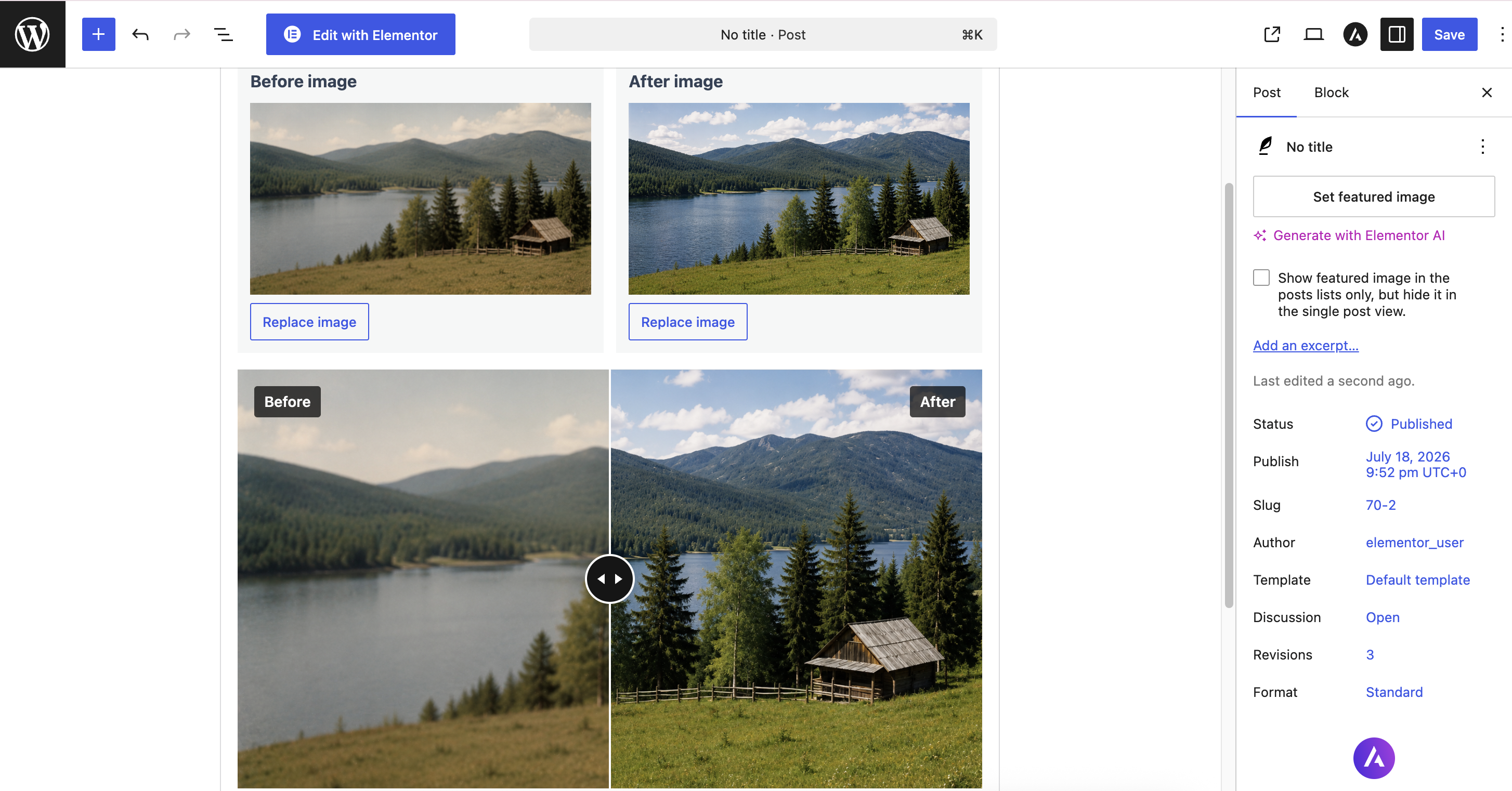
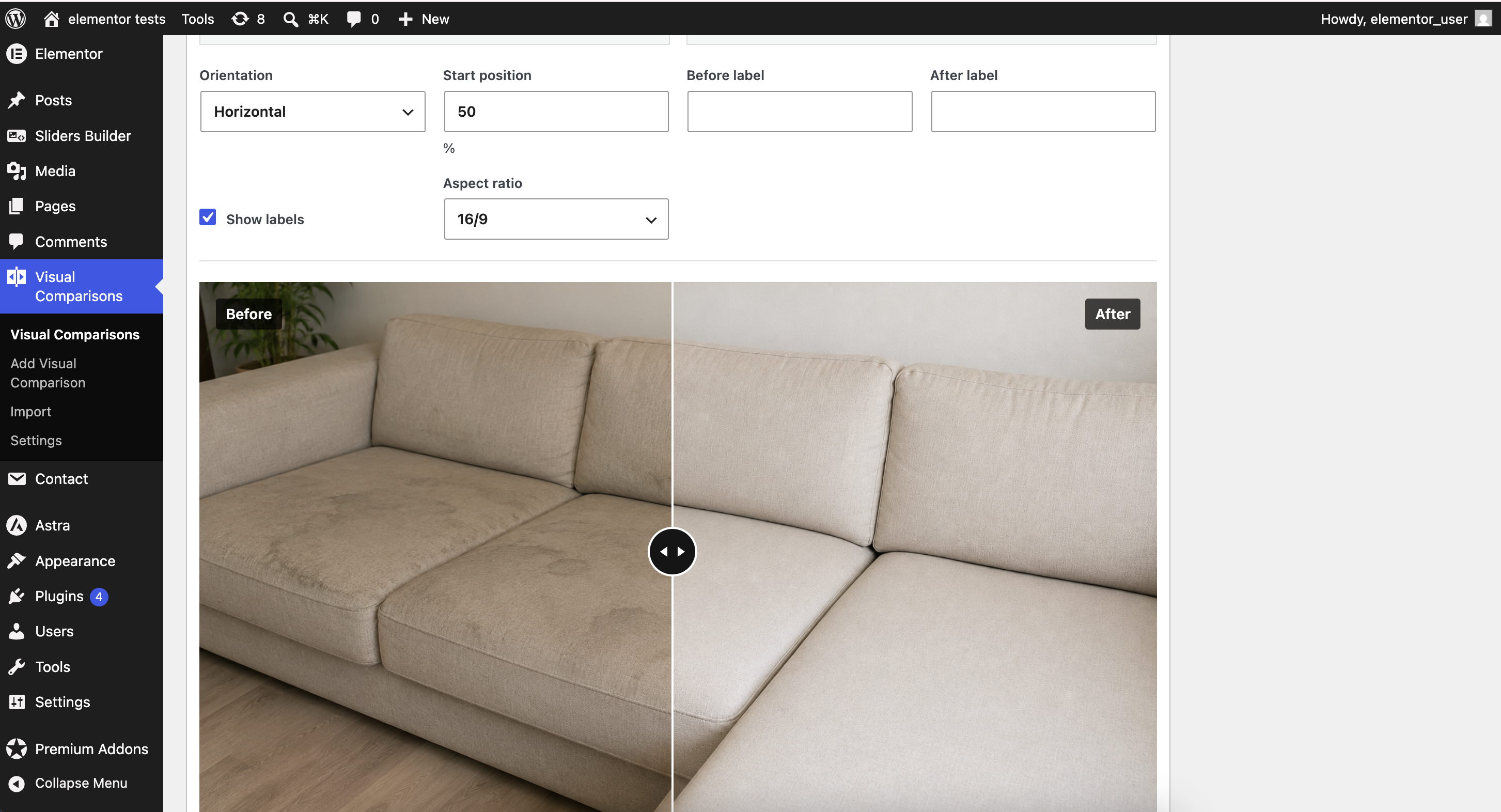
Für Entwickler
Ist das dein Plugin? Zeigen Sie die Zahlen.
Fügen Sie Ihrer Website, Docs oder GitHub Readme ein Live-Badge hinzu. Es wird von selbst aktualisiert - kein Konto erforderlich.
Best VisualCompare alternatives
All accessibility plugins →





Fragen und Antworten
VisualCompare: quick answers
Gerade Antworten, gezogen von Live WordPress.org Daten.
Quelle: WordPress.org
Is VisualCompare free?
Yes. VisualCompare is free to download and use from the official WordPress.org plugin directory.
Is VisualCompare safe to use in 2026?
VisualCompare is a solid plugin choice in 2026, with a few things worth checking first. It runs on 30+ sites and was last updated 2 months ago, and scores 63/100 on our health check.
How many websites use VisualCompare?
VisualCompare is active on 30+ WordPress websites and has been downloaded 657 times since it launched in July 2026. It was downloaded 170 times in the last 30 days.
Does VisualCompare work with WordPress 7.1?
Yes. The developer has tested VisualCompare up to WordPress 7.1.5, the latest release. It requires WordPress 6.5 or newer.
What PHP version does VisualCompare need?
VisualCompare requires PHP 7.4 or higher. Most hosts run PHP 8.x today, so it works on any modern WordPress hosting.
When was VisualCompare last updated?
The latest version, 1.0.3, was released on September 17, 2026 (2 months ago).
Who makes VisualCompare?
VisualCompare is developed and maintained by Volodymyr Zhukivskyi.
What are the best alternatives to VisualCompare?
The most popular alternatives to VisualCompare are Web Accessibility (formally… (500K+ installs), Auto Image Attributes From… (100K+ installs) and Accessibility by UserWay (80K+ installs).
Angetrieben von PageForge
Eine Vorlage und eine Tabelle. Eine echte Seite für jede Suche.
PageForge Verwandelt jede Zeile eines CSV in eine WordPress-Seite mit eigenem Titel, URL, SEO Felder und Schema entworfen. Kostenlos auf WordPress.org.
- CSV und XLSX, plus Google Sheets auf Beruf und Unternehmen
- seinen eigenen Titel, URL, SEO Felder und Schema für jede Seite
- Arbeitet mit dem Blockeditor, Elementor, Divi und Avada
- Kostenlos auf WordPress.org, keine Kreditkarte