


Usedkit – Waitlist and Condition Grades for Used Goods
Waitlist for sold items: customers hear when you list the next one of the same model. Condition grades and more for shops selling used goods.

Mit Vorsicht verwenden
Usedkit works, but test it on a staging site before relying on it in 2026. Was last updated 1 month ago, and scores 60/100 on our health check.
- Getestet mit dem neuesten WordPress (7.1)
- Kleine Benutzerbasis (<10 aktive Installationen)
- Bisher sehr wenige Bewertungen
Wie stapelt es sich?
Side-by-side bei Installationen, Updates, Bewertungen und Support



Tägliche Downloads
Download-Spitzen folgen normalerweise einer neuen Version - jede Website, die automatisch aktualisiert wird, gilt als Download.
Ranglisten
Where Usedkit stands todayWordPress.org Ranglisten suchen
Live-Position in der Plugin-Suche, Top 100| Stichwort | Position |
|---|---|
| back in stock | >100 |
| condition | >100 |
| second-hand | >100 |
| used goods | >100 |
| waitlist | #78 |
About Usedkit
From the official readme · v0.6.0Beschreibung
A used camera, lens or guitar is sold once. The customer who came for it a day late leaves and never comes back. Back-in-stock plugins can’t help: a used item is never restocked. The next one is a new product with a different title, condition and price.
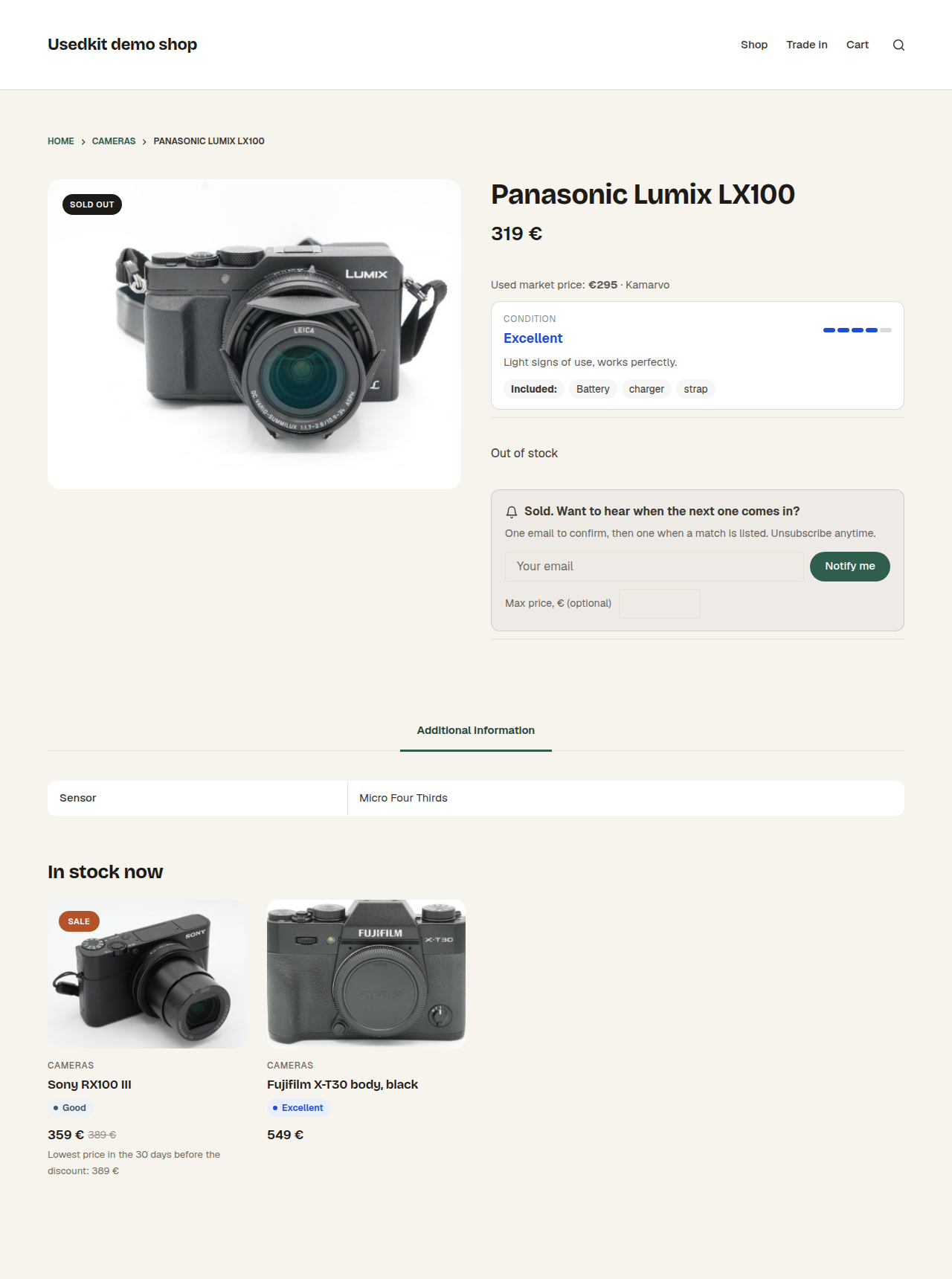
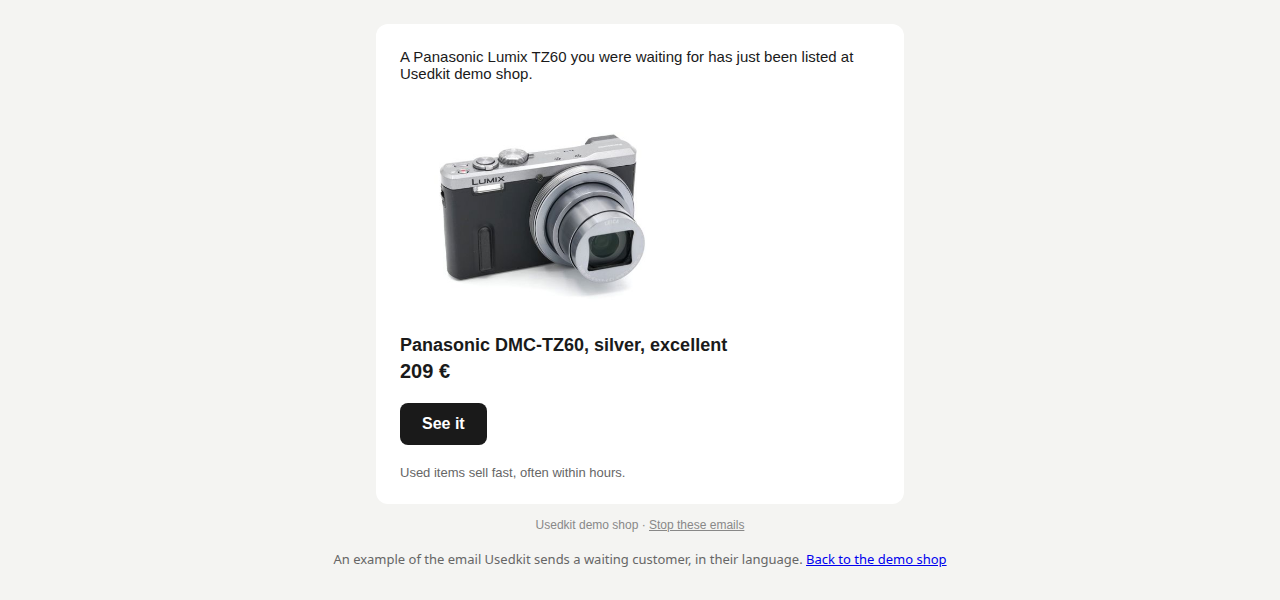
Usedkit matches by model, not by product. On a sold item, the customer leaves their email. When you list the next one of the same model, however you title it, they get one email with its photo, price and link, minutes after you publish it. “Sony Alpha 7 III body (ILCE-7M3)” reaches the customer who signed up on “Sony A7 III runko”.
Notify me, for used goods
- A short form on sold-out products: “Sold. Want to hear when the next one comes in?”
- The same offer on empty search results, and anywhere with
[usedkit_watch]or[usedkit_watch query="Leica M6"]. - Cameras and lenses matched by model across titles, maker codes and languages; camera bodies by exact model, so an A7 III watcher is never sent an A7 IV. Other goods by the words of the listing.
- An optional maximum price per customer.
- Double opt-in, one-click unsubscribe (RFC 8058), abuse limits. Works with page caches.
- A Waiting column in your product list and a weekly email: the demand behind each model, while you buy stock.
- Sold items can leave your listings while their pages stay live with the form. They keep their search ranking and catch the next buyer.
Margin-scheme VAT
For second-hand goods bought from private people (EU VAT Directive, Articles 311–325):
- A purchase price, purchase date and margin-scheme mark on each product.
- No separately charged VAT on those items at checkout.
- The margin VAT stored on each order line.
- The invoice wording the law requires on order pages and emails.
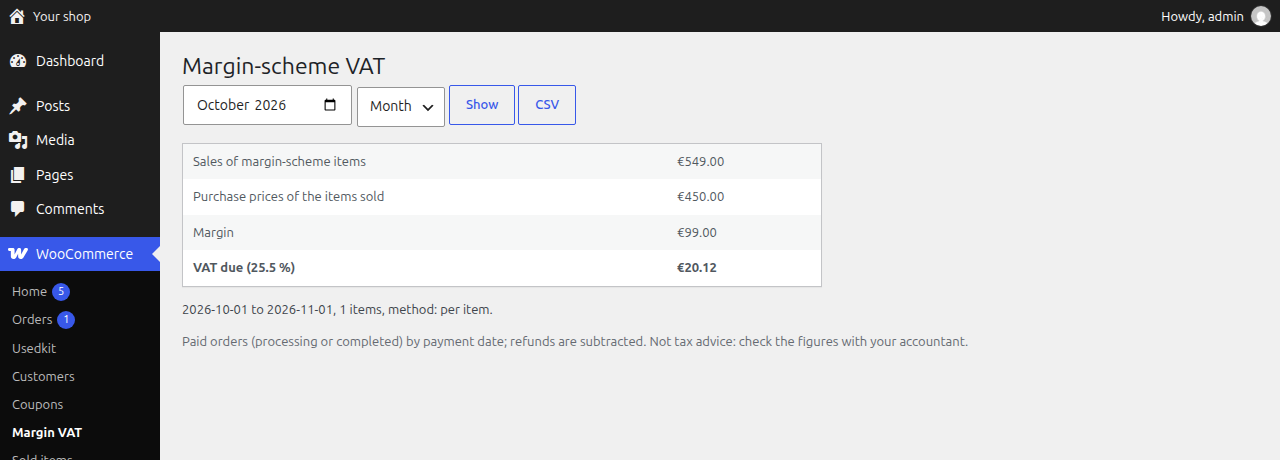
- A monthly or quarterly report, per item or by the global margin of the period with losses carried forward, with a CSV for your accountant.
Lowest price before a discount (EU Omnibus rule)
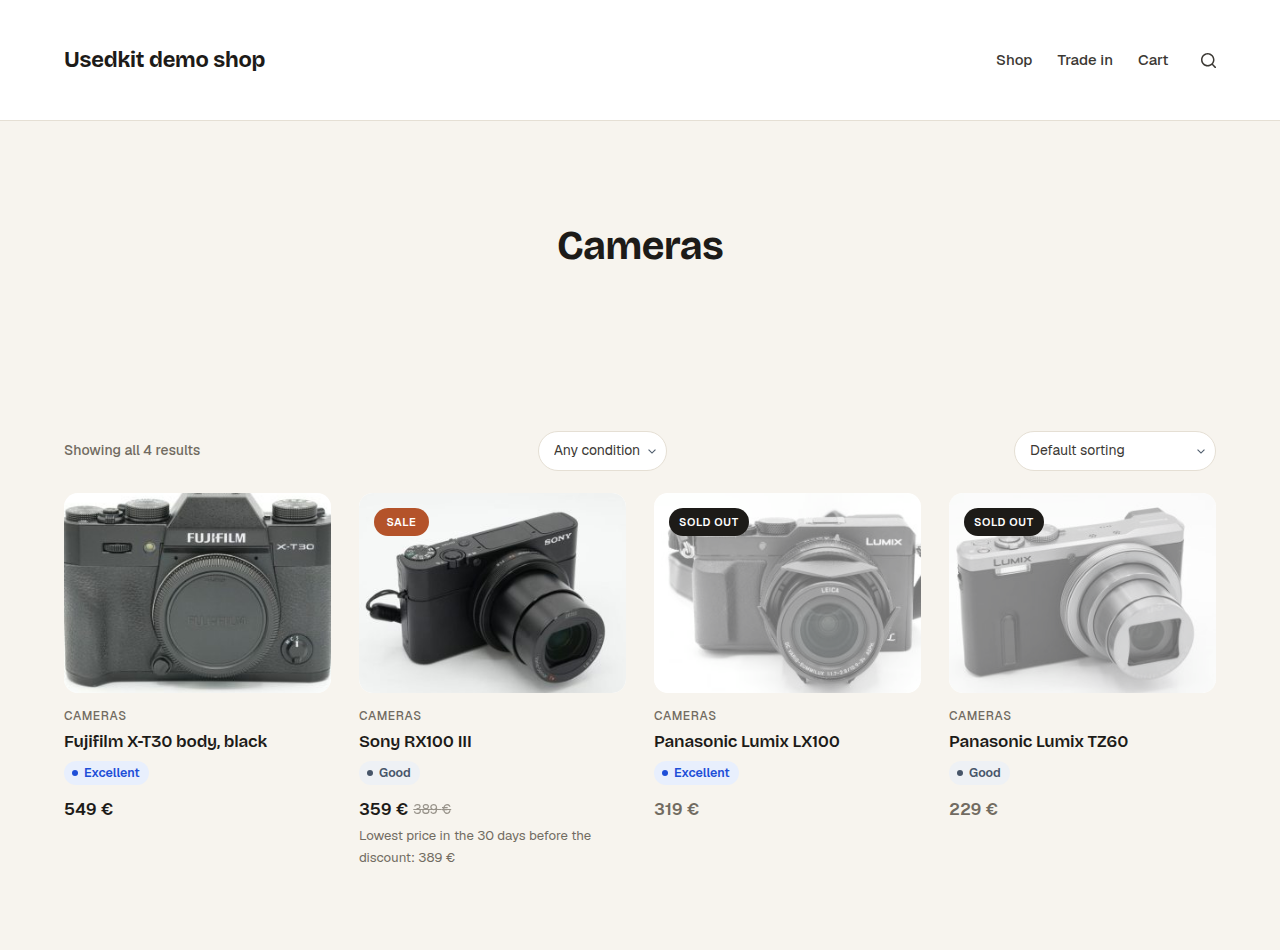
WooCommerce keeps no price history. Usedkit records every price change and shows “Lowest price in the 30 days before the discount” next to each sale price.
Selling one-of-a-kind items
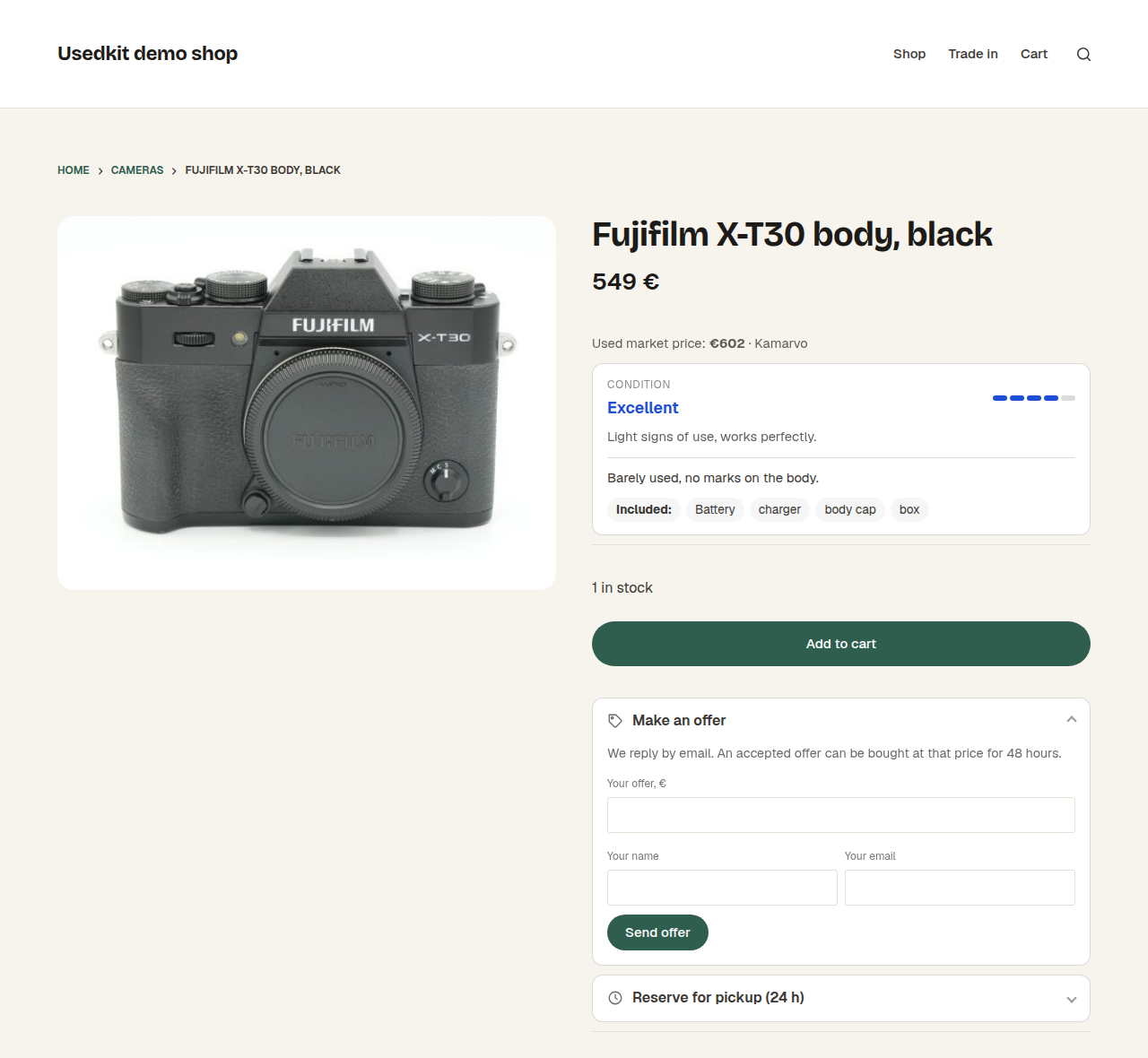
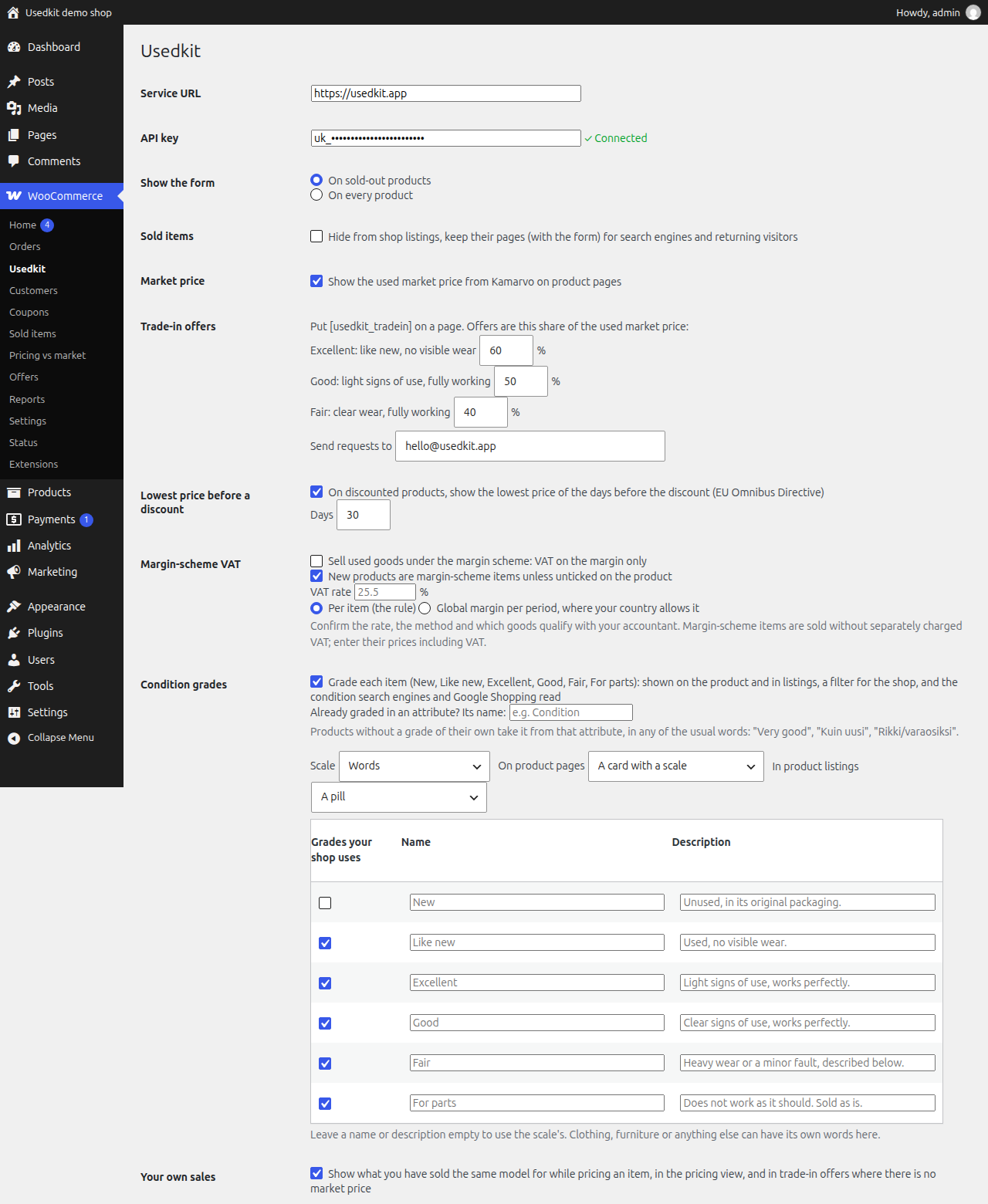
- Condition grades for any kind of goods: words (New to For parts), letters (A+ to D) or ten-point (10/10), or your own names and descriptions, with only the grades you use. On product pages as a card with a scale, one line or a badge on the photo; in listings as a pill, text, a small scale or a badge on the photo. A note and what is included, a condition filter for the shop, and
itemConditionin the structured data Google Shopping requires for used goods. Already grading in an attribute (“Kunto”, “Condition”)? It is read from there. Optionally two grades besides it, cosmetic and functional, each a score out of 3, 4, 5 or 10 points in halves with a note of its own, read from your own product data if you already keep them. The look is yours: bars, dots, stars, squares, a meter or the number; colours by grade, one colour or the theme’s; a box, a tinted box or none; and where on the product page it sits. - Make an offer: accepted at once above a share of the price, turned down at once below a share or below your purchase price plus a margin, the rest waiting for you. An accepted offer is a link that puts the item in the customer’s cart at that price.
- Reserve for pickup: a customer holds an item for a day to see it in the shop; meanwhile it can’t be bought online. The hold ends by itself.
- Automatic markdowns: every so many days unsold, a step off the price, never below your purchase price plus a margin. Customers waiting with a maximum price hear when it is met.
- Similar items in stock on a sold item’s page: the same model first, then the same category nearest in price.
- Spec templates for cameras, lenses, bikes, e-bikes, phones, computers, watches, audio, instruments, clothing and furniture: shutter count, frame size, battery health, box and papers. Saved as ordinary product attributes.
Search engines, for used goods
A used shop’s item pages come and go: each sells, and the next one of the model gets a page of its own. A search for “used Sony A7 III” finds a sold page, or several pages competing.
- Model pages: one lasting page for each model you sell again and again (/used/sony-a7-iii/, in your language), with what is for sale, what sold and for how much, and the notify form, and a page listing them all. Search engines rank one page that stays.
- Sold pages that age out: after the days you choose, a sold item’s page redirects to its model page (or its category), or leaves search results.
- Condition in titles and descriptions where a product has none of its own; with Yoast SEO or Rank Math, a variable for their templates.
- Sitemaps: model pages in, aged-out sold items out, in WordPress’s own, Yoast’s and Rank Math’s.
Buying stock
- Your own sales as a price reference: “4 sold: median 410 €, typically 12 days to sell”, beside the price while you edit an item and in the pricing view. For anything you sell, not only cameras.
- Instant trade-in offers with
[usedkit_tradein], from the used market price (Kamarvo, cameras and lenses) or your own sales of the model, and your buying percentages. Requests are listed under Trade-ins; one click makes a bought one a draft product with its purchase price, grade and seller. - Purchase register: seller, ID checked, serial number, date and price of every item bought, by date, with CSV. Kept in WordPress only.
- Add used item: one screen that works on a phone. Photos, title, grade, prices, seller, and the description, categories and specs copied from the last one of the same model.
- Used market price on product pages, from Kamarvo, for cameras and lenses.
- Sold items: what sold, when, for how much, how long it took and at what margin.
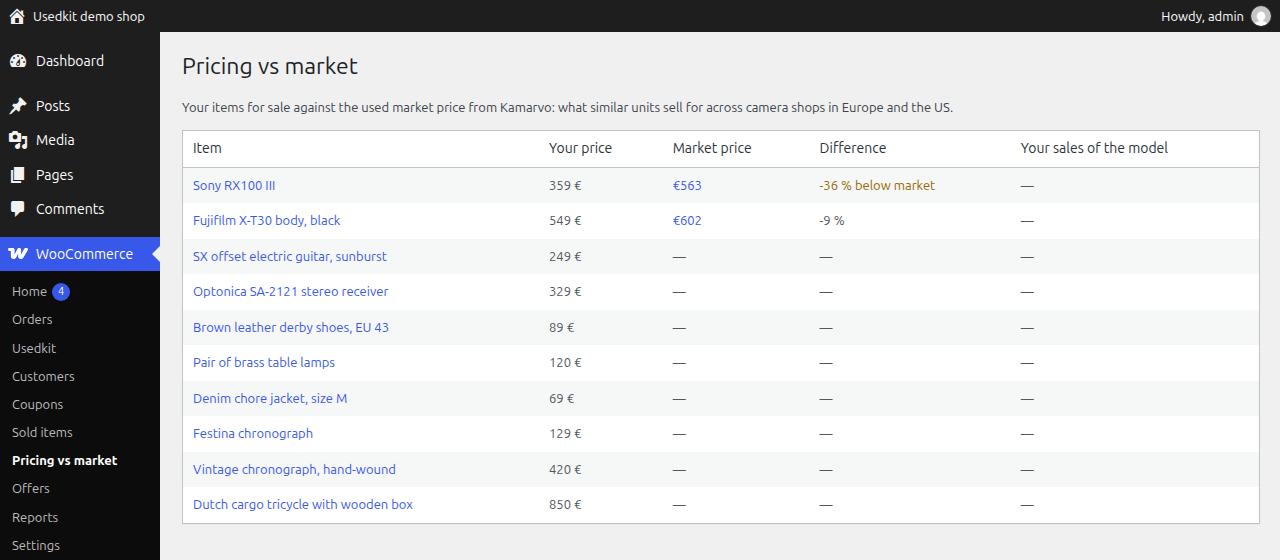
- Pricing vs market: every item for sale against its market price and your own sales, furthest off first, with the next markdown.
In ten languages: English, German, French, Spanish, Italian, Polish, Dutch, Portuguese, Swedish and Finnish. Customers get their emails in the language of the shop’s site.
Externe Dienste
This plugin connects to the Usedkit service (https://usedkit.app), which stores the shop’s products, matches them to waiting customers and sends the emails. Nothing is sent before an API key is saved in the plugin’s settings.
- What is sent, and when: product ID, title, link, image URL, price, currency, stock status, brand and first category when a product is saved or its stock changes, and nightly. A customer’s email address, the model or search words, an optional maximum price and the site language when the customer submits the notify-me form. Product IDs when the product list or the pricing page is opened, for the waiting counts and market prices; a product’s ID and the site language when its page is viewed, if the market price is shown there. A trade-in model name when a customer asks for an offer. Product IDs, or a trade-in model name, to look up which model they are, for the price reference from your own sales. The API key alone when the settings page is opened, for the figures shown there. A customer’s email address when you run WordPress’s “Erase Personal Data” tool for it, so the service deletes their sign-ups too. Seller details from the purchase register, offers and reservations stay in WordPress and are never sent.
- Terms of use: https://usedkit.app/terms
- Privacy policy: https://usedkit.app/privacy
Market prices come from Kamarvo (https://kamarvo.com) through the Usedkit service. Your site does not contact Kamarvo directly. Kamarvo receives only model names. Kamarvo’s privacy policy: https://kamarvo.com/privacy
Installation
- Install and activate the plugin. WooCommerce must be active.
- Get a free key at https://usedkit.app/start. It arrives by email.
- Go to WooCommerce → Usedkit, paste the key, choose the features you want and save.
- Press Send all products now once. From then on every change is sent as you make it.
Änderungsprotokoll
0.6.0
- Settings in tabs (Start, Condition, Selling, Tax and law, Search engines), with a save bar that stays in view and a warning before leaving unsaved changes.
- Condition settings you can see: the choices as samples to click, fields shown only when they apply, and a live preview of the product page box and product cards, or the real product page in your theme, before saving.
- Condition: optional separate cosmetic and functional grades, each a score in half points with its own note, on product pages and as two small scales on product cards. Scores already kept in product meta are read as they are, or through a mapping (stored 4 shows as 3.5/4).
- Condition: more looks (dots, stars, squares, a meter, the number), colours (by grade, one colour, the theme’s), boxes (a box, tinted, none), and where on the product page it sits.
0.5.5
- The listing says what it does: a waitlist for sold items and condition grades for used goods.
0.5.4
- The offer settings’ fields are escaped where printed; the readme lists everything sent to the Usedkit service.
0.5.3
- All of Usedkit’s output is escaped where it is printed or returned; form results and the admin views’ filters carry a nonce.
- Model pages work on sites with plain permalinks.
0.5.2
- The customer forms (notify me, offers, holds, trade-ins) and the product fields carry a nonce; input is sanitised where it is read.
- On a shop installed in a subfolder, a customer who sends a form comes back to the page they were on.
0.5.1
- The condition for Google Shopping: Google for WooCommerce’s product feed gets new or used from the grade, where the product has no condition of its own there.
Screenshots
Für Entwickler
Ist das dein Plugin? Zeigen Sie die Zahlen.
Fügen Sie Ihrer Website, Docs oder GitHub Readme ein Live-Badge hinzu. Es wird von selbst aktualisiert - kein Konto erforderlich.
Best Usedkit alternatives
All back in stock plugins →





Fragen und Antworten
Usedkit: quick answers
Gerade Antworten, gezogen von Live WordPress.org Daten.
Quelle: WordPress.org
Is Usedkit free?
Yes. Usedkit is free to download and use from the official WordPress.org plugin directory.
Is Usedkit safe to use in 2026?
Usedkit works, but test it on a staging site before relying on it in 2026. Was last updated 1 month ago, and scores 60/100 on our health check.
How many websites use Usedkit?
Usedkit is active on <10 WordPress websites and has been downloaded 278 times since it launched in October 2026. It was downloaded 101 times in the last 30 days.
Does Usedkit work with WordPress 7.1?
Yes. The developer has tested Usedkit up to WordPress 7.1.5, the latest release. It requires WordPress 6.5 or newer.
What PHP version does Usedkit need?
Usedkit requires PHP 7.4 or higher. Most hosts run PHP 8.x today, so it works on any modern WordPress hosting.
When was Usedkit last updated?
The latest version, 0.6.0, was released on October 26, 2026 (1 month ago).
Who makes Usedkit?
Usedkit is developed and maintained by psavela.
What are the best alternatives to Usedkit?
The most popular alternatives to Usedkit are Back In Stock Notifier for… (20K+ installs), MoreConvert Wishlist for Wo… (8K+ installs) and Waitlist Woocommerce ( Back… (4K+ installs).
Angetrieben von PageForge
Eine Vorlage und eine Tabelle. Eine echte Seite für jede Suche.
PageForge Verwandelt jede Zeile eines CSV in eine WordPress-Seite mit eigenem Titel, URL, SEO Felder und Schema entworfen. Kostenlos auf WordPress.org.
- CSV und XLSX, plus Google Sheets auf Beruf und Unternehmen
- seinen eigenen Titel, URL, SEO Felder und Schema für jede Seite
- Arbeitet mit dem Blockeditor, Elementor, Divi und Avada
- Kostenlos auf WordPress.org, keine Kreditkarte