

Timeline Block For Gutenberg
Showcase your company history, process steps, milestones, and roadmap inside Gutenberg using the powerful Timeline Block

Sichere Auswahl
Yes — Timeline Block For Gutenberg is a safe, well-maintained plugin to use in 2026. It runs on 9K+ sites, is rated 4.4/5 and was last updated 3 days ago, and scores 86/100 on our health check.
- Aktiv entwickelt – letztes Update vor 3 Tagen
- Getestet mit dem neuesten WordPress (7.1)
- Momentum — downloads up 21.5% vs the previous 30 days
Tägliche Downloads
Download-Spitzen folgen normalerweise einer neuen Version - jede Website, die automatisch aktualisiert wird, gilt als Download.
Ranglisten
Where Timeline Block For Gutenberg stands todayWordPress.org Ranglisten suchen
Live-Position in der Plugin-Suche, Top 100| Stichwort | Position |
|---|---|
| company history | #1 |
| Gutenberg | #23 |
| history | #8 |
| roadmap | #10 |
| timeline | #3 |
Versionsübernahme
Anteil aktiver Sites pro Release.
Bewertungsaufschlüsselung
★★★★★★★★★★ 4.4 from 11 reviews
About Timeline Block For Gutenberg
From the official readme · v2.0.1Beschreibung
Timeline Block for Gutenberg/Block Editor
Timeline Block for Gutenberg is a powerful WordPress timeline slider plugin designed specifically to help you build vertical step-by-step timelines, history/future stories, events, appointments, and many other cool things directly inside the WordPress editor.
Just search ‘Timeline Block‘ from the block editor ‘Add Block‘ section and create a stunning timeline slider.
Check Free Version Demos | Pro Demos | Buy Pro
Hauptmerkmale
- Vertical Timeline Layout: Display your stories using a vertical timeline.
- Multiple Timeline Designs: Choose whether you want to display the timeline on both sides or one side according to your preferences.
- Content Alignment: Align your timeline content to the left, right, or center.
- Customizable Labels: Add labels like step numbers, dates, tags, or short titles to make your timeline more organized and easy to navigate.
- Image & Multimedia Support: Enhance your timeline’s engagement using interactive images that visually tell your story.
- Story Icon Support: Add a custom icon to each timeline slider step to give visual context, or, by default, you can choose to display a dot.
- Fully Responsive: This plugin is fully responsive, ensuring that your events display perfectly on all screen sizes.
Where can you use Timeline Block?
- Represent your company’s story.
- Showcase tutorial/process steps in timeline format.
- Create a program timeline.
- Represent history.
- Create events/appointments timeline.
- Job stories/achievements timeline.
- Personal story timeline.
- Product roadmap.
Upgrade To Pro:
- Horizontal Layout: Timeline Block Pro offers Horizontal Default Design and Horizontal Simple Design layouts.
- Multiple Timelines:Easily create and display multiple timelines on one website, categorized by different layouts.
- Video, Images & Slider: Seamlessly integrate images, videos (YouTube), and slideshows into your timelines.
- Dot, Icon, Image & Text: Customize icons with options including dot, icon, image, and text for personalized timelines.
Check Our Other Timeline Plugins
- Cool Timeline: Display your company’s history, product roadmaps, personal stories, or key events using the built-in block or via simple shortcode. View Demo
- Timeline Widget For Elementor: Showcase your company history, product roadmap, and personal journey in vertical & horizontal layout directly inside Elementor. View Demo
- Timeline Builder: Create a small timeline inside the Gutenberg block editor using a vertical or horizontal timeline. View Demo
- Timeline Module Pro For Divi: Showcase your personal story or company history using stunning vertical or horizontal timelines directly inside the Divi Builder. View Demo
Use of 3rd Party Services: This plugin connects to the Cool Plugins feedback server only for optional usage data sharing and voluntary feedback submission (for example, during plugin deactivation). Data is transmitted solely after explicit user consent. No hidden tracking is performed, and no frontend visitor or site user data is collected. For more details, please review our Data Usage Policy, TOS, and Privacy Policy.
Installation
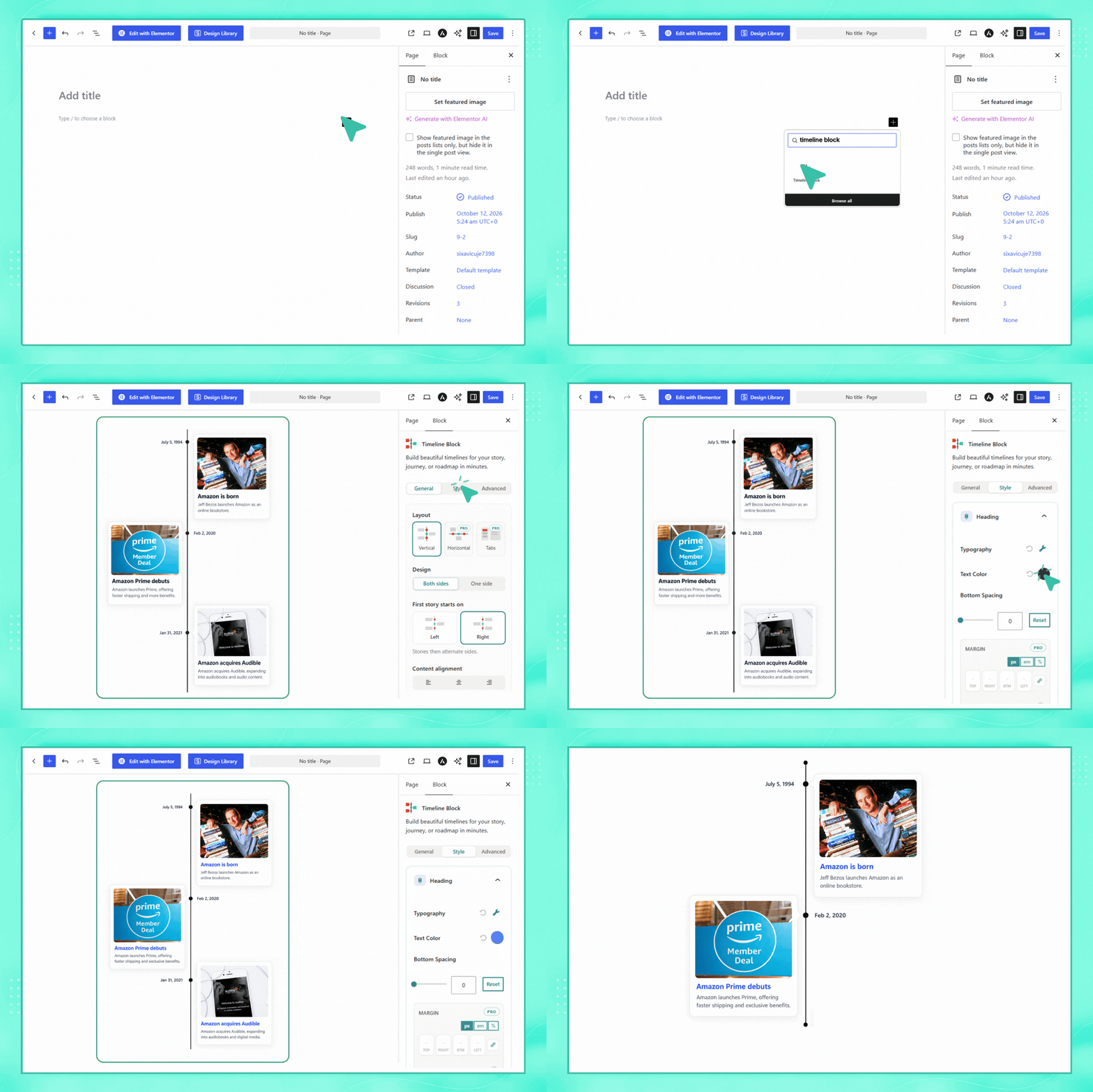
- From the WordPress dashboard, navigate to Plugins > Add New.
- Search for “Timeline Block”. Install & activate the plugin.
- Search and add the “Timeline” to your page.
- Create a timeline story by adding a timeline block to your page.
- Use the settings to customize your timeline’s style, colors, animations, and more.
- Once your timeline is ready, publish it on your site to share your story with your visitors.
Änderungsprotokoll
Fixed issues reported by the Plugin Check plugin.
Upgrade to Version 2.0.0 to enjoy these new features, enhancements, and bug fixes. Your feedback is invaluable as we continue to refine and improve our plugins.
Version 2.0.1 | 30 October 2026
- Fixed: Resolved story card arrow and timeline icon/dot vertical alignment in the new design.
- Fixed: Prevented story arrow from protruding outside the card on stories with short descriptions or removed titles.
- Improved: Balanced vertical spacing above and below single-line story descriptions.
- Fixed: Corrected mobile icon/dot positioning on stories where the date field is empty.
- Compatibility: Resolved editor-side padding conflict with Cool Timeline Pro on story content.
Version 2.0.0 | 13 October 2026
- Major Design Enhancement: Completely refreshed timeline design with modern styling, improved layouts, typography, spacing, cards, icons, images, and enhanced customization options.
- Responsive Design: Optimized timeline layouts and readability across desktop, tablet, and mobile devices.
- Compatibility: Enhanced compatibility with WordPress themes, page builders, existing timelines, and custom styling. Existing timeline content continue to work without migration.
- Performance: Optimized CSS structure for better frontend performance and future design enhancements.
- Upgrade Now:Update to version 2.0.0 to experience the new and improved timeline design.
Version 1.9.3 | 08 September 2026
- Improved: Review notice and feedback form design for a better user experience.
Version 1.9.2 | 01 September 2026
- Fixed CSS issue.
Version 1.9.1| 03 August 2026
- New: Introduced a “date field text” translation compatibilty with wpml.
- Removed: Removed the repeated block code and unused css.
- Improved: merge the repeated same selector’s css.
Version 1.9.0| 28 July 2026
- New: Introduced a“Get Started”onboarding page for a smoother setup experience.
- New: Added a guided sample timeline demo creation flow to help users get started quickly.
- Removed: Removed the legacy dashboard and replaced it with the new onboarding experience.
- Improved: Simplified the initial setup process with a quick-start demo.
Screenshots
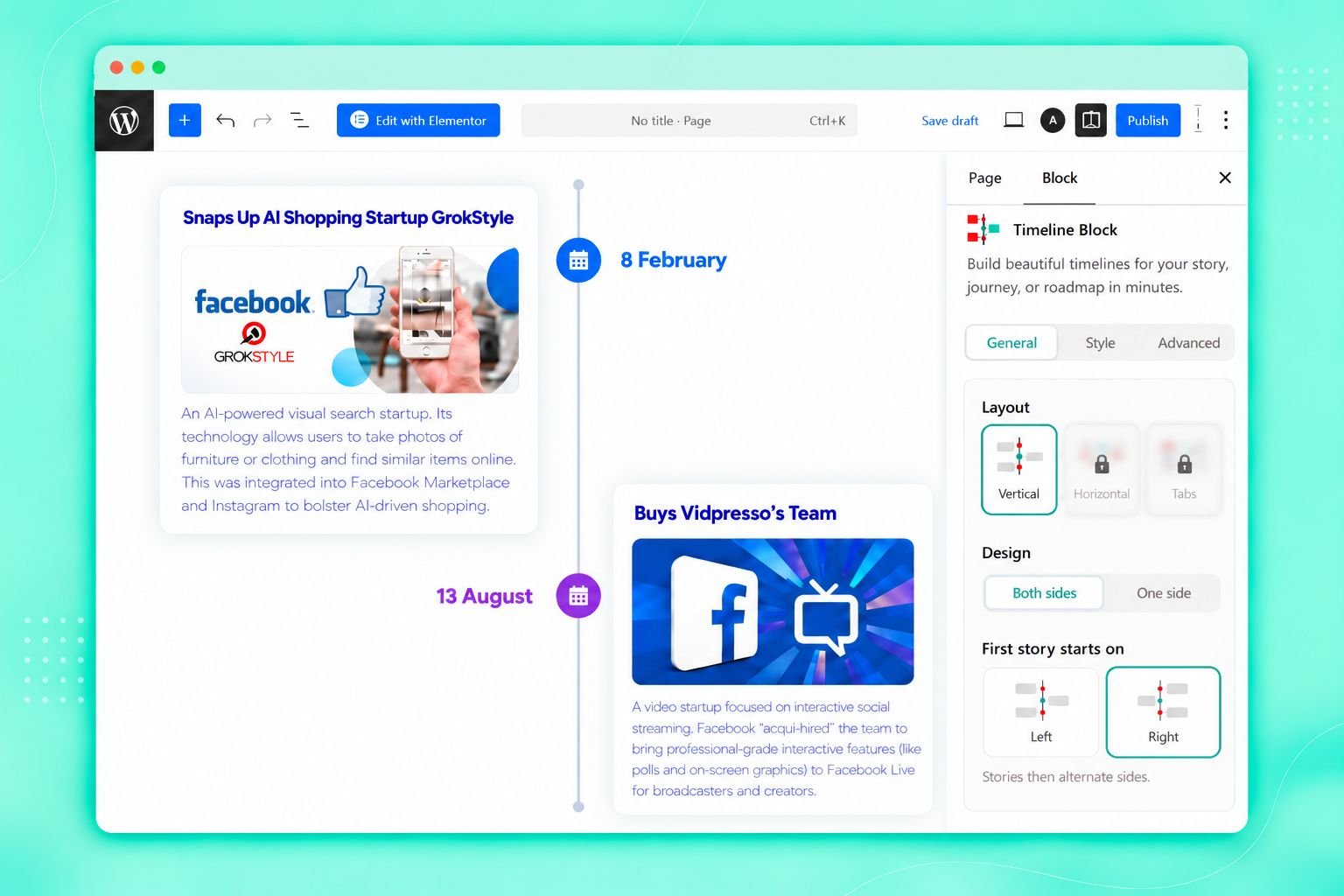
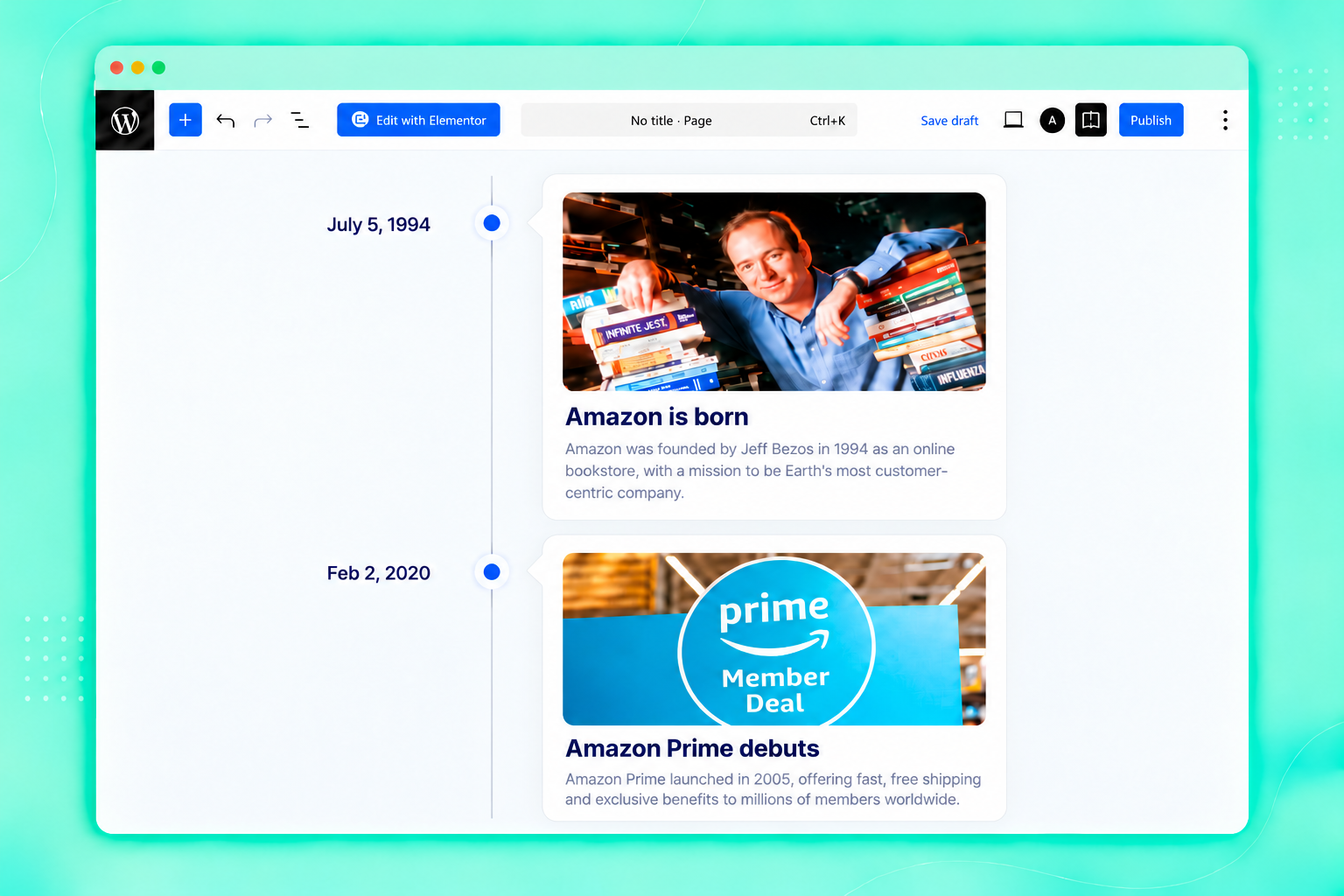
Für Entwickler
Ist das dein Plugin? Zeigen Sie die Zahlen.
Fügen Sie Ihrer Website, Docs oder GitHub Readme ein Live-Badge hinzu. Es wird von selbst aktualisiert - kein Konto erforderlich.
Fragen und Antworten
Timeline Block For Gutenberg: quick answers
Gerade Antworten, gezogen von Live WordPress.org Daten.
Quelle: WordPress.org
Is Timeline Block For Gutenberg free?
Yes. Timeline Block For Gutenberg is free to download and use from the official WordPress.org plugin directory.
Is Timeline Block For Gutenberg safe to use in 2026?
Yes — Timeline Block For Gutenberg is a safe, well-maintained plugin to use in 2026. It runs on 9K+ sites, is rated 4.4/5 and was last updated 3 days ago, and scores 86/100 on our health check.
How many websites use Timeline Block For Gutenberg?
Timeline Block For Gutenberg is active on 9K+ WordPress websites and has been downloaded 212,273 times since it launched in August 2020. It was downloaded 8,524 times in the last 30 days.
Does Timeline Block For Gutenberg work with WordPress 7.1?
Yes. The developer has tested Timeline Block For Gutenberg up to WordPress 7.1.5, the latest release. It requires WordPress 5.0 or newer.
What PHP version does Timeline Block For Gutenberg need?
Timeline Block For Gutenberg requires PHP 7.2 or higher. Most hosts run PHP 8.x today, so it works on any modern WordPress hosting.
When was Timeline Block For Gutenberg last updated?
The latest version, 2.0.1, was released on November 18, 2026 (3 days ago).
Who makes Timeline Block For Gutenberg?
Timeline Block For Gutenberg is developed and maintained by Cool Plugins.
Angetrieben von PageForge
Eine Vorlage und eine Tabelle. Eine echte Seite für jede Suche.
PageForge Verwandelt jede Zeile eines CSV in eine WordPress-Seite mit eigenem Titel, URL, SEO Felder und Schema entworfen. Kostenlos auf WordPress.org.
- CSV und XLSX, plus Google Sheets auf Beruf und Unternehmen
- seinen eigenen Titel, URL, SEO Felder und Schema für jede Seite
- Arbeitet mit dem Blockeditor, Elementor, Divi und Avada
- Kostenlos auf WordPress.org, keine Kreditkarte