🔥 Black Friday Sale: Get 65% OFF Any PageForge Pro Plan! Use code BF65 Claim Offer →
Konto Get it free

Live from WordPress.org · Nov 29, 2026

Best Console Plugins for WordPress

9 plugins are tagged “console” on WordPress.org. We rank them by active installs and score every one on update freshness, compatibility, ratings and support — so you can pick a safe one in seconds. The most popular right now is Debug Bar Console with 1K+ active installs.

Plugins in der Kategorie9
# 1 von InstallationenDebug Bar Console
Top-9 installs1.4K+
Durchschn. Gesundheit (diese Seite)28/100

9 Console plugins

Seite 1 von 1
Best Console Plugins for WordPress
Rang Plugin Aktive Installationen Wertung Aktualisierten Gesundheit
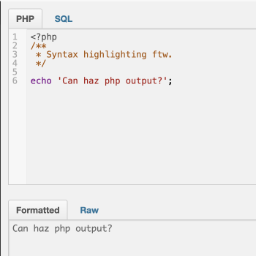
1 Debug Bar Console Debug Bar Console Adds a PHP/SQL console to the Debug Bar. Requires the Debug Bar plugin. by Drew Jaynes 1K+ ★★★★★★★★★★ 5 (5) Vor 8 Monaten 54
2 Developer Tools Blocker Developer Tools Blocker This plugin blocks non-admin users from using inspect element, while still allowing access… by SwiftNinjaPro 300+ ★★★★★★★★★★ 4.2 (15) Vor 4 Jahren 35
3 Blog Terminal Blog Terminal Blog Terminal provides a terminal-like box for embedding terminal commands within pages or… by rsprta 80+ ★★★★★★★★★★ Keine Bewertungen Vor 5 Jahren 25
4 WeatherWizz WeatherWizz Puts your WeatherWizz dashboard data directly onto your wordpress website giving you… by weatherwizz 20+ ★★★★★★★★★★ Keine Bewertungen Vor 3 Jahren 24
5 WP-ShkShell WP-ShkShell WP-ShkShell provides a terminal-like box for embedding terminal commands within pages or… by ShkSchneider 10+ ★★★★★★★★★★ Keine Bewertungen Vor 15 Jahren 23
6 JK Development Console JK Development Console A development console for adding custom javascript and CSS. by KevinJCandlert 10+ ★★★★★★★★★★ 5 (1) Vor 12 Jahren 30
7 REST Console Embed REST Console Embed Shortcode for an embeddable REST API Console, based on Automattic's WordPress.com Console. by Jeff Stieler 10+ ★★★★★★★★★★ Keine Bewertungen Vor 12 Jahren 23
8 RAML Console RAML Console Provides a way to embed a RAML Console in a page or post. Plugin adds a button to the… by djuang1 <10 ★★★★★★★★★★ Keine Bewertungen Vor 10 Jahren 21
9 Print in the Console Current Template URI Print in the Console Current Template URI Prints in the console which template is used if user is logged in. by tiialle <10 ★★★★★★★★★★ Keine Bewertungen Vor 10 Jahren 21

Top Console plugins, head to head

Alle Vergleiche →

Wie wir rangieren

Zuerst Popularität, dann eine Gesundheitsprüfung, der Sie vertrauen können

Plugins sind so angeordnet, wie WordPress.org sie für diese Kategorie einordnet. Neben jedem sehen Sie die Gesundheitsbewertung, sodass eine beliebte, aber vernachlässigte Option niemals in Ihren Stapel schleicht.

  • 25 Frische aktualisieren
  • 20 Funktioniert mit dem neuesten WordPress
  • 25 Bewertung, gewichtet nach Rezensionszählung
  • 15 Support-Threads behoben
  • 15 Aktive Installationen

Beliebte Plugin-Kategorien

Fragen und Antworten

Schnelle Antworten

Gerade Antworten, gezogen von Live WordPress.org Daten.

Quelle: WordPress.org

What is the most popular console plugin for WordPress?

Debug Bar Console is the most popular console plugin with 1K+ active installs and a 5/5 rating on WordPress.org.

How many console plugins are on WordPress.org?

There are currently 9 plugins tagged “console” in the official WordPress.org plugin directory.

Are these console plugins actively maintained?

0 of the top 9 console plugins were updated in the last 30 days. Check each plugin’s health score for update freshness, WordPress compatibility and support responsiveness.

Angetrieben von PageForge

Eine Vorlage und eine Tabelle. Eine echte Seite für jede Suche.

PageForge Verwandelt jede Zeile eines CSV in eine WordPress-Seite mit eigenem Titel, URL, SEO Felder und Schema entworfen. Kostenlos auf WordPress.org.

  • CSV und XLSX, plus Google Sheets auf Beruf und Unternehmen
  • seinen eigenen Titel, URL, SEO Felder und Schema für jede Seite
  • Arbeitet mit dem Blockeditor, Elementor, Divi und Avada
  • Kostenlos auf WordPress.org, keine Kreditkarte

↑↓ bewegen↵ öffnen