


SuperSeller AI Chat
AI chat for WordPress with site FAQs and an optional widget. WooCommerce adds catalog sync and product recommendations. Free plan available.

Mit Vorsicht verwenden
SuperSeller AI Chat works, but test it on a staging site before relying on it in 2026. Was last updated 2 months ago, and scores 60/100 on our health check.
- Getestet mit dem neuesten WordPress (7.1)
- Kleine Benutzerbasis (<10 aktive Installationen)
- Bisher sehr wenige Bewertungen
Wie stapelt es sich?
Side-by-side bei Installationen, Updates, Bewertungen und Support



Tägliche Downloads
Download-Spitzen folgen normalerweise einer neuen Version - jede Website, die automatisch aktualisiert wird, gilt als Download.
Ranglisten
Where SuperSeller AI Chat stands todayWordPress.org Ranglisten suchen
Live-Position in der Plugin-Suche, Top 100| Stichwort | Position |
|---|---|
| AI Chatbot | >100 |
| product recommendations | >100 |
| Shopping Assistant | >100 |
| WooCommerce | >100 |
| Wordpress Chatbot | >100 |
About SuperSeller AI Chat
From the official readme · v1.3.0Beschreibung
SuperSeller adds an AI chat assistant to WordPress sites. Add FAQs, policies and selected pages or posts to its knowledge base, then enable the optional chat widget. If WooCommerce is active, you can also sync products so shoppers can find items from your catalog.
The WordPress admin Overview guides setup and shows company activity after you connect an account and save privacy consent. The AI Assistant page edits the connected company’s greeting, title, subtitle, placeholder, tone, colors and support email. Product sync and order conversion tracking appear only when WooCommerce is active.
Start with the Free plan: 30 conversations per month for one company, with no credit card required. The WordPress plugin is free to install. A SuperSeller account is required; paid service plans offer higher conversation and company limits. Compare plans or create a free account.
Product recommendations from your WooCommerce catalog
The AI shopping assistant uses the product names, descriptions, prices, attributes and availability you sync from WooCommerce, with links back to your product pages.
- Sync your published product catalog with one initial import.
- Keep product details, sale prices and stock status updated after changes.
- Include variation and stock-only changes through parent product updates.
- Remove withdrawn, hidden or deleted products from the synced catalog.
- Process automatic updates in the background, with retries for temporary API failures.
Customer support for shipping, returns and store FAQs
Give the chatbot your store information instead of making shoppers search multiple pages. The knowledge base supports shipping methods, return policies, custom FAQs, and selected published WordPress pages or posts.
You choose the knowledge content to share. Knowledge base sync can be used independently of automatic product sync.
Optional storefront chat widget
Enable the chat widget after saving privacy consent, choose the bottom-left or bottom-right position, and edit its core text and colors under SuperSeller > AI Assistant. More advanced assistant settings remain in the SuperSeller dashboard. Product sync and the widget have separate controls. The optional “Powered by SuperSeller” link is off by default.
Optional conversion tracking can attribute paid orders to chat-assisted sales. It has a separate, default-off setting and shares the order ID, total and currency only when enabled with privacy consent and the widget. No billing addresses or payment-card details are sent by the plugin.
Built for WooCommerce store owners
- One API key connects the plugin to the matching SuperSeller company.
- Test Connection verifies your key before you import products.
- Import progress shows successful and failed products separately.
- Compatible with WooCommerce HPOS and legacy order storage.
- Tested with WordPress 7.1 and WooCommerce 11.1.0.
Requirements: WordPress 5.8+, PHP 7.4+, and a SuperSeller account. WooCommerce is optional and required only for product sync and order conversion tracking.
Datenschutzerklärung
External service and data sharing
This plugin connects to the SuperSeller service at https://superseller.online. API requests go to https://superseller.online/api/ and the optional widget runtime loads from https://superseller.online/widget.js.
- Connection verification: clicking Test Connection or saving an API key sends the key to the API to verify the company. This does not upload the product catalog.
- Assistant editor: after saved privacy consent, opening the AI Assistant page reads the connected company’s chat settings. Saving sends only the edited title, subtitle, welcome message, placeholder, tone, two colors and support email. The API key stays on the WordPress server.
- Product sync: after saved privacy consent and product sync are enabled, sends product IDs, names, descriptions, prices, SKUs, categories, attributes, stock status, image URLs and product links. Product changes and deletions are synchronized.
- Knowledge base: after saved privacy consent, sends the store information, shipping details, return policies, FAQs and published pages/posts selected for sync. Store information may include the store address and contact email. Permanently deleting a synced page or post queues removal; trashing or unpublishing it does not.
- Chat widget: after saved privacy consent and widget activation, the service processes visitor messages, page context and a browser visitor identifier. Messages can contain personal information entered by visitors.
- Conversion tracking: disabled by default. A separate opt-in sends paid order IDs, totals and currencies when privacy consent and the widget are enabled. Billing addresses and payment-card details are not sent by the plugin.
Consent, opt-out and deletion
Sharing controls are off by default. Configure your privacy notices and any required visitor consent before enabling the service. Developers can connect a visitor consent manager through the superseller_conversion_tracking_allowed filter.
Disable sharing in SuperSeller > Settings. Revoking privacy consent blocks queued sharing requests. Deleting the plugin removes its local settings, knowledge content, queued tasks and product sync metadata. It does not erase data already stored in your SuperSeller account; manage that data in the dashboard or contact us for deletion assistance.
Installation
- Install and activate SuperSeller AI Chat from Plugins > Add Plugin, or upload the plugin folder to /wp-content/plugins/.
- Create a SuperSeller account, then create the company for your store in the dashboard. The Free plan requires no credit card.
- Select that company in the dashboard, open API Keys, create a key and copy it. Keep the key private; it is shown only once.
- In WordPress, open SuperSeller > Settings. Paste the key and click Test Connection. The company is detected automatically; no separate Company ID is needed.
- Save privacy consent, choose the chat widget and, if WooCommerce is active, product sync. Click Save Settings.
- With WooCommerce, run Sync All Products Now for the initial import. Automatic changes are queued after that.
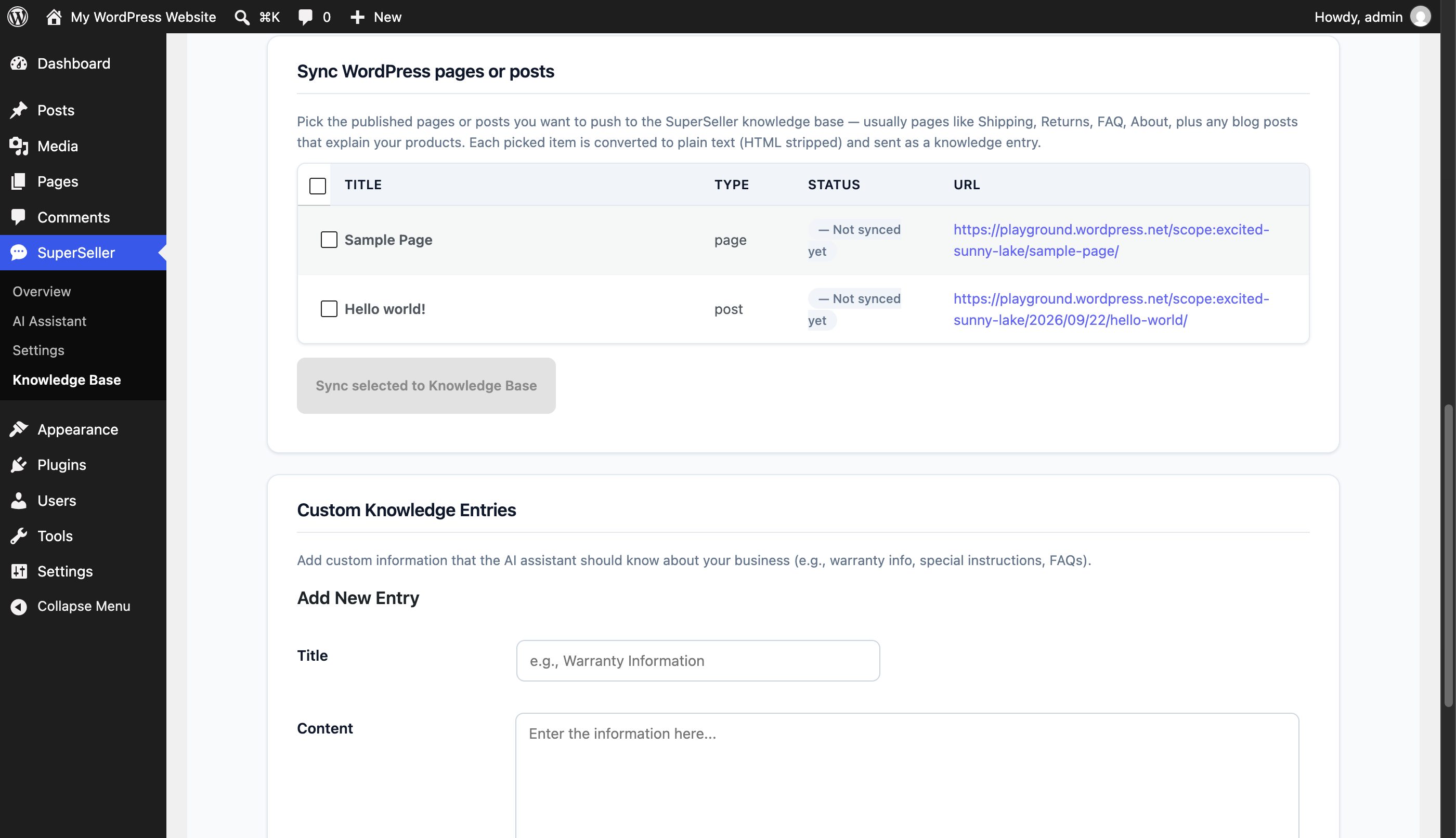
- Open SuperSeller > Knowledge Base to add policies, FAQs, or selected WordPress pages and posts, then sync the content you want to share.
- Open SuperSeller > AI Assistant to edit the chat greeting, tone, colors and support email.
Änderungsprotokoll
Chat and knowledge base now work without WooCommerce. Existing WooCommerce catalog sync settings remain available when WooCommerce is active.
1.3.0
- Make WooCommerce optional for WordPress chat and knowledge base use.
- Add a WordPress admin Overview with guided setup and company activity.
- Edit core assistant text, tone, colors and support email directly in WordPress admin.
- Show product sync and order conversion tracking only when WooCommerce is active.
1.2.1
- Correct active sale prices and unknown stock quantities.
- Queue product, variation, stock, withdrawal and deletion updates with bounded retries.
- Bind queued work to the original API connection and respect revoked consent.
- Fix import counts, error rendering and invalid replacement-key state.
- Add separate, default-off conversion tracking consent with enqueued scripts.
- Improve local uninstall cleanup and Knowledge Base controls.
- Verify WordPress 7.1 and WooCommerce 11.1.0 compatibility with HPOS and legacy order storage.
1.2.0
- Add a dedicated SuperSeller menu, Knowledge Base page picker and import progress display.
1.1.0
- Introduce single-key setup and enqueued chat widget scripts.
1.0.0
- Initial release with product sync, optional chat widget and knowledge base support.
Screenshots



Für Entwickler
Ist das dein Plugin? Zeigen Sie die Zahlen.
Fügen Sie Ihrer Website, Docs oder GitHub Readme ein Live-Badge hinzu. Es wird von selbst aktualisiert - kein Konto erforderlich.
Best SuperSeller AI Chat alternatives
Alle AI-Chatbot-Plugins →





Fragen und Antworten
SuperSeller AI Chat: quick answers
Gerade Antworten, gezogen von Live WordPress.org Daten.
Quelle: WordPress.org
Is SuperSeller AI Chat free?
Yes. SuperSeller AI Chat is free to download and use from the official WordPress.org plugin directory.
Is SuperSeller AI Chat safe to use in 2026?
SuperSeller AI Chat works, but test it on a staging site before relying on it in 2026. Was last updated 2 months ago, and scores 60/100 on our health check.
How many websites use SuperSeller AI Chat?
SuperSeller AI Chat is active on <10 WordPress websites and has been downloaded 541 times since it launched in May 2026. It was downloaded 93 times in the last 30 days.
Does SuperSeller AI Chat work with WordPress 7.1?
Yes. The developer has tested SuperSeller AI Chat up to WordPress 7.1.5, the latest release. It requires WordPress 5.8 or newer.
What PHP version does SuperSeller AI Chat need?
SuperSeller AI Chat requires PHP 7.4 or higher. Most hosts run PHP 8.x today, so it works on any modern WordPress hosting.
When was SuperSeller AI Chat last updated?
The latest version, 1.3.0, was released on September 29, 2026 (2 months ago).
Who makes SuperSeller AI Chat?
SuperSeller AI Chat is developed and maintained by webillium.
What are the best alternatives to SuperSeller AI Chat?
The most popular alternatives to SuperSeller AI Chat are Lead Generation Contact Wid… (10K+ installs), Hyve Lite (7K+ installs) and Geeky Bot (6K+ installs).
Angetrieben von PageForge
Eine Vorlage und eine Tabelle. Eine echte Seite für jede Suche.
PageForge Verwandelt jede Zeile eines CSV in eine WordPress-Seite mit eigenem Titel, URL, SEO Felder und Schema entworfen. Kostenlos auf WordPress.org.
- CSV und XLSX, plus Google Sheets auf Beruf und Unternehmen
- seinen eigenen Titel, URL, SEO Felder und Schema für jede Seite
- Arbeitet mit dem Blockeditor, Elementor, Divi und Avada
- Kostenlos auf WordPress.org, keine Kreditkarte