


Stockline – Custom Stock Messages for WooCommerce
Replace WooCommerce's plain "In stock" and "Out of stock" lines with your own messages, icons and colours for every stock state.

Mit Vorsicht verwenden
Stockline works, but test it on a staging site before relying on it in 2026. Was last updated 1 month ago, and scores 60/100 on our health check.
- Getestet mit dem neuesten WordPress (7.1)
- Kleine Benutzerbasis (<10 aktive Installationen)
- Bisher sehr wenige Bewertungen
Wie stapelt es sich?
Side-by-side bei Installationen, Updates, Bewertungen und Support



Tägliche Downloads
Download-Spitzen folgen normalerweise einer neuen Version - jede Website, die automatisch aktualisiert wird, gilt als Download.
Ranglisten
Where Stockline stands todayWordPress.org Ranglisten suchen
Live-Position in der Plugin-Suche, Top 100| Stichwort | Position |
|---|---|
| backorder | >100 |
| low stock | >100 |
| out of stock | >100 |
| stock-status | >100 |
| WooCommerce | >100 |
About Stockline
Aus der offiziellen Readme · V1.0.3Beschreibung
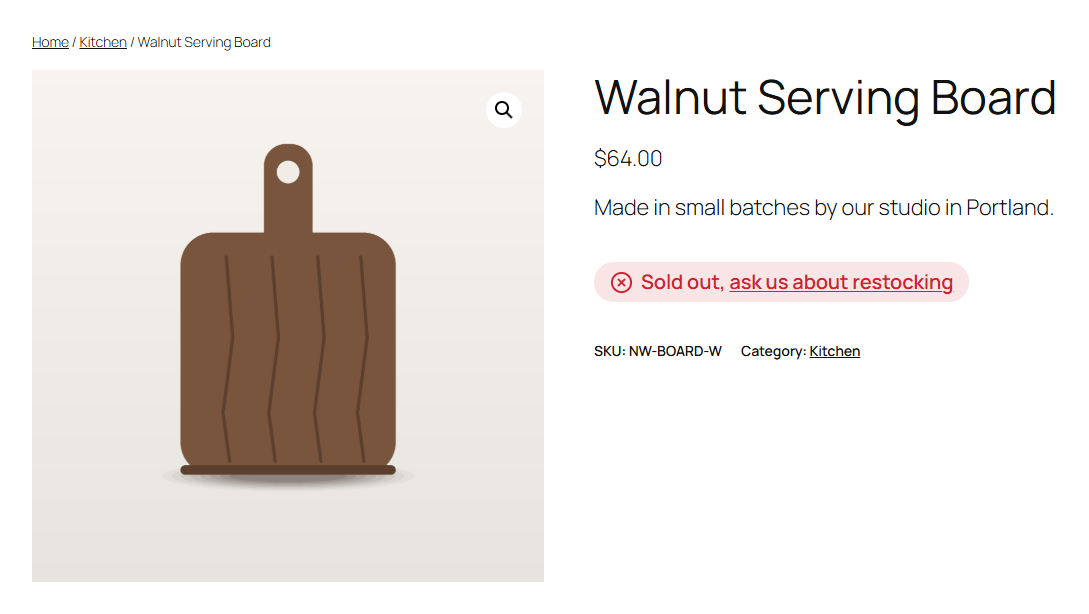
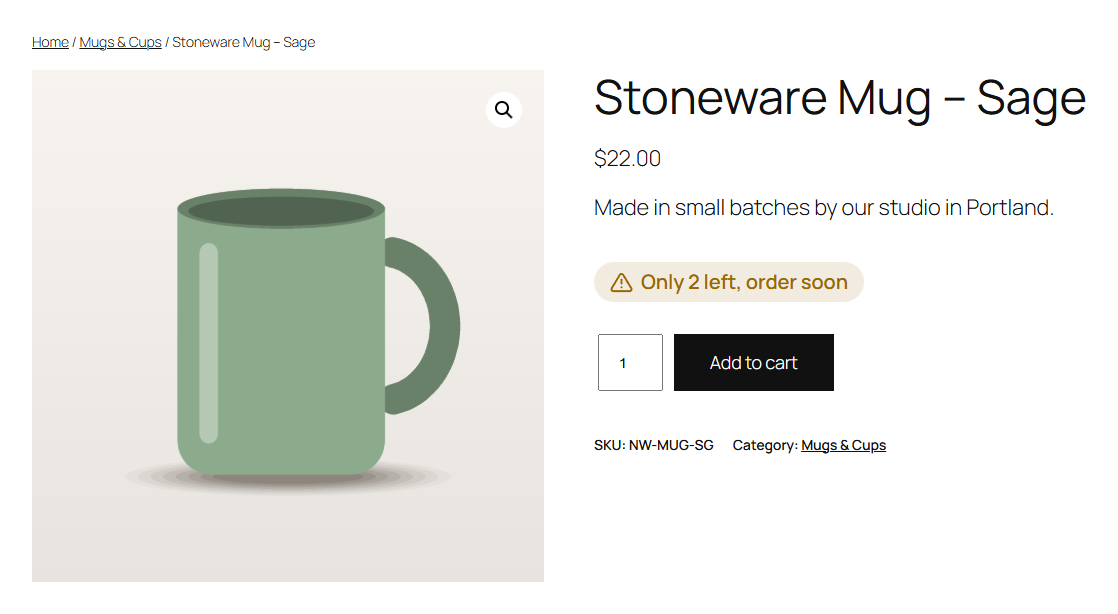
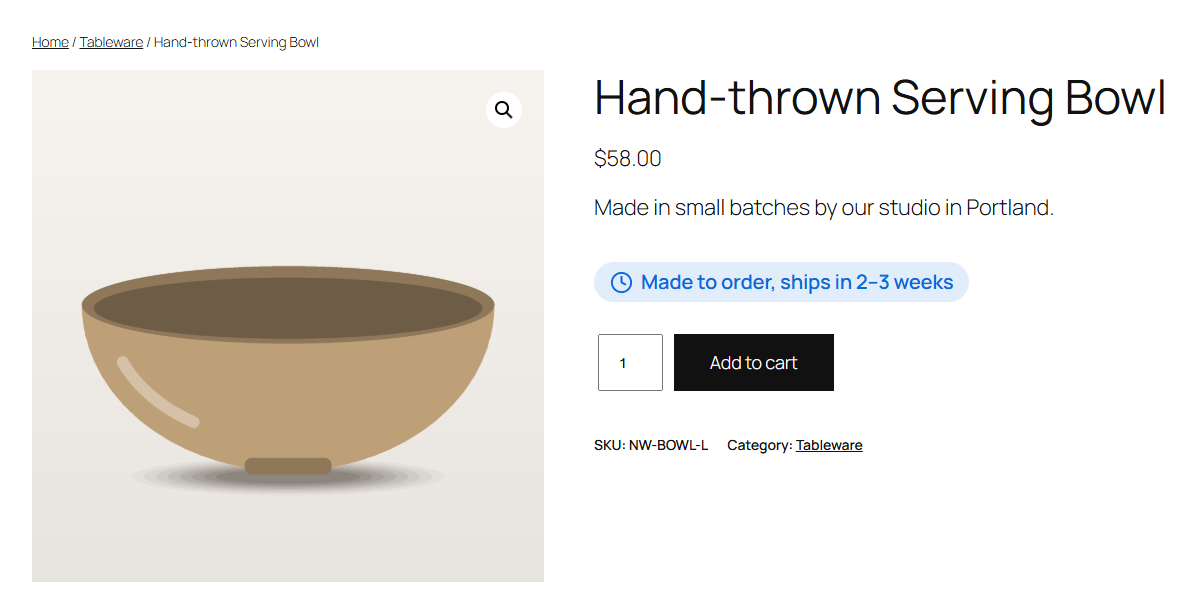
WooCommerce tells shoppers “Out of stock” and leaves it there. Stockline lets you say something useful instead: “Only 2 left, order soon”, “Made to order, ships in 2–3 weeks”, “Sold out, ask us about restocking”.
Your own message for every stock state
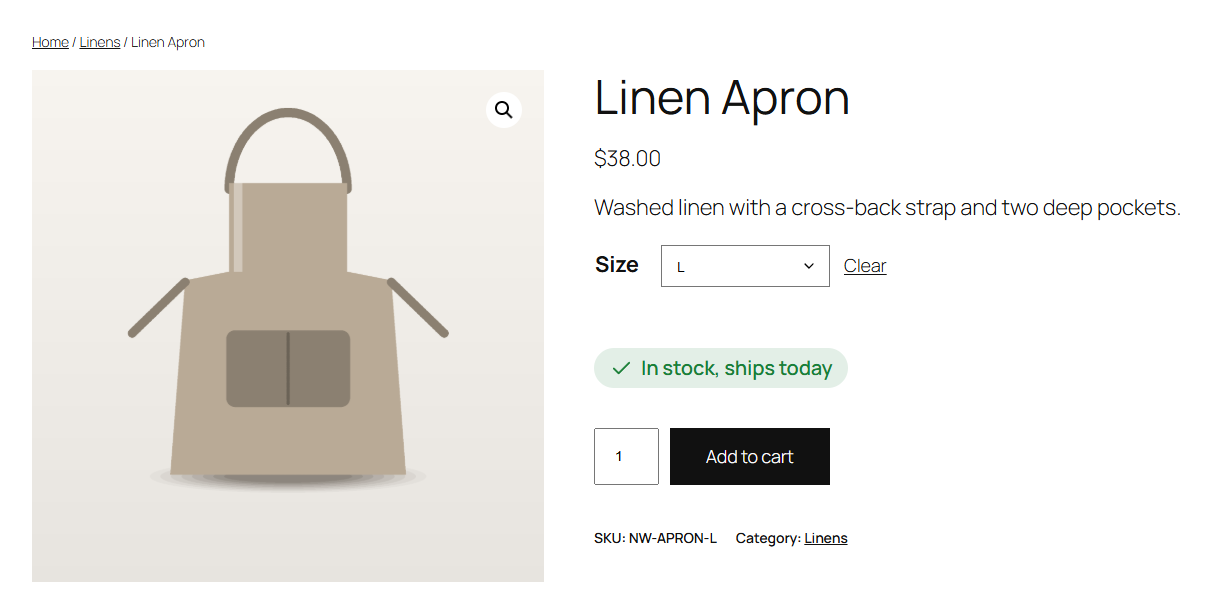
- In stock: e.g. “In stock, ships today”. Also shown for products that don’t track stock, where WooCommerce shows nothing.
- Low stock: e.g. “Only {qty} left, order soon”, using WooCommerce’s own low stock threshold (store-wide or per product).
- On backorder: e.g. “Ships in 2–3 weeks”.
- Out of stock: e.g. “Sold out, back soon”.
Leave any message empty to keep WooCommerce’s text, with your icon and colour. Other plugins can add states of their own, such as a “Pre-order” state, and they get a message, icon and colour on the same screen.
Looks right in your theme
- Icons (check mark, warning, clock, cross, delivery truck, dot) and a colour per state.
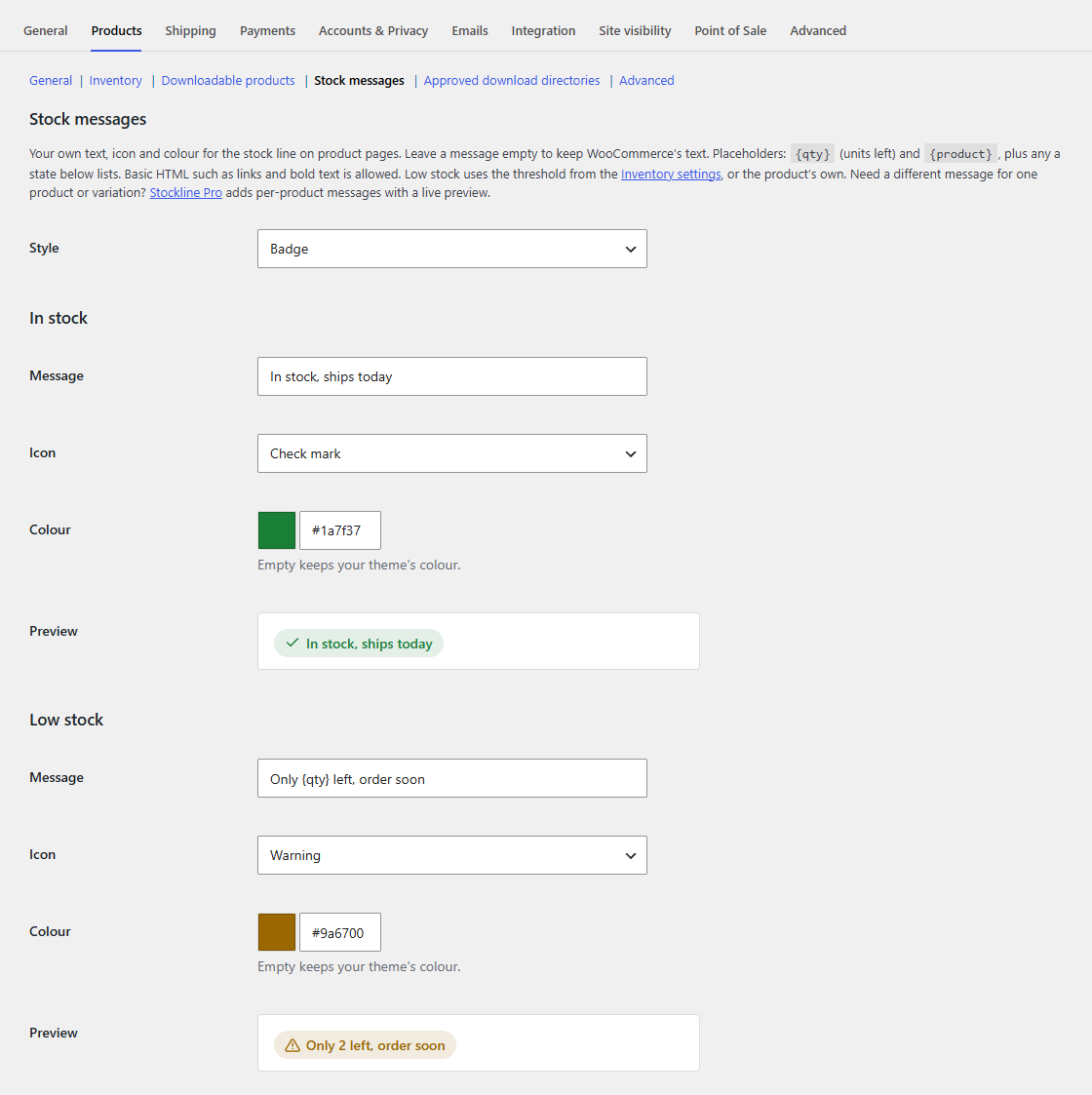
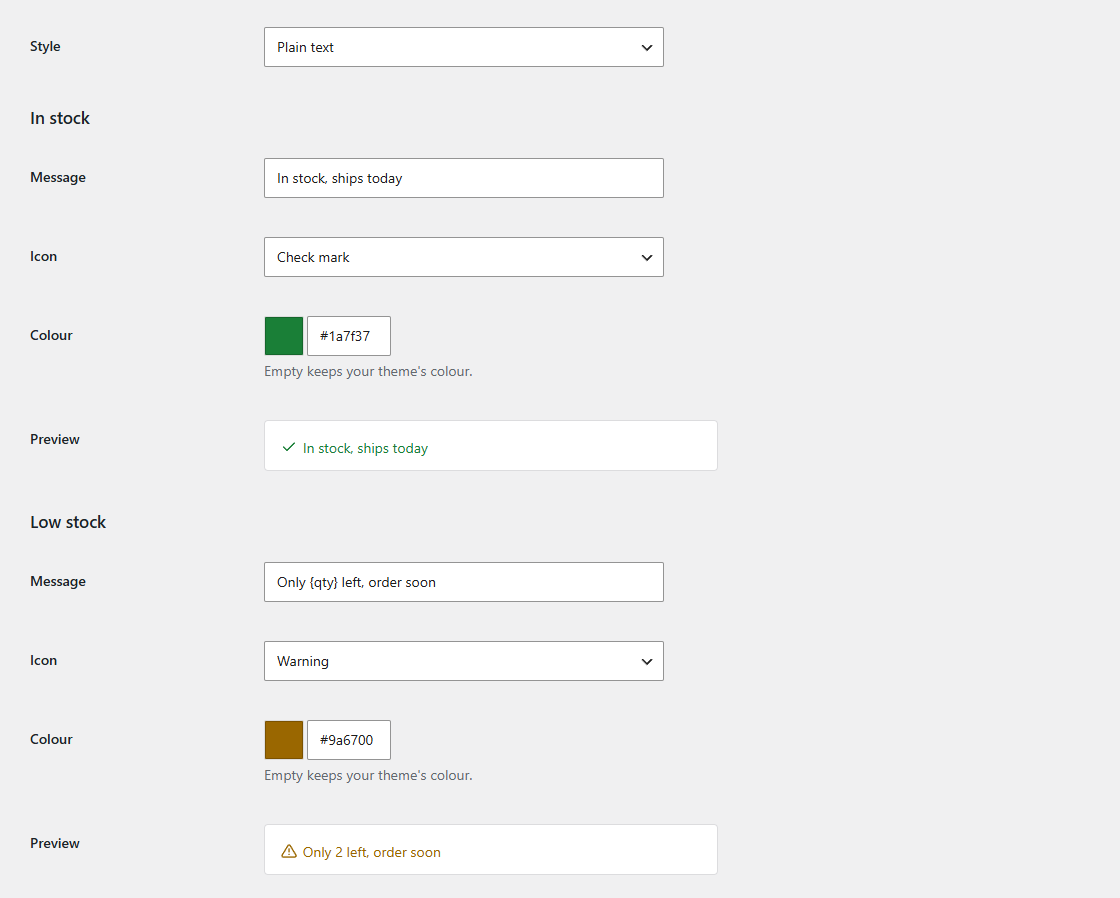
- Plain text or a soft coloured badge.
- A live preview of each state on the settings screen as you type, before you save.
- Keeps WooCommerce’s own CSS classes, so your theme’s styling still applies.
Works everywhere WooCommerce shows stock
Classic themes, block themes (the Add to Cart form block) and variable products, where the message updates as shoppers pick options. Stockline hooks the final stock HTML that WooCommerce itself builds, so there are no template overrides to go stale after WooCommerce updates.
Placeholders and light HTML
Use {qty} for the units left and {product} for the product name. Bold text and links are allowed, e.g. Sold out, <a href="/contact">ask us about restocking</a>.
Für Entwickler
stockline_stock_htmlfilters the final markup ($html,$product,$state).stockline_states,stockline_stateandstockline_placeholderslet other plugins add a state with its own message, icon and colour, and placeholders for it. Preorderline uses them for a “Pre-order” state with{date}.stockline_product_settingslets a plugin give a product or variation its own message, icon or colour, andstockline_page_colorsadds the colours it uses to the page’s stylesheet.stockline_enqueue_stylesloads the small stylesheet beyond product pages, e.g. for a Single Product block on a landing page.stockline_loadedfires once Stockline has loaded, for add-ons.
Stockline Pro
Stockline’s messages are store-wide. If some products need their own (“Back mid-November”, or “Size S is back in December” for one variation), the separate Stockline Pro add-on adds a message, icon and colour per product and per variation, a preview dialog on the product screen, and columns for them in the Gridline bulk editor. Everything described above works without it. See extendiment.com/plugins/stockline. Stockline Pro is sold under our Terms and Privacy Policy.
Installation
- Install and activate Stockline from Plugins → Add New Plugin, or upload the zip there. WooCommerce must be active.
- Go to WooCommerce → Settings → Products → Stock messages.
- Pick a style (plain text or badge), then set a message, icon and colour for each stock state. The preview under each state shows the result as you type.
- Save, and open a product page to see the new stock line.
Änderungsprotokoll
1.0.3
- Changed: a stock state added by another plugin (such as Pre-order) now lists its extra placeholders on the settings screen, and says that its message replaces the text each product shows for that state.
1.0.2
- Fix: on a multisite network, deleting the plugin now removes a site’s data only if that site chose to; deactivating it on one site no longer decides for the others.
1.0.1
- Changed: Tested with WooCommerce 11.2.
1.0.0
- Erste Veröffentlichung.
Screenshots
Für Entwickler
Ist das dein Plugin? Zeigen Sie die Zahlen.
Fügen Sie Ihrer Website, Docs oder GitHub Readme ein Live-Badge hinzu. Es wird von selbst aktualisiert - kein Konto erforderlich.
Best Stockline alternatives
All backorder plugins →





Fragen und Antworten
Stockline: quick answers
Gerade Antworten, gezogen von Live WordPress.org Daten.
Quelle: WordPress.org
Is Stockline free?
Yes. Stockline is free to download and use from the official WordPress.org plugin directory.
Is Stockline safe to use in 2026?
Stockline works, but test it on a staging site before relying on it in 2026. Was last updated 1 month ago, and scores 60/100 on our health check.
How many websites use Stockline?
Stockline is active on <10 WordPress websites and has been downloaded 347 times since it launched in October 2026. It was downloaded 108 times in the last 30 days.
Does Stockline work with WordPress 7.1?
Yes. The developer has tested Stockline up to WordPress 7.1.5, the latest release. It requires WordPress 6.5 or newer.
What PHP version does Stockline need?
Stockline requires PHP 7.4 or higher. Most hosts run PHP 8.x today, so it works on any modern WordPress hosting.
When was Stockline last updated?
The latest version, 1.0.3, was released on October 19, 2026 (1 month ago).
Who makes Stockline?
Stockline is developed and maintained by Extendiment.
What are the best alternatives to Stockline?
The most popular alternatives to Stockline are Ship Estimate for WooCommer… (100+ installs), Pre Order for WooCommerce (70+ installs) and WPHEKA Backorder Split (40+ installs).
Angetrieben von PageForge
Eine Vorlage und eine Tabelle. Eine echte Seite für jede Suche.
PageForge Verwandelt jede Zeile eines CSV in eine WordPress-Seite mit eigenem Titel, URL, SEO Felder und Schema entworfen. Kostenlos auf WordPress.org.
- CSV und XLSX, plus Google Sheets auf Beruf und Unternehmen
- seinen eigenen Titel, URL, SEO Felder und Schema für jede Seite
- Arbeitet mit dem Blockeditor, Elementor, Divi und Avada
- Kostenlos auf WordPress.org, keine Kreditkarte