


Social Snap — Social Share Buttons & Click to Tweet
Social sharing plugin with share buttons for Facebook, X (Twitter), LinkedIn and more. Includes Click to Tweet feature.

Mit Vorsicht verwenden
Social Snap works, but test it on a staging site before relying on it in 2026. It runs on 10K+ sites, is rated 4.2/5 and was last updated 10 months ago, and scores 47/100 on our health check.
- Bewährt im Maßstab auf 10k + aktiven Standorten
- Nur getestet bis WordPress 6.9 (letzt ist 7.1)
Wie stapelt es sich?
Side-by-side bei Installationen, Updates, Bewertungen und Support



Tägliche Downloads
Download-Spitzen folgen normalerweise einer neuen Version - jede Website, die automatisch aktualisiert wird, gilt als Download.
Ranglisten
Where Social Snap stands todayWordPress.org Ranglisten suchen
Live-Position in der Plugin-Suche, Top 100| Stichwort | Position |
|---|---|
| click to tweet | #3 |
| floating share | #23 |
| share buttons | #21 |
| social media | #71 |
| social share | #23 |
Versionsübernahme
Anteil aktiver Sites pro Release.
Bewertungsaufschlüsselung
★★★★★★★★★★ 4.2 from 59 reviews
About Social Snap
From the official readme · v1.4.2Beschreibung
WordPress Social Sharing Plugin
Social Snap is a WordPress social sharing plugin that helps you drive more traffic and increase engagement by leveraging the power of social media. Learn more at Social Snap.
Within minutes, you can have Social Snap up and running. Giving your new and repeat visitors the ability to share your content like wildfire!
We take pride in providing high-end UX/UI within our product. That’s why our easy to use interface and intuitive design make Social Snap a great choice for beginners and advanced users looking for a social sharing plugin.
Social Snap is loading asynchronously and it’s using vector icons that won’t slow down your website. We spent months making sure Social Snap performance was top-notch. Expect great performance when using it yourself and displaying Social Snap social share and follow options to your visitors.
Social Share & Follow Buttons
Easily add beautiful and highly customizable social share buttons. Choose from most popular social networks and actions.
- Facebook Share Buttons
- X (Twitter) Share Buttons
- LinkedIn Share Buttons
- Mix Share Buttons
- Email – Makes it easy to share via Gmail, Yahoo or any other email app
- Print – Easily allow your visitors to print your content
- Copy Link – Allows your visitors to copy the current page URL in one click and quickly share with friends.
- Display individual and/or total share counts
- Easily edit share button labels and maximize engagement
- Display different share buttons for mobile/desktop screens
- “More Networks” button – Choose which share buttons you display and hide the rest inside the Social Snap widget to keep your site clean and clear
Unlock 30+ social share buttons and actions, share counters for all buttons, URL shortening via Bitly and more awesome features by upgrading today.
Grow your social following with social follow buttons and fan counters. Easily allow users to follow your brand across your preferred social media channel.
- X (Twitter)
- Tumblr
- Mix
- Display fan counters
- Plenty customization options
Share Buttons Placement
Choose where you would like to show your share buttons:
- Content share buttons: share buttons before content, share buttons after content, or both before & after content
- Floating Sidebar Share Buttons – Vertical share bar, fixed to the left or right with plenty customization options available to the share buttons
- On Media Share Buttons – Add share buttons or Pinterest Save (Pinit) button on your images
- As a shortcode, social share buttons within your website’s layout
- In your theme/plugin code with template tags
- Each share button placement can be optionally hidden on mobile devices
Highly Customizable
We understand all sites have their own style so we made it easy to customize your share buttons to match your site’s design.
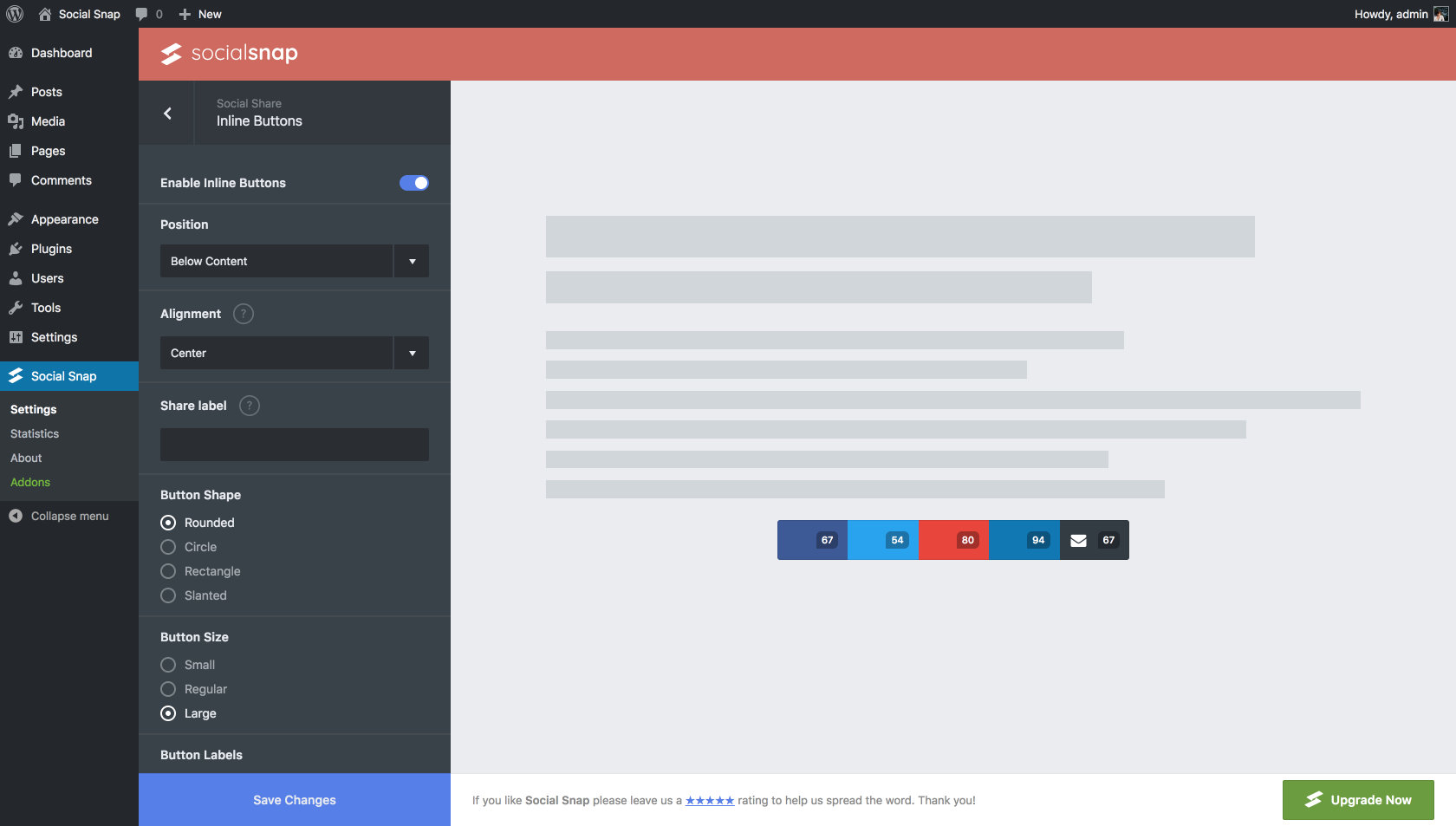
- Change share buttons order
- Change share buttons labels
- Show/Hide share buttons labels
- Multiple share button shapes
- Three share buttons sizes
- Show share buttons tooltips
- Show share count for each social network
- Show total share count
- Disable share buttons on selected individual pages
- Control spacing between share buttons & more
Social Snap Pro
This plugin is the lite version of the Social Snap Pro plugin that comes with all the social sharing features you will ever need including all major social networks, share count recovery, social share meta tags, social login, boost old posts, social auto-poster and more! Click here to purchase Social Snap Pro now!
Click to Tweet Boxes
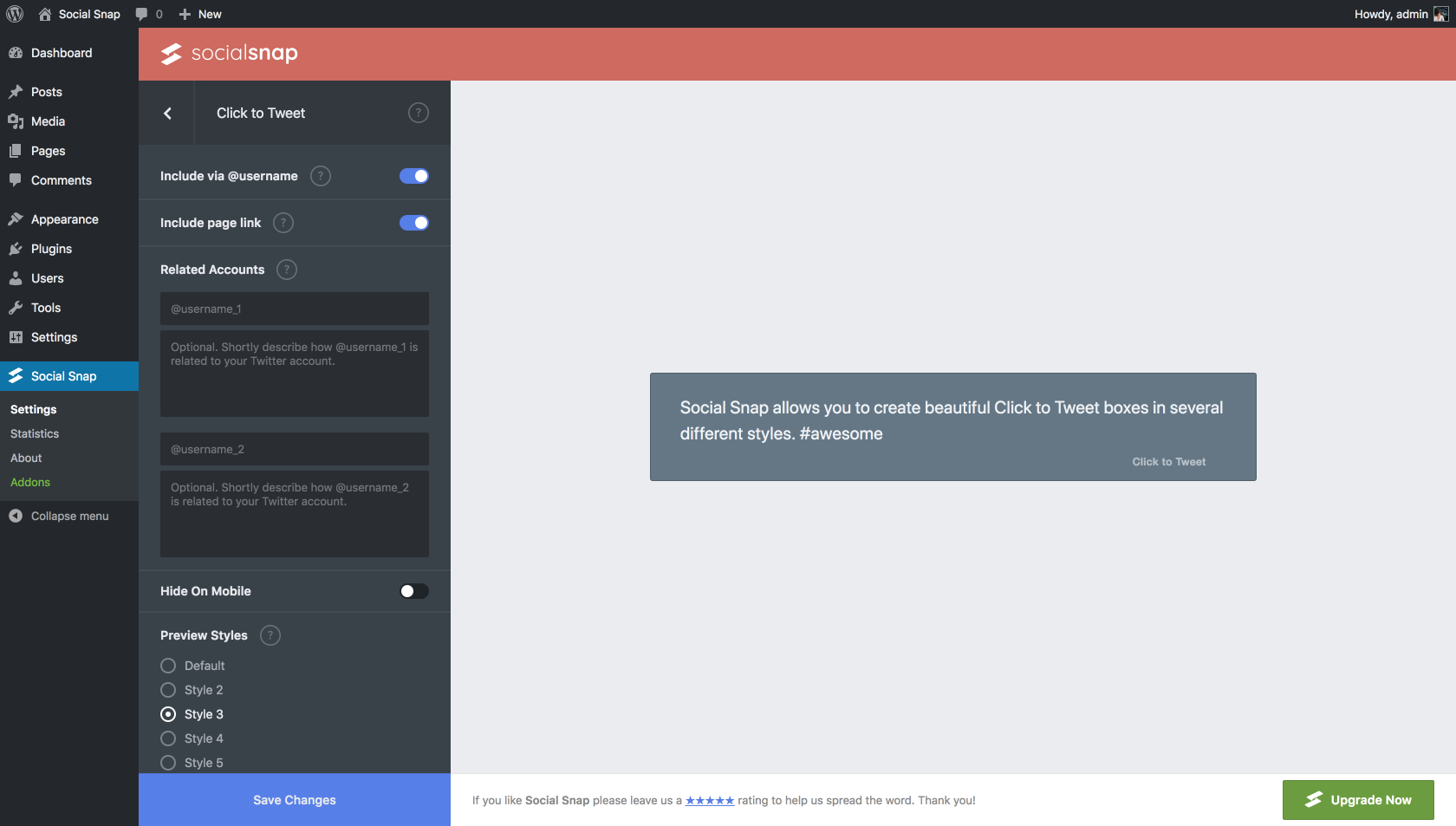
A simple way to add “Click to Tweet” share boxes across any post, page or sidebar. No need to style it or mess with any code, it just simply works. Let your visitors share your content on X (Twitter) with just one click.
- 6 Beautifully Designed Styles
- Optionally append page link at the end of the tweet
- Optionally append via @username at the end of the tweet
- Add up to two accounts that X (Twitter) will suggest to the user to follow after he’s Tweeted
Lightweight & Fast Loading
- Loads asynchronously so it doesn’t slow down your website
- Uses super-lightweight SVG (vector) icons that are fast to load and look crisp across all devices
Fully Responsive & Retina Ready
As you’d expect, Social Snap is a 100% mobile responsive social sharing plugin, so no matter the screen size, your social sharing tools will look great on all devices (mobile, tablet, laptop, and desktop). Super-lightweight SVG icons load fast and look crisp at any size.
Shortcode, Widget & Gutenberg Support
In addition to the pre-defined placement options for share buttons, with Social Snap shortcodes, widgets and Gutenberg blocks you have total control over where and how you implement social sharing on your site.
Social Snap PRO
- Social Login – Allow users to login to your website through their favorite social media
- Social Auto-Poster – Automatically post your content to social networks when you publish new posts or pages
- Boost Old Posts – Bring your old posts to life by automatically posting them on social networks
- Social Content Locker – Ask visitors to share your page in order to access the content
Want to unlock more amazing features? Upgrade to our Pro version.
We created Social Snap to give everyone access to all the powerful tools they would need to have a successful social media strategy. Take a look at the screenshots below to see why designers, developers, bloggers, small business owners and more choose Social Snap – Social Sharing plugin!
Source Code & Build Tools
This plugin includes minified/compiled JavaScript and CSS files for performance. The original, human-readable source code is included in the plugin package:
Source File Locations
- JavaScript source files:
assets/js/dev/ - SCSS/CSS source files:
assets/css/dev/
Installation
Automatische Installation
Automatic installation is the easiest way to install Social Snap as WordPress handles the file transfers itself. To do an automatic install of Social Snap, log in to your WordPress dashboard, navigate to the Plugins menu and click Add New.
In the search field type “Social Snap” and click Search Plugins. Once you’ve found our plugin simply click “Install Now”. After the installation has finished, click the “Activate Plugin” button.
Navigate to the Social Snap tab at the bottom of your admin menu and click the “Settings” button to begin customizing Social Snap on your website.
Want more features? Purchase the full version of Social Snap!
Manuelle Installation
- Upload the “socialnap” folder to your “/wp-content/plugins” directory or alternatively upload the “socialsnap.zip” file via the “Add New” button in WordPress plugins page.
- Activate Social Snap Lite.
- Navigate to the Social Snap tab at the bottom of your admin menu and click the “Settings” button to begin customizing Social Snap on your website.
See step-by-step instructions on how to install Social Snap Lite plugin.
Änderungsprotokoll
1.4.2
- Fixed: Compatibility with WordPress guidelines.
1.4.1
- Fixed: Compatibility with WordPress guidelines.
1.4
- Fixed: Deprecated notices
- Verbessert: Sicherheit
Screenshots





Für Entwickler
Ist das dein Plugin? Zeigen Sie die Zahlen.
Fügen Sie Ihrer Website, Docs oder GitHub Readme ein Live-Badge hinzu. Es wird von selbst aktualisiert - kein Konto erforderlich.
Best Social Snap alternatives
All click to tweet plugins →


Fragen und Antworten
Social Snap: quick answers
Gerade Antworten, gezogen von Live WordPress.org Daten.
Quelle: WordPress.org
Is Social Snap free?
Yes. Social Snap is free to download and use from the official WordPress.org plugin directory.
Is Social Snap safe to use in 2026?
Social Snap works, but test it on a staging site before relying on it in 2026. It runs on 10K+ sites, is rated 4.2/5 and was last updated 10 months ago, and scores 47/100 on our health check.
How many websites use Social Snap?
Social Snap is active on 10K+ WordPress websites and has been downloaded 617,400 times since it launched in May 2018. It was downloaded 1,826 times in the last 30 days.
Does Social Snap work with WordPress 7.1?
Social Snap is officially tested up to WordPress 6.9.12, while the latest release is 7.1.5. It may still work, but try it on a staging site first.
What PHP version does Social Snap need?
Social Snap requires PHP 5.2.4 or higher. Most hosts run PHP 8.x today, so it works on any modern WordPress hosting.
When was Social Snap last updated?
The latest version, 1.4.2, was released on January 27, 2026 (10 months ago).
Who makes Social Snap?
Social Snap is developed and maintained by Social Snap.
What are the best alternatives to Social Snap?
The most popular alternatives to Social Snap are Better Click To Share (6K+ installs), Click To Tweet (2K+ installs) and Click To Tweet Boxes for Tw… (20+ installs).
Angetrieben von PageForge
Eine Vorlage und eine Tabelle. Eine echte Seite für jede Suche.
PageForge Verwandelt jede Zeile eines CSV in eine WordPress-Seite mit eigenem Titel, URL, SEO Felder und Schema entworfen. Kostenlos auf WordPress.org.
- CSV und XLSX, plus Google Sheets auf Beruf und Unternehmen
- seinen eigenen Titel, URL, SEO Felder und Schema für jede Seite
- Arbeitet mit dem Blockeditor, Elementor, Divi und Avada
- Kostenlos auf WordPress.org, keine Kreditkarte