


Speed Optimizer – das All-in-One-Plugin
Boost your website performance and page speed, and increase conversions with powerful caching, frontend, media, and environment optimizations.

Sichere Auswahl
Yes — Speed Optimizer is a safe, well-maintained plugin to use in 2026. It runs on 1M+ sites, is rated 4.2/5 and was last updated 3 weeks ago, and scores 90/100 on our health check.
- Eines der am häufigsten verwendeten Plugins im Internet – 1 Mio. aktive Websites
- Aktiv entwickelt – letztes Update vor 3 Wochen
- Getestet mit dem neuesten WordPress (7.1)
- Responsive Support – 71 % der letzten Threads wurden behoben
Wie stapelt es sich?
Side-by-side bei Installationen, Updates, Bewertungen und Support



Tägliche Downloads
Download-Spitzen folgen normalerweise einer neuen Version - jede Website, die automatisch aktualisiert wird, gilt als Download.
Ranglisten
Where Speed Optimizer stands todayWordPress.org Ranglisten suchen
Live-Position in der Plugin-Suche, Top 100| Stichwort | Position |
|---|---|
| Caching | #8 |
| nginx | #5 |
| Performance | #3 |
| SiteGround | #2 |
| speed | #3 |
Versionsübernahme
Anteil aktiver Sites pro Release.
Bewertungsaufschlüsselung
★★★★★★★★★★ 4.2 from 641 reviews
About Speed Optimizer
From the official readme · v7.8.6Beschreibung
The award-winning Speed Optimizer plugin is a free WordPress performance-boosting solution to improve user experience, increase conversion rates and drive more traffic. Achieve better SEO rankings, improve Core Web Vitals and enhance your Google Page Speed Score.
Developed by the WordPress speed experts at SiteGround, our free plugin is actively used and trusted by more than 2 million website owners. It’s specially designed to be easy to use, allowing users of all skill levels to make complex speed optimizations, such as minifying HTML, CSS and JavaScript, image compression and lazy loading, in a few clicks.
Install our caching plugin now to dramatically improve your WordPress website performance on any hosting platform.
Essential Speed-boosting Features:
- Powerful Caching for up to 20% faster website.
- Frontend Optimizations to minify JS, HTML and CSS, reducing wait time due to the number of scripts and characters in your code
- Media Optimizations by up to 85% image size compression without sacrificing quality
- WordPress Environment Optimizations to optimize usage and efficiency of your WordPress site resources
- Speed Test & tips to get on-demand optimization tips to help your site get even faster
Don’t let a slow website compromise your online success. Join the millions of satisfied website owners and see the difference with the free Speed Optimizer plugin.
AWARDS:
Monster Awards 2022: Best WordPress Optimization Plugin 🥈
Plugin Video
Plugin Tutorial
To gain in-depth knowledge about our plugin and its functionalities, check our Speed Optimizer Tutorial. It provides detailed information on how to optimize each aspect of your site and maximizes your website performance and cache.
CACHING
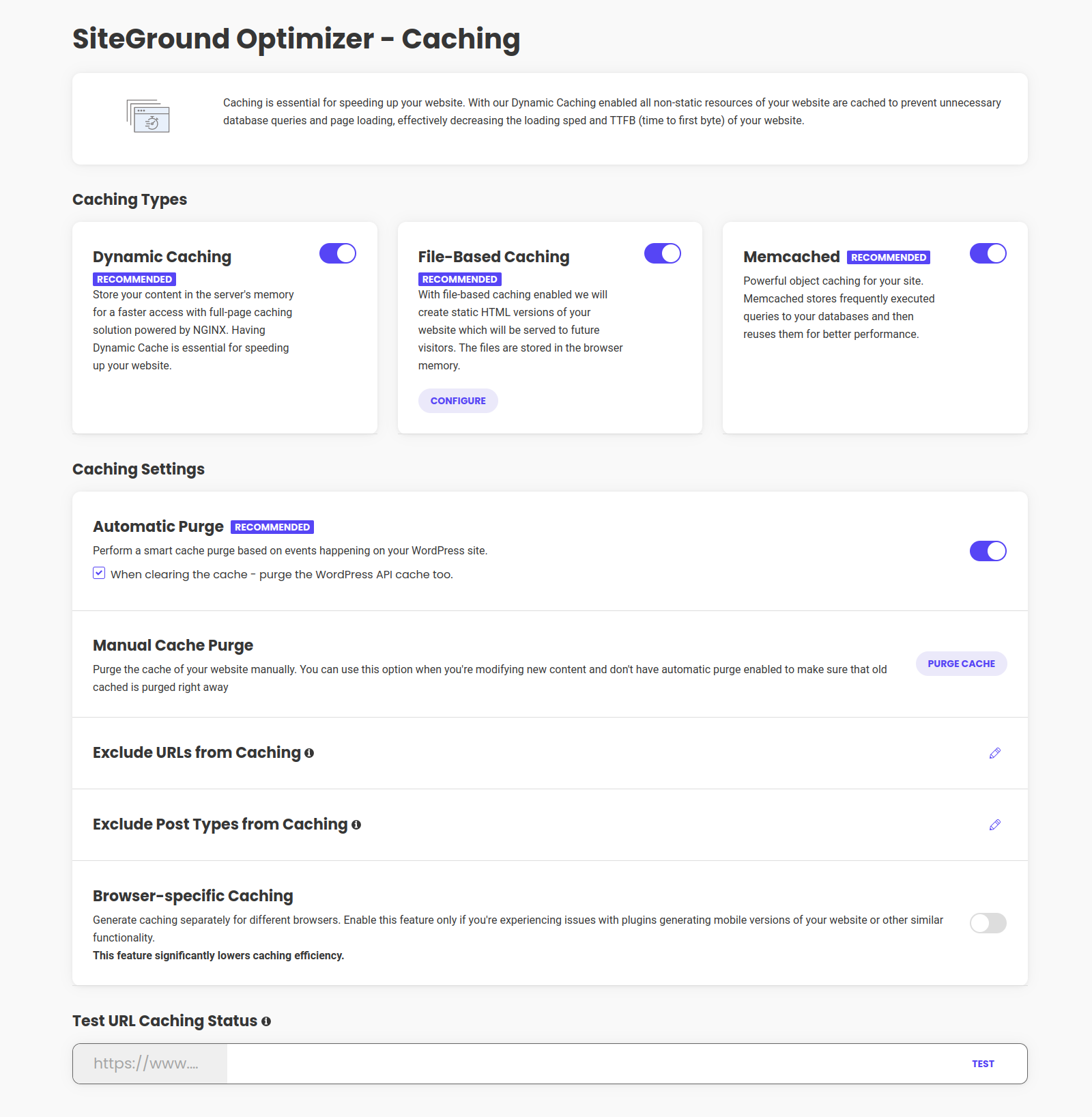
The Caching page gives you full control of your website’s cache, allowing you to enhance its performance significantly. Take advantage of the powerful caching options available to boost your page speed:
DYNAMIC CACHING:
By enabling Dynamic Caching, all non-static resources of your website are intelligently cached, eliminating the need for repetitive database queries and enhancing page loading speed and TTFB (time to first byte). This default feature is available exclusively for SiteGround servers, ensuring optimal performance.
FILE-BASED CACHING:
By activating file-based caching, your website generates and stores static HTML versions, ensuring faster loading times and an improved user experience. This efficient caching method stores the cached files conveniently in the browser’s memory, allowing future visitors to access your site swiftly and seamlessly.
MEMCACHED:
Unleash the power of object caching for your WordPress website. Memcached revolutionizes website performance by storing frequently executed queries to your databases and reusing them for lightning-fast website results. This powerful feature is exclusively available in the SiteGround environment.
CACHING SETTINGS:
- Automatic Cache Purge: ensure the cache is cleared whenever necessary
- Manual Cache Purge: purge cache manually if you are editing new material and do not have automatic purge activated.
- Browser-specific Caching: generate caching separately for different browsers
- Exclude Post Types from Caching: exclude specific post types from being cached
- Exclude URLs from Caching: exclude specific URLs or utilize wildcards to exclude any sub-pages of a designated “parent-page.”
- Test URL Caching Status: verify if dynamic caching is actively running on specific URLs
ENVIRONMENT OPTIMIZATIONS
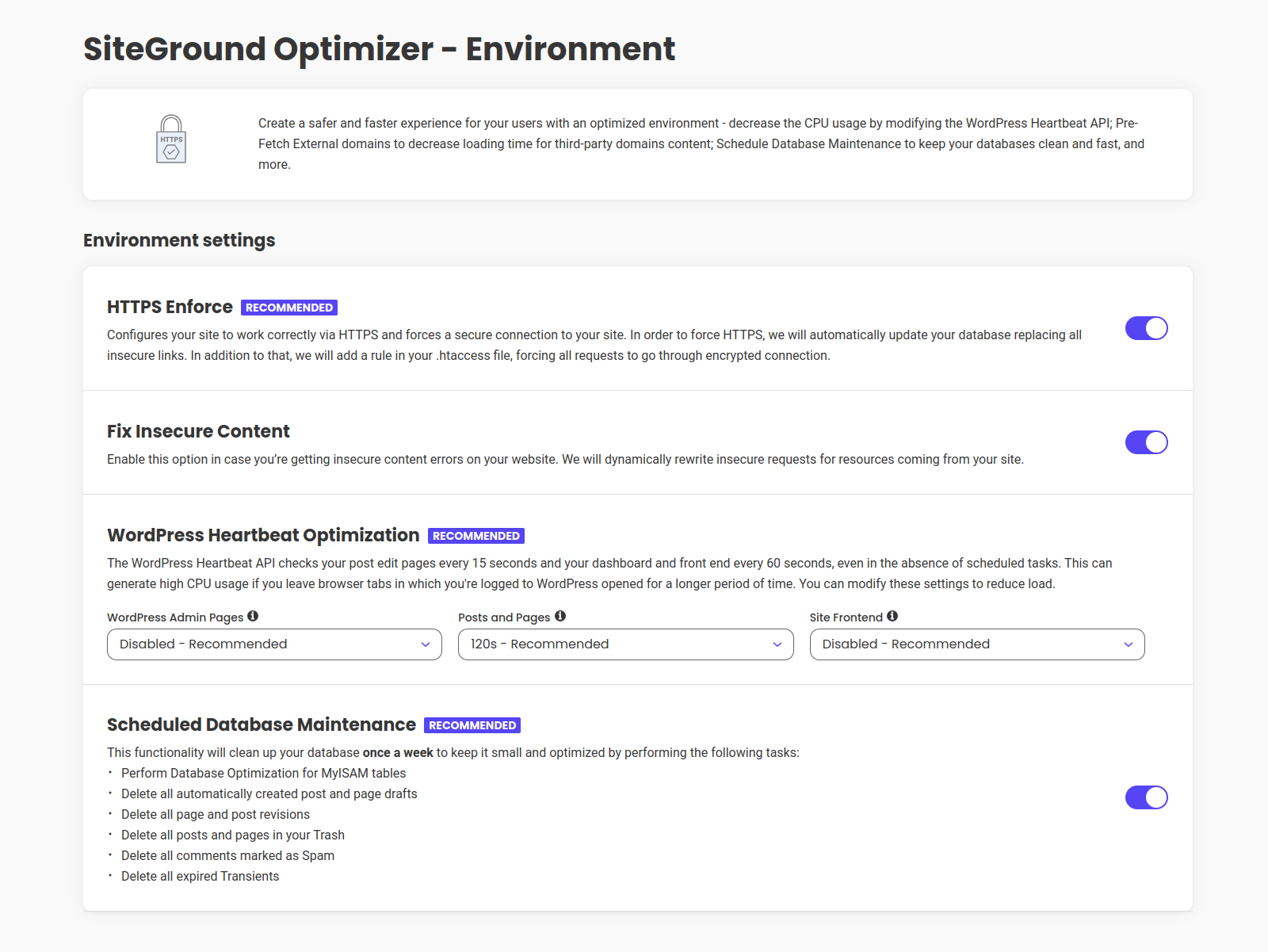
Optimize and fine-tune your site’s environment for optimal website performance:
HTTPS Enforce:
Ensure a secure browsing experience for your visitors by effortlessly enabling HTTPS for your site. Say goodbye to insecure content errors and build trust with your audience.
Scheduled Database Maintenance:
Take control of your database by activating the Database Optimization feature. This functionality removes unnecessary items and optimizes your database tables, leading to improved efficiency and website performance. If you’re using the InnoDB storage engine, table optimisation is automatically handled by the engine itself.
Heartbeat Control:
Manage the frequency of the WP Heartbeat for different areas of your website. By default, the WordPress Heartbeat API checks for scheduled tasks every 15 seconds on post edit pages and every 60 seconds on the dashboard and front end. With Heartbeat Control, you can adjust the frequency of these checks or even disable them entirely, providing you with greater control over resource allocation.
FRONTEND OPTIMIZATIONS
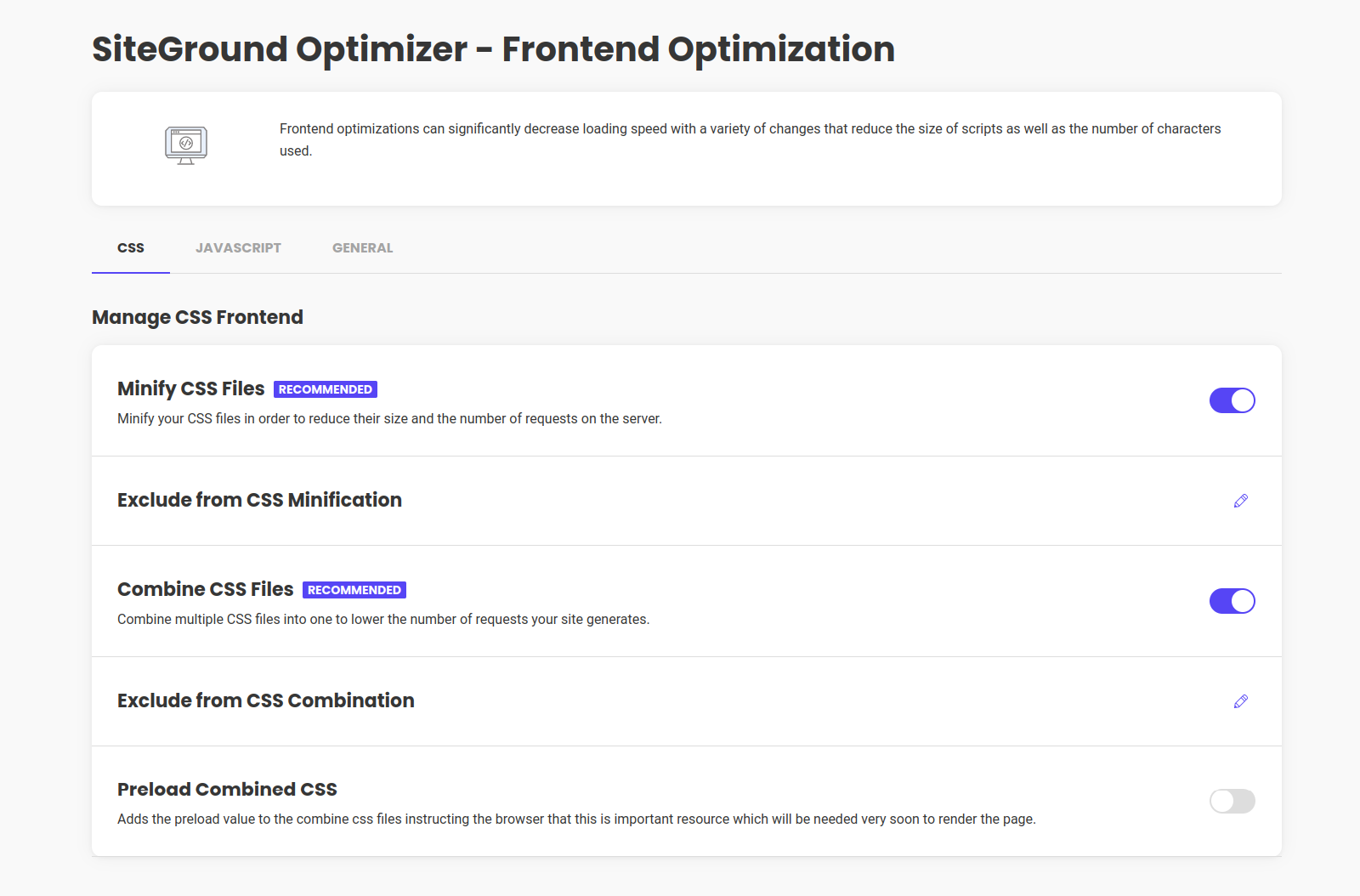
Enhance and fine-tune the performance of your website’s front end by minifying JS, HTML and CSS:
CSS Tab:
Minify CSS files, activate or deactivate CSS combinations to reduce server requests, and even preload combined CSS for optimized performance. Additionally, you can exclude specific styles from being combined or minified, giving you complete control over your CSS optimization.
JavaScript Tab:
Activate or deactivate Minify JavaScript Files to reduce script sizes and lower the number of server requests. You can also defer render-blocking JavaScript to expedite the initial page speed. Furthermore, you have the ability to exclude specific scripts from various optimisation processes, providing flexibility in optimizing your JavaScript resources.
General Tab:
Further optimization options include:
- Web Fonts Optimization: Enhance the loading of Google fonts by adding a preconnect link in your head tag. This informs the browser to establish a connection to Google’s font repository as quickly as possible. Additionally, all other local fonts will be preloaded, resulting in faster caching and rendering. When combined with CSS Combination, we also modify the font-display property to improve rendering speed.
- Fonts Preloading: With locally hosted fonts being preloaded, you’re allowing browsers to cache and render them at an accelerated pace.
- Remove Query Strings from Static Resources: Improve caching efficiency by removing query strings from static resources, optimizing their caching capabilities.
- Disable Emojis: Prevent WordPress from detecting and generating emojis on your pages by disabling emojis support. This helps boost your page speed and improve your website performance.
- DNS Pre-fetch for External Domains: Enabling the DNS Pre-fetch for a domain will resolve it before resources from it get requested making those resources load faster.
MEDIA OPTIMIZATIONS
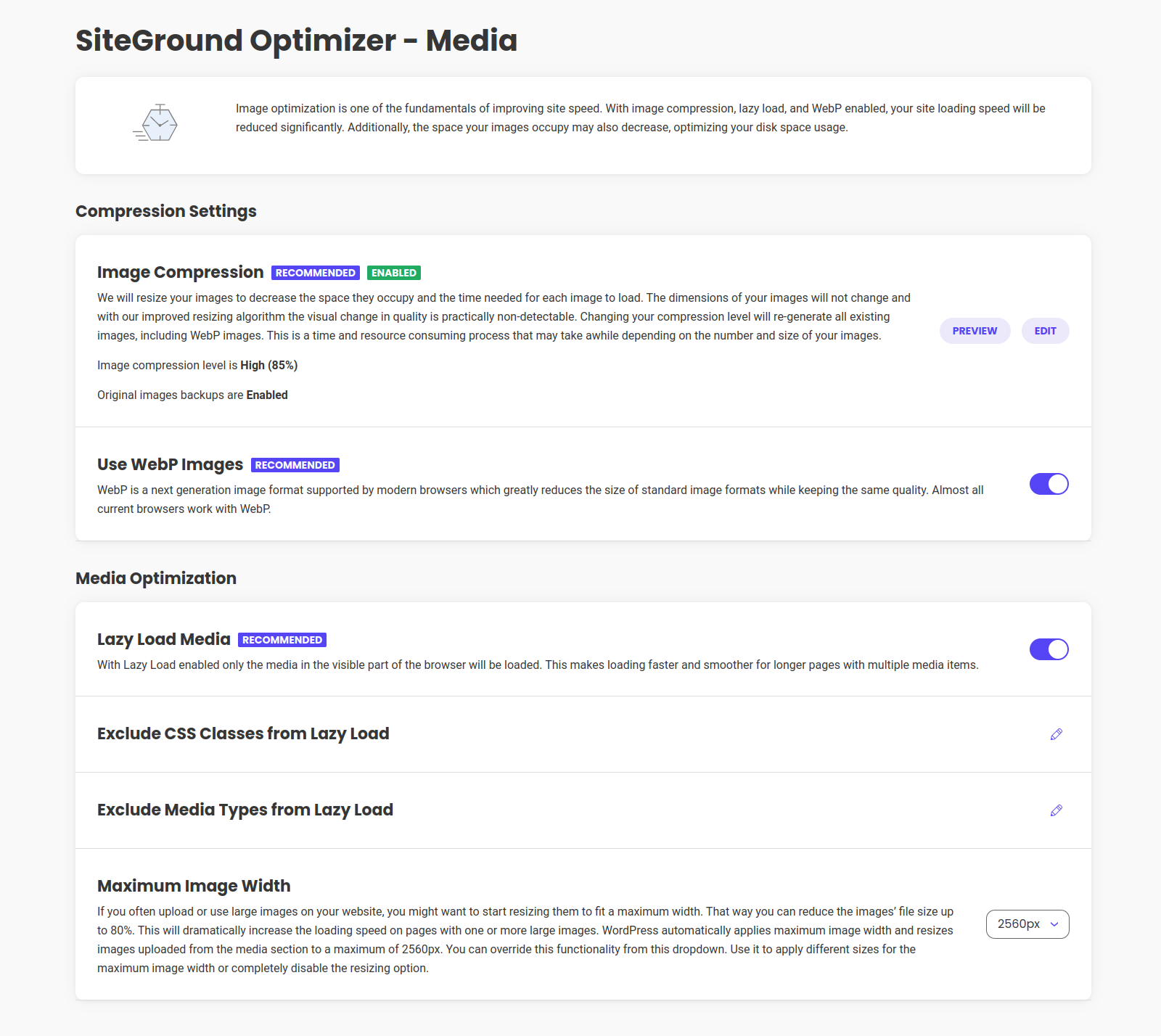
Optimize your website media by reducing image size by up to 85% times while maintaining top-notch quality.
Image Compression:
Effortlessly compress images to resize your existing images and reduce the space they occupy on your server. The dimensions of the images will remain unchanged, allowing for optimized storage. Fine-tune the compression level and choose whether to create backups of the original images. Please note that image compression feature is exclusive to the SiteGround Environment.
WebP Images:
Leverage the power of WebP, a cutting-edge image format supported by modern browsers, to significantly reduce the size of your images and skyrocket your page speed. If a browser doesn’t support WebP, the original images will be loaded.
Lazy Load Media:
Take control of your website’s asset loading with the ability to enable or disable Lazy Load for various assets. You can exclude specific assets such as iframes, videos, thumbnails, widgets, and shortcodes from the dropdown menu. Additionally, you have the option to exclude specific images from the Lazy Load by adding their respective class in the dedicated tab.
Maximum Image Width:
If you frequently upload large images to your website, you can enable the Maximum Image Width option that automatically resizes existing and future images whose width exceeds 2560 pixels. By optimizing image sizes, you can enhance your website performance and reduce bandwidth usage.
You can customize your media optimisation to your specific needs using the filters, we’ve designed for this purpose.
SPEED TEST
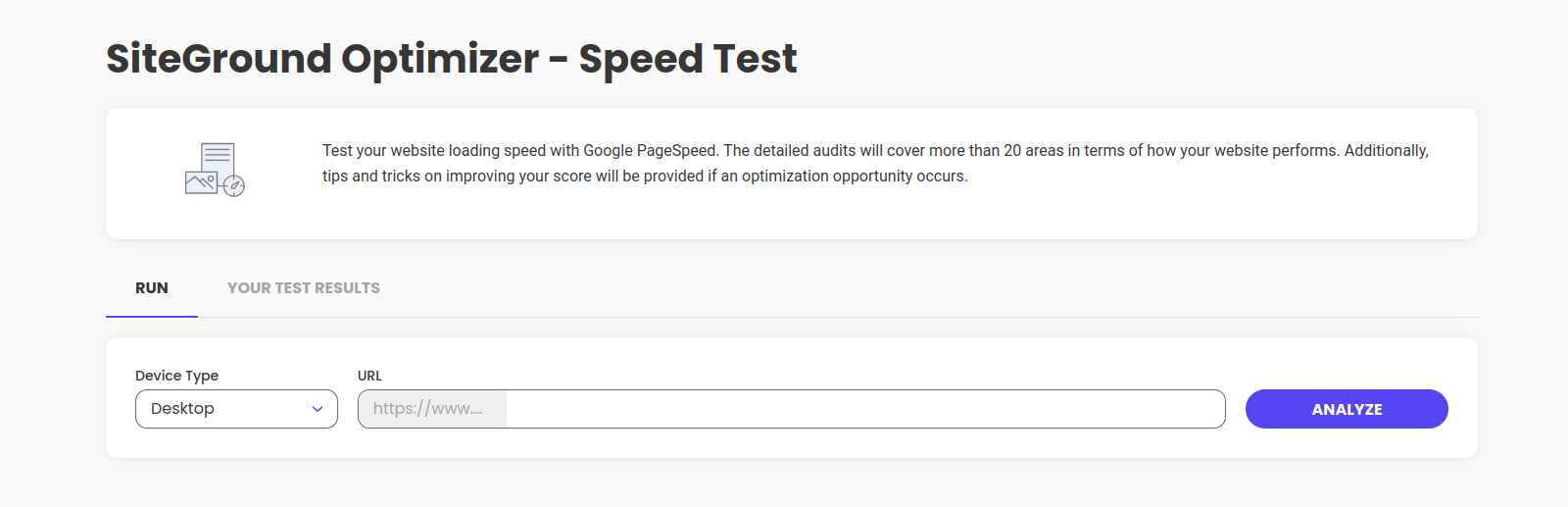
Evaluate the optimization level of your website with Speed Optimizer’s Speed test tool. Our website performance check utilizes the robust capabilities of Google PageSpeed to provide comprehensive insights into your site’s optimization. By conducting the speed test, you will receive detailed results highlighting areas that can be further optimized for enhanced performance. These insights will empower you to fine-tune your website and unlock its maximum potential and increase conversions.
Bedarf
In order to work correctly, this plugin requires that your server meets the following criteria:
- WordPress 5.5.1
- PHP 7,0+
Our plugin uses a cookie in order to function properly. It does not store personal data and is used solely for the needs of our caching system.
Data Collection
Collection of technical data is optional and is listed here. This data is collected only for technical analysis, improvements and the possibility to contact the plugin user in case urgent issues need to be fixed (for example a critical security release that needs to be communicated to site owners). The plugin user can manage their preferences within the WP admin to control the collection of technical data. We advise opting in for this data collection, as it can enhance the plugin’s performance. You may find more information on data collection in our Plugins Privacy Notice.
Credits
Photo credits to Anna Shvets https://www.pexels.com/@shvetsa
Installation
Automatische Installation
- Go to Plugins -> Add New
- Search for “SiteGround Optimizer”
- Click on the Install button under the SiteGround Optimizer plugin
- Once the plugin is installed, click on the Activate plugin link
Manuelle Installation
- Login to the WordPress admin panel and go to Plugins -> Add New
- Select the ‘Upload’ menu
- Click the ‘Choose File’ button and point your browser to the sg-cachepress.zip file you’ve downloaded
- Click the ‘Install Now’ button
- Go to Plugins -> Installed Plugins and click the ‘Activate’ link under the WordPress SiteGround Optimizer listing
Änderungsprotokoll
Version 7.8.6
Release Date: Oct 29th, 2026
- WebP Quality filter improvements
- File Cache improvements
- Third-Party plugins compatibility improvements
- CSS Combination Improvements.
Version 7.8.5
Release Date: Oct 20th, 2026
- Third-Party plugins compatibility improvements
- Plugin translations download improvements
- File Cache URL preheat improvements
- Memcache improvements
- Security improvements
-
Multisite support improvements
-
Acknowledgments: We would like to thank Karthik Ramakrishnan for responsibly disclosing two security issues.
Version 7.8.4
Release Date: Oct 7th, 2026
- JS Combination improvements
- File Cache URL preheat improvements
- Security improvements
- Lazy Loading improvements
Version 7.8.3
Release Date: Sep 23rd, 2026
- File Cache URL preheat improvements
- Security improvements
- Lazy Loading improvements
- Third-Party plugins compatibility improvements
Version 7.8.2
Release Date: Aug 25th, 2026
- Legacy code removed
Version 7.8.1
Release Date: Aug 12th, 2026
- Security improvements
- Lazy Loading improvements
Screenshots

Für Entwickler
Ist das dein Plugin? Zeigen Sie die Zahlen.
Fügen Sie Ihrer Website, Docs oder GitHub Readme ein Live-Badge hinzu. Es wird von selbst aktualisiert - kein Konto erforderlich.
Best Speed Optimizer alternatives
Alle Caching-Plugins →



Fragen und Antworten
Speed Optimizer: quick answers
Gerade Antworten, gezogen von Live WordPress.org Daten.
Quelle: WordPress.org
Is Speed Optimizer free?
Yes. Speed Optimizer is free to download and use from the official WordPress.org plugin directory.
Is Speed Optimizer safe to use in 2026?
Yes — Speed Optimizer is a safe, well-maintained plugin to use in 2026. It runs on 1M+ sites, is rated 4.2/5 and was last updated 3 weeks ago, and scores 90/100 on our health check.
How many websites use Speed Optimizer?
Speed Optimizer is active on 1M+ WordPress websites and has been downloaded 111,526,880 times since it launched in November 2014. It was downloaded 1,804,576 times in the last 30 days.
Does Speed Optimizer work with WordPress 7.1?
Yes. The developer has tested Speed Optimizer up to WordPress 7.1.5, the latest release. It requires WordPress 5.5.1 or newer.
What PHP version does Speed Optimizer need?
Speed Optimizer requires PHP 7.0 or higher. Most hosts run PHP 8.x today, so it works on any modern WordPress hosting.
When was Speed Optimizer last updated?
The latest version, 7.8.6, was released on November 2, 2026 (3 weeks ago).
Who makes Speed Optimizer?
Speed Optimizer is developed and maintained by SiteGround.
What are the best alternatives to Speed Optimizer?
The most popular alternatives to Speed Optimizer are LiteSpeed Cache (7M+ installs), WP Super Cache (1M+ installs) and WP-Optimize (1M+ installs).
Angetrieben von PageForge
Eine Vorlage und eine Tabelle. Eine echte Seite für jede Suche.
PageForge Verwandelt jede Zeile eines CSV in eine WordPress-Seite mit eigenem Titel, URL, SEO Felder und Schema entworfen. Kostenlos auf WordPress.org.
- CSV und XLSX, plus Google Sheets auf Beruf und Unternehmen
- seinen eigenen Titel, URL, SEO Felder und Schema für jede Seite
- Arbeitet mit dem Blockeditor, Elementor, Divi und Avada
- Kostenlos auf WordPress.org, keine Kreditkarte