


Sendmachine for WordPress
Official Sendmachine plugin featuring subscribe forms, users sync, news feed, email sending and transactional campaigns.

Solide Wahl
Sendmachine for WordPress is a solid plugin choice in 2026, with a few things worth checking first. It runs on 40+ sites, is rated 5/5 and was last updated 4 weeks ago, and scores 74/100 on our health check.
- Aktiv entwickelt — letztes Update vor 4 Wochen
- Getestet mit dem neuesten WordPress (7.1)
- Kleine Benutzerbasis (40+ aktive Installationen)
- Bisher sehr wenige Bewertungen
Wie stapelt es sich?
Side-by-side bei Installationen, Updates, Bewertungen und Support



Tägliche Downloads
Download-Spitzen folgen normalerweise einer neuen Version - jede Website, die automatisch aktualisiert wird, gilt als Download.
Ranglisten
Where Sendmachine for WordPress stands todayWordPress.org Ranglisten suchen
Live-Position in der Plugin-Suche, Top 100| Stichwort | Position |
|---|---|
| campaigns | >100 |
| E-Mail-Marketing | >100 |
| Rundschreiben | >100 |
| sendmachine | #1 |
| Abonnenten | >100 |
Versionsübernahme
Anteil aktiver Sites pro Release.
Bewertungsaufschlüsselung
★★★★★★★★★★ 5 from 1 reviews
About Sendmachine for WordPress
From the official readme · v2.0.5Beschreibung
Sendmachine’s official plugin will enable you to:
Set up signup forms
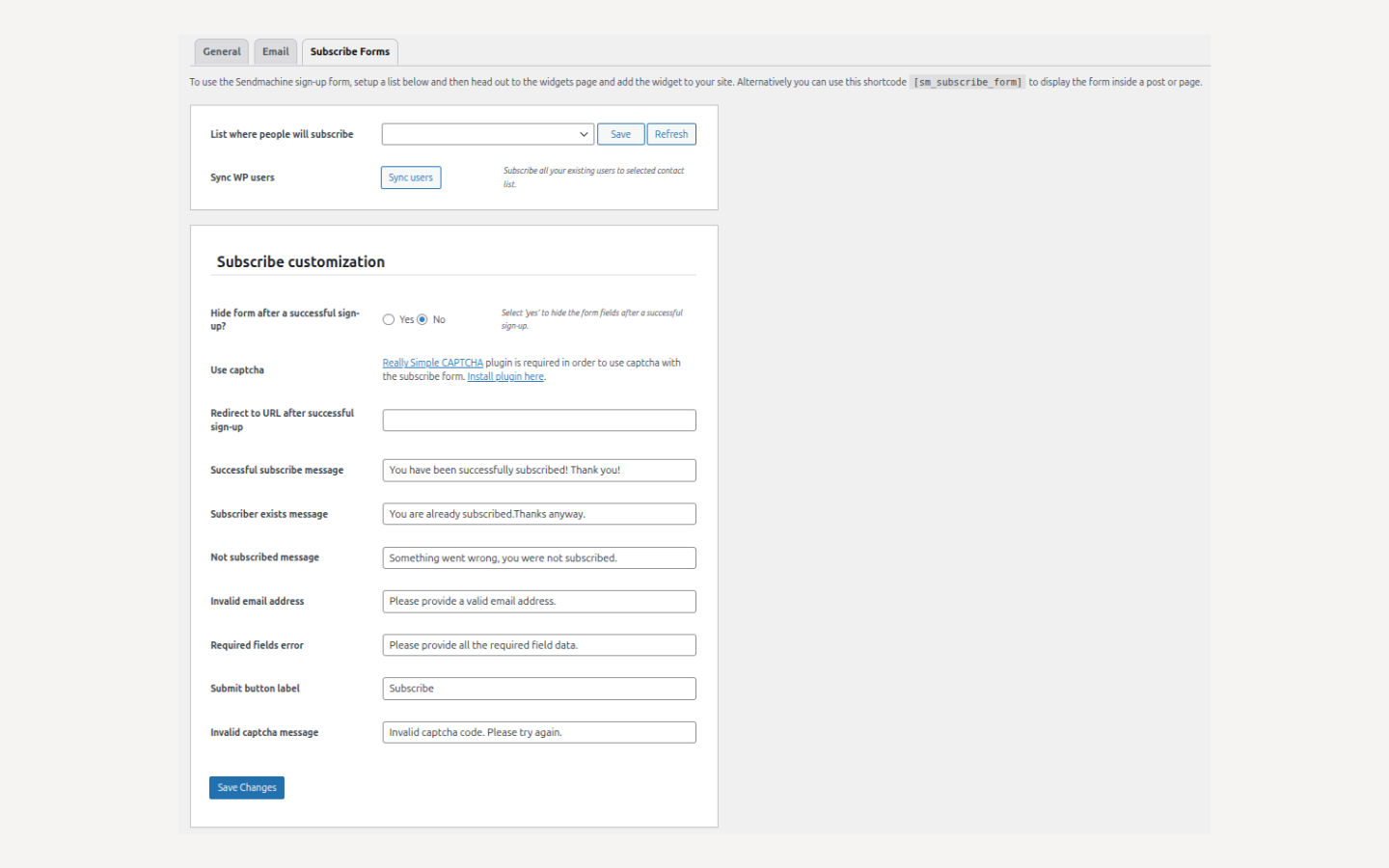
You can set up a signup form in a few easy steps: connect using the provided API credentials, select a contact list where your visitors will subscribe and you’re basically good to go. The signup form is available as a widget (in your widget area) or as a shortlink by pasting [sm_subscribe_form] in a post or page.
Add subscribe checkboxes
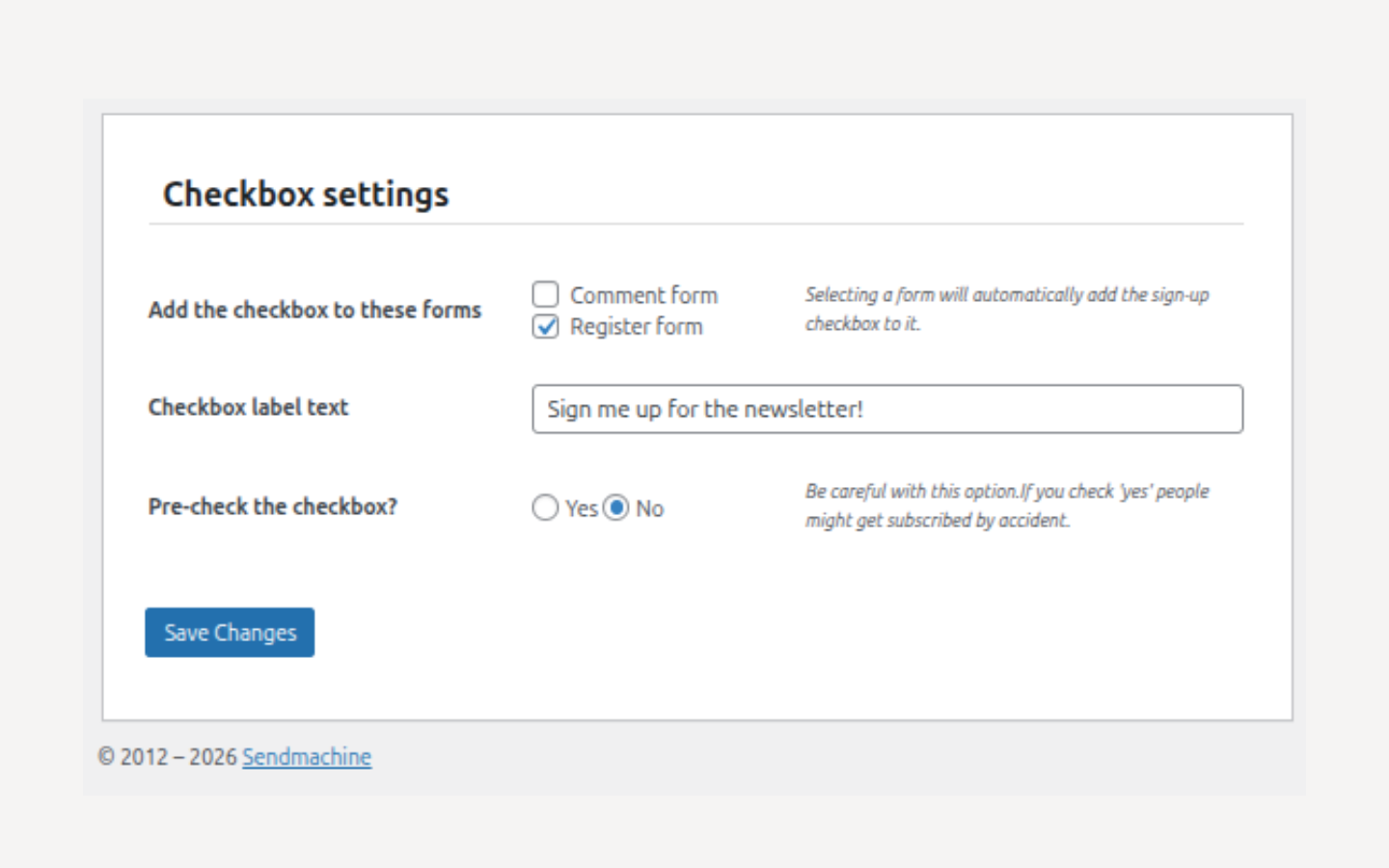
Allow users to subscribe to your contact list only by checking a checkbox in certain website areas like comment form or register form.
Sync your wordpress users with a specific contact list
You want to send emails to all your users but don’t know how? Well, don’t worry, we can help you with that. After you’ve successfully selected a contact list, you can use the “Sync users” button, to subscribe all your users to that contact list.
Send emails through our services
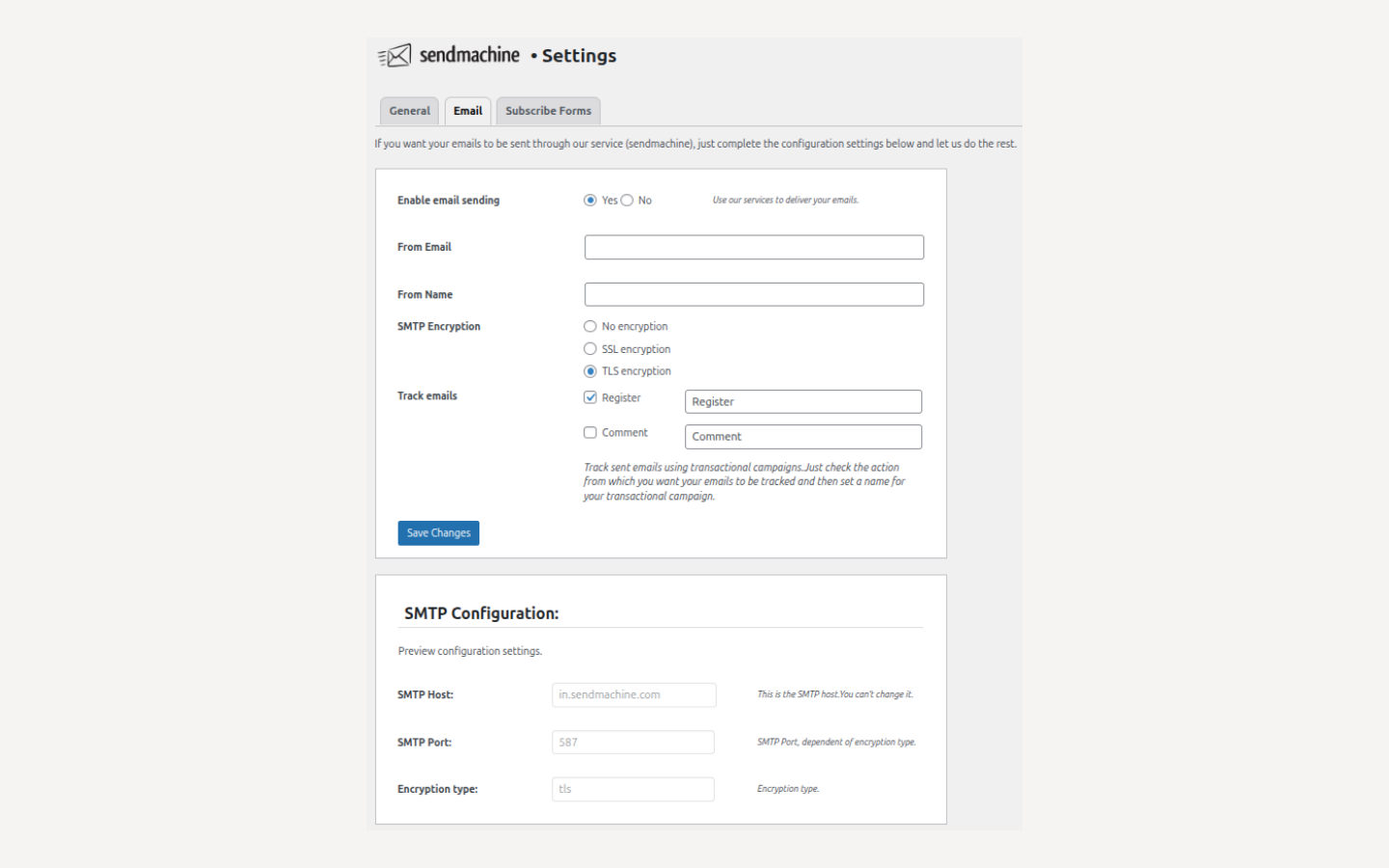
No need for nasty, geeky configurations. Just set a from email, an optional from name and you are good to go. Also, make sure that “enable email sending” is set to on.
If you set a from email that doesn’t already exist in your sendmachine account as a sender address, a confirmation email will be generated and sent to that address.
Not quite sure if you’ve done everything right? You can test if everything is ok by sending a test email. If you got the mail, you can sit back and relax: you’ve done it, otherwise something went wrong.
Send transactional emails
No more “dog ate my email” excuses. Using our services you can now monitor an email’s activity (opens, clicks, geolocations, user agents). In order to enable this option, after you install our plugin, go to “email settings” tab and check that “Register” and/or “Comment” checkboxes. Basically, if you tick that checkboxes on each email sent, that coresponds with that action, we add a custom tracking header: X-Sendmachine-Campaign: campaign_name, where campaign_name is the name of the transactional campaign that will be created, or updated if already exists. Campaign’s name can be found/modified next to every action’s checkbox.
Send news feed
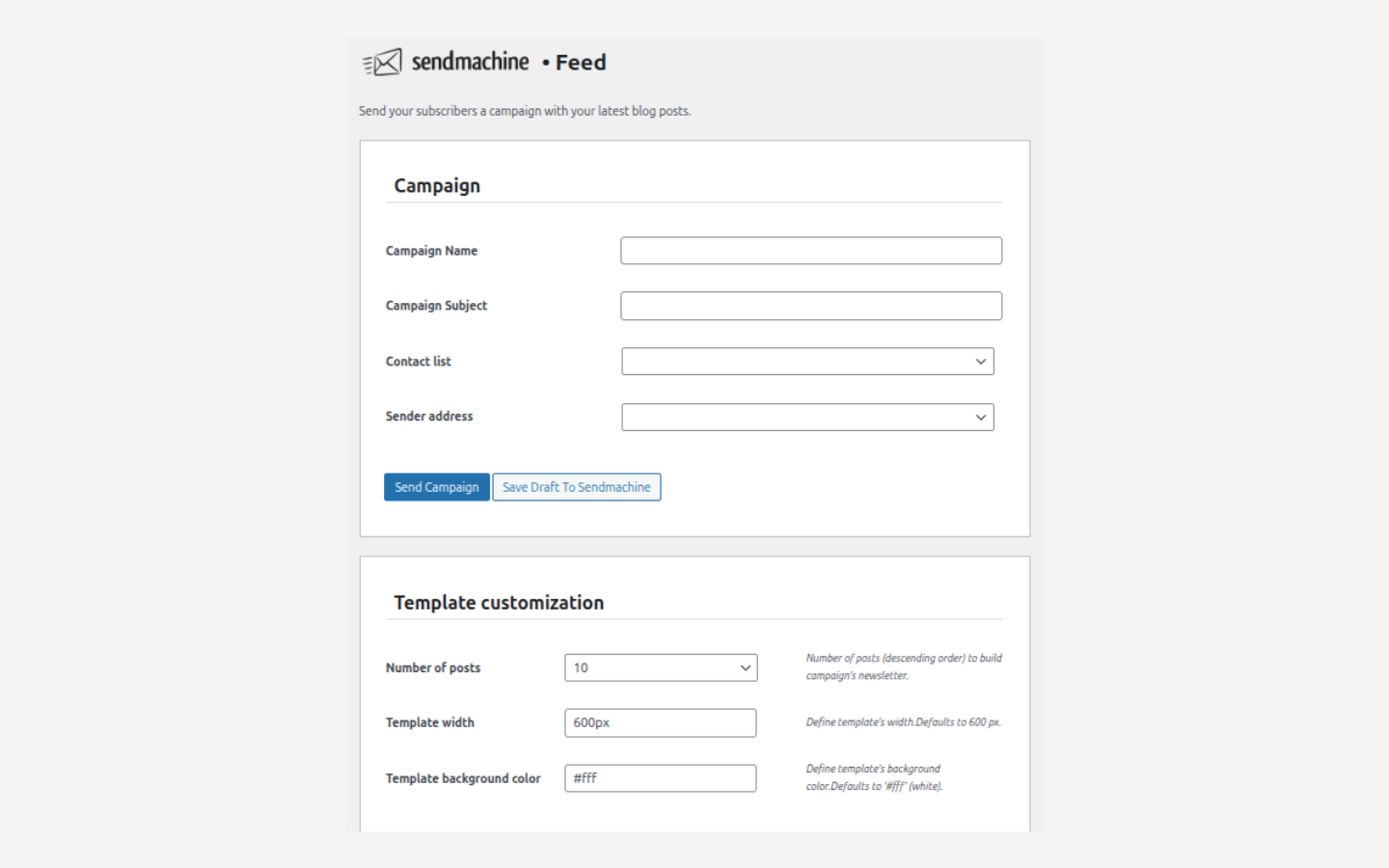
You can send a newsletter directly from the admin panel with the latest posts. You can choose to build your newsletter with the latest 5, 10, 15 or 20 posts, set newsletter’s width, color and content.
Externe Dienste
This plugin connects to the following Sendmachine services:
1. Sendmachine REST API
Used for list, campaign management and statistics. Specifically:
- Authenticates your account using your API credentials (username and password).
- Retrieves your contact lists, sender addresses, and SMTP connection settings.
- Subscribes visitors to your chosen contact list, including their email address and any additional form fields they complete.
- Creates, and sends email campaigns containing your latest blog posts.
- Retrieves your account’s email credit usage for the dashboard.
This service is contacted whenever you perform any of the above actions from the WordPress admin or from a front-end subscribe form.
2. Sendmachine SMTP
When the email sending service is enabled and configured, all outgoing emails from your WordPress site are routed through Sendmachine’s SMTP servers. This includes core WordPress emails such as password resets, new user registrations, and comment notifications, as well as any emails sent by other plugins or themes.
- Service: https://www.sendmachine.com
- Privacy Policy: https://www.sendmachine.com/confidentialitate.html
- Terms of Service: https://www.sendmachine.com/termeni-si-conditii.html
Installation
- In your WordPress admin panel, go to Plugins > New Plugin, search for Sendmachine and click Install now
- Alternatively, download the plugin and upload the contents of
sendmachine-for-wordpress.zipto your plugins directory, which usually is/wp-content/plugins/ - Aktivieren Sie das Plugin über das „Plugins“-Menü in WordPress
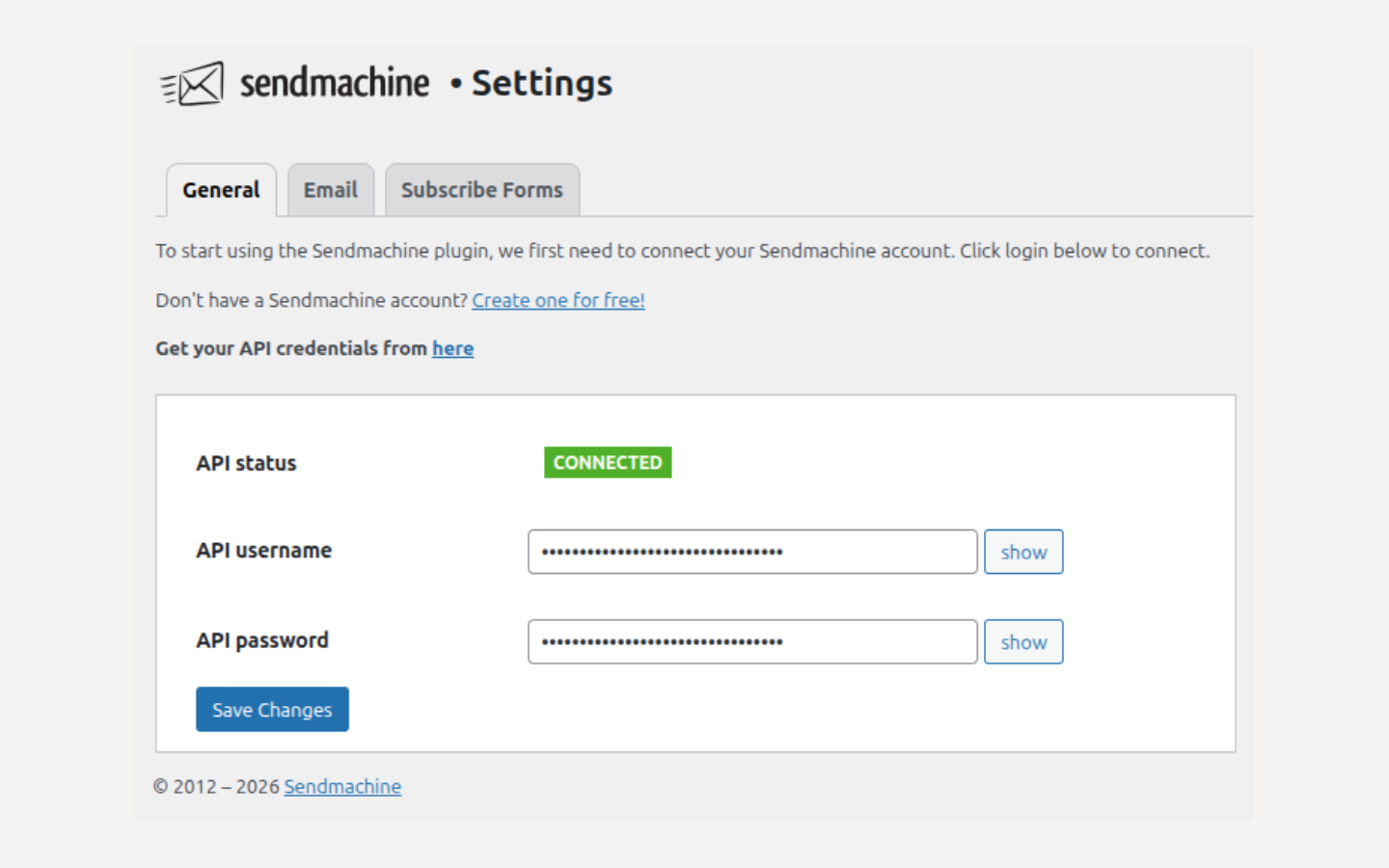
- Set your Sendmachine API username and password in the plugin’s general settings tab.
NOTE! You must have cURL extension enabled.
Änderungsprotokoll
2.0.5
- Tested up to v7.1
- Subscribe form: added support for checkbox custom fields
- Subscribe form: fixed radio button value sent when the form is submitted without page reload
- Settings: show up to 50 contact lists (was 25)
- Fixed PHP 8.2+ “dynamic property” deprecation notices
2.0.4
- Tested up to v7.0
- Rating section
2.0.3
- Placeholders bugfixes
2.0.2
- Added Sendmachine SMS placeholders
2.0.1
- Updated screenshots
2.0.0
- Added dashboard page with statistics
- Updated sendmachine API library
- Fixed manage_admin_requests vulnerability
- Tested up to v6.9
Screenshots
Für Entwickler
Ist das dein Plugin? Zeigen Sie die Zahlen.
Fügen Sie Ihrer Website, Docs oder GitHub Readme ein Live-Badge hinzu. Es wird von selbst aktualisiert - kein Konto erforderlich.
Best Sendmachine for WordPress alternatives
All campaigns plugins →




Fragen und Antworten
Sendmachine for WordPress: quick answers
Gerade Antworten, gezogen von Live WordPress.org Daten.
Quelle: WordPress.org
Is Sendmachine for WordPress free?
Yes. Sendmachine for WordPress is free to download and use from the official WordPress.org plugin directory.
Is Sendmachine for WordPress safe to use in 2026?
Sendmachine for WordPress is a solid plugin choice in 2026, with a few things worth checking first. It runs on 40+ sites, is rated 5/5 and was last updated 4 weeks ago, and scores 74/100 on our health check.
How many websites use Sendmachine for WordPress?
Sendmachine for WordPress is active on 40+ WordPress websites and has been downloaded 4,769 times since it launched in August 2015. It was downloaded 375 times in the last 30 days.
Does Sendmachine for WordPress work with WordPress 7.1?
Yes. The developer has tested Sendmachine for WordPress up to WordPress 7.1.5, the latest release. It requires WordPress 3.2.1 or newer.
What PHP version does Sendmachine for WordPress need?
Sendmachine for WordPress requires PHP 5.4 or higher. Most hosts run PHP 8.x today, so it works on any modern WordPress hosting.
When was Sendmachine for WordPress last updated?
The latest version, 2.0.5, was released on November 4, 2026 (4 weeks ago).
Who makes Sendmachine for WordPress?
Sendmachine for WordPress is developed and maintained by sendmachine.
What are the best alternatives to Sendmachine for WordPress?
The most popular alternatives to Sendmachine for WordPress are GatewayAPI (300+ installs), Diller Loyalty (80+ installs) and Easy WordPress Mailchimp In… (30+ installs).
Angetrieben von PageForge
Eine Vorlage und eine Tabelle. Eine echte Seite für jede Suche.
PageForge Verwandelt jede Zeile eines CSV in eine WordPress-Seite mit eigenem Titel, URL, SEO Felder und Schema entworfen. Kostenlos auf WordPress.org.
- CSV und XLSX, plus Google Sheets auf Beruf und Unternehmen
- seinen eigenen Titel, URL, SEO Felder und Schema für jede Seite
- Arbeitet mit dem Blockeditor, Elementor, Divi und Avada
- Kostenlos auf WordPress.org, keine Kreditkarte