


SellViaApp for WooCommerce
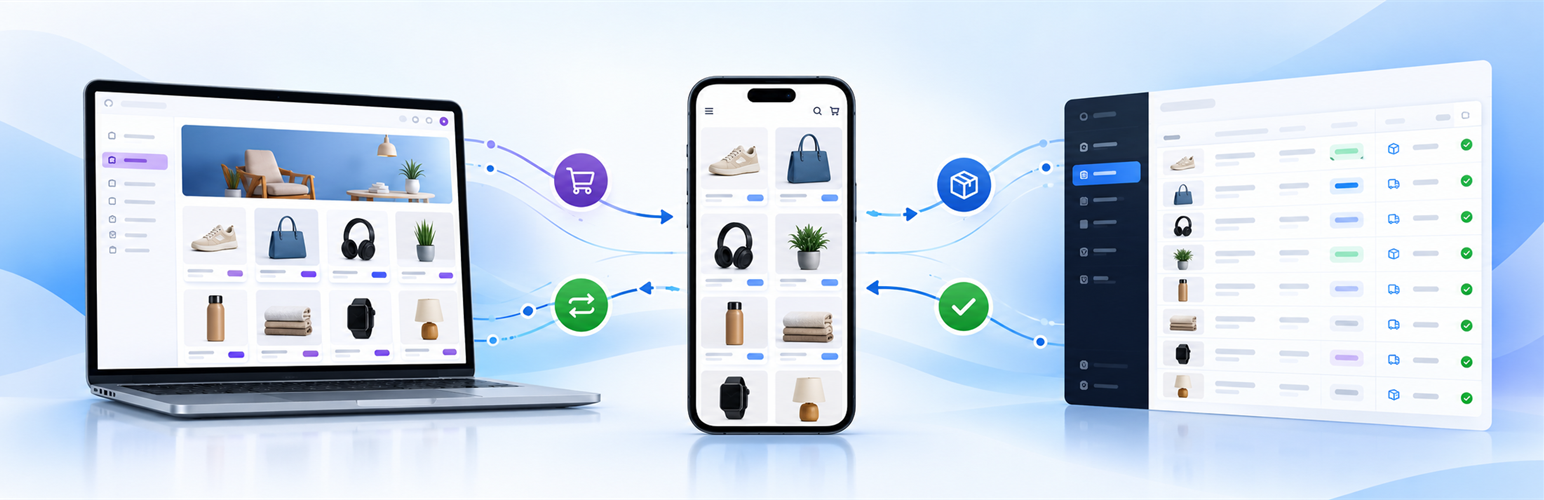
Add a mobile sales channel to WooCommerce: publish your catalogue in SellViaApp and import mobile orders back into your store.

Mit Vorsicht verwenden
SellViaApp for WooCommerce works, but test it on a staging site before relying on it in 2026. Was last updated 1 month ago, and scores 60/100 on our health check.
- Getestet mit dem neuesten WordPress (7.1)
- Kleine Benutzerbasis (<10 aktive Installationen)
- Bisher sehr wenige Bewertungen
Wie stapelt es sich?
Side-by-side bei Installationen, Updates, Bewertungen und Support



Tägliche Downloads
Download-Spitzen folgen normalerweise einer neuen Version - jede Website, die automatisch aktualisiert wird, gilt als Download.
Ranglisten
Where SellViaApp for WooCommerce stands todayWordPress.org Ranglisten suchen
Live-Position in der Plugin-Suche, Top 100| Stichwort | Position |
|---|---|
| catalogue | >100 |
| Mobile App | >100 |
| orders | >100 |
| synchronization | >100 |
| WooCommerce | >100 |
About SellViaApp for WooCommerce
Aus der offiziellen Readme · V1.2.9Beschreibung
Turn your WooCommerce store into an additional mobile sales channel without rebuilding your catalogue.
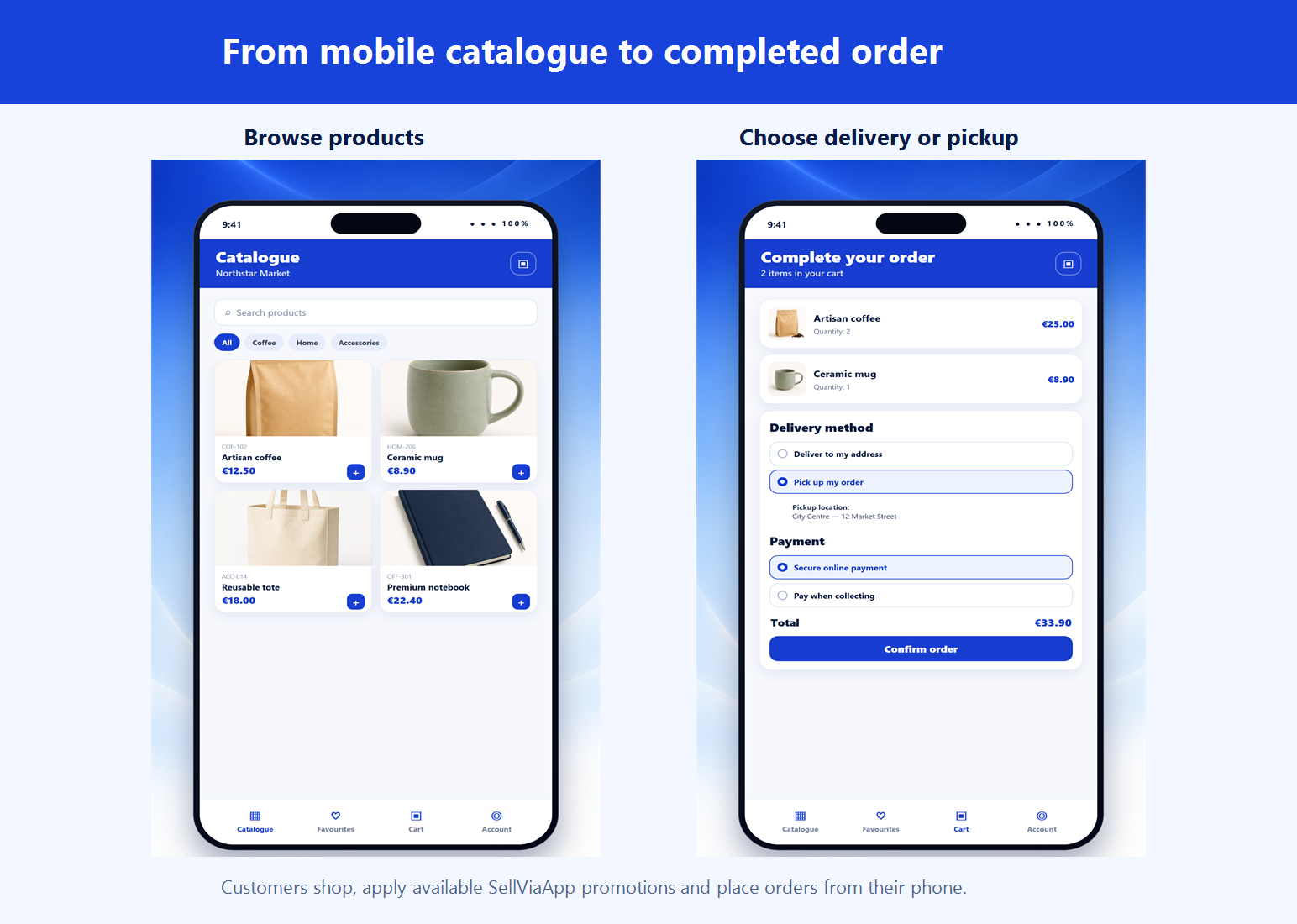
SellViaApp publishes your WooCommerce catalogue in a mobile shopping experience for iOS and Android. Customers can browse categories and products, view images, prices and stock, add items to their cart, apply available SellViaApp promotion codes, choose delivery or pickup, and place an order from their phone.
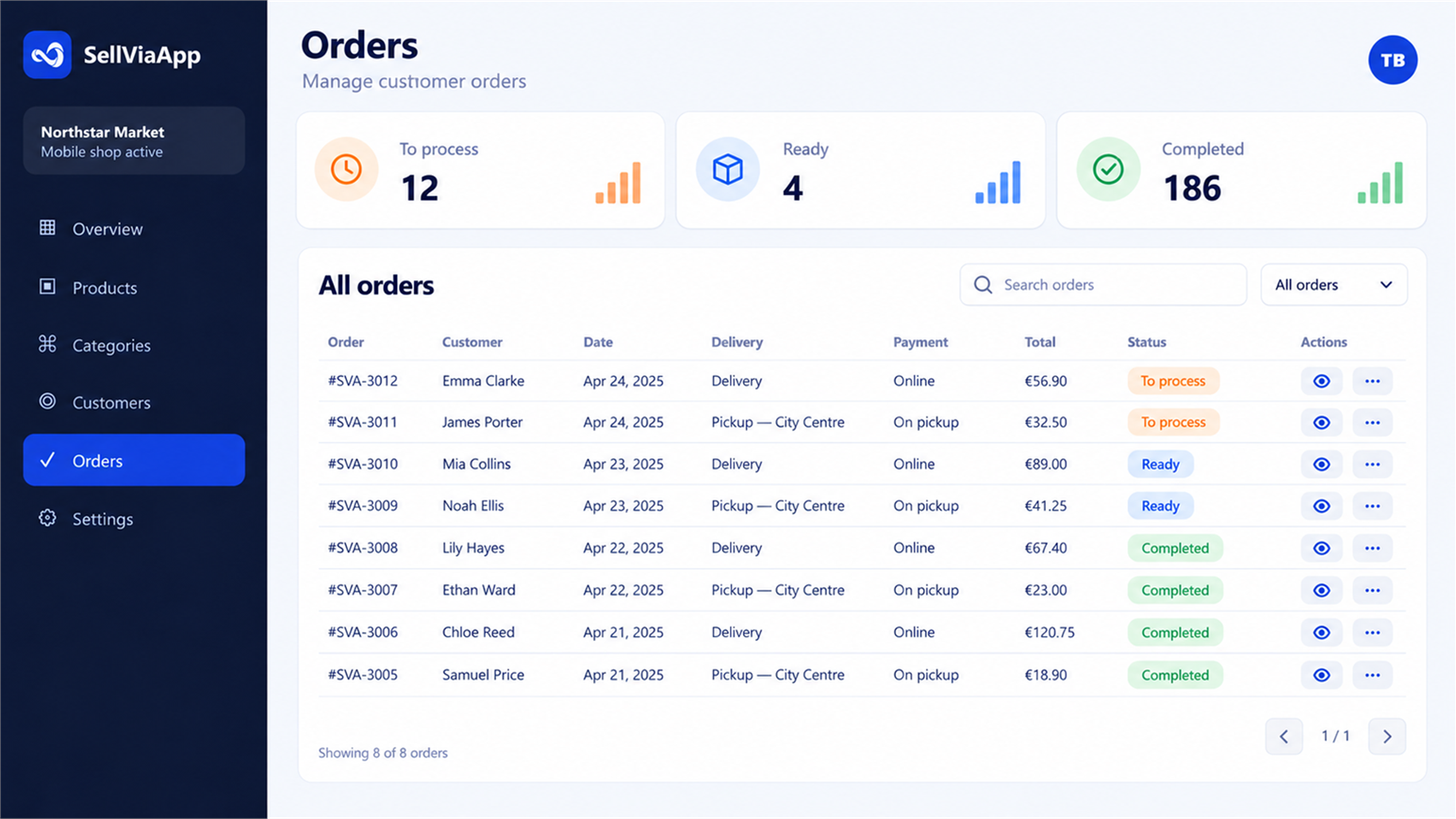
Confirmed mobile orders can then be imported into WooCommerce, where your team can process them with the tools it already uses. Products, customers and orders stay connected through stable identifiers and duplicate protection.
One catalogue, an additional way to sell
You keep managing the source catalogue in WooCommerce. SellViaApp adds the mobile experience around it:
- Publish categories, subcategories, products and variations in the mobile app.
- Synchronize descriptions, up to five product images, regular prices, sale prices and sale dates.
- Keep taxes, stock, visibility, SKUs, attributes and barcodes aligned.
- Let customers browse, add to cart and order from a mobile interface.
- Offer delivery to an address, pickup, or several pickup locations according to the SellViaApp shop settings.
- Offer the payment methods configured for the mobile shop.
- Import SellViaApp orders manually or automatically into WooCommerce.
- Prevent duplicate order creation with acknowledgements and unique identifiers.
SellViaApp promotion codes are created and managed in the SellViaApp Dashboard. This plugin synchronizes WooCommerce sale prices and sale dates; it does not synchronize WooCommerce coupon definitions.
A complete mobile customer journey
- A customer opens the SellViaApp mobile experience.
- They browse the WooCommerce catalogue synchronized by the plugin.
- They add products to the cart and can apply an available SellViaApp promotion code.
- They choose the available delivery, pickup and payment options.
- They confirm the mobile order.
- The order is imported into WooCommerce with its customer, lines, quantities, totals, delivery information and status.
Built for different commercial models
Depending on the SellViaApp configuration, the mobile catalogue can be available in the shared SellViaApp app or in a dedicated branded app. It can be public for broad mobile commerce or confidential and limited to authorized customer accounts for B2B, internal purchasing or restricted catalogues.
Manage the mobile channel clearly
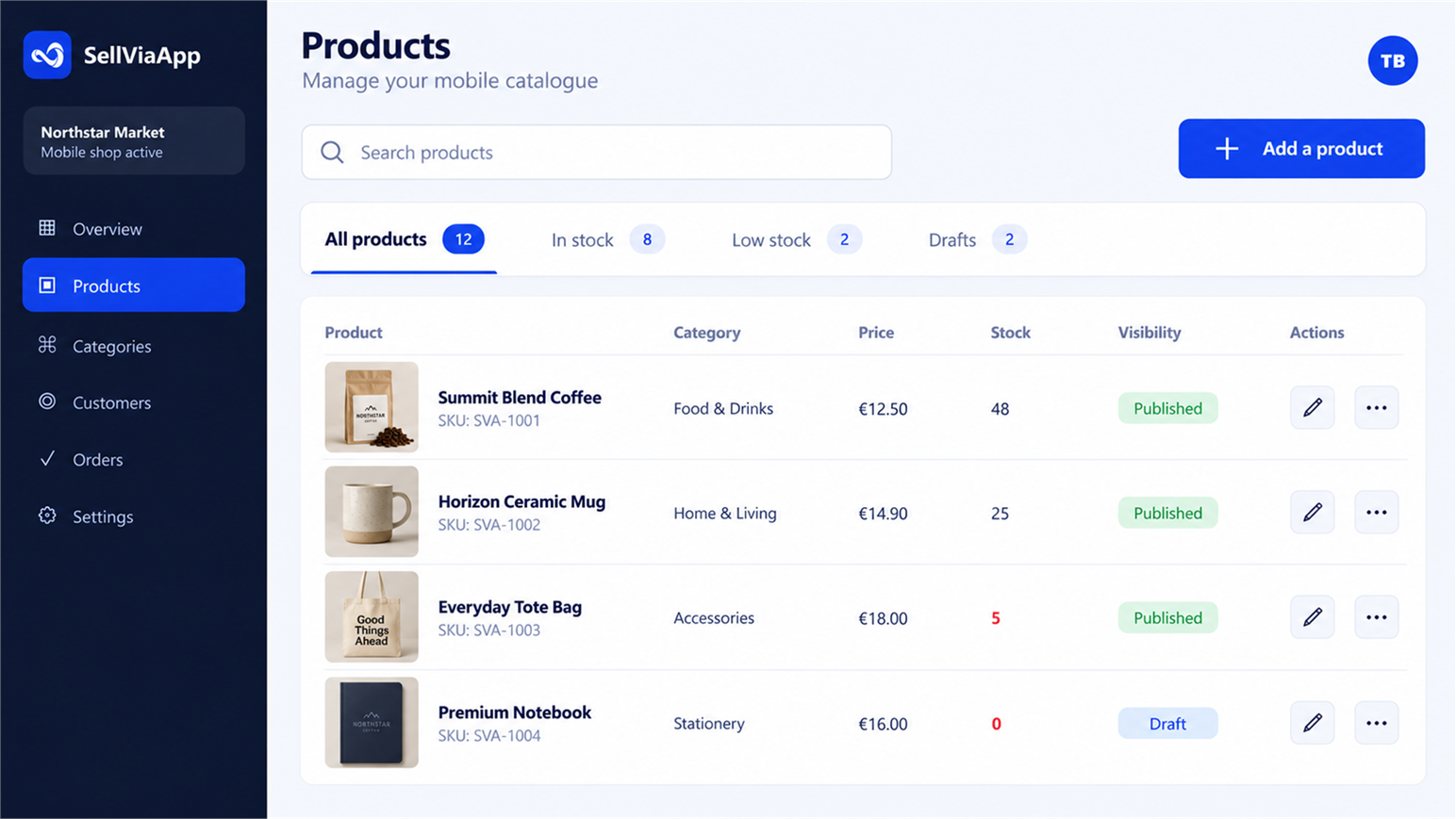
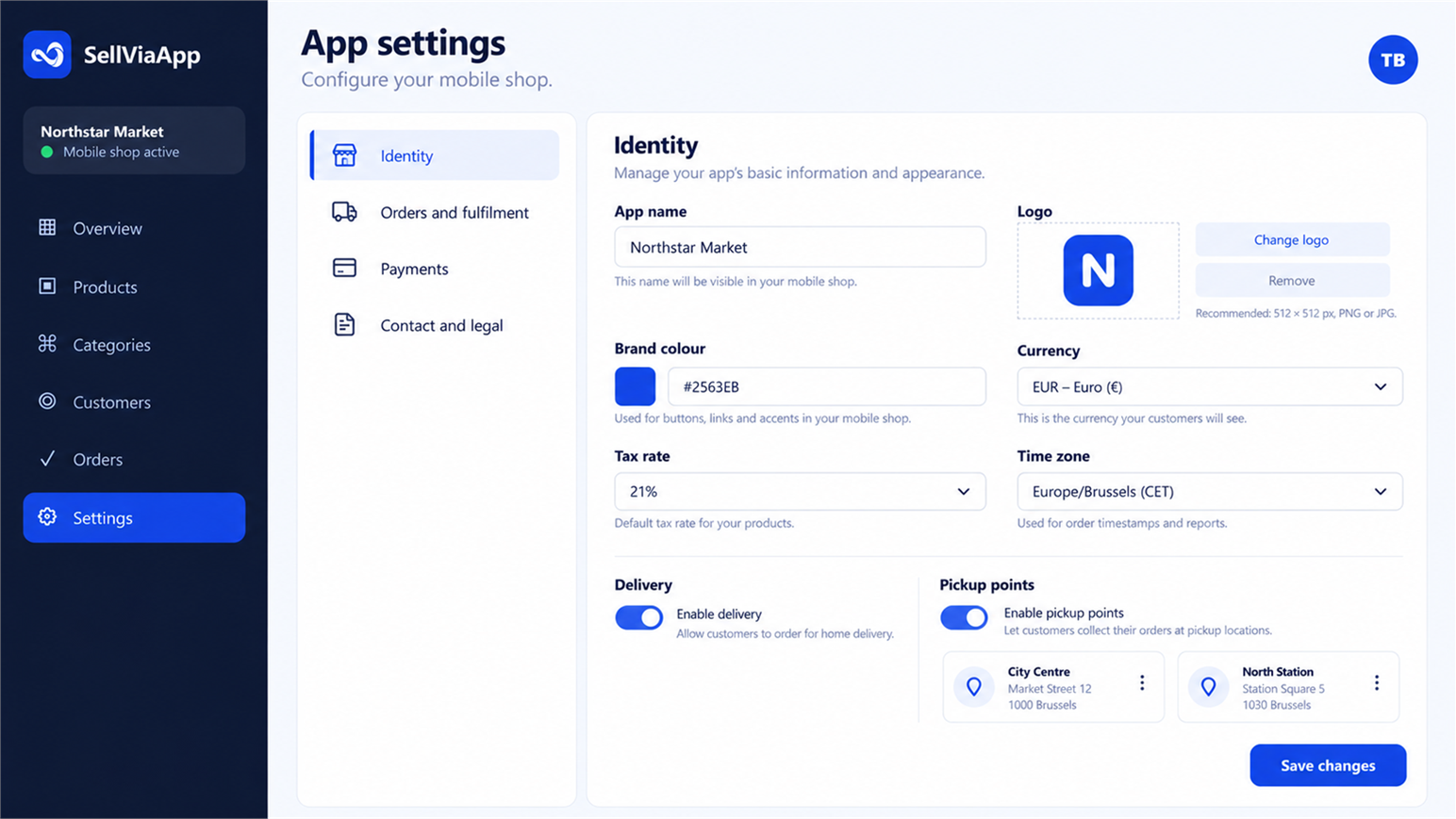
The SellViaApp Dashboard gives the merchant a clear view of products, categories, customers, orders and mobile shop settings. The business can configure its identity, delivery and pickup options, payment methods and other mobile experience settings without changing the WooCommerce storefront.
Reliable synchronization
- Manual first synchronization processed in small batches.
- Automatic catalogue, price, sale price and stock updates.
- Manual or automatic SellViaApp order imports.
- Order acknowledgements and unique identifiers that prevent duplicates.
- HMAC-signed webhook notifications.
- Local technical logs that never contain access credentials.
- WooCommerce HPOS compatibility.
- Initial and automatic customer account synchronization without email delivery.
The plugin does not include analytics, advertising, user tracking, profiling, or telemetry. It communicates only with the SellViaApp service to provide the synchronization features described below. No catalogue or customer data is sent merely by activating the plugin. The first synchronization is started manually by a WooCommerce administrator after the store has been connected.
Externe Dienste
This plugin connects to the SellViaApp API at https://api.sellviaapp.com/. This service is required to connect the WooCommerce store to the merchant’s SellViaApp mobile commerce app, synchronize store data, and import orders placed through SellViaApp.
When a WooCommerce administrator saves SellViaApp credentials or tests the connection, the plugin sends the SellViaApp API key and supplier integration token in HTTPS request headers. The credentials identify and authorize the merchant’s SellViaApp account. They are encrypted before being stored in the WordPress database and are never included in technical logs.
When the administrator starts a synchronization, or later enables automatic synchronization, the plugin can send:
- Store information required to register the signed webhook endpoint, including the WordPress REST endpoint URL.
- Category and subcategory identifiers, names, parent relationships, display order, active state, and HTTPS image URLs.
- Product and variation identifiers, parent relationships, type, SKU, name, description, prices, promotion dates, tax rate, stock, category relationships, HTTPS image URLs, attributes, barcode, publication status, catalogue visibility, and display order.
- WooCommerce customer account identifiers, username, email address, first and last name, display name, company, phone number, VAT number, account type, language, billing and shipping addresses, roles, registration date, order count, and total spent. Customer data is sent only as part of the merchant-requested catalogue/customer synchronization or an enabled automatic update. SellViaApp is instructed not to send an invitation email for these synchronized records.
When order import is started manually or enabled automatically, the plugin requests SellViaApp orders assigned to the connected merchant account. Order identifiers, customer and delivery details, product lines, quantities, prices, taxes, delivery method, totals, notes, and status can be received and used to create the corresponding WooCommerce order. The plugin then sends the SellViaApp order identifier, WooCommerce order identifier, import status, and any import error needed for acknowledgement and duplicate prevention.
The plugin can also send a signed-webhook registration request and request API health or synchronization-log information when an administrator explicitly uses the related connection or diagnostic actions. Incoming webhook requests contain an event identifier, timestamp, signature, and event body; their HMAC signature is verified before an order import can be queued.
SellViaApp service information: https://sellviaapp.com/plugin-woocommerce-app-mobile
SellViaApp terms of use: https://sellviaapp.com/terms-of-use
SellViaApp privacy policy: https://sellviaapp.com/privacy-policy
Installation
- Install and activate the plugin from WordPress, or upload it manually.
- Open the SellViaApp menu in the WordPress administration area.
- Connect an existing SellViaApp mobile shop, or use the provided link to create one.
- Enter the app API key and supplier integration token generated in SellViaApp Dashboard > API.
- Test the connection.
- Start the first catalogue and customer synchronization.
- Open the mobile app to verify the catalogue, then enable automatic updates or order imports when ready.
Änderungsprotokoll
1.2.9
- Replaced every short internal PHP, WordPress option, hook, AJAX, script, and style prefix with the unique
sellviaapp_wcprefix required by the WordPress.org Plugin Review Team. - Added a backward-compatible migration that preserves credentials, synchronization settings, order cursors, and existing connection state during the update.
- Removed obsolete scheduled actions created by versions using the former internal prefix.
1.2.8
- Declared WooCommerce as a required plugin dependency.
- Documented the SellViaApp external service, transferred data, transfer conditions, terms, and privacy policy.
- Replaced the public REST permission callback with HMAC signature and timestamp authorization while preserving replay protection.
- Confirmed that all declarations, WordPress hooks, stored options, transients, metadata, cache keys, and database tables use SellViaApp-specific prefixes.
1.2.7
- Added explicit direct-access protection to the uninstall script and prefixed its global loop variable.
- Replaced direct schema creation queries with the official WordPress
dbDelta()process. - Prepared dynamic SQL values directly inside each database call for Plugin Check security compliance.
1.2.6
- Added a beginner-friendly step-by-step guide for finding the X-API-Key and supplier integration Bearer token.
- Added a direct secure link to the API credentials page in the SellViaApp dashboard.
- Clarified where to copy and paste each credential and how to test the connection.
1.2.5
- Added a clear choice between connecting an existing SellViaApp account and creating a new app.
- Added a prominent free app creation action linking to the secure SellViaApp onboarding page.
- Improved responsive layout and accessibility for the connection configuration panel.
1.2.4
- Renamed the official plugin slug to
sellviaapp-for-woocommerceto comply with the WooCommerce trademark requirements. - Aligned the plugin directory, main file, text domain, and download package with the approved slug.
Screenshots
Für Entwickler
Ist das dein Plugin? Zeigen Sie die Zahlen.
Fügen Sie Ihrer Website, Docs oder GitHub Readme ein Live-Badge hinzu. Es wird von selbst aktualisiert - kein Konto erforderlich.
Best SellViaApp for WooCommerce alternatives
All catalogue plugins →





Fragen und Antworten
SellViaApp for WooCommerce: quick answers
Gerade Antworten, gezogen von Live WordPress.org Daten.
Quelle: WordPress.org
Is SellViaApp for WooCommerce free?
Yes. SellViaApp for WooCommerce is free to download and use from the official WordPress.org plugin directory.
Is SellViaApp for WooCommerce safe to use in 2026?
SellViaApp for WooCommerce works, but test it on a staging site before relying on it in 2026. Was last updated 1 month ago, and scores 60/100 on our health check.
How many websites use SellViaApp for WooCommerce?
SellViaApp for WooCommerce is active on <10 WordPress websites and has been downloaded 268 times since it launched in August 2026. It was downloaded 70 times in the last 30 days.
Does SellViaApp for WooCommerce work with WordPress 7.1?
Yes. The developer has tested SellViaApp for WooCommerce up to WordPress 7.1.5, the latest release. It requires WordPress 5.7 or newer.
What PHP version does SellViaApp for WooCommerce need?
SellViaApp for WooCommerce requires PHP 7.2 or higher. Most hosts run PHP 8.x today, so it works on any modern WordPress hosting.
When was SellViaApp for WooCommerce last updated?
The latest version, 1.2.9, was released on October 18, 2026 (1 month ago).
Who makes SellViaApp for WooCommerce?
SellViaApp for WooCommerce is developed and maintained by SellViaApp.
What are the best alternatives to SellViaApp for WooCommerce?
The most popular alternatives to SellViaApp for WooCommerce are Ultimate Product Catalog (4K+ installs), Simple Catalog for WooComme… (1K+ installs) and Product Catalog Simple (1K+ installs).
Angetrieben von PageForge
Eine Vorlage und eine Tabelle. Eine echte Seite für jede Suche.
PageForge Verwandelt jede Zeile eines CSV in eine WordPress-Seite mit eigenem Titel, URL, SEO Felder und Schema entworfen. Kostenlos auf WordPress.org.
- CSV und XLSX, plus Google Sheets auf Beruf und Unternehmen
- seinen eigenen Titel, URL, SEO Felder und Schema für jede Seite
- Arbeitet mit dem Blockeditor, Elementor, Divi und Avada
- Kostenlos auf WordPress.org, keine Kreditkarte