


Secondary Title
Secondary Title is a simple, lightweight plugin that allows you to easily add an alternative title to posts, pages, and/or custom post types.

Sichere Auswahl
Yes — Secondary Title is a safe, well-maintained plugin to use in 2026. It runs on 7K+ sites, is rated 4.9/5 and was last updated 4 months ago, and scores 83/100 on our health check.
- Loved by users — 4.9/5 from 72 reviews
- Getestet mit dem neuesten WordPress (7.1)
Wie stapelt es sich?
Side-by-side bei Installationen, Updates, Bewertungen und Support


Tägliche Downloads
Download-Spitzen folgen normalerweise einer neuen Version - jede Website, die automatisch aktualisiert wird, gilt als Download.
Ranglisten
Where Secondary Title stands todayWordPress.org Ranglisten suchen
Live-Position in der Plugin-Suche, Top 100| Stichwort | Position |
|---|---|
| heading | #12 |
| second title | #1 |
| subheading | #1 |
| title | #1 |
Versionsübernahme
Anteil aktiver Sites pro Release.
Bewertungsaufschlüsselung
★★★★★★★★★★ 4.9 from 72 reviews
About Secondary Title
From the official readme · v2.2.1Beschreibung
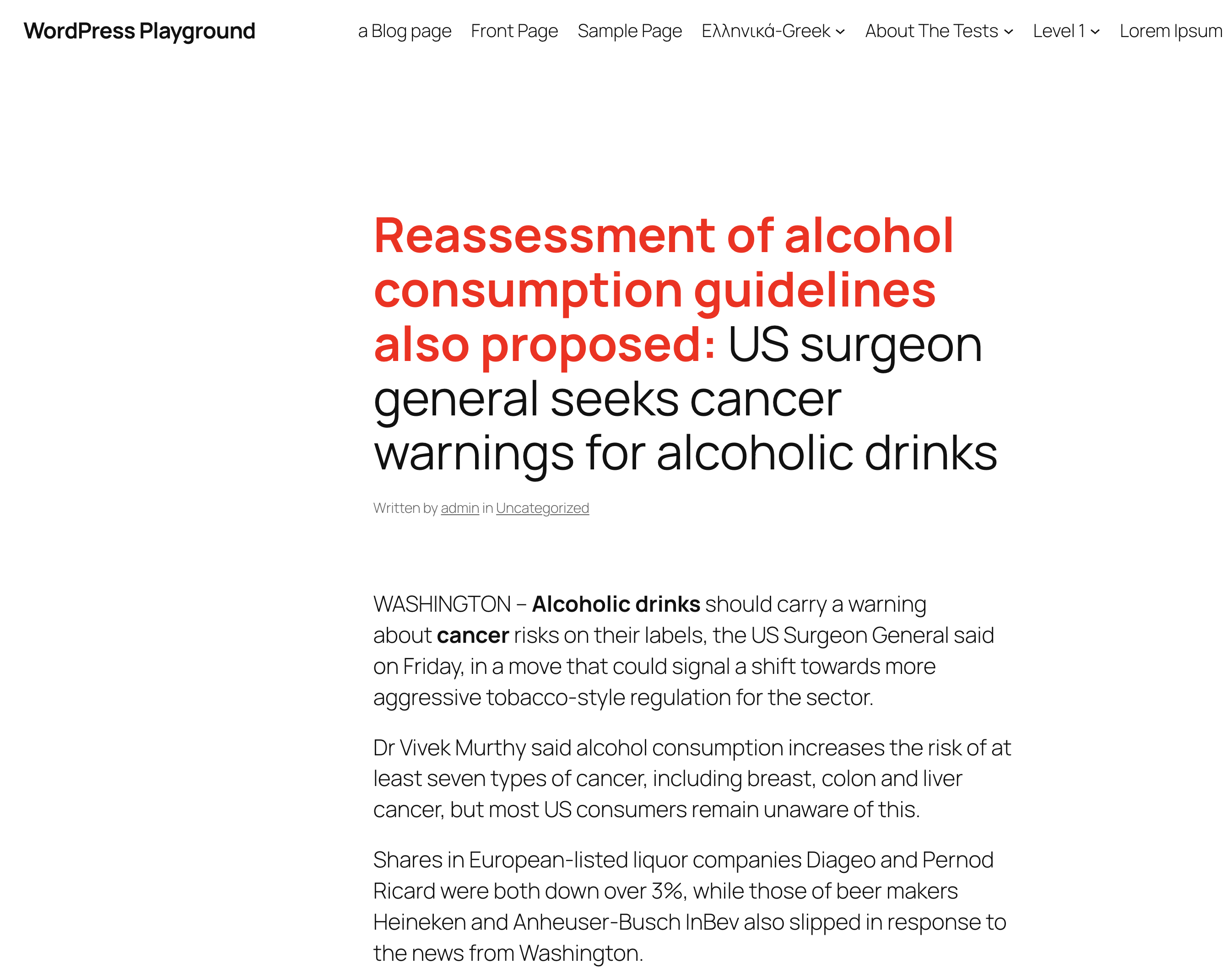
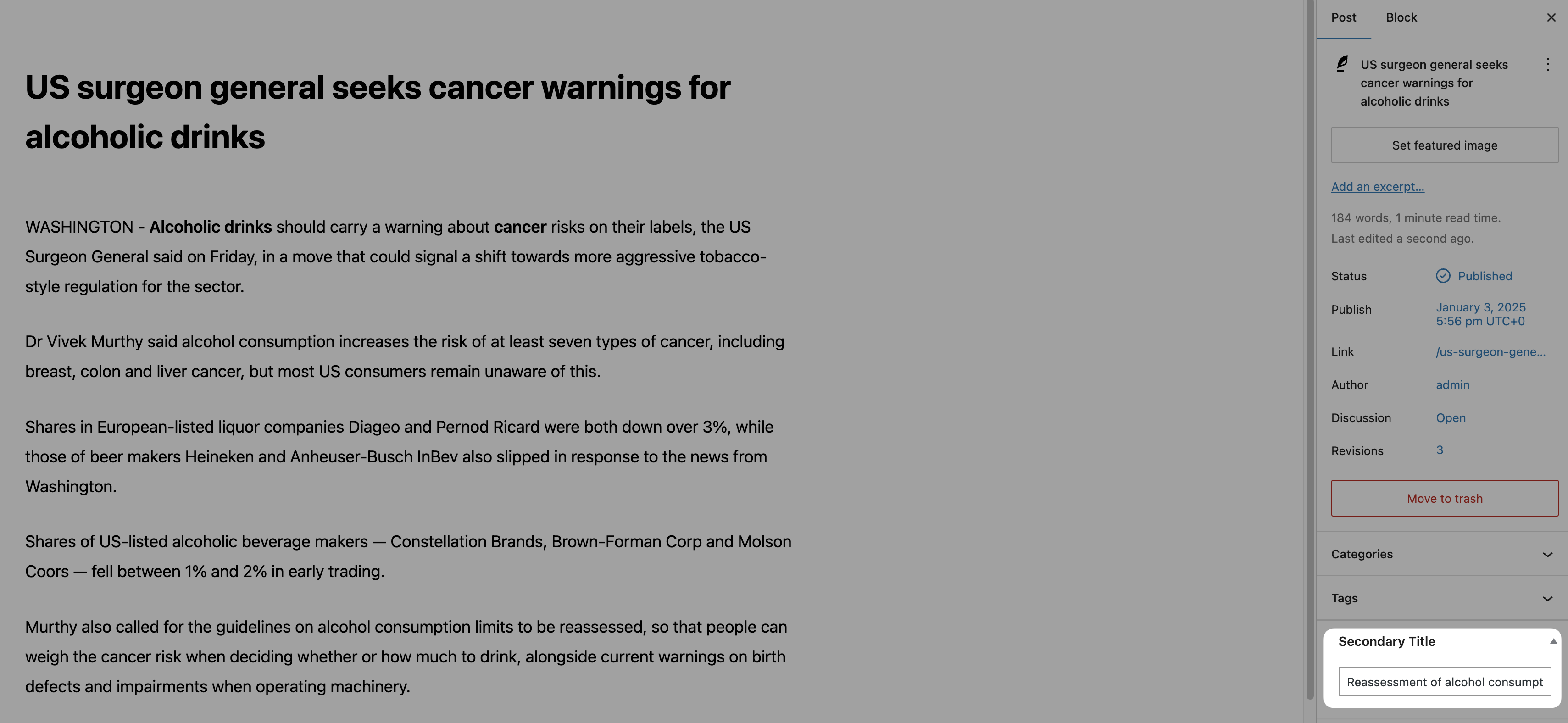
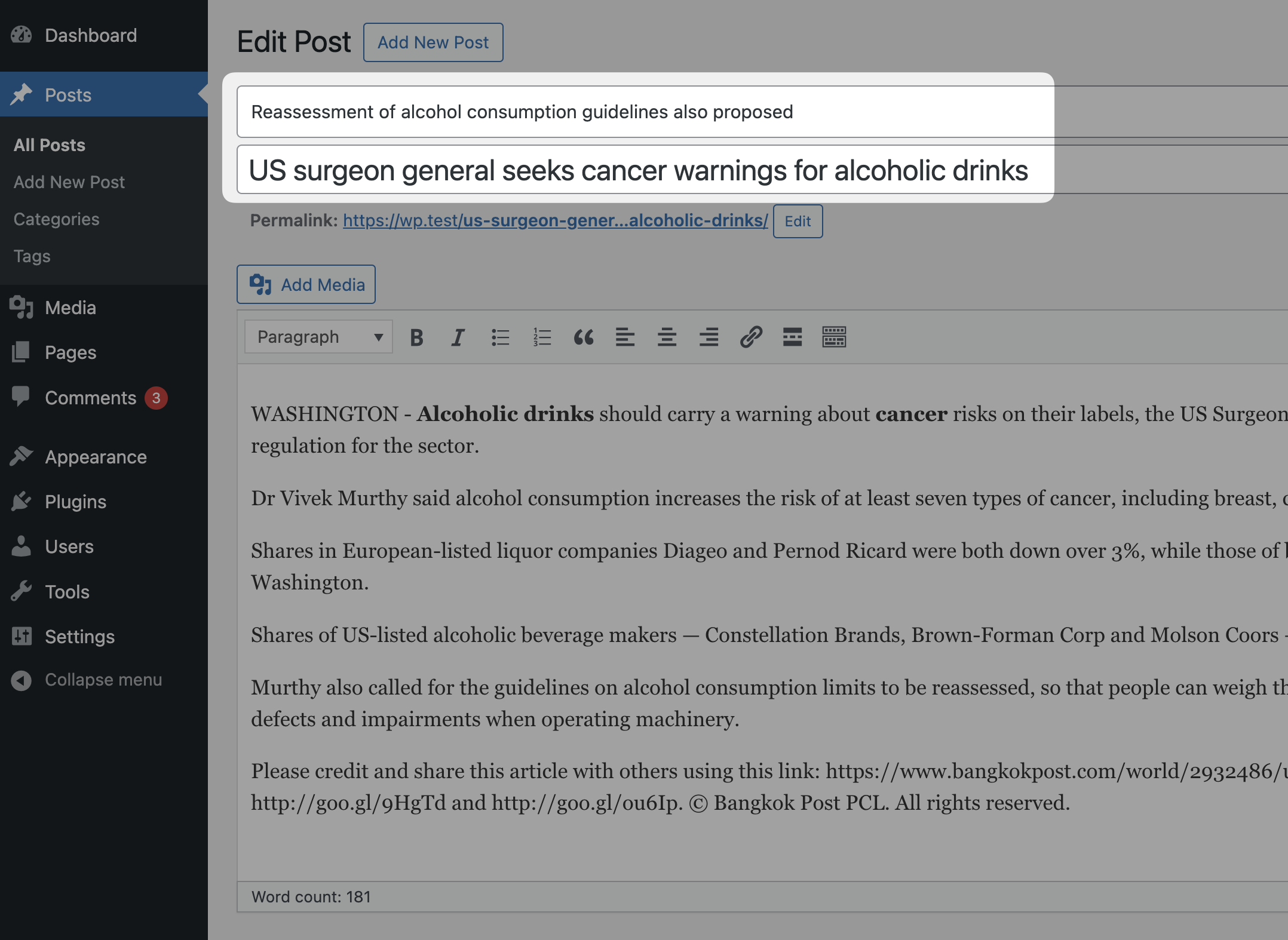
Secondary Title is a simple, light-weight plugin that adds an alternative title to posts, pages, and/or custom post types, which can be displayed automatically, with a shortcode or by using PHP.
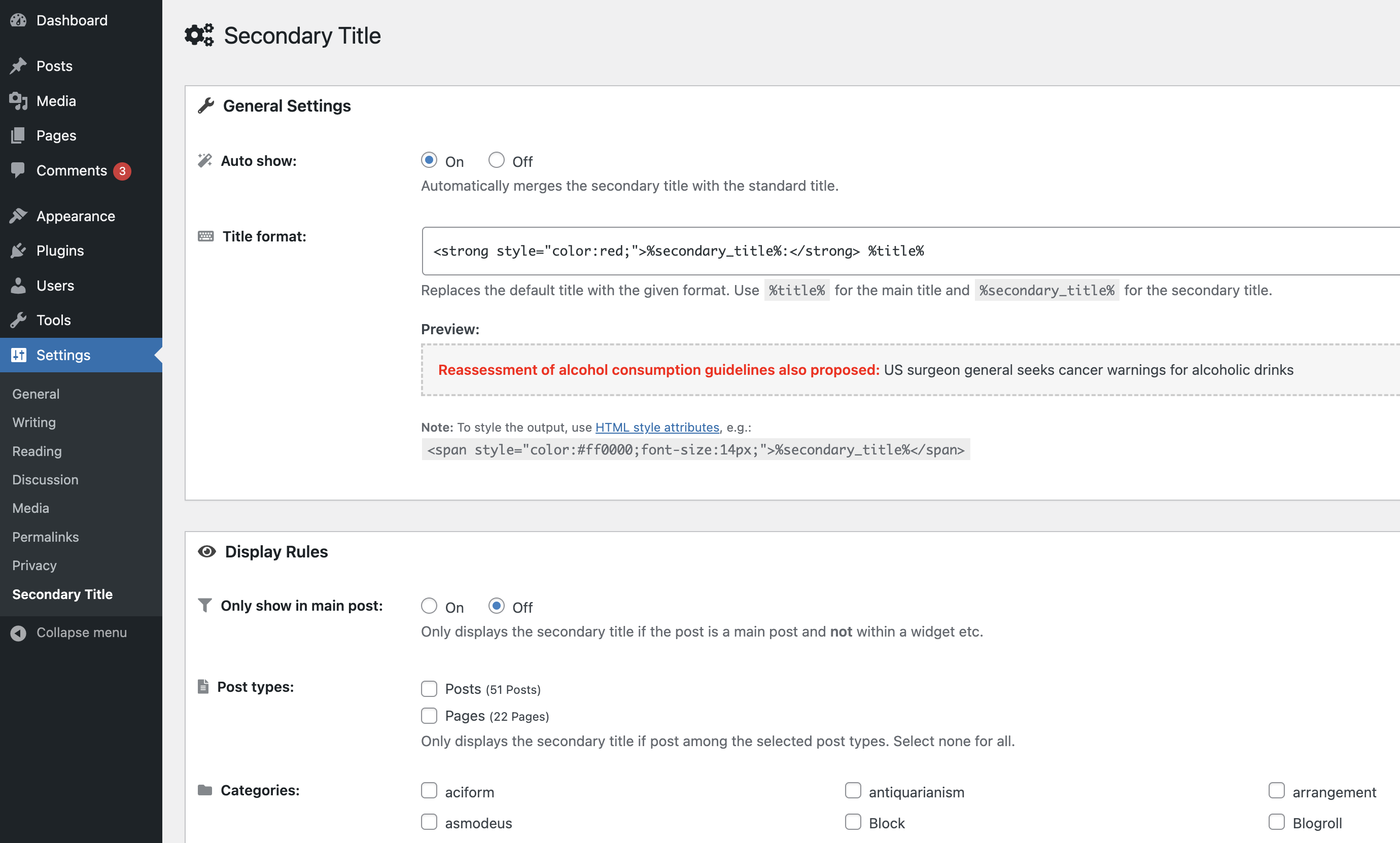
The plugin comes with an extra settings page, which allows you to customize the plugin according to your needs. You can change:
- post types, categories, and specific post IDs the secondary title will be
shown on, - whether the secondary title should be automatically added to the standard title (Auto show),
- the format both titles are being shown (only works when Auto show is activated),
- the position where the secondary title input field should be displayed (above or below the standard title) within the admin interface (Classic Editor only),
- whether the secondary title should only be displayed in the main post and not within widgets, etc.,
- if the secondary title should be usable in permalinks,
- and even more.
Please see the official website for a full documentation.
Installation
Quick Installation
- Install Secondary Title either by searching for the plugin with WordPress’ native plugin installer found under Plugins → Add New or download the plugin manually and copy the secondary-title folder into the /wp-content/plugins/ directory of your WordPress installation.
- Activate the plugin in the Plugins section of your admin interface.
- Go to Settings → Secondary Title to customize the plugin as desired.
IMPORTANT: If the Auto show option is set to Off, you have to use either
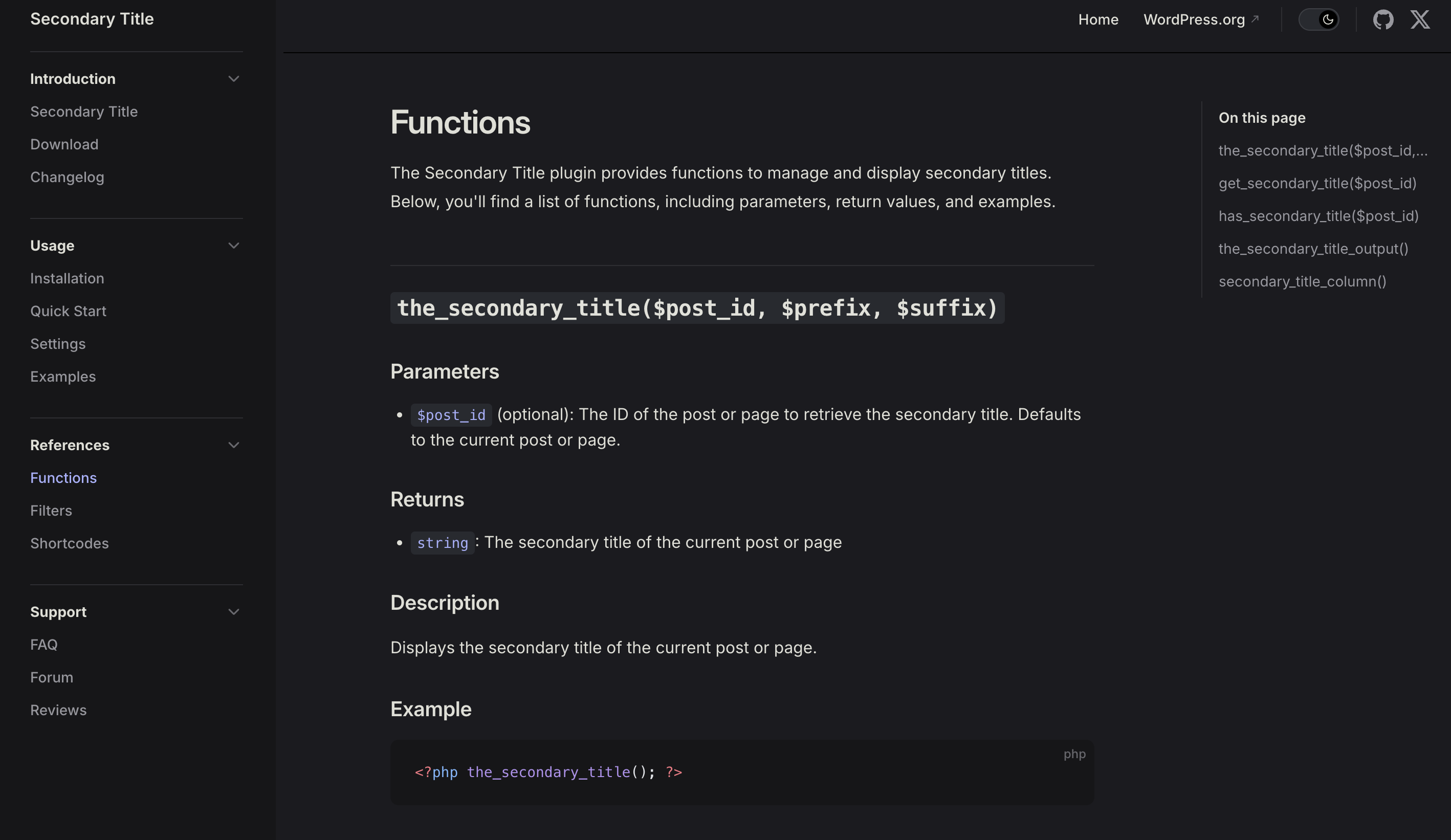
<?php echo get_secondary_title($post_id, $prefix, $suffix); ?>
oder
<?php the_secondary_title($post_id, $prefix, $suffix); ?>
in your theme file(s) (e.g., single.php) where you would like the secondary title to be displayed.
For more detailed documentation with parameters, functions, and examples, please see the official documentation.
Änderungsprotokoll
Added support for the latest WordPress version, fixed broken links, and increased safety.
2.2.1
- Fixed PHP
v8.4deprecation notices (“Implicitly marking parameter … as nullable is deprecated”) caused by the bundledvoku/portable-utf8dependency - Updated
voku/anti-xssandvoku/portable-utf8to versions that are fully compatible with PHPv8.4andv8.5 - No database changes; all settings and secondary titles are preserved
2.2.0
- Added support for WordPress
v6.7.1 - Added official Secondary Title documentation (still in progress)
- Added comments in the code for better readability
- Changed minimum PHP version from
v7.1tov7.4since the majority of WordPress sites use PHPv7.4or above - Fixed possible security vulnerability for XSS
- Fixed and renewed dead screenshots on WordPress.org’s plugin website
- Updated dead links in this
README.txtas well as inside the plugin’s settings page. You will now be redirected accordingly - Updated voku/anti-xss to
v4.1.42via PHP Composer - Updated Font Awesome version to
v6.6.0 - Updated Copyright to 2025
2.1.0
- Added support for WordPress
v6.2 - Added translations
- Added minor performance improvements
- Updated Font Awesome version
2.0.9.1
- Critical security vulnerability fixed and measures taken to prevent future vulnerabilities
2.0.9
- Added support for WordPress
v6.1.1 - Added padding to
<input>for Post IDs - Rebuilt the “Select all” link to toggle all categories
- Enlarged “Post IDs” input field
2.0.8
- Added support for WordPress
v5.8
Screenshots
Für Entwickler
Ist das dein Plugin? Zeigen Sie die Zahlen.
Fügen Sie Ihrer Website, Docs oder GitHub Readme ein Live-Badge hinzu. Es wird von selbst aktualisiert - kein Konto erforderlich.
Best Secondary Title alternatives
All heading plugins →





Fragen und Antworten
Secondary Title: quick answers
Gerade Antworten, gezogen von Live WordPress.org Daten.
Quelle: WordPress.org
Is Secondary Title free?
Yes. Secondary Title is free to download and use from the official WordPress.org plugin directory.
Is Secondary Title safe to use in 2026?
Yes — Secondary Title is a safe, well-maintained plugin to use in 2026. It runs on 7K+ sites, is rated 4.9/5 and was last updated 4 months ago, and scores 83/100 on our health check.
How many websites use Secondary Title?
Secondary Title is active on 7K+ WordPress websites and has been downloaded 190,416 times since it launched in January 2014. It was downloaded 1,605 times in the last 30 days.
Does Secondary Title work with WordPress 7.1?
Yes. The developer has tested Secondary Title up to WordPress 7.1.5, the latest release. It requires WordPress 4.0 or newer.
What PHP version does Secondary Title need?
Secondary Title requires PHP 7.4 or higher. Most hosts run PHP 8.x today, so it works on any modern WordPress hosting.
When was Secondary Title last updated?
The latest version, 2.2.1, was released on August 5, 2026 (4 months ago).
Who makes Secondary Title?
Secondary Title is developed and maintained by thaikolja.
What are the best alternatives to Secondary Title?
The most popular alternatives to Secondary Title are Custom Archive Titles (2K+ installs), SubHeading (900+ installs) and LRW Widgets Bundle (300+ installs).
Angetrieben von PageForge
Eine Vorlage und eine Tabelle. Eine echte Seite für jede Suche.
PageForge Verwandelt jede Zeile eines CSV in eine WordPress-Seite mit eigenem Titel, URL, SEO Felder und Schema entworfen. Kostenlos auf WordPress.org.
- CSV und XLSX, plus Google Sheets auf Beruf und Unternehmen
- seinen eigenen Titel, URL, SEO Felder und Schema für jede Seite
- Arbeitet mit dem Blockeditor, Elementor, Divi und Avada
- Kostenlos auf WordPress.org, keine Kreditkarte