


SearchUs – Site Search for WordPress and WooCommerce
Site search for WordPress and WooCommerce — live AJAX predictive search, ranked results, product filters, Buy Now and Smart 404 recovery.

Solide Wahl
SearchUs is a solid plugin choice in 2026, with a few things worth checking first. Is rated 5/5 and was last updated 1 day ago, and scores 71/100 on our health check.
- Aktiv entwickelt - letztes Update vor 1 Tag
- Getestet mit dem neuesten WordPress (7.1)
- Kleine Benutzerbasis (<10 aktive Installationen)
- Bisher sehr wenige Bewertungen
Wie stapelt es sich?
Side-by-side bei Installationen, Updates, Bewertungen und SupportTägliche Downloads
Download-Spitzen folgen normalerweise einer neuen Version - jede Website, die automatisch aktualisiert wird, gilt als Download.
Ranglisten
Where SearchUs stands todayWordPress.org Ranglisten suchen
Live-Position in der Plugin-Suche, Top 100| Stichwort | Position |
|---|---|
| internal search | >100 |
| product search | >100 |
| site search | >100 |
| woocommerce search | >100 |
| wordpress search | >100 |
Bewertungsaufschlüsselung
★★★★★★★★★★ 5 from 3 reviews
About SearchUs
From the official readme · v3.1.10Beschreibung
Replace WordPress’s default search with a powerful site search plugin for WordPress and WooCommerce. SearchUs helps visitors quickly find pages, posts, WooCommerce products, images, videos, PDFs, documents, audio, and other media with fast, relevance-ranked results.
SearchUs delivers a better search experience with Predictive Search as visitors type, customizable results, search intent, synonyms, Smart 404 recovery, and flexible search pages. WooCommerce shoppers can filter products, select variations, and buy from search results—helping them find what they need faster with fewer clicks.
Hauptmerkmale
Predictive Search (live AJAX search as you type)
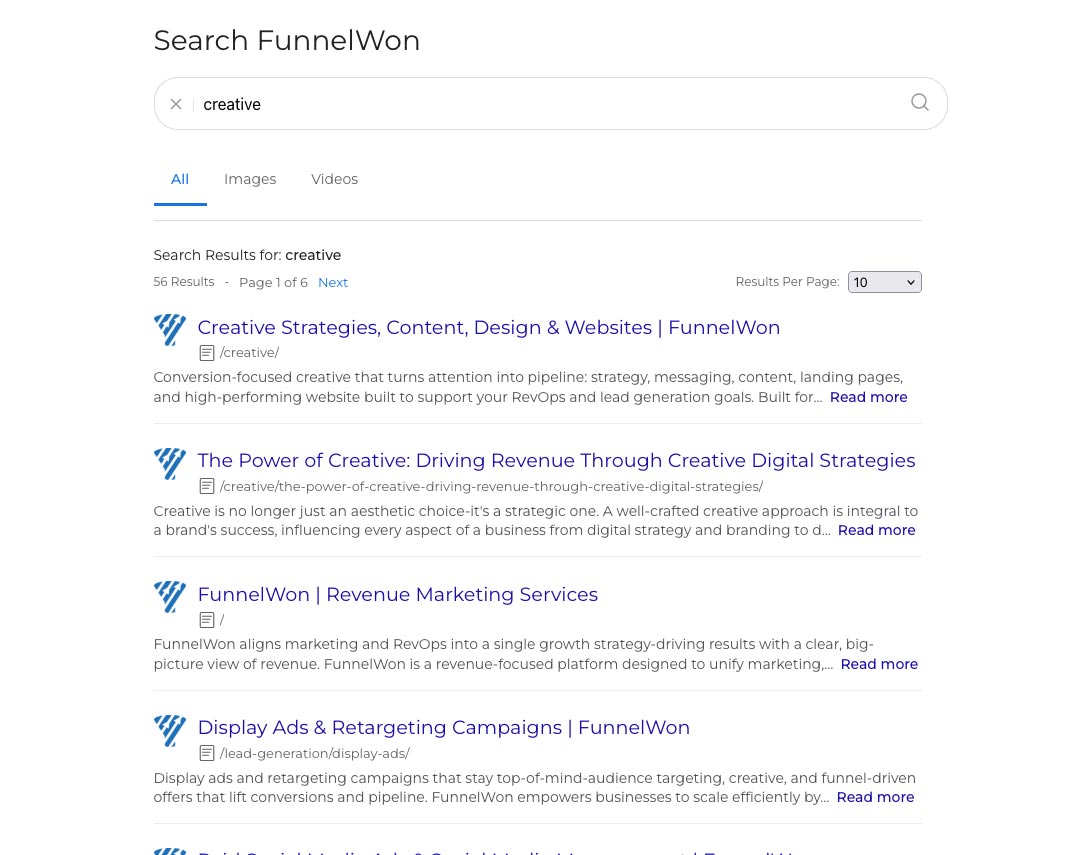
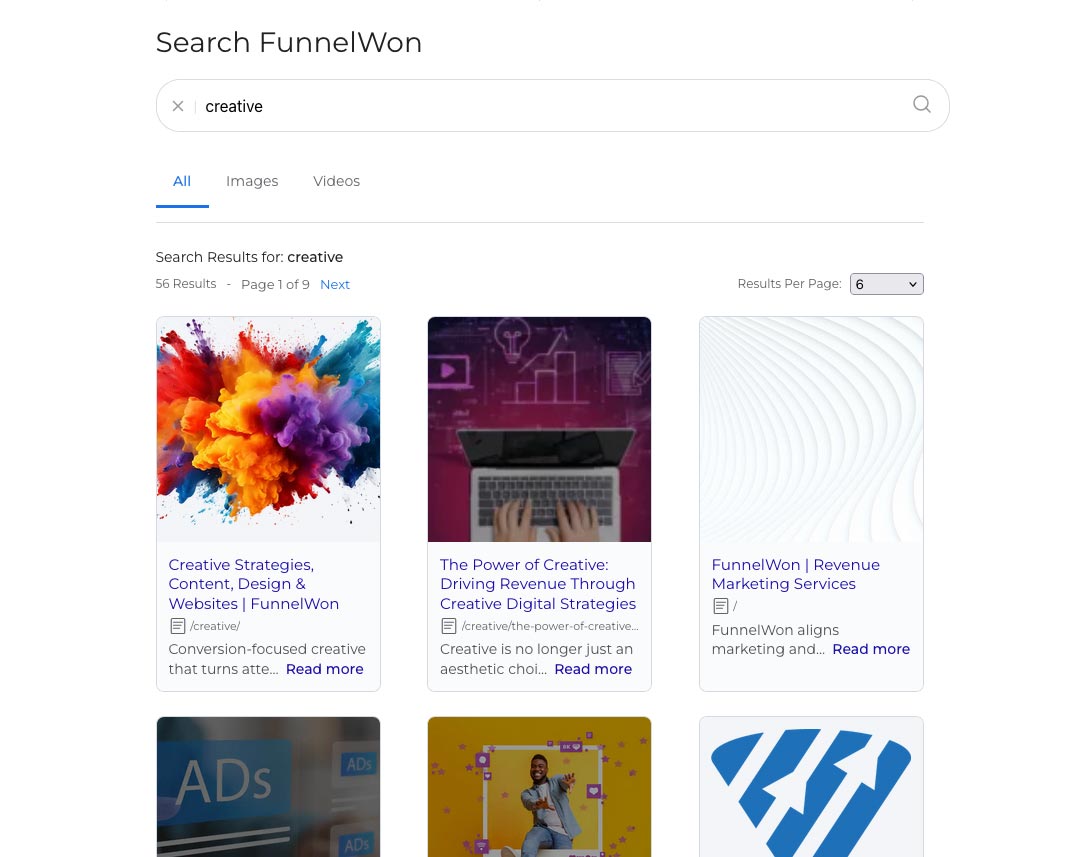
Results and word suggestions load live in a dropdown as visitors type, without reloading the page—in your theme’s header search, search icons, Search Embeds, and on the results page. Results are grouped into All, Images, and Shopping tabs; products show their image, price, and an Add to Cart or Buy Now button so shoppers can buy without leaving the page. Word suggestions come from your own index and can include popular searches from other visitors, with your own blocked words and a built-in offensive-word filter. A whole typing session counts as one search, suggesting words never counts, and pressing Enter or “See all results” continues to the full results page without counting twice. On the results page itself, the results update in place when visitors pause after a finished word (no dropdown covering them; each update counts as one search, like pressing Enter), and every dropdown offers “Search for …” so visitors always see how to run what they typed. Works with the keyboard and screen readers, and is off until you turn it on under Results → Predictive Search.
Better WordPress Search
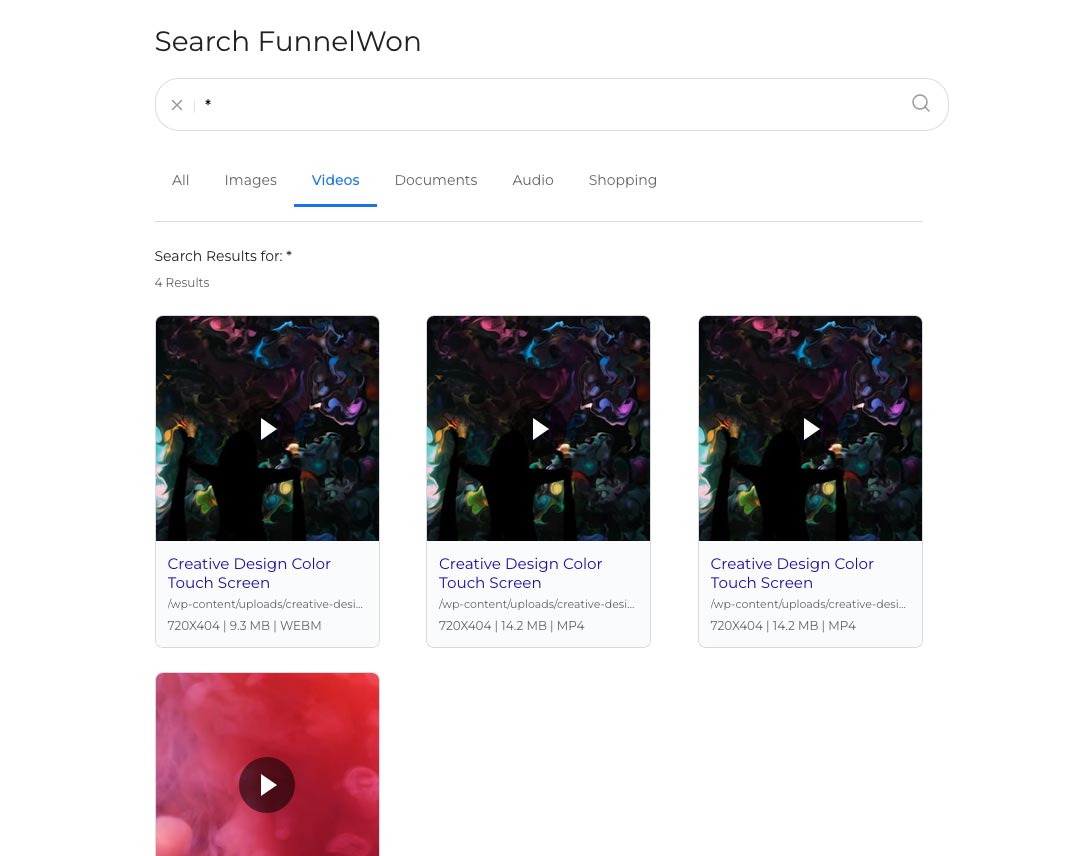
Replace WordPress’s built-in search with fast, relevance-ranked site search across pages, posts, WooCommerce products, images, videos, PDFs, documents, audio, and other indexed content. Show results on a dedicated search page with tabs such as All, Products, Images, Videos, Documents, and Audio; choose list or grid layouts while keeping your site’s header and footer.
WooCommerce Search Built for Shopping
Turn product search into a shopping experience. Index your catalog, let customers filter by category, price, brand, color, size, and other attributes, and understand natural-language searches like “under $100.” Shoppers can select color, size, and other options on variable products and use Buy Now to cart or checkout without opening the product page first. Map shopper language (for example “XXL” or “sneakers”) to real variation options and intent synonyms so the right products rank and preselect. Optional AI Assist can draft those synonym and variation-alias maps for you.
Scoped Search Embeds
Place search boxes anywhere with a shortcode and choose exactly what visitors can search—products, pages, posts, images, videos, documents, audio, selected categories, or your entire site. Ideal for shop pages, landing pages, and page builders.
Search Analytics & Content Gaps
See what visitors are searching for—including queries that return zero results—so you can improve your site instead of guessing. Spot missing products or pages to create, decide which synonym maps to add, and focus ranking and content work where shoppers actually look. Analytics are on by default, stay on your WordPress site and can be turned off any time.
Search Intent & Synonyms
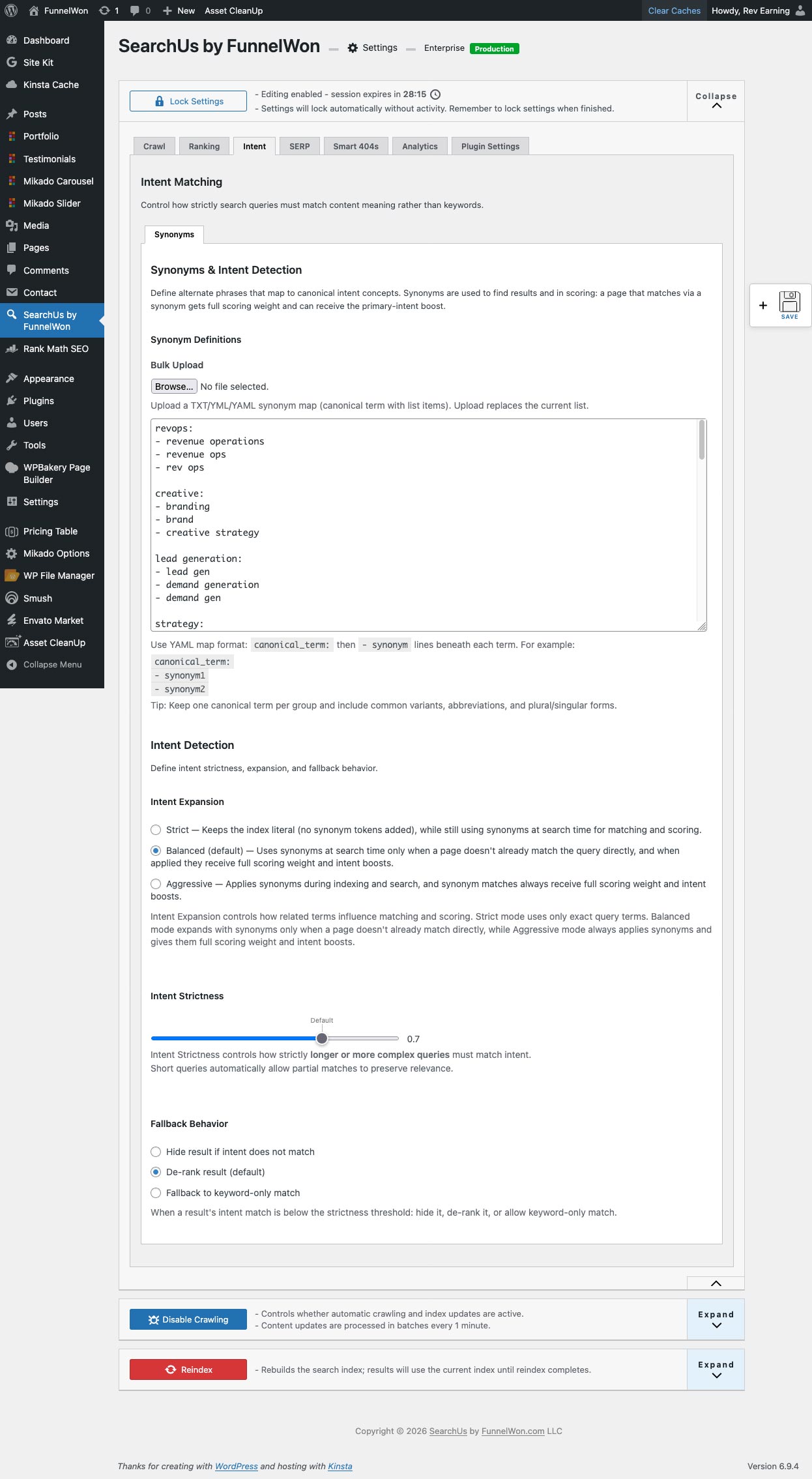
Understand what visitors mean—not just what they type. Built-in intent and synonym matching help connect searches like “lead gen” with content about “lead generation.”
“Did You Mean?” Suggestions
Reduce failed searches by suggesting better terms when no matching results are found.
Fully Customizable Search Ranking
Control how results are ranked by adjusting the importance of titles, headings, content, URLs, media, products, pages, posts, and more. Promote your most important content to the top of search results.
Automatic Search Indexing
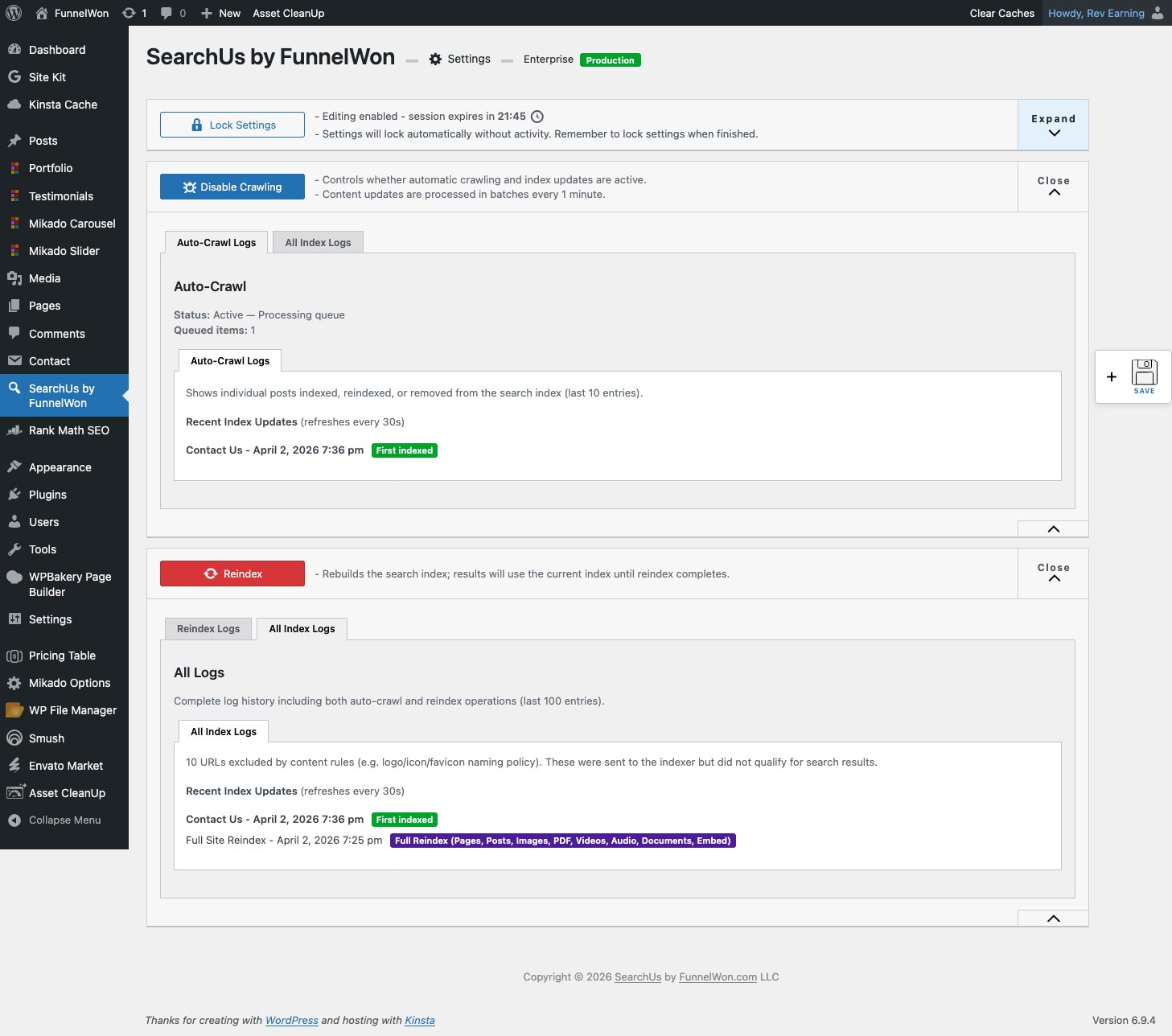
Keep your search index up to date by automatically detecting content changes, crawling your sitemap, or performing a full site scan.
Promote Important Content
Feature announcements, products, promotions, or key pages by inserting promoted results into search results.
Secure & Reliable
Protect your search experience with settings locking, plan-tier rate protection, and automated bot filtering to reduce abusive or junk search traffic before it consumes your usage.
Built to Scale
Whether your site has dozens of pages or hundreds of thousands of products, SearchUs scales with your content while keeping WordPress search fast, organized, and easy to use.
Smart 404 Recovery
Recover visitors before they leave by replacing dead-end 404 pages with relevant pages, posts, products, or media based on the requested URL.
Optionen
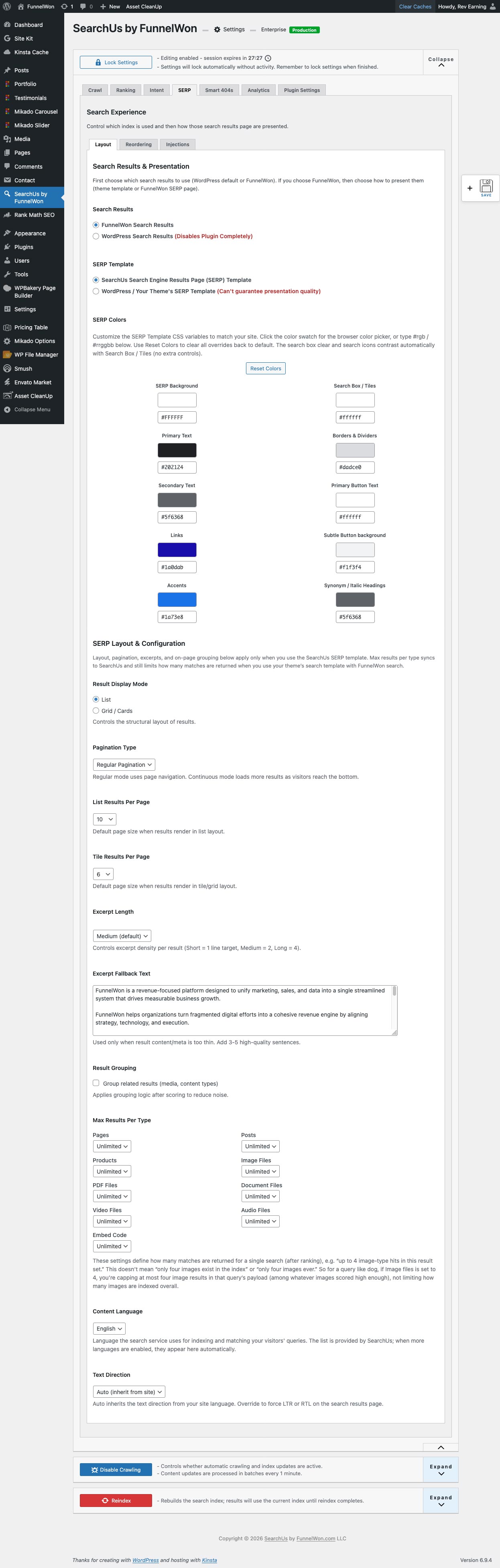
Use the SearchUs search results page, or keep your theme’s default WordPress search template while benefiting from SearchUs indexing and relevance ranking.
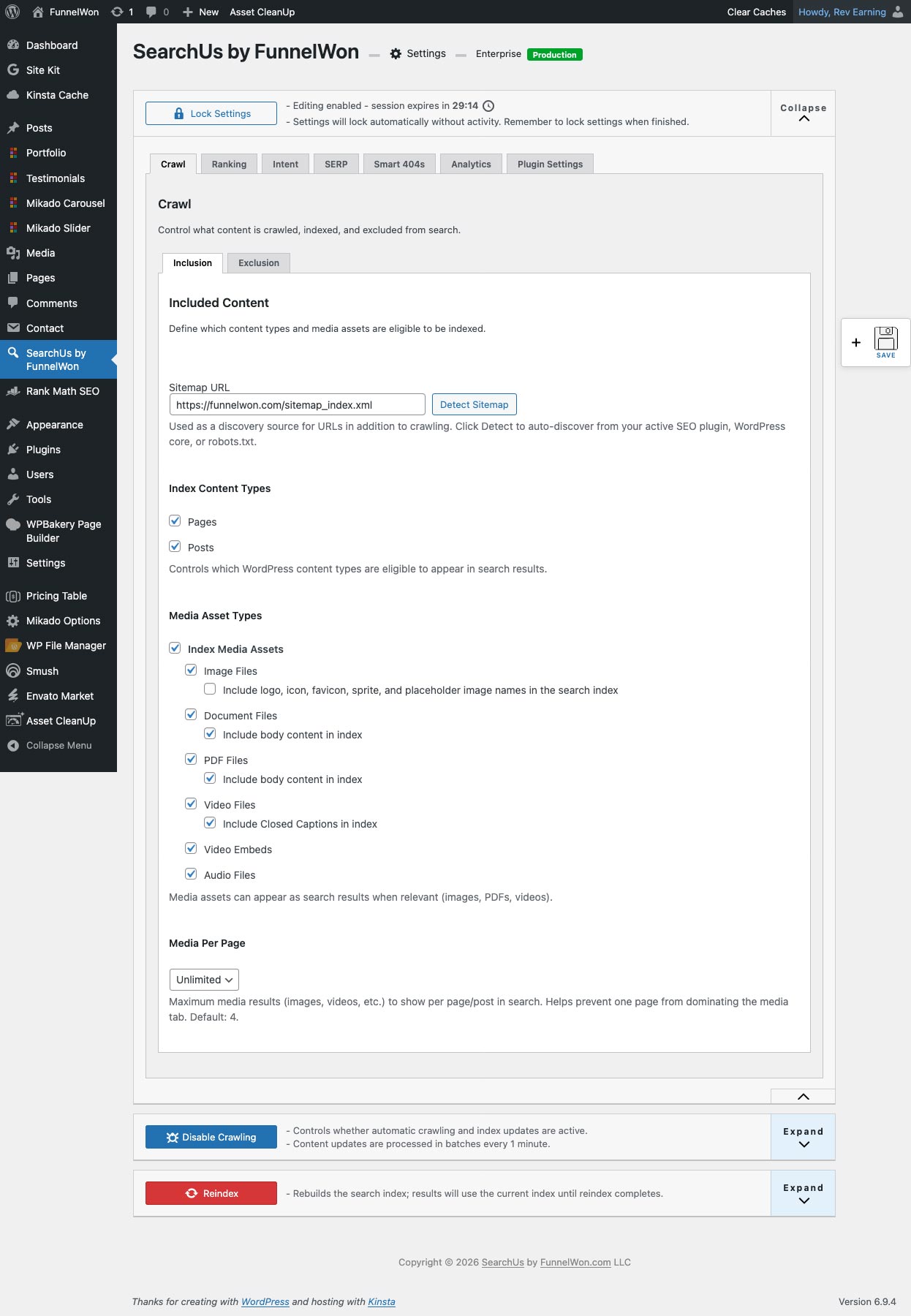
Choose which post types, products, and media types to index. Configure layouts, ranking, excerpts, results per page, Buy Now destination, excluded URLs, excluded page sections, and more from one settings area.
Requires PHP 7.4 or later.
After license activation, SearchUs securely communicates with the FunnelWon service for indexing, search queries, licensing, and plan usage. Free plans include a “Site Search by SearchUs.io” attribution link where applicable. Paid plans can remove attribution based on license level. SearchUs does not include third-party advertising or behavioral tracking.
Externe Dienste
This plugin connects to FunnelWon SearchUs (hosted API and account dashboard at https://searchus.io). Use of the service is subject to our Terms and Privacy (links below).
When data is sent
- License activation / validation – When you enter or refresh an API key (and on periodic checks the plugin performs).
- Indexing – When you run a full reindex, delta/index push, or auto-crawl sends content to build or update the remote index.
- Visitor search – After activation, each real visitor search counts toward the monthly search allowance (unless blocked locally as junk; see below). The service ranks a search when this site does not already have that result saved. A repeat search can be answered from the saved result on the site and still counts.
- Predictive Search (if turned on) – While a visitor types, the text typed so far is sent after a short pause to show preview results, with a random typing-session ID so the whole session counts as one search. The ID lives only in the open page (no cookie) and is not linked to the visitor. Word suggestions come from a word list the site downloads from the service after each index update; suggesting words sends nothing.
- Usage and configuration – When the admin loads usage, reindex eligibility, or optional cloud settings backup/sync features you use.
- Attribution check (free plans) – On free plans, the SearchUs service may load your site’s public search results and Smart 404 pages to confirm the SearchUs attribution is shown and its link is followed.
What is sent (summary)
- Site URL, API key, plugin version, site identifier, and technical headers needed for authentication and plan routing.
- Content and metadata you enable for indexing (titles, body areas, headings, product fields, media alt text, filenames, etc.).
- Visitor search query text, including text typed into Predictive Search (not used for third-party advertising).
- Aggregated usage for quotas (e.g. query counts, indexed URL counts, reindex allowance).
What stays on your server
- SearchUs analytics (on by default, can be turned off) is stored in your WordPress database only.
- Query guard (
core/query-guard.php) evaluates queries locally and does not send obvious bot/scanner probes to the API or third parties. Searches from crawlers, monitors and scripts (recognised by their user agent) are not sent or counted either. - A search result cache (transients) may store a recent result on the site for speed. A later search for the same text can use that saved result. It still counts as a visitor search. The cache is not shared with advertisers.
Legal
- Terms of Service: https://searchus.io/tos/
- Privacy Policy: https://searchus.io/privacy/
For more detail, see the Privacy section below and the in-plugin FAQ.
Privatsphäre
Licensing and API
When the plugin contacts FunnelWon’s (SearchUs) services—for license validation, indexing, search results, or configuration sync—it may send your site URL, API key (if you have entered one), plugin version, and other technical data needed to operate the service. Your site URL is used among other things to apply your plan and allowed environments (for example production, staging, and development URLs permitted under your license). After you complete license activation, indexing sends the content and metadata described in the plugin and settings (e.g. pages, posts, products). Each visitor search counts toward the monthly search allowance. Query text is sent when the site does not already have that result saved; a repeat answered from the saved result still counts. Before activation, those flows are not used for front-end ?s= requests.
Support (information you choose to share)
If you contact support, we may ask you to share diagnostic details so we can reproduce issues and spot conflicts—for example your hosting provider or environment, active WordPress theme (name and version), and list of active plugins, often by pasting Tools → Site Health → Info from your admin. You decide what to send; we use it only to troubleshoot (including cache and plugin conflicts) and improve compatibility. Unless a future feature clearly discloses it and asks for consent, the plugin does not automatically upload your theme or full plugin list to us solely for support.
What the plugin sends automatically (no separate ad or marketing profile)
- Site identity and licensing: your site URL (and any staging/dev URLs your license allows), API key if you enter one, plugin version, and related technical fields so we can validate the license, apply plan limits, and route API requests.
- Indexing: text and metadata from the content types you enable (e.g. titles, excerpts, body areas, headings, product fields, image alt text, file names)—only what is needed to build and update the search index.
- Search: each visitor search counts toward the plan’s monthly search allowance once license activation is complete. The service ranks the search when the site does not already have that result saved. A repeat can be answered from the saved result on the site and still counts. Until an API key is stored after activation, front-end
?s=search uses WordPress’s built-in search and is not sent to SearchUs. Queries are not used for third-party advertising. - In-plugin analytics (on by default, can be turned off in the Analytics tab): aggregated search and click counts stored on your WordPress site in its database. No cookies are used and nothing personal is stored. This data is not sent to FunnelWon; it stays on your server and is used for the Analytics tab and popular search suggestions (both can be turned off).
What we do not do
- We do not sell your site URL, license details, index payloads, search queries, or support diagnostics to third parties for advertising or to build ad profiles.
- The plugin does not load third-party advertising or behavioral-tracking scripts for FunnelWon’s benefit.
- We do not automatically upload your theme name, plugin list, or Site Health dump—only what you choose to send if you contact support.
Personal data (PII) in plain language
SearchUs is not designed to collect visitor identities for marketing. However, search queries can contain anything a visitor types, and indexed content may include names, emails, or other data you published on the site—those flows are part of normal search and indexing, not a separate “PII harvesting” feature. If you are a data controller for your site’s visitors, you should describe SearchUs in your privacy policy (and comply with applicable law). FunnelWon’s own handling of data received through the service is described in our policies below.
Terms of Service and Privacy Policy
Use of the hosted SearchUs service is governed by our Terms of Service and Privacy Policy on the SearchSaaS dashboard site:
- Terms of Service: https://searchus.io/tos/
- Privacy Policy: https://searchus.io/privacy/
For retention, security, legal bases, subprocessors, and other details, see the Privacy Policy link above. That policy governs FunnelWon / SearchUs as the service provider; your site still needs its own policy where required. The Privacy Policy is also published at https://funnelwon.com/privacy/ for convenience.
Third-party libraries
The plugin bundles Driver.js (https://github.com/kamranahmedse/driver.js) under the MIT License for the in-admin setup walkthrough. Source is included under admin/vendor/driver/.
Installation
- Upload the plugin folder to
/wp-content/plugins/(for examplesearchus/) or install via Plugins → Add New. - Activate the plugin. Complete free or paid license activation in SearchUs settings (register or paste an API key). The plugin creates a Search page; after activation, search and indexing use the SearchUs API as described in Privacy and External services. Until activation, visitor
?s=search stays on WordPress’s built-in search. - In the WordPress admin sidebar, open SearchUs – Site Search for WordPress and WooCommerce to lock settings, run a full reindex, and configure SERP, ranking, and Smart 404.
- Run “Full site reindex” at least once so the index is built. After that, optional auto-crawl can keep it updated.
Before the first successful reindex: With license activation complete and SearchUs handling visitor search (the default), searches are counted toward the monthly allowance and ranked by SearchUs when the site does not already have a saved result. If nothing has been indexed yet, visitors often see no results—the plugin does not switch back to WordPress’s built-in search in that mode. Run a full reindex as soon as setup allows. If you need core WordPress search until indexing finishes, choose WordPress Default Search Results under Results → Design & UX in settings.
Änderungsprotokoll
Price searches like “under $100” open Shopping on stores; related products on a product page no longer muddy that product’s search keywords (reindex/crawl to refresh); scheduled sale and price changes update search promptly.
3.1.10
- Improved: On stores with products, buying-intent price searches such as “under $100” and “everything under $100” open the Shopping view by default.
- Fixed: Related, upsell, and cross-sell product blocks on WooCommerce product pages are no longer indexed as that product’s own keywords, so neighbor titles (for example HP on a Chromebook page) stop polluting search. Affected products need a crawl or reindex to refresh.
- Improved: When a scheduled sale starts or ends, or a product’s price / sale price / regular price changes, SearchUs force-queues that product so sale pricing updates correctly in the search results without waiting for unrelated text edits.
3.1.9
- Fixed: Opened-page search-term highlighting marks matching words in the main page content and no longer highlights theme header menus. No reindex required.
- New: SERP Frame Width modes — Full Width (default), Auto Width (match theme header/footer content width), and Custom Width (px or %).
3.1.8
- New: SERP Frame Width under Results → Design & UX. Set a centered max width (px or %) for the SearchUs results block so your theme’s page background can show as side gutters. Empty stays full width.
- New: Highlight Search Terms settings now live under Results → Design & UX (below Text Direction) instead of a separate Highlight tab.
- Improved: Admin labels — main tab Results (was SERP), section Search Results Experience, first sub-tab Design & UX (was Layout).
3.1.7
- Improved: Spelling help is clearer. “No results for …” appears in red above the results heading; unmatched words stay crossed out on spelling and partial fixes; words the spelling fix replaced are crossed out in the search box until you edit them. Predictive Search uses the same order and crosses out unmatched words on the query being shown.
- New: Short words under Intent → Words. SearchUs can keep catalog two-letter words (TV, HP, sizes), you can Keep or Ignore your own list, and changing the list asks for a reindex so older pages match.
- New: Optional Internal Backlink Text (inbound) under Ranking. When on, words from links that open a page help that page rank for those words after a full reindex.
- Improved: Curly quotes, inch marks, and similar punctuation match normal typing. No reindex required.
- Improved: On WooCommerce stores, products are indexed from a fresh install without an extra content-types save. Price, stock, and option changes are sent even when the product text did not change.
- Improved: Product and media titles keep hyphens and model spelling as stored (USB-C, Zip-Off).
- Improved: Shopping filters follow typed categories, colors, and sizes more accurately; the drawer shows live counts, “All …” options, filters-only browsing, and a prompt if you close with unapplied edits. Variant aliases also drive which filters get checked.
- Improved: Add to Cart / Buy Now preselect follows the drawer and typed options together (including paired color-by-category), so the wrong shade is not chosen via aliases.
- Improved: Suggest More for synonyms and variant aliases; color starter lists include your store’s colors and editable built-in color words.
- Improved: Settings Lock no longer blocks plan, URL allowance, or environment updates from SearchUs.
- Improved: The first save of search settings (and short words / aliases / synonyms) pushes them to SearchUs, not only later saves.
- Improved: After a full reindex, the completion summary can show the URL count from the job when the service sends it.
- More automated junk probes are ignored and are not counted.
3.1.6
- Improved: Smarter spelling help. Misspelled searches show results for the corrected words, with up to three “Did you mean” suggestions that always have results.
- Improved: A word that matches nothing is crossed out instead of hiding the other results.
- Improved: Pages load with fewer database queries and less memory.
- Improved: The search page loads faster when it’s opened without a search.
- Updated: The bundled PDF reader libraries.
3.1.5
- Improved: Repeat searches load faster.
- Improved: On servers without the pdftotext tool, PDF indexing no longer tries it for every PDF.
Screenshots


Für Entwickler
Ist das dein Plugin? Zeigen Sie die Zahlen.
Fügen Sie Ihrer Website, Docs oder GitHub Readme ein Live-Badge hinzu. Es wird von selbst aktualisiert - kein Konto erforderlich.
Best SearchUs alternatives
All internal search plugins →| Rang | Plugin | Aktive Installationen |
|---|---|---|
| 1 |
 Search Engine query in WordPress
If the visitor comes from a known search engine, the widget grabs the used search query and… |
10+ |
| 2 |
 FloInfo38 Search Tool
A search form that searches your pages and posts – no code needed. |
<10 |
Fragen und Antworten
SearchUs: quick answers
Gerade Antworten, gezogen von Live WordPress.org Daten.
Quelle: WordPress.org
Is SearchUs free?
Yes. SearchUs is free to download and use from the official WordPress.org plugin directory.
Is SearchUs safe to use in 2026?
SearchUs is a solid plugin choice in 2026, with a few things worth checking first. Is rated 5/5 and was last updated 1 day ago, and scores 71/100 on our health check.
How many websites use SearchUs?
SearchUs is active on <10 WordPress websites and has been downloaded 2,278 times since it launched in July 2026. It was downloaded 691 times in the last 30 days.
Does SearchUs work with WordPress 7.1?
Yes. The developer has tested SearchUs up to WordPress 7.1.5, the latest release. It requires WordPress 5.9 or newer.
What PHP version does SearchUs need?
SearchUs requires PHP 7.4 or higher. Most hosts run PHP 8.x today, so it works on any modern WordPress hosting.
When was SearchUs last updated?
The latest version, 3.1.10, was released on November 28, 2026 (1 day ago).
Who makes SearchUs?
SearchUs is developed and maintained by funnelwon.
What are the best alternatives to SearchUs?
The most popular alternatives to SearchUs are Search Engine query in Word… (10+ installs) and FloInfo38 Search Tool (<10 installs).
Angetrieben von PageForge
Eine Vorlage und eine Tabelle. Eine echte Seite für jede Suche.
PageForge Verwandelt jede Zeile eines CSV in eine WordPress-Seite mit eigenem Titel, URL, SEO Felder und Schema entworfen. Kostenlos auf WordPress.org.
- CSV und XLSX, plus Google Sheets auf Beruf und Unternehmen
- seinen eigenen Titel, URL, SEO Felder und Schema für jede Seite
- Arbeitet mit dem Blockeditor, Elementor, Divi und Avada
- Kostenlos auf WordPress.org, keine Kreditkarte