


ScreenGlow Image Editor – Beautify, Mockup, Annotate, and Edit Images and Screenshots
Paste or upload screenshots or images, create mockups, add backgrounds, and annotate screenshots. All directly from your Media Library or editor.

Solide Wahl
ScreenGlow Image Editor is a solid plugin choice in 2026, with a few things worth checking first. It runs on 60+ sites, is rated 5/5 and was last updated 4 weeks ago, and scores 70/100 on our health check.
- Aktiv entwickelt — letztes Update vor 4 Wochen
- Small user base (60+ active installs)
- Bisher sehr wenige Bewertungen
Wie stapelt es sich?
Side-by-side bei Installationen, Updates, Bewertungen und Support



Tägliche Downloads
Download-Spitzen folgen normalerweise einer neuen Version - jede Website, die automatisch aktualisiert wird, gilt als Download.
Ranglisten
Where ScreenGlow Image Editor stands todayWordPress.org Ranglisten suchen
Live-Position in der Plugin-Suche, Top 100| Stichwort | Position |
|---|---|
| annotate | #1 |
| Image editor | >100 |
| mockup | #1 |
| Paste | #83 |
| screenshot | #7 |
Versionsübernahme
Anteil aktiver Sites pro Release.
Bewertungsaufschlüsselung
★★★★★★★★★★ 5 from 1 reviews
About ScreenGlow Image Editor
From the official readme · v1.1.15Beschreibung
Effortlessly create stunning images with ScreenGlow. Paste, upload and edit images and screenshots, create mockups, add backgrounds, annotate screenshots, and beautify designs — all within your WordPress dashboard. ScreenGlow is the ultimate tool to elevate your website’s visual storytelling with just a few clicks!
Merkmale
📋 Paste Screenshots Directly: Quickly paste screenshots from your clipboard into the Media Library using Ctrl/Cmd+V.
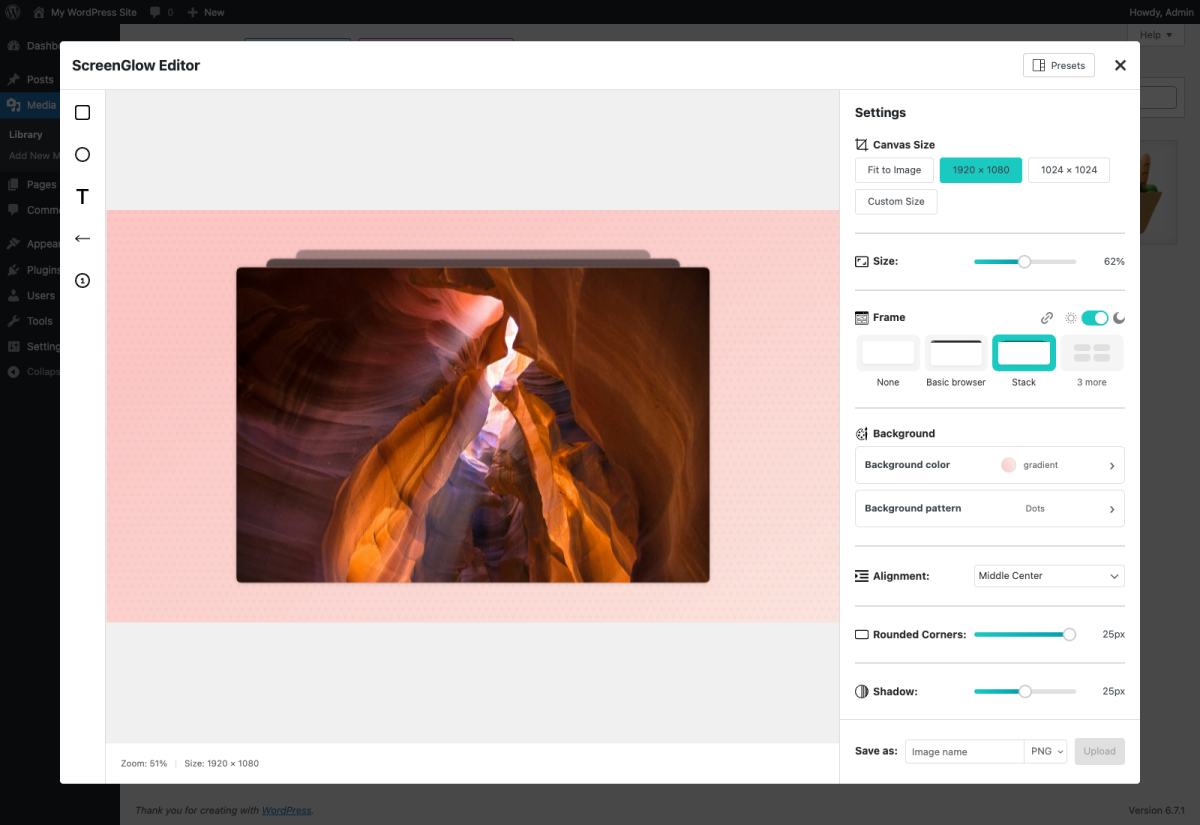
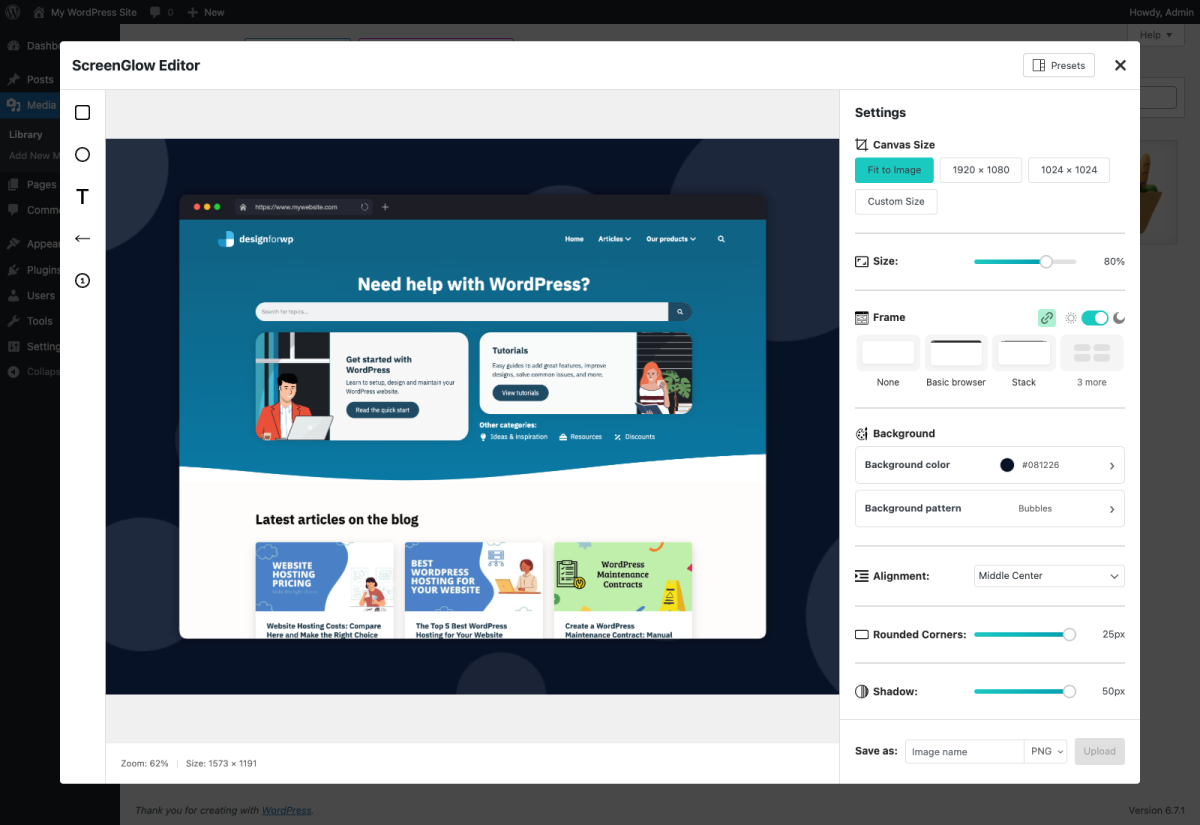
🖥️ Create Beautiful Mockups in One Click: Transform plain screenshots into polished visuals with customizable mockups, like browser windows.
↔️ Resize Images: Resize images to fit perfectly with pre-defined or custom dimensions.
🌅 Add Stunning Backgrounds: Enhance your visuals with background colors, gradients, and patterns.
🧑🎨 Image Filters & Styling: Style your images with filters, such as contrast & saturation, rounded corners, drop shadows, grayscale image, and more.
⭕️ Add Annotations: Use arrows, shapes, text and more to highlight key parts of your images and screenshots.
🚀 Lightweight & Optimized: ScreenGlow is built for speed, with custom settings to ensure your WordPress site runs smoothly.
🔌 WordPress-Friendly: Built to work effortlessly with WordPress’ Media Library for a smooth editing experience.
Experience all of these features for free!
Learn more about everything ScreenGlow has to offer.
Integrate with Ease 🪢
The ScreenGlow image editor seamlessly integrates with the WordPress Media Library, supporting media upload modals in the most popular pages and page builders:
- Default WordPress Media Library
- Classic page builder
- Elementor
- Gutenberg
- and more…
More Features with ScreenGlow Premium ⭐
Upgrade to ScreenGlow Premium and unlock exclusive tools for screenshot and image edit tasks. Enjoy a 14-day money-back guarantee when you upgrade!
📄 Presets: Save your settings as presets for one-click application.
🖼️ More frames & patterns: Access an expanded collection of exclusive frames and patterns.
↙️ Image crop: Easily crop images on the canvas.
👥 User role management: Specify which user roles can access the image editor.
♾️ Access to Updates: Enjoy access to future updates, including new frames and patterns.
Installation
Easy installation
- Go to the Add New Plugin page in your WordPress admin.
- Search for “ScreenGlow” and select the plugin from the results.
- Installieren und aktivieren Sie das Plugin.
- Find more info under Tools -> ScreenGlow once the plugin is activated.
Advanced installation
- Laden Sie den Ordner
screenglowin das/wp-content/plugins/-Verzeichnis hoch. - Activate the plugin from the ‘Plugins’ menu in WordPress.
- Find more info under Tools -> ScreenGlow once the plugin is activated.
Änderungsprotokoll
1.1.15
- Improvement: SDK security update.
1.1.14
- Improvement: Compatibility with WordPress 7.0.
1.1.13
- Improvement: Enhanced and added additional security validation checks
1.1.12
- Fix: Fixed a few minor issues related to image pasting and annotations.
1.1.11
- Improvement: It is now possible to zoom in or out during image cropping.
- Improvement: When pasting a new image onto an open ScreenGlow canvas, you can now choose to either replace the current image or start a new project.
- Improvement: Use keyboard arrows to move annotations around.
1.1.10
- Fix: Resolved an issue that caused exported images to appear blurry in certain cases.
- Improvement: Package updates.
Screenshots

Für Entwickler
Ist das dein Plugin? Zeigen Sie die Zahlen.
Fügen Sie Ihrer Website, Docs oder GitHub Readme ein Live-Badge hinzu. Es wird von selbst aktualisiert - kein Konto erforderlich.
Best ScreenGlow Image Editor alternatives
All annotate plugins →Fragen und Antworten
ScreenGlow Image Editor: quick answers
Gerade Antworten, gezogen von Live WordPress.org Daten.
Quelle: WordPress.org
Is ScreenGlow Image Editor free?
Yes. ScreenGlow Image Editor is free to download and use from the official WordPress.org plugin directory.
Is ScreenGlow Image Editor safe to use in 2026?
ScreenGlow Image Editor is a solid plugin choice in 2026, with a few things worth checking first. It runs on 60+ sites, is rated 5/5 and was last updated 4 weeks ago, and scores 70/100 on our health check.
How many websites use ScreenGlow Image Editor?
ScreenGlow Image Editor is active on 60+ WordPress websites and has been downloaded 3,238 times since it launched in January 2025. It was downloaded 341 times in the last 30 days.
Does ScreenGlow Image Editor work with WordPress 7.1?
ScreenGlow Image Editor is officially tested up to WordPress 7.0.9, while the latest release is 7.1.5. It may still work, but try it on a staging site first.
What PHP version does ScreenGlow Image Editor need?
ScreenGlow Image Editor requires PHP 7.4 or higher. Most hosts run PHP 8.x today, so it works on any modern WordPress hosting.
When was ScreenGlow Image Editor last updated?
The latest version, 1.1.15, was released on October 22, 2026 (4 weeks ago).
Who makes ScreenGlow Image Editor?
ScreenGlow Image Editor is developed and maintained by Design for WP.
What are the best alternatives to ScreenGlow Image Editor?
The most popular alternatives to ScreenGlow Image Editor are Side Matter (100+ installs), Annotation Plugin (10+ installs) and Diigo Bookmarks Widget (10+ installs).
Angetrieben von PageForge
Eine Vorlage und eine Tabelle. Eine echte Seite für jede Suche.
PageForge Verwandelt jede Zeile eines CSV in eine WordPress-Seite mit eigenem Titel, URL, SEO Felder und Schema entworfen. Kostenlos auf WordPress.org.
- CSV und XLSX, plus Google Sheets auf Beruf und Unternehmen
- seinen eigenen Titel, URL, SEO Felder und Schema für jede Seite
- Arbeitet mit dem Blockeditor, Elementor, Divi und Avada
- Kostenlos auf WordPress.org, keine Kreditkarte