

FormsDB – Save Elementor Forms to Google Sheets & Post Type
Connect Elementor forms with Google Sheets to sync form entries, or save form submissions in any post type using Elementor Pro or Hello Plus forms.

Solide Wahl
FormsDB is a solid plugin choice in 2026, with a few things worth checking first. It runs on 20K+ sites, is rated 4.6/5 and was last updated 3 months ago, and scores 79/100 on our health check.
- Bewährt auf 20.000 aktiven Standorten
- Getestet mit dem neuesten WordPress (7.1)
Wie stapelt es sich?
Side-by-side bei Installationen, Updates, Bewertungen und Support



Tägliche Downloads
Download-Spitzen folgen normalerweise einer neuen Version - jede Website, die automatisch aktualisiert wird, gilt als Download.
Ranglisten
Where FormsDB stands todayWordPress.org Ranglisten suchen
Live-Position in der Plugin-Suche, Top 100| Stichwort | Position |
|---|---|
| contact form db | #5 |
| elementor forms | #19 |
| form entries | #23 |
| form submissions | #27 |
| Google Sheets | #7 |
Versionsübernahme
Anteil aktiver Sites pro Release.
Bewertungsaufschlüsselung
★★★★★★★★★★ 4.6 from 19 reviews
About FormsDB
From the official readme · v2.1.12Beschreibung
FormsDB is a useful addon for Elementor Forms that lets you connect Elementor forms with Google Sheets to sync form entries or save form submissions into any WordPress post type.
FormsDB works with both Elementor Pro and Hello Plus forms. It helps you store Hello Plus form submissions in WordPress and also send form data to Google Sheets or use Elementor forms as frontend post submission forms for creating posts, pages, or custom post types.
👉 Elementor Forms to GSheets – Video Tutorials
To extend Elementor form features further, you can use Cool FormKit along with FormsDB to unlock advanced features such as Range Slider, Signature Field, Conditional Logic, Calculator, and many more advanced fields to build smarter and more dynamic forms with Elementor.
Important Notice: From version 2.0.0, this plugin has been acquired, fully rebuilt, and rebranded as FormsDB by Cool Plugins. It has been redesigned with new features like Google Sheets sync and frontend post submission, as its earlier functionality is now available within Elementor Pro. If you were using older versions, you can export previous entries from the FormsDB → Old Submissions tab.
FormsDB Plugin Features
-
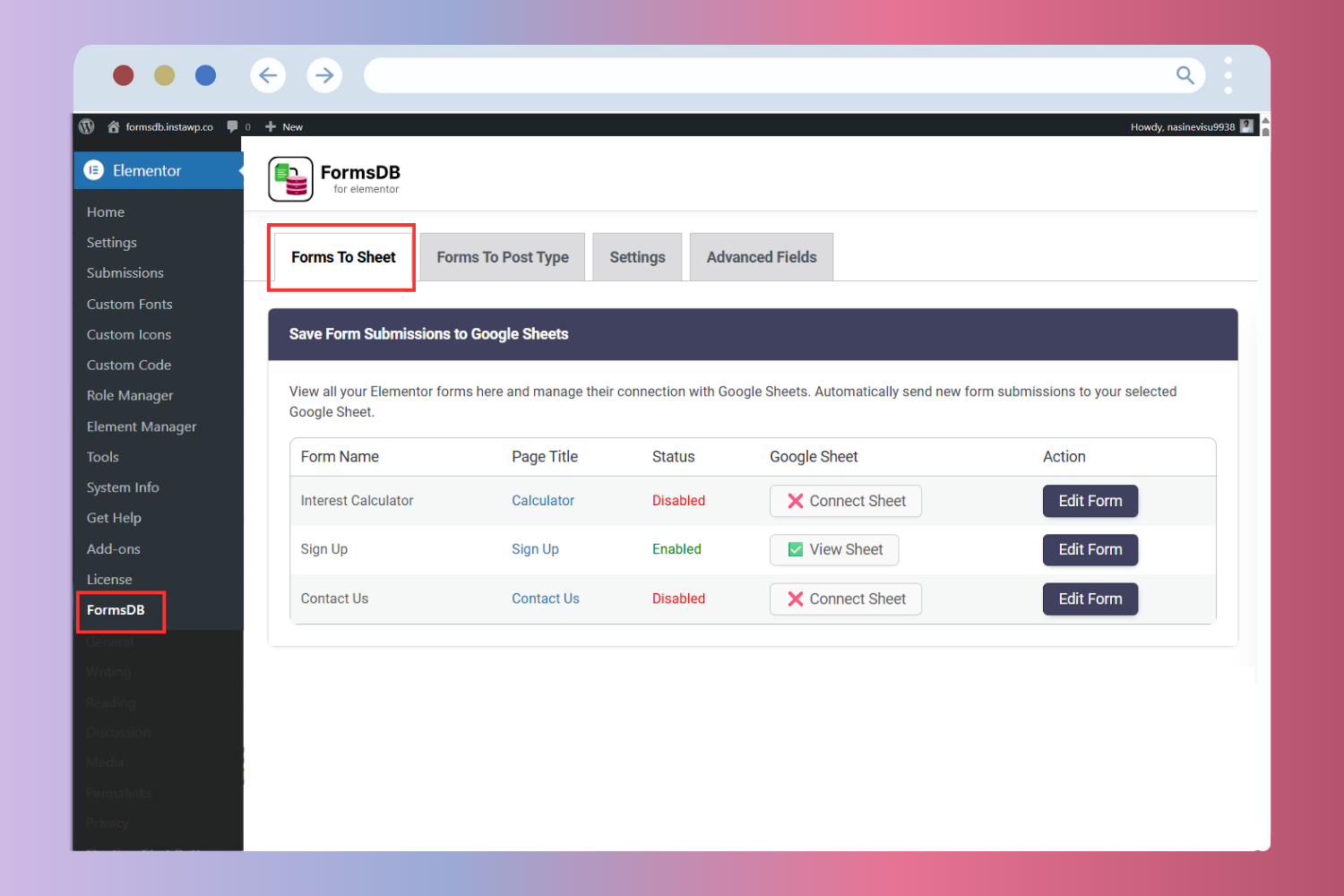
Sync Elementor Forms with Google Sheets
Connect Elementor forms with Google Sheets and sync form entries in real time. Create a new sheet or select an existing one, add new tabs automatically, and choose which form fields to save. FormsDB acts as a secure connector and can store data like name, email, IP address, page URL, and submission date. Data is synced instantly using secure Google authentication, and no Google account or Drive data is stored by the plugin author. -
Send Form Submissions to Post Type
Use Elementor forms as frontend post submission forms and create WordPress posts automatically from form entries. Send submitted data to any post type, including posts, pages, or custom post types. This is useful for testimonials, reviews, listings, events, job posts, or other user-generated content without giving admin access. -
Save Hello Plus Form Entries
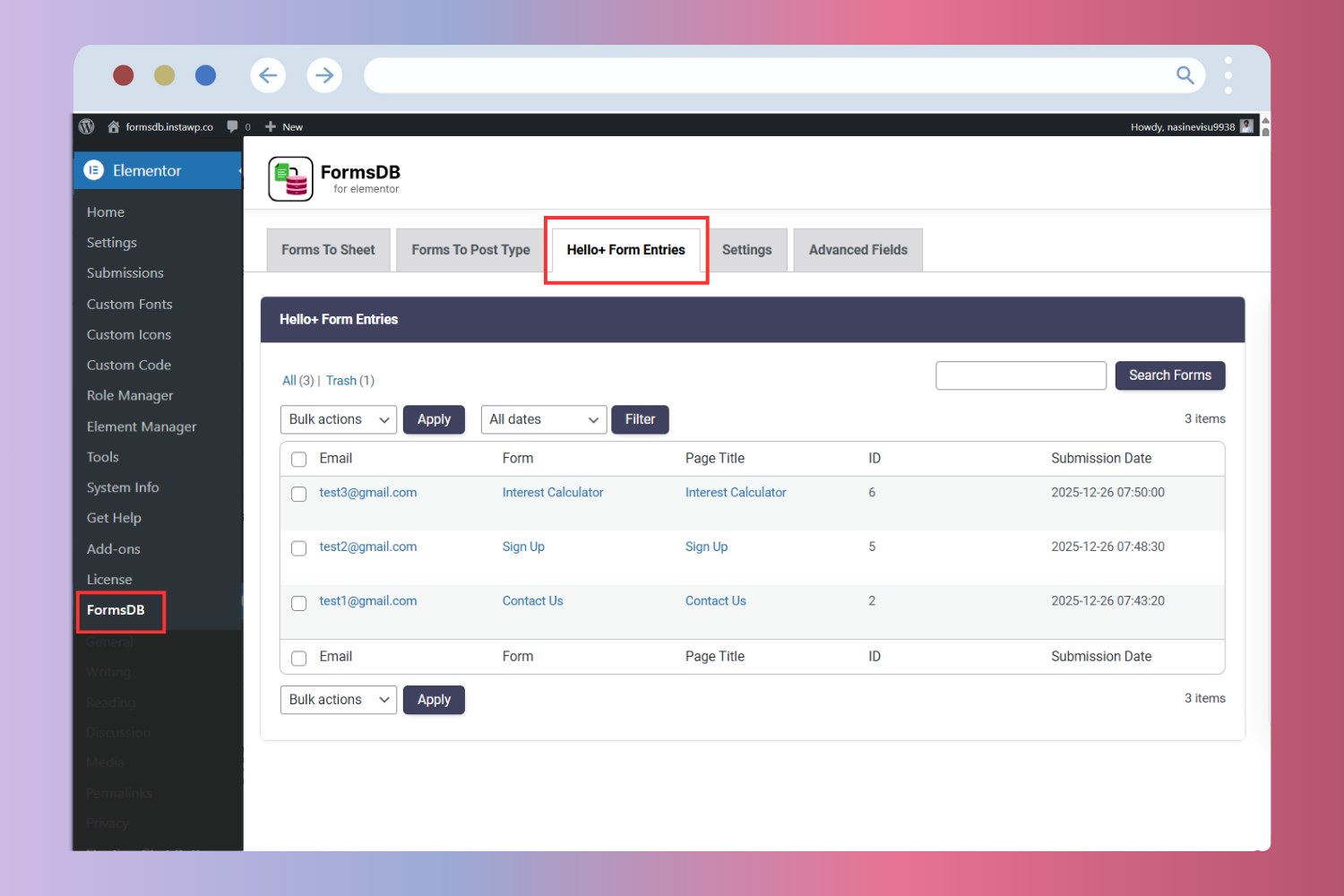
FormsDB saves Hello Plus form submissions in the WordPress admin, allowing you to view, manage, and export entries from a single dashboard. -
Modern Dashboard for Easy Management
FormsDB includes a clean dashboard inside WordPress admin that shows all Elementor forms and their connection status with Google Sheets or post types. You can manage all integrations from Elementor → FormsDB.
Who Should Use FormsDB
FormsDB is ideal for website owners and teams who use Elementor forms and want better control over form submissions.
- Website owners who want to save Elementor form submissions to Google Sheets for easy tracking and reporting.
- Marketing teams managing leads collected from Elementor or Hello Plus forms.
- Business owners who want frontend content submission without giving users admin access.
- Agencies and freelancers building lead forms, testimonial forms, or custom submission forms for clients.
- Hello Plus users who want to store form submissions inside WordPress.
- Developers who need a simple connector between Elementor Forms, Google Sheets, and WordPress post types.
More Essential Addons for Elementor Forms
Along with FormsDB, you can use these additional Elementor form addons to build more flexible and feature-rich forms.
-
Conditional Fields for Elementor Form
Add conditional logic to Elementor form fields and dynamically show or hide inputs based on user choices. This helps create cleaner forms and improves the overall user experience. -
Country Code for Elementor Form Telephone Field
Add a country code dropdown to phone fields so users can easily select their country while entering mobile numbers, ensuring accurate and properly formatted submissions. -
Cool FormKit
Cool FormKit is a complete form builder for Elementor Free and Pro. It extends Elementor Pro forms with advanced fields and also provides a dedicated form builder for Elementor Free users. Popular features include:
👉 View all Cool FormKit features
Other Popular Elementor Addons by Cool Plugins
Cool Plugins also provides these powerful Elementor addons that help you extend design, content, and workflow capabilities across WordPress websites.
-
Loop Grid Extender for Elementor Pro
Enhance Elementor Pro Loop Grids by adding support for ACF Repeater fields and advanced taxonomy-based filtering options. -
AutoPoly – AI Translation for Polylang
Automatically translate Elementor pages using AI and build multilingual websites faster with Polylang integration. -
Timeline Widget for Elementor
Create visually engaging vertical or horizontal timelines to display company history, milestones, roadmaps, or events inside Elementor pages. -
Events Widgets for Elementor
Easily add The Events Calendar widgets to Elementor and display events in grid, list, or carousel layouts. -
LocoAI – AI Translation for Loco Translate
Translate WordPress plugins and themes automatically using AI with one-click string translation inside Loco Translate.
FormsDB is a fully open-source plugin. You can view the complete source code on GitHub – https://github.com/CoolPluginsTeam/sb-elementor-contact-form-db
Use of 3rd Party Services: This plugin connects to the Cool Plugins feedback server only for optional usage data sharing and voluntary feedback submission (for example, during plugin deactivation). Data is transmitted solely after explicit user consent. No hidden tracking is performed, and no frontend visitor or site user data is collected. For more details, please review our Data Usage Policy, TOS, and Privacy Policy and this plugin also uses
Google APIs Client Library for PHP for Google Sheets integration, which is licensed under Apache License 2.0.
Installation
Follow the steps below to install and set up FormsDB for Elementor Forms.
1. Install and Activate the Plugin
- Go to Plugins → Add New in your WordPress admin.
- Search for FormsDB and install the plugin.
- Klicken Sie auf Aktivieren.
Note: FormsDB works with Elementor Pro or Hello Plus. Please make sure one of them is installed and activated.
2. Access FormsDB Settings
- After activation, go to Elementor → FormsDB in your WordPress admin.
- You will see the following sections:
- Forms to Sheets
- Forms to Post Type
- Einstellungen
- Old Submissions (for users upgrading from older versions)
These sections help you manage all form integrations from one place.
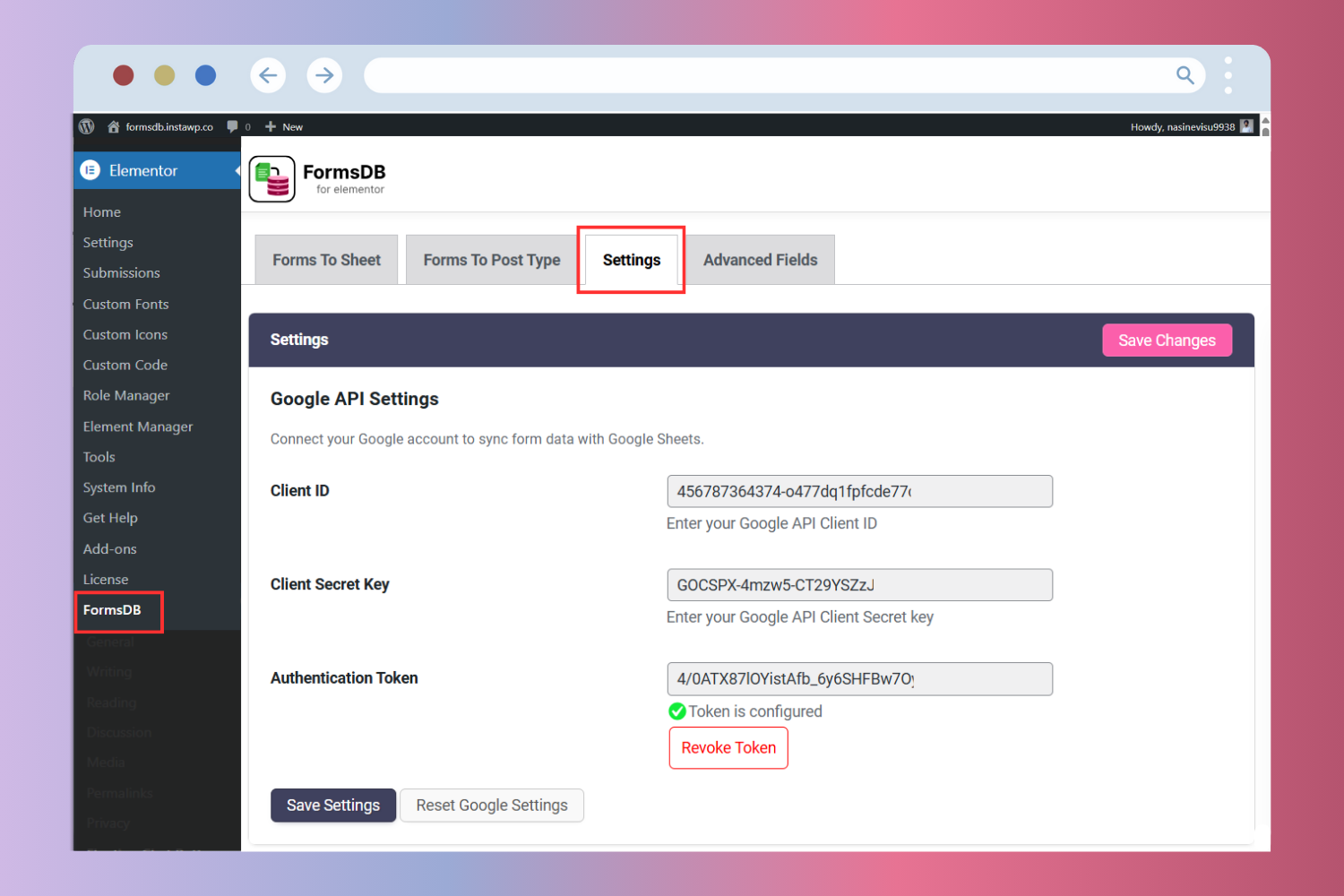
3. Connect Google Sheets
To sync Elementor form submissions with Google Sheets:
- Open Elementor → FormsDB → Settings.
- Enter your Google API Client ID and Client Secret.
- Connect your Google account to complete the setup.
👉 Google API Setup to Connect with Google Sheets
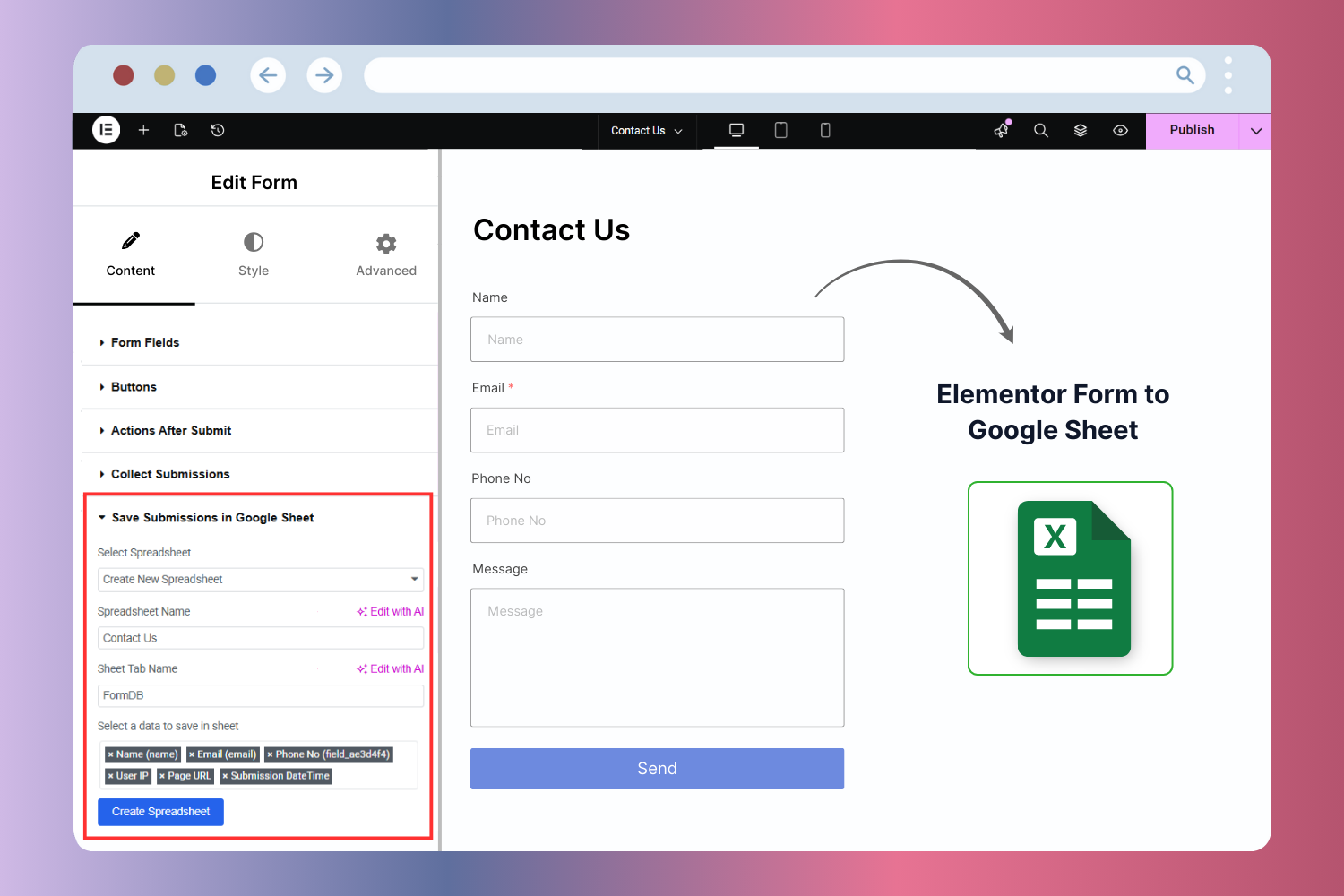
4. Save Form Submissions to Google Sheets
- Edit your form using Elementor.
- Go to Actions After Submit.
- Select Save Submissions to Google Sheets.
- Choose the Google Sheet, tab, and form fields you want to save.
- Update the page.
👉 Sync Elementor Form with Google Sheets
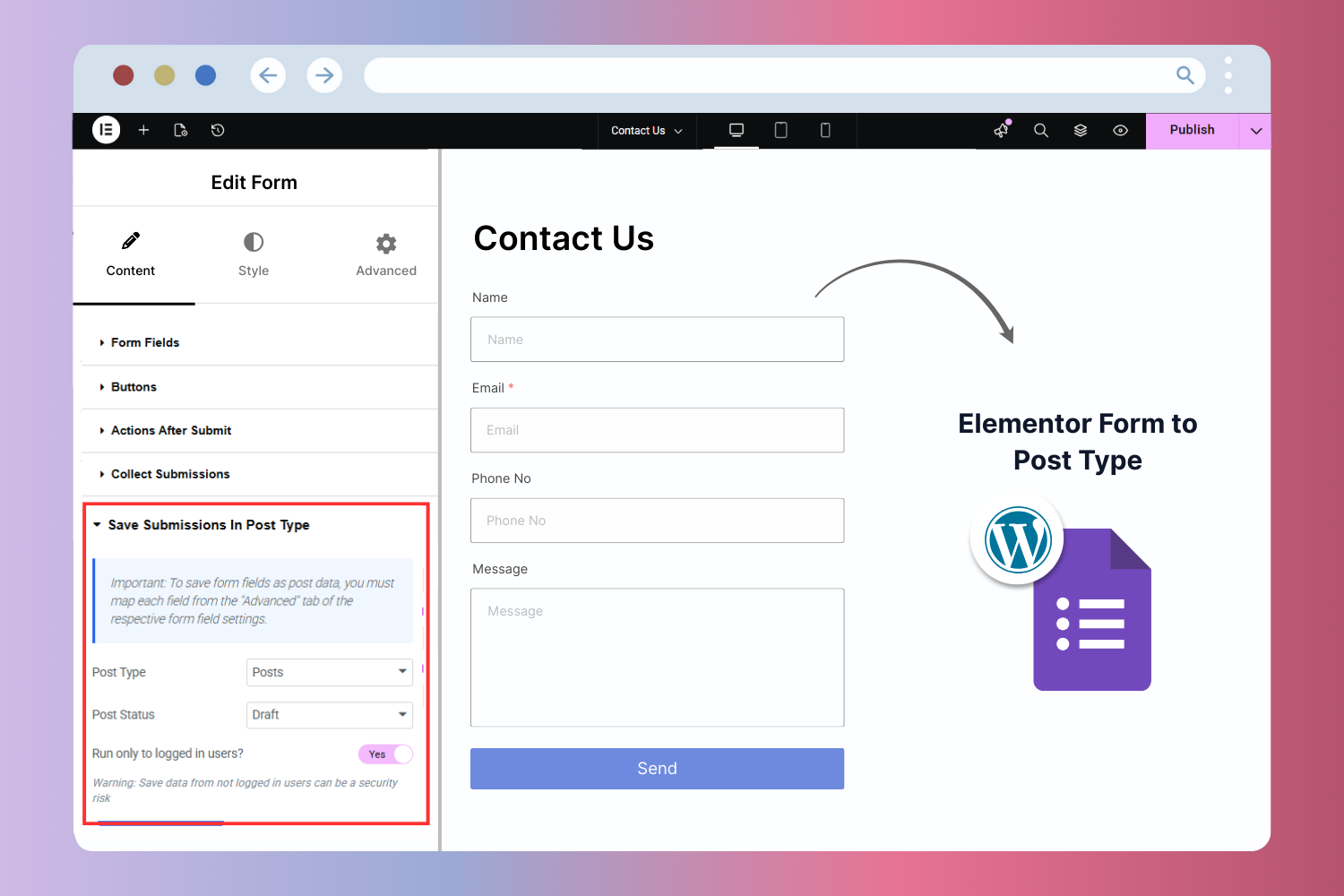
5. Save Form Submissions to WordPress Post Type
- Edit the form in Elementor.
- Under Actions After Submit, select Save Submissions to Post Type.
- Choose the post type, map form fields, and select the post status (Publish or Draft).
- Save the form.
👉 Save Elementor Form Submissions to Post Type
6. Save Hello Plus Form Entries
- Edit a Hello Plus form.
- Under Actions After Submit, enable Save Submission.
- Update the form.
Änderungsprotokoll
This is a major update where the plugin has been fully rebuilt and rebranded as FormsDB by Cool Plugins. The new version introduces Google Sheets sync, frontend post submission, and Hello Plus form entry support, as the old functionality is now available inside Elementor Pro. Users upgrading from older versions can export previous entries from FormsDB → Old Submissions after updating.
2.1.12 (Jul 31, 2026)
- Tested up to Elementor 4.2.1 and Elementor Pro 4.2.1.
2.1.11 (Jul 09, 2026)
- Improved Plugin code quality.
2.1.10 (Jun 16, 2026)
- Improved Plugin code quality and security.
2.1.9 (Jun 16, 2026)
- Fixed Bug fixes.
2.1.8 (Jun 16, 2026)
- Improved Cleaned up the notice registration logic for better readability.
- Tested up to Elementor 4.1.3 and Elementor Pro 4.1.1.
2.1.7 (Feb 17, 2026)
- Added support to save Cool FormKit Lite form submissions to Google Sheets and a post type.
- Improved Other plugin recommendations for Elementor users.
- Fixed issues reported by “Plugin Check” plugin.
Screenshots
Für Entwickler
Ist das dein Plugin? Zeigen Sie die Zahlen.
Fügen Sie Ihrer Website, Docs oder GitHub Readme ein Live-Badge hinzu. Es wird von selbst aktualisiert - kein Konto erforderlich.
Best FormsDB alternatives
All contact form db plugins →



Fragen und Antworten
FormsDB: quick answers
Gerade Antworten, gezogen von Live WordPress.org Daten.
Quelle: WordPress.org
Is FormsDB free?
Yes. FormsDB is free to download and use from the official WordPress.org plugin directory.
Is FormsDB safe to use in 2026?
FormsDB is a solid plugin choice in 2026, with a few things worth checking first. It runs on 20K+ sites, is rated 4.6/5 and was last updated 3 months ago, and scores 79/100 on our health check.
How many websites use FormsDB?
FormsDB is active on 20K+ WordPress websites and has been downloaded 511,664 times since it launched in May 2019. It was downloaded 6,487 times in the last 30 days.
Does FormsDB work with WordPress 7.1?
Yes. The developer has tested FormsDB up to WordPress 7.1.5, the latest release. It requires WordPress 5.0 or newer.
What PHP version does FormsDB need?
FormsDB requires PHP 7.4 or higher. Most hosts run PHP 8.x today, so it works on any modern WordPress hosting.
When was FormsDB last updated?
The latest version, 2.1.12, was released on September 1, 2026 (3 months ago).
Who makes FormsDB?
FormsDB is developed and maintained by Cool Plugins.
What are the best alternatives to FormsDB?
The most popular alternatives to FormsDB are Vsourz Form Entries for Con… (60K+ installs), Lenix Leads Collector (10K+ installs) and Form Vibes (10K+ installs).
Angetrieben von PageForge
Eine Vorlage und eine Tabelle. Eine echte Seite für jede Suche.
PageForge Verwandelt jede Zeile eines CSV in eine WordPress-Seite mit eigenem Titel, URL, SEO Felder und Schema entworfen. Kostenlos auf WordPress.org.
- CSV und XLSX, plus Google Sheets auf Beruf und Unternehmen
- seinen eigenen Titel, URL, SEO Felder und Schema für jede Seite
- Arbeitet mit dem Blockeditor, Elementor, Divi und Avada
- Kostenlos auf WordPress.org, keine Kreditkarte