

Responsive Block Visibility Swap
Easily hide and show Gutenberg blocks based on the screen size to create responsive website layouts. With Responsive Block Visibility Swap, you can optimize your content for different devices and enhance the user…

Betrachten Sie eine Alternative
Responsive Block Visibility Swap shows warning signs in 2026 — compare the alternatives below before installing. It runs on 80+ sites, is rated 5/5 and was last updated 3 years ago, and scores 32/100 on our health check.
- Kleine Benutzerbasis (80+ aktive Installationen)
- Bisher sehr wenige Bewertungen
- Kein Update in 2 Jahren
- Nur getestet bis WordPress 6.5 (letzt ist 7.1)
Wie stapelt es sich?
Side-by-side bei Installationen, Updates, Bewertungen und Support



Tägliche Downloads
Download-Spitzen folgen normalerweise einer neuen Version - jede Website, die automatisch aktualisiert wird, gilt als Download.
Ranglisten
Where Responsive Block Visibility… stands todayWordPress.org Ranglisten suchen
Live-Position in der Plugin-Suche, Top 100| Stichwort | Position |
|---|---|
| Block | >100 |
| device | >100 |
| Gutenberg | >100 |
| ansprechbar | >100 |
| visibility | >100 |
Versionsübernahme
Anteil aktiver Sites pro Release.
Bewertungsaufschlüsselung
★★★★★★★★★★ 5 from 1 reviews
About Responsive Block Visibility Swap
Aus der offiziellen Readme · V1.0.3Beschreibung
Easily hide and show Gutenberg blocks based on the screen size to create responsive website layouts. With Responsive Block Visibility Swap, you can optimize your content for different devices and enhance the user experience.
What’s Coming Next
-
Additional Device Support:
Get ready for enhanced flexibility! In the upcoming update, we’re planning to introduce additional device support, allowing you to define more devices for precise control over block visibility. We have added support for mobile, tablet, and desktop devices and will be adding mobile landscape, tablet landscape, laptop, and widescreen support in the future. -
Adjustable Media Query Width:
Fine-tune your responsive layout like never before! We’re also planning to include the ability to adjust the media query width for each device, giving you greater control over how your blocks behave across different screen sizes. Whether you prefer pixel-perfect precision or a more fluid design, this feature will empower you to optimize your content for any device.
*Stay Updated:
Keep an eye out for future announcements and updates as we work to bring these exciting features to life. We’re committed to providing you with the tools you need to create exceptional, responsive content with ease.
Feedback and Suggestions
Your feedback is invaluable to us! If you have any thoughts, ideas, or suggestions for how we can improve our plugin or make these upcoming features even better, we’d love to hear from you. Please don’t hesitate to reach out to our team with your input.
Donate
Your willingness to donate or help others is truly appreciated and can bring joy to those in need. Thank you for considering it!
Installation
- Upload the plugin files to the
/wp-content/plugins/responsive-block-swapdirectory, or install the plugin through the WordPress plugins directory. - Aktivieren Sie das Plugin über den Bildschirm „Plugins“ in WordPress.
Änderungsprotokoll
If you face any problems installing from the WordPress Plugins Repository then follow the below steps 1.Go to link 2. Select the Latest Released Branch and click on the code 3. Now you will see a Download Zip button 4. Click on it you will get a zip version of the plugin
1.0.1
- Fixed: Hide block instead of overlay on block in site editor.
- Improvement: Replaced deprecated functions with new ones.
- Improvement: Performance optimization & code refactoring.
1.0.0
- Erste Freigabe.
Screenshots
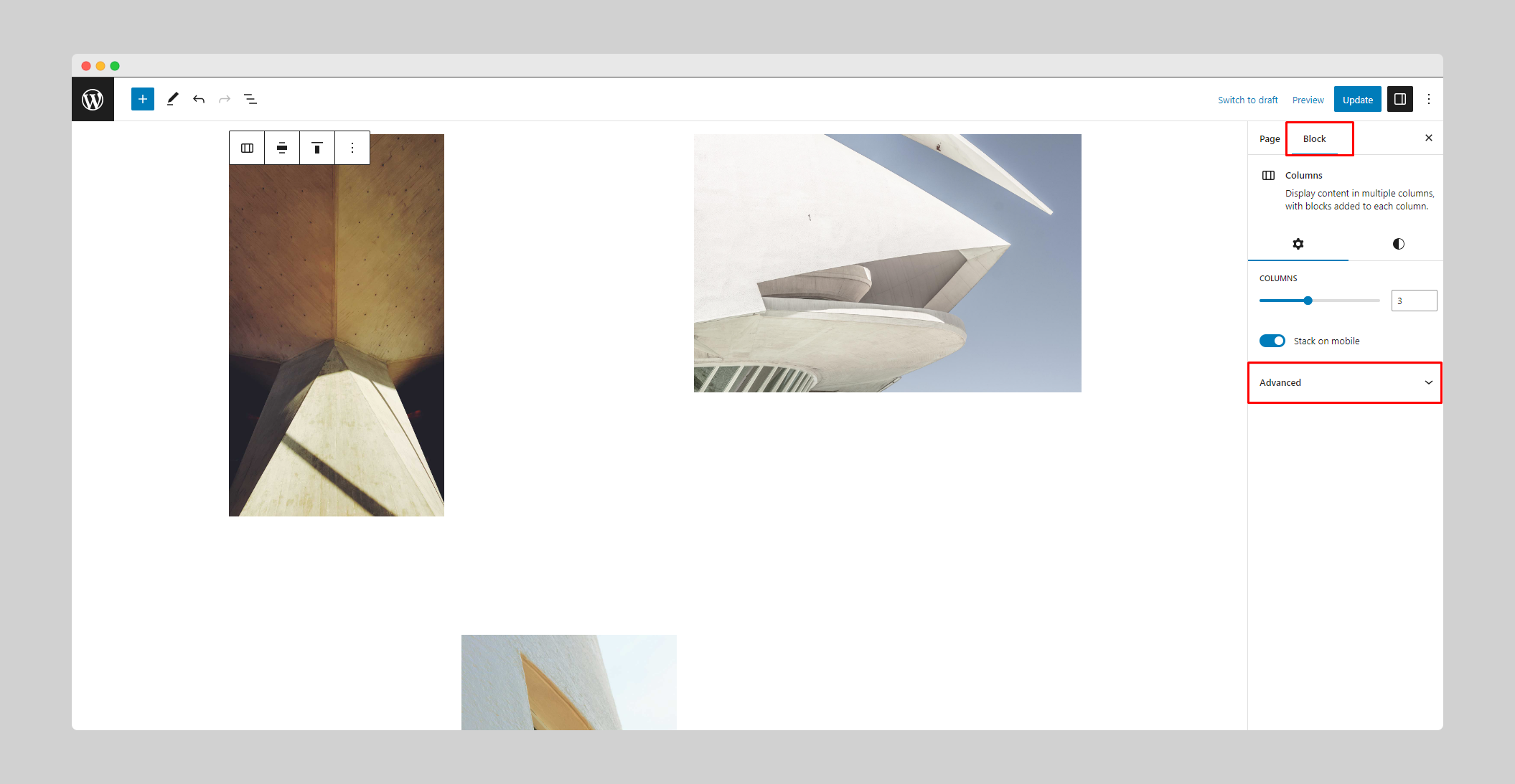
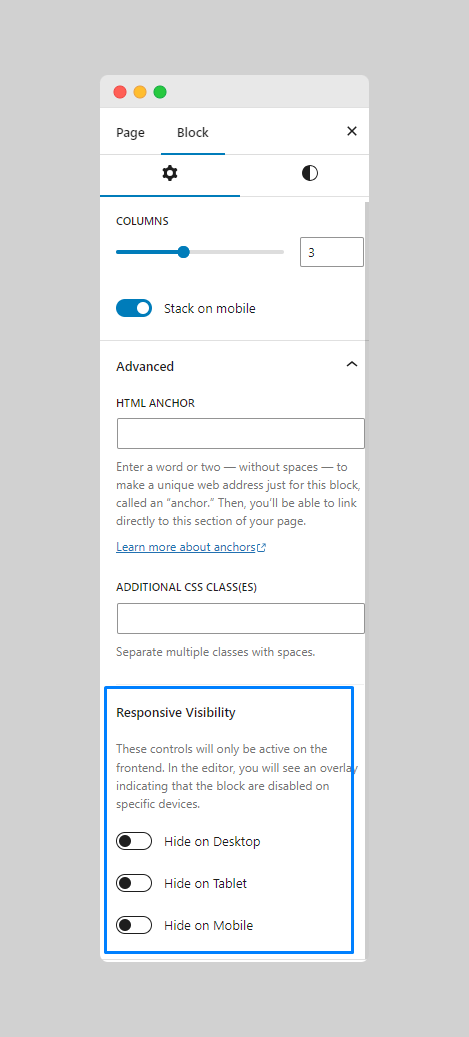
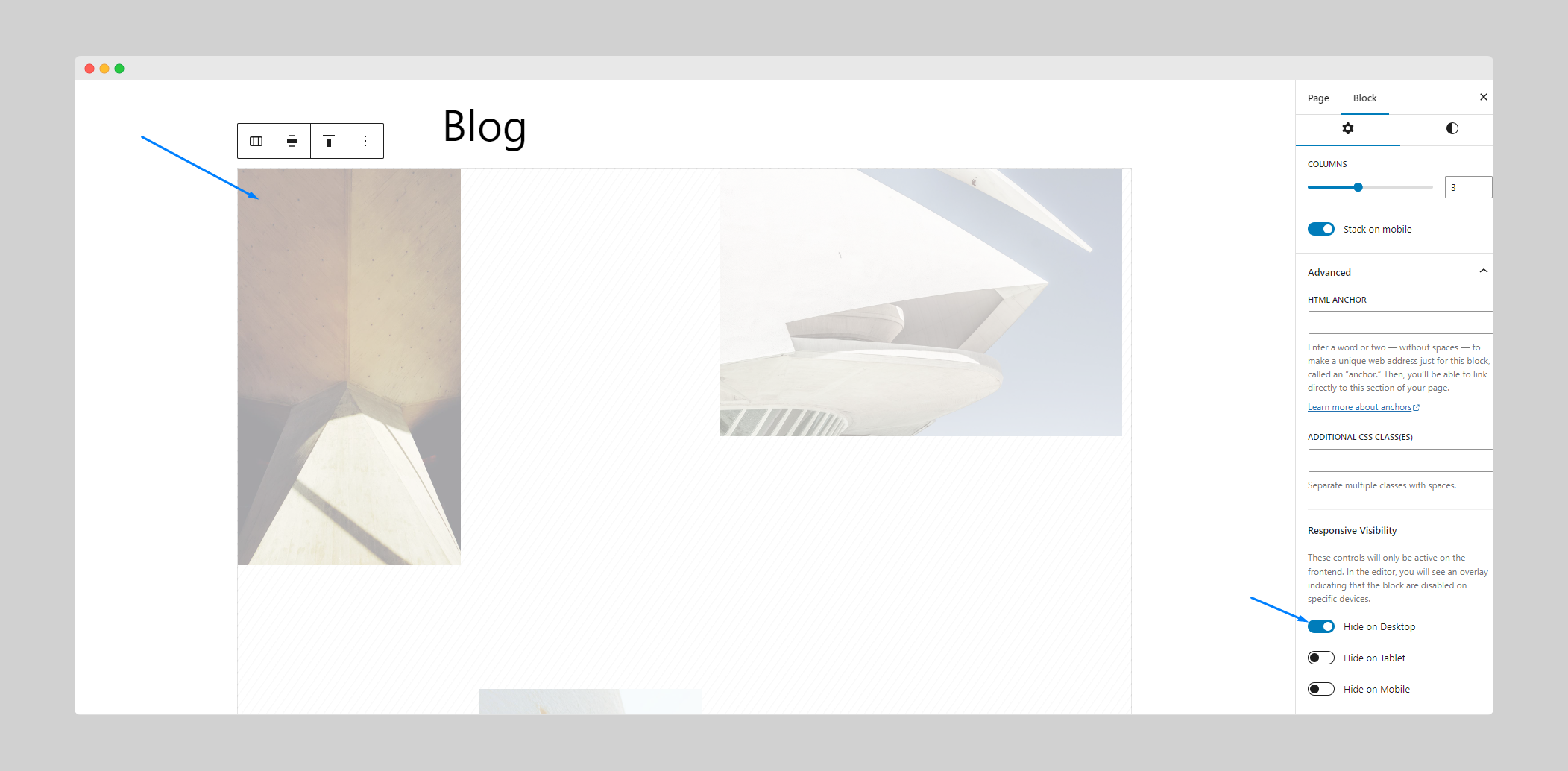
Für Entwickler
Ist das dein Plugin? Zeigen Sie die Zahlen.
Fügen Sie Ihrer Website, Docs oder GitHub Readme ein Live-Badge hinzu. Es wird von selbst aktualisiert - kein Konto erforderlich.
Best Responsive Block Visibility S… alternatives
Alle Block-Plugins →





Fragen und Antworten
Responsive Block Visibility Swap: quick answers
Gerade Antworten, gezogen von Live WordPress.org Daten.
Quelle: WordPress.org
Is Responsive Block Visibility Swap free?
Yes. Responsive Block Visibility Swap is free to download and use from the official WordPress.org plugin directory.
Is Responsive Block Visibility Swap safe to use in 2026?
Responsive Block Visibility Swap shows warning signs in 2026 — compare the alternatives below before installing. It runs on 80+ sites, is rated 5/5 and was last updated 3 years ago, and scores 32/100 on our health check.
How many websites use Responsive Block Visibility Swap?
Responsive Block Visibility Swap is active on 80+ WordPress websites and has been downloaded 2,460 times since it launched in June 2023. It was downloaded 120 times in the last 30 days.
Does Responsive Block Visibility Swap work with WordPress 7.1?
Responsive Block Visibility Swap is officially tested up to WordPress 6.5.15, while the latest release is 7.1.5. It may still work, but try it on a staging site first.
What PHP version does Responsive Block Visibility Swap need?
Responsive Block Visibility Swap requires PHP 7.0 or higher. Most hosts run PHP 8.x today, so it works on any modern WordPress hosting.
When was Responsive Block Visibility Swap last updated?
The latest version, 1.0.3, was released on April 30, 2024 (3 years ago).
Who makes Responsive Block Visibility Swap?
Responsive Block Visibility Swap is developed and maintained by Mijanur Rahman.
What are the best alternatives to Responsive Block Visibility Swap?
The most popular alternatives to Responsive Block Visibility Swap are Spectra Legacy (1M+ installs), Breadcrumb NavXT (700K+ installs) and PDF Embedder (300K+ installs).
Angetrieben von PageForge
Eine Vorlage und eine Tabelle. Eine echte Seite für jede Suche.
PageForge Verwandelt jede Zeile eines CSV in eine WordPress-Seite mit eigenem Titel, URL, SEO Felder und Schema entworfen. Kostenlos auf WordPress.org.
- CSV und XLSX, plus Google Sheets auf Beruf und Unternehmen
- seinen eigenen Titel, URL, SEO Felder und Schema für jede Seite
- Arbeitet mit dem Blockeditor, Elementor, Divi und Avada
- Kostenlos auf WordPress.org, keine Kreditkarte