


Resize Control – Compress and resize images after upload
Auto resize and compress all your future uploads. Automate all your media resolutions and sizes for you and your wp accounts to save time, site speed, SEO score, disk space and bandwidth. This is a free and easy-to-use…

Betrachten Sie eine Alternative
Resize Control shows warning signs in 2026 — compare the alternatives below before installing. It runs on 20+ sites, is rated 5/5 and was last updated 2 years ago, and scores 40/100 on our health check.
- Kleine Benutzerbasis (20+ aktive Installationen)
- Bisher sehr wenige Bewertungen
- Kein Update in über einem Jahr
- Nur getestet bis WordPress 6.8 (letzt ist 7.1)
Wie stapelt es sich?
Side-by-side bei Installationen, Updates, Bewertungen und Support


Tägliche Downloads
Download-Spitzen folgen normalerweise einer neuen Version - jede Website, die automatisch aktualisiert wird, gilt als Download.
Ranglisten
Where Resize Control stands todayWordPress.org Ranglisten suchen
Live-Position in der Plugin-Suche, Top 100| Stichwort | Position |
|---|---|
| Auto | >100 |
| compression | >100 |
| image | >100 |
| Optimieren | >100 |
| resize | #64 |
Versionsübernahme
Anteil aktiver Sites pro Release.
Bewertungsaufschlüsselung
★★★★★★★★★★ 5 from 1 reviews
About Resize Control
From the official readme · v1.0.91Beschreibung
Try the plugin in sandbox mode.
Auto resize and compress all your future uploads. Automate all your media resolutions and sizes for you and your wp accounts to save time, site speed, SEO score, disk space and bandwidth. This is a free and easy-to-use plugin that updates frequently. Created by the team behind Running Wombat.
Merkmale
- Automatically optimize all future uploads.
- Set maximum image dimensions.
- Convert PNGs to JPGs.
- Set compression level from 0 to 10 (also for PNG).
- Ignore roles for all set resize settings.
- Don’t leave unnecessary files on the server.
- No change in the upload process at all.
- Easy setup.
Try our PRO version
The Pro version of Resize Control offers advanced features such as:
- Customize resize control per post type, allowing for different settings for products, blogs, etc.
- Convert any image automatically to JPG or WEBP, not just PNG to JPG.
- Choose between different resize methods: cover, contain, fill, and scale down.
- Set default background colors for resizing.
Find it here Resize control PRO
Do you have a question or suggestion
Contact support https://tuningwp.com/support/
Quellen
- Browser image compression – Includes the uncompressed files for the browser compression library.
Installation
- Laden Sie den Ordner
resize-controlin das/wp-content/plugins/-Verzeichnis hoch - Aktivieren Sie das Plugin über das „Plugins“-Menü in WordPress
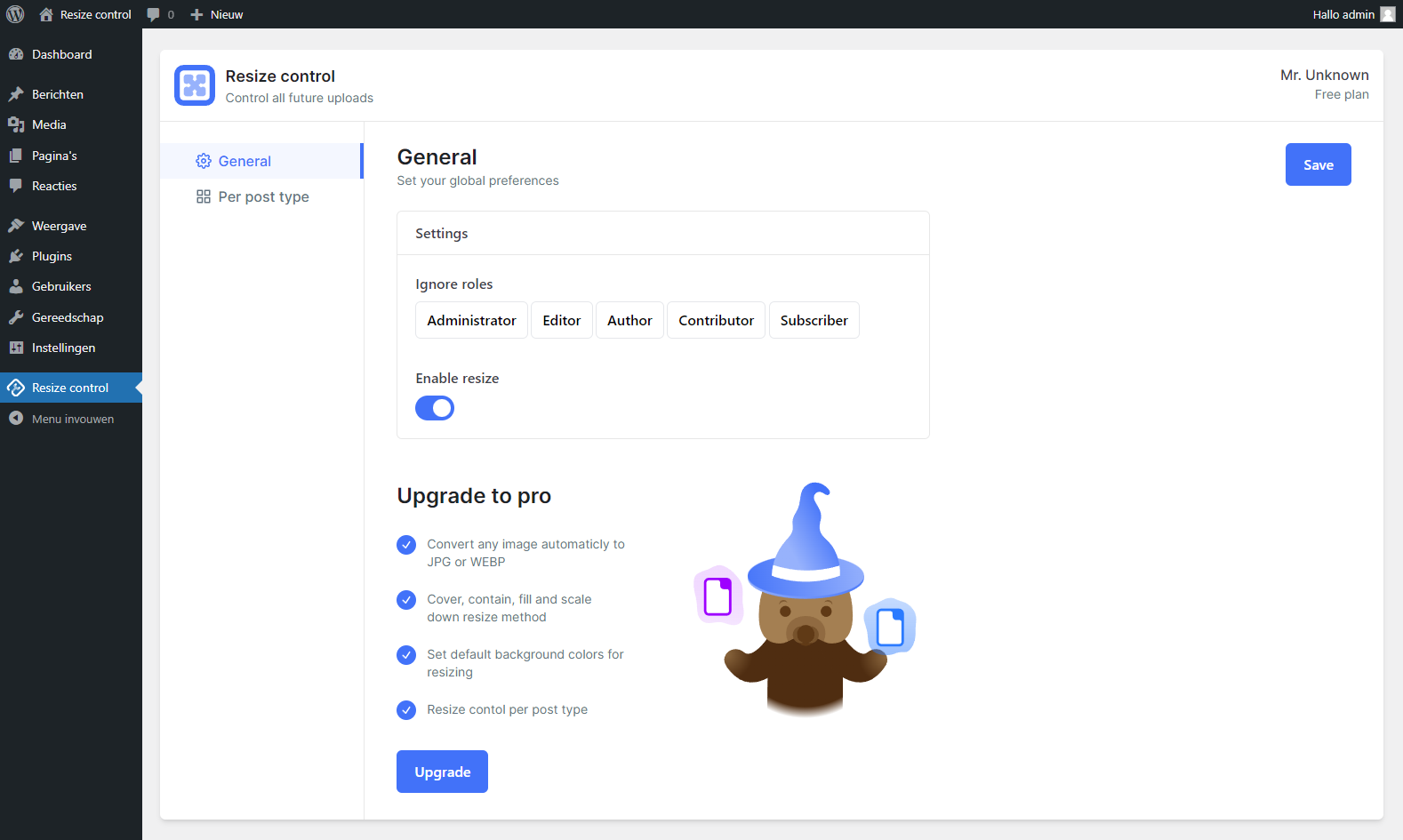
- In the dashboard sidebar, click on “Resize control” to go to the “general” screen.
- Here, you can activate resizing globally and you can choose which WP roles shouldn’t be affected by the resize/optimization options (e.g., the admin role).
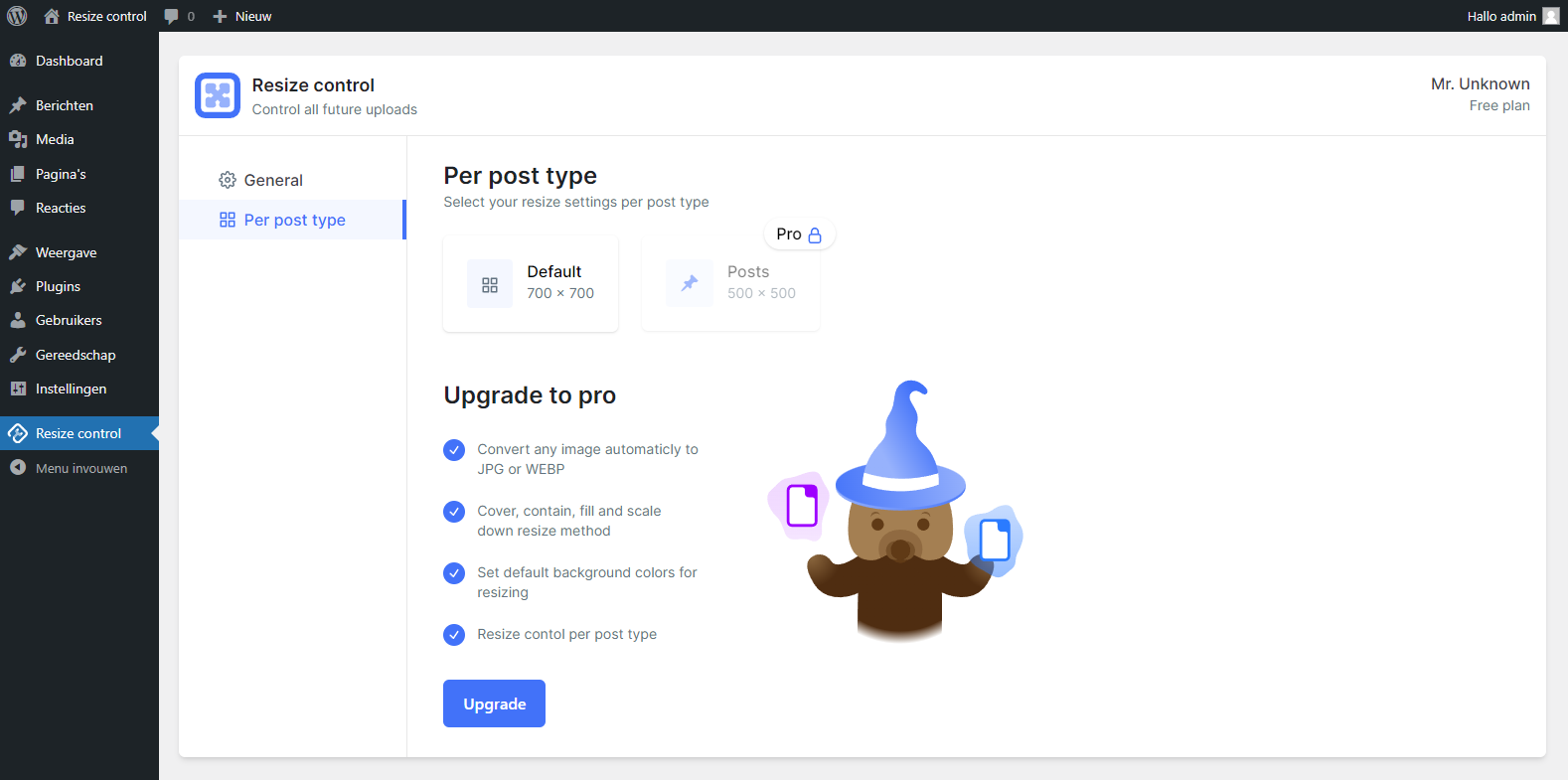
- Now go to “Per post type” in the sidebar and click “default” to set overarching options for all post types.
- Enter “Image dimensions,” check the option to convert png to jpg, and set the compression level.
- Click “Save.” All future uploads should now be automatically resized and compressed.
Änderungsprotokoll
1.0.91 [May 13, 2025]
- Fix: Tested for WordPress 6.8.1
1.0.7 – 1.0.9 [October 16, 2024]
- Add: Integration with TasteWP
- Tweak: Removed coming soon from PRO version.
- Fix: Minor warnings on dashboard
- Tweak: Changed titles for clarity
- Tweak: Resizing is now enabled by default
1.0.6 [July 17, 2024]
- Fix: Tested for WordPress 6.6.
- Fix: Added translation to all tooltips
- Fix: PRO color picker bug
1.0.5 [July 5, 2024]
- Fix: Not loading media library.
1.0.4 [June 26, 2024]
- Add: Background color shadow.
- Fix: Premium posttype sizing.
- Fix: Posttype hitbox size.
1.0.3 [June 21, 2024]
- Added: Premium styles and features.
- Fix: Added all tooltips to translations.
- Fix: Minor styling tweaks.
- Fix: Minor js optimisations.
- Change: plugin title.
Screenshots

Für Entwickler
Ist das dein Plugin? Zeigen Sie die Zahlen.
Fügen Sie Ihrer Website, Docs oder GitHub Readme ein Live-Badge hinzu. Es wird von selbst aktualisiert - kein Konto erforderlich.
Best Resize Control alternatives
Alle Auto-Plugins →





Fragen und Antworten
Resize Control: quick answers
Gerade Antworten, gezogen von Live WordPress.org Daten.
Quelle: WordPress.org
Is Resize Control free?
Yes. Resize Control is free to download and use from the official WordPress.org plugin directory.
Is Resize Control safe to use in 2026?
Resize Control shows warning signs in 2026 — compare the alternatives below before installing. It runs on 20+ sites, is rated 5/5 and was last updated 2 years ago, and scores 40/100 on our health check.
How many websites use Resize Control?
Resize Control is active on 20+ WordPress websites and has been downloaded 2,469 times since it launched in April 2024. It was downloaded 61 times in the last 30 days.
Does Resize Control work with WordPress 7.1?
Resize Control is officially tested up to WordPress 6.8.13, while the latest release is 7.1.5. It may still work, but try it on a staging site first.
What PHP version does Resize Control need?
Resize Control requires PHP 8.0 or higher. Most hosts run PHP 8.x today, so it works on any modern WordPress hosting.
When was Resize Control last updated?
The latest version, 1.0.91, was released on May 13, 2025 (2 years ago).
Who makes Resize Control?
Resize Control is developed and maintained by TuningWP.
What are the best alternatives to Resize Control?
The most popular alternatives to Resize Control are Companion Auto Update (40K+ installs), Auto Upload Images (20K+ installs) and Autologin Links (8K+ installs).
Angetrieben von PageForge
Eine Vorlage und eine Tabelle. Eine echte Seite für jede Suche.
PageForge Verwandelt jede Zeile eines CSV in eine WordPress-Seite mit eigenem Titel, URL, SEO Felder und Schema entworfen. Kostenlos auf WordPress.org.
- CSV und XLSX, plus Google Sheets auf Beruf und Unternehmen
- seinen eigenen Titel, URL, SEO Felder und Schema für jede Seite
- Arbeitet mit dem Blockeditor, Elementor, Divi und Avada
- Kostenlos auf WordPress.org, keine Kreditkarte