


Really Simple Featured Video for Posts, Pages & WooCommerce Products
Really Simple Featured Video plugin provides a really straightforward way of adding featured video support to your Posts, Pages & WooCommerce Products. Adding your own videos to the site is a breeze and you get an easy…

Sichere Auswahl
Yes — Really Simple Featured Video fo… is a safe, well-maintained plugin to use in 2026. It runs on 4K+ sites, is rated 4/5 and was last updated 1 week ago, and scores 88/100 on our health check.
- Aktiv entwickelt — letztes Update vor 1 Woche
- Getestet mit dem neuesten WordPress (7.1)
Wie stapelt es sich?
Side-by-side bei Installationen, Updates, Bewertungen und Support



Tägliche Downloads
Download-Spitzen folgen normalerweise einer neuen Version - jede Website, die automatisch aktualisiert wird, gilt als Download.
Ranglisten
Where Really Simple Featured Vide… stands todayWordPress.org Ranglisten suchen
Live-Position in der Plugin-Suche, Top 100| Stichwort | Position |
|---|---|
| featured video | #1 |
| product video | #9 |
| video | #23 |
| video embed | #21 |
| WooCommerce | >100 |
Versionsübernahme
Anteil aktiver Sites pro Release.
Bewertungsaufschlüsselung
★★★★★★★★★★ 4 from 34 reviews
About Really Simple Featured Video for Posts,…
Aus der offiziellen Readme · V1.5.0Beschreibung
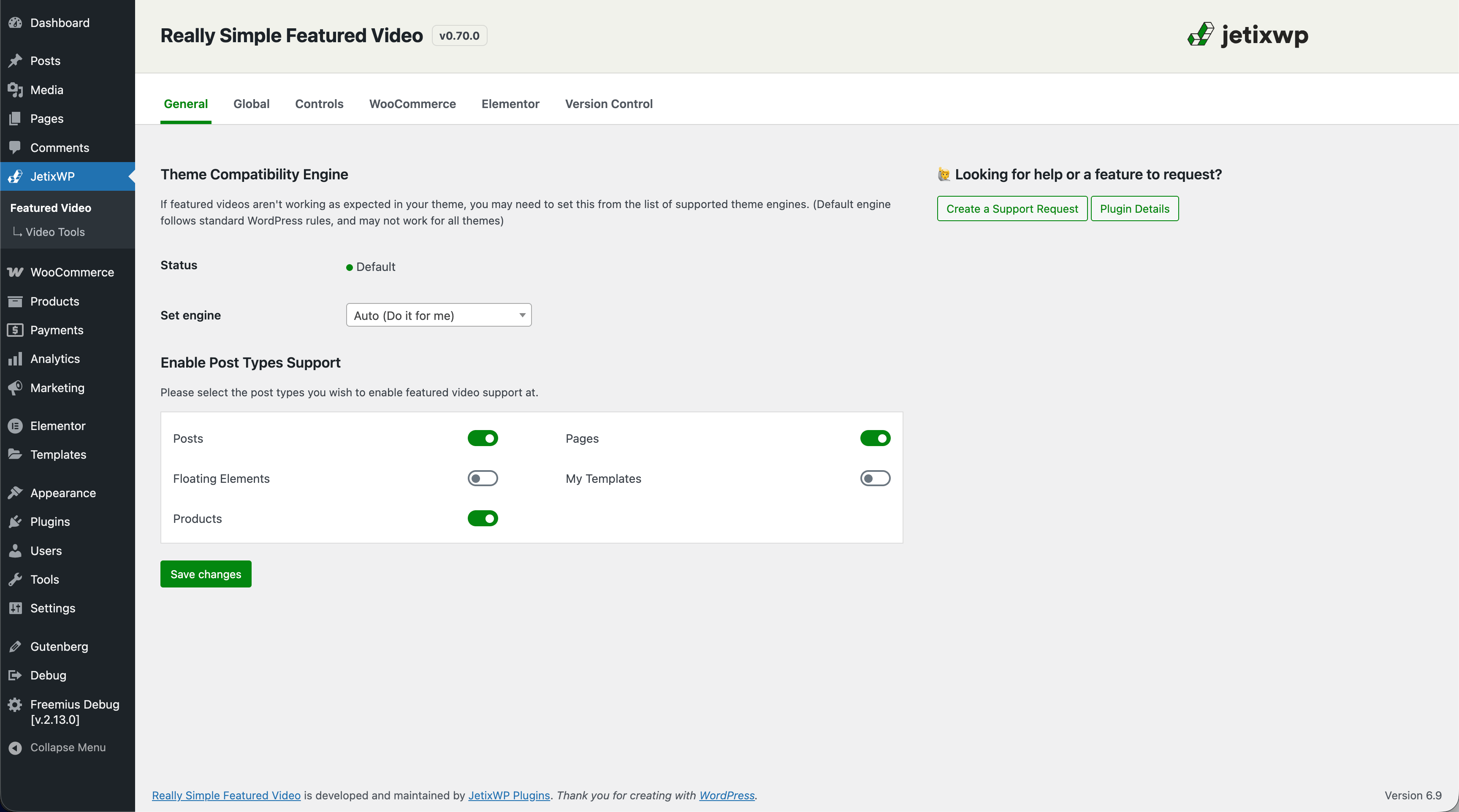
Really Simple Featured Video plugin provides a really straightforward way of adding featured video support to your Posts, Pages & WooCommerce Products. Adding your own videos to the site is a breeze and you get an easy to use settings panel with the options you really need.
Show those videos wherever you build: your theme’s featured image spot, the Featured Video block in the block editor and Site Editor, a shortcode, or the Elementor and Bricks builders.
🚀 Take a better look at Really Simple Featured Video
With Really Simple Featured Video you get a metabox at posts, pages, CPTs & Woo products edit screen sidebar, with a very similar interface as you’re used to with featured image.
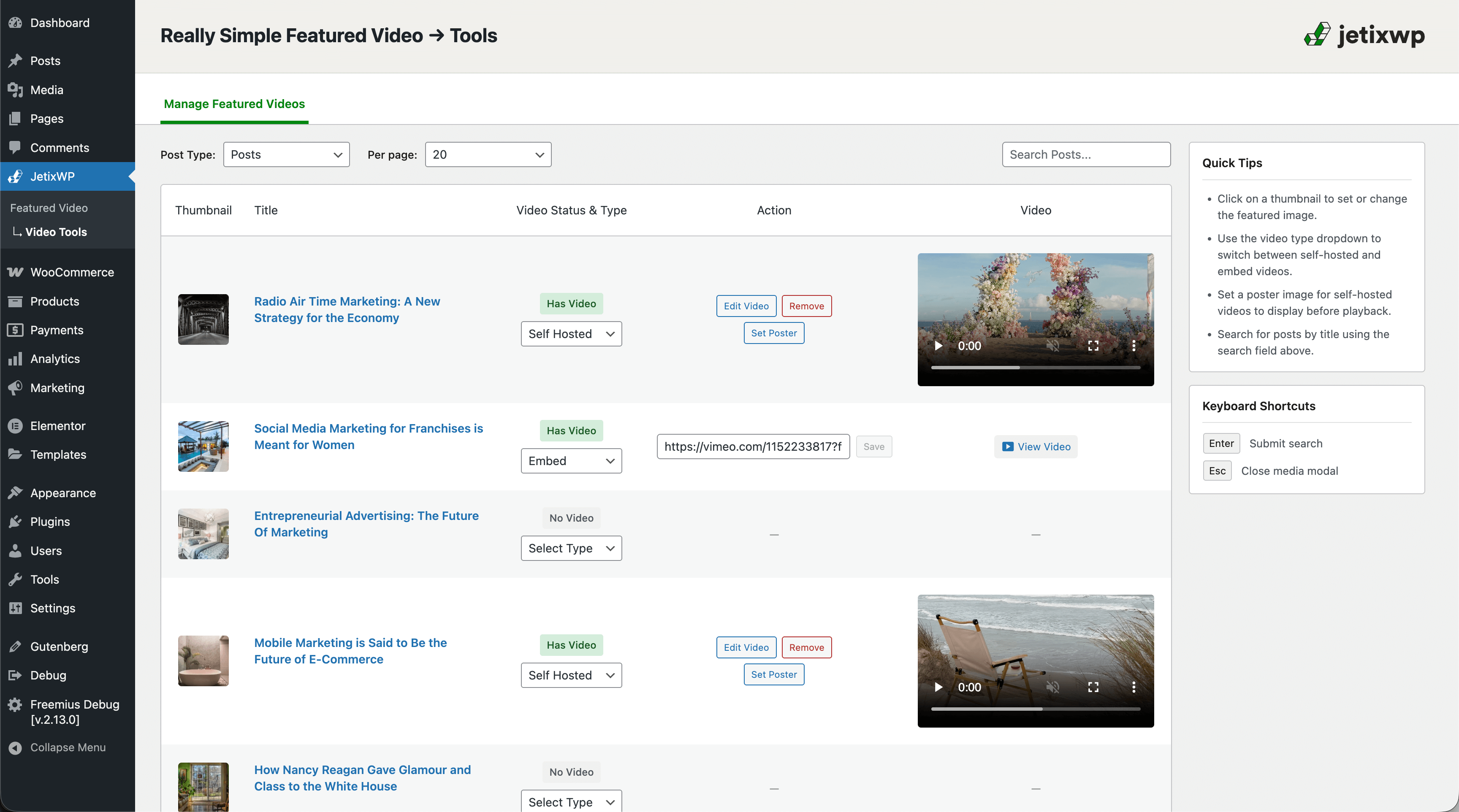
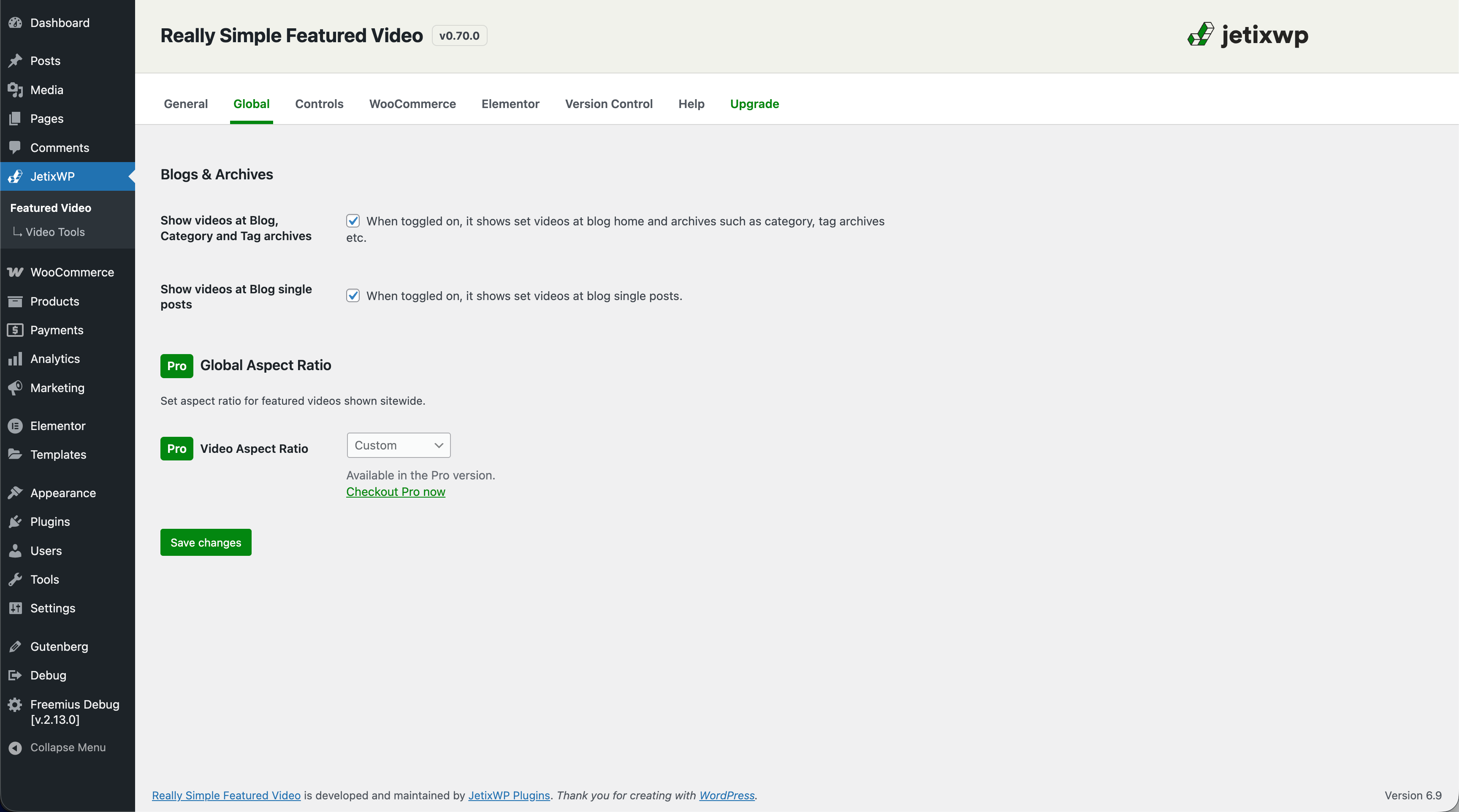
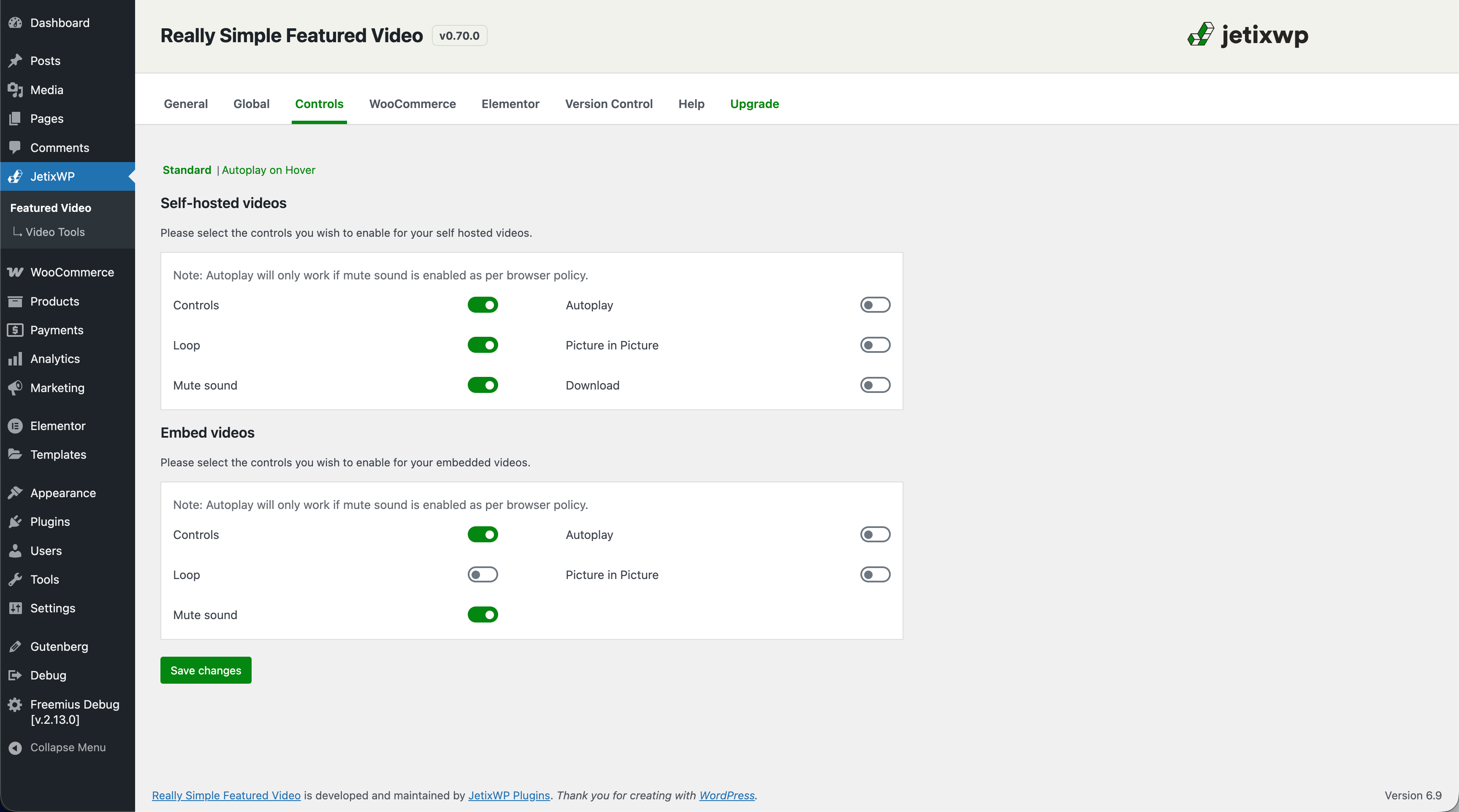
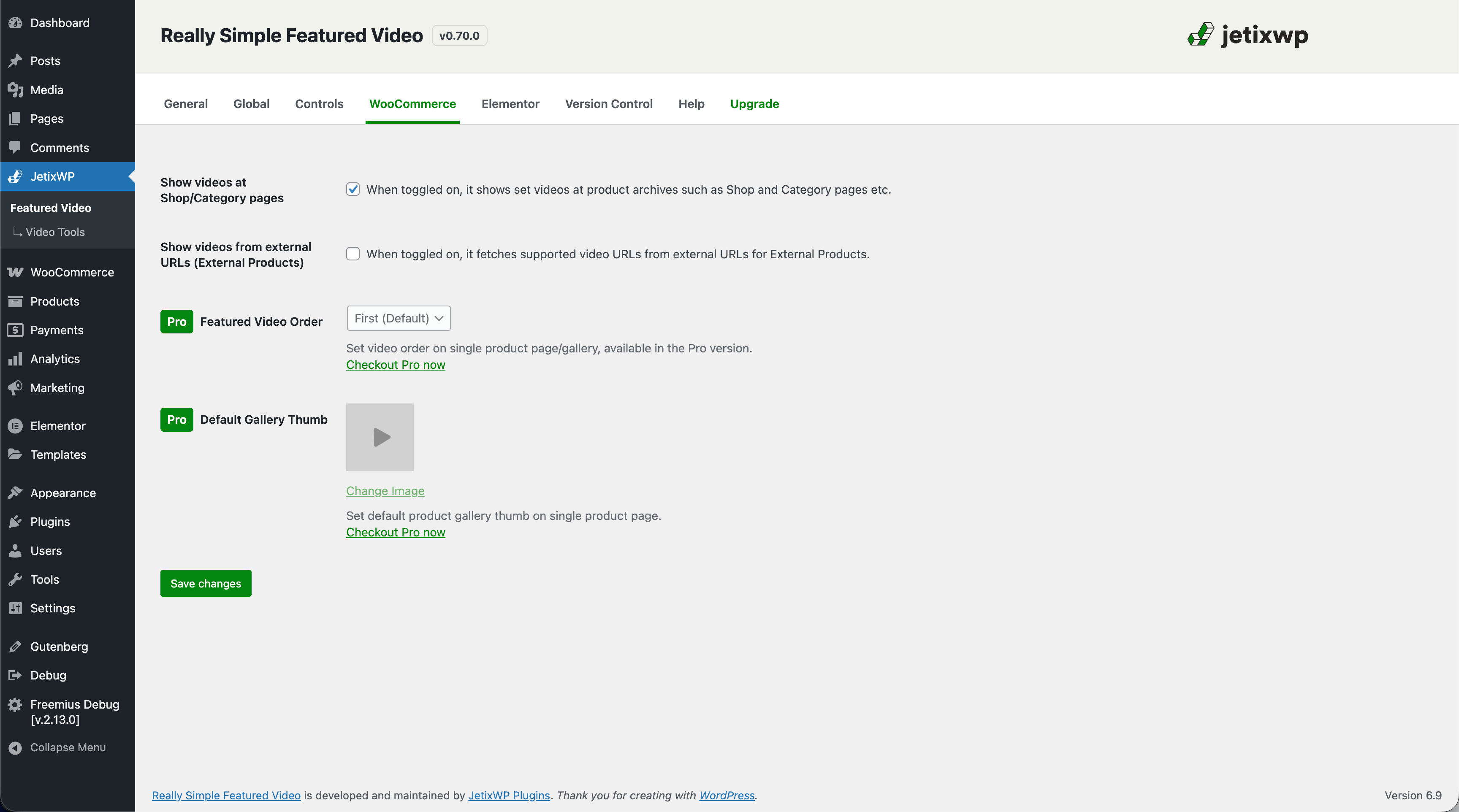
You get a really simple settings page which has all the controls you need for managing featured videos throughout your site. Video Tools is where you manage those videos, upload many at once, and see views and plays. Explore it yourself for a better look or take a look at screenshots below.
👉️ Features
- Video Studio – Auto generate featured videos from templates, right inside WordPress. Pick a template, change the text, colors, font and images (filled from the post or WooCommerce product), preview it and click Make video. The video is made in your browser and saved to your Media Library.
- Featured Video block – Add the block wherever you want a video: it shows the featured video of the entry it is in, or of any other post you pick. Works in templates and Query Loops, with player settings you can change per block.
- Embed videos from YouTube, Vimeo, Dailymotion, PeerTube, Bunny Stream, Wistia and Loom – Paste a video link at each post/page/product or any custom type that supports featured images. Unlisted Vimeo links work too.
- Autoplay on Hover – Enable autoplay on hover on all videos added via the plugin on the site: self hosted videos and YouTube, Vimeo and Dailymotion embeds.
- Self host videos – Upload and feature videos on posts/pages and WooCommerce products directly from your site.
- WooCommerce Single and Shop Archives Support – A straightforward implementation for WooCommerce Product Featured Video.
- Sticky Videos – Add a play button at the bottom-left of your pages that opens a popup player, with display conditions, multi-video support and customizable controls.
- Video Controls such as Autoplay, Mute and more – Manage everything for the featured videos, by setting them accordingly, options for these are available at settings page.
- Shortcodes – Shortcodes to embed featured video at any post, page or product you want.
- Manage Featured Videos – Manage featured videos from one single place for all your post types and skip the repetitive steps of going to the edit screen to edit each post/page/product individually.
- Bulk Video Uploader – Assign video files or YouTube, Vimeo, Dailymotion, PeerTube, Bunny Stream, Wistia and Loom links to posts from Video Tools. Add rows by hand, or import a CSV or TXT file.
- Video Analytics – See views and plays for featured videos in Video Tools. Counts stay on your site. No cookie is set. Records the last 14 days of history.
- Elementor Pro Support – Support for Posts/Archive, WooCommerce Product widgets with Elementor Pro builder.
- Elementor Widget – A dedicated Featured Video widget for Elementor that seamlessly integrates with your page designs, allowing easy video embedding and customization.
- Bricks Builder Support – Support for Posts/Archive with Bricks builder using custom widget elements.
- Support for Core themes – We support all the newer core themes such as TwentyTwenty Four to Classic themes.
- Astra Pro WooCommerce Module Support – Support for vertical and horizontal product galleries.
- Salient Theme WPBakery Builder Support – Support for Post Loop Builder element with Salient theme.
👉️ Video Studio
Video Studio auto generates short featured videos from templates, without any outside service. Open it from the Featured Video box on any post, page or product, or from the Video Studio page (under Video Tools): pick the post type and the entry, then make its video.
- 7 templates: Text reveal, Image slideshow, Product card, Quote, News headline, Testimonial and Kinetic type
- Fills itself from the post or WooCommerce product: title, price, sale price, photos and category
- Live preview, then Make video. The video is made in your browser and saved as the post’s featured video with a poster image
- 16:9 in 720p or 1080p, or 1:1 square. The file is kept under your site’s upload limit
- The box tells you when the post changed after the video was made, so you can make it again
- In Video Tools > Manage Featured Videos, entries without a video get an Auto Generate Video button: pick a template and it makes the video in one step
Making a video needs Chrome, Edge or Firefox on a secure (HTTPS) connection. Safari can preview templates but can’t make the video yet. Keep the tab open while the video is being made.
👉️ Video Autoplay on Hover Support
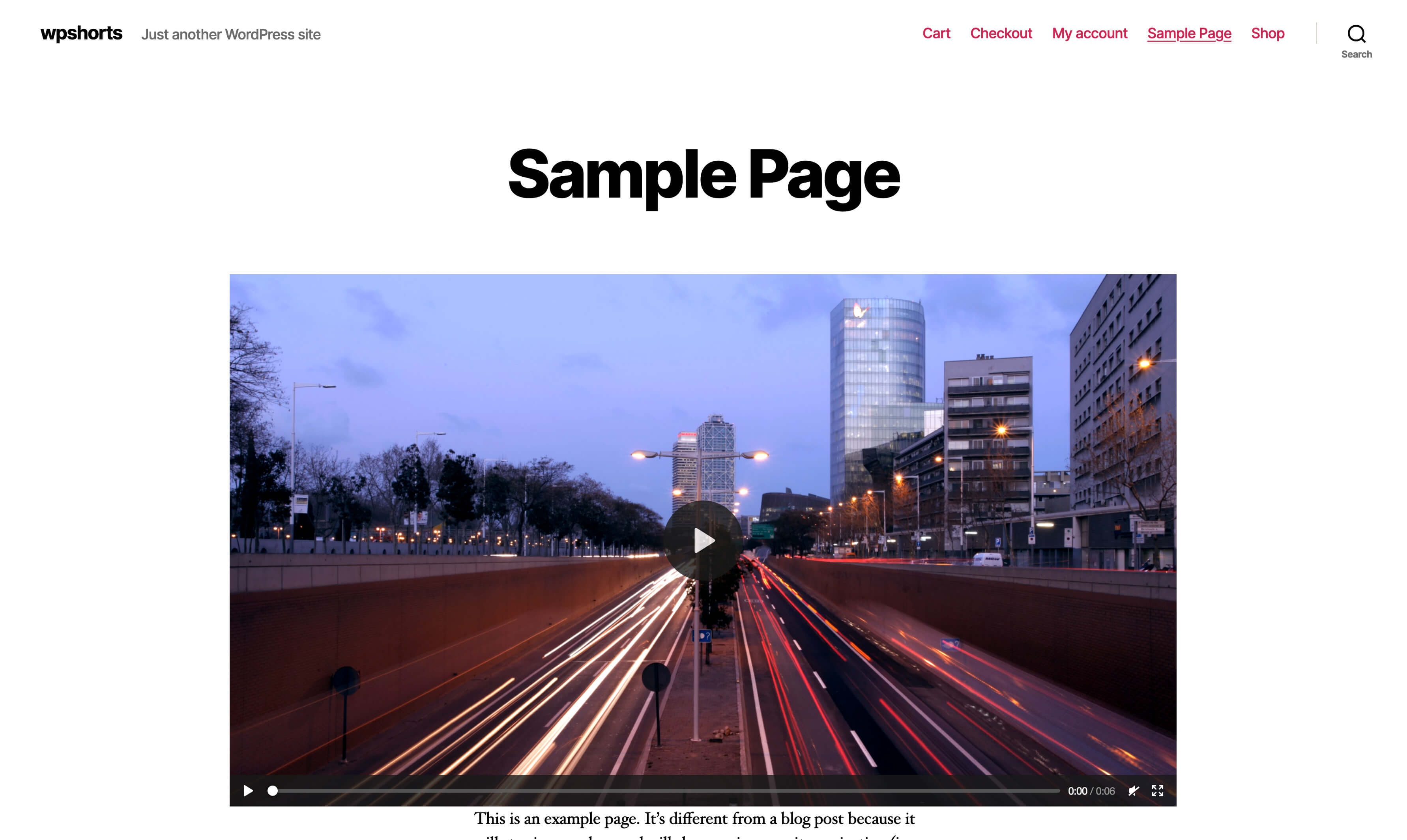
RSFV supports autoplaying videos on hover, just enable the feature via Settings and the videos will start to autoplay. Autoplay videos when users hover on them not by default, creating a much better experience for the user as well as the site.
👉️ WooCommerce Support
This plugin came out of a real need with many plugins available out there yet none provides a good integration with WooCommerce.
Really Simple Featured Video plugin provides a straightforward implementation for WooCommerce Product Featured Video, with which your set featured video loads directly into product thumbnails along with any other product images.
👉️ Elementor Pro Builder Support
RSFV supports Elementor Pro builder with its Posts/Archives and WooCommerce Product widgets, you can use them to display Featured Videos for posts, pages, products and CPTs (with Featured Images). You can also display Featured Video on single pages via the shortcode – [rsfv]
👉️ Astra Pro WooCommerce Module Support
RSFV supports Astra Pro WooCommerce module with horizontal and vertical product gallery types, which in turn brings you more control and customizable features.
👉️ Salient Theme WPBakery Builder Support
RSFV supports Salient Theme WPBakery builder with its Post Loop Builder element, giving you more control and support for Custom post loops. You can also display Featured Video on single pages via the shortcode – [rsfv].
👉️ How to use the Featured Video block
Add the Featured Video block from the Media category in the block editor or the Site Editor. It is never added for you: nothing on your site changes until you place the block yourself.
- This entry shows the featured video of the post, page or product the block is placed in. Place it in a single template, a Query Loop, or the content of a post, and it follows the entry it is in.
- Another post shows the featured video of any post, page or product you pick. Search for a post that has a featured video and choose it.
- Player settings follow your global settings, and each one can be turned on or off for that block: controls, autoplay, loop, mute, picture in picture and download.
- Autoplay on hover follows the global setting and can be turned on or off per block.
- When there is no video the block can show nothing, or the featured image.
- Alignment, margin, border radius and shadow are available under the block’s style settings.
The video of a draft, private or password protected post is only shown to people who can see that post. Featured video has to be turned on for the post type in the plugin settings.
👉️ How to use Shortcodes
There are also shortcodes to embed featured video at any post, page or product you want.
[rsfv] shortcode is for displaying set featured video of the individual post anywhere in the post.
[rsfv_by_postid] shortcode is for displaying featured video of any post anywhere you want, you just need to pass a vaild post id to it e.g. [rsfv_by_postid post_id=”281″]
Both shortcodes accept these optional attributes to change the player for that shortcode only: controls, autoplay, loop, mute, pip, download (1 or 0) and hover (on or off). e.g. [rsfv autoplay=”1″ mute=”1″ hover=”off”]
You can send a feedback or a feature request at github.com/JetixWP/really-simple-featured-video Or create a thread at forums here, in any case.
👉️ Premium Features
Really Simple Featured Video PRO plugin supports additional features, where we can continue to keep them maintained and updated.
We get quite a few requests from you guys, and the plugin offers most if not all features from these requests while we continuously work towards adding more and more useful features.
RSFV PRO plugin includes these features –
- ✅ Video Studio PRO – Auto generate videos from 20 more templates for shops, blogs, food, real estate, courses, events, local businesses and portfolios, vertical and 4K sizes, music, a brand kit, every Google Font, big uploads past your host’s limit, and videos for many entries at once.
- ✅ Extended Video Analytics – Longer history recordings, watch time, completion, and CSV export.
- ✅ Extended Autoplay on Hover – Customize the way video autoplay on hover works on your site all via the plugin settings.
- ✅ Extended Sticky Videos – Story layout for the Sticky Video popup, with tab bars to switch between videos.
- ✅ Change Video Aspect Ratio – Apply sitewide featured video aspect ratio such as 16:9, 4:3, 3:2, 1:1, 9:16 or a custom ratio.
- ✅ Change Video Order at Woo Product CPT – Set video order at single product pages of WooCommerce Product CPT.
- ✅ Support for more Premium/Custom Themes – Loads additional compatibility for many supported Premium/Custom themes.
- ✅ Requests for Theme Compatibility – We will take requests for additional theme compatibility.
- ✅ Priority Support – Solving your problems are our priority with superfast response times.
More features to come in the future, to name a few –
- ✨ And more from your requests
If you wish to grab the PRO version with a lifetime deal please do checkout PRO at our website
👉️ Meet Delta, from the JetixWP team
Delta is our latest product: an agent-first WordPress theme with built-in MCP. Describe the site you want and your AI agent builds and maintains it in clean HTML and CSS, with no page builder involved.
- Works with Claude, ChatGPT, Cursor and any MCP client
- Clean HTML and CSS output, no builder markup
- Templates for every part of your site
- Keep writing posts in the block editor
- Bring your own AI, no AI fee from Delta
Delta is in early development and available with a Founder’s Lifetime License: one payment, lifetime updates and support, and a 30-day refund guarantee. Every Founder’s License helps us build Delta, the next big thing for AI in WordPress.
Delta replaces your current theme, so it is best for a new site or a planned rebuild. It is a separate product and is not required to use Really Simple Featured Video.
Privatsphäre
Analytics stores anonymous view and play totals in your own database. It does not set a cookie, does not store IP addresses or user ids, and does not send counts to JetixWP. Free keeps 14 days of those totals. A browser tab may remember, in sessionStorage, which video was already counted during that visit.
Video Studio runs entirely in your browser and your site. Templates, fonts and scripts are bundled with the plugin and nothing is loaded from or sent to outside servers.
Credits
Video Studio uses these libraries and fonts:
- Anime.js (MIT) for template animations
- Mediabunny (MPL-2.0) to write MP4 and WebM files
- Manrope, Ysabeau Office, Roboto Slab and Vollkorn fonts (SIL Open Font License 1.1), see assets/studio/fonts/LICENSE.txt
Änderungsprotokoll
1.5.0
- New: Embed videos from PeerTube, Bunny Stream, Wistia and Loom. Paste the video link like any other embed
- Security: PeerTube videos can come from any domain, so their player runs in a sandbox that cannot submit forms or send visitors to another page
- Improvement: Self hosted videos now ask the browser to load only their size, duration and first frame until they play. Chrome and Firefox already did this, Safari loaded the whole file. Autoplay videos load as before. Use the rsfv_video_preload filter to change this
- Improvement: Redesigned the PRO upgrade box in the Settings and Video Studio sidebars, with links straight to checkout
- Improvement: Removed the Delta card from the Settings and Video Studio sidebars
- Fix: Loop now works for YouTube videos
- Fix: Unlisted Vimeo videos no longer show “Sorry, this video does not exist”
1.2.0
- Improvement: Removed the review card from the sidebar
- Security: Updated the Freemius SDK to 2.13.5
- Security: Users without the unfiltered_html capability can no longer save iframes in post content. Sites where those users already have iframes in posts keep them on save, without the style and allow attributes. Use the rsfv_allow_iframes_on_content_save filter to change this
- Security: Featured videos of password protected posts stay hidden until the password is entered. Use the rsfv_show_video_on_protected_post filter to show them
- Security: Users can only attach videos and posters from the Media Library that they are allowed to use
- Security: Video Studio and Bulk Import respect multisite upload limits
- Security: Bulk Import no longer saves remote files past the upload limit
- Security: Escaped output in the Flatsome and CIX gallery templates. CIX gallery lightbox captions no longer keep inline HTML
- Security: Featured Video block preview no longer shows titles of private post types to users who cannot edit them
- Security: Stronger analytics rate limit. Sites behind a proxy or CDN can pass the visitor address with the rsfv_analytics_client_ip filter
- Fix: On pages with several products, a product could show the video of an external product listed before it
- Fix: The Skip logged-in editors analytics setting now works. Your own visits no longer add to the counts
- Fix: Deleting the plugin on multisite now removes analytics data from every site
- Fix: Deleting a site on multisite now also removes its analytics tables
- Fix: Possible fatal errors from invalid analytics report dates, and from malformed Elementor and sticky video settings
- Fix: Possible fatal errors in the Astra Pro and Flatsome gallery templates when there is no product, or when the Astra Pro gallery loads more than once on a page
- Fix: Settings pages no longer run off the side of the screen on phones, tablets and small laptops. The sidebar now sits below the settings on these screens
1.1.0
- New: Featured Video block for the block editor and Site Editor. Shows the featured video of the entry it is in, including inside Query Loops and templates, or of any other post you pick
- New: Per block player settings: controls, autoplay, loop, mute, picture in picture, download and autoplay on hover, plus a featured image fallback and alignment, margin, border radius and shadow
- New: [rsfv] and [rsfv_by_postid] accept controls, autoplay, loop, mute, pip, download and hover attributes
- New: Analytics count block views and plays as Block
- Improvement: Requires WordPress 6.3 or newer
- Fix: [rsfv_by_postid] no longer shows the video of draft, private or password protected posts to people who cannot see them
- Fix: Featured video of one post no longer shows in the featured image of a different post that a theme or plugin lists on the same page
1.0.0
- New: Video Studio. Auto generate featured videos from templates inside WordPress. It fills itself from the post or WooCommerce product, is made in your browser and is saved to your Media Library with a poster image
- New: 7 templates: Text reveal, Image slideshow, Product card, Quote, News headline, Testimonial and Kinetic type, with live thumbnails of your entry in each
- New: 16:9 in 720p or 1080p, and 1:1 square. Videos are kept under your site’s upload limit
- New: Video Studio page under Video Tools. Pick an entry and Auto Generate Video in one step or Make in Studio, or show only entries without a video
- New: Auto Generate Video and Edit in Video Studio in Video Tools > Manage Featured Videos
- New: The Featured Video box tells you when a post changed after its video was made
- Improvement: License is now GPLv2 or later
- Fix: Saving an edit screen that was opened earlier no longer puts back an old video after the video was changed in Video Studio, Video Tools or another tab
- Fix: Video Tools now shows videos saved before a video source was stored, as the site already plays them
- Improvement: 9:16 listed in the aspect ratio setting
- Improvement: The Sticky Video link field lists the supported video sites
- Improvement: Video Studio turns itself off on WordPress older than 6.2 instead of loading blank screens
- Fix: A fatal error with the Codeixer product gallery when no product was loaded, and a PHP warning with Woostify
0.90.0
- New: Bulk upload tab in Video Tools for video files, embed links, and CSV or TXT import
- New: Analytics report in Video Tools, with views and plays for the last 14 days
- New: Analytics settings tab. Longer retention is a Pro option
- Improvement: Existing videos, settings, and player URLs are left unchanged on update
- Improvement: Admin labels now say Sticky Video instead of Floating Video
- Improvement: Settings Version Control tab renamed to Rollbacks
- Improvement: Help tab and PRO upgrade copy in admin
- Improvement: Refresh WordPress.org banners and icons
- Improvement: Uninstall removes analytics tables and scheduled cleanup
0.85.0
- Fix: Rollback version GET parameter sanitization
- Fix: Escaping and sanitization in video metabox and settings admin views
- Fix: Embed URL validation and restrict to Youtube, Vimeo and Dailymotion across metabox, shortcode, WooCommerce, and floating video
- Fix: Permission checks at settings save, theme compatibility AJAX, and Tools REST API
- Fix: Tools page Important Note card button layout and spacing
- Improvement: Remove Jetix Store Toolkit sidebar promo card
- Improvement: Update Freemius SDK
- Improvement: Other minor changes
Screenshots


Für Entwickler
Ist das dein Plugin? Zeigen Sie die Zahlen.
Fügen Sie Ihrer Website, Docs oder GitHub Readme ein Live-Badge hinzu. Es wird von selbst aktualisiert - kein Konto erforderlich.
Best Really Simple Featured Video… alternatives
All featured video plugins →





Fragen und Antworten
Really Simple Featured Video for Po…: quick answers
Gerade Antworten, gezogen von Live WordPress.org Daten.
Quelle: WordPress.org
Is Really Simple Featured Video fo… free?
Yes. Really Simple Featured Video fo… is free to download and use from the official WordPress.org plugin directory. The developer also sells premium add-ons or a Pro version with extra features.
Is Really Simple Featured Video fo… safe to use in 2026?
Yes — Really Simple Featured Video fo… is a safe, well-maintained plugin to use in 2026. It runs on 4K+ sites, is rated 4/5 and was last updated 1 week ago, and scores 88/100 on our health check.
How many websites use Really Simple Featured Video fo…?
Really Simple Featured Video fo… is active on 4K+ WordPress websites and has been downloaded 138,013 times since it launched in September 2020. It was downloaded 6,575 times in the last 30 days.
Does Really Simple Featured Video fo… work with WordPress 7.1?
Yes. The developer has tested Really Simple Featured Video fo… up to WordPress 7.1.5, the latest release. It requires WordPress 6.3 or newer.
What PHP version does Really Simple Featured Video fo… need?
Really Simple Featured Video fo… requires PHP 8.0 or higher. Most hosts run PHP 8.x today, so it works on any modern WordPress hosting.
When was Really Simple Featured Video fo… last updated?
The latest version, 1.5.0, was released on November 16, 2026 (1 week ago).
Who makes Really Simple Featured Video fo…?
Really Simple Featured Video fo… is developed and maintained by JetixWP Plugins.
What are the best alternatives to Really Simple Featured Video fo…?
The most popular alternatives to Really Simple Featured Video fo… are Video Gallery for WooCommer… (4K+ installs), YITH WooCommerce Featured V… (2K+ installs) and Featured Video for WordPress (1K+ installs).
Angetrieben von PageForge
Eine Vorlage und eine Tabelle. Eine echte Seite für jede Suche.
PageForge Verwandelt jede Zeile eines CSV in eine WordPress-Seite mit eigenem Titel, URL, SEO Felder und Schema entworfen. Kostenlos auf WordPress.org.
- CSV und XLSX, plus Google Sheets auf Beruf und Unternehmen
- seinen eigenen Titel, URL, SEO Felder und Schema für jede Seite
- Arbeitet mit dem Blockeditor, Elementor, Divi und Avada
- Kostenlos auf WordPress.org, keine Kreditkarte