


QuickPress AI
Quickly generate high-quality content in WordPress with an AI writing assistant that prioritizes creative freedom, flexibility, and ease of use.

Mit Vorsicht verwenden
QuickPress AI works, but test it on a staging site before relying on it in 2026. It runs on 10+ sites, is rated 4/5 and was last updated 6 months ago, and scores 59/100 on our health check.
- Kleine Benutzerbasis (10+ aktive Installationen)
- Bisher sehr wenige Bewertungen
Wie stapelt es sich?
Side-by-side bei Installationen, Updates, Bewertungen und Support


Tägliche Downloads
Download-Spitzen folgen normalerweise einer neuen Version - jede Website, die automatisch aktualisiert wird, gilt als Download.
Ranglisten
Where QuickPress AI stands todayWordPress.org Ranglisten suchen
Live-Position in der Plugin-Suche, Top 100| Stichwort | Position |
|---|---|
| Ai | >100 |
| automation | >100 |
| content creation | >100 |
| content generator | >100 |
| SEO | >100 |
Versionsübernahme
Anteil aktiver Sites pro Release.
Bewertungsaufschlüsselung
★★★★★★★★★★ 4 from 1 reviews
About QuickPress AI
From the official readme · v1.9.3Beschreibung
Break Free from the Limits of ChatGPT, OpenAI, Claude, Google Gemini, and Microsoft Copilot
Streamline Content Creation with an Unrestricted AI Writing Assistant
QuickPress AI is an uncensored AI WordPress content generator that works directly inside the WordPress editor, eliminating the need to switch tabs or tools. Whether you need captivating blog posts, bold video descriptions, or on-brand SEO content, this plugin lets you generate and refine uncensored AI content effortlessly.
Easily Refine AI Generated Content Inside the WordPress Editor
Simply select the text you want to update in the editor, enter refinement instructions, and let AI improve and enhance your content instantly!
Get Instant Content Inspiration with Keyword Creator — NEW in v1.9.1
Struggling to come up with fresh content ideas? Keyword Creator lets you generate and discover keyword suggestions effortlessly by providing real-time search results data based on what your target audience is actually searching for online. And with Venice AI integration, you’ll get uncensored and unrestricted keywords and phrases providing you with even more ways to spark creativity and refine your content direction.
Automate & Liberate Your Content Creation
Perfect for:
✔ Small business owners creating high-quality optimized and on-brand content
✔ Bloggers crafting compelling narratives for their audiences
✔ Content creators generating fresh ideas and optimized posts
✔ Anyone looking for an uncensored AI writing assistant to speed up their writing process
Merkmale
- In-Editor Integration: Generate and refine content directly in the content editor.
- Unrestricted Creativity: Explore ideas without limitations or restrictions on topics or language.
- Customizable Templates: Use saved templates for titles, content, and excerpts to save time and stay consistent.
- Fine-Tuned AI Customization: Configure your AI writing assistant to generate content that aligns perfectly with your goals.
- Streamlined Workflow: Focus on writing powerfully, not switching between tools.
- SEO Compatibility: Use QuickPress AI with your favorite content analysis plugins for even better results.
Wichtig
A Venice AI “Pro” account is required for uncensored AI content generation. Read the detailed Installation & FAQs for more information.
Externe Dienste
This plugin connects to an API to generate AI content on your WordPress website. It sends your AI prompts to the service for generating page/post titles, content, and excerpts when you click the “Submit” buttons in the QuickPress AI panel in the WordPress content editor. It also sends your “topics” to the service and returns “Similar Keywords & Phrases” when you click the “Generate” button in the “Keyword Creator” tab on the QuickPress AI settings page in WordPress Admin. This service is provided by Venice AI and requires a “Pro” account: Terms of Use, Privacy Policy
This plugin can also connect to an API to generate keyword ideas in your WordPress Admin area. It sends topics that you enter to the service and returns “Top Ranking Search Results”, “Related Searches”, and “Related Search Questions” when you click the “Generate” button in the “Keyword Creator” tab on the QuickPress AI settings page in WordPress Admin. This service is provided by serpstack: Terms of Service, Privacy Policy
Installation
- Download the QuickPress AI plugin zip file.
- Melden Sie sich in Ihrem WordPress-Admin-Dashboard an.
- Navigate to Plugins → Add New.
- Click Upload Plugin at the top of the page.
- Choose the plugin zip file you downloaded and click Install Now.
- After installation, click Activate Plugin.
- Go to Settings → QuickPress AI in your WordPress admin dashboard to configure the plugin.
Änderungsprotokoll
1.9.3
- Fixed issue that returns 404 API error if the requested AI model ID does not exist
- Applied update to ensure high compatibility across all models on the Venice AI platform
1.9.2
- Optimized option cleanup process during plugin uninstallation
1.9.1
- Added Keyword Creator feature
1.8.0
- Added Refine Inline feature
1.7.6
- Fixed issue with converting lists to WP blocks
- Fixed issue with formatting bold text
1.7.5
- Fixed reset API key bug
- Added System Prompt field to settings page
- Added options for Temperature, Frequency Penalty, and Presence Penalty
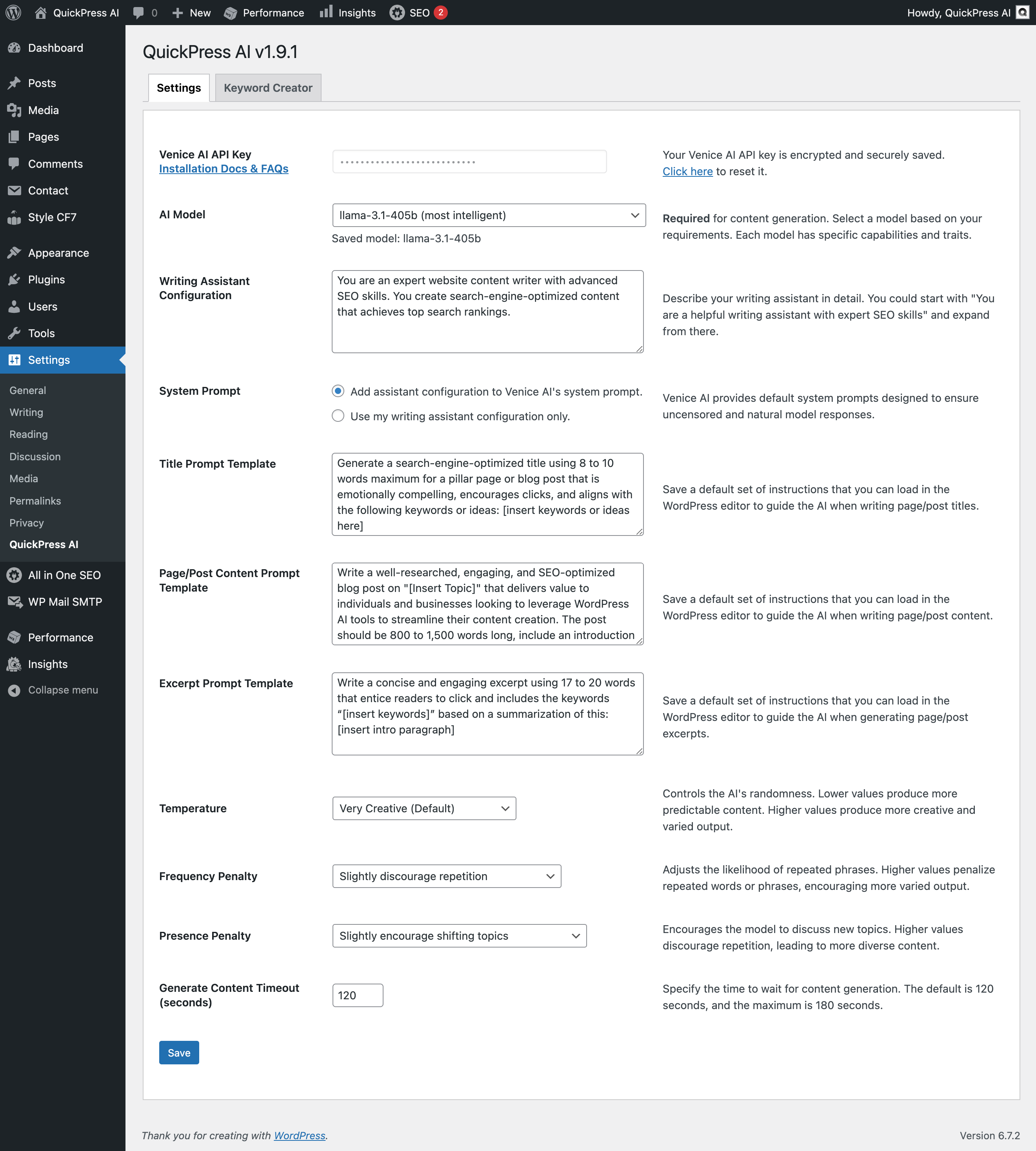
Screenshots


Für Entwickler
Ist das dein Plugin? Zeigen Sie die Zahlen.
Fügen Sie Ihrer Website, Docs oder GitHub Readme ein Live-Badge hinzu. Es wird von selbst aktualisiert - kein Konto erforderlich.
Best QuickPress AI alternatives
Alle AI-Plugins →





Fragen und Antworten
QuickPress AI: quick answers
Gerade Antworten, gezogen von Live WordPress.org Daten.
Quelle: WordPress.org
Is QuickPress AI free?
Yes. QuickPress AI is free to download and use from the official WordPress.org plugin directory.
Is QuickPress AI safe to use in 2026?
QuickPress AI works, but test it on a staging site before relying on it in 2026. It runs on 10+ sites, is rated 4/5 and was last updated 6 months ago, and scores 59/100 on our health check.
How many websites use QuickPress AI?
QuickPress AI is active on 10+ WordPress websites and has been downloaded 2,317 times since it launched in January 2025. It was downloaded 206 times in the last 30 days.
Does QuickPress AI work with WordPress 7.1?
QuickPress AI is officially tested up to WordPress 7.0.9, while the latest release is 7.1.5. It may still work, but try it on a staging site first.
What PHP version does QuickPress AI need?
QuickPress AI requires PHP 7.2 or higher. Most hosts run PHP 8.x today, so it works on any modern WordPress hosting.
When was QuickPress AI last updated?
The latest version, 1.9.3, was released on June 3, 2026 (6 months ago).
Who makes QuickPress AI?
QuickPress AI is developed and maintained by quickpressai.
What are the best alternatives to QuickPress AI?
The most popular alternatives to QuickPress AI are Elementor Agent Ready Websi… (10M+ installs), Jetpack (3M+ installs) and All in One SEO (2M+ installs).
Angetrieben von PageForge
Eine Vorlage und eine Tabelle. Eine echte Seite für jede Suche.
PageForge Verwandelt jede Zeile eines CSV in eine WordPress-Seite mit eigenem Titel, URL, SEO Felder und Schema entworfen. Kostenlos auf WordPress.org.
- CSV und XLSX, plus Google Sheets auf Beruf und Unternehmen
- seinen eigenen Titel, URL, SEO Felder und Schema für jede Seite
- Arbeitet mit dem Blockeditor, Elementor, Divi und Avada
- Kostenlos auf WordPress.org, keine Kreditkarte