


PublishDeck
Write posts on one hub site and publish each to one of your WordPress sites as real, editable blocks. Nothing to install on those sites.

Solide Wahl
PublishDeck is a solid plugin choice in 2026, with a few things worth checking first. Was last updated 1 week ago, and scores 64/100 on our health check.
- Aktiv entwickelt — letztes Update vor 1 Woche
- Getestet mit dem neuesten WordPress (7.1)
- Kleine Benutzerbasis (<10 aktive Installationen)
- Bisher sehr wenige Bewertungen
Wie stapelt es sich?
Side-by-side bei Installationen, Updates, Bewertungen und Support



Tägliche Downloads
Download-Spitzen folgen normalerweise einer neuen Version - jede Website, die automatisch aktualisiert wird, gilt als Download.
Ranglisten
Where PublishDeck stands todayWordPress.org Ranglisten suchen
Live-Position in der Plugin-Suche, Top 100| Stichwort | Position |
|---|---|
| Content Distribution | >100 |
| content sync | >100 |
| multisite | >100 |
| remote publishing | #81 |
| syndication | #56 |
About PublishDeck
Aus der offiziellen Readme · V1.1.0Beschreibung
Running several WordPress sites means signing in to each one to publish, or copying posts by hand and losing images and blocks. PublishDeck gives your team one hub to write in and to see every post, site and result.
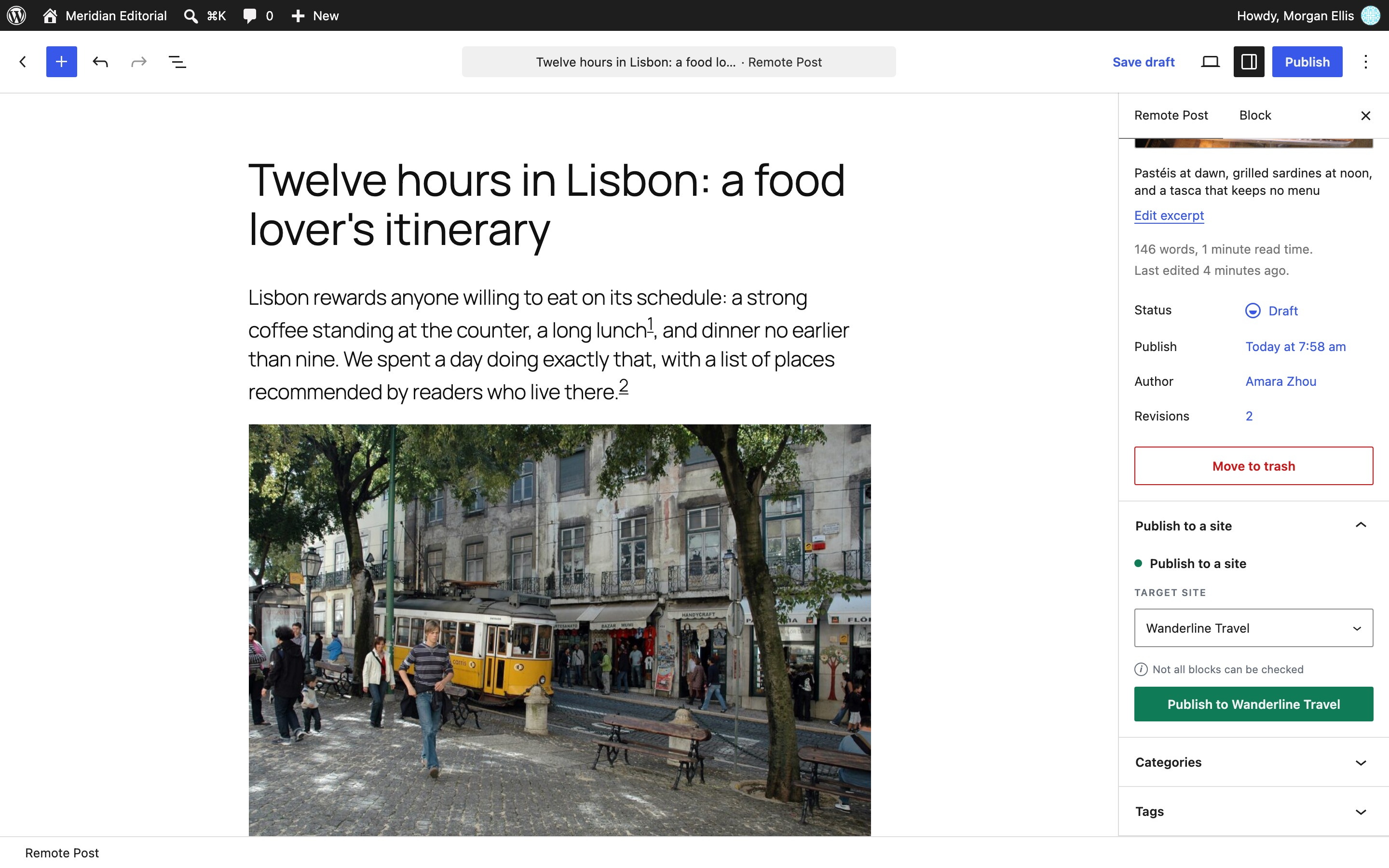
Write in the block editor on the hub, choose the post’s site in the editor sidebar, and publish. PublishDeck sends it in the background as block markup, so it stays fully editable in that site’s block editor, with its author, categories, tags, featured image and media.
The receiving sites need nothing installed: no companion plugin, no custom endpoint. PublishDeck uses the WordPress core REST API and an Application Password over HTTPS, so any up-to-date WordPress site can receive posts, including sites in a multisite network.
Für wen es ist
- Publishers running several niche or brand sites from one editorial team.
- Agencies writing and approving client posts in one place, each published to the client’s site.
- Organisations with regional or department sites.
Merkmale
- Blocks stay blocks – posts travel as block markup, never flattened to HTML.
- One site per post – connect as many sites as you need and send each post to the one it belongs on.
- Two-way sync – pull edits made on a site back into the hub, one post or all at once, with a conflict warning.
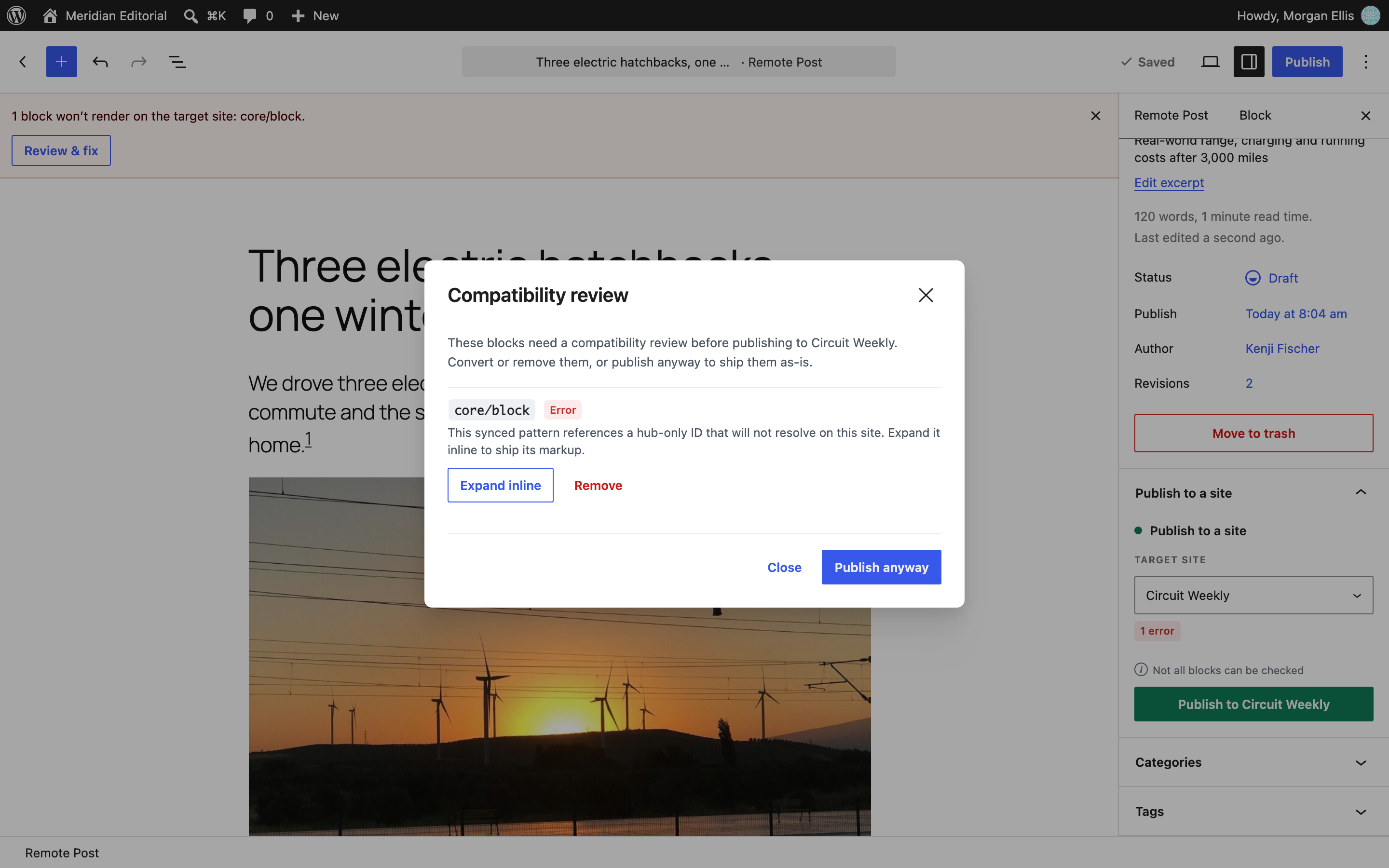
- Block compatibility check – each block is compared with the blocks the site has registered, so you are warned before one would not display there.
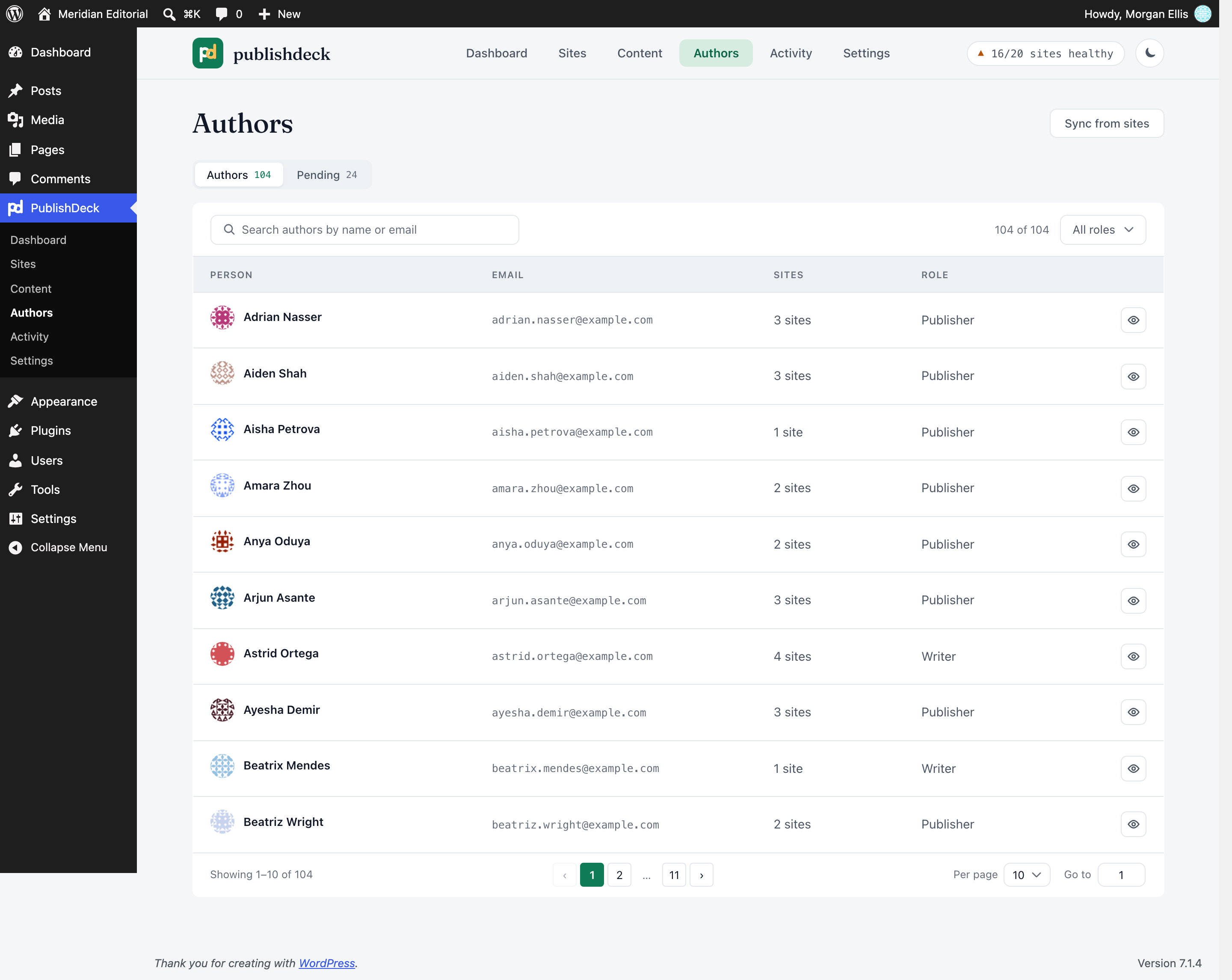
- People and access – find each site’s users, match them to hub accounts by email, and set each person’s level per site: Write (drafts for that site to approve), Publish or Editor.
- Disconnect and reconnect – pause a site without losing anything: its posts stay linked, people keep their access, and edits made meanwhile are sent when you reconnect it.
- Deleted copies are noticed – the editor offers Re-publish or Remove link, and your hub post is never changed because of it.
- Media – images and files upload with the post, and are removed only when no other post sent from the hub uses them.
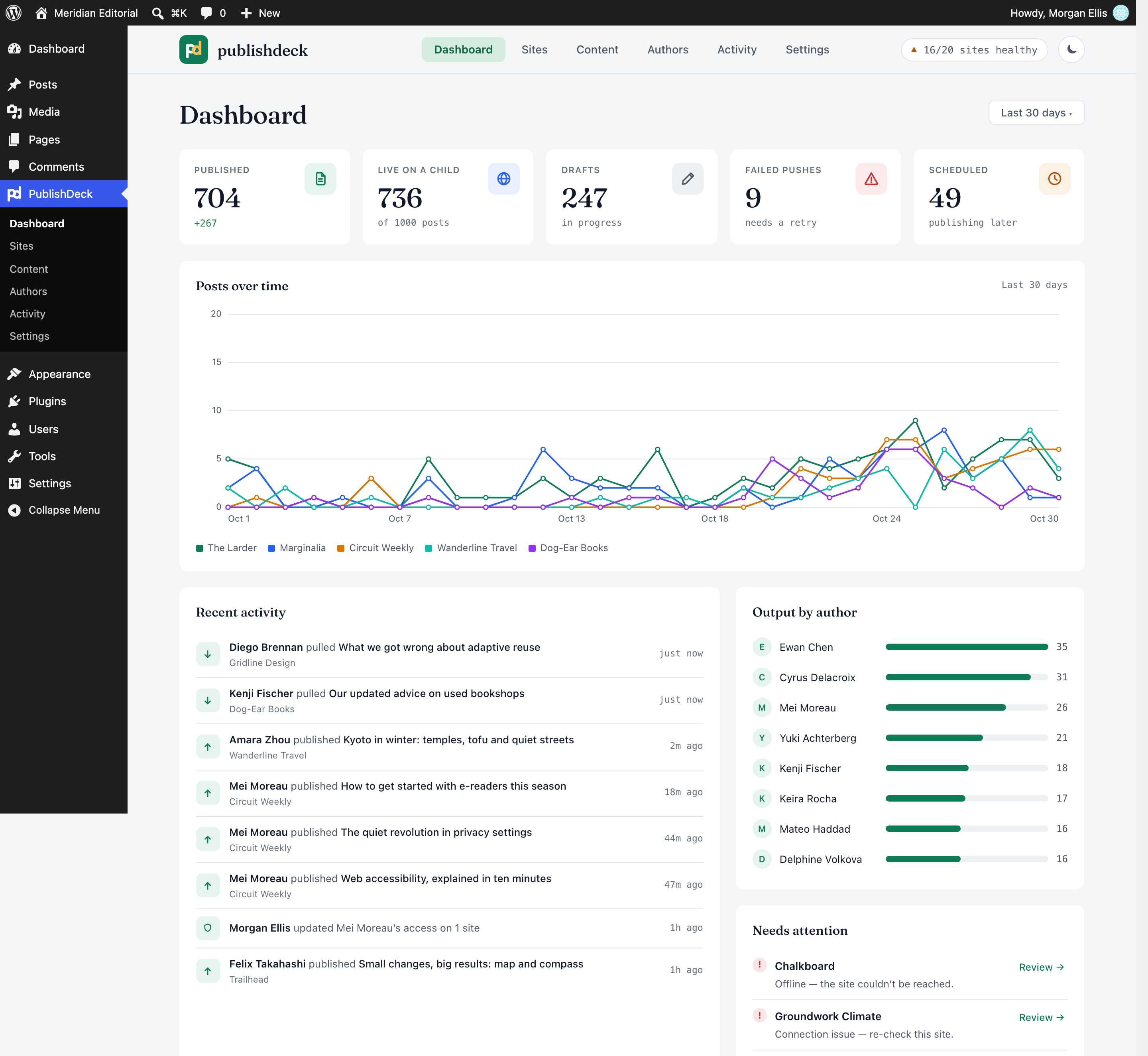
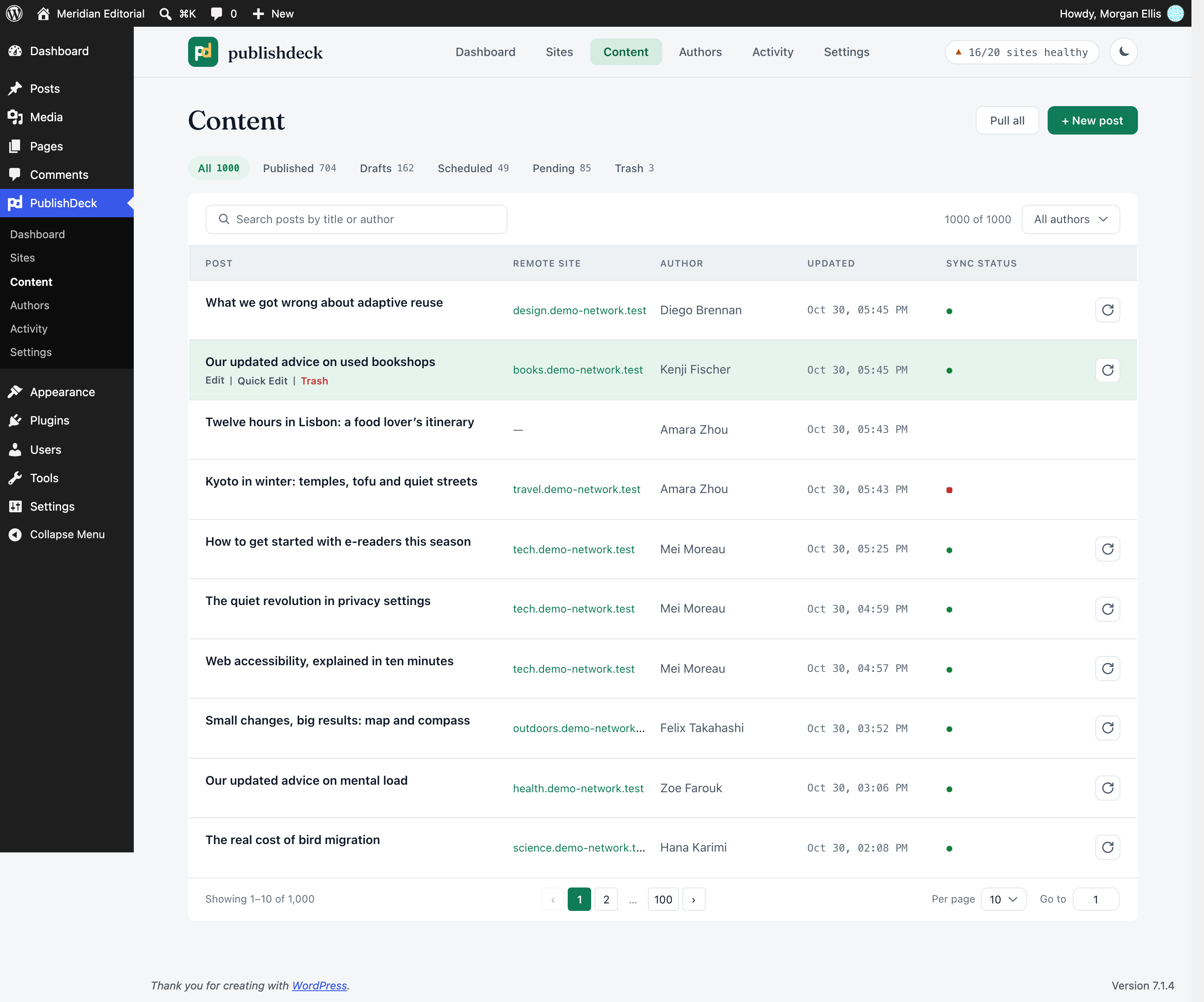
- Dashboard, Content and Activity – statistics, site health, every hub post with its state, quick edit, and a log of every push and pull with Retry.
- Built to be safe – pushes run in the background, a retried job never makes a second copy, and the hub post stays the source.
Wie es funktioniert
- On the receiving site, create an Application Password for an account that can publish there.
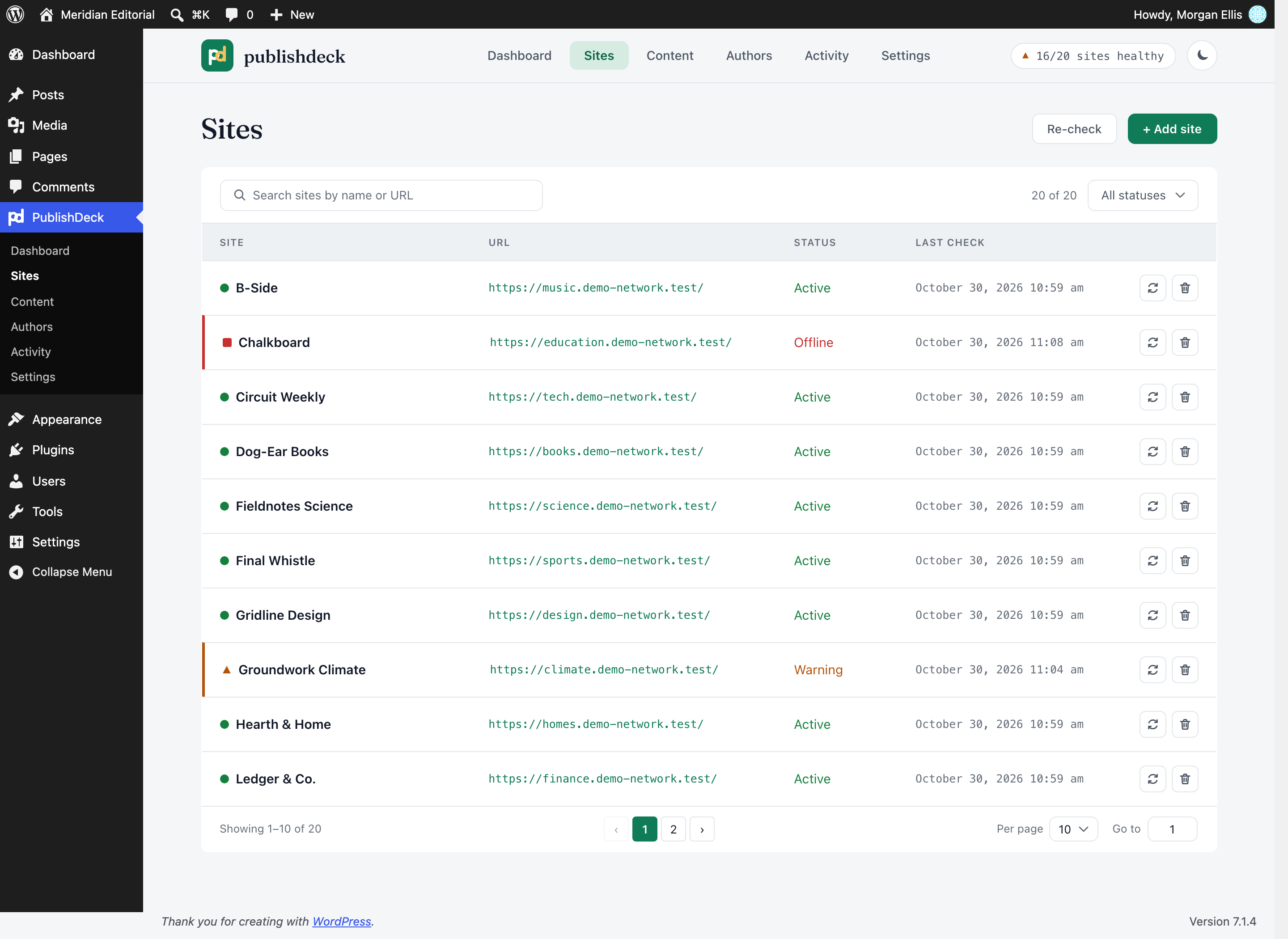
- On the hub, open PublishDeck > Sites, add the site’s address with that account and password, and test the connection.
- Write a post on the hub and choose the site in the editor sidebar.
- Save or publish. A background job sends the post and records the result in Activity.
Externe Dienste
PublishDeck connects only to the WordPress sites you add on its Sites screen. It sends nothing to the plugin author or any other service: no telemetry, no remote scripts or fonts.
It contacts a site when you connect it, when a post is published, updated, pulled, trashed or removed there, when you sync people, and on scheduled checks that the site is reachable and each copy still exists. Every request goes to that site’s REST API at /wp-json/, over HTTPS, signed in with the Application Password you entered.
- Sent: the post’s title, content, excerpt, slug, status, date, categories, tags, featured image and media; its sticky, format, comment, ping and password settings; footnotes and any post meta keys you allow in Settings. To credit the right author, the hub author’s email address is sent as a search on the site’s user list.
- Read: the copies of your posts, the site’s registered blocks, and its users’ names, email addresses and roles, to match them to hub accounts.
PublishDeck never creates, edits or deletes users on a connected site. Every site it talks to is one you connected, so no third-party terms apply.
Source code and third-party libraries
The admin screens (Vue 3) and the editor sidebar (React on WordPress’s own editor packages) ship compiled in assets/. PHP dependencies: composer install --no-dev.
- Action Scheduler by Automattic, GPL-3.0-or-later, in
vendor/woocommerce/action-scheduler/, runs background jobs. https://actionscheduler.org/ - Vue and Vue Router, MIT, compiled into
assets/admin/. https://vuejs.org/ - Fraunces typeface, Copyright 2018 The Fraunces Project Authors, SIL Open Font License 1.1; the licence is in
assets/admin/assets/Fraunces-OFL.txt. https://github.com/undercasetype/Fraunces
Installation
Bedarf
- Hub site: WordPress 6.9+ and PHP 7.4 to 8.4.
- Receiving sites: WordPress 5.6 or later with the REST API and Application Passwords enabled, served over HTTPS, and any permalink setting except Plain.
- Multisite: each site in a network is its own hub. Network activation sets up every existing site and each new one.
Install
- In wp-admin, go to Plugins > Add Plugin, search for PublishDeck, then install and activate it.
- Follow How it works above to connect your first site and publish.
Optional settings in wp-config.php
FSPD_ENCRYPTION_KEY– a fixed key for encrypting stored Application Passwords: a random string of at least 32 characters, such as one line from the WordPress salt generator. Recommended in production, so changing your WordPress salts does not make saved passwords unreadable. Changing the key later means reconnecting every site.- For local development only, each set to
true:FSPD_ALLOW_LOCALturns off the HTTPS, private-address and certificate checks;FSPD_ALLOW_PRIVATE_HOSTSallows private addresses, still over HTTPS;FSPD_ALLOW_INSECURE_TLSaccepts self-signed certificates. Never set them on a live site.
Änderungsprotokoll
1.1.0
- New: Disconnect a site to pause it; on reconnect, the edits, trashes and restores made meanwhile are sent.
- New: A removed site keeps its Activity history, shown as “(removed)”.
- New: A hub in WordPress Playground or Studio can connect to child sites.
- New: Needs attention lists copies deleted or trashed on their site.
- New: Author names on the Dashboard link to their author pages.
- New: Remove from site in the editor asks before deleting the copy.
- Fix: Images, video and cover images point at the site’s copy over both http and https.
- Fix: A hub save no longer takes a copy out of the site’s Trash.
- Fix: A post trashed while its first copy is sent no longer leaves that copy live.
- Fix: A post keeps its site when saved by someone who cannot reach it.
- Change: A missing core block that would show blank stops the push; Publish anyway overrides.
- Change: Retry and the editor sidebar report what really happened to a push.
- Change: Odd numeric addresses (like 2130706433) and tunnelled IPv6 addresses are refused.
- Change: The hub checks a copy’s status on the site before updating it.
1.0.1
- Fix: A post the block check stops is no longer left on its old site when its target changes.
- Fix: A post is never moved to another site unless its old copy’s removal can be queued.
- Fix: The site wizard keeps a site its Test connected, and its draft choice, when it closes.
- Fix: Deleting a site on a multisite network drops its PublishDeck tables.
- Fix: Network deactivation stops the scheduled jobs on every site of that network.
- Fix: Uninstall removes PublishDeck’s job history when Action Scheduler is shared with another plugin.
- Fix: A failed push no longer turns an offline site into a warning.
- Fix: Tools > Export lists PublishDeck posts apart from Posts, and the editor says “Post”.
- Fix: Each site’s connecting account no longer appears under Authors > Pending.
- New: Retry a failed push from its Activity detail.
- New: Activity says when a push arrived as a draft, for review or scheduled.
- New: Activity shows which counts a status filter leaves out.
- New: The Authors screen says when a site shows only some of its users to People sync.
- Change: The readme says FSPD_ENCRYPTION_KEY must be at least 32 random characters.
1.0.0
- Erste Freigabe.
Screenshots



Für Entwickler
Ist das dein Plugin? Zeigen Sie die Zahlen.
Fügen Sie Ihrer Website, Docs oder GitHub Readme ein Live-Badge hinzu. Es wird von selbst aktualisiert - kein Konto erforderlich.
Best PublishDeck alternatives
All Content Distribution plugins →

Fragen und Antworten
PublishDeck: quick answers
Gerade Antworten, gezogen von Live WordPress.org Daten.
Quelle: WordPress.org
Is PublishDeck free?
Yes. PublishDeck is free to download and use from the official WordPress.org plugin directory.
Is PublishDeck safe to use in 2026?
PublishDeck is a solid plugin choice in 2026, with a few things worth checking first. Was last updated 1 week ago, and scores 64/100 on our health check.
How many websites use PublishDeck?
PublishDeck is active on <10 WordPress websites and has been downloaded 495 times since it launched in October 2026. It was downloaded 498 times in the last 30 days.
Does PublishDeck work with WordPress 7.1?
Yes. The developer has tested PublishDeck up to WordPress 7.1.5, the latest release. It requires WordPress 6.9 or newer.
What PHP version does PublishDeck need?
PublishDeck requires PHP 7.4 or higher. Most hosts run PHP 8.x today, so it works on any modern WordPress hosting.
When was PublishDeck last updated?
The latest version, 1.1.0, was released on November 20, 2026 (1 week ago).
Who makes PublishDeck?
PublishDeck is developed and maintained by FrictionSort.
What are the best alternatives to PublishDeck?
The most popular alternatives to PublishDeck are Syndication (90+ installs), MassPost (30+ installs) and Mintfunnel Integration (10+ installs).
Angetrieben von PageForge
Eine Vorlage und eine Tabelle. Eine echte Seite für jede Suche.
PageForge Verwandelt jede Zeile eines CSV in eine WordPress-Seite mit eigenem Titel, URL, SEO Felder und Schema entworfen. Kostenlos auf WordPress.org.
- CSV und XLSX, plus Google Sheets auf Beruf und Unternehmen
- seinen eigenen Titel, URL, SEO Felder und Schema für jede Seite
- Arbeitet mit dem Blockeditor, Elementor, Divi und Avada
- Kostenlos auf WordPress.org, keine Kreditkarte