


Premium Blocks – Gutenberg Blocks, Patterns & Templates
With Premium Blocks for Gutenberg, you get a free, comprehensive collection of advanced blocks and features for the WordPress block editor. Our plugin helps you go beyond the basics to create stunning, responsive…

Solide Wahl
Premium Blocks is a solid plugin choice in 2026, with a few things worth checking first. It runs on 2K+ sites, is rated 4.8/5 and was last updated 10 hours ago, and scores 76/100 on our health check.
- Loved by users — 4.8/5 from 41 reviews
- Actively developed — last update 10 hours ago
- Getestet mit dem neuesten WordPress (7.1)
- Momentum — downloads up 68.7% vs the previous 30 days
Wie stapelt es sich?
Side-by-side bei Installationen, Updates, Bewertungen und Support



Tägliche Downloads
Download-Spitzen folgen normalerweise einer neuen Version - jede Website, die automatisch aktualisiert wird, gilt als Download.
Ranglisten
Where Premium Blocks stands todayWordPress.org Ranglisten suchen
Live-Position in der Plugin-Suche, Top 100| Stichwort | Position |
|---|---|
| block-editor | >100 |
| Blöcke | #44 |
| Gutenberg | #22 |
| gutenberg addons | #8 |
Versionsübernahme
Anteil aktiver Sites pro Release.
Bewertungsaufschlüsselung
★★★★★★★★★★ 4.8 from 41 reviews
About Premium Blocks
From the official readme · v2.3.22Beschreibung
With Premium Blocks for Gutenberg, you get a free, comprehensive collection of advanced blocks and features for the WordPress block editor. Our plugin helps you go beyond the basics to create stunning, responsive websites with ease. With a constant flow of new customization options, it’s the ultimate toolkit for designers and developers looking to build and maintain high-performing sites.
Useful Links
KEY FEATURES
- Fast & Optimized – Smooth Gutenberg editor performance.
- 33+ Free Gutenberg Blocks.
- Ready-Made Patterns – Pre-designed sections for pages, posts, and FSE.
- Global Settings – Manage styles across the site
- Responsive Controls – Customize desktop, tablet, and mobile.
- Display Conditions – Show or hide blocks by user, device, or date.
- Entrance Animations – Animate blocks on load.
- Equal Height Feature.
- Copy/Paste Styles – Transfer styling between blocks.
- Advanced Gallery – Multiple image layouts.
- Lottie Animations.
- SVG Draw Effects.
- Post Grid & Carousel – Showcase posts and custom types.
- One-Page Scroll.
- Translation Ready – Compatible with WPML.
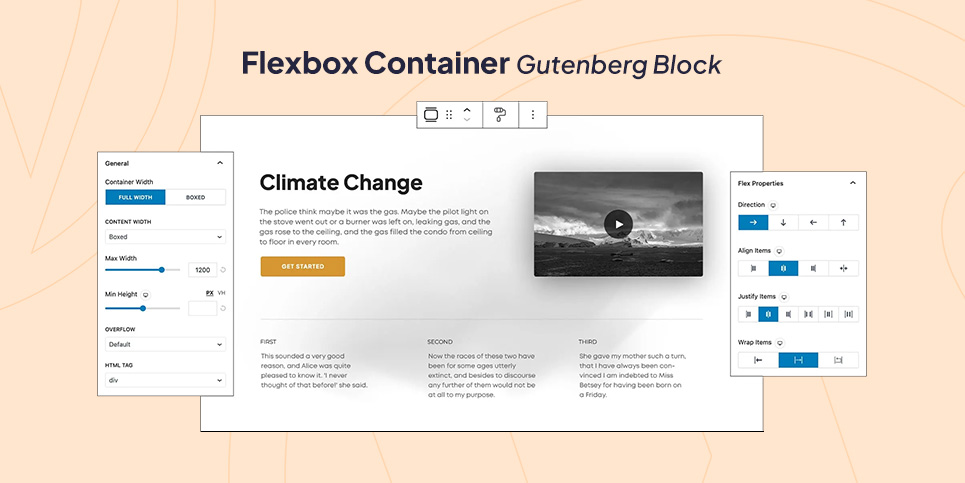
Flexbox Container Gutenberg Block
Effortlessly create complex, responsive layouts using the power of Flexbox. Arrange elements side-by-side, stack them vertically, or even distribute them evenly with ultimate control and flexibility inside your Gutenberg editor.
Gutenberg Templates
Speed up your workflow by inserting pre-designed patterns directly into any page, post, or FSE template with a single click. Learn More
Premium Blocks For Gutenberg Global Settings for Gutenberg Editor
Save time and streamline your workflow by setting global styles and defaults for all your Gutenberg blocks. Customize fonts, colors, spacing, and more once and apply them seamlessly across your entire WordPress website.
Presets and Variations for Various Gutenberg Blocks
Elevate your website design in seconds with Free Blocks for Gutenberg’s extensive library of pre-designed presets and variations. Forget the hassle of starting from scratch – simply choose a preset that aligns with your vision, and then personalize it further with a variety of built-in variations.
Copy/Paste Style Feature for Gutenberg
Achieve design consistency effortlessly with the Copy/Paste Style feature. Quickly copy formatting and styles from one Gutenberg block to another, ensuring a cohesive and branded look across your entire WordPress website.
Display Conditions for Gutenberg Blocks
Free Global Features lets you control the visibility of any block—core, Premium Blocks, or third-party—based on user role, device, location, browser, date, and more. Build dynamic, personalized content with no code. View Demo
Equal Height Feature for Gutenberg
Ensure visual harmony across your Gutenberg website with the Equal Height feature. Make columns, blocks, or any elements match each other’s height with a single click, creating a clean and polished look.
Entrance Animation Feature for Gutenberg Blocks
Grab attention and captivate your website visitors with stunning entrance animations for your Gutenberg blocks. Choose from a variety of pre-built entrance animations to make each element stand out with dynamic flair.
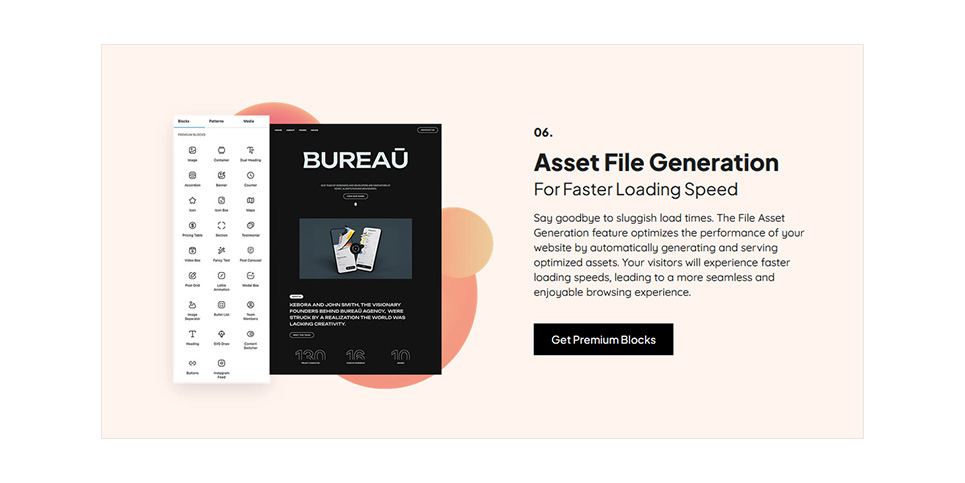
Asset File Generation Feature
Optimize your WordPress website performance with lightning-fast loading times using the Asset File Generation feature for Gutenberg. Automatically optimize and compress images, icons, and other assets for the web, ensuring a smooth and speedy user experience.
Available Elements
- Banner – Create interactive banners using Gutenberg Banner block which offers ready-made styles alongside numerous customization options.
- Buttons – Add powerful calls to actions inside the Gutenberg editor using the fully customizable Buttons block.
- Counter – Showcase your impressive facts and figures on your WordPress website using dynamic counters.
- Dual Heading – Combine titles and subtitles for impactful statements inside your Gutenberg editor.
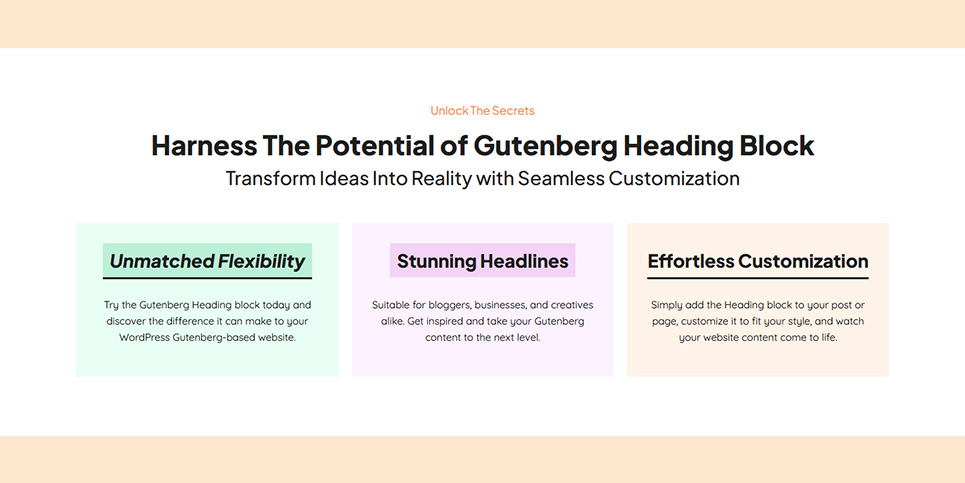
- Heading Professional-looking headlines with numerous styles to choose from.
- Icon – Enrich your Gutenberg content with meaningful and stylish Font Awesome and WordPress-Dash icons.
- Google Maps – Embed interactive Google maps directly into your WordPress website.
- Pricing Table – Seamlessly, present pricing plans clearly and attractively inside your Gutenberg editor.
- Section – Structure your WordPress website content into organized and visually appealing sections.
- Testimonials – Highlight customer reviews or positive quotes and build trust using the Testimonials Gutenberg block.
- Accordion – Organize and present FAQs or expandable content efficiently inside Gutenberg editor.
- Icon Box – Combine icons with text for eye-catching informational blocks.
- Video Box – Add YouTube, Vimeo, and Dailymotion videos or you can upload a custom video all inside Gutenberg editor.
- Flex Container – Group and organize content elements within your Gutenberg layout using the powerful Flexbox Container block with its advanced responsive settings.
- Animated Text – Capture attention with dynamic and animated text effects inside Gutenberg editor.
- Lottie Animations – Add engaging and lightweight animated elements and key visuals using Lottie Animations Gutenberg block.
- Modal Popup – Create pop-up windows for additional content or calls to action inside your Gutenberg editor.
- Image Separator – Divide your Gutenberg sections with stylish and customizable image separators.
- Bullet List – Present information clearly and concisely with styled bullet lists on your WordPress website.
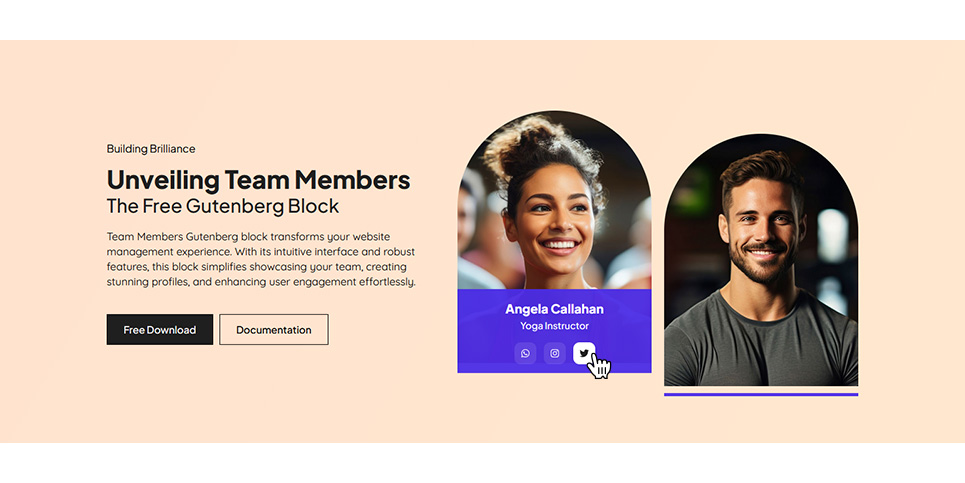
- Team Members – Showcase your team members with photos, bios, and social links.
- Content Switcher – Offer alternative content options with a toggle switch within your Gutenberg editor.
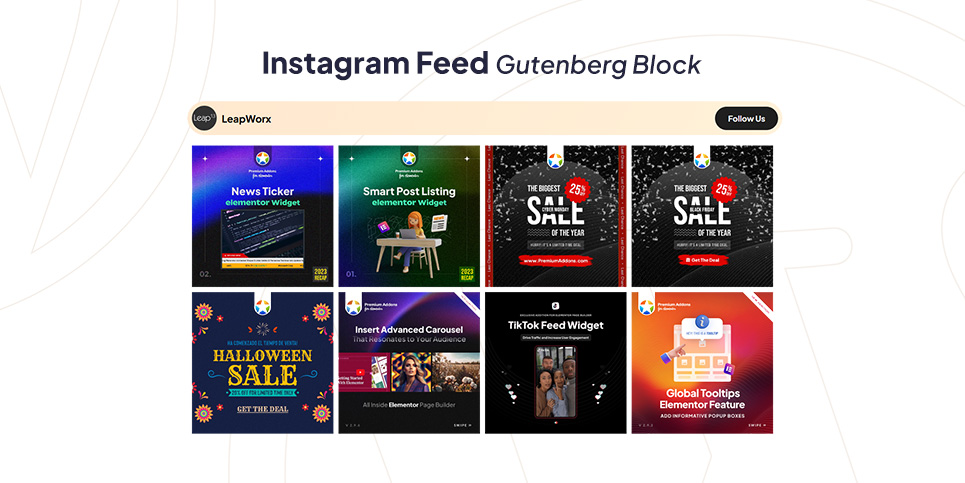
- Instagram Feed – Display your Instagram feed directly on your WordPress website.
- Post Carousel – Showcase your blog posts in a visually appealing carousel.
- Post Grid – Present your blog posts in a neat and organized grid layout.
- SVG Draw – Create dynamic and interactive SVG drawings directly on your WordPress website.
- Form – Create beautiful contact forms and more with our intuitive Gutenberg Form block.
- Image – Explore Gutenberg’s Image block with its diverse masks, styles, controls, and options, perfect for enhancing your visual content.
- Gallery – Engage your Images in various layout
- Tabs – For making advanced tabs with content
- Off Canvas – Create hidden, slide-in panels for navigation menus, sidebars, or promotional content using multiple triggers; Button, Image, Icon, SVG, and Lottie Animations.
- One Page Scroll – Build engaging full-screen scrolling websites with customizable navigations dots, menu items, arrows and smooth transitions. Ideal for modern landing pages, product showcases, storytelling, portfolios and more.
- Star Ratings – Display customizable star ratings with adjustable colors and icons—including any SVG—fully editable without any coding required.
Installation
Mindestanforderungen
- WordPress 6.6 or greater
- PHP version 5.4 or greater
- MySQL-Version 5.0 oder höher
Installation Instructions
- First make sure that Gutenberg is installed, As this plugin works only with it.
- Download the plugin then Upload it to the plugin folder: /wp-content/plugins/ or install it through the WordPress plugins screen directly.
- Aktivieren Sie das Plugin über den Bildschirm „Plugins“ in WordPress
Now, you can be a contributor
If you want to contribute, go to our Premium Blocks for Gutenberg GitHub Repository and see where you can help.
Änderungsprotokoll
2.3.22
- Fix: Heading, Button, Star Ratings, Text and One Page Scroll blocks translated with WPML no longer show as invalid in the editor.
- Fix: The Form block’s default success and error messages can now be translated.
2.3.21
- Security: Improved the security of the Form block.
- Fix: Form success and error messages appear again after submitting.
- Fix: More texts can now be translated with WPML in the Fancy Text, Video Box and Form blocks.
2.3.20
- Fix: Container block was forced to a 100px minimum height on the frontend when it was empty or held only small or dynamic content. An empty Container that should stay visible now needs a Min Height set.
2.3.19
- Security: Display Conditions are now enforced in automatic excerpts (REST API, RSS and Atom feeds, search, archives, Post Grid and Post Carousel) and in Post Grid pagination and filter requests. Excerpts may become shorter or empty where they previously included hidden blocks.
- Security: Post Grid pagination and filter requests now run only the query saved in the block, and every query setting is validated before use. Previously a crafted request could list draft and private posts.
- Purge page and feed caches after updating.
2.3.18
- Fixed: Improved Global Settings security and stability.
2.3.17
- Added: Fancy Text block — Height control for the highlighted shape.
- Fixed: Gallery block — images now load correctly in Safari when the gallery is placed inside a Tabs block.
- Fixed: Gallery block — metro layout no longer leaves a gap at the end of each row due to rounding.
- Fixed: Entrance animations — elements now animate reliably when scrolled into view instead of firing off-screen.
- Tweak: Improved frontend performance by limiting template part assets.
Screenshots
Für Entwickler
Ist das dein Plugin? Zeigen Sie die Zahlen.
Fügen Sie Ihrer Website, Docs oder GitHub Readme ein Live-Badge hinzu. Es wird von selbst aktualisiert - kein Konto erforderlich.
Best Premium Blocks alternatives
All block-editor plugins →




Fragen und Antworten
Premium Blocks: quick answers
Gerade Antworten, gezogen von Live WordPress.org Daten.
Quelle: WordPress.org
Is Premium Blocks free?
Yes. Premium Blocks is free to download and use from the official WordPress.org plugin directory.
Is Premium Blocks safe to use in 2026?
Premium Blocks is a solid plugin choice in 2026, with a few things worth checking first. It runs on 2K+ sites, is rated 4.8/5 and was last updated 10 hours ago, and scores 76/100 on our health check.
How many websites use Premium Blocks?
Premium Blocks is active on 2K+ WordPress websites and has been downloaded 386,558 times since it launched in December 2018. It was downloaded 4,138 times in the last 30 days.
Does Premium Blocks work with WordPress 7.1?
Yes. The developer has tested Premium Blocks up to WordPress 7.1.5, the latest release. It requires WordPress 6.6 or newer.
What PHP version does Premium Blocks need?
Premium Blocks requires PHP 7.0 or higher. Most hosts run PHP 8.x today, so it works on any modern WordPress hosting.
When was Premium Blocks last updated?
The latest version, 2.3.22, was released on November 19, 2026 (10 hours ago).
Who makes Premium Blocks?
Premium Blocks is developed and maintained by Leap13.
What are the best alternatives to Premium Blocks?
The most popular alternatives to Premium Blocks are Classic Editor (8M+ installs), Advanced Editor Tools (1M+ installs) and Disable Gutenberg (500K+ installs).
Angetrieben von PageForge
Eine Vorlage und eine Tabelle. Eine echte Seite für jede Suche.
PageForge Verwandelt jede Zeile eines CSV in eine WordPress-Seite mit eigenem Titel, URL, SEO Felder und Schema entworfen. Kostenlos auf WordPress.org.
- CSV und XLSX, plus Google Sheets auf Beruf und Unternehmen
- seinen eigenen Titel, URL, SEO Felder und Schema für jede Seite
- Arbeitet mit dem Blockeditor, Elementor, Divi und Avada
- Kostenlos auf WordPress.org, keine Kreditkarte