


Post Grid & Post Slider – Carousel, Filter Tabs & Related Posts
Show your posts as a responsive post grid or a post slider carousel – in about a minute, without touching code.

Solide Wahl
Post Grid & Post Slider is a solid plugin choice in 2026, with a few things worth checking first. It runs on 1K+ sites, is rated 4.3/5 and was last updated 3 months ago, and scores 75/100 on our health check.
- Getestet mit dem neuesten WordPress (7.1)
- Momentum – Downloads um 24% gegenüber den letzten 30 Tagen
Wie stapelt es sich?
Side-by-side bei Installationen, Updates, Bewertungen und Support



Tägliche Downloads
Download-Spitzen folgen normalerweise einer neuen Version - jede Website, die automatisch aktualisiert wird, gilt als Download.
Ranglisten
Where Post Grid & Post Slider stands todayWordPress.org Ranglisten suchen
Live-Position in der Plugin-Suche, Top 100| Stichwort | Position |
|---|---|
| Gutenberg block | >100 |
| post carousel | #21 |
| post filter | #35 |
| post grid | #26 |
| related posts | #18 |
Versionsübernahme
Anteil aktiver Sites pro Release.
Bewertungsaufschlüsselung
★★★★★★★★★★ 4.3 from 8 reviews
About Post Grid & Post Slider
From the official readme · v1.0.23Beschreibung
Show your posts as a responsive post grid or a post slider carousel – in about a minute, without touching code.
Pick your categories, choose a layout, and drop it anywhere with the Gutenberg block or a shortcode. Works with posts, pages and any custom post type.
Was Sie bauen können
- Post grid – a responsive blog grid with the columns you choose for desktop, laptop, tablet and phone
- Post slider / carousel – a horizontal thumbnail carousel of your latest posts, with autoplay and pause on hover
- Related posts – posts from the same category as the post being read, shown under your content
- Filterable grid – category tabs above the grid so visitors filter without reloading the page
Category filter tabs
Let readers narrow the grid to the category they care about. Click a tab, the grid updates instantly – no page reload.
The tabs are built from the categories your grid is already set to show, so a tab can never come up empty. Turn it on with one checkbox.
Related posts, without another plugin
Keep readers on your site by showing related posts under each article. Match by category, choose how many to show, and display them as a grid or a slider. The post being read is excluded automatically.
Add related="1" to the shortcode, or flip the toggle in the block:
[psc_print_post_grid related="1"]
Post grid features
- Responsive grid with independent column counts for desktop, 1024px, 800px and 640px
- Two layouts: Default and List
- Category filter tabs with instant AJAX filtering
- Include or exclude categories, post types, and individual posts
- Choose what each card shows: excerpt, date, author, comment count, Read More
- Set your own excerpt length
- Colour pickers for heading, meta, content and Read More link
- Sort by date, title, author, name, random or comment count
- Live preview before you publish
- Gutenberg block and shortcode
Post slider features
- Responsive thumbnail slider / carousel
- Autoplay with pause on mouse over
- Captions and pager, both optional
- Set thumbnail width and height
- Custom link support per post
- Include or exclude categories, post types, and individual posts
- Sort by date, title, author, name, random or comment count
- Live preview before you publish
- Gutenberg block and shortcode
Works with your setup
- Any theme – the grid and slider inherit your fonts
- Any custom post type, including WooCommerce products
- Block editor, Classic editor, or a PHP template call
- Multisite
- Übersetzung bereit
- WordPress capabilities, so you control which roles can manage sliders and grids
Live demos
What you get for free
Everything above is in the free plugin. One slider and one grid, both fully working – not a trial, not time limited, no feature nagging inside the settings.
That is enough for most sites: a grid on your blog page, filter tabs so readers can narrow it down, and related posts under each article.
When you would want Pro
Pro exists for people who outgrow one grid. You would know if that is you:
- You need more than one. Different grids on different pages, each with its own categories, columns and colours. Free saves one configuration; Pro saves as many as you like.
- You want a layout with more character. Pro adds Masonry, Overlay and Magazine to the Default and List layouts you already have.
- Your related posts should be smarter. Match on tags or any custom taxonomy instead of categories, sort so the closest matches come first, and insert them under every article automatically without editing a template.
- You want to know what works. Pro records clicks per grid and per post, so you can see which placement earns attention and which quietly does nothing. No visitor data is stored – just daily counters.
- Your filter tabs need to do more. Any taxonomy, a dropdown instead of buttons, multi select, post counts, and a preselected term.
- You want the slider to do more. Vertical sliding, continuous ticker mode, 16 easing effects, AJAX pagination and social sharing buttons.
One payment, no subscription. See the Pro version and live demos
Installation
- In your WordPress admin, go to Plugins > Add New and search for “Post Grid & Post Slider”, or upload the
post-slider-carouselfolder to/wp-content/plugins/. - Aktivieren Sie das Plugin.
- Go to Post Slider & Grid in the admin menu and set up your slider or grid.
- Add it to a page:
- Block editor: add the “Post Slider & Grid” block, then pick Slider or Grid in the sidebar.
- Shortcode:
[psc_print_post_grid]or[psc_print_post_slider_carousel] - Theme file:
<?php echo do_shortcode('[psc_print_post_grid]'); ?>
- For related posts, add
related="1"to the shortcode, or turn on Related Posts in the settings.
Änderungsprotokoll
Please clear WordPress cache (If you have any wordpress cache plugin installed)
1.0.23
- New: category filter tabs for grids. Visitors filter the grid without a page reload
- New: related posts. Show posts from the same category as the post being read, as a grid or a slider
- New: choose what each card shows – excerpt, date, author, comment count, Read More link – and set your own excerpt length
- New: List layout for grids
- New: Gutenberg block for both the slider and the grid
- Fixed: private and password protected posts are no longer shown to visitors
- Fixed: tapping a post on a mobile device now opens it correctly
- Fixed: two grids on the same page no longer interfere with each other
- Fixed: “Maximum posts to retrieve” set to -1 no longer exhausts memory on large sites
- Improved: settings screen tidied up, with clearer help text
1.0.22
- Fixed issue Undefined variable $imageheight_
1.0.21
- Cross Site Scripting (XSS) vulnerability fixes
1.0.20
- Make plugin compatible with block editor
- Tested with WordPress 6.3
1.0.18
- Fixed responsive not working in post grid
- Tested with WordPress 5.9
1.0.17
- Fixed category tree in settings have warning in PHP 8
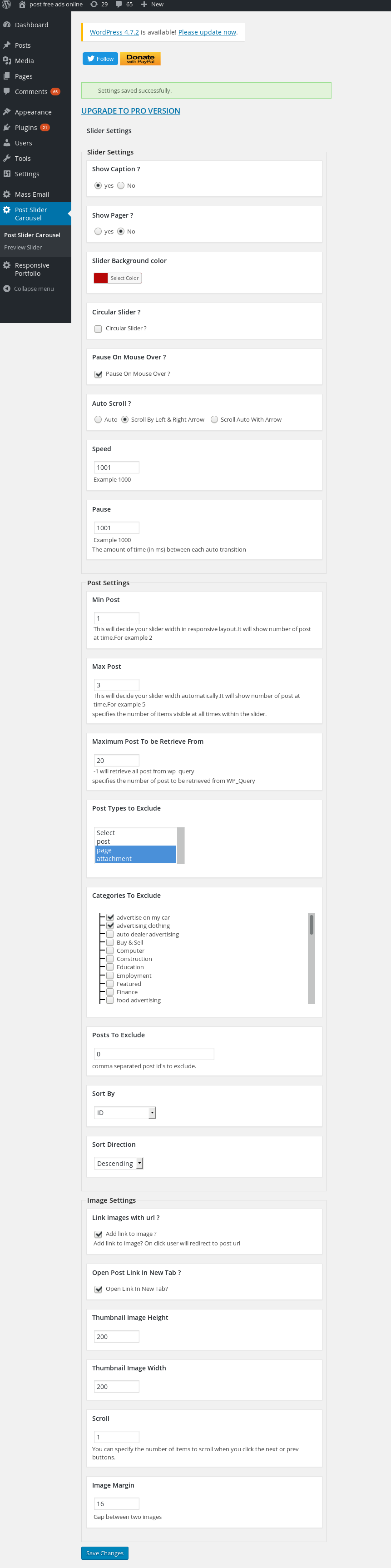
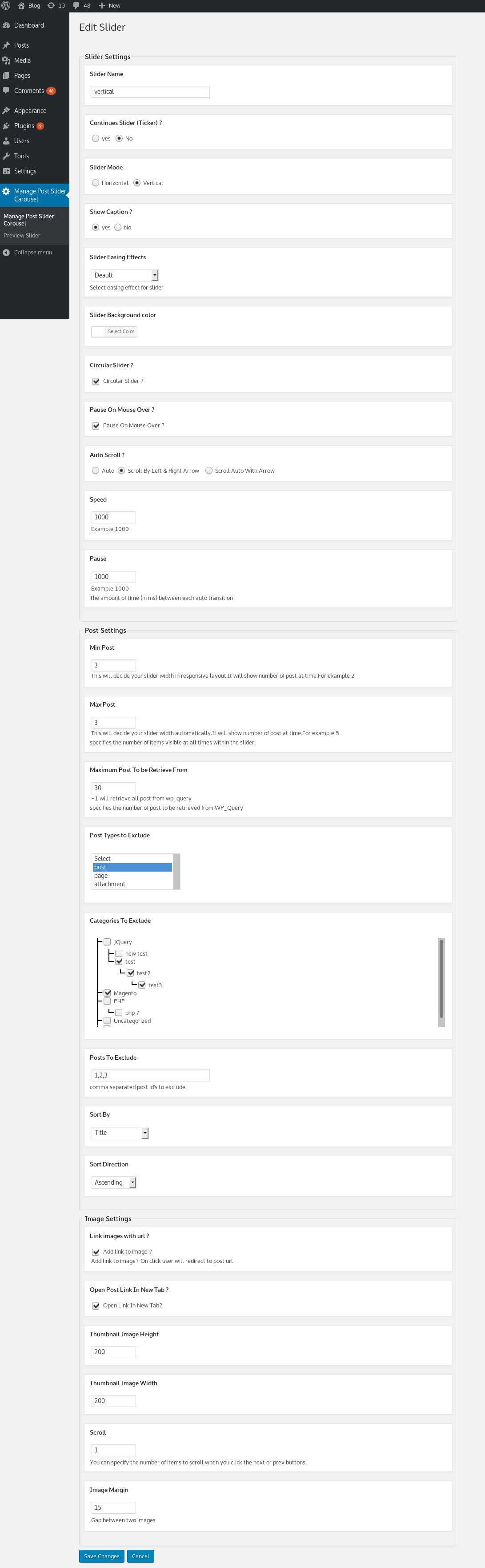
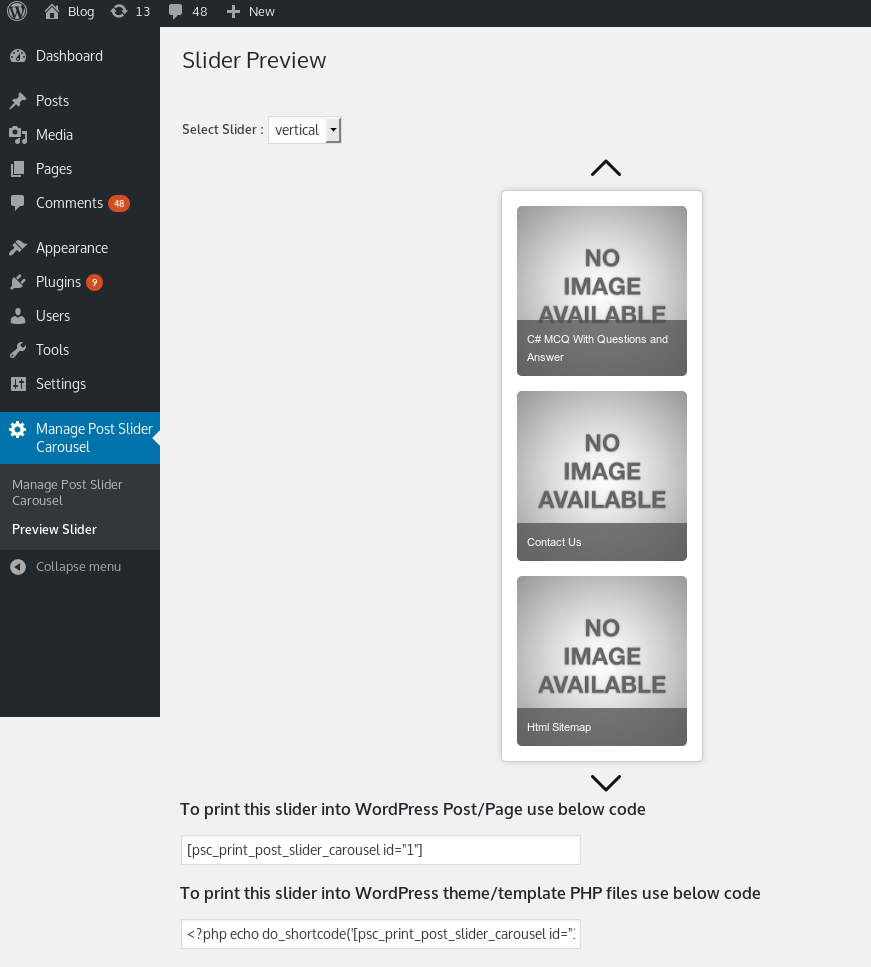
Screenshots




Für Entwickler
Ist das dein Plugin? Zeigen Sie die Zahlen.
Fügen Sie Ihrer Website, Docs oder GitHub Readme ein Live-Badge hinzu. Es wird von selbst aktualisiert - kein Konto erforderlich.
Best Post Grid & Post Slider alternatives
All Gutenberg block plugins →





Fragen und Antworten
Post Grid & Post Slider: quick answers
Gerade Antworten, gezogen von Live WordPress.org Daten.
Quelle: WordPress.org
Is Post Grid & Post Slider free?
Yes. Post Grid & Post Slider is free to download and use from the official WordPress.org plugin directory. The developer also sells premium add-ons or a Pro version with extra features.
Is Post Grid & Post Slider safe to use in 2026?
Post Grid & Post Slider is a solid plugin choice in 2026, with a few things worth checking first. It runs on 1K+ sites, is rated 4.3/5 and was last updated 3 months ago, and scores 75/100 on our health check.
How many websites use Post Grid & Post Slider?
Post Grid & Post Slider is active on 1K+ WordPress websites and has been downloaded 63,907 times since it launched in February 2017. It was downloaded 620 times in the last 30 days.
Does Post Grid & Post Slider work with WordPress 7.1?
Yes. The developer has tested Post Grid & Post Slider up to WordPress 7.1.5, the latest release. It requires WordPress 5.0 or newer.
What PHP version does Post Grid & Post Slider need?
Post Grid & Post Slider requires PHP 7.0 or higher. Most hosts run PHP 8.x today, so it works on any modern WordPress hosting.
When was Post Grid & Post Slider last updated?
The latest version, 1.0.23, was released on September 2, 2026 (3 months ago).
Who makes Post Grid & Post Slider?
Post Grid & Post Slider is developed and maintained by Nks.
What are the best alternatives to Post Grid & Post Slider?
The most popular alternatives to Post Grid & Post Slider are Qi Blocks (60K+ installs), Map Block for Google Maps (20K+ installs) and Button visually impaired (10K+ installs).
Angetrieben von PageForge
Eine Vorlage und eine Tabelle. Eine echte Seite für jede Suche.
PageForge Verwandelt jede Zeile eines CSV in eine WordPress-Seite mit eigenem Titel, URL, SEO Felder und Schema entworfen. Kostenlos auf WordPress.org.
- CSV und XLSX, plus Google Sheets auf Beruf und Unternehmen
- seinen eigenen Titel, URL, SEO Felder und Schema für jede Seite
- Arbeitet mit dem Blockeditor, Elementor, Divi und Avada
- Kostenlos auf WordPress.org, keine Kreditkarte