


Post Layouts
Responsive post layout block to display posts in flexible grid, list, and template layouts with featured images, post meta, and read-more controls.

Solide Wahl
Post Layouts is a solid plugin choice in 2026, with a few things worth checking first. It runs on 900+ sites, is rated 4.5/5 and was last updated 2 months ago, and scores 72/100 on our health check.
- Getestet mit dem neuesten WordPress (7.1)
- Kleine Benutzerbasis (900+ aktive Installationen)
- Bisher sehr wenige Bewertungen
Wie stapelt es sich?
Side-by-side bei Installationen, Updates, Bewertungen und Support


Tägliche Downloads
Download-Spitzen folgen normalerweise einer neuen Version - jede Website, die automatisch aktualisiert wird, gilt als Download.
Ranglisten
Where Post Layouts stands todayWordPress.org Ranglisten suchen
Live-Position in der Plugin-Suche, Top 100| Stichwort | Position |
|---|---|
| grid layout | #33 |
| list layout | #8 |
| post blocks | #63 |
| post layouts | #2 |
| Post Templates | #38 |
Versionsübernahme
Anteil aktiver Sites pro Release.
Bewertungsaufschlüsselung
★★★★★★★★★★ 4.5 from 4 reviews
About Post Layouts
From the official readme · v2.1Beschreibung
Post Layouts for Gutenberg is a powerful WordPress addon with a bunch of additional styles for Post Layouts and Post Templates. It contains unique Post Templates for presentation. It is a standalone solution to give wow design possibilities for your blog Post Blocks with a clean design and fully responsive Grid Layout and List Layout.
Post Layouts for Gutenberg makes your post section more intuitive without any coding skill. It’s easy to manage for beginners to website developers.
If you are looking for different Post Layouts every day, then Post Layouts for Gutenberg is the best solution you have never seen before. You can say that Post Layouts for Gutenberg will be your Ultimate Post Layouts Builder for the WordPress Block Editor.
Where is the Post Layouts Plugin Most Useful?
Post Layouts for Gutenberg plugin is useful for all WordPress websites. It is a perfect solution to showcase your Post Blocks with different Post Templates and Post Layouts every next day, as a blog page, blog section at the home page, or a post with a filter like category wise, author wise, etc.
Below is one small list for which purposes you can start using the Post Layouts for Gutenberg plugin.
- Blogging Website
- Fashion Blog Website
- Personal Blog Website
- News Website
- Magazine Website
- Latest Trend Blog
- Etc.
Why Choose Post Layouts for your Gutenberg Project?
We carefully researched the minimum requirements of any blog page presentation and then created a list of options to provide that flexibility to new WordPress block editor users. Yes, it’s free for everyone and you can see the instant result while updating your changes with the Post Layouts for Gutenberg options.
We provided all possible options with Post Layouts for Gutenberg. So, from beginner-level users to any experts, bloggers, and freelancers can use this standalone solution to show WordPress Post Blocks in different Post Templates and Post Layouts styles.
Features of Post Layouts for Gutenberg
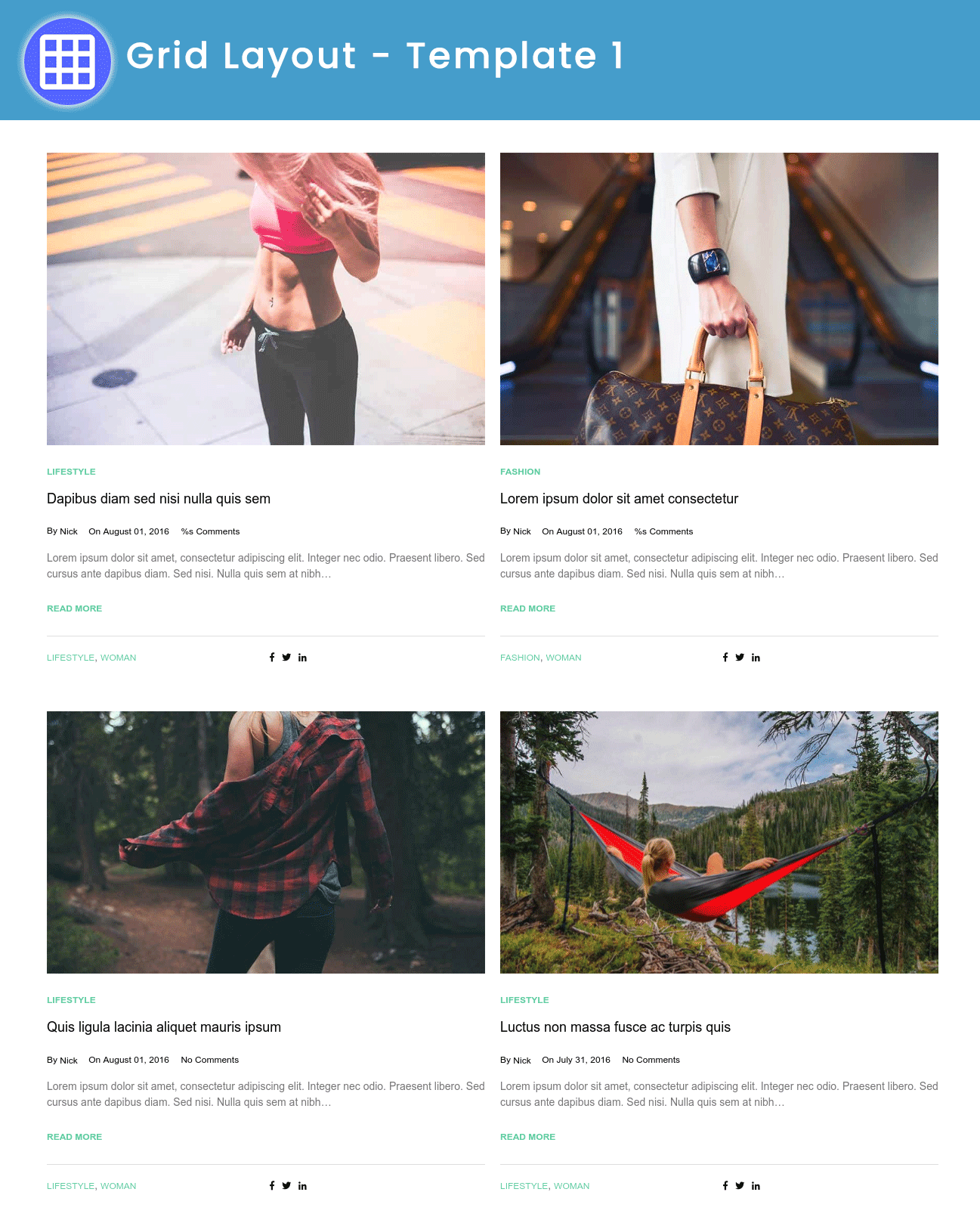
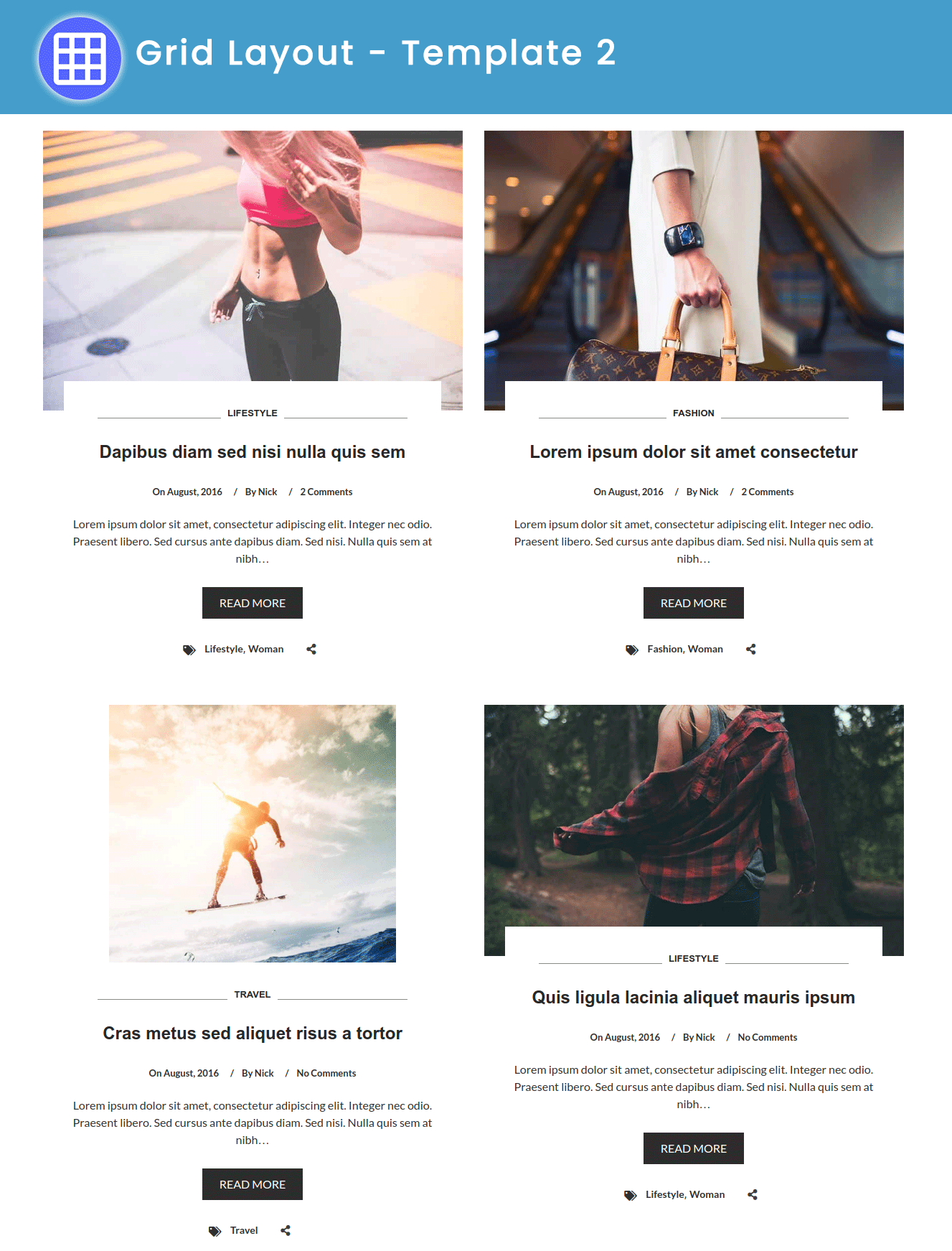
- 2 Grid Templates
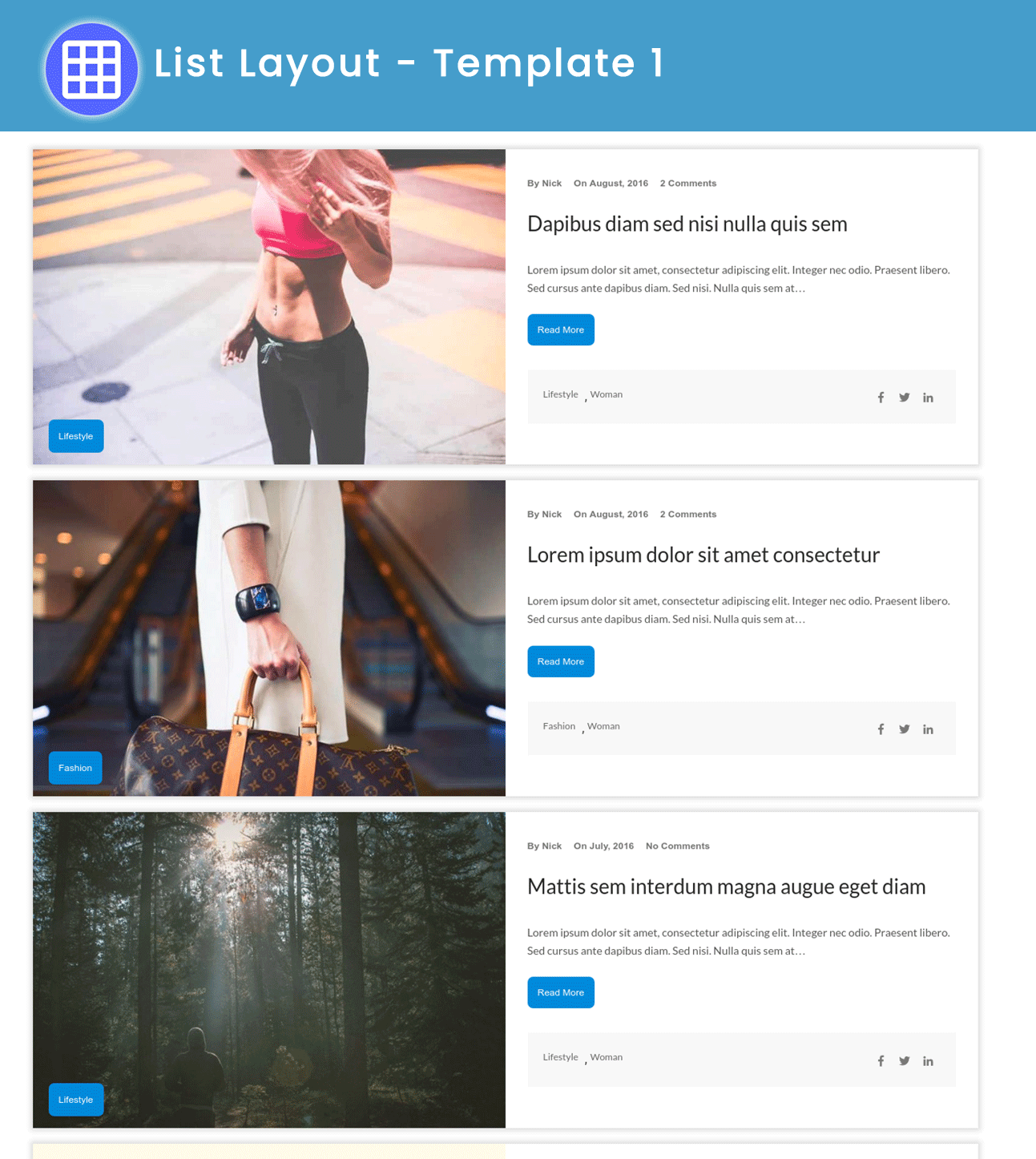
- 3 List Templates
- Up to 4 Column Support with Grid Layout
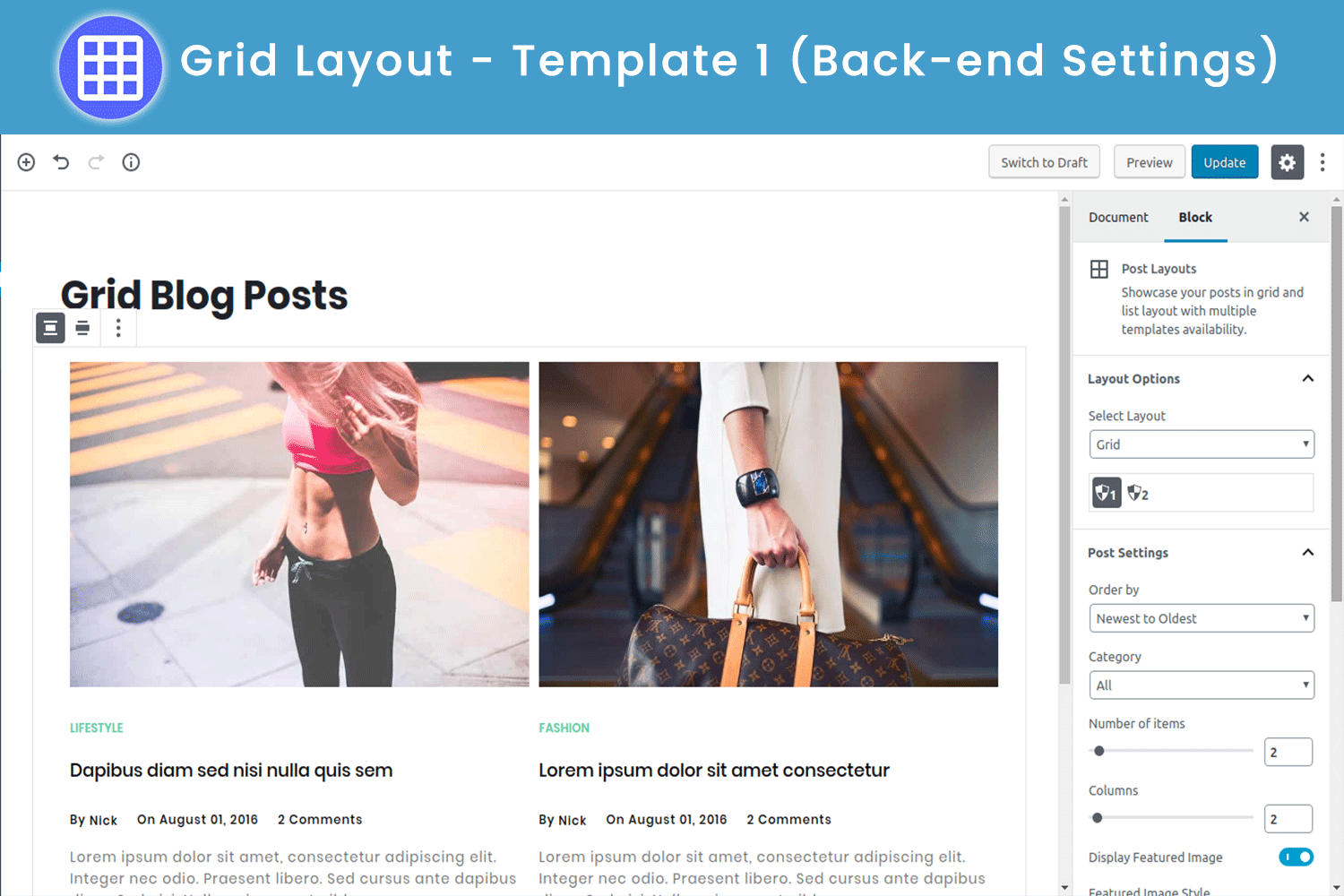
- Option to Show/Hide Multiple Post Meta
- Easy to Install, Use and Customize
- Clean Code, Layout, and Design
- Fully Responsive for Any Devices
- ‘Read More’ Text Option to Choose and Change
- Order by – Newest to Oldest, Oldest to Newest, A → Z, Z → A
- Featured Image Style – Landscape, Square
Post Layouts Pro for Gutenberg
- 10 Grid Templates
- 5 List Templates
- Social Share Icon Style
- CodeCanyon Quality Code Standards
- More Typography Options (Coming soon)
- More Post Layouts Templates (Coming soon)
Buy Post Layouts Pro for Gutenberg on CodeCanyon
Technical Support
We’re active for any support issues and feature suggestions. So, I hope you will love it. If you have any more questions, visit our support on the Plugin’s Forum. Feel free to contact us if you want any custom widgets for your site.
Like Post Layouts for Gutenberg Plugin?
Don’t forget to rate us on WordPress 🙂
Other Gutenberg Add-ons
Blöcke
This plugin provides 1 block.
- Post Layouts
Installation
Aus Ihrem WordPress-Dashboard
- Gehe zu Plugins >Neu hinzufügen
- Search for Post Layouts for Gutenberg
- Klicken Sie auf Jetzt installieren-Schaltfläche
- Klicken Sie auf Jetzt aktivieren nach der Installation im Backend
Von WordPress.org
- Download Post Layouts for Gutenberg
- Upload the ‘post-layouts’ folder to the /wp-content/plugins/ directory
- Activate Post Layouts for Gutenberg plugin from your plugins page
Änderungsprotokoll
2.1
Release Date: September 23rd, 2026
- Fixed: Corrected REST API comment count and archive layout styling issues.
- Security: Hardened all custom REST API fields with proper schemas and safe ID handling.
- Updated: Raised minimum PHP requirement to 7.4.
2.0.1
Release Date: August 24th, 2026
- Updated: Latest WordPress 7.1 compatibility check
- Fixed: Translations could load too early on some sites, triggering a WordPress core notice
2.0.0
Release Date: July 10th, 2026
- Updated: Latest WordPress 7.0 compatibility check
- Updated: Plugin version bumped for WP 7.0 support
- Fixed: Removed duplicate translation loader and code quality improvements
- Fixed: Improved query handling and REST field data safety
1.2.10
Release Date: April 22nd, 2025
- Updated: Latest WordPress 6.8 compatibility Check
1.2.9
Release Date: November 22nd, 2024
- Updated: Latest WordPress 6.7 compatibility Check
1.2.8
Release Date: August 6th, 2024
- Updated: Latest WordPress 6.6.1 compatibility Check
Screenshots
Für Entwickler
Ist das dein Plugin? Zeigen Sie die Zahlen.
Fügen Sie Ihrer Website, Docs oder GitHub Readme ein Live-Badge hinzu. Es wird von selbst aktualisiert - kein Konto erforderlich.
Best Post Layouts alternatives
All grid layout plugins →





Fragen und Antworten
Post Layouts: quick answers
Gerade Antworten, gezogen von Live WordPress.org Daten.
Quelle: WordPress.org
Is Post Layouts free?
Yes. Post Layouts is free to download and use from the official WordPress.org plugin directory.
Is Post Layouts safe to use in 2026?
Post Layouts is a solid plugin choice in 2026, with a few things worth checking first. It runs on 900+ sites, is rated 4.5/5 and was last updated 2 months ago, and scores 72/100 on our health check.
How many websites use Post Layouts?
Post Layouts is active on 900+ WordPress websites and has been downloaded 115,475 times since it launched in October 2018. It was downloaded 585 times in the last 30 days.
Does Post Layouts work with WordPress 7.1?
Yes. The developer has tested Post Layouts up to WordPress 7.1.5, the latest release. It requires WordPress 5.0 or newer.
What PHP version does Post Layouts need?
Post Layouts requires PHP 7.4 or higher. Most hosts run PHP 8.x today, so it works on any modern WordPress hosting.
When was Post Layouts last updated?
The latest version, 2.1, was released on September 24, 2026 (2 months ago).
Who makes Post Layouts?
Post Layouts is developed and maintained by Alkesh Miyani.
What are the best alternatives to Post Layouts?
The most popular alternatives to Post Layouts are Classic Blog Grid (3K+ installs), Simple Masonry Layout (1K+ installs) and Guten Post Layout (1K+ installs).
Angetrieben von PageForge
Eine Vorlage und eine Tabelle. Eine echte Seite für jede Suche.
PageForge Verwandelt jede Zeile eines CSV in eine WordPress-Seite mit eigenem Titel, URL, SEO Felder und Schema entworfen. Kostenlos auf WordPress.org.
- CSV und XLSX, plus Google Sheets auf Beruf und Unternehmen
- seinen eigenen Titel, URL, SEO Felder und Schema für jede Seite
- Arbeitet mit dem Blockeditor, Elementor, Divi und Avada
- Kostenlos auf WordPress.org, keine Kreditkarte