


Crowdsignal Dashboard – Polls, Surveys & more
Manage your Crowdsignal polls, surveys, quizzes, and ratings directly from the WordPress dashboard.

Solide Wahl
Crowdsignal Dashboard is a solid plugin choice in 2026, with a few things worth checking first. It runs on 100K+ sites, is rated 2.7/5 and was last updated 4 months ago, and scores 66/100 on our health check.
- Bewährt im Maßstab auf 100k+ aktiven Standorten
- Momentum — downloads up 19.6% vs the previous 30 days
- Mixed reviews — 2.7/5 from 34 ratings
Wie stapelt es sich?
Side-by-side bei Installationen, Updates, Bewertungen und Support



Tägliche Downloads
Download-Spitzen folgen normalerweise einer neuen Version - jede Website, die automatisch aktualisiert wird, gilt als Download.
Ranglisten
Where Crowdsignal Dashboard stands todayWordPress.org Ranglisten suchen
Live-Position in der Plugin-Suche, Top 100| Stichwort | Position |
|---|---|
| polling | #1 |
| polls | #7 |
| rating | #64 |
| surveys | #10 |
| vote | #12 |
Versionsübernahme
Anteil aktiver Sites pro Release.
Bewertungsaufschlüsselung
★★★★★★★★★★ 2.7 from 34 reviews
About Crowdsignal Dashboard
From the official readme · v3.1.8Beschreibung
The Crowdsignal Dashboard plugin allows you to create and manage polls, surveys, quizzes, and ratings from within your WordPress admin. See all your projects in one place, be they surveys, quizzes and polls made on Crowdsignal.com or any of our poll and survey blocks using our Crowdsignal Forms plugin. With just one click view all results for your responses as they come in to analyze responses in real time and export your results everywhere!
The Block Editor
Are you using the new block editor for WordPress? Our other plugin, Crowdsignal Forms provides a number of blocks for your post editor that allow you to gather actionable feedback from your audience:
* Poll: Create polls and get your audience’s opinion.
* Survey Embed: Create surveys in minutes with 14 question types and embed them into your page.
* Feedback Button: A floating and always visible button that allows your audience to share feedback anytime.
* Measure NPS: Calculate your Net Promoter Score! Collect feedback and track customer satisfaction over time.
* Voting: Allow your audience to rate your work or express their opinion.
* Applause: Let your audience cheer with a big round of applause.
Learn more about the Crowdsignal Forms plugin here, and on crowdsignal.com.
Want to help translate the plugin or keep an existing translation up-to-date? Head on over to the translation site.
Some strings are not translated when polls and surveys are embedded. You will have to translate them using a language pack on Crowdsignal.com.
Development of the plugin takes place in this GitHub repository. Contributions are welcome!
The Classic Editor
If you are a long time user of this plugin and you still use the classic post editor, the best way to create polls is through your Crowdsignal account where you have a number of different ways to share polls (and surveys). However, up to version 2.2.6, this plugin had an “Add Poll” button above the post editor that opened a very basic poll editor. That “Add Poll” button has since been removed but if you would still like to use it, open up the wp-admin dashboard on your WordPress site. Add “admin.php?page=polls&action=create-poll” to the end of the URL, after “wp-admin/” so it looks like https://example.com/wp-admin/admin.php?page=polls&action=create-poll and you will see the old poll editor. Bookmark that URL if you still want to use that poll editor. We do not recommend using version 2.2.6 of the plugin as you will miss out on many bug fixes and new features added since then.
Installation
Upload the plugin to your blog (or search for it and install it on your plugins page), activate it, then go to Settings->Crowdsignal to configure the plugin. You’ll need a Crowdsignal API key available from your Crowdsignal account page to sync your account and pull in your existing polls and ratings.
Crowdsignal.com is now linked to WordPress.com using WordPress.com Connect which means you can use your WordPress.com username and password to login to Crowdsignal.com. If you have a WordPress.com account and have never used Crowdsignal.com you can login here to access Crowdsignal.com.
You can find further help on our support page. If you have any problems please use the support forum. The plugin also logs activity to a file using the WP Debug Logger plugin which can be useful in determining the cause of a problem.
Änderungsprotokoll
Bugfix and security release
3.1.8 – 2026-07-14
- Poll shortcode loader: robustness fixes (loop abort + re-init) (#170)
- Update poll shortcode script loading (#169)
- polldaddy-client: use https for the API and drop the dead fsockopen path (#168)
3.1.7 – 2026-07-07
- Harden rating shortcode settings handling [#162]
3.1.6
- Security: Verify attachment access in the image upload handler #154
- fix: Avoid PHP notices from the rating shortcode on archive/taxonomy pages #104
3.1.5
- fix: Improve output escaping in style editor #147
- Remove redundant hook with undefined function register_polldaddy_styles #125
3.1.4
- fix: Added nonce verification for ‘create-block-poll’ action by @GaryJones in #144
- refactor: Remove unused AJAX action registration by @GaryJones in #142
- Add Comprehensive CSRF Security Tests by @GaryJones in #143
Screenshots
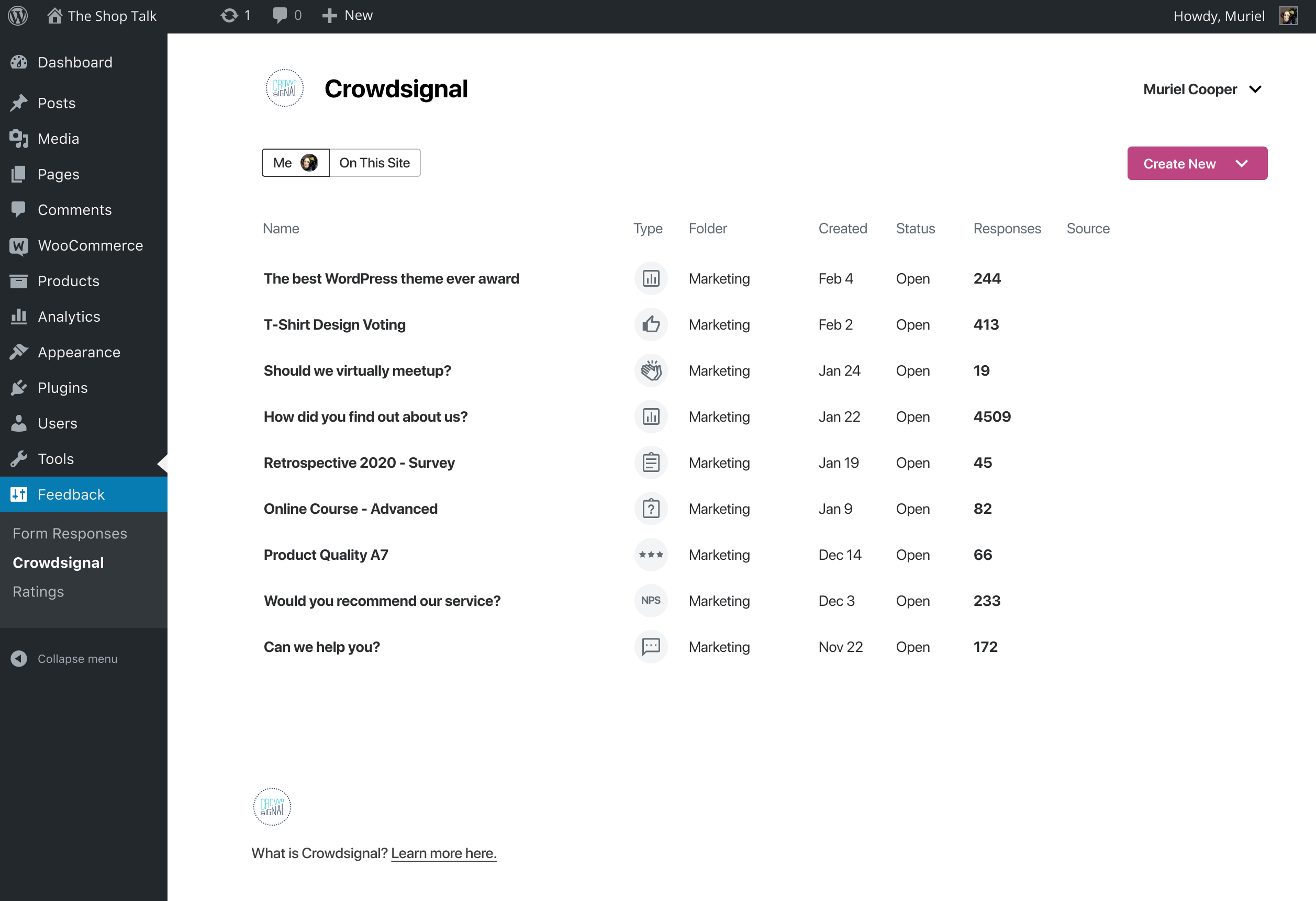
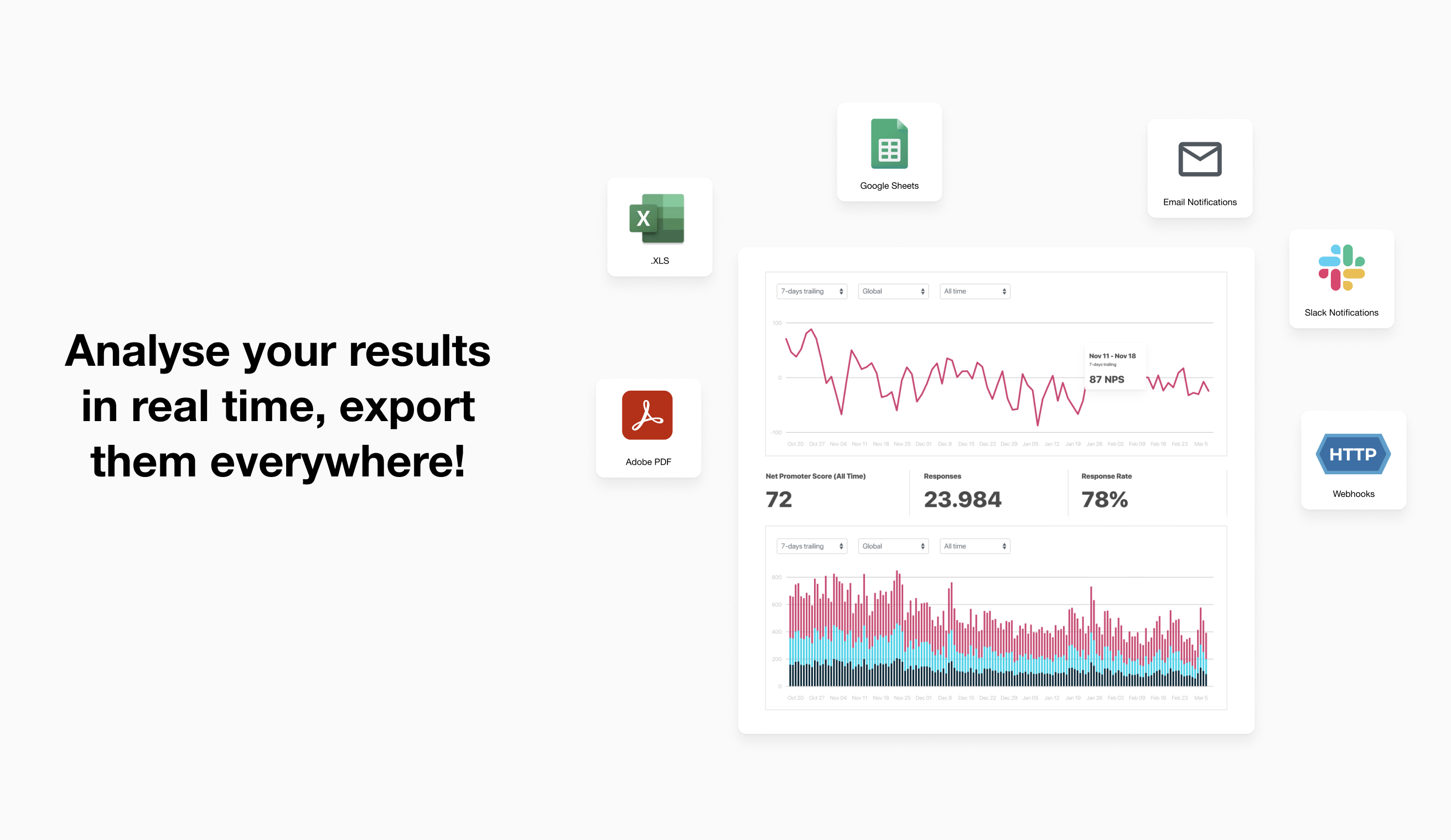
Für Entwickler
Ist das dein Plugin? Zeigen Sie die Zahlen.
Fügen Sie Ihrer Website, Docs oder GitHub Readme ein Live-Badge hinzu. Es wird von selbst aktualisiert - kein Konto erforderlich.
Best Crowdsignal Dashboard alternatives
All polling plugins →


Fragen und Antworten
Crowdsignal Dashboard: quick answers
Gerade Antworten, gezogen von Live WordPress.org Daten.
Quelle: WordPress.org
Is Crowdsignal Dashboard free?
Yes. Crowdsignal Dashboard is free to download and use from the official WordPress.org plugin directory.
Is Crowdsignal Dashboard safe to use in 2026?
Crowdsignal Dashboard is a solid plugin choice in 2026, with a few things worth checking first. It runs on 100K+ sites, is rated 2.7/5 and was last updated 4 months ago, and scores 66/100 on our health check.
How many websites use Crowdsignal Dashboard?
Crowdsignal Dashboard is active on 100K+ WordPress websites and has been downloaded 1,317,463 times since it launched in October 2008. It was downloaded 5,871 times in the last 30 days.
Does Crowdsignal Dashboard work with WordPress 7.1?
Crowdsignal Dashboard is officially tested up to WordPress 7.0.9, while the latest release is 7.1.5. It may still work, but try it on a staging site first.
What PHP version does Crowdsignal Dashboard need?
Crowdsignal Dashboard requires PHP 5.6 or higher. Most hosts run PHP 8.x today, so it works on any modern WordPress hosting.
When was Crowdsignal Dashboard last updated?
The latest version, 3.1.8, was released on July 15, 2026 (4 months ago).
Who makes Crowdsignal Dashboard?
Crowdsignal Dashboard is developed and maintained by Automattic.
What are the best alternatives to Crowdsignal Dashboard?
The most popular alternatives to Crowdsignal Dashboard are Poll Maker by AYS (6K+ installs), WP Easy Poll (60+ installs) and Social Polls by Wedgies.com (50+ installs).
Angetrieben von PageForge
Eine Vorlage und eine Tabelle. Eine echte Seite für jede Suche.
PageForge Verwandelt jede Zeile eines CSV in eine WordPress-Seite mit eigenem Titel, URL, SEO Felder und Schema entworfen. Kostenlos auf WordPress.org.
- CSV und XLSX, plus Google Sheets auf Beruf und Unternehmen
- seinen eigenen Titel, URL, SEO Felder und Schema für jede Seite
- Arbeitet mit dem Blockeditor, Elementor, Divi und Avada
- Kostenlos auf WordPress.org, keine Kreditkarte